Parsware Platform
Start here: every Parsware Platform article, in order
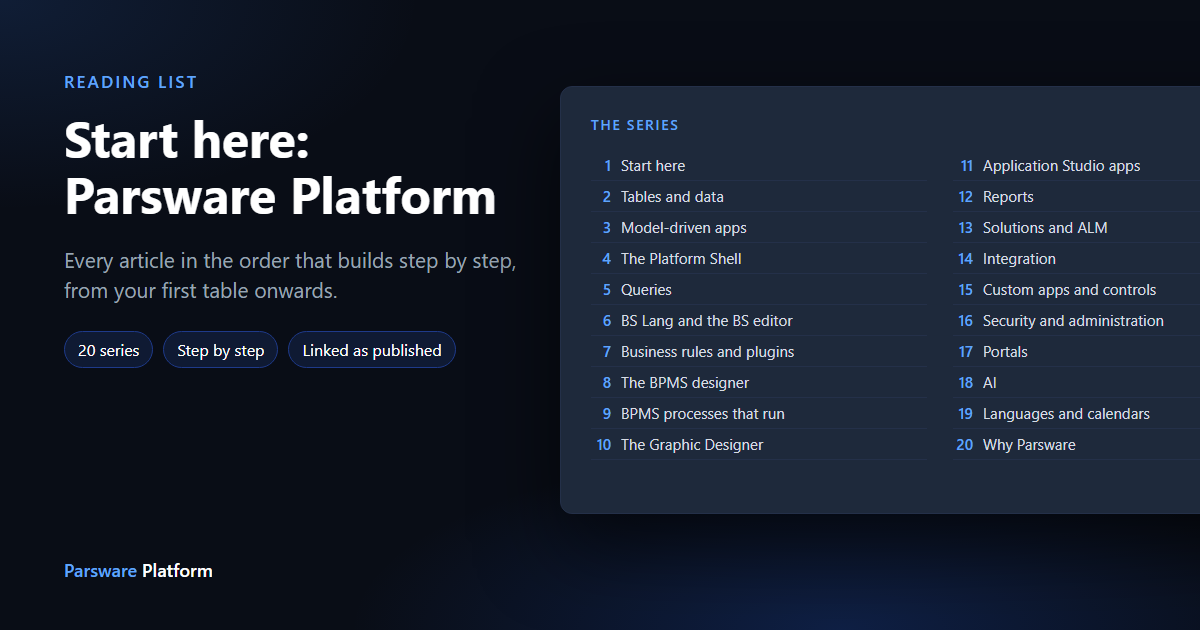
New to Parsware Platform? This is the reading list. Every article in the series, in the order that builds step by step, from your first table to processes, reports, portals and AI, with each one linked as it is published.
Parsware Platform is an app platform: you build tables, forms, views, processes, reports and apps, and move them between environments in solutions. There is a lot of it, so this page puts every article in one order that builds step by step.
How to use it. Read series 1 first. Every other article assumes it. After that, pick the series you need and read it top to bottom; each article lists what to read first at the top, so you can also jump in anywhere and step back. Many articles start by importing a sample solution, so you can follow along in your own environment.
Articles are published a few a week. A title without a link is planned and not written yet; this page updates as each one goes out.
1. Start here
4 of 4 published.
- 1.1 Parsware Platform: an overview — One real application through every part of the platform
- 1.2 Publishers and solutions — A publisher and its prefix, build, export, import as managed, uninstall
- 1.3 Build your first table and view — A table, five field types, a filtered view, an app
- 1.4 Find your way around the maker portal — Home, the rail, the top bar, lists and drawers, a solution's own rail
2. Tables and data
16 of 16 published.
- 2.1 Every field type, explained — Text, multiline, integer, decimal, boolean, date/time, lookup, option set, file, image: what each stores and which control shows it
- 2.2 Required, read-only and default controls — Required on forms, read-only fields, and setting a field's control once for every form and view
- 2.3 Lookups: linking one record to another — A lookup field, the relationship it creates, and the Related tab
- 2.4 One lookup, several tables — A multi-table lookup, such as a customer that is an account or a contact
- 2.5 Relationships between tables — One-to-many and many-to-one, and what happens on delete
- 2.6 Option sets: reusable choice lists — A global option set, colours and icons, and how the publisher numbers the values
- 2.7 States and reasons — Active and inactive, and the reasons a record moves between them
- 2.8 Reference numbers that number themselves — An auto-number field: prefixes, sequence and padding
- 2.9 No duplicates, no double bookings — A table's unique and no-overlap constraints
- 2.10 Files and pictures on a record — File and image fields, uploads on a form, and the size cap
- 2.11 Large files: where they go — Files over the cap spill to object storage, and are removed with the record
- 2.12 A picture and a second line beside every record — The record image and the secondary line in grids and lookups
- 2.13 Category trees — A table that parents itself, shown as a tree, and the cycle check
- 2.14 Import records from a spreadsheet — Mapping CSV columns to fields, and what happens to bad rows
- 2.15 Who changed what: auditing — Turning auditing on for a table, and reading a record's history
- 2.16 Two people, one record — What happens when two people save the same record at once
3. Model-driven apps
18 of 18 published.
- 3.1 Your first app, shared with the people who need it — An app, its navigation, and the security role that opens it
- 3.2 Forms that fit the job — Tabs, sections, columns, and several forms for one table
- 3.3 Notes and labels on a form — Text that explains a form, beside the fields
- 3.4 Choose the control a field uses — Toggles, pickers, Persian dates, and a custom control
- 3.5 Views: the lists people work in — Columns, order, widths and default views
- 3.6 View column properties — Headers, formats, controls and alignment per column
- 3.7 Filters with And and Or — The filter builder and grouped conditions, one-off in the app and saved on a view
- 3.8 Lookup views and quick find — Which columns a lookup shows, and which ones a search matches
- 3.9 A customer timeline — Activities and notes on one timeline on the form
- 3.10 Bookings on a calendar — A calendar view: day, week and month, rooms side by side, booking from an empty slot
- 3.11 Records as a tree — A tree view of a table that parents itself (covered in Category trees)
- 3.12 Buttons that do something — A command-bar button running a script on the selected records
- 3.13 Tidy command bars — Grouping, renaming, hiding and reordering commands
- 3.14 A dashboard in an app — Counted tiles, charts, an embedded grid and quick create form on a drawn Studio screen, opened from the app's navigation
- 3.15 Show who created or changed a record — The system fields: created by, modified by, owner
- 3.16 What happens when you save a table — The schema change, the default form and view, and what can't change later
- 3.17 The Organisation app — Units, the org chart, people in their places, and process roles
- 3.18 Delete a table safely — The dependency check, and what it lists before anything is removed
4. The end user's side: the Platform Shell
5 of 8 published.
- 4.1 Sign in and open an app — The welcome email, setting a password, the apps list (coming soon)
- 4.2 Work with records in a view — Sorting, searching, filtering, selecting, opening, editing
- 4.3 Switch between environments — The environment's own address, and moving between them
- 4.4 Change who owns a record — The Owner field on the form: a user or a team
- 4.5 See what happened to a record — The history and the audit trail from the record (coming once the feature is on a screen)
- 4.6 Your tasks — My Tasks: opening, completing and handing on the work a process sends you
- 4.7 Read a chart — Hovering for a value, and hiding a series with the legend
- 4.8 Your profile and photo — The user menu, your picture, your password and your authenticator (coming once the feature is on a screen)
5. Queries
3 of 3 published.
- 5.1 Design a query — Tables, joins, columns and filters in the query designer
- 5.2 Save a query and use it everywhere — A saved query feeding a report and a server script
- 5.3 Totals and groups — Aggregates in a query: counts, sums, grouped
6. BS Lang and the BS editor
12 of 12 published.
- 6.1 BS Lang in ten minutes — Variables, lists, functions, conditions and loops
- 6.2 The BS editor: errors as you type — Validation underlines and the problems list
- 6.3 The BS editor: completion — Completion for the host's functions, imported scripts and a value's methods, as you type
- 6.4 The BS editor: signature help and formatting — Argument hints, and formatting a script with one key
- 6.5 The helpers panel and the script reference — Finding a function without leaving the editor
- 6.6 What a script can see — The scope: the record, the user, the process, and why it differs per host
- 6.7 Query records from a script — Reading other records in a plugin step, a Custom API or a process
- 6.8 Shared logic: solution scripts — One script imported by rules, commands, plugin steps and Custom APIs
- 6.9 Call an outside service —
callServicewith the endpoint in an environment variable, allow-listed per environment - 6.10 Send an email from a script —
sendEmail, and where it is allowed - 6.11 Files from a script — Attaching a file to a record, writing one to storage
- 6.12 One script, two interpreters — The same script in the browser and on the server, and the conformance suite that keeps them the same (developer article)
7. Business rules, plugin steps and scheduled jobs
11 of 12 published.
- 7.1 Business logic in Parsware: which one to use — Form rules, command buttons, plugin steps, Custom APIs, scheduled jobs and processes: a decision guide
- 7.2 A client rule: an expense approval — A form rule that shows, hides and requires fields as you type
- 7.3 A server rule: an expense limit — A rule the server enforces, whatever saves the record
- 7.4 Add a server validation rule — The rule editor, the message, and a save being refused
- 7.5 Plugin steps: before and after a save — Stages, the message, the table and the order
- 7.6 Checking stock on an order — A plugin step that reads another table and refuses a save
- 7.7 A claim approved by the server — A server rule that sets values on a record as it is saved
- 7.8 A job that runs every night — A scheduled trigger, and its run history (coming once the feature is on a screen)
- 7.9 When background work fails — The failed-work list, the error, and retrying
- 7.10 Rules with limits — Why a script can't run forever, and what the budget message says
- 7.11 Environment variables — Values that change per environment, read by server scripts
- 7.12 Data policies — Rules about who may do what with a table's data
8. The BPMS designer
13 of 14 published.
- 8.1 A tour of the process designer — The palette, the swimlanes, the properties panel, the outline and the problems panel
- 8.2 Swimlanes and roles — Lanes, lane roles picked from a list, and who a lane's work goes to
- 8.3 The shapes: start, task, branch, finish — What each node kind does and where it can connect
- 8.4 Task types — User, service, script, manual, send, receive and business-rule tasks
- 8.5 Fork and join: work in parallel — Splitting a flow and waiting for every branch
- 8.6 Connecting and arranging — Drag to connect, edges that route around shapes, and auto arrange
- 8.7 Branch conditions — A condition on each branch, written in BS
- 8.8 Code on a task — The full-width script editor, and task events
- 8.9 Assignment: who gets the task — Assigned to (a role, a person, a team or whoever started it), the lane role as the fallback, and excluding the requester
- 8.10 Process variables — Values a process carries from step to step
- 8.11 The problems panel — The process checked as you draw it, and fixing what it finds
- 8.12 Coforms: a form for a task — The form a person fills in when the task reaches them
- 8.13 Draw a process with AI — Describe a process and get a drawn, checked design (coming soon)
- 8.14 Export and import a process — JSON, PNG and SVG, and importing a file that is checked first
9. BPMS processes that run
11 of 12 published.
- 9.1 Processes that actually run — Why process automation matters, and how design, publish and run fit together
- 9.2 Publish a process — Save versus publish, versions, and what a running instance uses
- 9.3 A two-step approval — A request one manager corrects and a second approves, run as two people
- 9.4 Leave approval from start to finish — A full HR process, run as the employee and as the manager
- 9.5 Parallel sign-off — Two approvers at once, one result
- 9.6 Deadlines and timers — A timer escalating a late task
- 9.7 Start a process from a record — A process that starts when a record is created or changed
- 9.8 Approval by amount — The approver read from a thresholds table finance edits
- 9.9 Watch a process run — The run list, the live diagram and its history
- 9.10 How is a process doing? — Counts, waiting times and where work is stuck
- 9.11 Units, positions and the hierarchy — Routing work up the organisation chart (coming once the feature is on a screen)
- 9.12 A process travels in a solution — Export, import and uninstall of a process, with its roles
10. The Graphic Designer
15 of 16 published.
- 10.1 A tour of the designer — The toolbar, the tool rail, the layers panel, the inspector and the canvas
- 10.2 Moving around the canvas — Pan, zoom, the hand tool and keyboard shortcuts
- 10.3 Frames and screen sizes — Frames, device presets, and resizing a frame
- 10.4 Shapes, selection and transforms — Drawing, selecting, moving, resizing, rotating, duplicating and layer order
- 10.5 Snapping and alignment — Smart guides, snap targets and aligning several shapes
- 10.6 Groups and boolean shapes — Grouping, and combining shapes into one
- 10.7 Text and rich text — Fonts, sizes, mixed styles in one text, and text that fits its box
- 10.8 Fills, gradients and icons — Colour, gradients, the icon library
- 10.9 Auto layout — Rows and columns that arrange themselves, gaps and padding
- 10.10 Resize constraints — How a shape behaves when its frame is resized
- 10.11 Shared styles and design tokens — One colour or text style used everywhere, changed in one place
- 10.12 Components: draw once, use everywhere — Making a component from a selection, placing instances
- 10.13 Component states and parts — Hover and pressed states, and parts an instance can change
- 10.14 A component library — Components shared across designs
- 10.15 The design as code — The code panel: the drawing is plain text you can read and edit (coming once the feature is on a screen)
- 10.16 Undo, history and export — Undo and redo, and exporting a drawing to HTML and React
11. Application Studio apps
20 of 20 published.
- 11.1 Drawing screens instead of coding them — What a Studio app is, and when to draw one instead of a model-driven form
- 11.2 Your first Studio app — Create, draw a screen, open it in the Shell
- 11.3 A welcome screen — A home screen with the signed-in user's name and shortcuts
- 11.4 Roles: what each part of a screen is — Button, input, list, chart: giving a shape its role
- 11.5 Make a screen react — Events, bindings and a script on a button
- 11.6 Show records on a screen — A list bound to a table or a saved query
- 11.7 A list a page at a time — Paging through records
- 11.8 A form that saves a record — Inputs bound to fields, validation, save
- 11.9 Navigation between screens — Menus, a navigation rail, and going back
- 11.10 Modals and drawers — Overlays that open over a screen
- 11.11 Links — Links to screens, records and outside pages
- 11.12 A file picker — Letting a person upload a file from a screen
- 11.13 A screen that updates itself — A live screen that refreshes as data changes
- 11.14 A dashboard on a screen — Charts and totals drawn on a Studio screen
- 11.15 Your tasks on a home screen — A process's tasks shown on a drawn screen
- 11.16 Components shared across screens — A top bar and a menu drawn once, placed on every screen
- 11.17 A phone app on the same data — A phone-sized screen, raised on a phone, approved on a desktop
- 11.18 Open a Studio app inside a model-driven app — A Studio screen in an app's navigation
- 11.19 Run a Studio app on its own — A Studio app opened outside any other app
- 11.20 Capital planning: a whole application, walked through — Six tables, a process, two reports and a phone app, together
12. Reports
12 of 12 published.
- 12.1 A report that prints exactly as designed — Why reports are drawn, and how they print one to one
- 12.2 Create a report and bind it to a table — A new report, its data, and a preview
- 12.3 Bands and sections — Headers, detail rows, footers and page breaks
- 12.4 Groups and totals — Grouping rows and totalling each group
- 12.5 Expressions and formats — Calculated values, number and date formats, and conditional styles
- 12.6 Charts in a report — A chart that renders the same on screen and on paper
- 12.7 Barcodes and QR codes — Code 128 and QR codes from a field
- 12.8 Paper, margins and printing — Paper size, orientation, and printing with no browser furniture
- 12.9 An invoice — A full invoice from an order and its lines
- 12.10 A report inside an app — Opening a report from an app's navigation and from a record
- 12.11 Reports from a query — A report fed by a saved query
- 12.12 A report in Persian — A right-to-left report with Persian dates and numbers
13. Solutions, environments and ALM
8 of 10 published.
- 13.1 Moving work from Dev to Test to Prod — The whole path, and the habits that keep environments in step
- 13.2 Environments that are actually separate — One database schema per environment, and why
- 13.3 Create and delete an environment — Tiers, the environment's address, and what deleting removes
- 13.4 Add existing components to a solution — Add existing, dependencies, and remove from solution
- 13.5 Managed layers and clean uninstalls — Layers, a solution extending a standard table, and what uninstall reverts
- 13.6 Several solutions in one environment — Two publishers' solutions side by side, and their dependencies
- 13.7 Seed data that travels with a solution — Configuration rows versus demonstration rows
- 13.8 Environment variables across environments — One solution, different endpoints and settings per environment
- 13.9 Keep solutions in source control — The exported file is plain JSON: diffing and reviewing it (coming once the feature is on a screen)
- 13.10 Import approval for Test and Production — A pending import waiting for a reviewer (coming once the feature is on a screen)
14. Integration: Custom APIs, registrations and storage
8 of 9 published.
- 14.1 Connecting Parsware to your other systems — Custom APIs, app registrations, storage and outbound calls
- 14.2 Publish a Custom API — A versioned contract, its script, and the generated OpenAPI description
- 14.3 An HTML receipt from a Custom API — A call from outside that returns a rendered receipt
- 14.4 A printable invoice from a Custom API — An API that returns a designed report as a document (coming once the feature is on a screen)
- 14.5 Register an external app — Client id and secret, and granting only what it needs
- 14.6 Get an access token — The client-credentials call, and using the token (developer)
- 14.7 Export files to object storage — A script writing a file to storage, and the storage browser
- 14.8 Query platform data for reporting — Reading entity data from outside (developer)
- 14.9 Schemas: every artifact is a file — The published schemas, validation, and generating an artifact outside the designer (developer)
15. Custom apps, custom controls and web resources
7 of 7 published.
- 15.1 Build a custom React app — A React app built, packed into one archive and uploaded
- 15.2 The Runtime SDK — Who is using it, data, saved queries, storage and the log, from inside a custom app
- 15.3 Build a custom control — A PCF-style control, packed and registered
- 15.4 Put a custom control on a field — Binding it on a form, in place of the default control
- 15.5 Web resources — Scripts, stylesheets and images stored in a solution
- 15.6 Custom code travels in the solution — An app and a control exported, imported and hash-checked
- 15.7 Hot reload while you develop — Hosted mode for a control in a development environment
16. Security, identity and administration
15 of 15 published.
- 16.1 Security in Parsware — Users, teams, roles, record access and policies, together
- 16.2 Create a user — A new user, the password you hand over, their role
- 16.3 Security roles in practice — A role's table permissions, and the same app seen by two users
- 16.4 Teams — Putting people in a team, and giving the team a role
- 16.5 Record access: whose records you see — Own, team, unit and all, per table
- 16.6 Row-level security — Only the rows a person is allowed to see, enforced on the server
- 16.7 Set up your organisation — Units and the org chart that record access and processes use
- 16.8 Two-step sign-in — Setting up an authenticator app, and recovery codes
- 16.9 Lost phone: replace or reset an authenticator — Replacing your own, and an admin resetting someone else's
- 16.10 Reset a password — What an admin can do, and what the user sees
- 16.11 The audit log — Who changed what, and when, across the environment
- 16.12 Tenants — Activating and deactivating a tenant
- 16.13 What's in object storage — The storage browser
- 16.14 Sort and filter any admin list — The list tools every admin screen shares
- 16.15 What happens when a trial ends — Before and after, from the user's side
17. Portals
13 of 14 published.
- 17.1 A customer portal on your own data — What a portal is, and how it differs from an app
- 17.2 Publish an app as a portal — A Studio app published to an outside address
- 17.3 A landing page — A public page drawn in Studio
- 17.4 Pages and navigation — Several pages, a shared menu and footer
- 17.5 A contact form — A public form that creates a record, protected from bots
- 17.6 Visitors who sign in — Portal accounts, sign-up and sign-in
- 17.7 Your own sign-in page — A drawn sign-in page instead of the standard one
- 17.8 Two-step sign-in for visitors — Letting portal users turn on an authenticator
- 17.9 Whose records a visitor sees — Row-level security for portal users
- 17.10 Let visitors save changes and attach files — Editing their own records, uploading a file
- 17.11 A view as a grid on a portal — Listing records on a portal page
- 17.12 A support-ticket portal — Raising and answering tickets, from both sides
- 17.13 Visitors who run their own company — A customer admin managing their own people
- 17.14 Your own domain — Pointing a domain at a portal (coming soon)
18. AI
0 of 5 published.
- 18.1 AI in Parsware: an assistant that acts as you — The home-screen assistant, and why its tools run as the signed-in user (coming once the feature is on a screen)
- 18.2 Connect an AI provider — Settings, AI: provider, model and key, saved per tenant (coming once the feature is on a screen)
- 18.3 Ask the assistant — Questions about the environment, answered from real data (coming once the feature is on a screen)
- 18.4 The AI button in every designer — Generating a process, a screen and a report from a sentence (coming once the feature is on a screen)
- 18.5 What the AI can and can't do — Permissions, what leaves the tenant, and what is not built (coming once the feature is on a screen)
19. Languages, calendars and appearance
0 of 5 published.
- 19.1 Persian and Arabic, right to left — The whole platform in fa and ar: apps, forms, designers and help (coming soon)
- 19.2 Persian calendars and date formats — Jalali dates on forms, views and reports, and the tenant's date settings (coming soon)
- 19.3 Themes, accent colours and fonts — Dark and light, colour themes, font size (coming soon)
- 19.4 Help on every screen — The Help link, in your language (coming soon)
- 19.5 Building for three languages — Labels and translations in a solution (maker) (coming soon)
20. Why Parsware
0 of 5 published.
- 20.1 An app platform, run for you — What Parsware is for, who it is for, and what a tenant gets (coming soon)
- 20.2 One login, many apps: the Platform Shell — One sign-in, every app, custom React apps sharing one runtime (coming soon)
- 20.3 Every designer is code first — Processes, reports, screens and tables are plain files with published schemas (coming soon)
- 20.4 Built only on permissive open source — No per-seat or per-server dependency, and why that matters to a customer (coming soon)
- 20.5 How we run parsware.com on Parsware — Our own site, trials and licences, built on the platform (coming soon)
Where next
Start with the overview, which follows one real application through every part of the platform, then build your first table and view.