Parsware Platform
A report inside an app
A report is reached on purpose: from an app's navigation, where it opens over the whole table, or from a command drawn on a form, where it prints the record that is open. Claims by status goes on the rail of a Billing app, and a Print invoice button on the invoice form prints that invoice and only its lines.
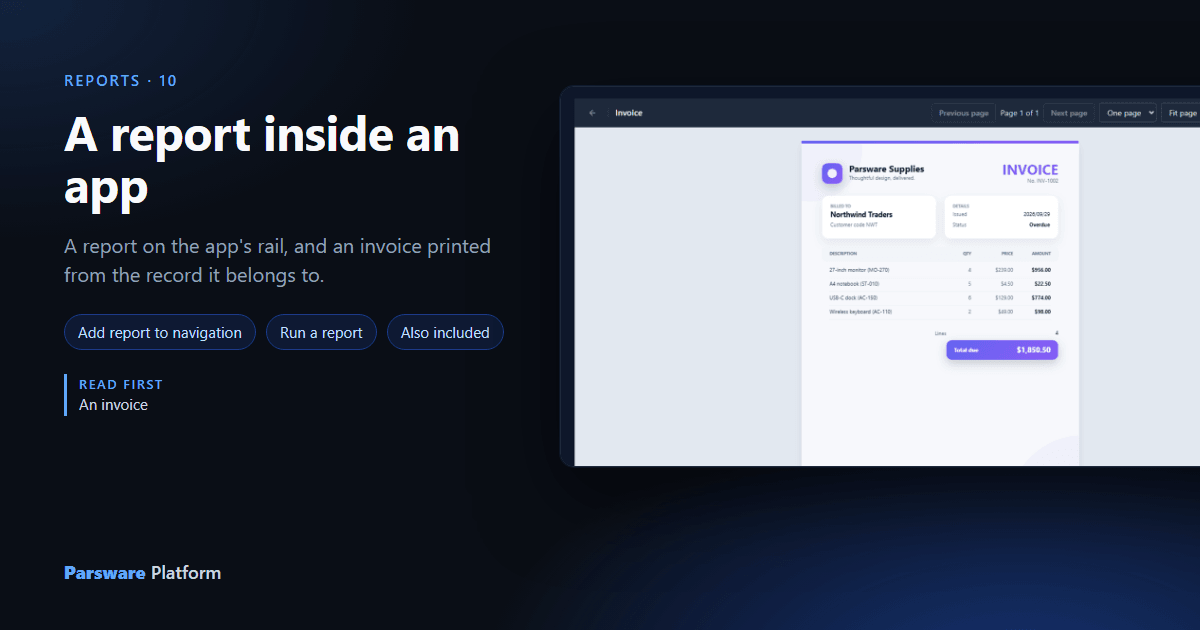
Claims by status and the Invoice are both saved, and neither can be opened by the people they are for: nothing puts a report in front of anybody just because it exists. There are two ways to reach one, and this article uses both, in a new app called Billing:
- from the app's navigation, which opens the report over its whole table;
- from a command on a form, which prints the record that is open.
Billing started as a model-driven app in the Main solution with one item on its rail, Invoices (article 021 shows how an app is made).
1. A report on the rail
Open the app with Edit. Under each navigation group there are three buttons: add a table, add a report, add a screen. The middle one, the printer, lists the reports in the environment:
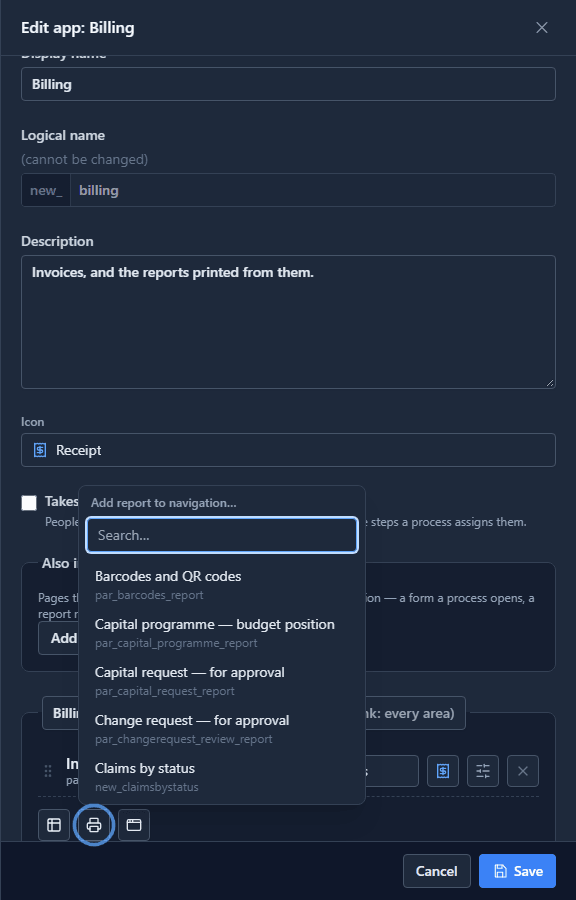
Pick Claims by status and it joins Invoices in the group, marked Report.
2. A report that isn't on the rail
The invoice shouldn't be on the rail: an invoice printed over the whole table would make no sense. But the app still has to be allowed to open it. Also included is for exactly that: pages the app can open without listing them. Press Add a page, set Type to Report, and pick the Invoice from Page:
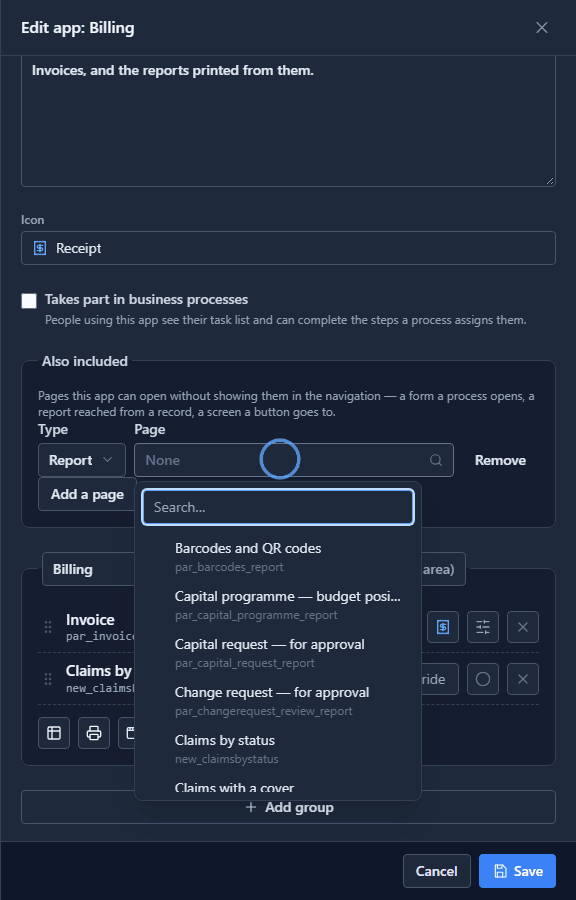
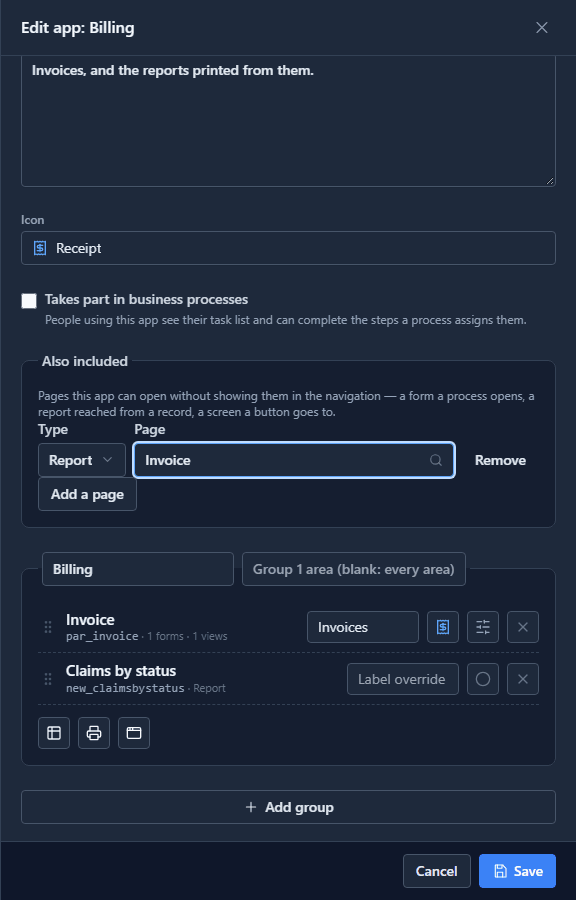
Press Save.
3. A Print invoice button
Open the Invoice table's form in the form designer. Under Commands, Add command (article 032 covers commands in full). We called it Print invoice, set When pressed to Run a report, and picked Invoice as the Report:
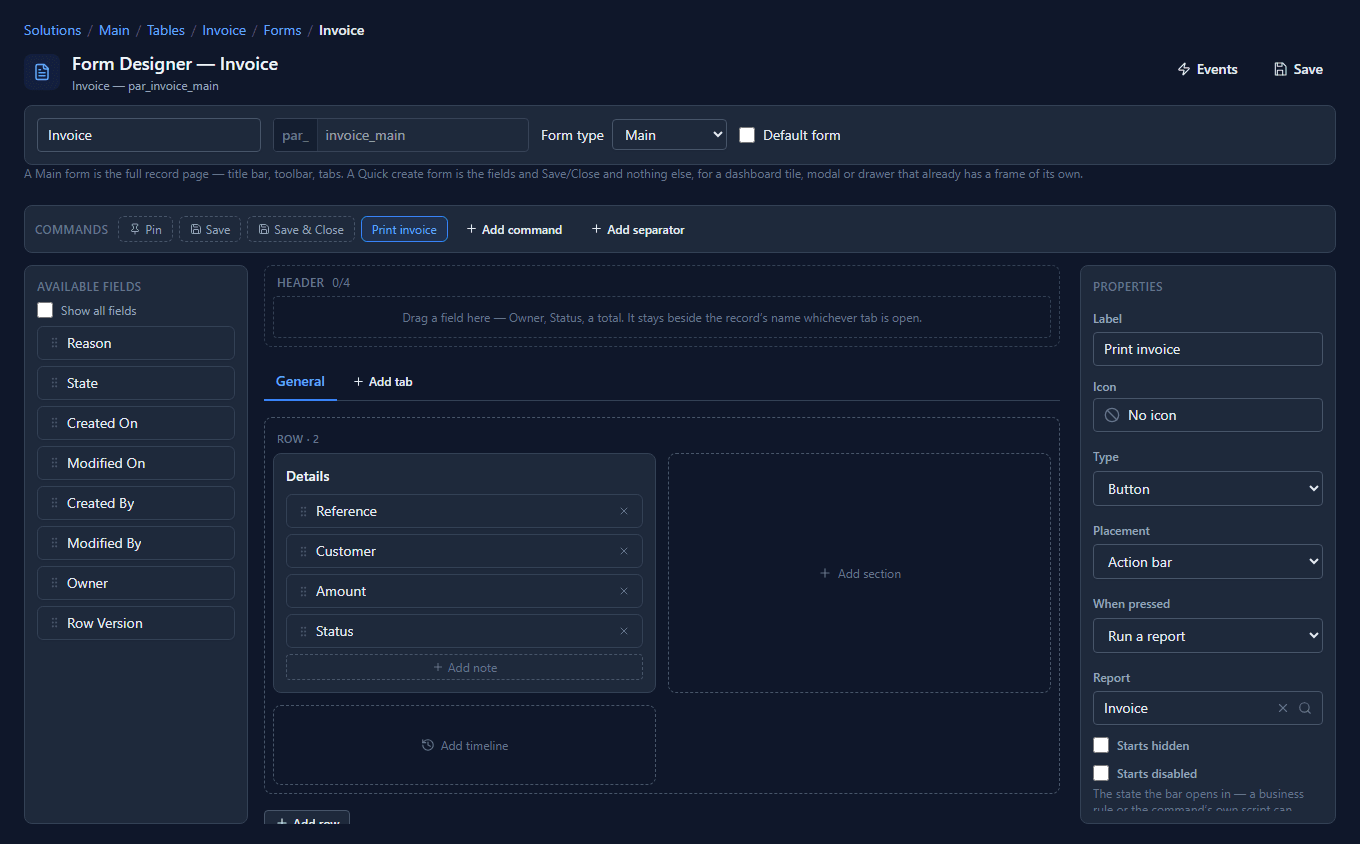
Pressed on an open record, Run a report prints that record: the report gets the record's id, and its record fields from article 144 narrow every dataset to it. Save the form.
4. From the rail
In the Shell, Billing now has Claims by status under Invoices. It opens as a page of the app, with its own address, so it can be bookmarked or sent to a colleague:
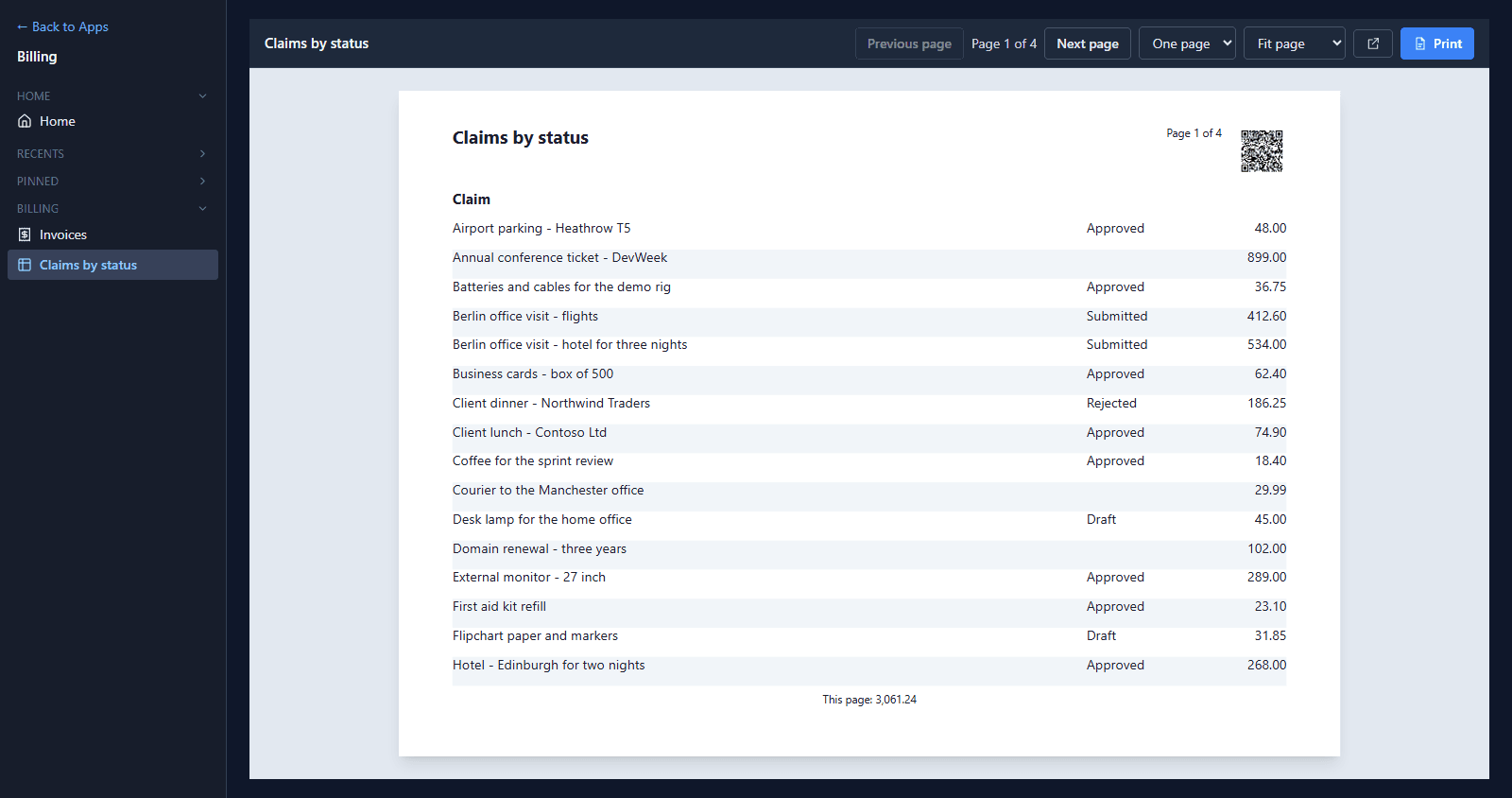
It shows every claim, because nothing narrowed it.
5. From a record
Open Invoices and then INV-1002. Print invoice is on the form's bar, after Save & Close:
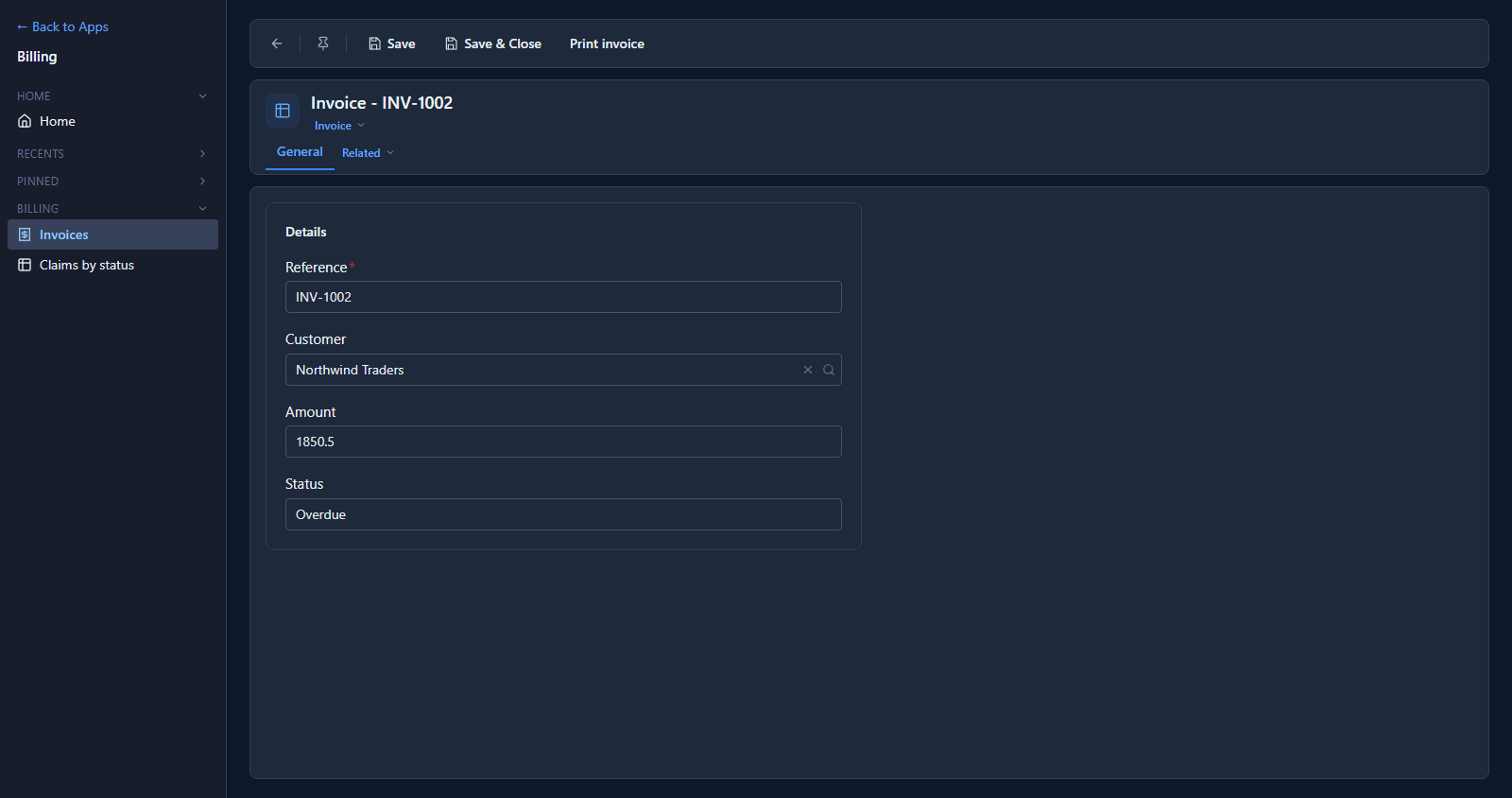
Press it:
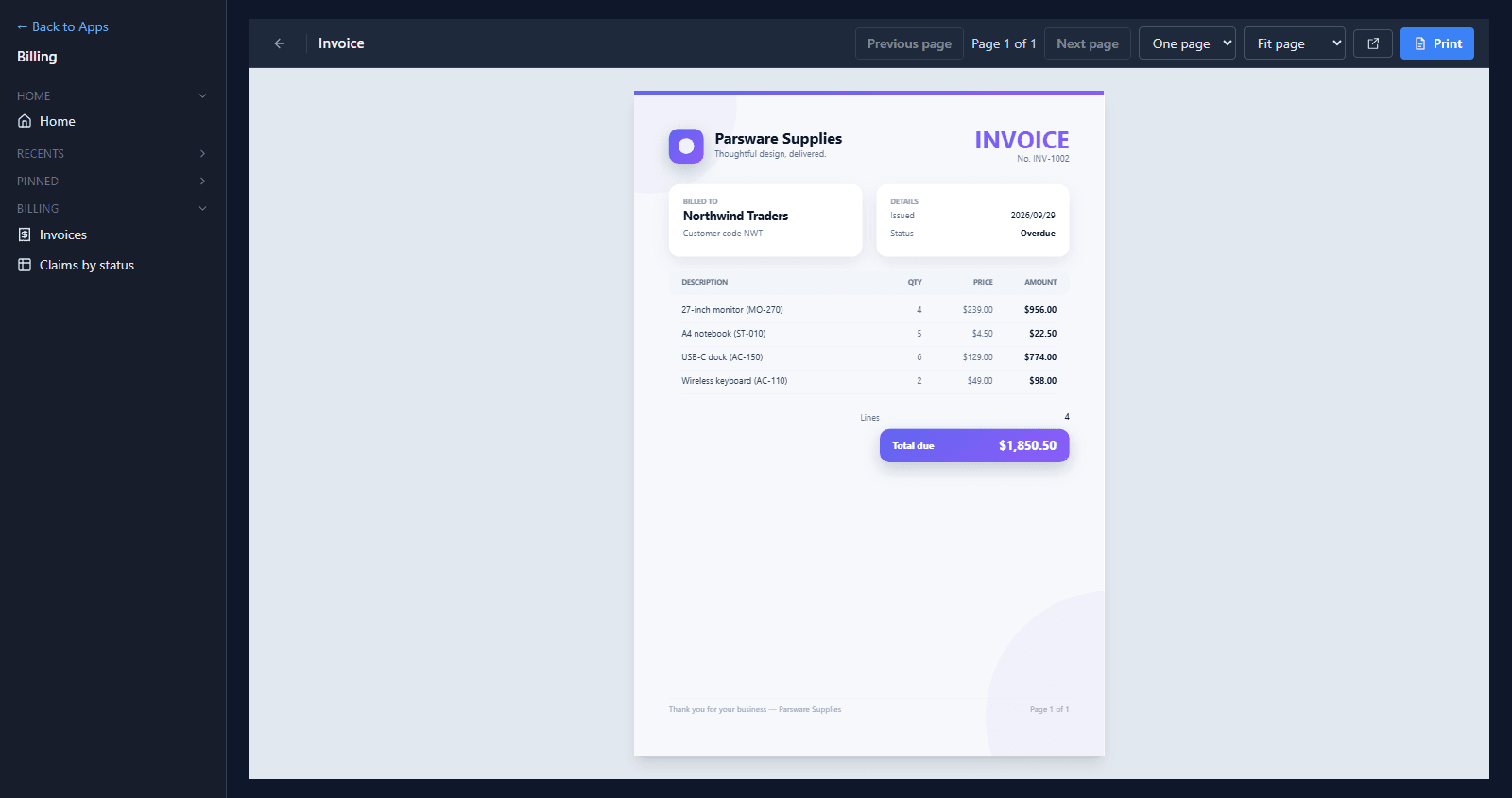
That is INV-1002 and its four lines, not INV-1001, which is the first invoice and the one the designer's preview shows. The ← at the start of the bar goes back to the invoice the button was pressed on. Print prints it on A4.
The issue date reads 2026/09/29 here, where the designer's preview showed Sep 29, 2026. In the Shell, dates follow the format set in Settings, the same as the lists and forms beside the report; the designer's preview doesn't use that setting yet.
Who can see it
A report reads its data as the person who opens it. Somebody who can open Billing but isn't allowed to read invoices gets an empty report, not somebody else's invoices. Who may open the app is set on its Share panel, as for any app.
What we fixed
Building this turned up two problems, now fixed:
- Also included took a typed name. The page to include was a text box for its logical name, so a mistyped report was only found when a button tried to open it. It is now picked from the tables, reports or screens in the environment, with a search box, the same as the navigation.
- The form designer showed the wrong prefix. The sample's form is
par_invoice_main, but opened from Main it read asnew_invoice_main, a form that doesn't exist. Nothing was renamed; the designer now shows an existing form's own name.
Try it
Add a report of your own to an app's rail, then put a Run a report command on the form of the table it is about.
Next: reports from a query.