Parsware Platform
Environment variables across environments
One solution, a different setting in every environment. The declaration of an environment variable travels with the solution; the value stays where it was set. We followed two variables from Development through two upgrades of Test and into Production, and watched what each import changed and what it left alone.
A solution is meant to be the same in Development, Test and Production. Some settings can't be: the printer a form sends badges to, the address of a partner's sandbox, how long a visit lasts before somebody chases it. An environment variable is how one solution carries a setting that each environment answers for itself.
Environment variables showed the idea with a payment service. This article is about the trip: what an import brings, what it leaves alone, and what to check before go-live. We used the Visitors solution from Moving work from Dev to Test to Prod, which is at 1.2.0 in Development and Test, and at 1.1.0 in Production.
Declare them in Development
In Development, open the solution, choose Environment variables and press New. We declared two:
- Badge printer, type Text, with no default. Every site has its own printer, so there is no sensible value to ship.
- Visit length (hours), type Number, default 8. Most sites are happy with a working day, so the solution can say so.
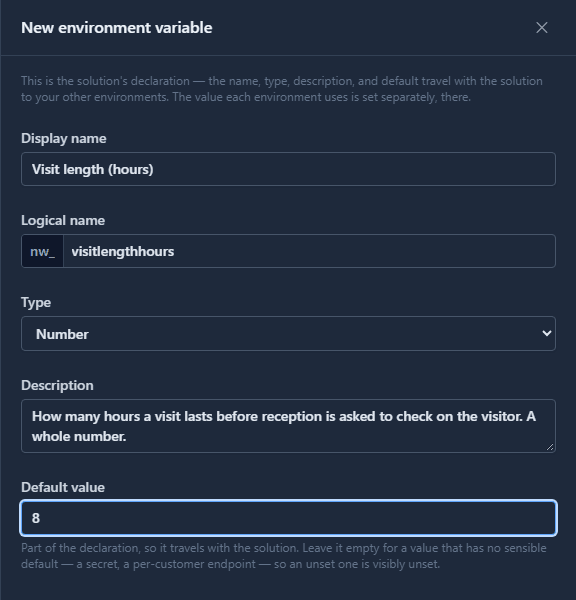
The description matters more here than almost anywhere else. Whoever sets the value in Production is often not you, and the description is all they get.
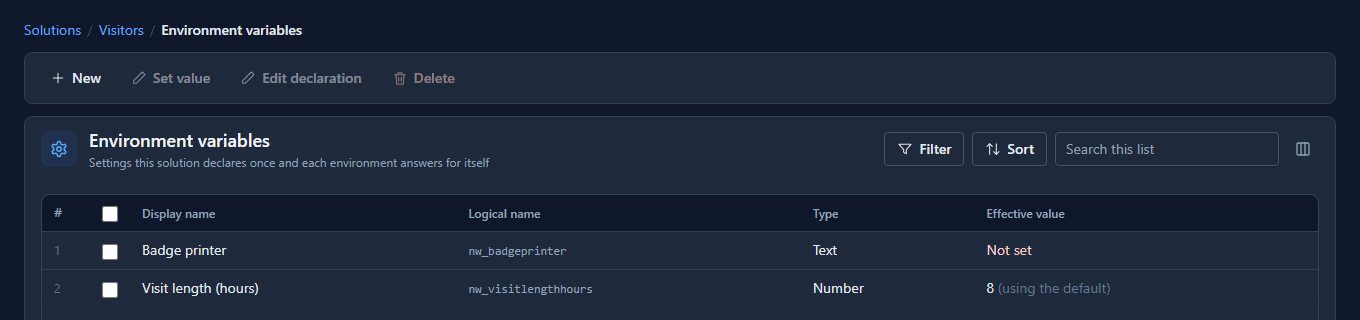
Development's list now reads:
Then Set version to 1.3.0 and Export.
The first import brings declarations, not values
In Test, Import the file. The upgrade adds both variables, and nothing else about them:
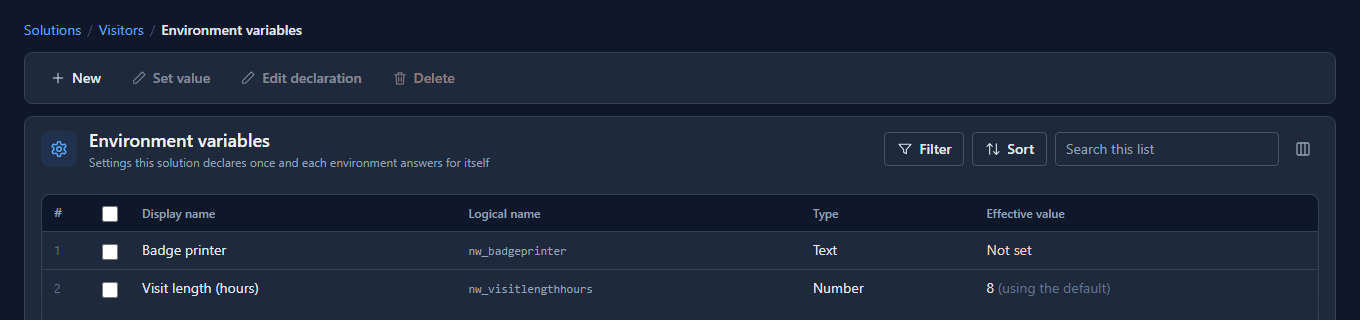
The default came with the declaration, so Visit length already has an answer. Badge printer has none: the solution declared it and deliberately didn't guess.
Each environment sets its own
Select a variable and choose Set value. The value is checked against the declared type where you type it. Try a word in a Number:
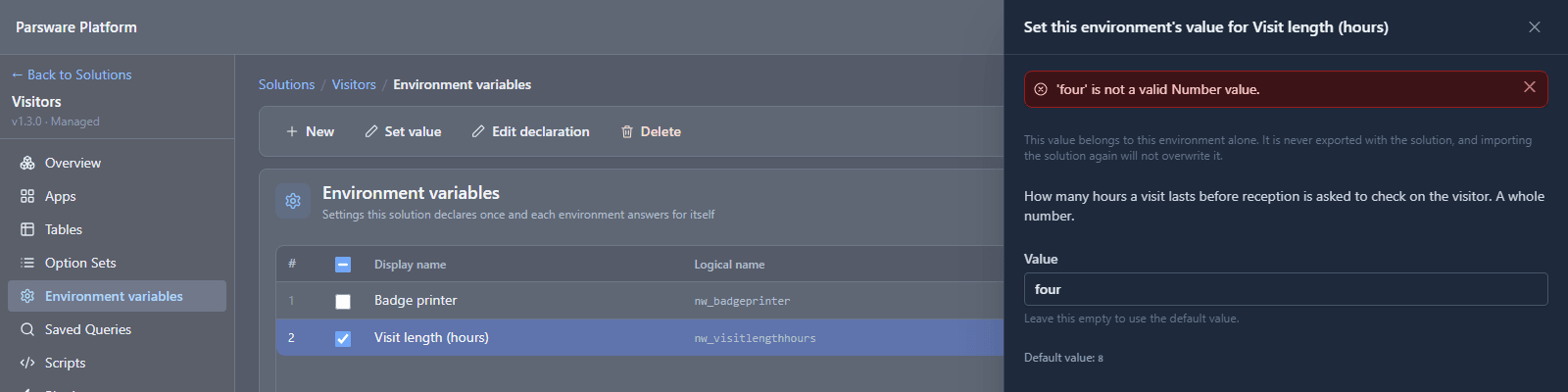
Refused in the panel, not found later by a script that reads it. We set Test's Visit length to 4 and its Badge printer to Test's own printer:
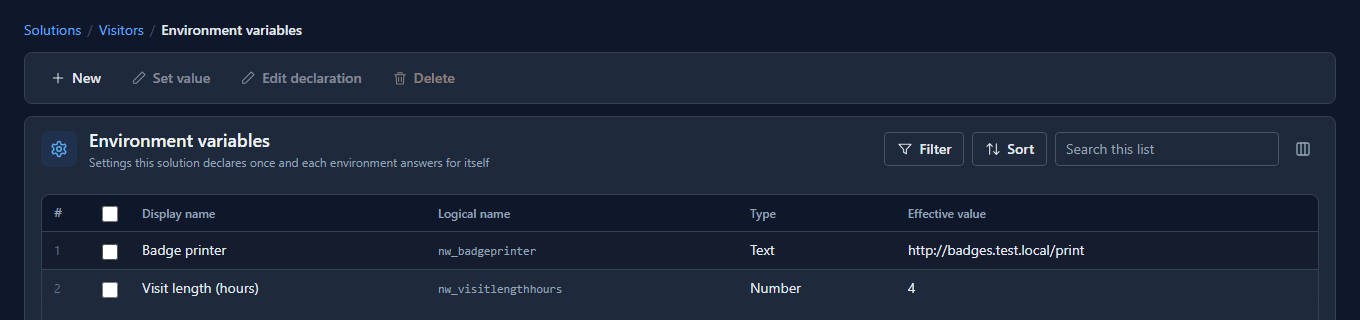
These two values belong to Test. They aren't in any export, so they can't follow the solution anywhere.
An upgrade changes the declaration and keeps the value
Back in Development, the company decided a visit should default to 10 hours, and we rewrote
the description to say what the number is for (Edit declaration). Set version 1.4.0,
Export, and import into Test again. Then open Set value on Visit length in Test:
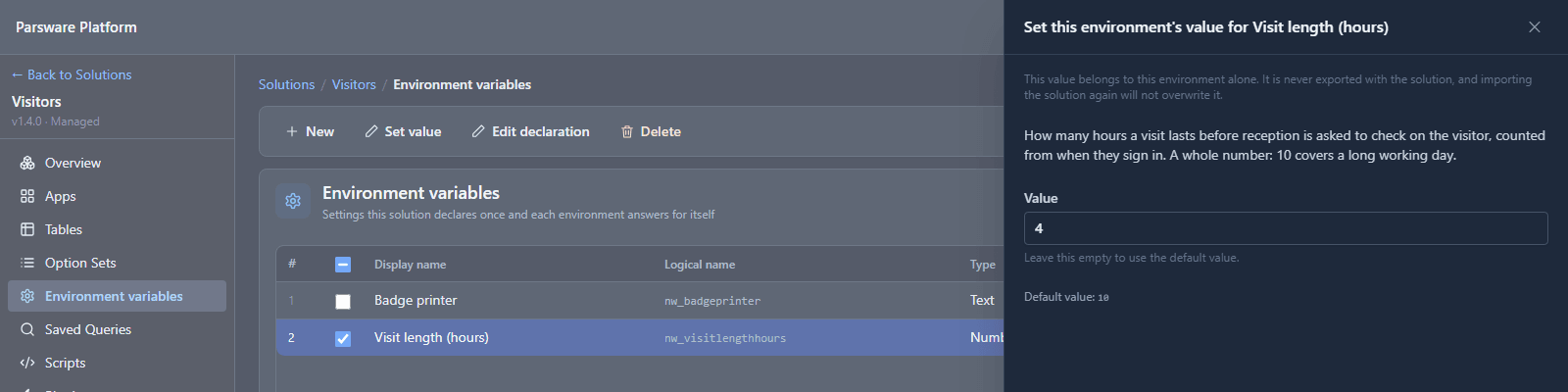
The new description is there, and so is the new default of 10. But the value is still 4. The import updated the declaration and left the value exactly as Test set it. That is the rule the whole feature is built around: an import never overwrites an environment's own value. Promoting a solution can't quietly point Test, or Production, at Development's settings.
The new default does matter wherever nobody has set a value, which is the next stop.
Production: the list is the go-live checklist
Import the same 1.4.0 file into Production:
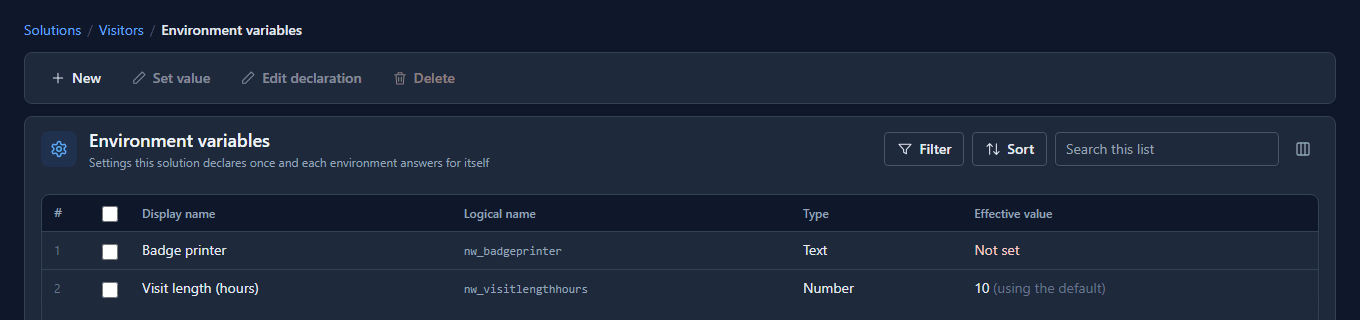
Visit length reads 10 (using the default): Production set nothing, so the new default applies. Badge printer reads Not set, which is the state to clear before anybody uses the app. Open Environment variables in Production after every import and read down the Effective value column:
| It reads | It means |
|---|---|
| a value | this environment set it |
| a value, (using the default) | nothing was set here, so the solution's default applies |
| Not set | nothing answers this variable here: set it before go-live |
Good to know
- To go back to the default, empty the box and save. That clears this environment's value. It's the only way back once a value has been set.
- Changing a variable's type can clear values. If an upgrade changes Text to Number, a value that isn't a number is cleared rather than kept as something nothing can read. The variable then reads as its default, or as Not set.
- Uninstalling the solution removes its variables, values included. At that point there's nothing left to configure.
- Scripts read the effective value of the environment they run in, with
getEnvironmentVariable. An unset variable reads as an empty string, so a script that needs one should say so, as the first article shows.
Try it
Declare a variable with a default in Development and one without. Import into Test, set Test's values, then change the default in Development, raise the version and import again. Test keeps its values; an environment that never set one picks up the new default.