Parsware Platform
A two-step approval
A change request goes to one person, who may correct it, then to a second, who reads a report of it and approves or rejects. We ran it as two different people, and the run's history says who decided each step. Writing this we found four things that only an administrator never notices, and fixed them.
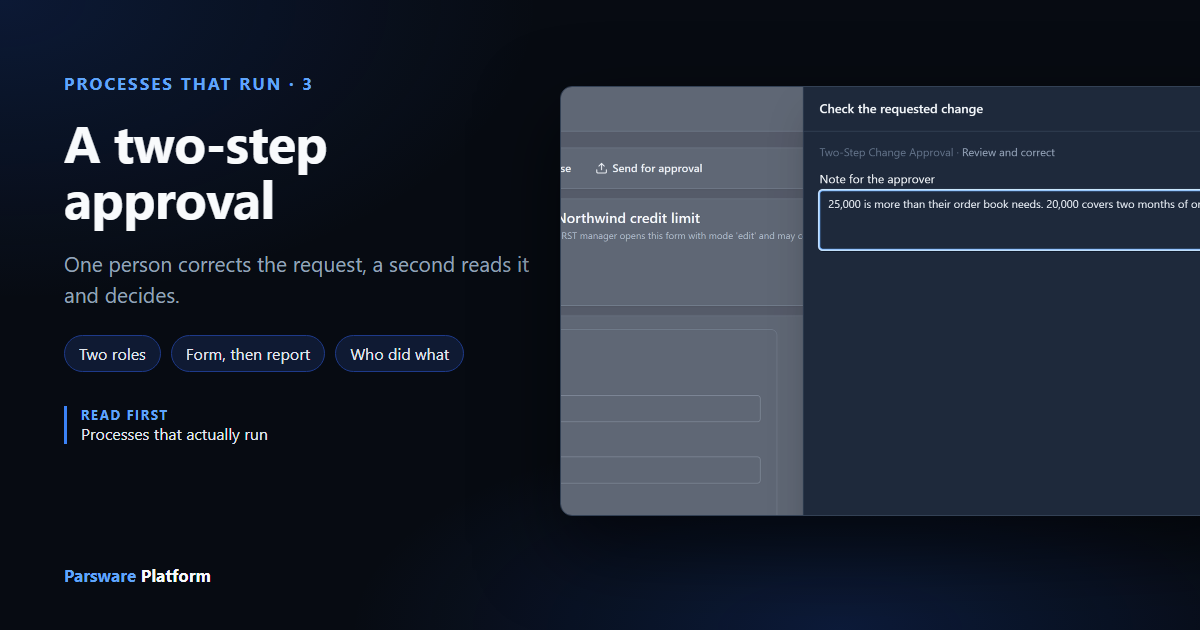
The most common process there is: somebody asks for something, and two people have to agree, one after the other. Here it's a change to a customer's credit limit. A sales manager checks the request and may correct it. Then a second manager reads it and approves or rejects.
The two steps are deliberately different:
| First manager | Second manager | |
|---|---|---|
| Sees | the request's form, and may edit it | a report of it, read-only |
| Decides with | one button, Send for approval | Approve or Reject |
| Has to explain | nothing | a rejection |
Your tasks went through the same sample from the task list's side, with one
person playing both managers. This time two different people do it, and we read what the process
recorded afterwards. We used the Two-Step Record Approval sample from
samples/solutions/bpms-two-step-record-approval.
Who does each step
The sample brings two roles, Change Reviewer and Change Approver, and each step is offered to one of them. Which people hold them is your decision, so the import can't make it. In the Admin Control Center, open Users, tick a person and select Manage roles. We gave Change Reviewer to Robin Park and Change Approver to Sam Taylor:
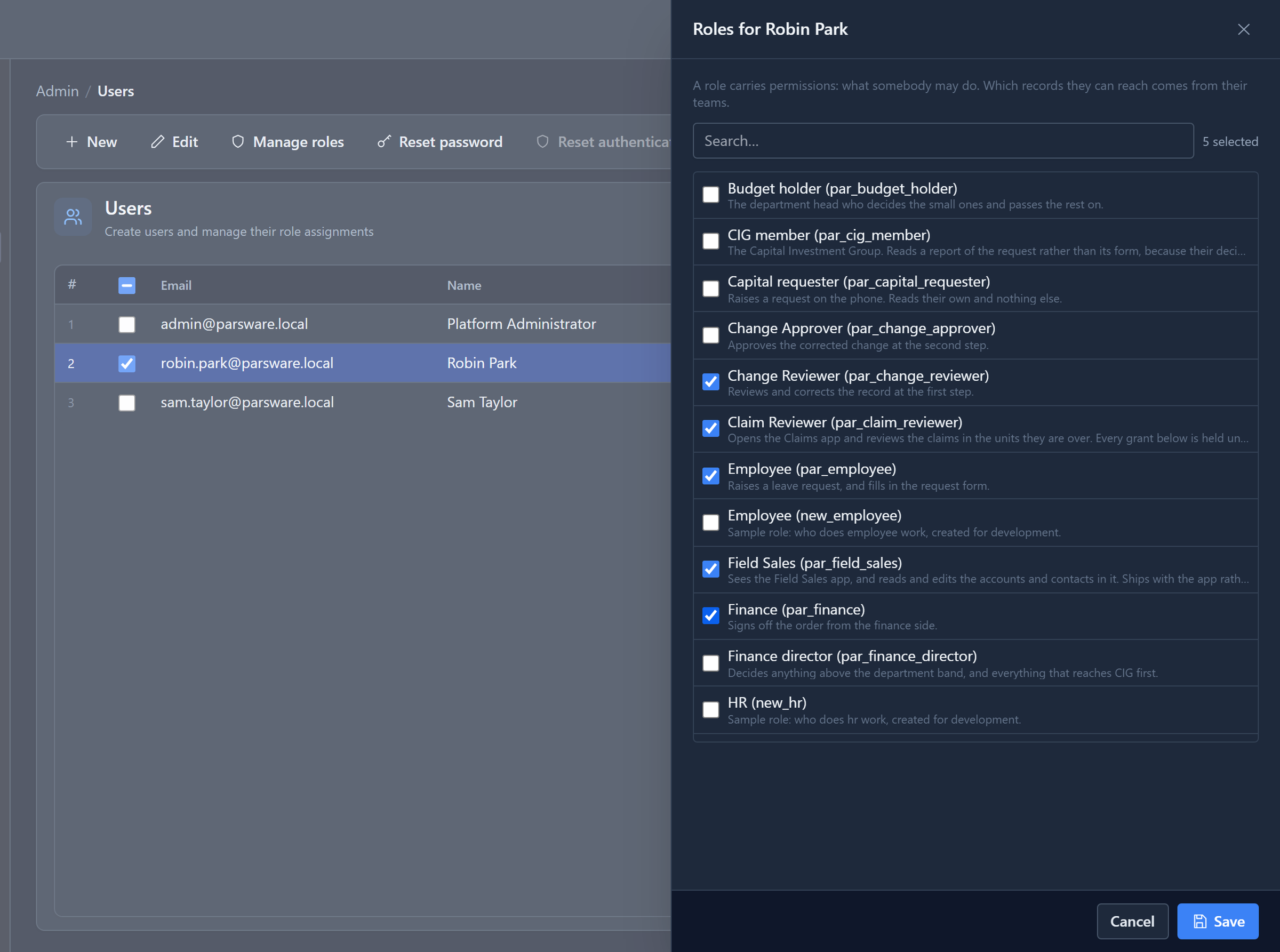
A task is offered to everyone whose sign-in carries the role, so a role given while somebody is signed in reaches their task list the next time they sign in.
The roles didn't work for anybody but an administrator until we tried this. They let a person open the app and nothing else: no right to read a change request. An administrator holds every right anyway, so every earlier run looked fine. Robin opened his task and got You are not permitted to Read records. Each role now carries the rights its step needs: the reviewer reads and changes change requests, the approver reads them and runs the review report. If you imported the sample before October 2026, import it again.
Raise it and send it
Anyone with the app can raise a change request. Ours asks to raise Northwind's credit limit from 10,000 to 25,000. Send for approval on the form starts the process for this record:
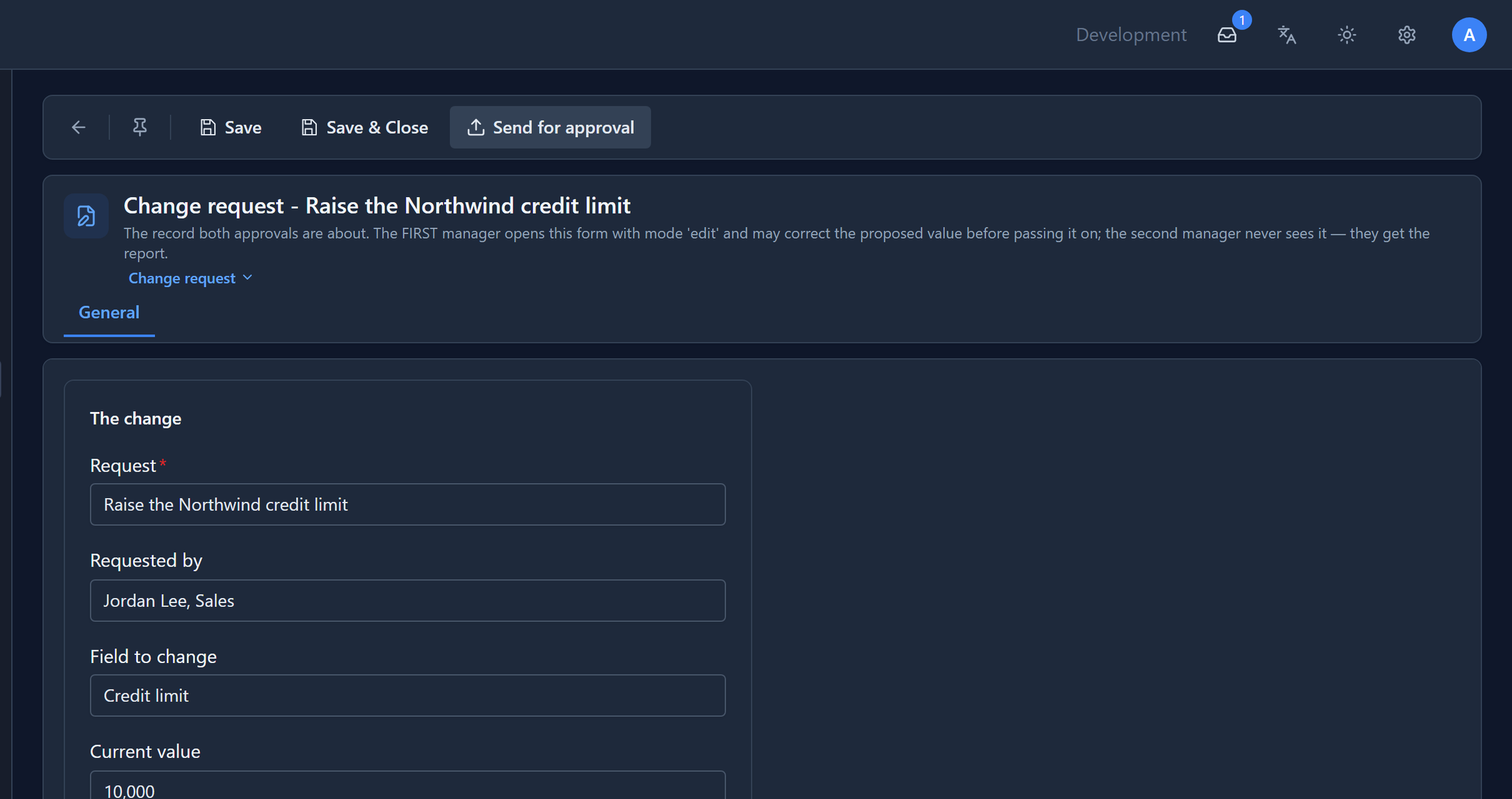
The process's first script sets the request's Reason to Waiting for approval. From now on the record says where it is, without anyone having to update it.
The first manager corrects it
Robin signs in, opens the app and sees the task in My tasks. It's offered to the Change Reviewer role, not to him by name, so anyone else with the role would see it too, and the first to open it takes it:
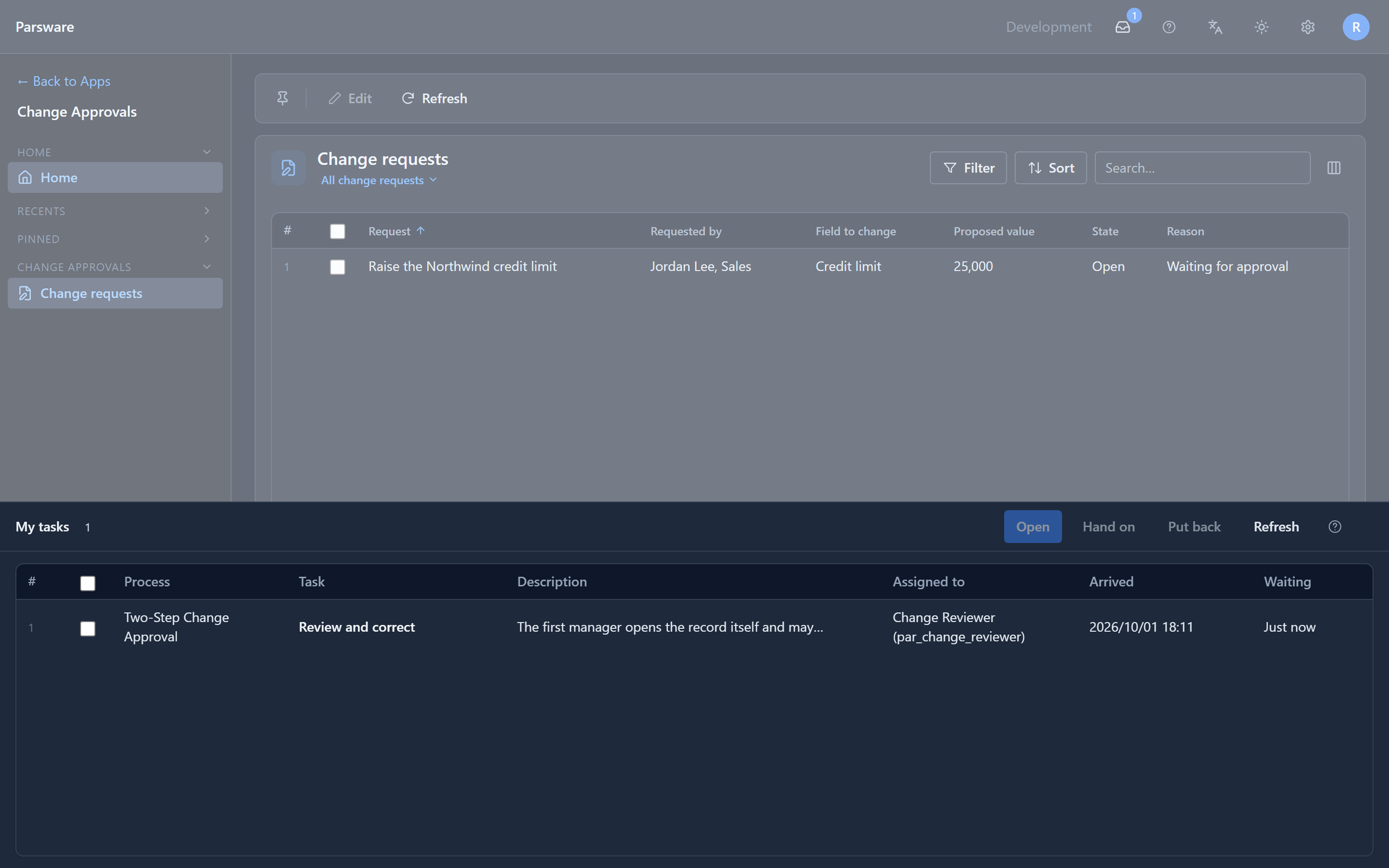
Opening it opens the change request on its form, for editing. Robin thinks 25,000 is too much, changes it to 20,000 and saves:
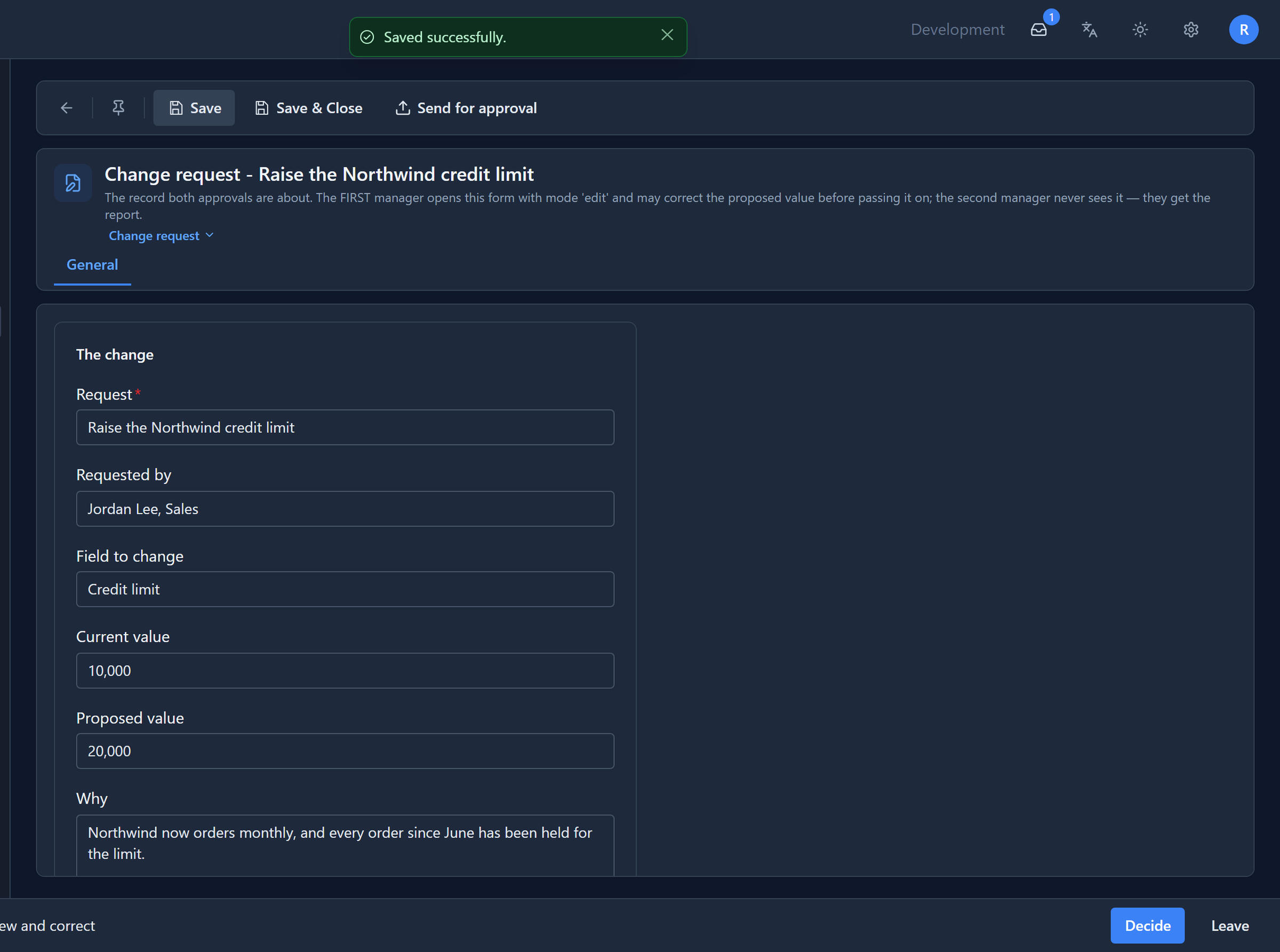
That form was the second thing we fixed. For Robin, it first opened as a generated layout: every field in alphabetical order of its internal name, no sections, system fields showing. The Shell loads the form together with the list of custom controls installed in the environment, and that list was for administrators only. When it was refused, the form was dropped with it. The list is now open to everyone signed in, and a refused list no longer takes the form with it.
Then Decide. This step asks for one thing, a note for the approver, and has one button:
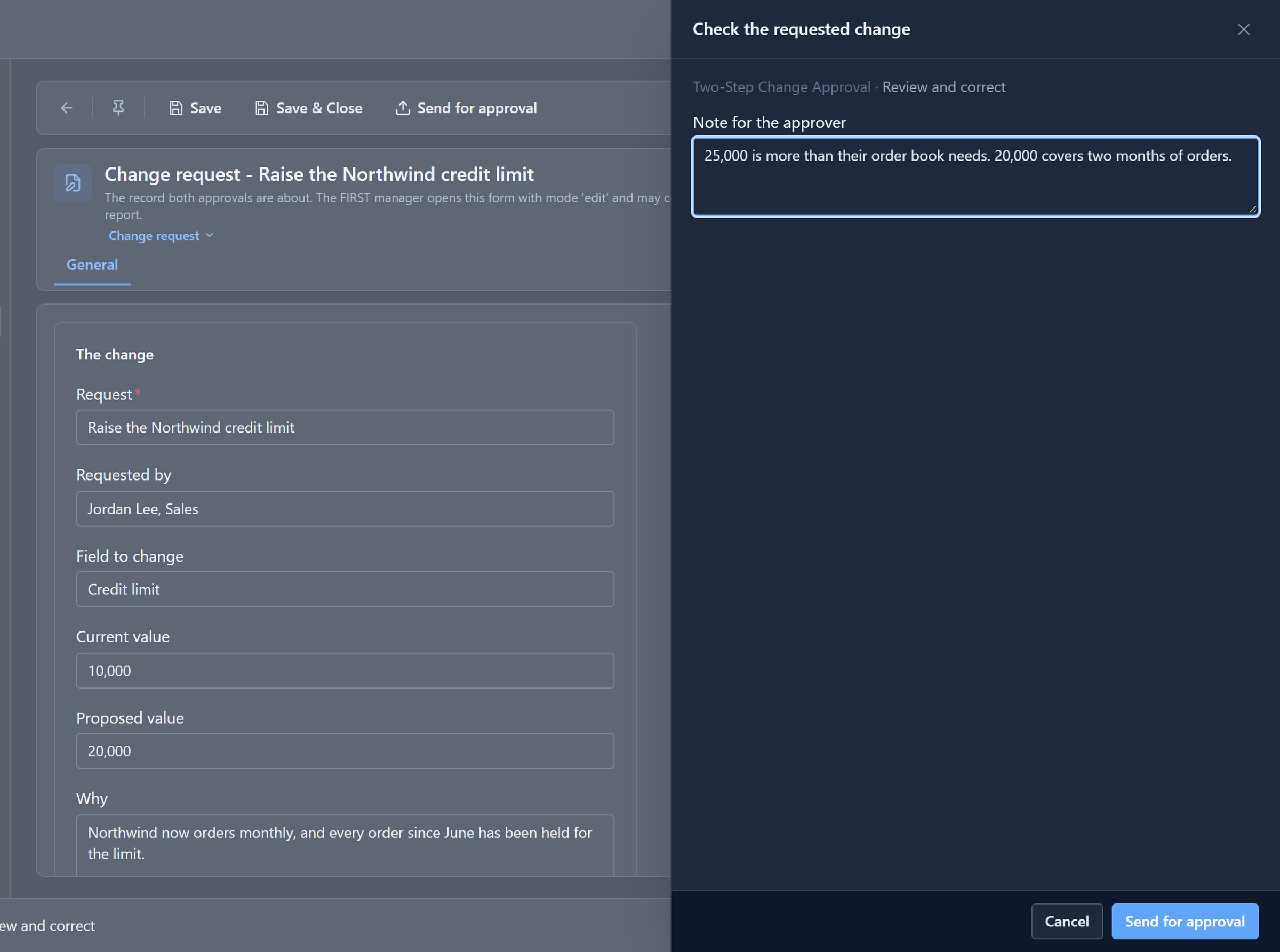
(The note's label used to appear twice, a small copy above the real one. Fixed too.)
The note goes into the process, and the step's script copies it onto the request's First reviewer's note field. Robin's task leaves his list, and the next step starts straight away.
The second manager reads and decides
Sam signs in to the same app and has a task, Approve the change. Opening it shows a report of the request, not its form:
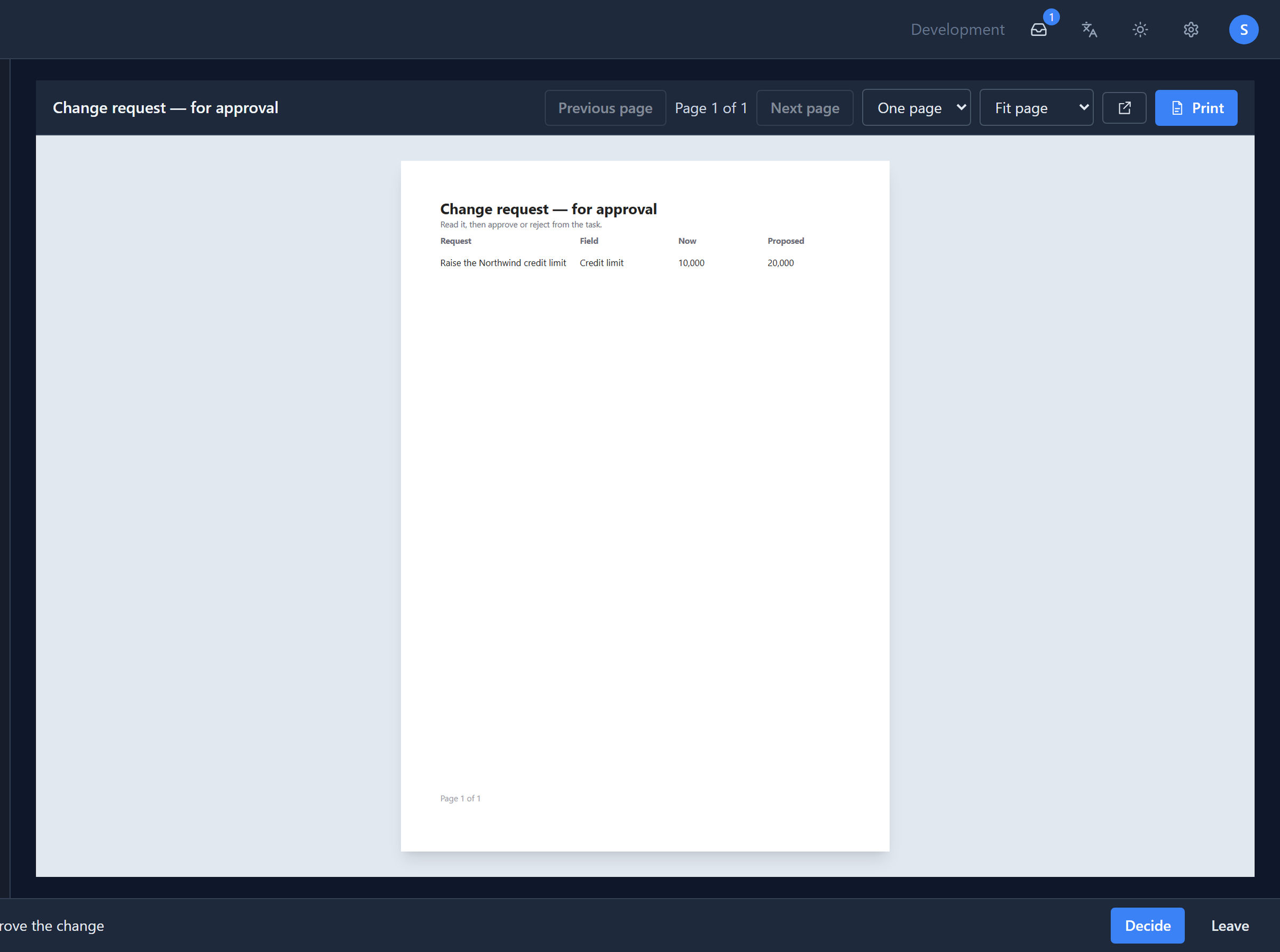
A report can't be edited by accident. That's the point: the second approval is a reading act.
This was blank at first, too. Running a report is a permission of its own, and the approver role didn't have it, so Sam got You do not have permission to run the report and an empty page, and could still have pressed Approve. The role now includes it.
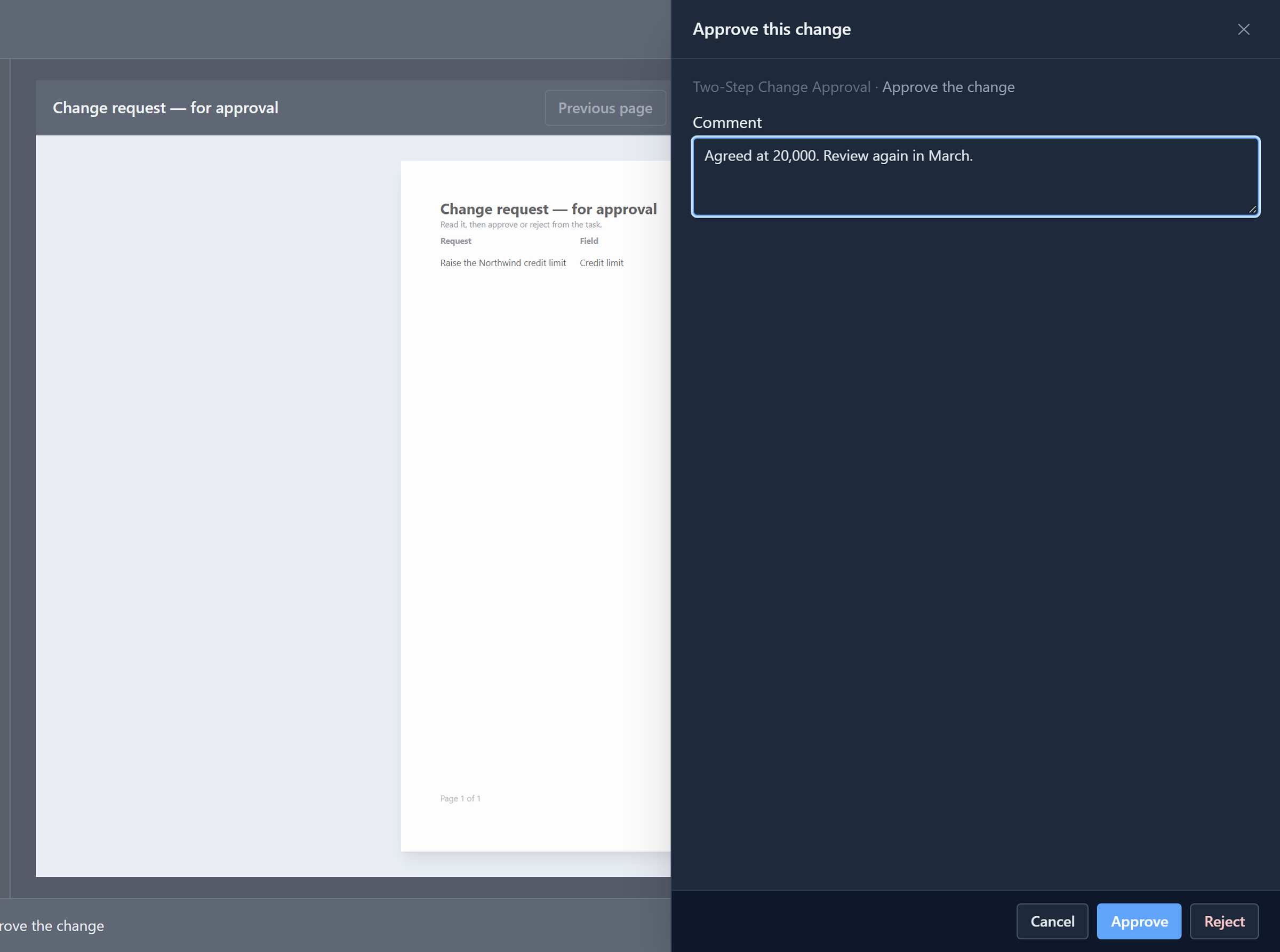
Decide offers Approve and Reject. Reject needs a comment; Approve doesn't. Sam approves, with a comment anyway:
The process writes the result
The last step is a script. It sets the request's State to Approved and its Reason to Approved by manager, and copies Sam's comment onto the record:
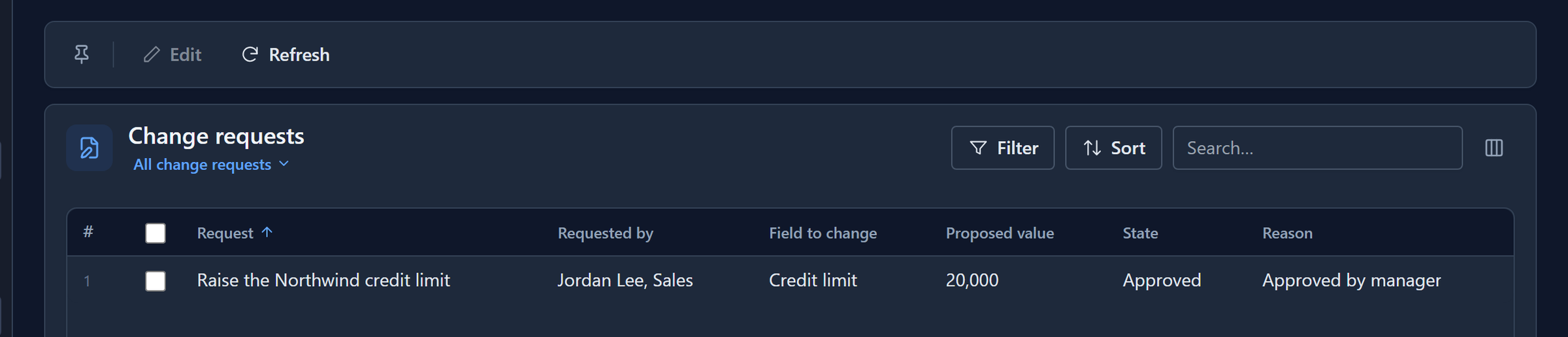
The approved value is 20,000, Robin's correction, not the 25,000 that was asked for. If Sam had rejected, a different script would have closed the request with Rejected by manager and his reason.
Who did what
In the maker portal, the process's Runs page lists every run. Open this one and What happened lists everything the engine did, in order:
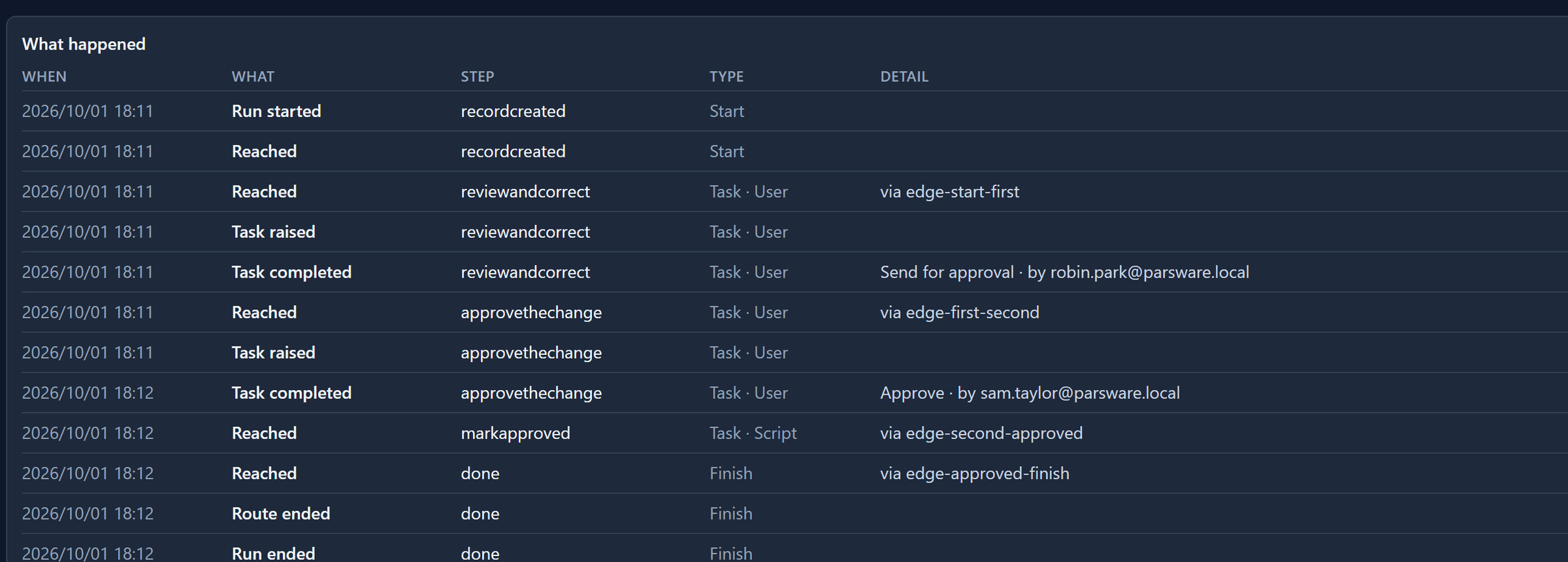
Each completed task says which button was pressed and by whom. That's what a history is for: somebody will ask why the limit is 20,000, and the answer is two lines.
It didn't say either until we fixed it. The engine recorded both, but the page showed the
button's internal name (sent_for_approval) and left the person out. It now shows the words on the
button and the person who pressed it.
Try it
Import the sample, give the two roles to two different people, and run it as both. Then try the other way: Reject without a comment and see it ask for one, then reject with one and open the record. It's Closed, with Rejected by manager and the comment.
Next: a leave request, run from start to finish as the employee and the manager.