Parsware Platform
A view as a grid on a portal
A list of records on a portal page, without drawing the list: the platform's own grid, with the columns a view decides and the rows a Custom API returns. We put one on the service desk, picked its table, view and API in the designer, then added a column and watched it arrive empty until the API was told to return it.
The service desk's My cases page is drawn: one card per case, laid out by hand. Its Every
case page isn't. It's the platform's own grid, the one every table has inside the Shell, placed on
a portal page. This article is about that grid, on the Portal service desk sample,
samples/solutions/portal-service-desk.
The grid
Sam Patel at Contoso opens Every case:
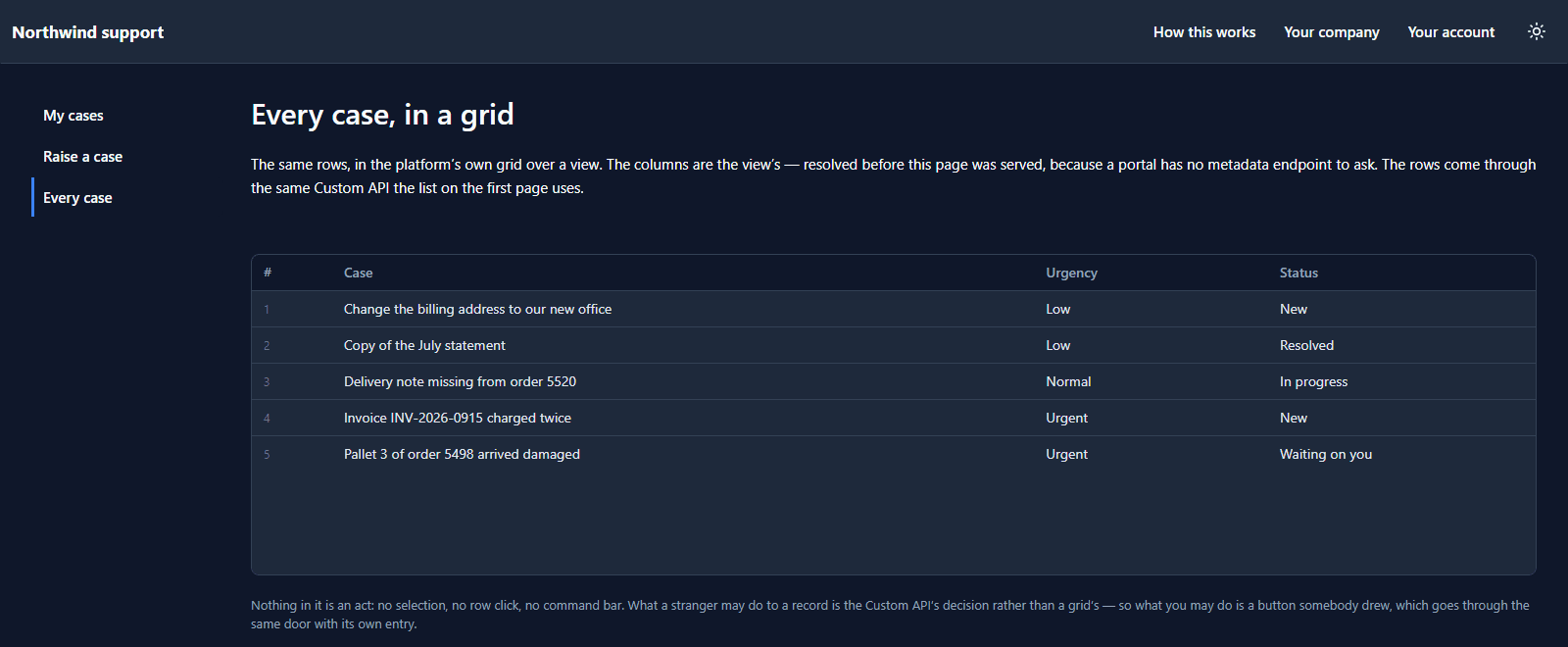
The headings, their order and their widths come from a view, par_open_cases. The rows come
through par_list_my_cases, the same Custom API that fills the drawn list, so the table's rule
narrows them to Contoso's cases the same way.
Nothing in it is an action: no row selection, no click into a record, no command bar. What a stranger may do to a record is a Custom API's decision, so anything a visitor may do is a button somebody drew.
Drawing it
In the app designer it's one box, a Table view or form from the Components list:
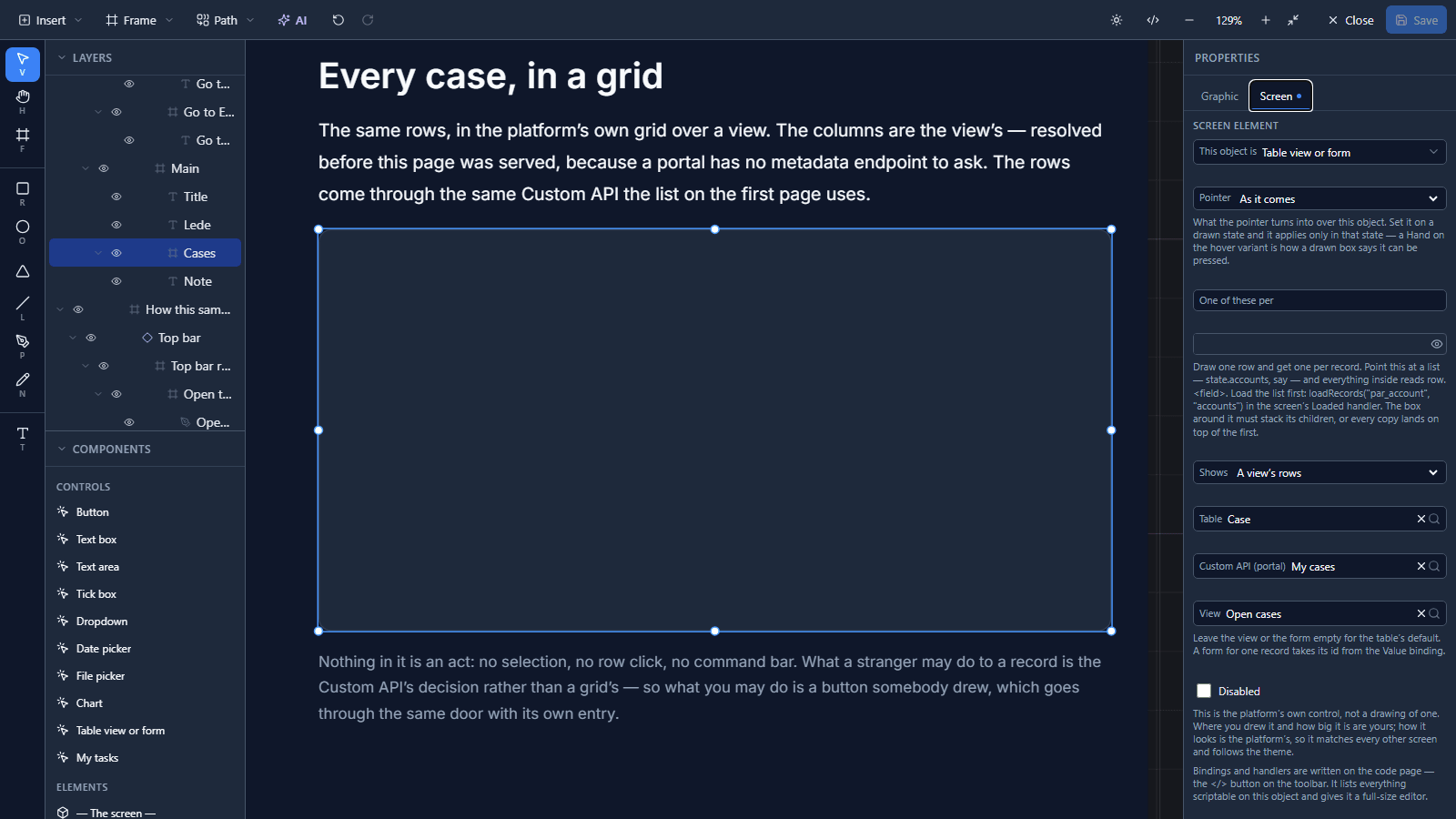
On its Screen tab it takes three things:
- Table: what the grid is over.
- View: which of the table's views decides the columns. Leave it on The table's default to use the table's own.
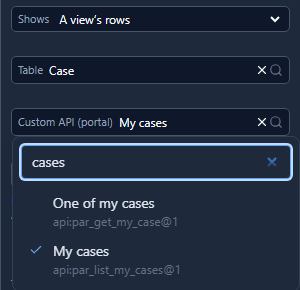
- Custom API (portal): where the rows come from on a portal. Only contracts that answer a
GETare offered, because a grid only reads. Type to filter:
The columns are worked out before the page is served. A portal has no metadata endpoint for a browser to ask, so the answer travels with the page, and nothing about the table's shape is published to strangers beyond what the view shows.
Adding a column takes two edits
Contoso's people would like to see who raised each case. In the view designer, drag Raised by into the view's columns and save:

Reload the portal, and the column is there, with a dash in every row:
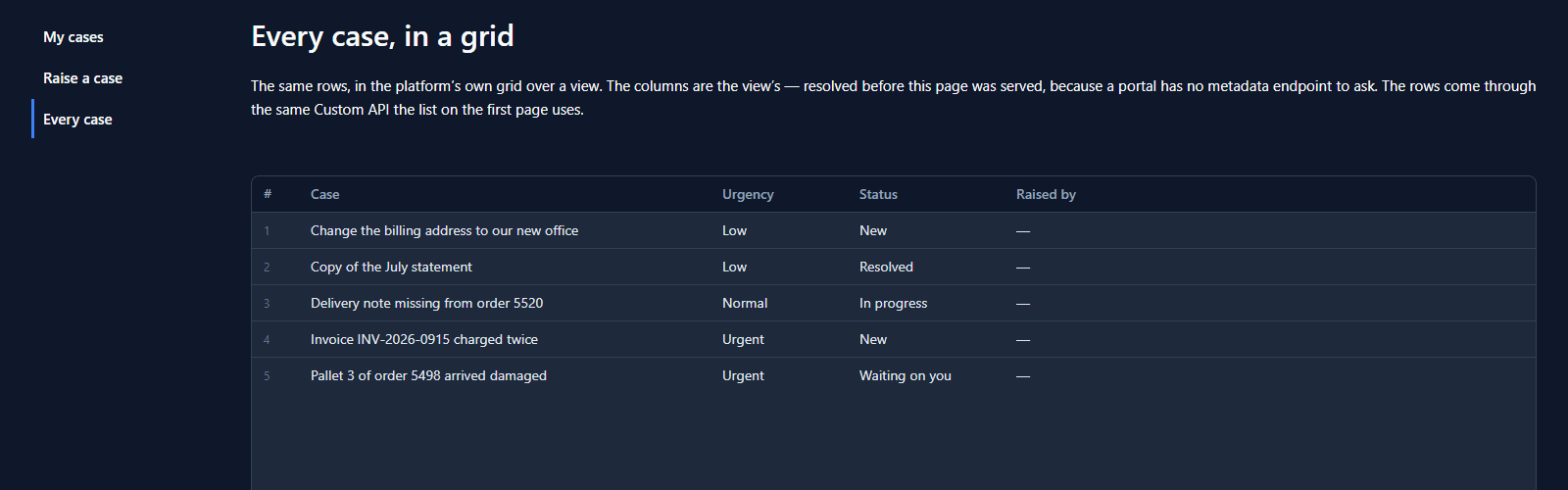
That's on purpose. The view decides the headings; the API decides what is in each row, and its
select names three fields. So the second edit is in par_list_my_cases:
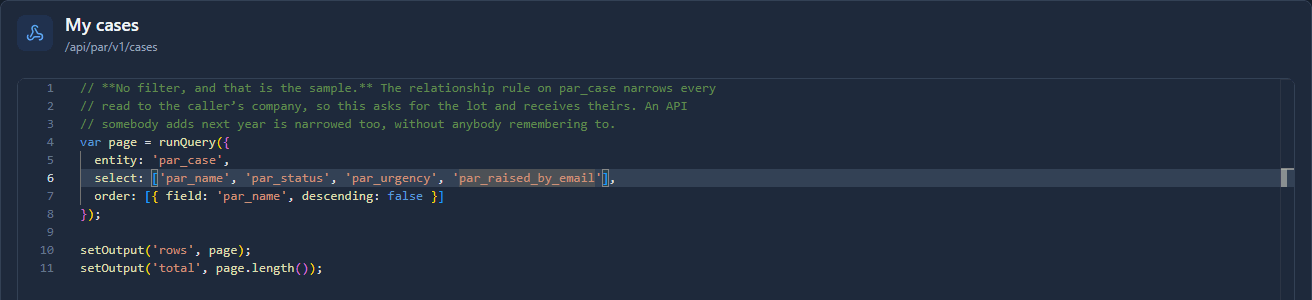
Save it, reload, and the column fills:
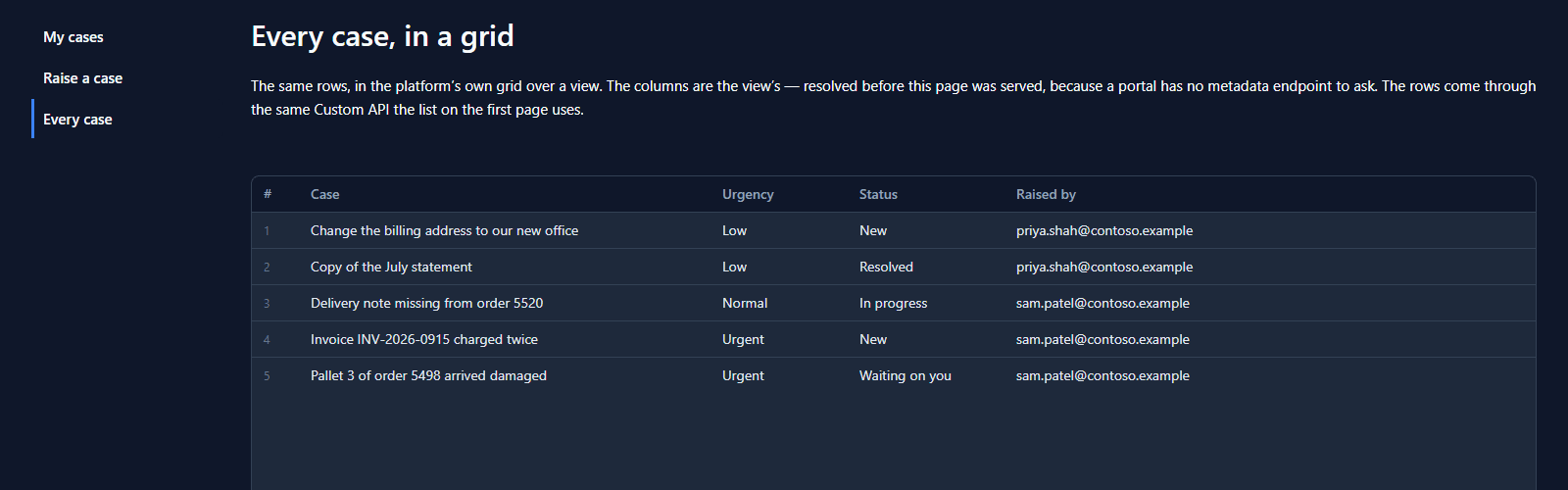
Why not let the view decide both? Because the view is shared with the app inside the platform. Adding a column for your own people there shouldn't publish that field to everyone with a portal account. What leaves the platform is what a Custom API selects, and nothing else.
On a phone
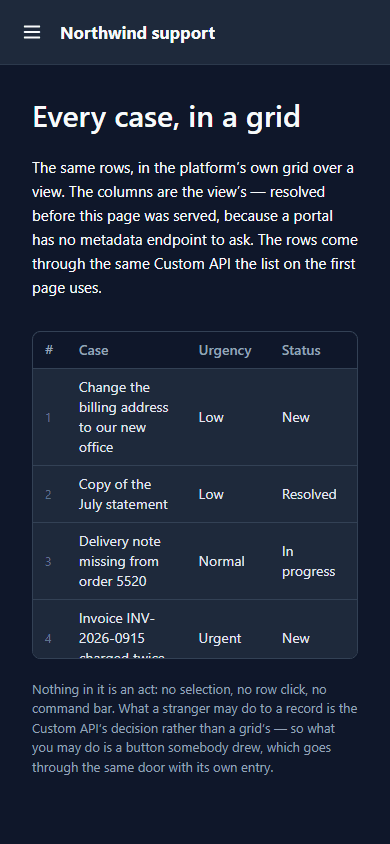
The same grid, at phone width. The columns stay, the long subjects wrap, and the grid keeps the height it was drawn at and scrolls inside it:
No API, no grid
Leave Custom API (portal) empty, or name one the portal hasn't been given, and the grid isn't served at all. Empty headings over no rows would read as there are no cases, which is a different claim from this portal was never allowed to show them. And falling back to reading the table directly would put the record endpoint on the public internet by another door.
What we fixed
- The three settings were text boxes. Table, View and Custom API were typed logical names, so a view spelled wrong drew the table's default and an API spelled wrong drew an empty grid, with nothing to say why. They're now pickers that filter as you type, filled from the environment.
- The designer had been opened without its environment. Since dashboards were retired, the app
designer was passed no list of tables at all. Fixing the pickers fixed two quieter things with
them:
loadRecords("on the code page offers the environment's tables again, and the AI is told about the tables a request names. - A searchable picker sat squeezed in the inspector, a small box with its own border inside the row's. It now fills the row, as the other dropdowns do.
Try it
Import samples/solutions/portal-sign-in-kit, then samples/solutions/portal-service-desk, and
publish Service desk. Sign in, open Every case, then add a column to the Open cases view
and reload. When it shows a dash, add the field to par_list_my_cases.
Next: A support-ticket portal.