Parsware Platform
Whose records a visitor sees
On a portal, every visitor reaches the same table through the same Custom APIs, and each must see only their own company's rows. One rule on the table does it, for reads and writes alike, without a filter in any script. We put two companies' cases side by side, asked for the other company's case by its id, looked at the rule, and switched it off to see what it was holding back.
A customer portal on your own data ended with one
line on the par_case table:
Record.par_customer == Portal.CustomerId
and the claim that it's the whole of the security. This article tests that claim on the Portal
service desk sample, samples/solutions/portal-service-desk.
Two companies, one table
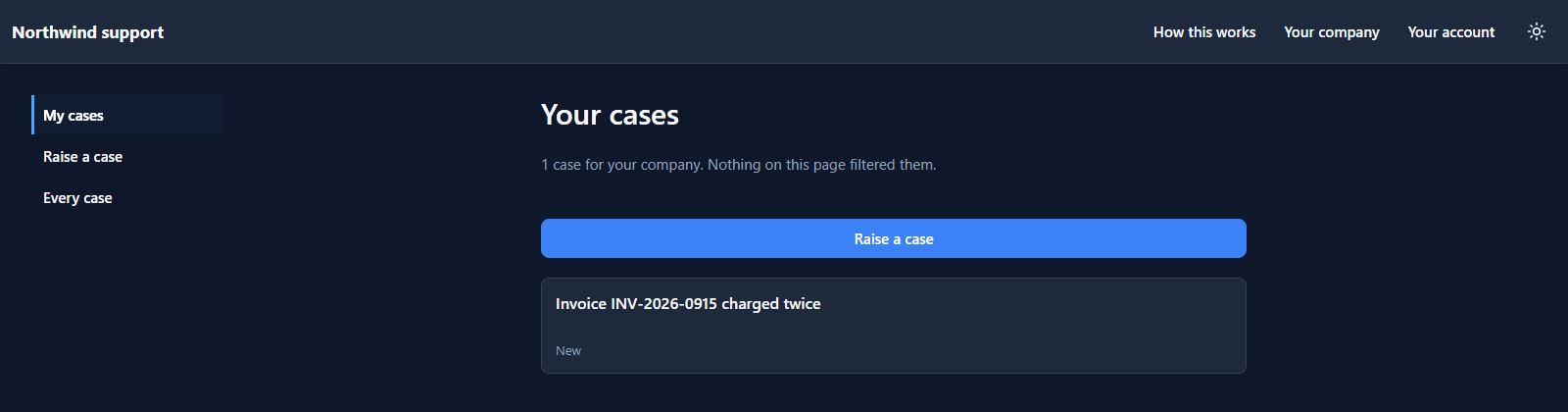
Sam Patel works at Contoso and raises a case about an invoice charged twice. Sam's My cases shows it:
Avery Brooks works at Proseware. Avery's list, on the same portal and the same page, shows Proseware's case and not Sam's:
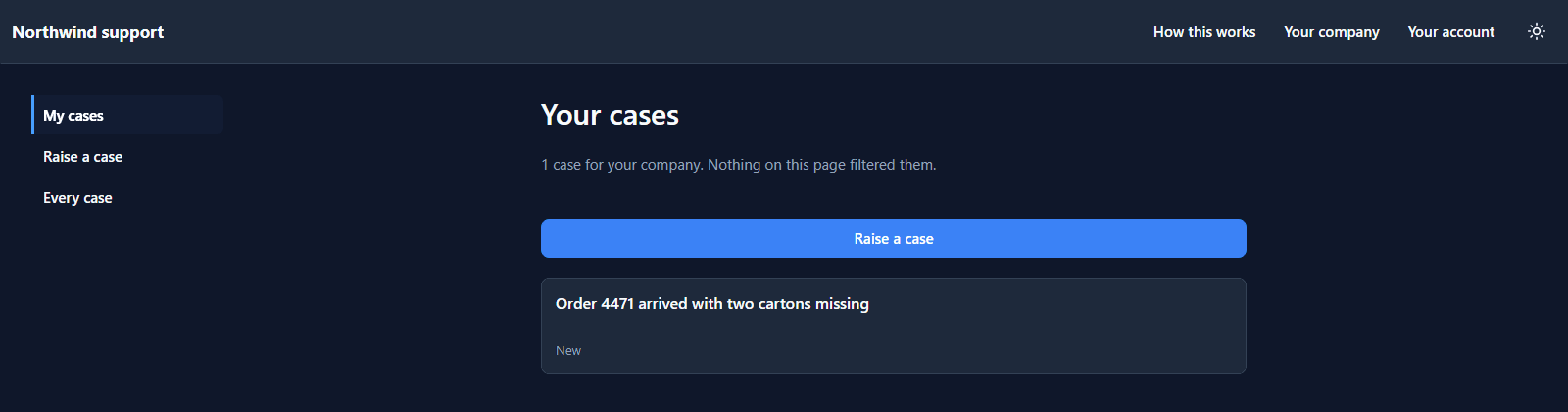
The list is filled by par_list_my_cases, a Custom API whose script asks for every case with no
filter of any kind:
var page = runQuery({
  entity: 'par_case',
  select: ['par_name', 'par_status', 'par_urgency'],
  order: [{ field: 'par_name', descending: false }]
});
The rule
It's in the solution, under Data policies:
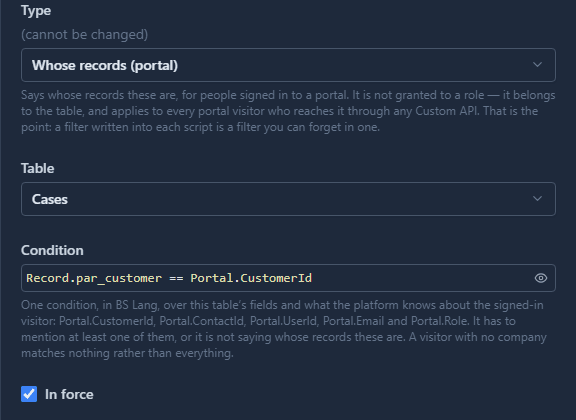
Its type is Whose records (portal). It isn't granted to a role; it belongs to the table, and applies to every portal visitor who reaches that table through any Custom API: these five, and any written next year.
The condition compares a field of the row with what the platform knows about the visitor:
Portal.CustomerId, Portal.ContactId, Portal.UserId, Portal.Email and Portal.Role. Here,
the customer on the case has to be the visitor's company. A visitor in no company matches nothing,
not everything.
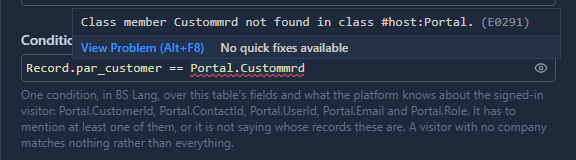
The condition is written in the platform's code editor, so a name it doesn't know is underlined while you type:
Asking for the other company's case
The list only shows what it's given. What if Sam asks for Proseware's case by its id, through the portal's own contracts? Sam's browser can send that request, so we sent it:
- Read it with
par_get_my_case: nothing comes back. Not an error that says the case exists, just no answer. - Add a note with
par_update_case: refused, That case is not one of yours. - Close it with
par_close_case: refused, That case is not one of yours.
The scripts don't check the company. Each one reads the case with getRecord, and under the rule
that read finds nothing for somebody at another company. So the script says the case isn't theirs,
and it's right.
Switch it off
Untick In force and Sam's list changes at once:
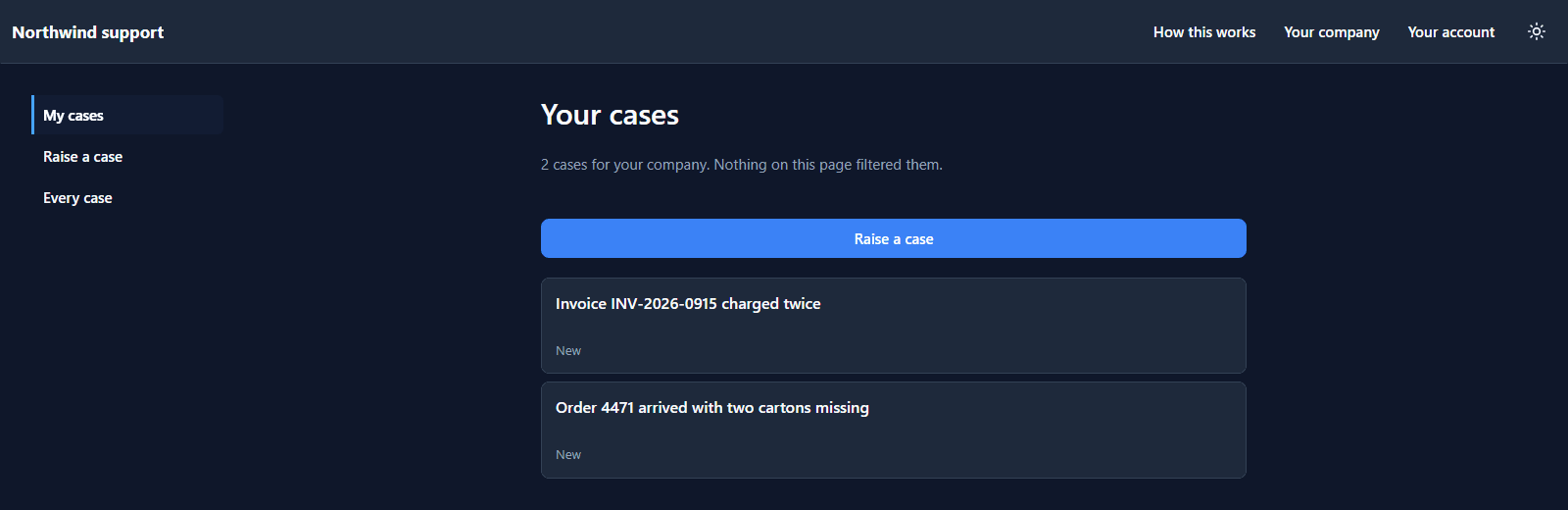
That's Proseware's case on Contoso's screen. It isn't only reading, either. With the rule off, the same three requests read Proseware's case, added Sam's note to it and closed it. We found that out the honest way, by running them, and then put the case back.
Tick In force again and Sam is back to one case. Nothing else changed: no script, no role, no page. That's what the whole of the security means.
And from the inside
Northwind's own support team sees every company's cases, in a model-driven app in the Shell:
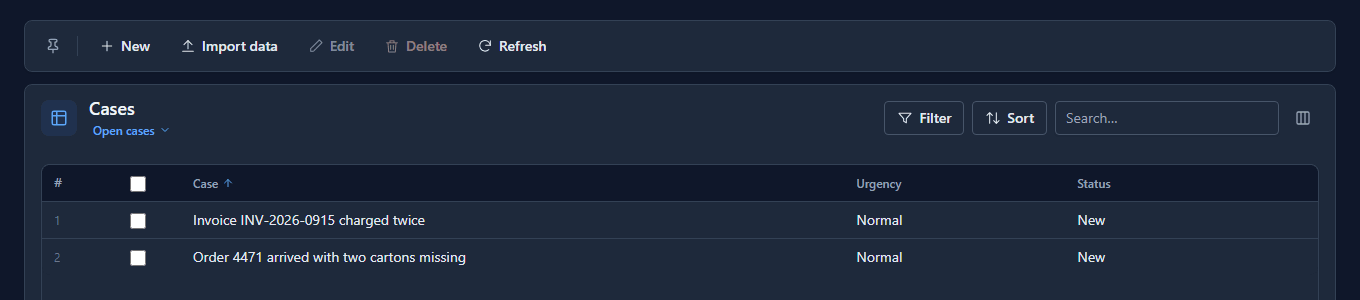
The rule is for portal visitors only. Your own people get what their security roles give them.
What it doesn't do
- It doesn't narrow by person within a company. Everybody at Contoso sees Contoso's cases. A
rule over
Portal.ContactIdwould narrow to the person instead. - It doesn't hide columns. It decides which rows. Which fields leave the platform is up to each
Custom API's
select. - It doesn't apply in the Shell. There, roles and their policies decide.
What we fixed
- The condition was typed into a plain text box. The Data policies drawer was the one place in
the Admin Control Center where BS Lang was written without the platform's editor, so nothing was
underlined until you pressed Save. Each kind now gets the editor with what it can read: a portal
rule
RecordandPortal, a filterRecordandCurrentUser, and a validation rule the functions it can call, such asdeny.
Try it
Import samples/solutions/portal-sign-in-kit, then samples/solutions/portal-service-desk, and
publish Service desk. Sign up twice from two private windows, start a different company in
each, and raise a case from both. Then untick In force on Cases belong to their customer for
a minute, and tick it again.
Next: Let visitors save changes and attach files.