Parsware Platform
Persian calendars and date formats
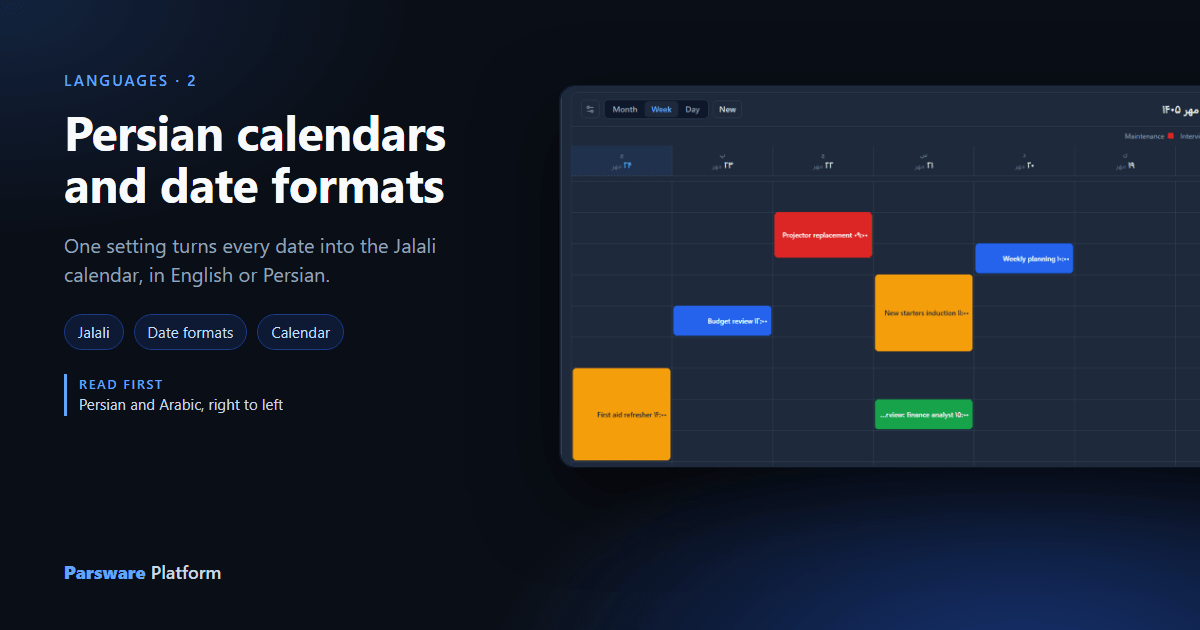
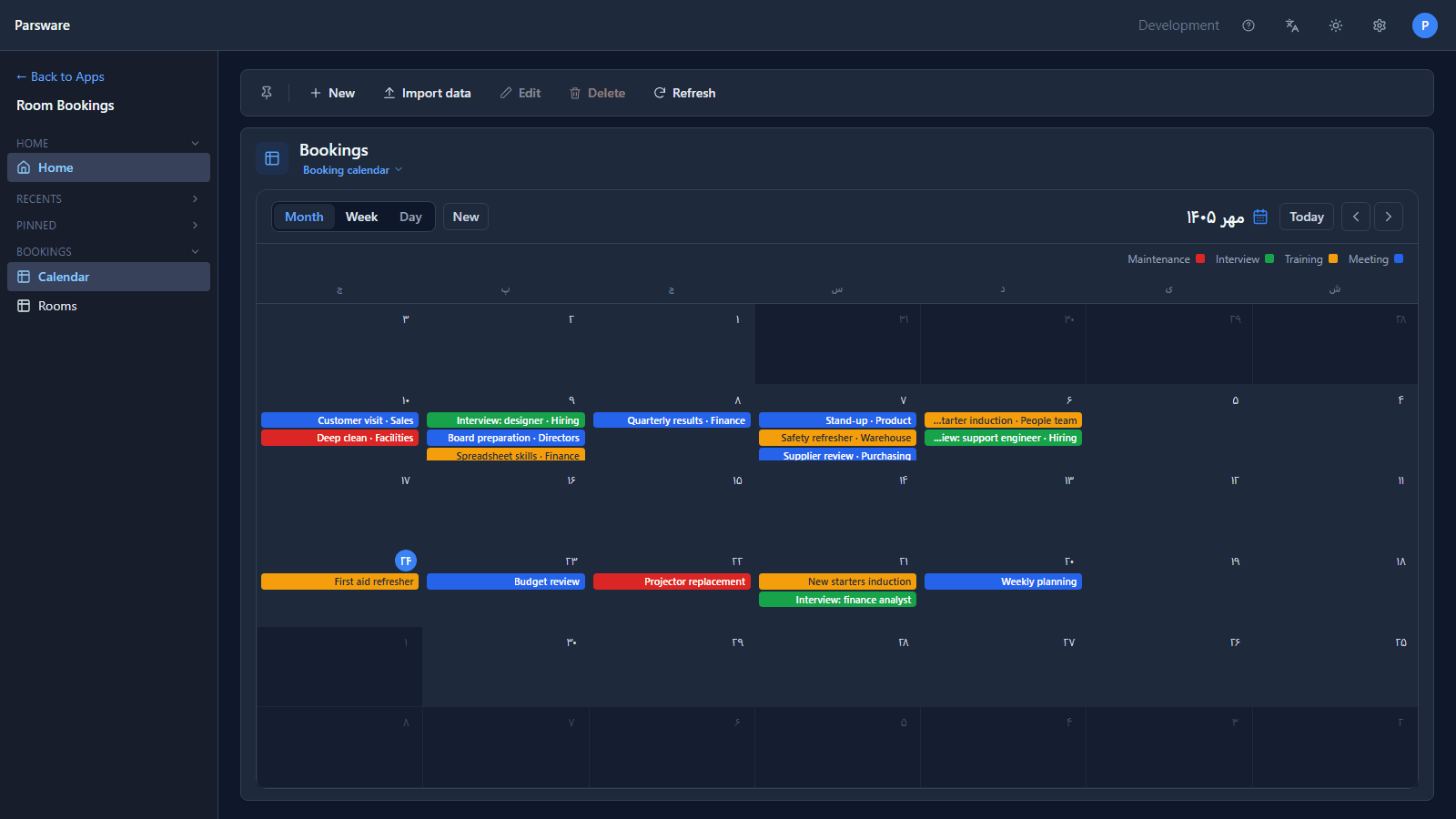
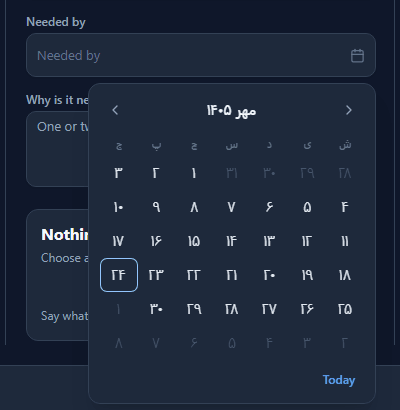
Every date in Parsware can be shown in the Gregorian or the Persian (Jalali) calendar, and the choice is one setting, separate from the language. Pick Persian and a week sheet starts on Saturday in Mehr 1405, a grid prints 23 Mehr, and a date picker opens on a Jalali month, in an app that is otherwise still in English.
Persian and Arabic, right to left changed the language.
The calendar is a separate choice, because they don't always go together: an Iranian team may work in
English and still plan in the Jalali calendar. This article uses the Room bookings sample,
samples/solutions/mda-bookings-on-a-calendar, whose bookings have a start and an end.
The setting
Open Appearance settings (the gear in the top bar) and choose Calendar. There are two calendars, and two sets of formats, one for each:
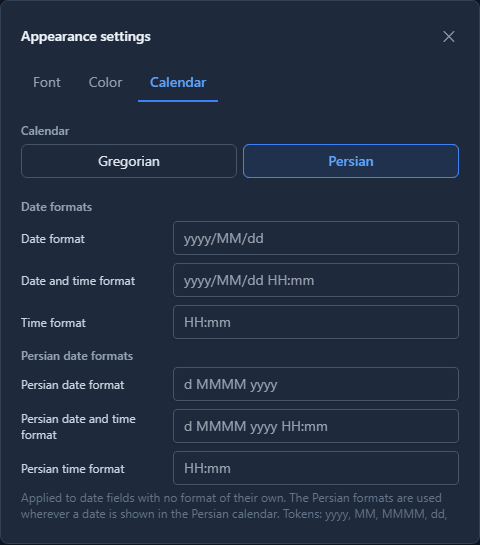
Like the language, it's each person's own choice, remembered on their browser.
A week, in both calendars
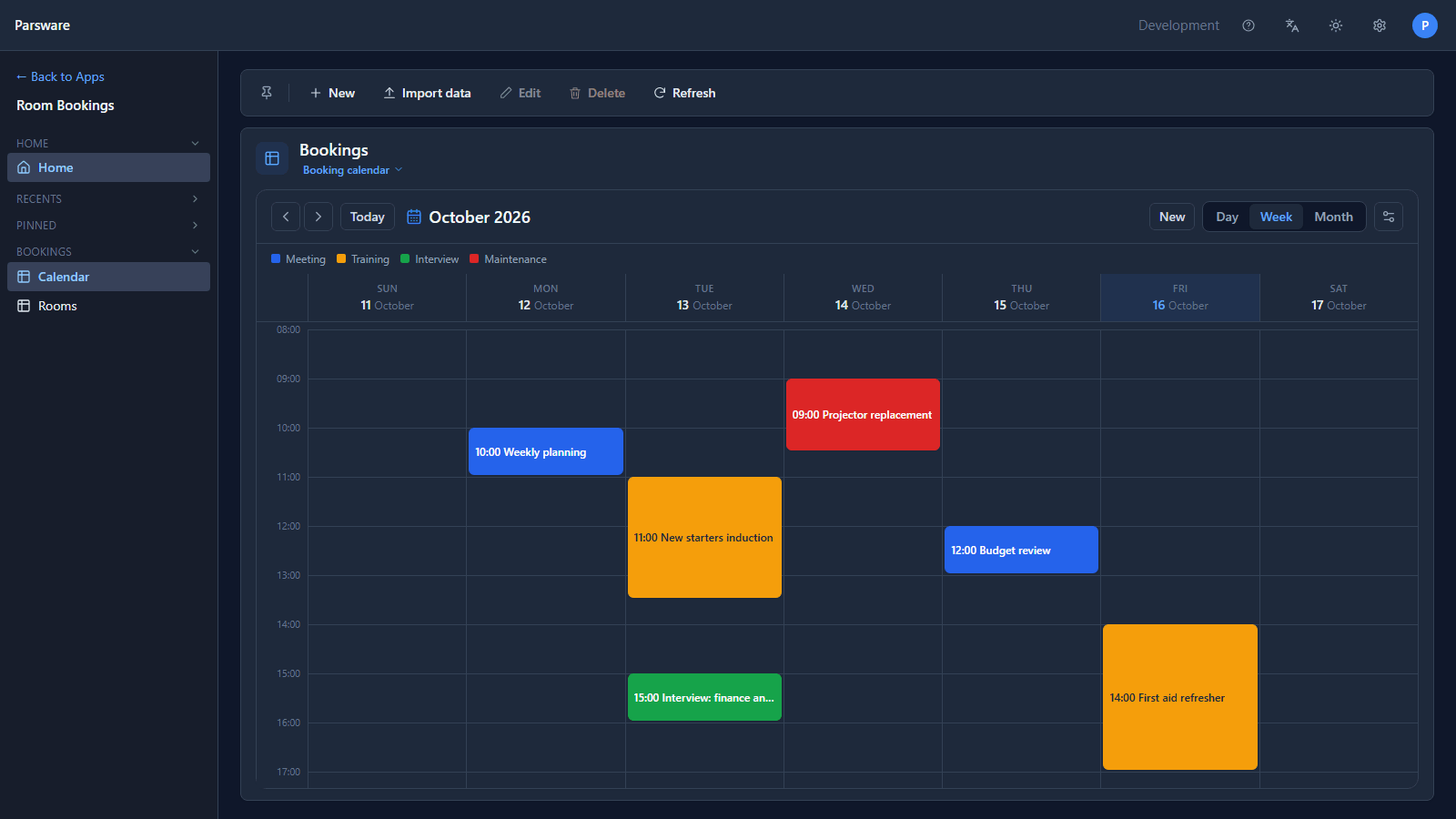
Here's this week's bookings in the Gregorian calendar, Sunday 11 to Saturday 17 October:
And the same week with Persian chosen. The week starts on Saturday, as it does in Iran, the days are 18 to 24 Mehr 1405, the hours are in Persian digits, and the sheet reads from right to left:
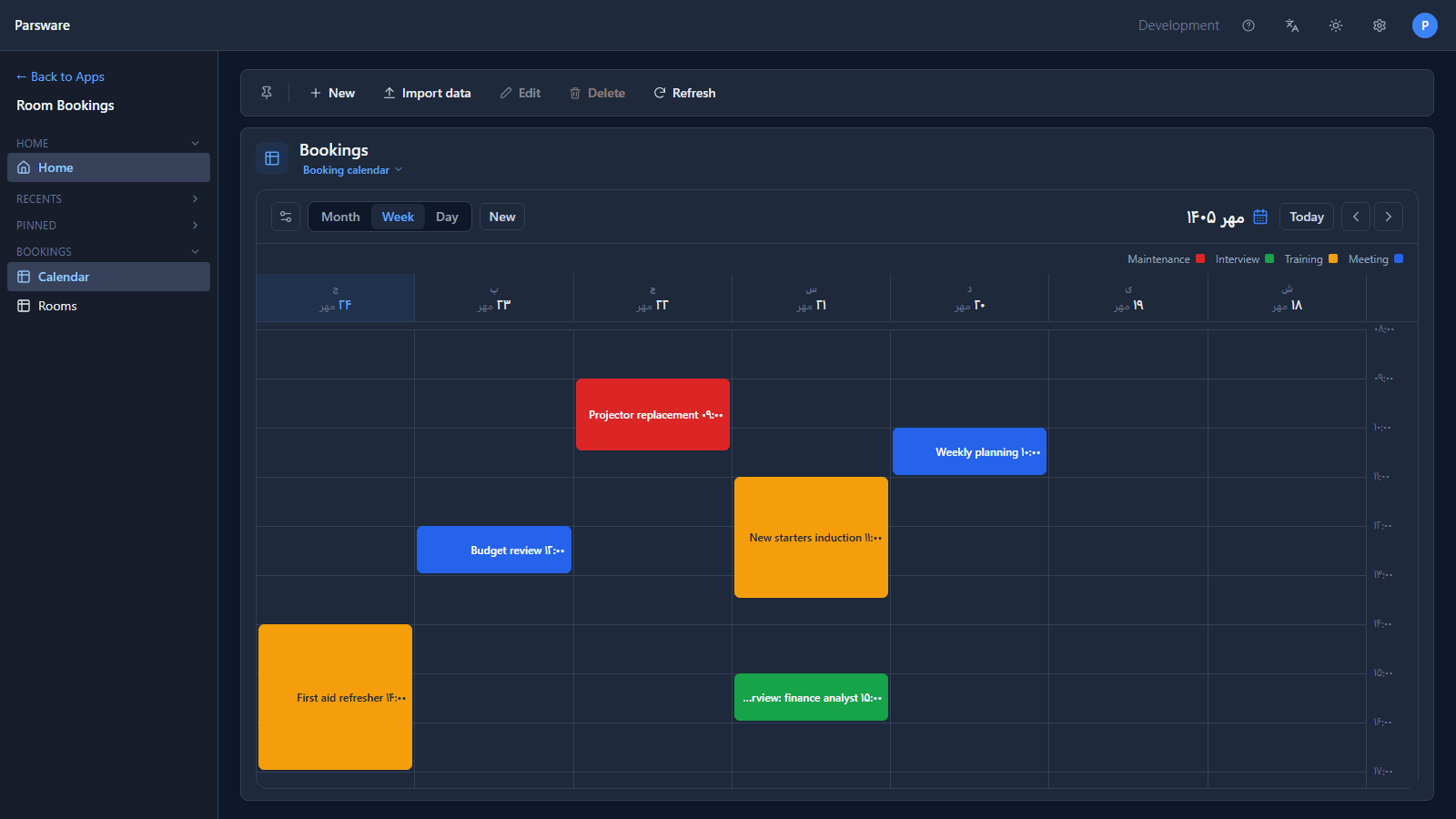
Nothing moved. Budget review is still on the Thursday at noon; only the way the day is named changed. The month sheet follows too:
In a grid
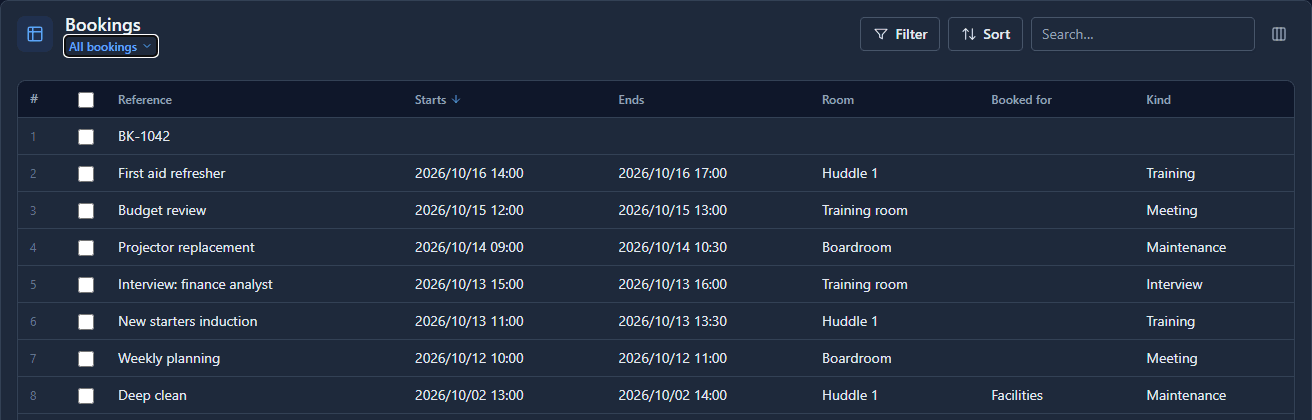
The All bookings view, Gregorian:
and Persian:
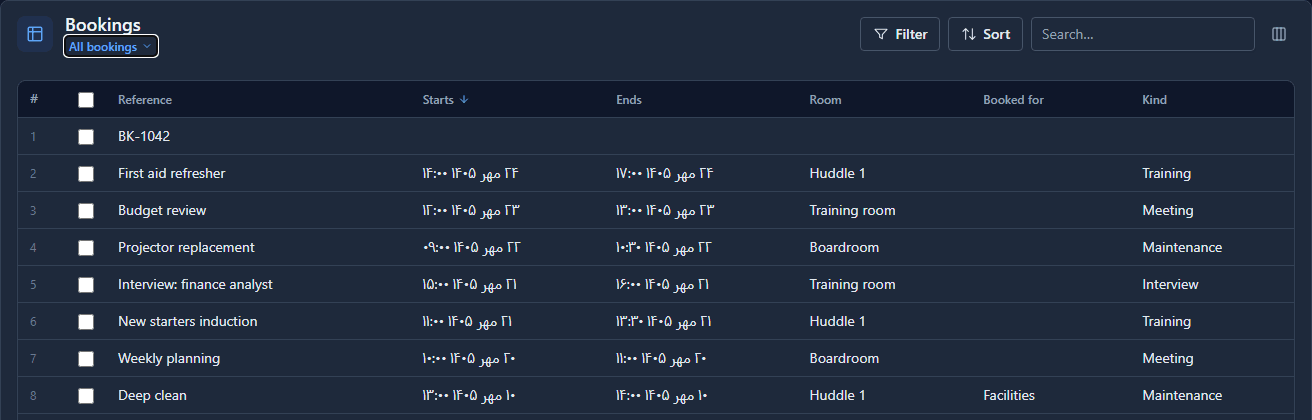
The stored values are the same instants. Sorting, filtering and reports work on them exactly as before; the calendar only decides how a date is written.
In a date picker
Every date picker opens on the chosen calendar's month, with its own week:
Formats
Leave the format boxes empty and each calendar uses its own friendly default: d MMMM yyyy for a
Persian date (23 Mehr 1405), yyyy/MM/dd style for a Gregorian one. Fill a box and that pattern
applies wherever a date field doesn't name a format of its own. The two sets never move together,
because a team using both calendars usually wants a different shape in each.
A field can still pin its own. On a form or a view, choosing the Persian Date control for a field shows it in Jalali whatever the setting, and choosing Date shows it in Gregorian. A field that names neither follows the setting.
What we fixed
- The Persian week's hours mixed two digit systems. The axis read ۰۸:00, Persian hours with Latin minutes. The whole label is in one system now.
Try it
Import samples/solutions/mda-bookings-on-a-calendar with its demonstration data and open Room
Bookings. Open Appearance settings → Calendar, choose Persian, and look at the week, the
month and the All bookings view. Then type d MMMM HH:mm into Persian date and time format: the
grid's starts and ends lose their year, 23 Mehr 12:00.
Next: Themes, accent colours and fonts.