Parsware Platform
Persian and Arabic, right to left
Parsware runs in seven languages, and two of them read right to left. Choose Persian or Arabic and the maker portal, the designers and every app mirror, while the names and data you typed in English keep their own direction. We went through the capital planning sample in both, and fixed what right to left got wrong along the way.
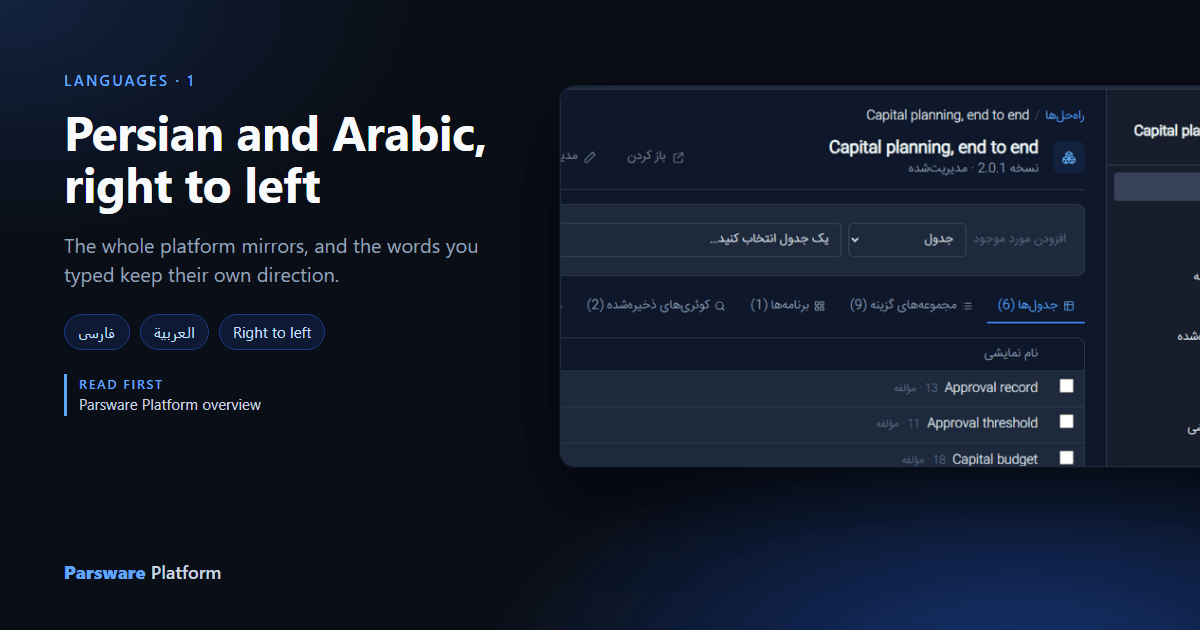
The platform ships in English, German, Spanish, French, Dutch, Persian and Arabic. Persian and
Arabic read right to left, and supporting them is more than translating the words: the whole page
has to mirror, and anything a maker typed in another language has to stay readable inside it. This
article goes through the Capital planning sample, samples/solutions/studio-capital-planning, in
both.
One menu, for each person
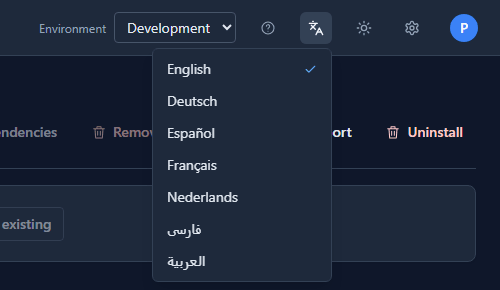
The language is chosen from the top bar, by each person, and the choice is remembered on that browser. Nothing in the solution changes.
The maker portal, mirrored
Choose فارسی and the maker portal turns round. The navigation moves to the right, the command bar starts from the right, and the arrow on Back to solutions points the other way.
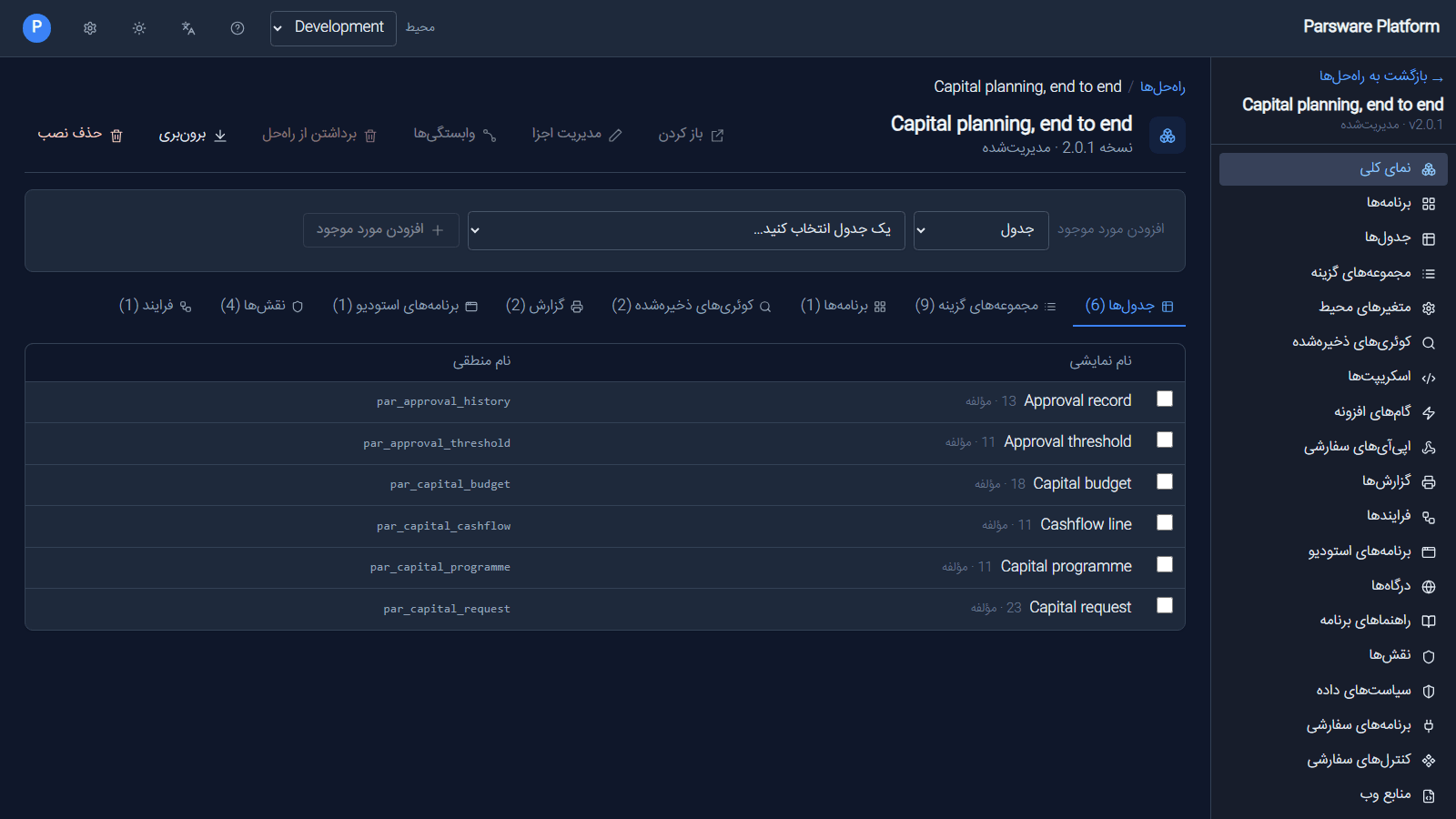
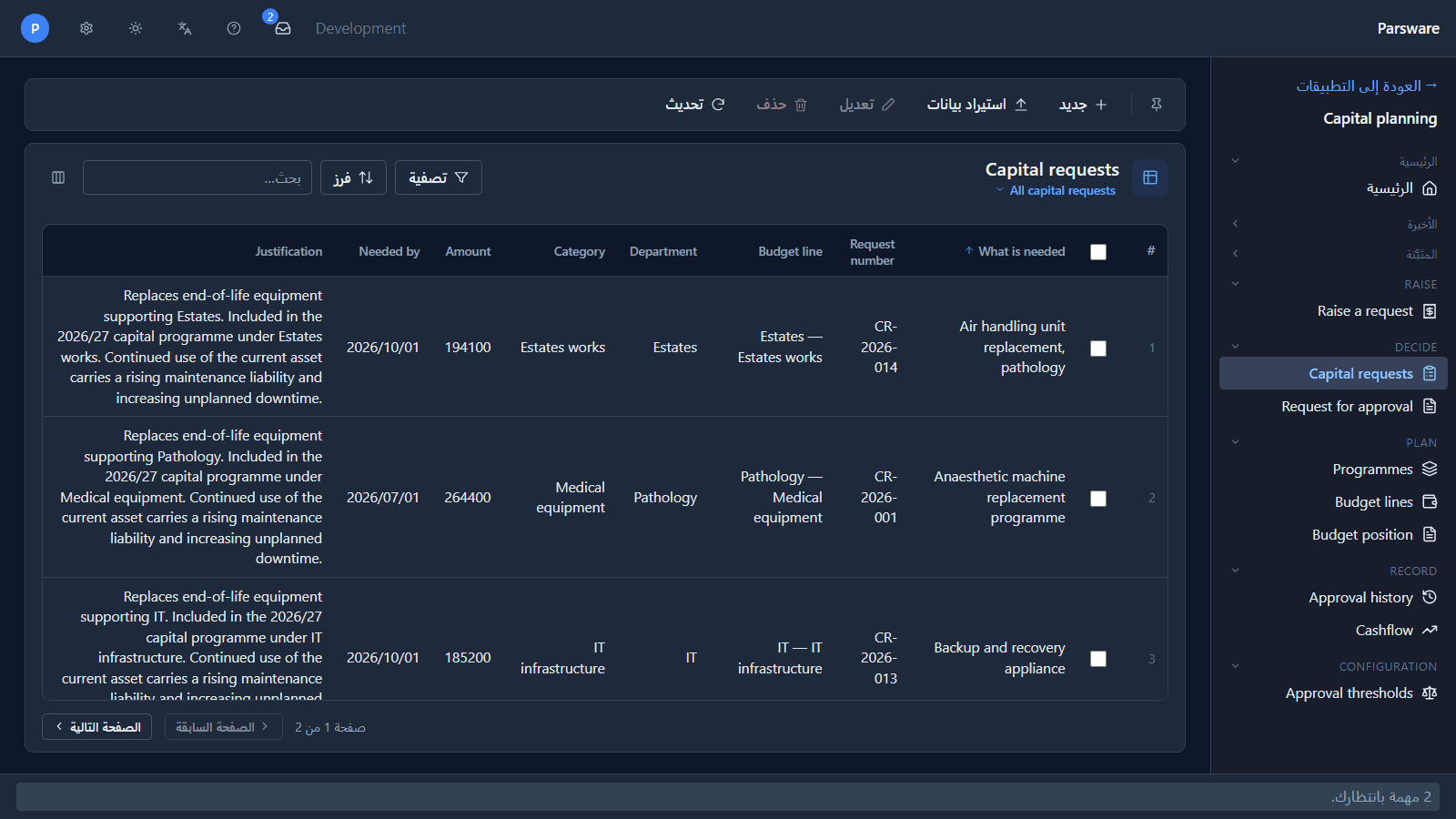
The table names stay in English, because that's what the maker typed, and that's the hard part of right to left. Approval record is a left-to-right phrase inside a right-to-left page, and the count beside it starts with a digit. Before this article that row read Approval record13 · مؤلفه: the browser decided the digits belonged to the English. Each is laid out on its own now.
The designers too
The Studio designer mirrors its panels: layers on the right, properties on the left, the toolbar in Persian.
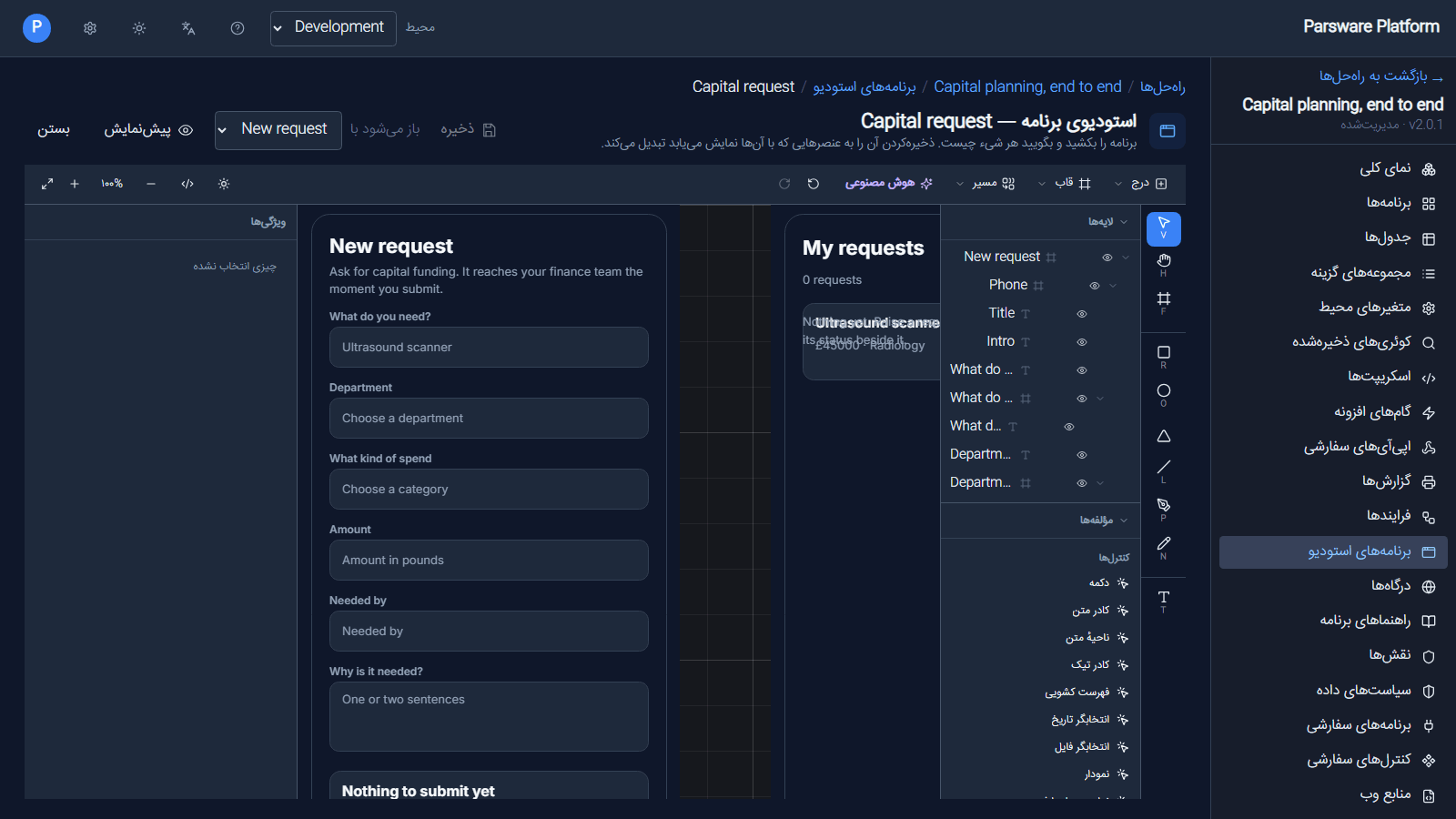
The drawing on the canvas doesn't flip. It's your drawing, laid out the way you drew it. So does the process designer, with its tools named in Persian:
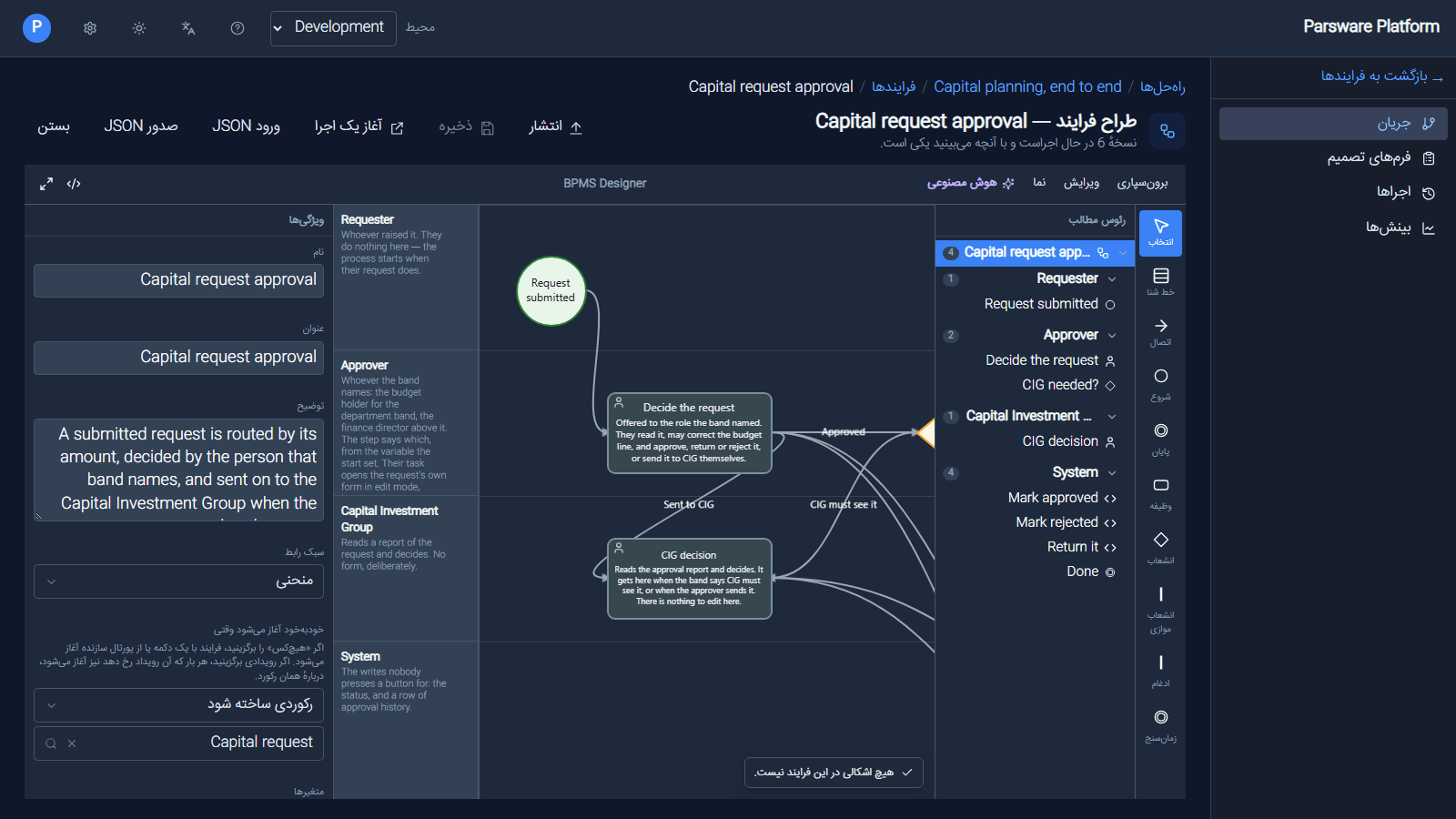
Two things were wrong here, and both are fixed. The outline read ?CIG needed and cut long names from the start; it now keeps each name in its own direction. And the tools under Lane and Connect were still Start, Finish, Task, Branch, Fork, Join and Timer in English.
The app, in Arabic
Somebody opening the app chooses their own language. In Arabic, the Platform Shell mirrors the same way, and the drawn phone screen keeps its English words the right way round:
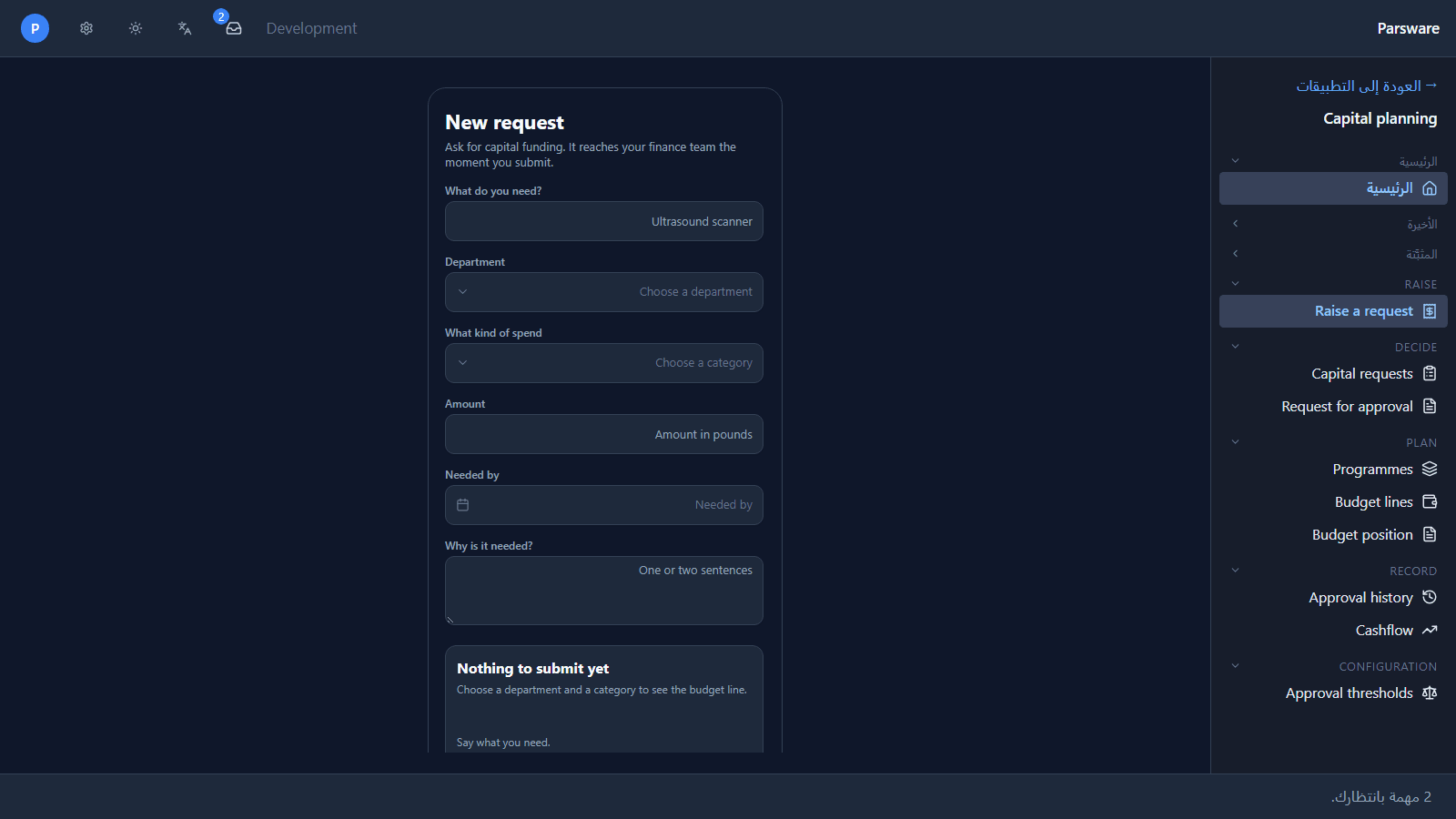
What do you need? was ?What do you need before this article. Every piece of text on a drawn screen now takes its direction from its own first letter, so a screen drawn in English stays English, and one drawn in Persian reads right to left, whichever language the reader picked.
A view, with English data in it:
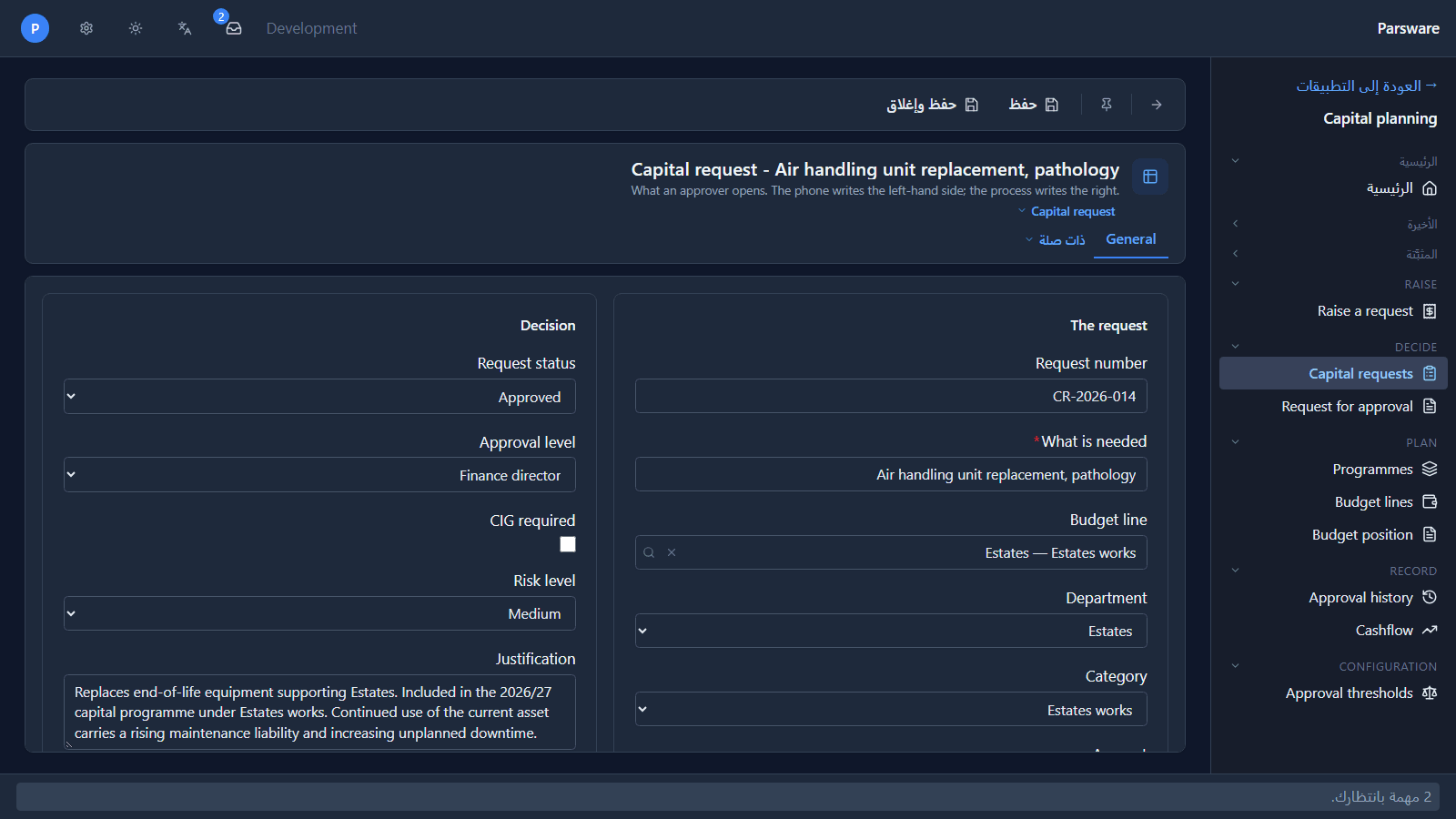
And a request's form:
What changes and what doesn't
- Changes: every label, button, message and help page the platform wrote; the side the navigation sits on; which way arrows point; where a column of a form starts.
- Doesn't: the names you gave your tables, fields and screens; the data people typed; the layout of a drawn screen or a process diagram. The text inside them keeps its own direction.
Persian and Arabic text is also drawn a little larger than Latin text at the same setting, because its dots and marks carry more of the meaning. Your font size choice still applies on top.
What we fixed
- Names ran into the numbers beside them. The solution overview read Approval record13 · مؤلفه.
- The process outline and the layers panel reversed English names. CIG needed? read ?CIG needed, and long names lost their start rather than their end.
- The process tools were in English. Start, Finish, Task and the rest ignored the language.
- Drawn screens, grid cells, text areas and form descriptions moved full stops to the front of English sentences.
- The report designer opened blank. Unrelated to the language, but found here: both capital planning reports crashed their designer because five of their bands had no fill. They open again, and a test now checks every sample report for it.
- Report text was nearly invisible in dark mode. A report is paper, so its canvas now paints light whatever your own mode.
Try it
Import samples/solutions/studio-capital-planning with its demonstration data. Choose فارسی from
the language menu and open the solution, its phone app and its approval process. Then open the
Capital planning app and choose العربية.
Next: Persian calendars and date formats.