Parsware Platform
Capital planning: a whole application, walked through
One sample that is a whole application: six tables, an approval process, two reports and a phone app, a year into use. A walk round it one rail group at a time, and what each piece is doing for the others.
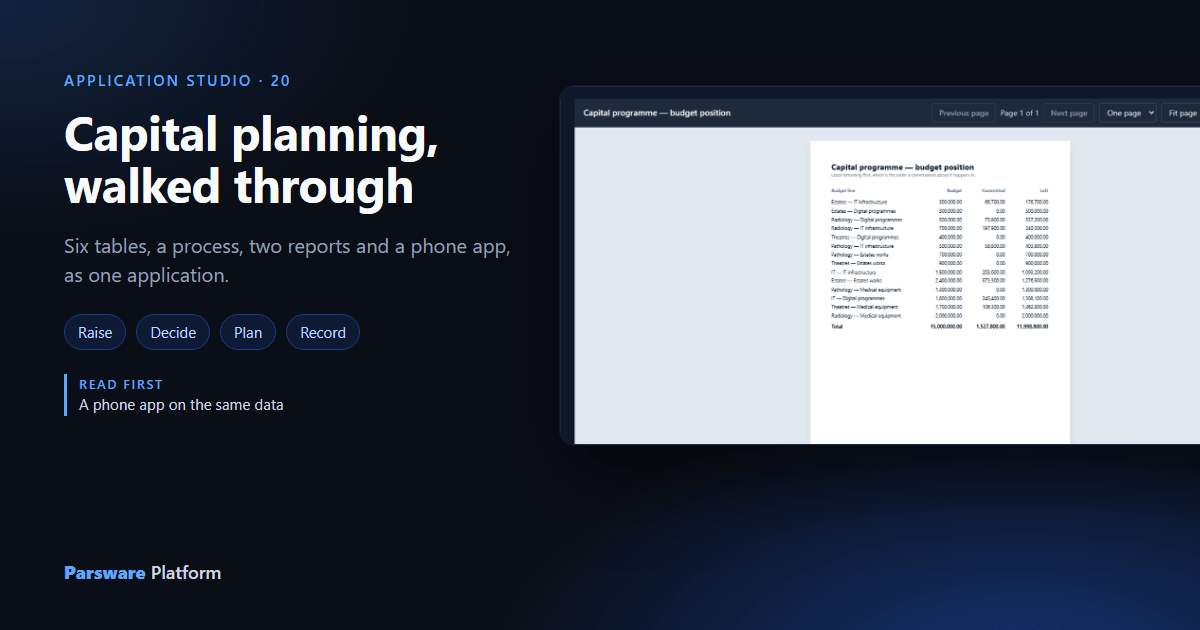
Every sample in this series shows one thing. Capital planning, end to end
(studio-capital-planning) is the exception: it's a whole application, because the question a
department asks before it commits to a platform is what the pieces look like together.
It says one sentence that can't be said by anything smaller: a request is raised on a phone, against a budget line a programme funds, and its amount decides who approves it, read from a table a finance team edits rather than from a branch in a script.
Earlier articles took pieces of it apart: Approval by amount for the process and its bands, and A phone app on the same data for the phone screen. This one walks round the whole thing.
What's in the box
Import it with Include demonstration data ticked, into an environment that isn't Production. In the maker portal, the solution lists what came with it:
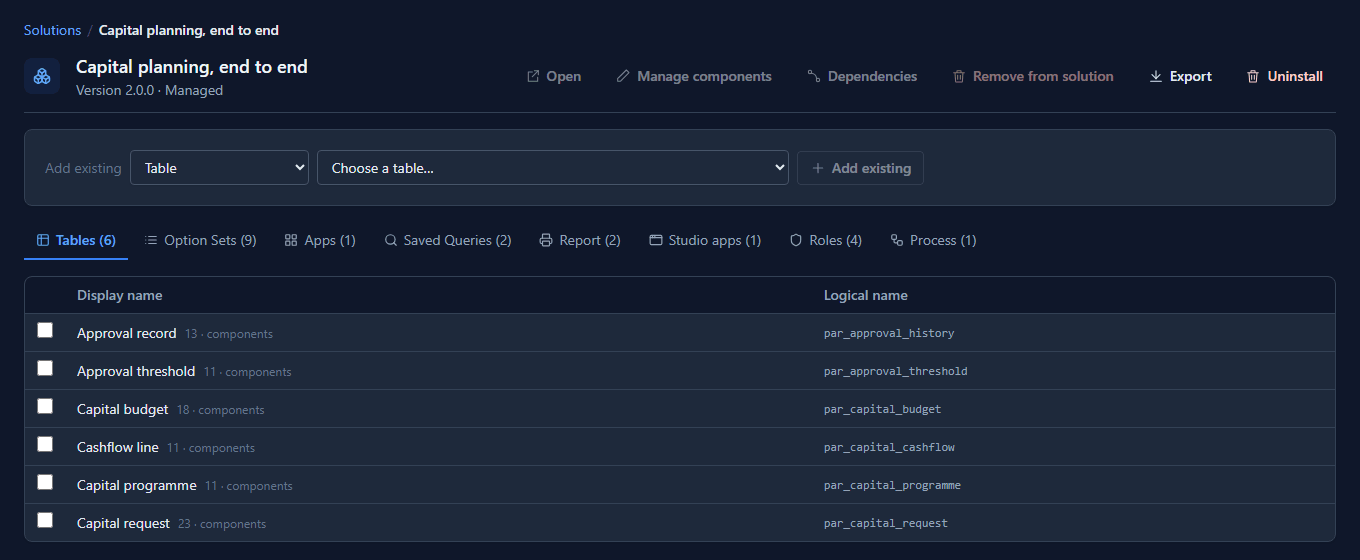
Six tables, and each one has a job:
| Table | Its job |
|---|---|
| Capital programme | One a year. Everything is charged against its total |
| Capital budget | A department and a category together: the line a request is charged to |
| Capital request | What somebody asked for, and where it has got to |
| Approval threshold | The one place an amount becomes an approver |
| Approval record | One row per decision, written by the process. Nobody types into it |
| Cashflow line | What was forecast in a month against what was spent |
And it arrives a year into use: a £15,000,000 programme, 14 budget lines, 3 threshold bands, 32 requests in every status, 47 decisions and 109 months of cashflow. The bands always come, because the process routes by them; the rest comes only with demonstration data.
The app, one group at a time
Open Capital planning in the Shell. The rail is grouped by what people come to do: Raise, Decide, Plan, Record and Configuration. It opens on Raise, the drawn phone screen, because raising a request is what most people come for:
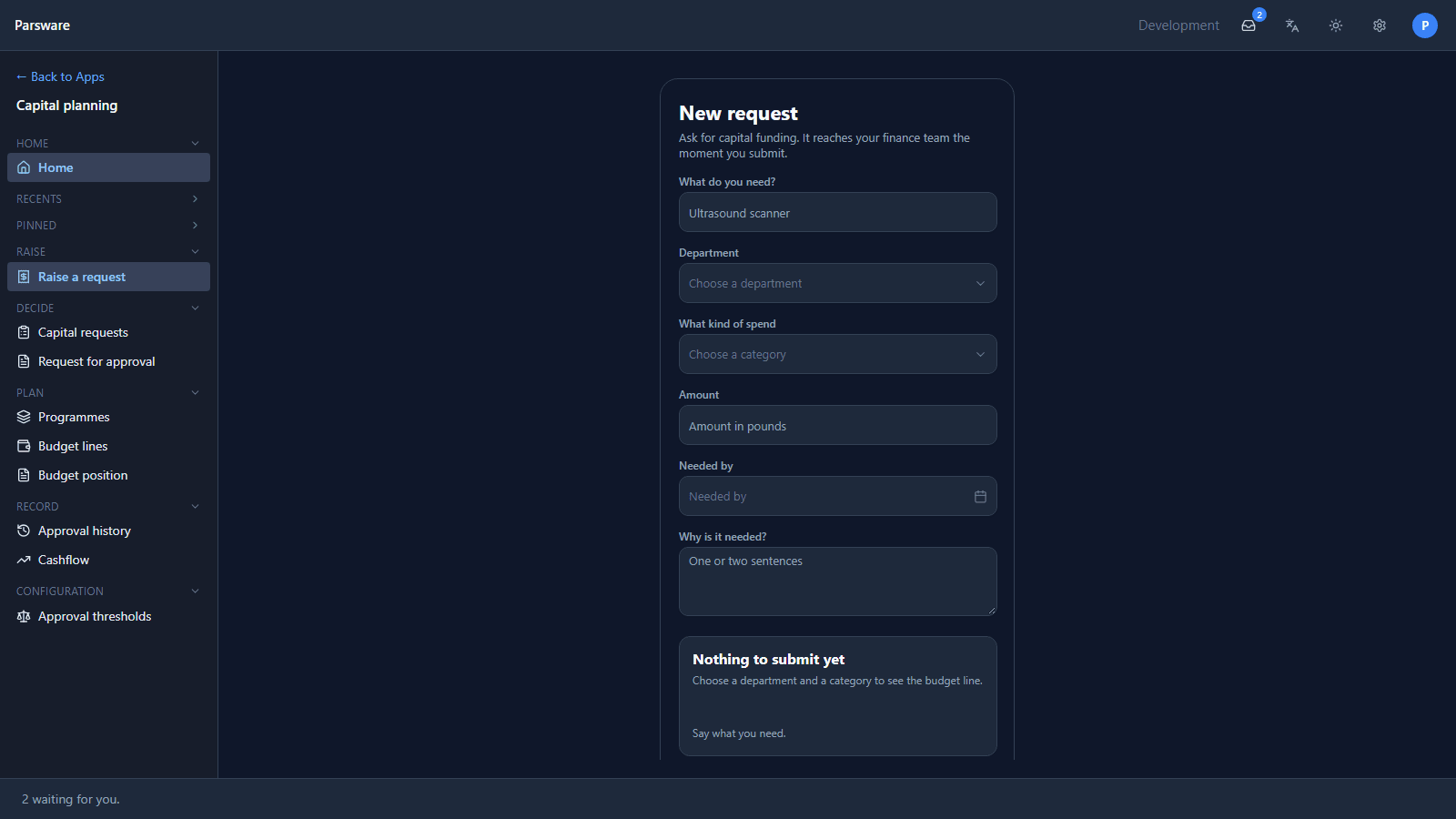
On a desktop the column stays 390 wide in the middle; on a phone it's the whole screen. That screen and the panel that checks a request as it's typed are article 132.
Decide
Capital requests is the table's own list, and a request opens on a form with two halves: what the requester wrote on the left, and what the process decided on the right.
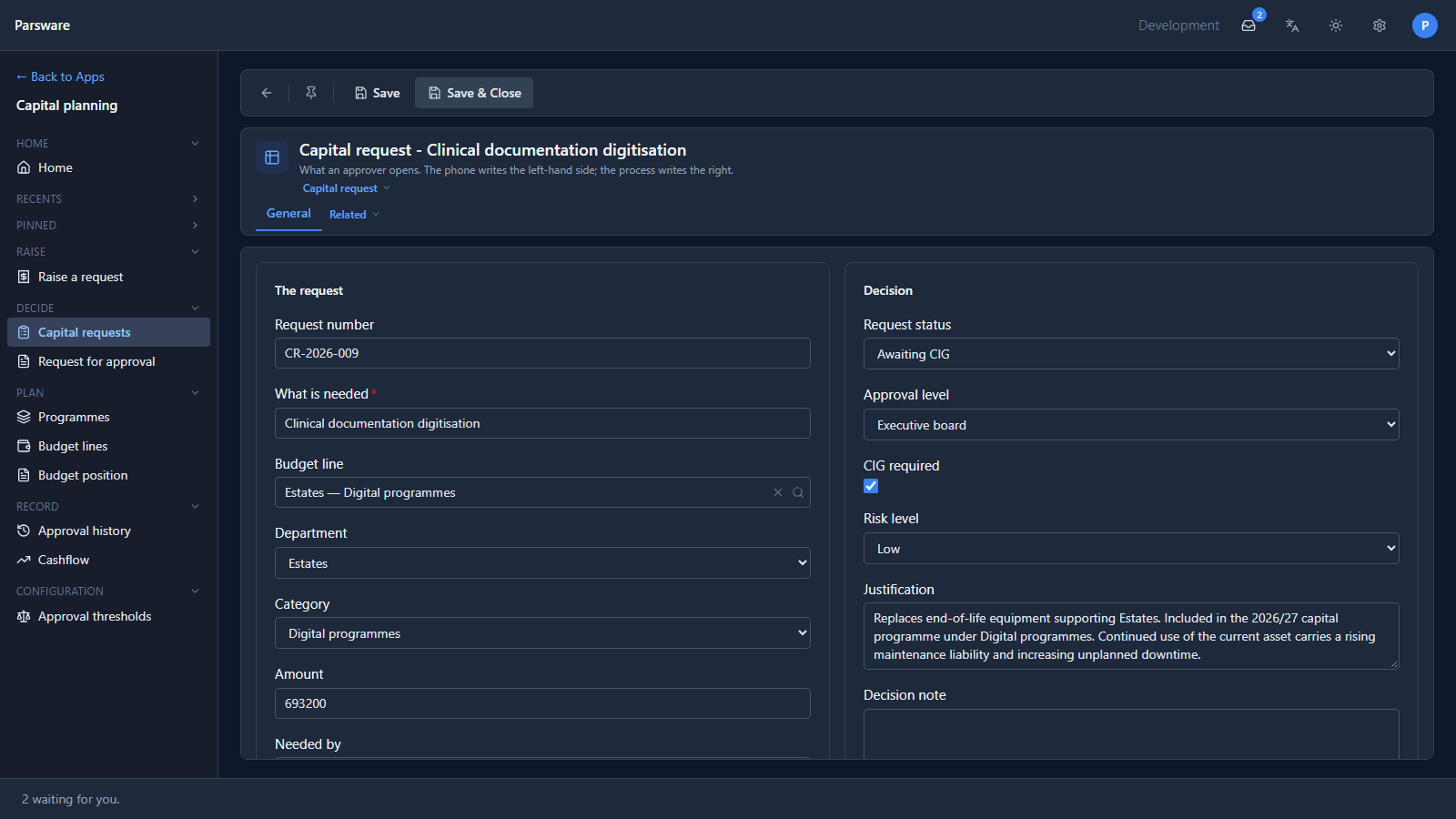
£693,200 is over £500,000, so the band says Executive board and CIG required, and the request is waiting for the Capital Investment Group. Its Approval history tab says how it got there:
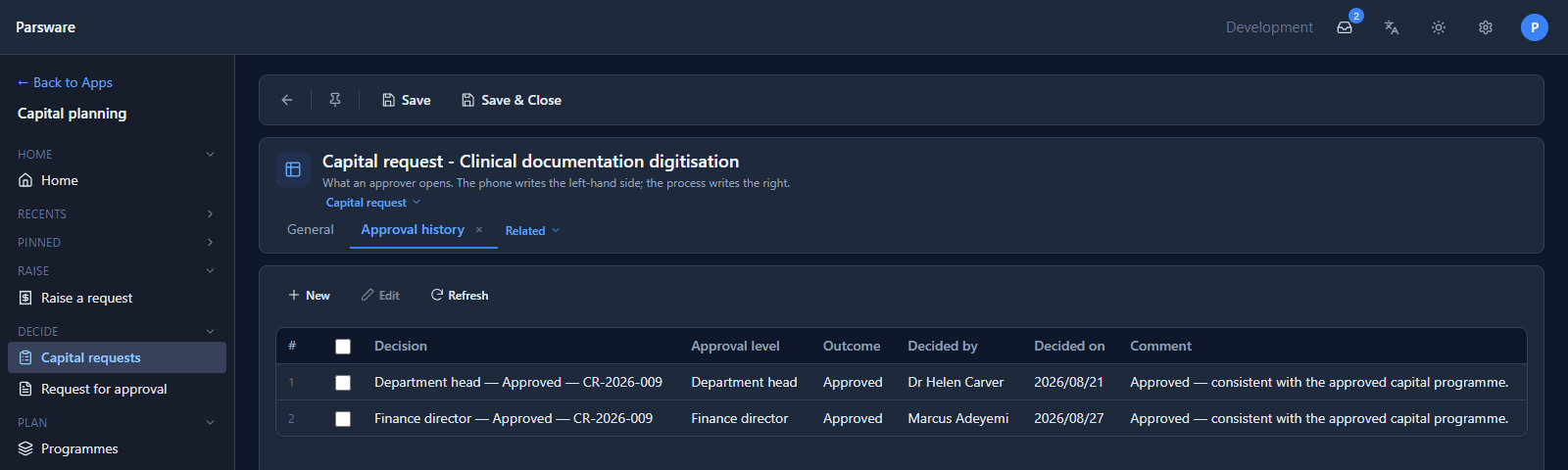
Two levels said yes; the third hasn't decided yet. Those rows were written by the process, one per decision, with who decided taken from the task as it finished. A new request starts the process when it's created, and its task appears in the top bar of whoever its band names. Request for approval is the report the CIG reads when its task opens.
Plan
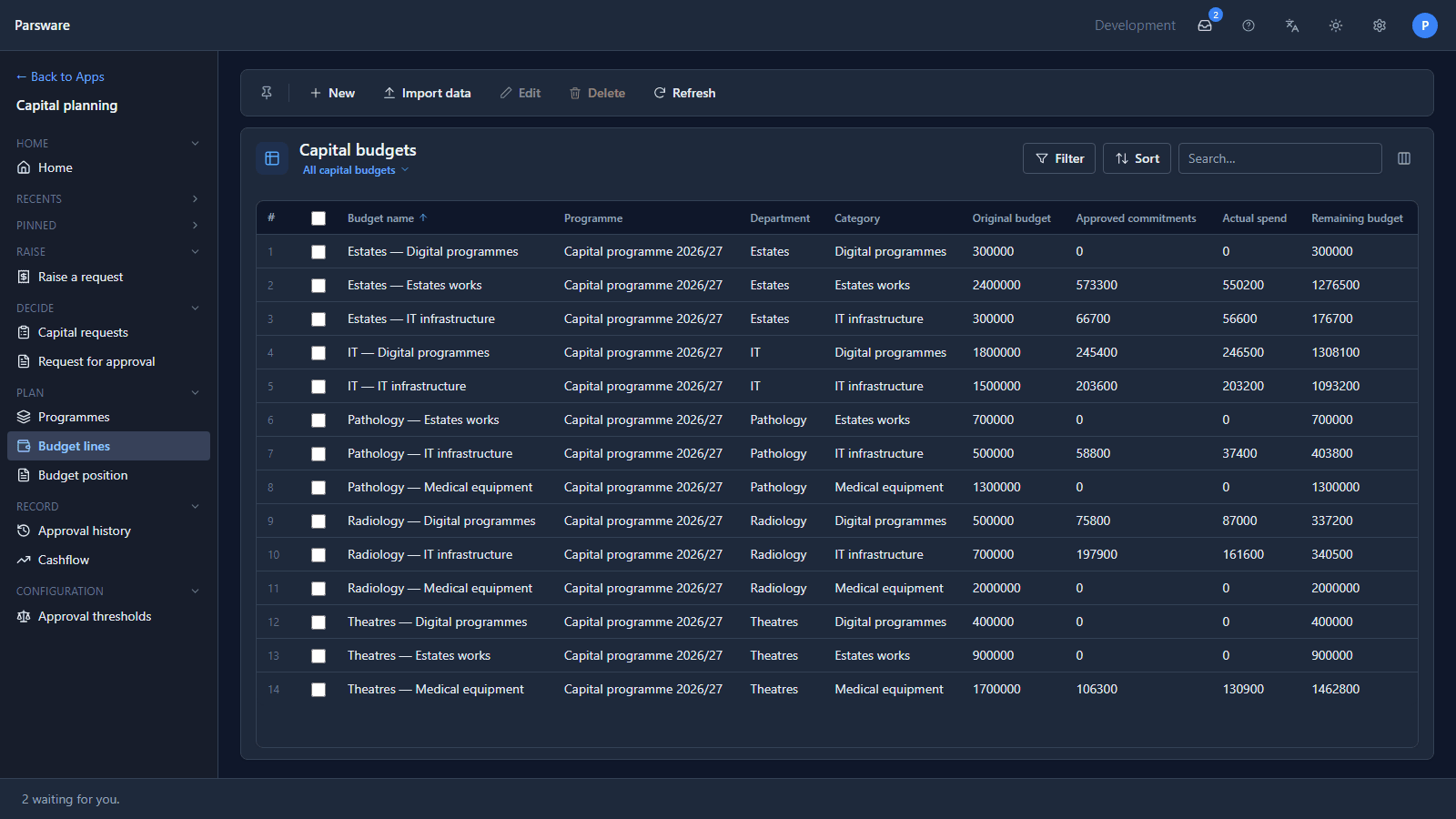
Budget lines is where the money is: each line is a department and a category, with its original budget, what approved requests have committed, what's been spent and what's left.
Budget position is the page somebody asks for before a capital meeting, least left first, because that's the order the conversation happens in:
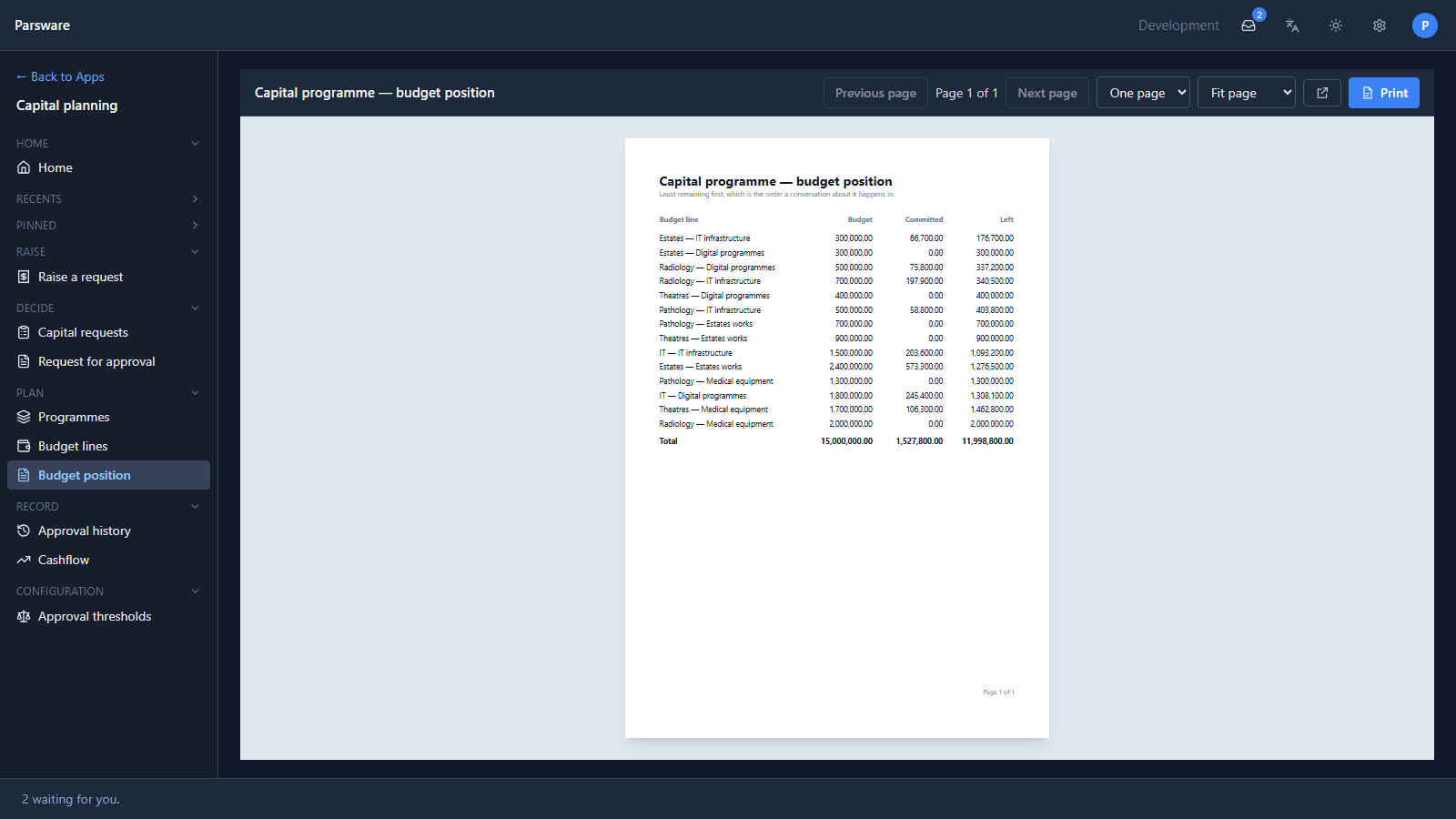
Left is what's neither committed nor spent yet, which is why it's less than the budget minus the commitments. Reports get their own series, starting with the next article.
Record
Approval history lists every decision across every request, and Cashflow lists each request's months: what was forecast and what was actually spent.
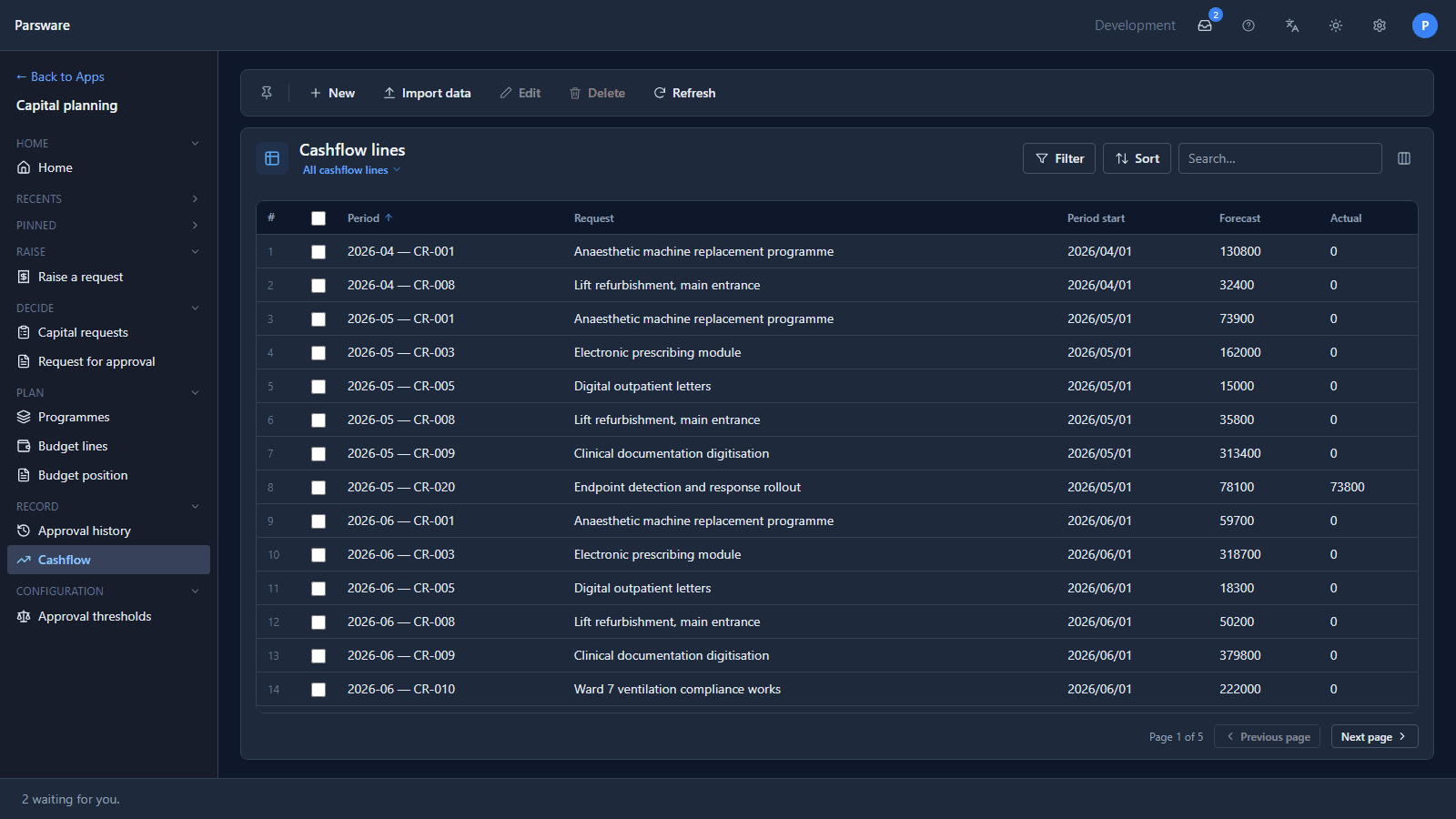
Only approved requests have started to spend. Nothing on the phone writes cashflow; filling it in is a finance task.
Configuration
Approval thresholds holds the three bands:
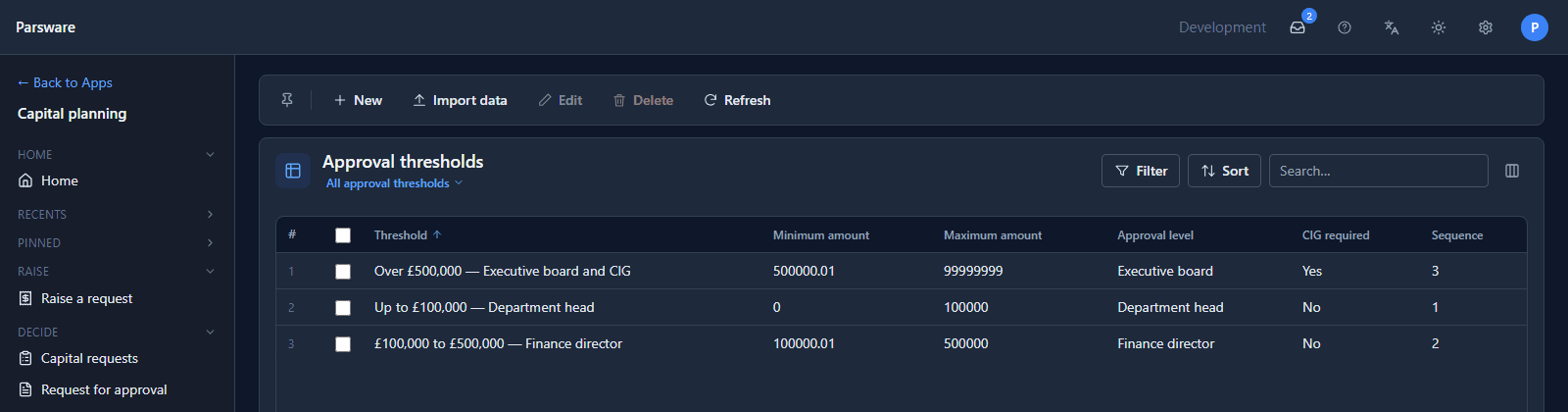
This is the table the sentence at the top is about. Edit a band's maximum and the next request over that amount goes to someone else, with nothing rebuilt and no script that mentions an amount. Approval by amount moves one and watches it happen.
How the pieces lean on each other
- The phone needs the budget lines. Two pickers, department and category, name exactly one line, which is what makes "is there money for this?" a question with an answer.
- The process needs the thresholds. It reads the band an amount falls in and keeps three things: the level, the role that decides at that level, and whether the CIG must see it.
- The reports need the history and the commitments. The budget position is approved requests added up; the CIG's report is the request it's deciding.
- The four roles keep each person on their part. A requester raises a request and reads their own and nothing else; a budget holder decides the small ones and passes the rest on; the finance director decides above that; the CIG reads a report of the request rather than its form, because a form invites an edit.
Each piece is still a separate document with its own schema and its own test, so when one breaks the failing test names it.
What we fixed
Walking round it turned up two problems, both fixed:
- The budget position's totals broke across two lines. The money columns were too narrow for £15,000,000.00, which printed as 15,000,000. with 00 under it. The report no longer repeats the department and category, which a budget line's name already says, and the money columns have the room.
- Requests waited for the CIG that didn't need it. The seed data had requests in Awaiting CIG whose band doesn't send anything there: CR-2026-009 was £193,200, a finance director's band, with CIG required unticked. A request waiting on the CIG is now one whose amount puts it in the CIG band.
Try it
Import Capital planning, end to end with Include demonstration data. Give one person Capital requester and another Budget holder, raise a request on the phone as the first, and decide it as the second. Then move a threshold and raise another.
Next: the Reports series, starting with a report that prints exactly as designed.