Parsware Platform
A phone app on the same data
A capital request raised on a phone, in a drawn app 390 wide, and approved by a budget holder at a desk, in a model-driven app over the same table. Two people, two screens, one record, and one process between them.
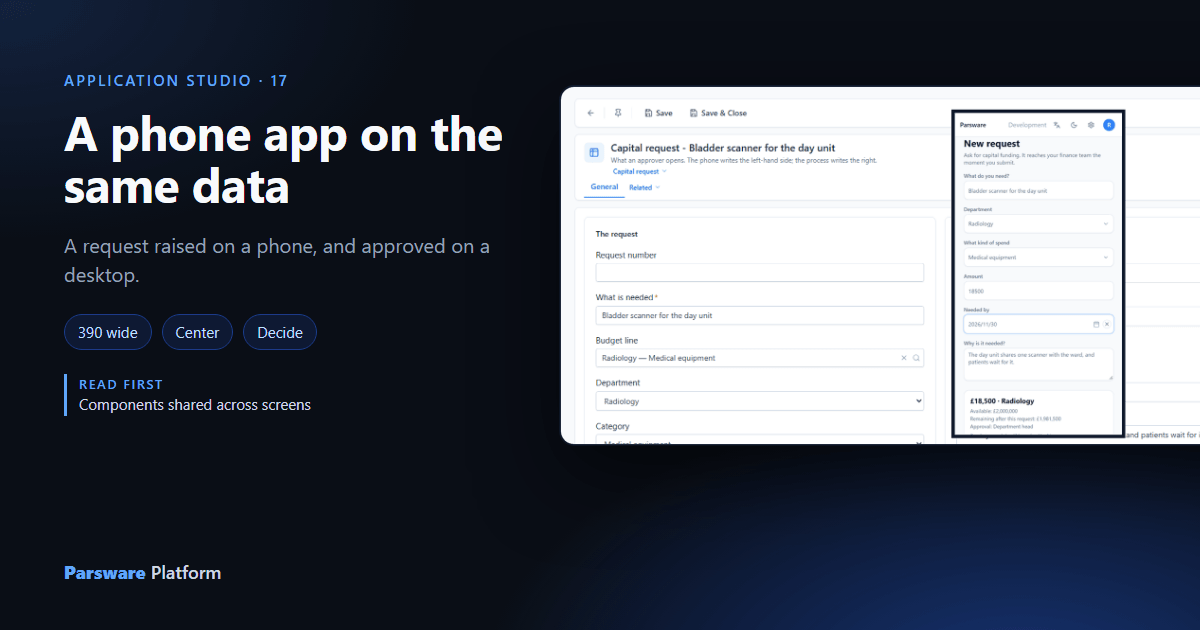
Some work starts away from a desk. A nurse who needs a piece of equipment is on a ward, with a phone; the budget holder who approves it is at a desk, with a list of requests to get through. They should each get a screen that fits where they are, and both should be looking at the same request.
That's what the Capital planning, end to end sample does (studio-capital-planning, the same
one Approval by amount used). Robin Park raises a request on a
phone. Sam Taylor, who holds Budget holder, decides it on a desktop.
1. A screen drawn at phone size
The sample's Capital request app has two screens, New request and My requests:
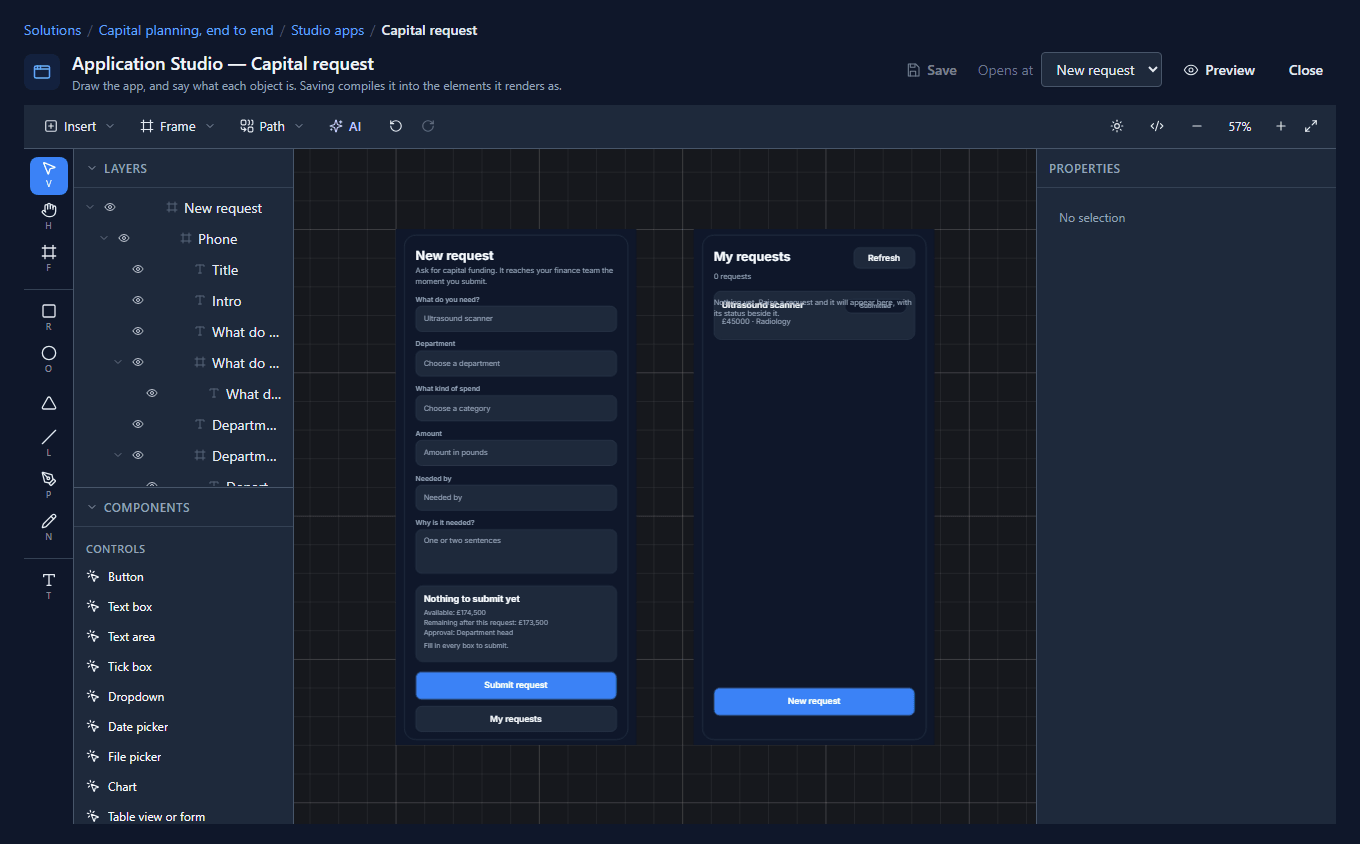
Inside each screen is a frame called Phone, 390 wide, which holds everything. Its constraints do the work: Horizontal is Center and Vertical is Top & bottom:
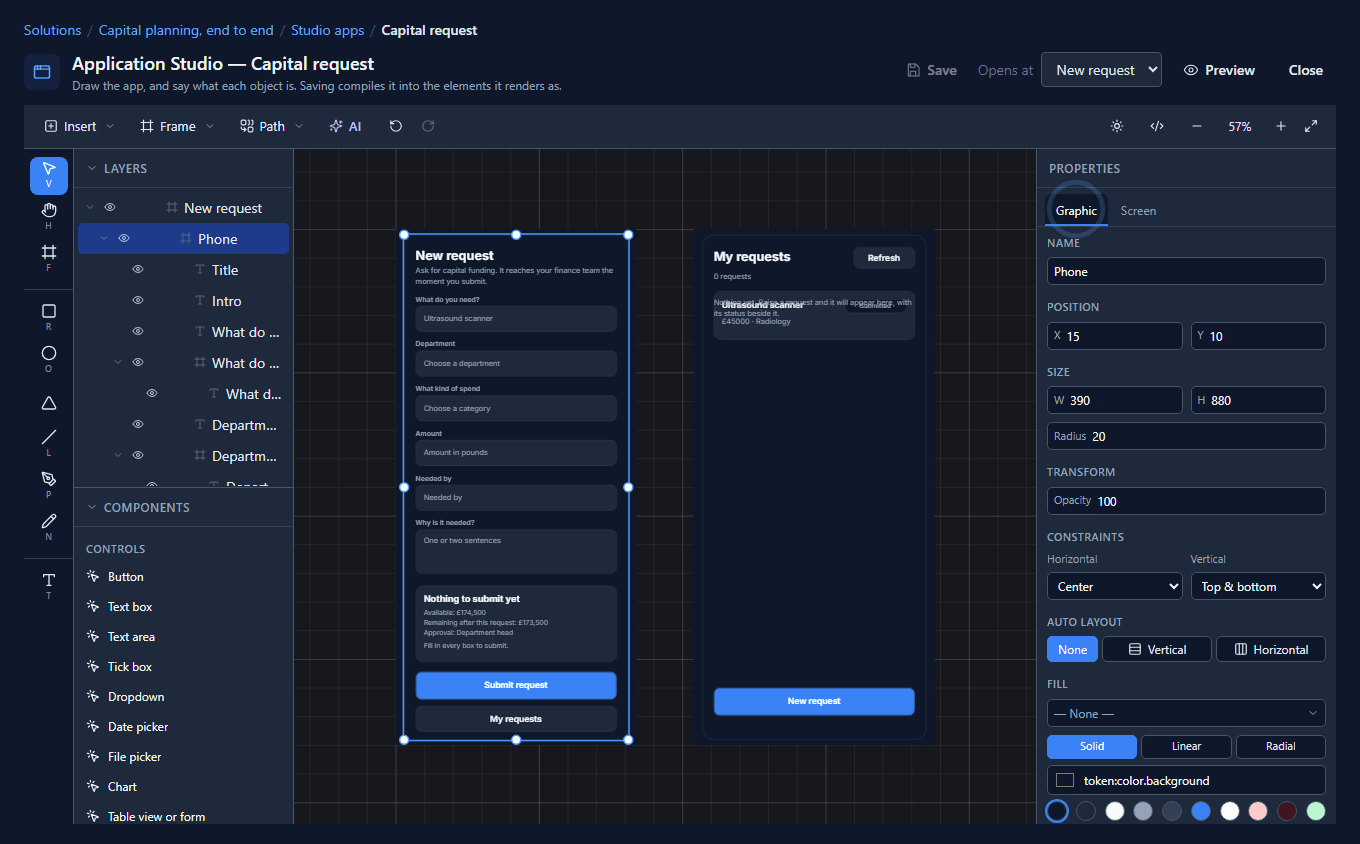
So on a phone the column is the screen, and on a wide window it stays 390 wide in the middle rather than stretching into lines nobody can read. There's no mobile mode and no breakpoint: it's one drawing with one constraint.
2. Raise it on a phone
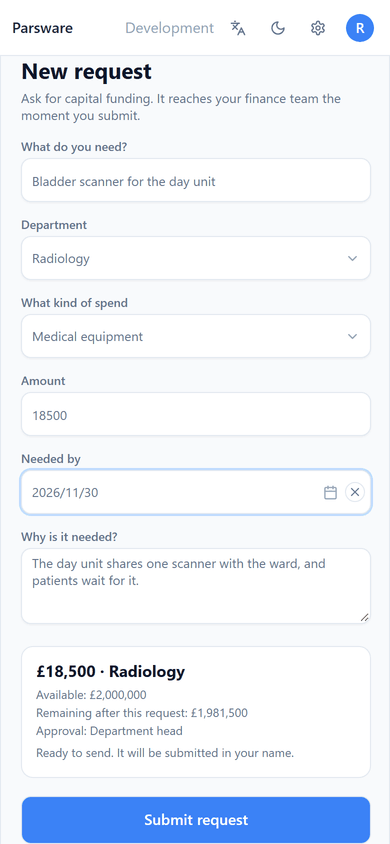
Robin opens the app on a phone, at its own address, /apps/par_capital_request_phone, and fills it
in. The panel above Submit request answers as he types: which budget line the department and
category name, what it has left, what's left after this request, and who'll approve it:
He presses Submit request, and lands on My requests with the request on it, Submitted.
Creating the request starts the approval process, which reads the amount, finds the band and offers the task to the Budget holder role. The phone didn't have to know any of that.
3. Approve it on a desktop
Sam opens the Capital planning app on a desktop. It's a model-driven app over the same tables, and it takes part in processes, so the inbox is in the top bar:
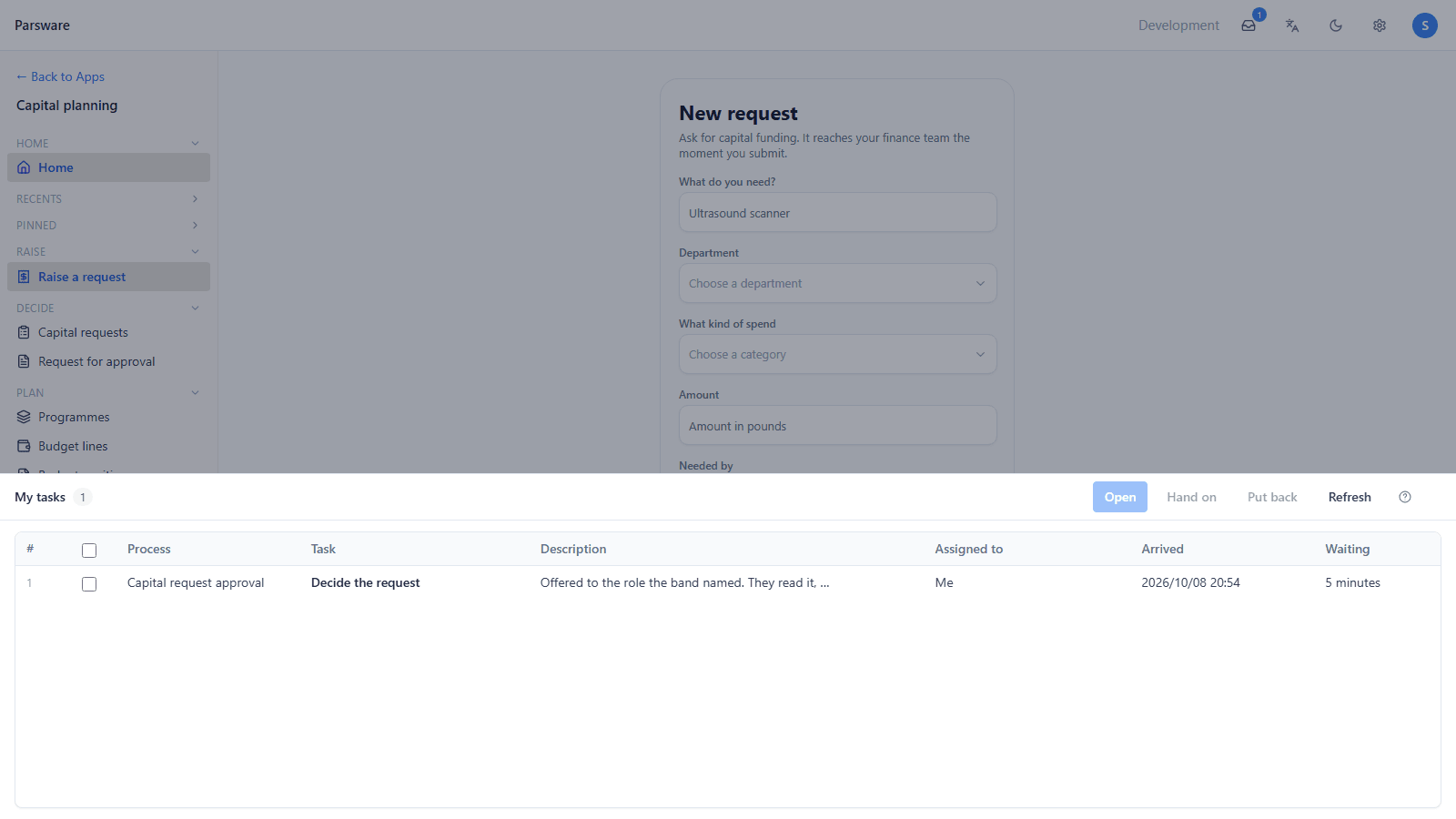
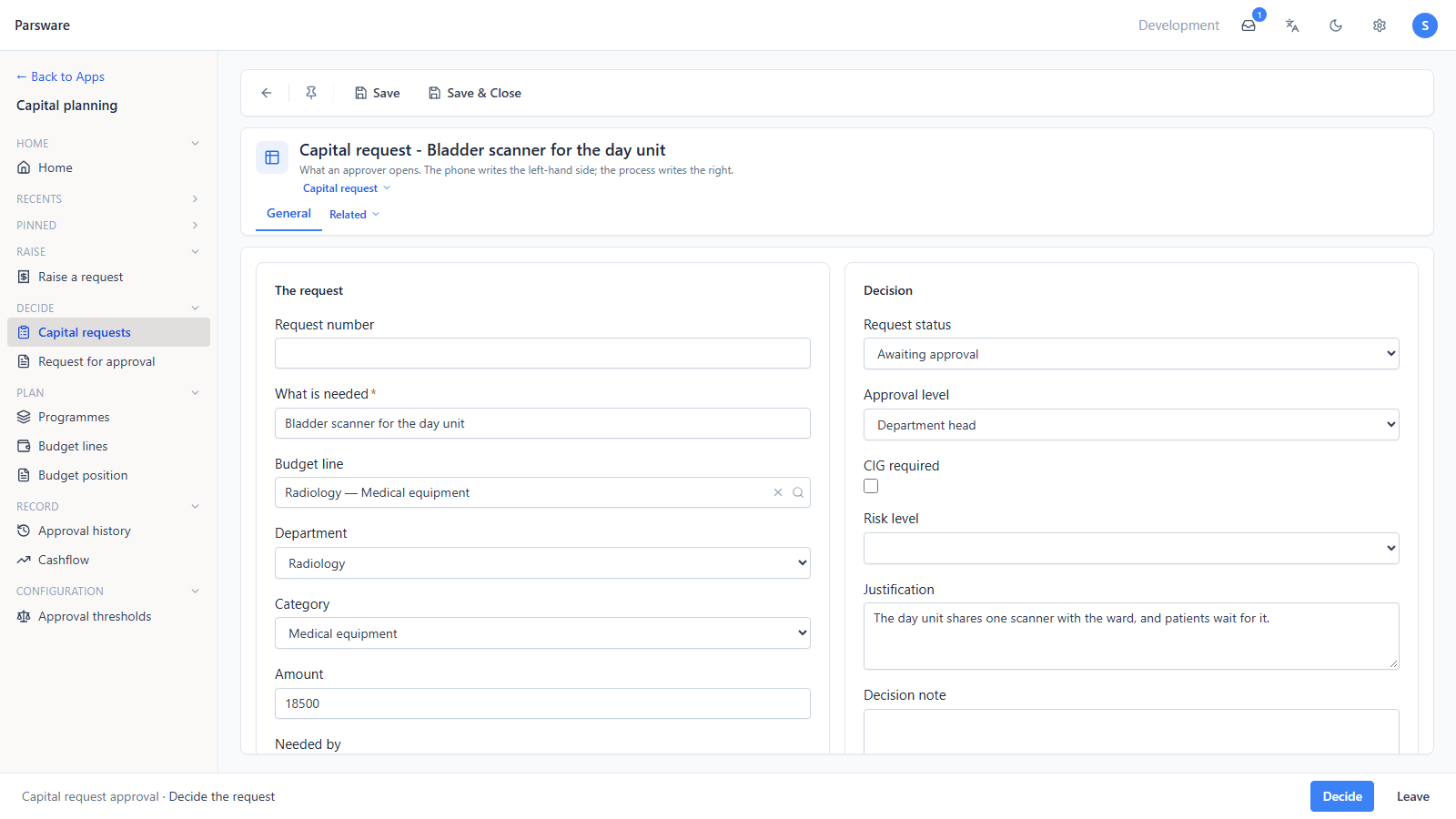
Open takes the task and opens the request Robin raised, with everything he typed and what the process added: the status, the approval level, the budget line:
Decide asks for a comment and offers the four outcomes:
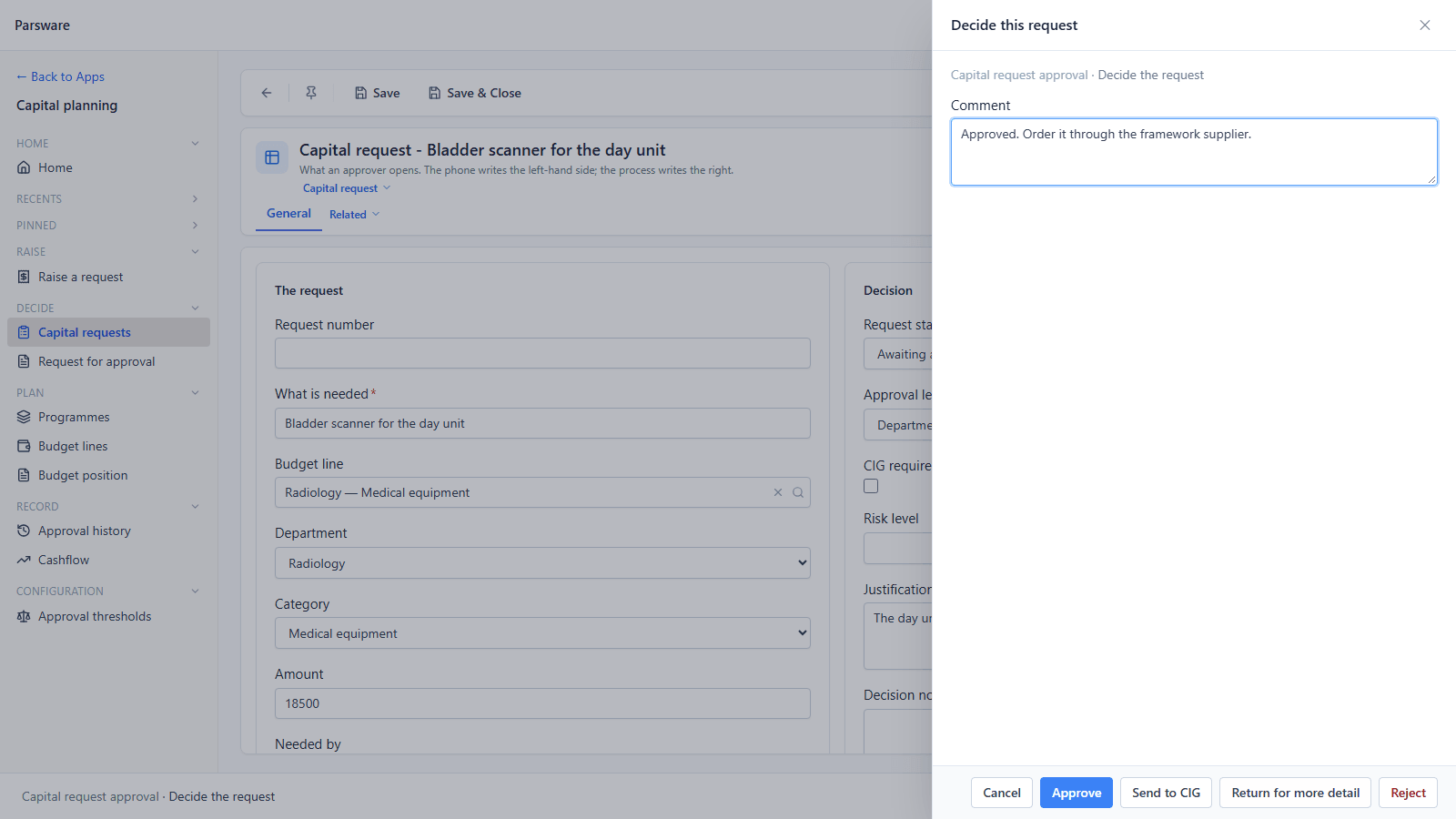
Sam presses Approve.
4. Back on the phone
Robin's My requests says so the next time he looks:
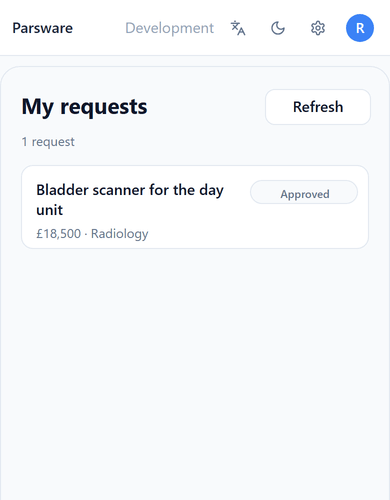
One record, two screens, two people, and nothing copied between them. The phone app writes the request; the process decides who sees it next; the desktop app is where they decide.
What we fixed
Building this turned up two problems, both fixed:
-
The phone screen didn't fit a phone. The Platform Shell holds every page at least 1024 pixels wide, because a model-driven app's navigation, command bar and grids can't share a phone. That also held a drawn app at 1024, so a phone laid the page out 1024 wide and shrank it to fit, and the 390-wide request form ended up a fraction of the screen:
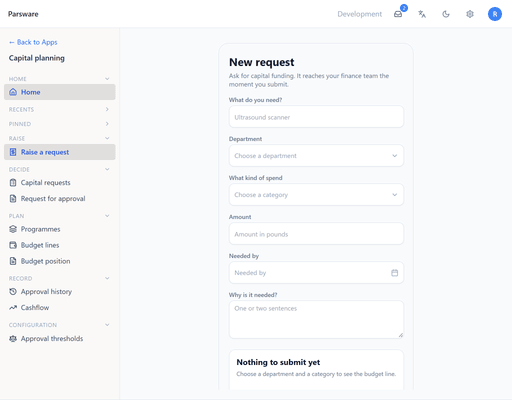
A drawn app lays itself out with its own constraints, so the minimum no longer applies while one is open, and on a narrow window the page padding goes and the top bar tightens. A model-driven app still keeps it, which is why Robin uses the drawn app's own address on his phone.
-
A long name ran into its amount. On My requests, a name that wrapped onto two lines was drawn over the amount under it. The two now stack, so a long name pushes the amount down.
Try it
Import Capital planning, end to end with Include demonstration data ticked. Give one person
Capital requester and another Budget holder, open /apps/par_capital_request_phone on a phone
as the first, and Capital planning on a desktop as the second.
Next: a Studio app inside a model-driven app's navigation.