Nobody reorganises on their own
Who renamed that branch, and who said they could? In a demonstration bank on Parsware, nobody edits the structure directly: every change is asked for as an order, refused until it says enough, and written down for whoever approves it.
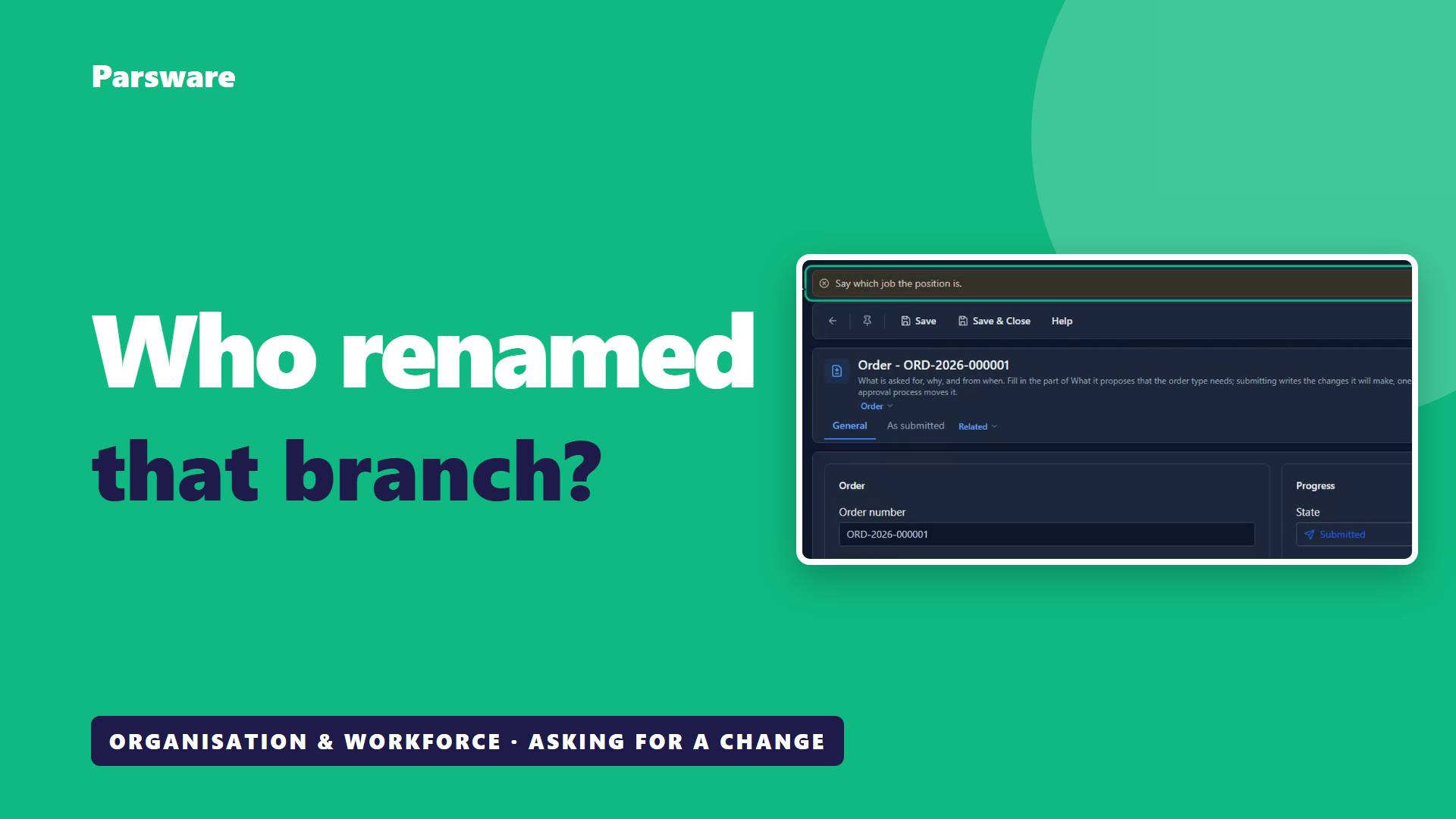
Who renamed that branch? And who said they could?
In most organisations, whoever has the access just changes it. A seat moved, a unit renamed, and everybody else finds out when something doesn't add up.
Here's the other way, in a demonstration bank on Parsware. This isn't banking software. It's how any large organisation keeps changes to its structure under control. The screens are the real application, and the people and the data are made up for the demonstration.
You can read it, and you can't change it
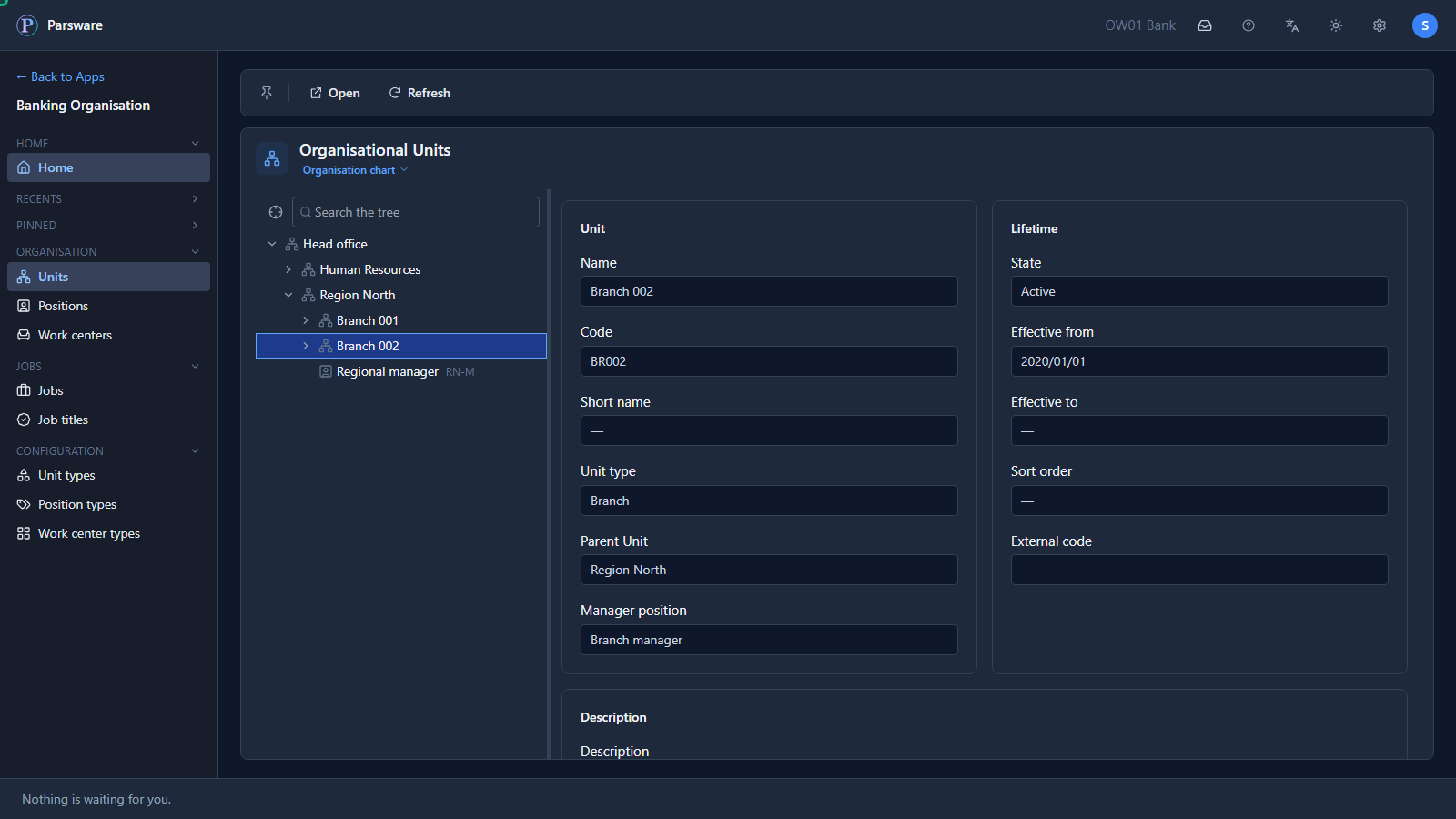
Sara manages the region, so she can read every branch in it. She can't change any of it. The chart of units has no New: its bar offers Open and Refresh, and nothing else.
Branch 002 itself has no Save and no Delete. That holds for a teller, and it holds for the regional manager.
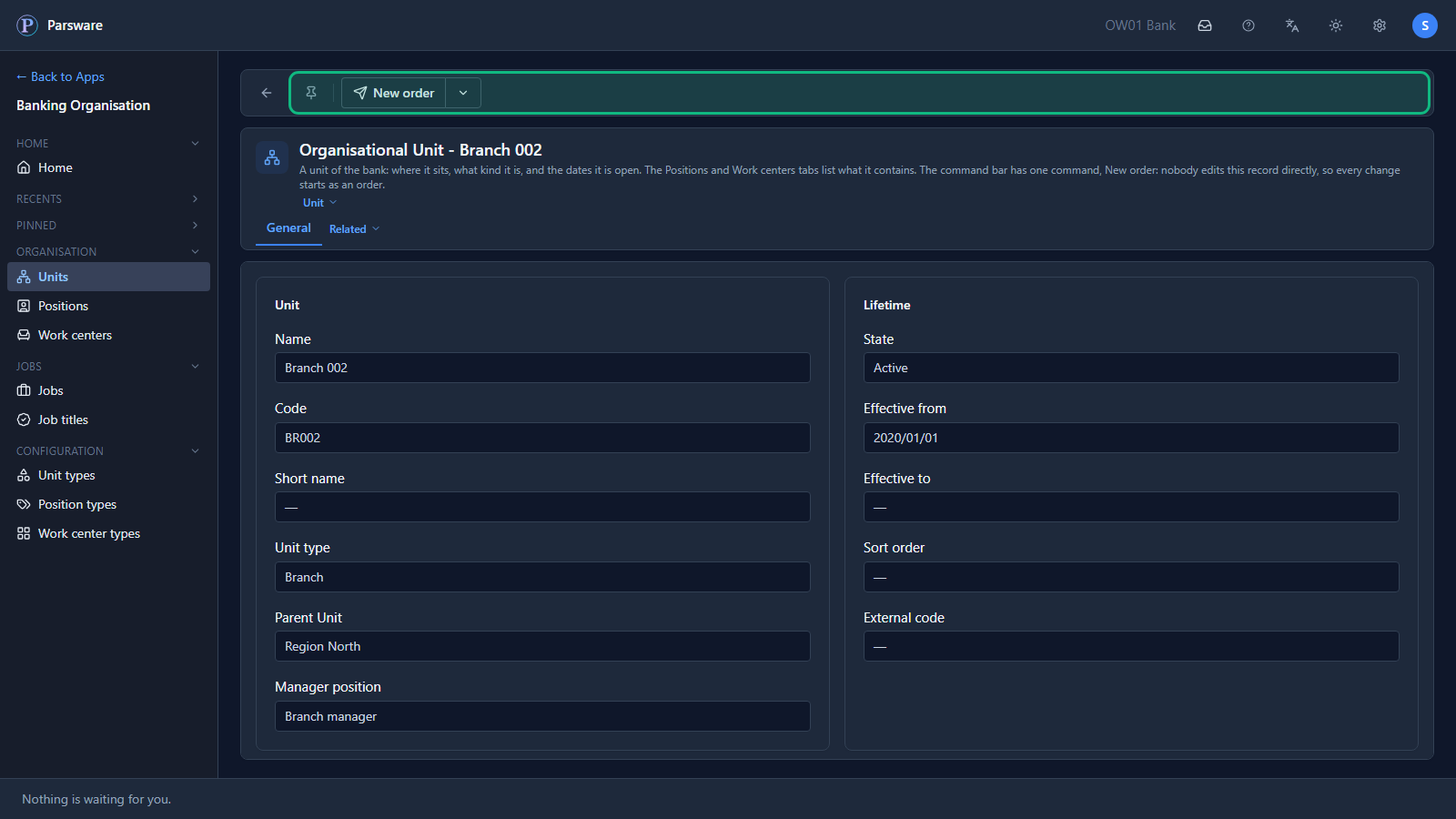
One command instead: New order
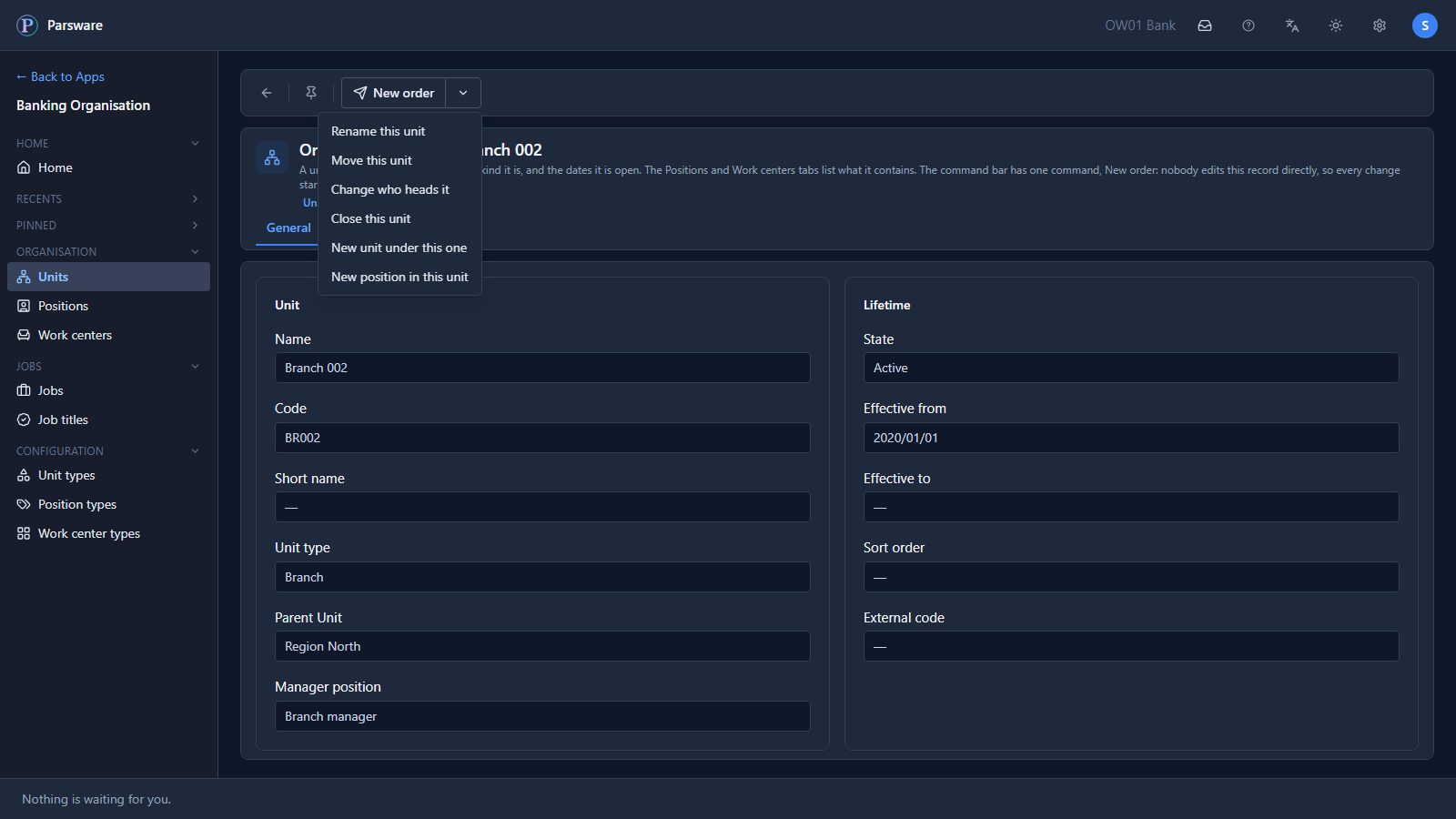
Every unit, position and person has one command, New order, and it offers the changes that make sense for that record. On a unit there are six: rename it, move it, change who heads it, close it, or add a unit or a position under it.
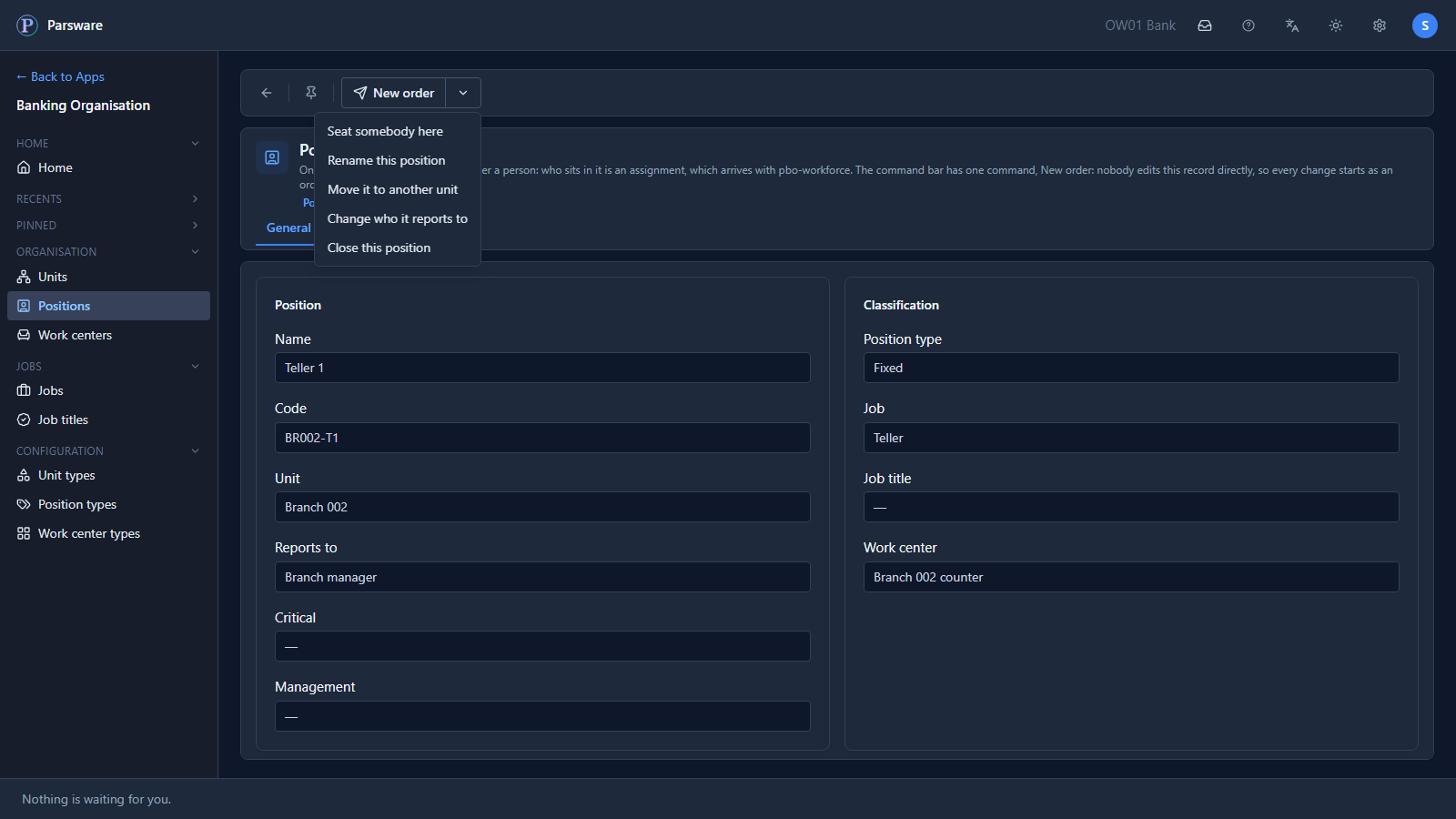
On a position there are five: seat somebody, rename it, move it, change who it reports to, or close it.
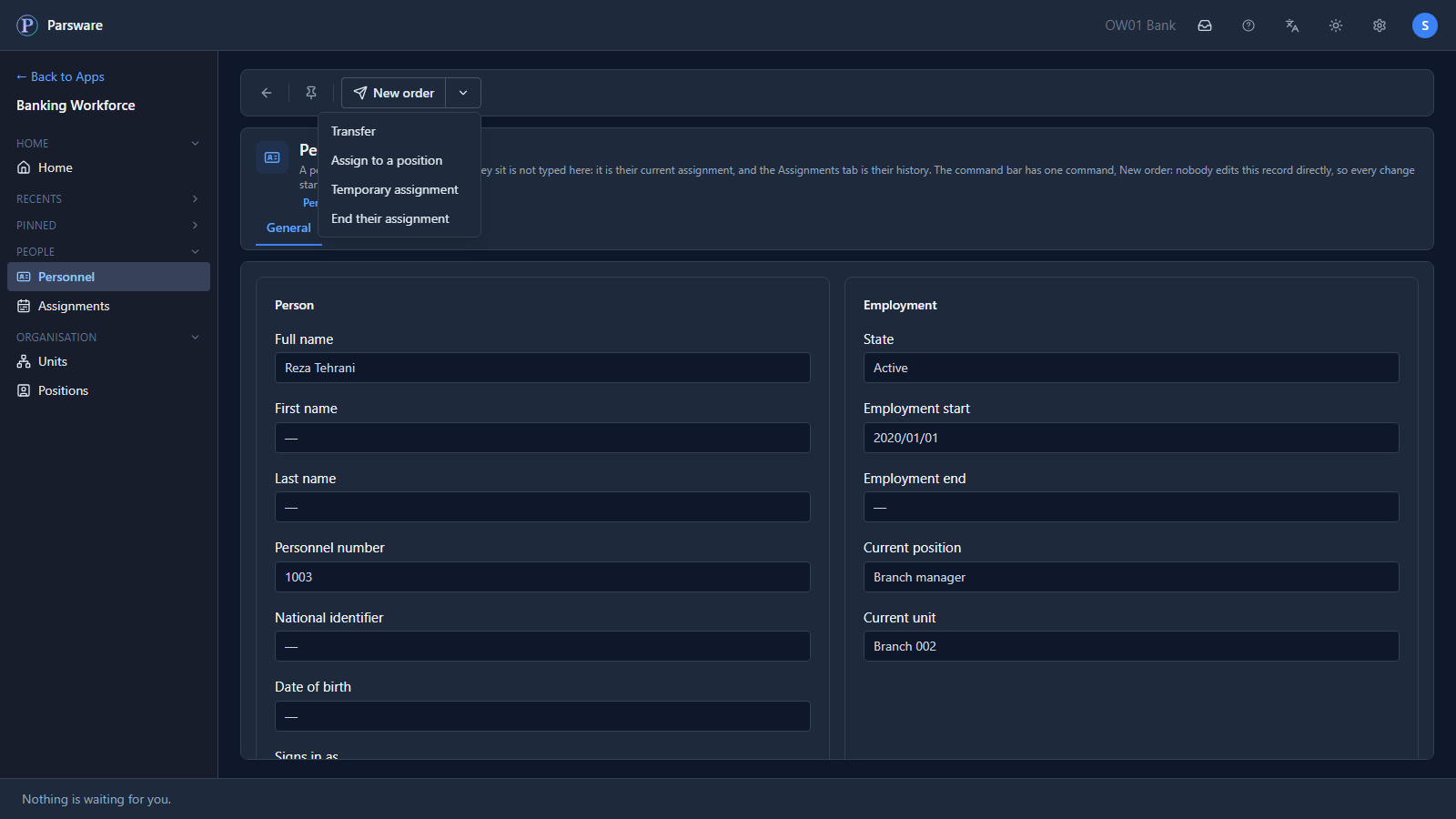
On a person there are four: transfer them, assign them, give them a temporary assignment, or end their assignment.
Say what it proposes
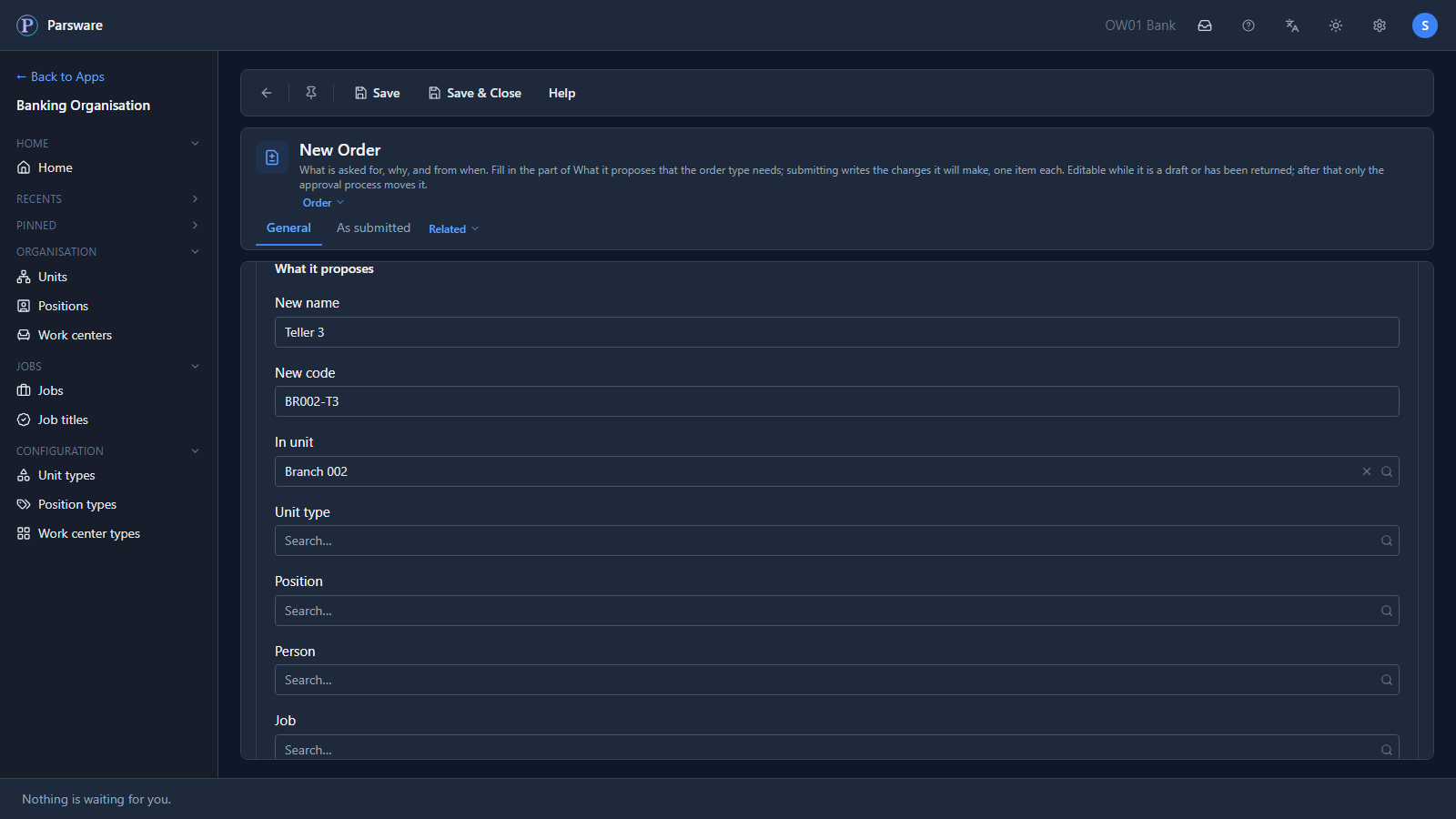
Sara wants another teller seat at Branch 002. She opens New order on the branch and picks New position in this unit. The order opens with Branch 002 and its kind, Create position, already filled in. She says what it proposes: the seat's name and code, from when, and why.
Refused until it says enough
She sets it to Submitted and saves, and it's refused. The message says what's missing: which job the seat is. Once she picks the job, it asks whether the seat is fixed or temporary. Each refusal names one thing, so the order is never sent half-written.
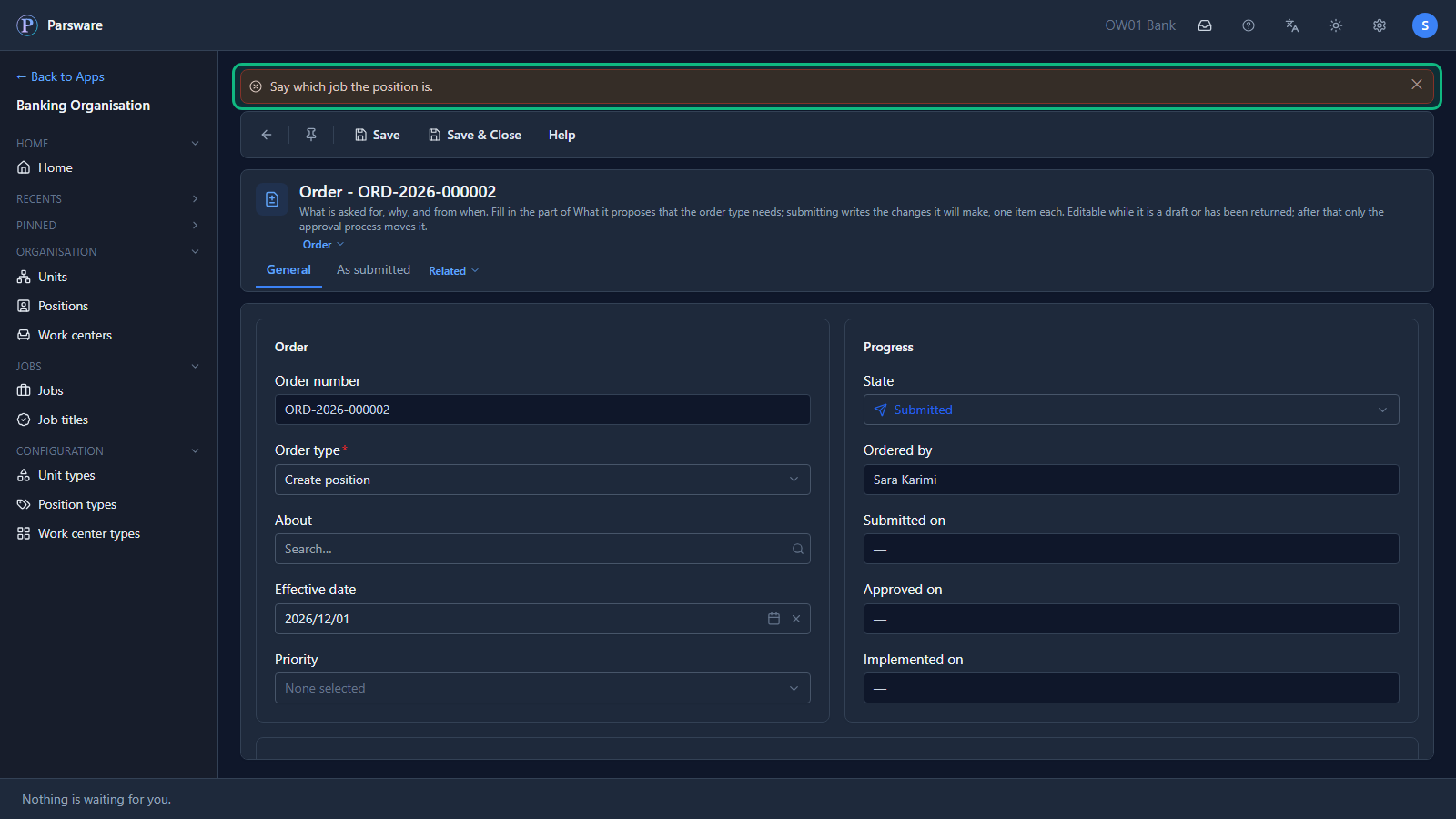
Once she has said both, it's sent, and nothing in the bank has changed yet. Who asked, and when, is written by the order itself. Sara can't type over it, so those fields read as text, not as boxes.
Written down for the approver
The order writes down what it will change and what it affects, so whoever approves it reads the change itself and not somebody's summary of it.
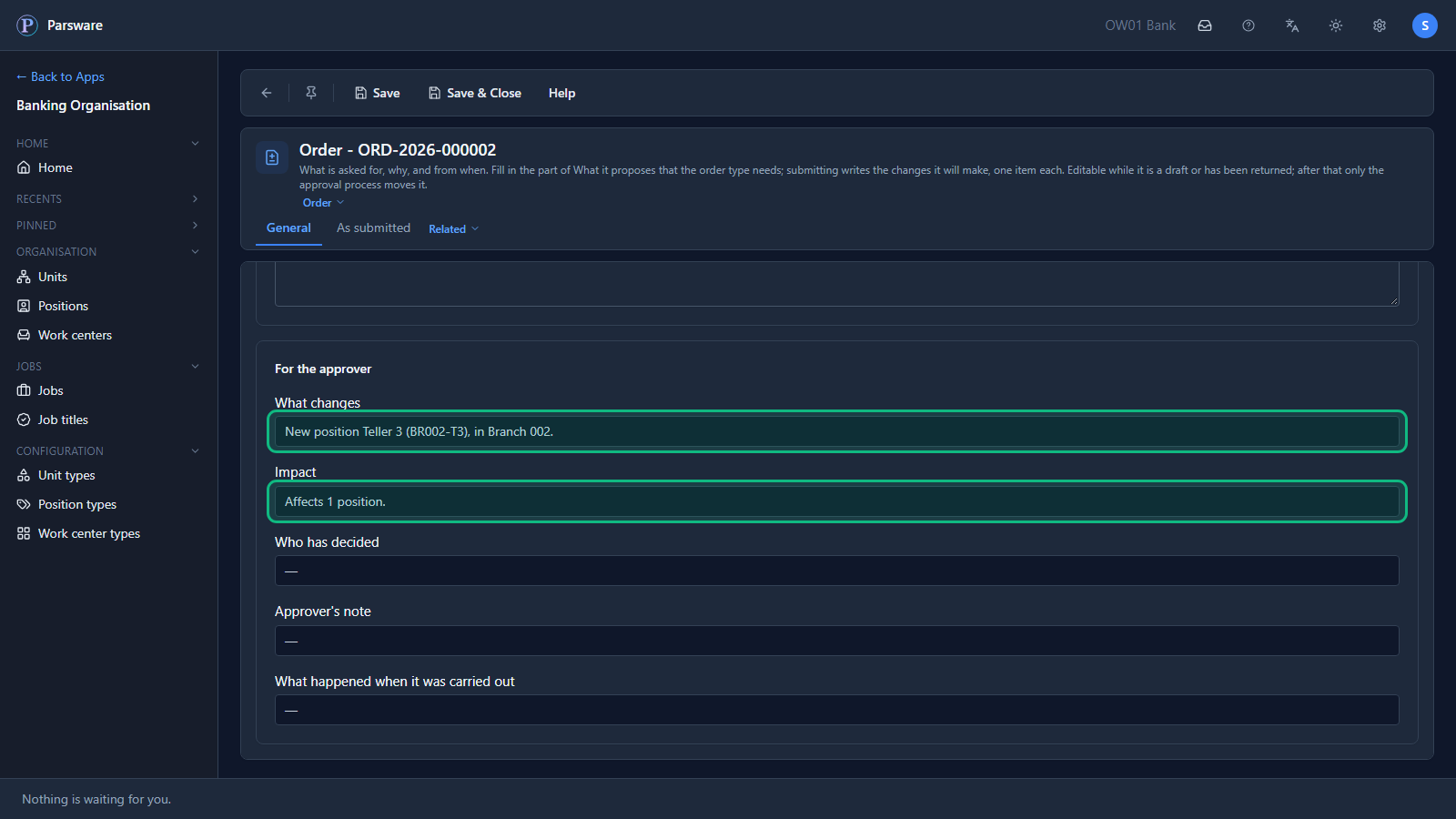
Who approves it, and in what order, is the overview's story, and the next article's.
What you know now that you didn't
- Nobody changes the structure directly. Not a teller, not the regional manager.
- Every change starts as an order from the record it's about.
- An order that leaves something out is refused, and says what's missing.
- What an order will change is written down before anybody decides on it.
Tell us how your business runs, and we'll show it to you running on Parsware: parsware.com/contact.