The right people, in the right order
Who has to sign this off, and in what order? In a demonstration bank on Parsware, an order finds its own approvers, from the branch a person leaves to HR, and writes every decision down, a return included.
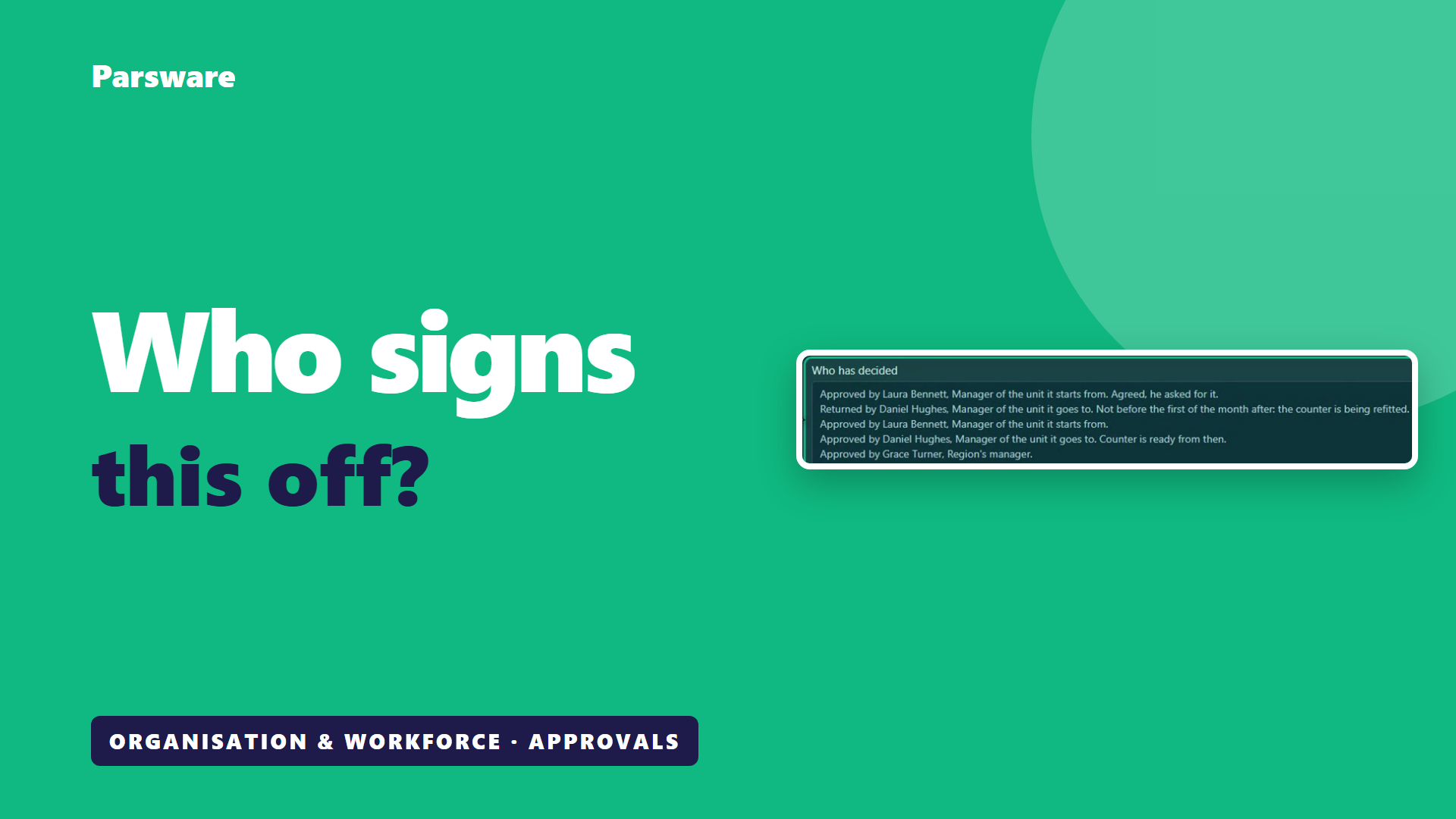
Who has to sign this off? And in what order?
In most organisations, a change goes round by email. It waits in whichever inbox it reached, and nobody can say who has seen it, or who is next.
Here's the other way, in a demonstration bank on Parsware. This isn't banking software. It's how any large organisation gets a change approved by the right people. The screens are the real application, and the people and the data are made up for the demonstration.
She asks, and doesn't choose who approves
Emma is a teller at Branch 001. She asks for Tom, a colleague, to move to Branch 002's empty counter: a transfer, from the first of next month, with a reason. Then she sends it.
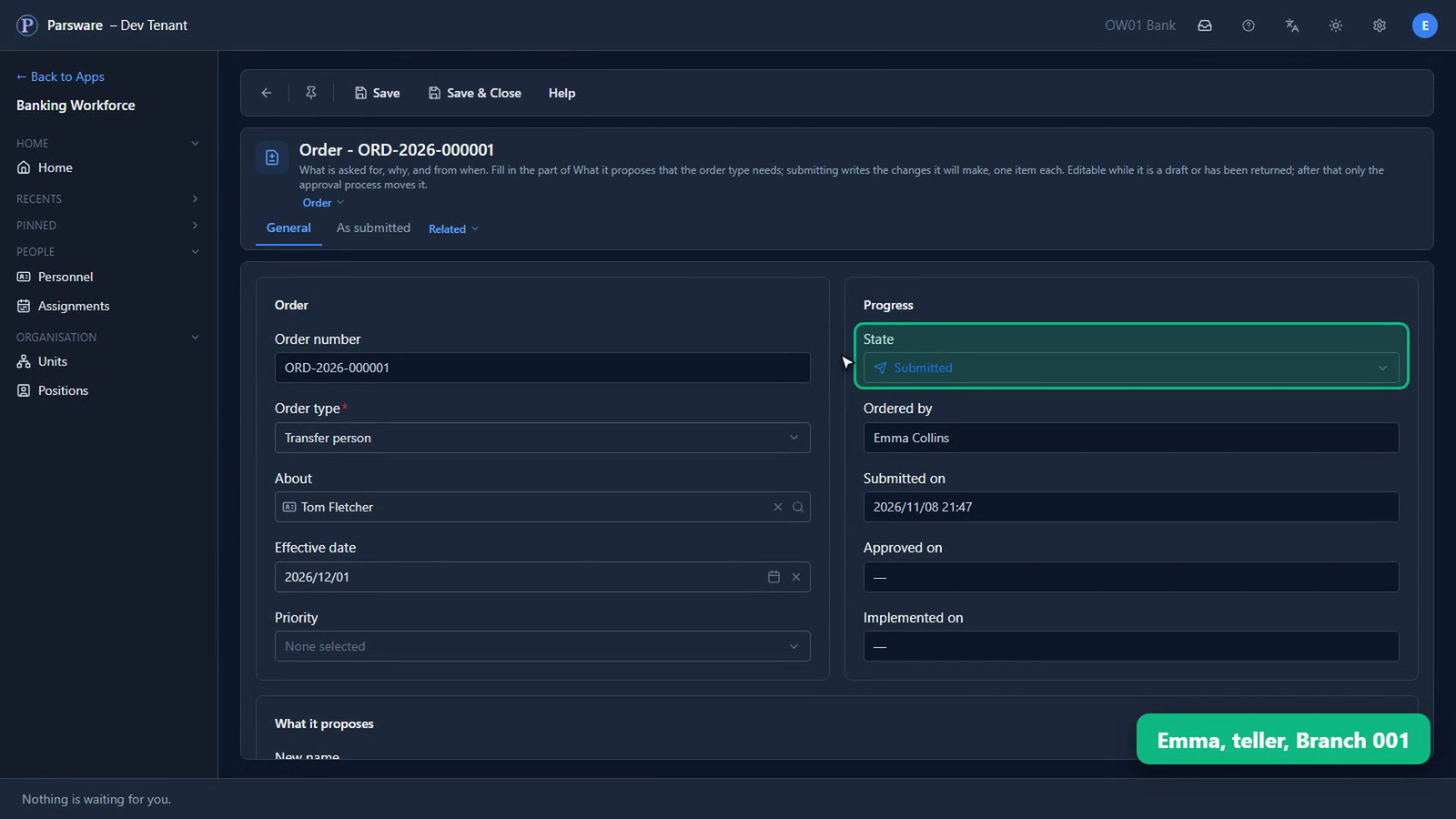
She doesn't pick the approvers. The order works them out from where Tom is going and where he's coming from: the manager of the branch he leaves, the manager of the branch he goes to, the region's manager, and HR.
Each step finds its person
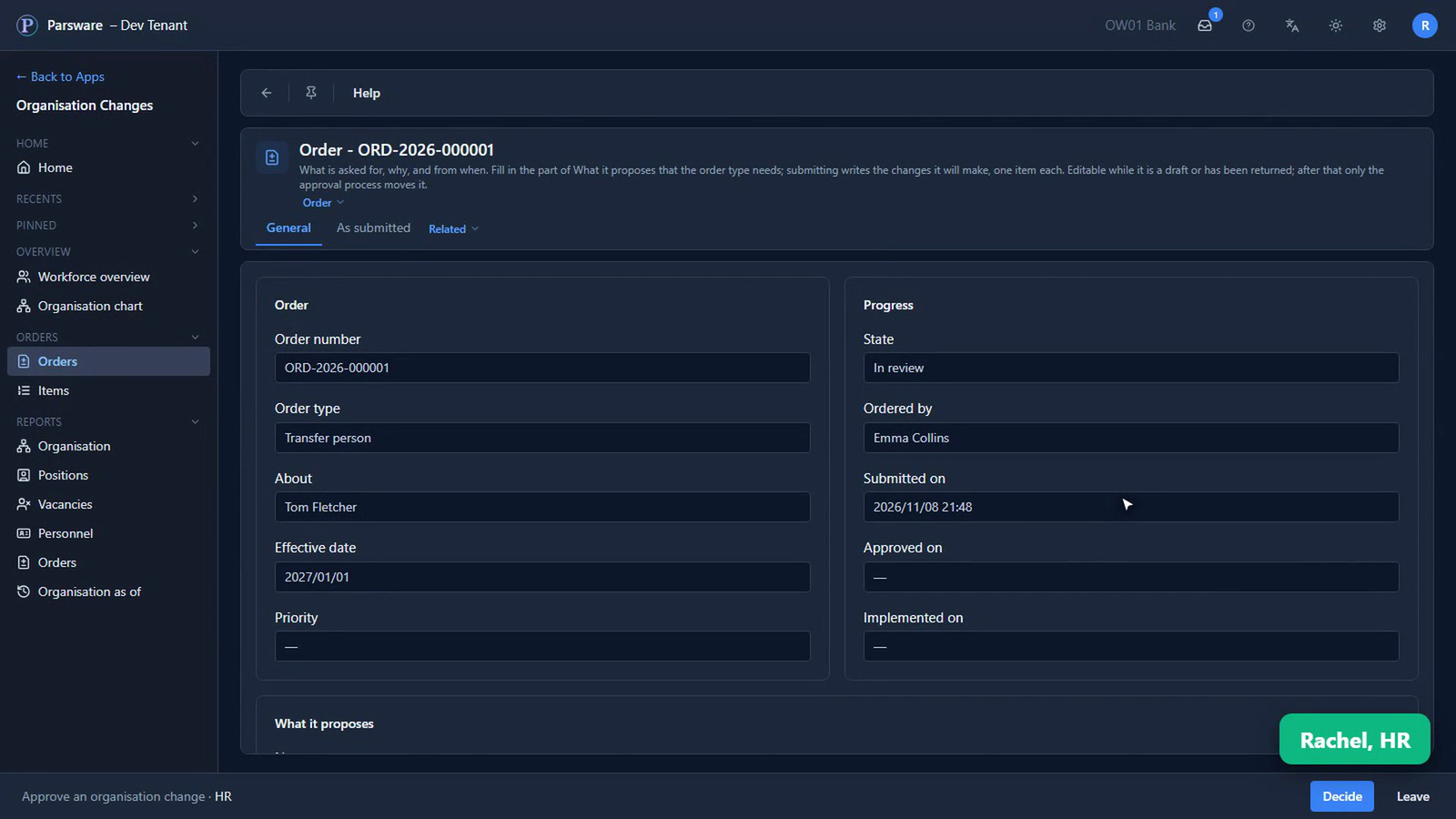
The order reaches Laura, who manages Branch 001, as a task. It opens at the order itself, and the bar underneath names her step: Manager of the unit it starts from.
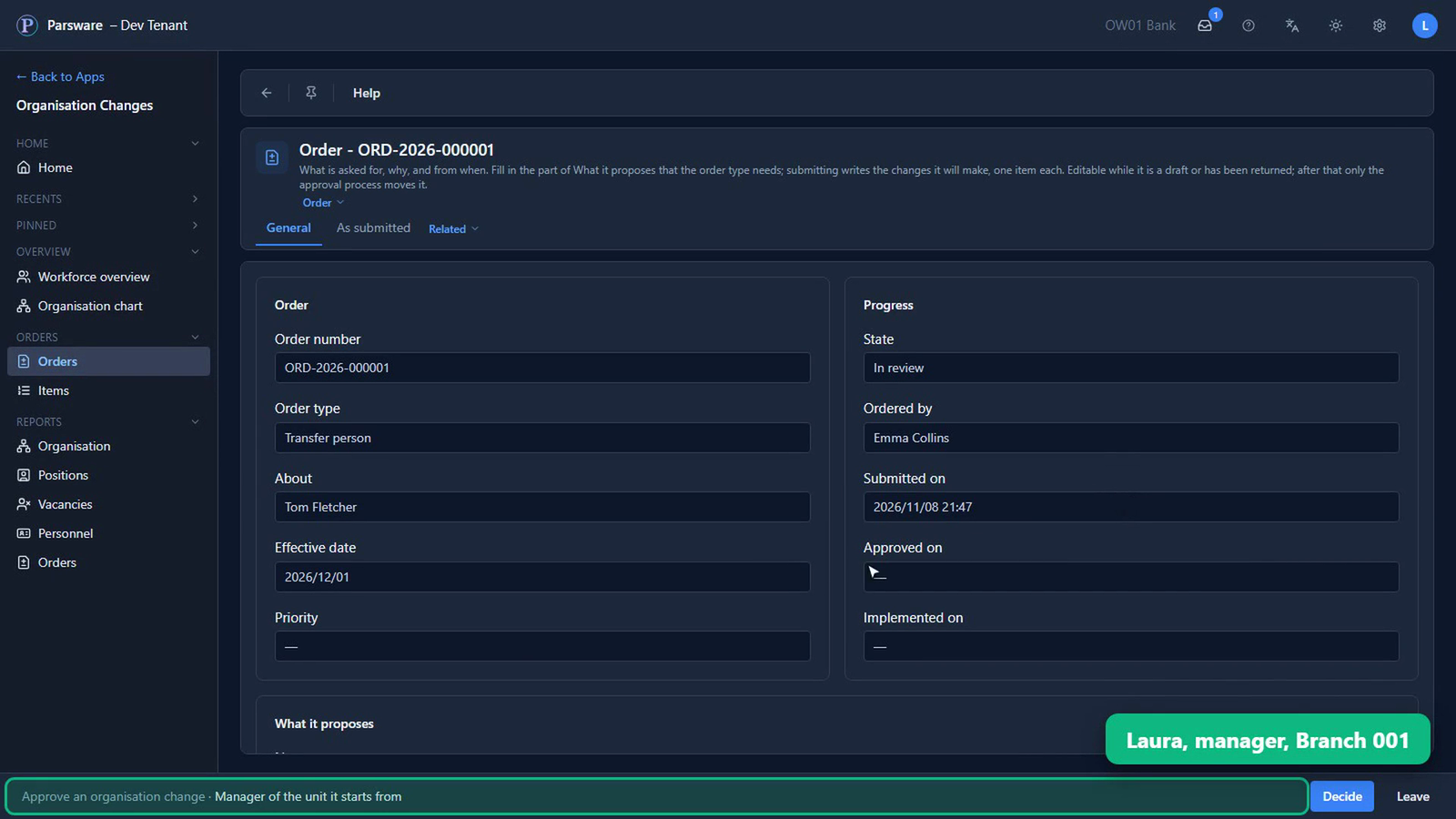
She approves it, with a note. Next it reaches Daniel, who manages Branch 002, as Manager of the unit it goes to.
A return isn't a no
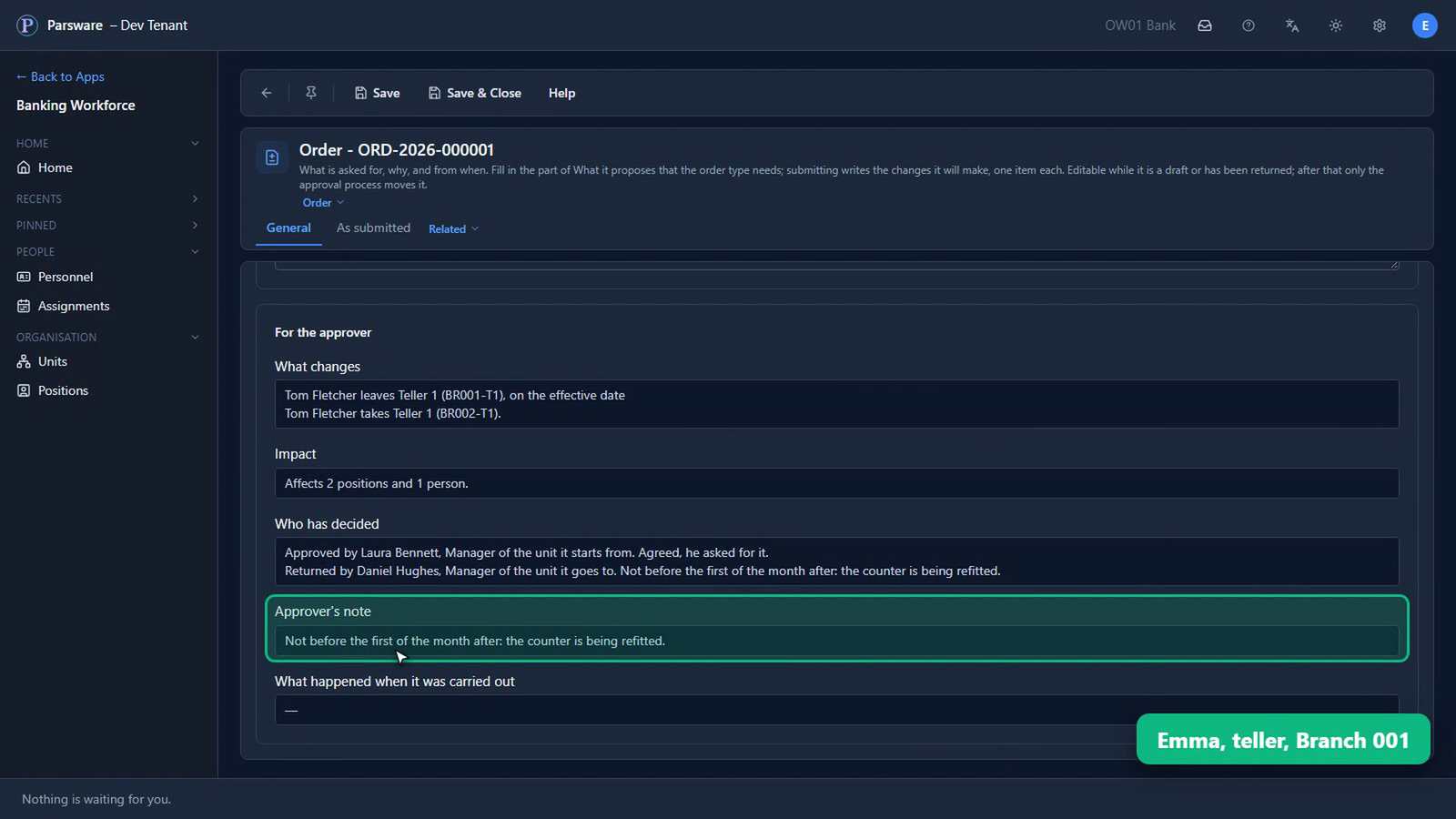
Daniel isn't ready for Tom yet: the counter is being refitted. So he returns the order, and says why. A return goes back to whoever asked, open again for changes.
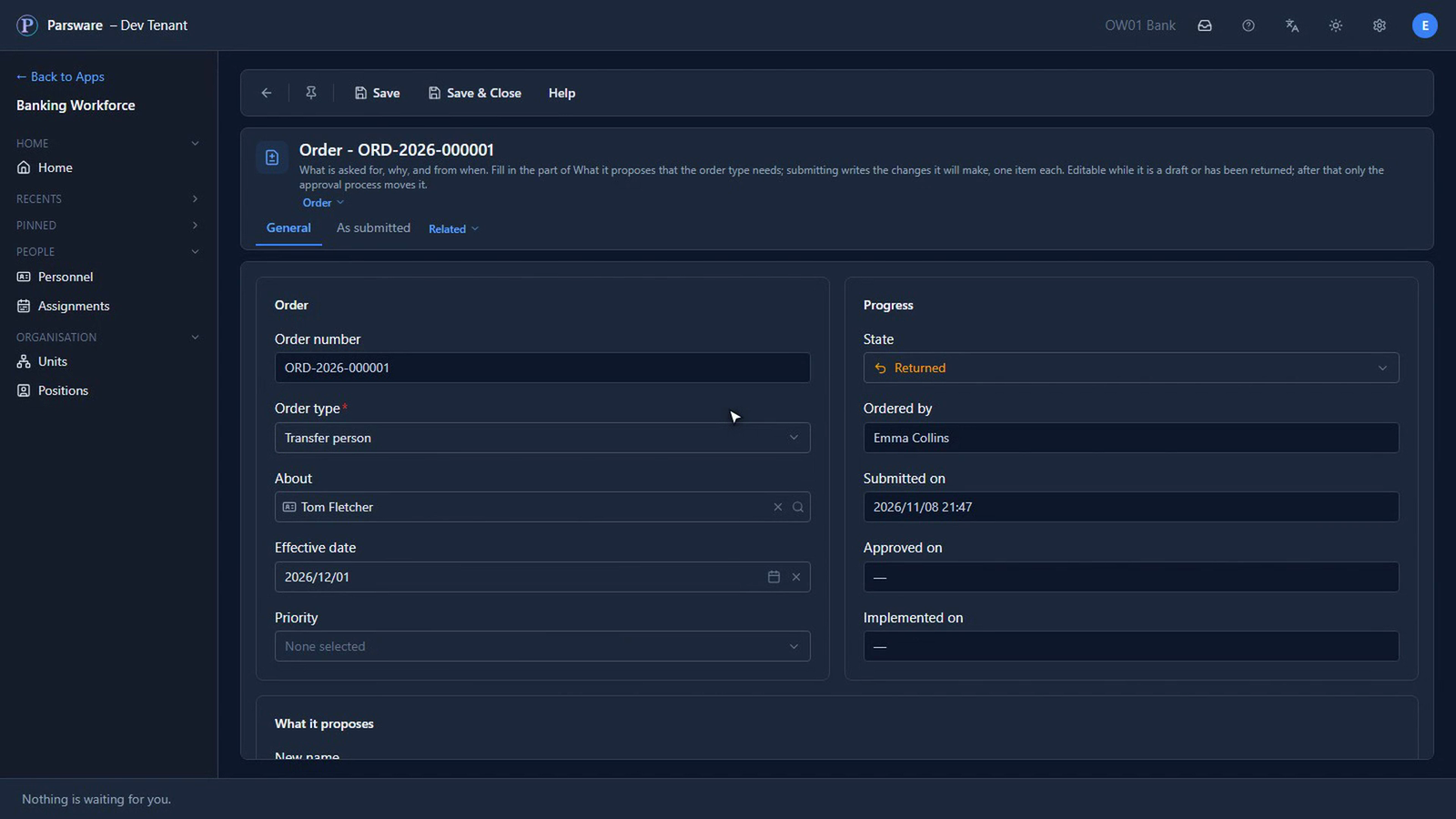
Emma reads his note on the order, moves the date to the first of the month after, and sends it again.
From the top, to HR
A resent order starts again from the top: Laura, then Daniel, who's ready this time, then Grace, who manages the region. And last, HR. Nobody had to name Rachel. She holds the HR role for the bank, so the step finds her.
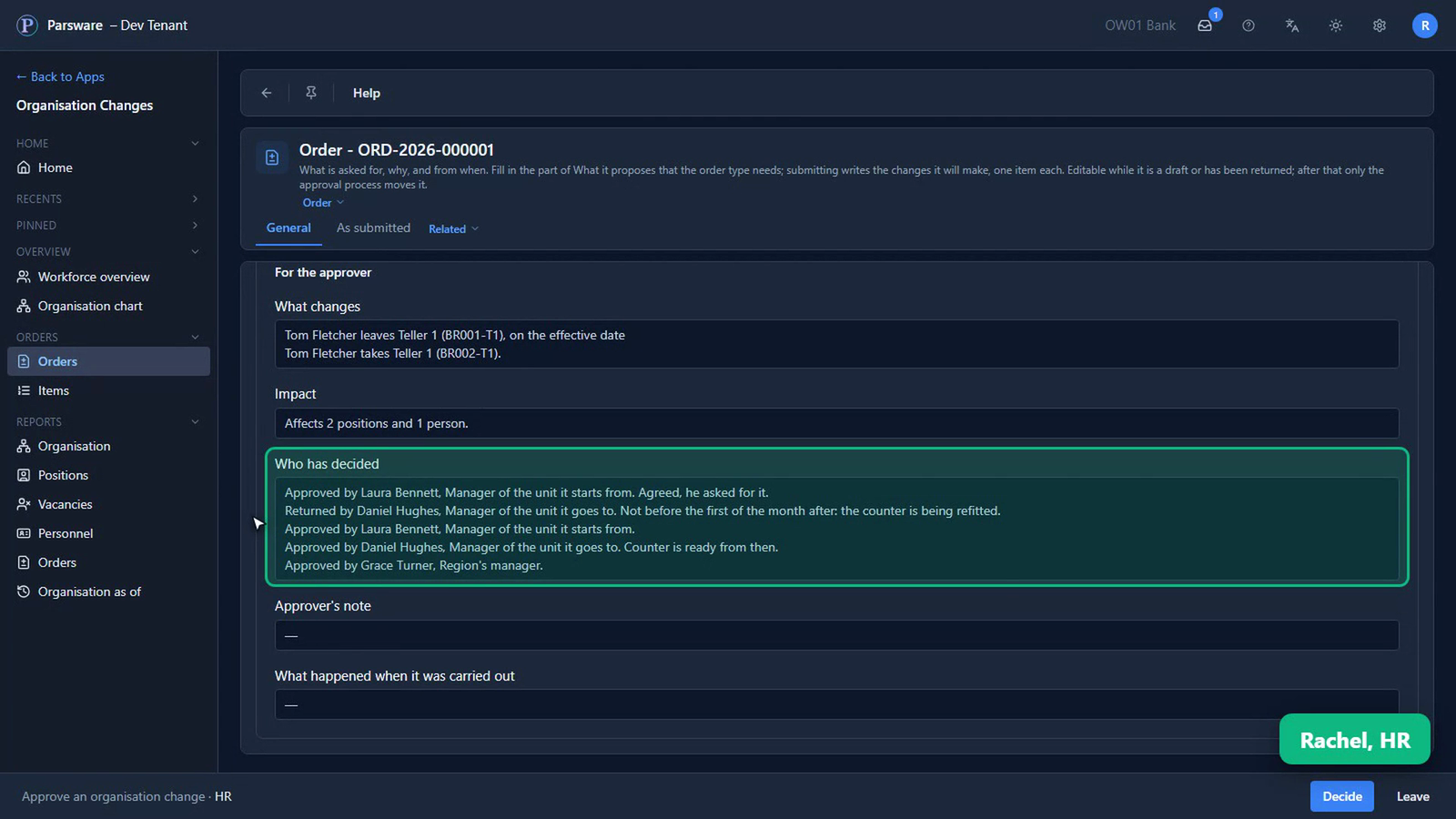
Every step is written on the order: who decided, in which role, and what they said. The return is there too, with its note.
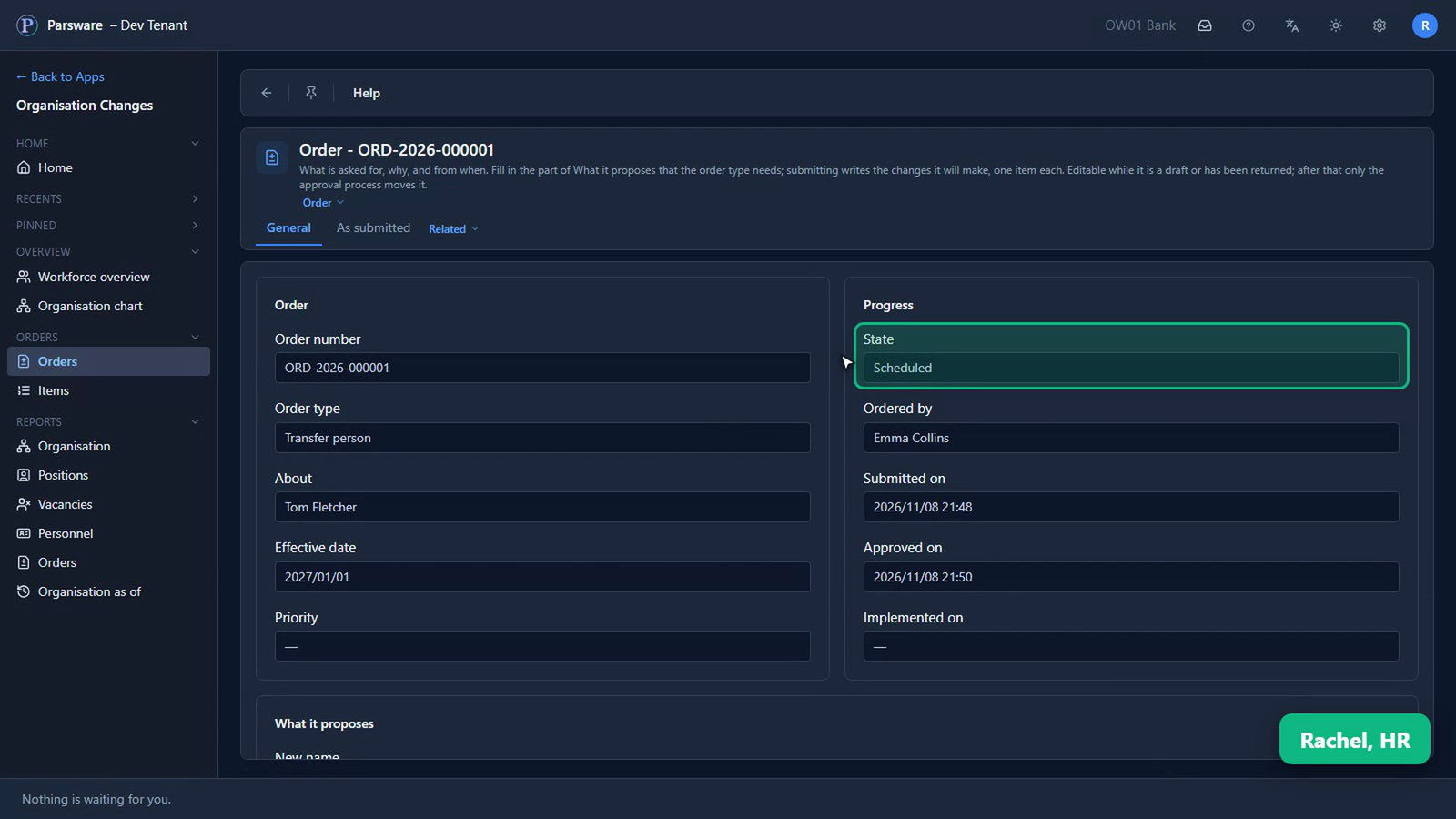
Rachel's yes is the last one. The order is approved, and scheduled for its date: Tom moves on the first of the month, without anybody having to remember to move him.
Nobody approves their own order
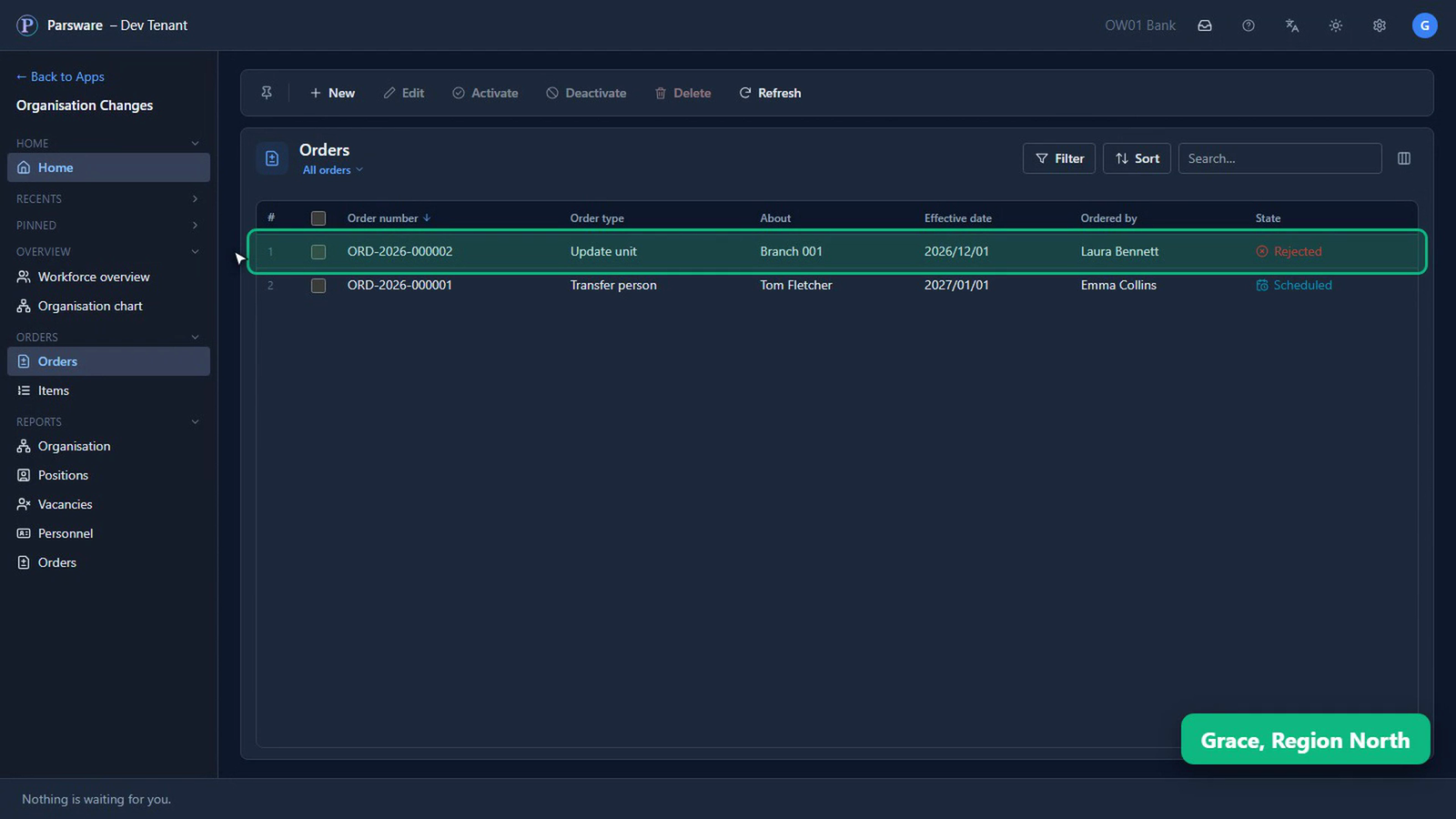
When a manager asks for a change herself, her own step is skipped. Laura asks to rename her branch, and the order goes straight up to Grace, as Manager of the unit it starts from.
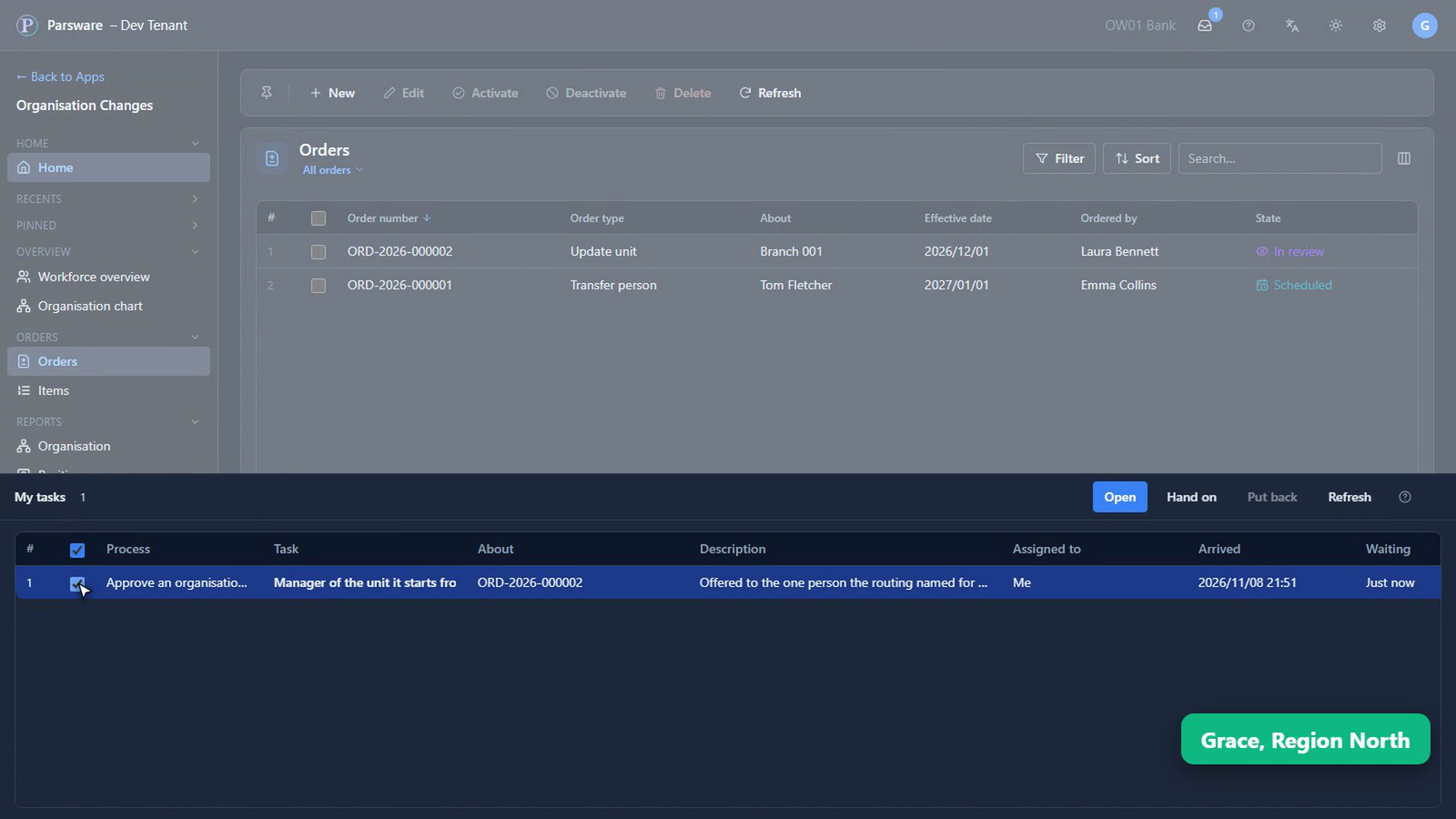
Grace says no, and says why. A rejected order is finished, and it stays on the record beside the one that was approved.
What you know now that you didn't
- Whoever asks for a change doesn't choose who approves it. The change does.
- Each approver gets it as a task, opened at the change, with their step named.
- A return isn't a rejection: it goes back with a note, and the change starts again from the top.
- HR's step finds whoever holds the HR role, so nobody's name is written into the process.
- Nobody approves their own change.
- Every decision, a return included, is written on the change itself.
Tell us how your business runs, and we'll show it to you running on Parsware: parsware.com/contact.