Parsware Platform
A report in Persian
A report in Persian has two parts. Its words read right to left because of how the page is drawn. Its digits and dates are Persian because of who reads it: the same report prints 4,200.00 and 2026/09/29 for one reader and ۴٬۲۰۰٫۰۰ and ۷ مهر ۱۴۰۵ for another.
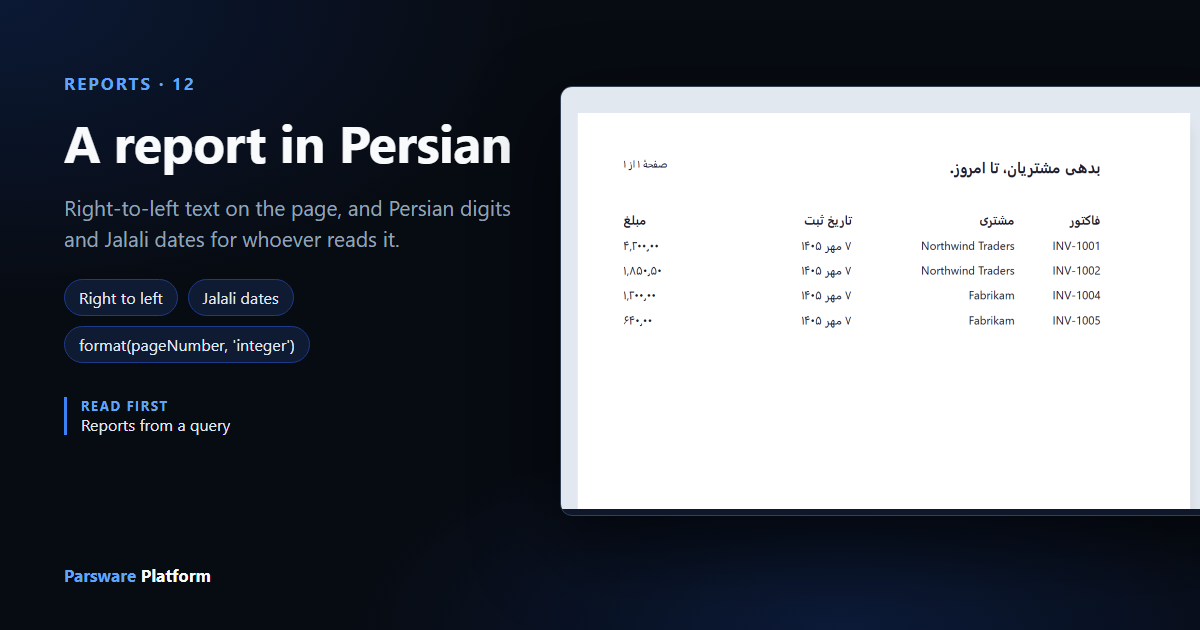
A report in Persian has two parts, and they come from different places.
- The words read right to left. That is part of the drawing: the title, the headings and the order of the columns are what you lay out on the page.
- The digits and dates are Persian. That depends on the reader:
۴٬۲۰۰٫۰۰rather than4,200.00, and۷ مهر ۱۴۰۵rather than2026/09/29. The report doesn't decide it. The settings of whoever opens it do.
This article makes بدهی مشتریان ("customers' debts"), the report from article 146 laid out for a Persian reader. It uses the same saved query, Invoices still owed, with their customer, in the Main solution. We added one column to that query, the invoice's Created On, so the report has a date to print.
1. The report
Under Reports, press New. We gave it the Display name بدهی مشتریان and the
Logical name new_owedfa. A display name can be in any language, and the logical name stays in
Latin letters. It has one dataset, owed, over the same saved query, with Record field empty.
Press Design, add a Report page from Insert, and point its Row (repeater) at owed,
as in article 137.
2. Type the title
Select the title and type it in Persian. We wrote بدهی مشتریان، تا امروز. ("Customers' debts, to date."). When you finish typing, the designer sees Persian words and sets the text Right to left, aligned to the right:
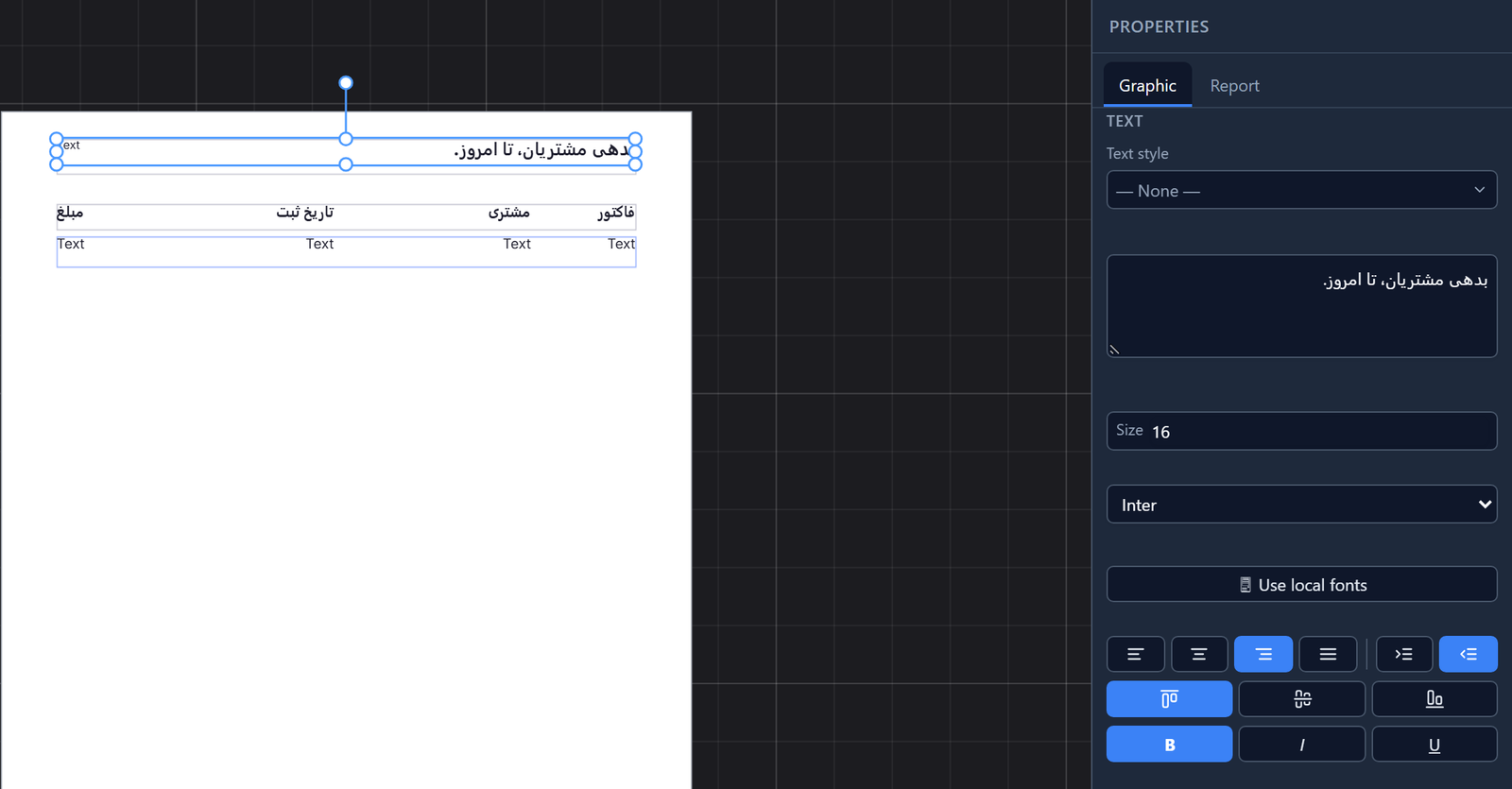
The direction matters as much as the alignment. Without it the words are still in order, but the full stop at the end of the sentence ends up on the right, which is where a Persian sentence begins.
3. Columns from the right
A Persian reader starts at the right, so the first column goes there. From right to left we drew فاکتور (invoice), مشتری (customer), تاریخ ثبت (date raised) and مبلغ (amount). Each heading turned right to left as we typed it.
The cells under them are bound, to row.par_name, row.customer.par_name, row.created_at_utc
with Format date, and row.par_amount with Format number. A bound cell has no words for
the designer to read, so it can't tell which way the cell runs. Set Right to left yourself, next to the
alignment buttons:
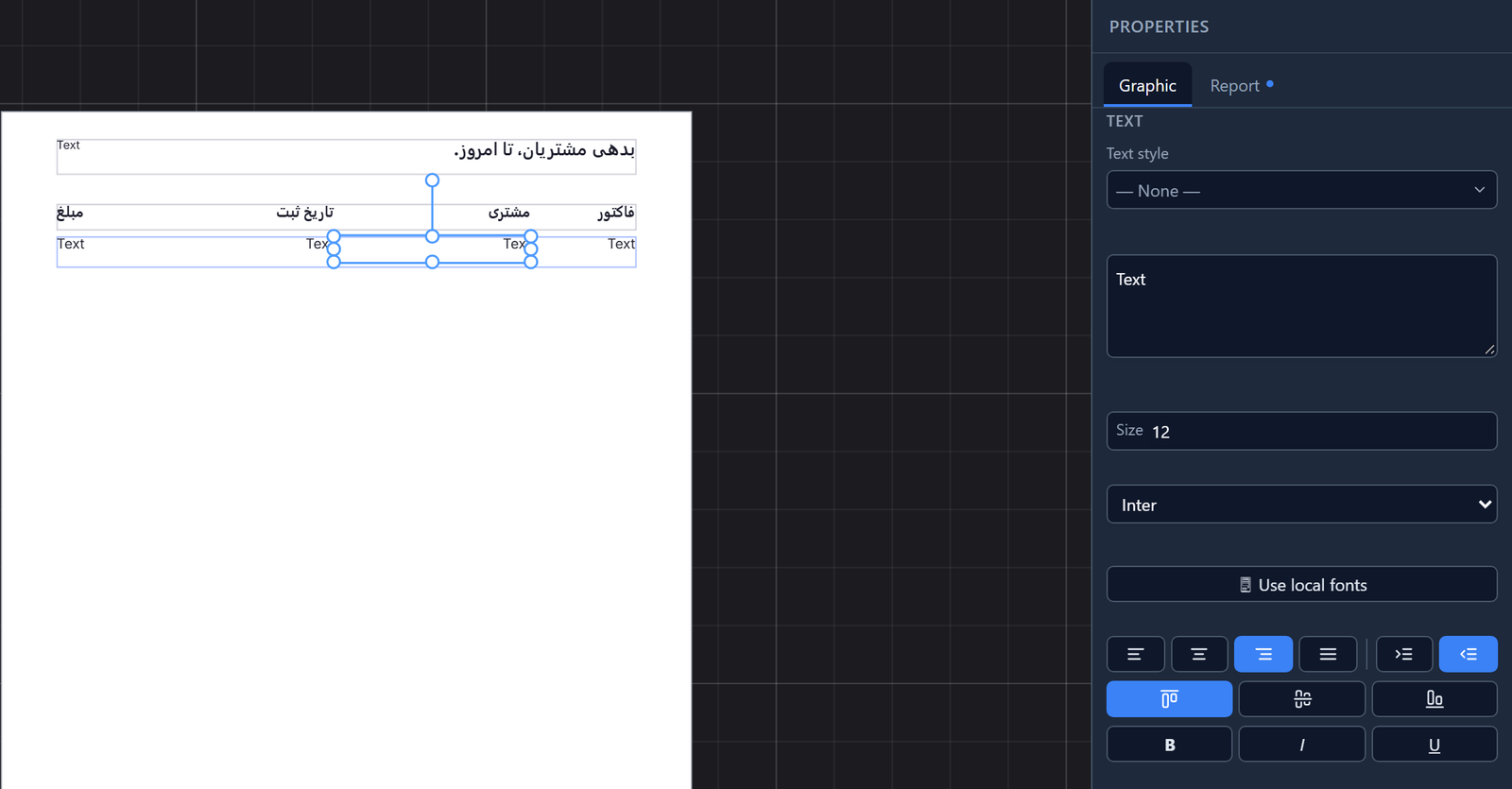
The amount column is the last one, on the left edge, and keeps the left alignment it was drawn with.
4. A page number in Persian
The report page comes with a page number in English, concat('Page ', pageNumber, ' of ', pageCount). Select it, press Write code (the </> button), and write the Persian:

concat puts a number in the text exactly as it is stored, so pageNumber on its own would print
as 1, even for a Persian reader. format(pageNumber, 'integer') writes it the reader's way, the
same as a cell whose Format is set.
We did the same for the total in the footer:
concat('جمع کل: ', format(sum(owed, 'par_amount'), 'number'))
Then we set both texts Right to left, and saved.
5. Preview it as you
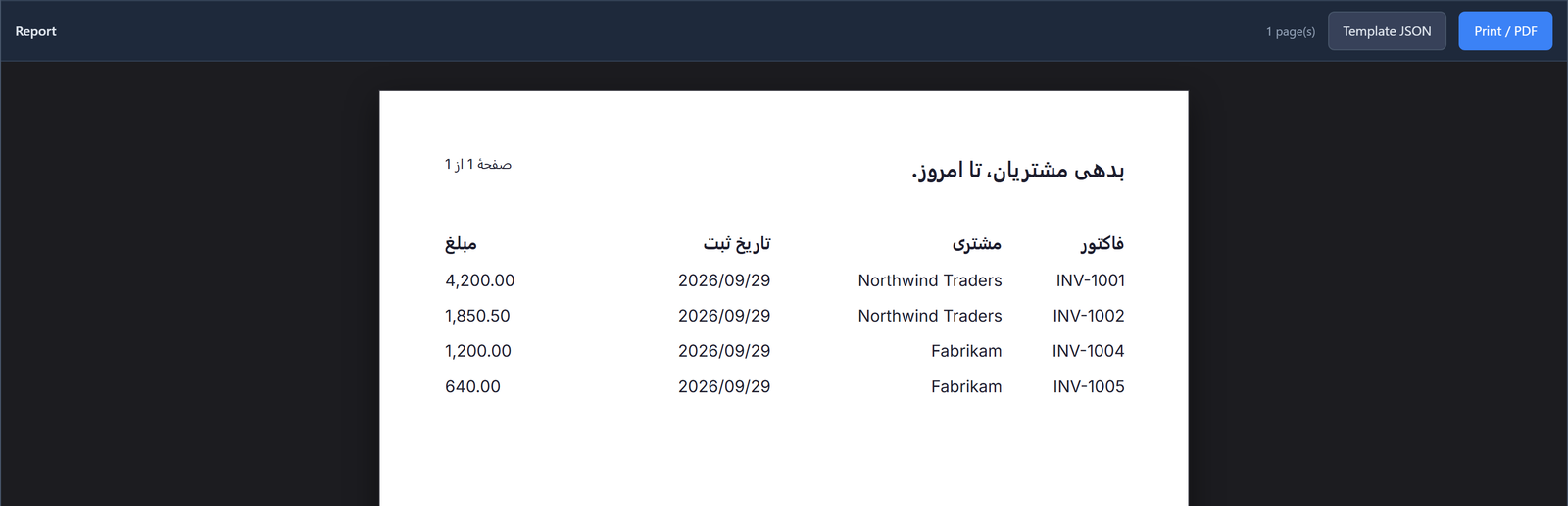
Press Report. The preview follows your own language and calendar. We were working in English, so the Persian words read right to left, and the numbers and dates come out in Latin digits and the Gregorian calendar:
6. Preview it as a Persian reader
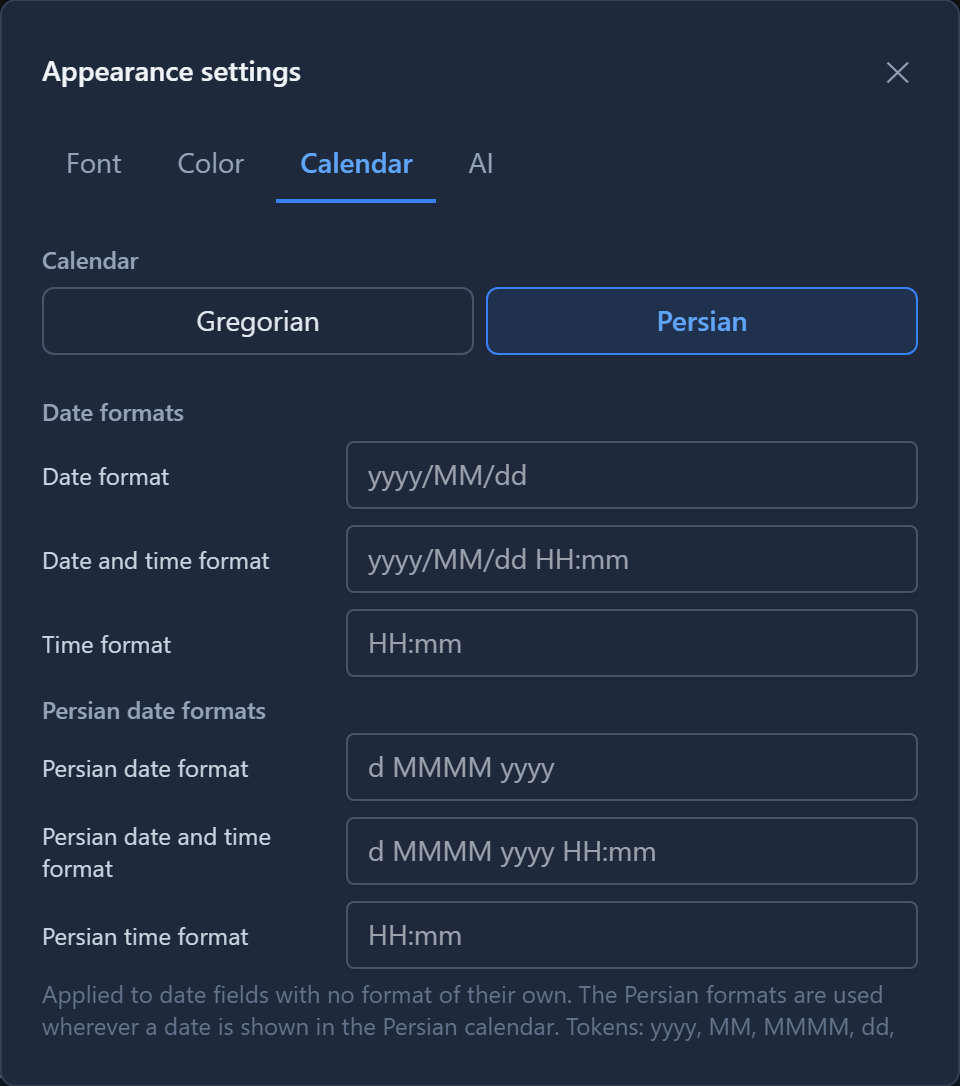
Open Appearance settings (the gear at the top of the window), and on Calendar choose Persian:
Then choose فارسی from the language menu, and preview the report again. We didn't change the report:
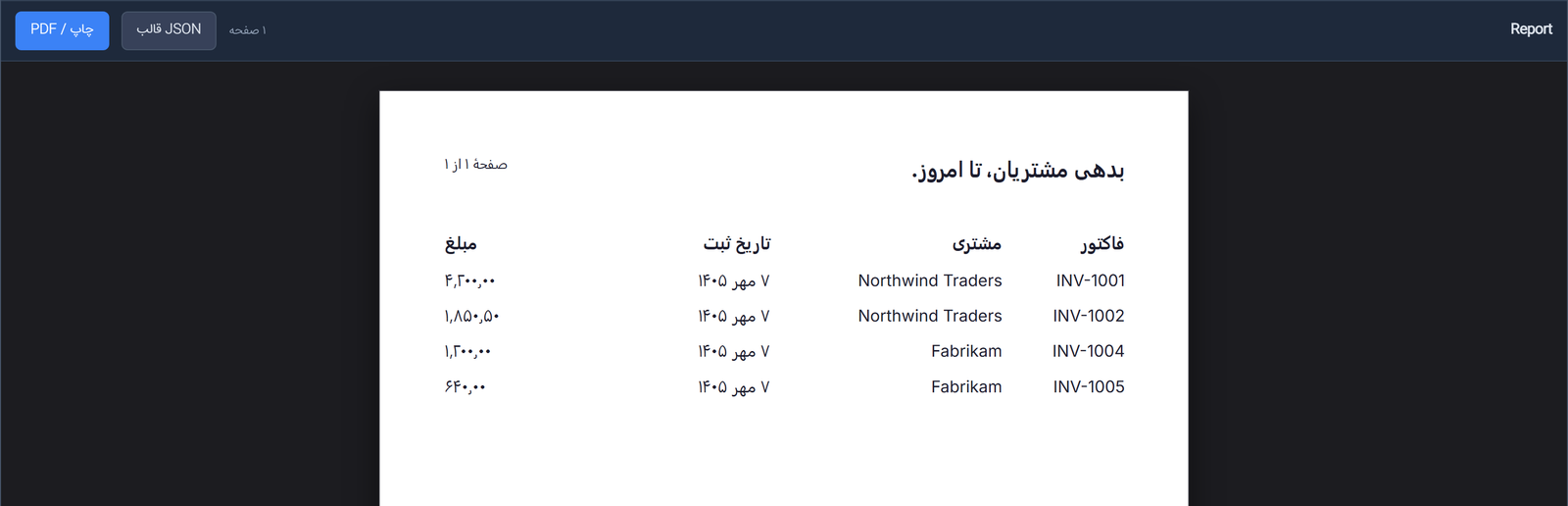
The dates are Jalali, written the way Persian date format in that same tab says. The amounts and the page number are in Persian digits. The invoice references and the customers' names are Latin and stay as they are, inside right-to-left columns.
7. In the app
We put بدهی مشتریان on the rail of the Billing app, next to Money owed. Each reader sets the language and the calendar in the Shell, in the same two places, and the report prints for each of them in their own:
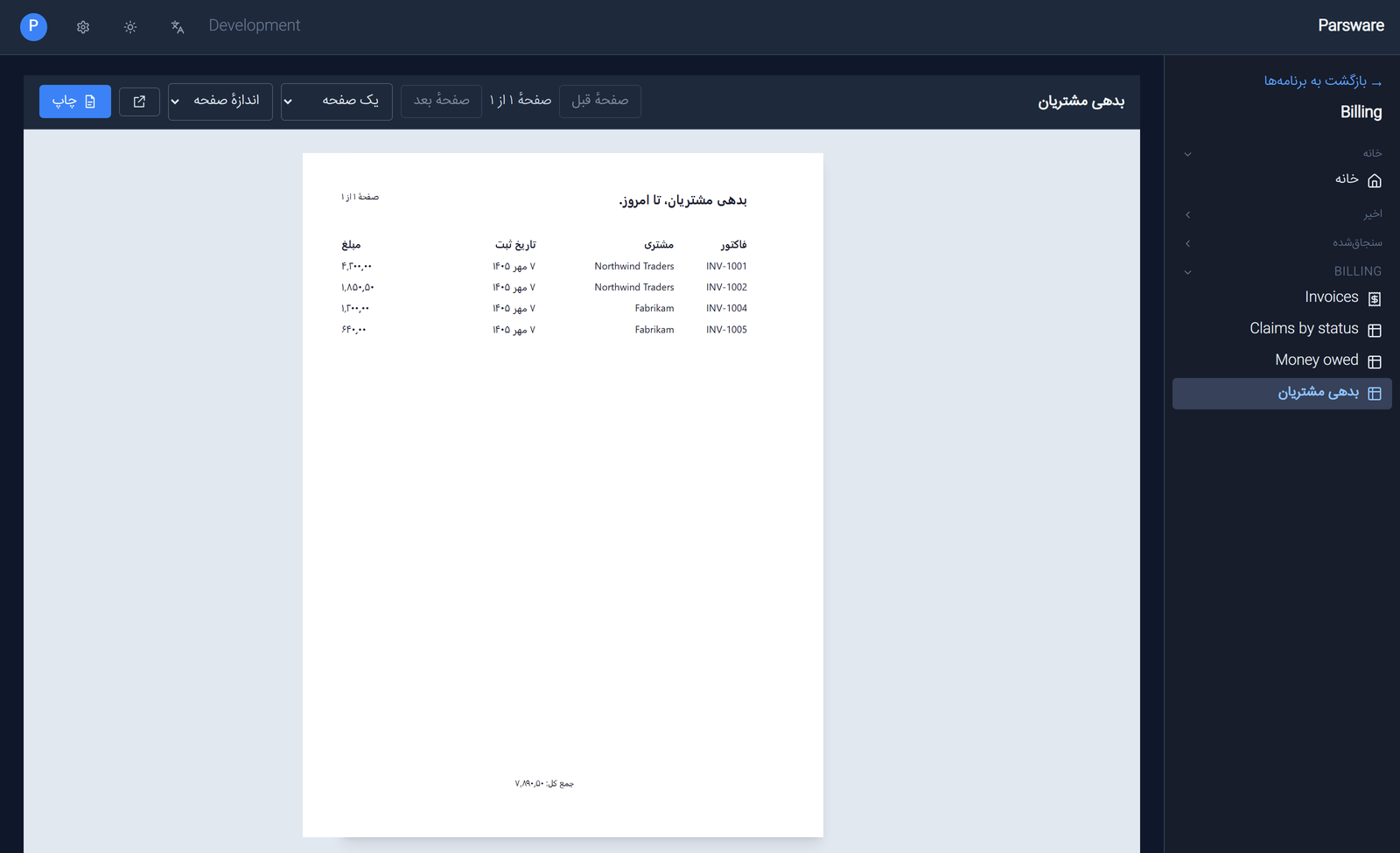
One report serves both readers. A reader who works in English opens the same page and sees
7,890.50. There isn't a setting yet for a report to print Persian digits to a reader who works in
English.
What we fixed
Building this turned up five problems, now fixed:
- A right-to-left text printed left to right. The designer marked the Persian title right to left, but the setting was lost when the report was saved, so the page printed it left to right. Every right-to-left text in every report was affected. The full stop sat on the wrong side, and so would a number or a Latin code at the end of a line.
- The preview ignored your language and calendar. It always drew English digits and Gregorian dates, and the report only changed once it was opened in an app. The preview now uses the same settings the Shell does.
- In Persian or Arabic, the preview cut off the right of the page, and its page count, Template JSON and Print / PDF were in English. The page now sits on its sheet, and the words are translated.
- The Shell's page counter used Latin digits above a report in Persian ones.
- The text box in the Graphic tab showed a Persian title backwards, with the full stop on the wrong end. It now reads in the direction of what is typed into it.
Try it
Make a report with a Persian title and a date column, and preview it. Then set Calendar to Persian, switch the language to فارسی, and preview it again.
Next: moving work from Dev to Test to Prod.