Parsware Platform
Reports from a query
A report prints what its saved query returns, so the query is where the work goes. A query that joins each invoice to its customer gives the Money owed report the customer's name and credit limit, and widening the query to overdue invoices changes the report without touching it.
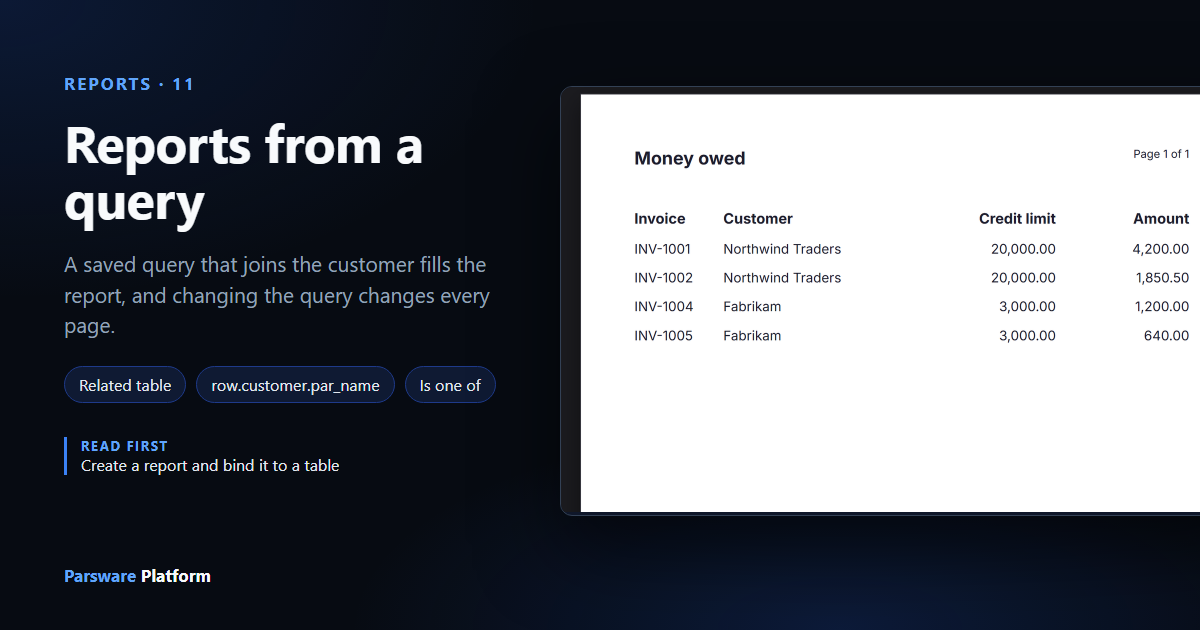
A report prints what its saved query returns, nothing more. The drawing decides where things go on the page; the query decides which rows there are and what each row knows. So when a report needs something the table doesn't have, the answer is in the query.
This article makes Money owed: every invoice not yet paid, with the customer who owes it and that customer's credit limit. An invoice knows its customer, but not the customer's credit limit, so the query has to fetch it.
It uses the Invoices — Credit Check sample (business-rules-query-documents): an Invoice
table, a Customer table, and invoices for Northwind Traders and Fabrikam. We built the query and
the report in a solution of our own, Main, in the same environment.
1. A query that joins the customer
In Main, open Saved Queries and press New. We called it Invoices still owed, with
their customer, with the logical name new_invoicesowed, and chose the Invoice table.
On the Advanced tab, Add related table lists the relationships Invoice already has. We
chose Customer, one related record: each invoice has one customer. It is called customer
in the query, and Keep rows with no match keeps an invoice that has no customer. Then we ticked
five columns: the invoice's Reference, Status and Amount, and the customer's Name and Credit limit.
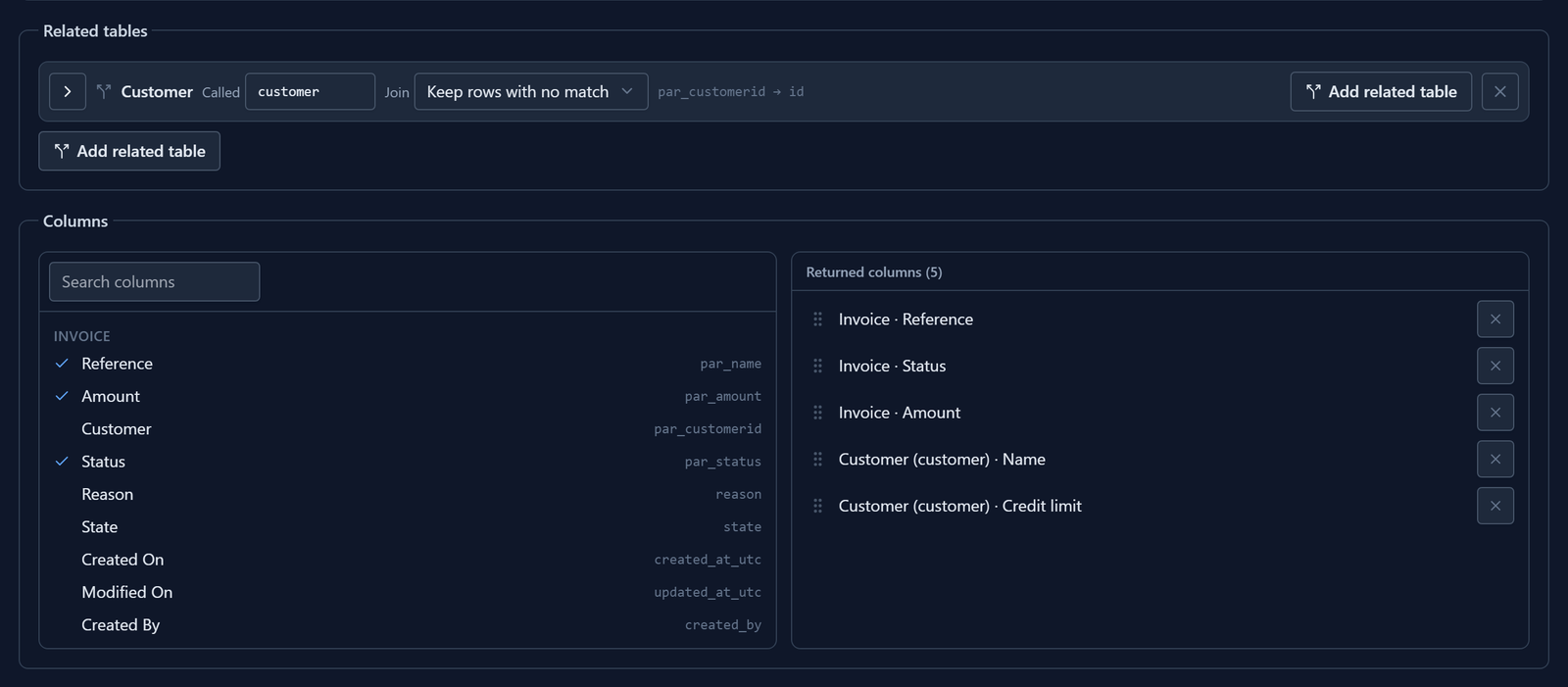
Design a query covers the join in full. The filter asks for unpaid invoices, and the sort, which isn't shown, puts the largest amount first:

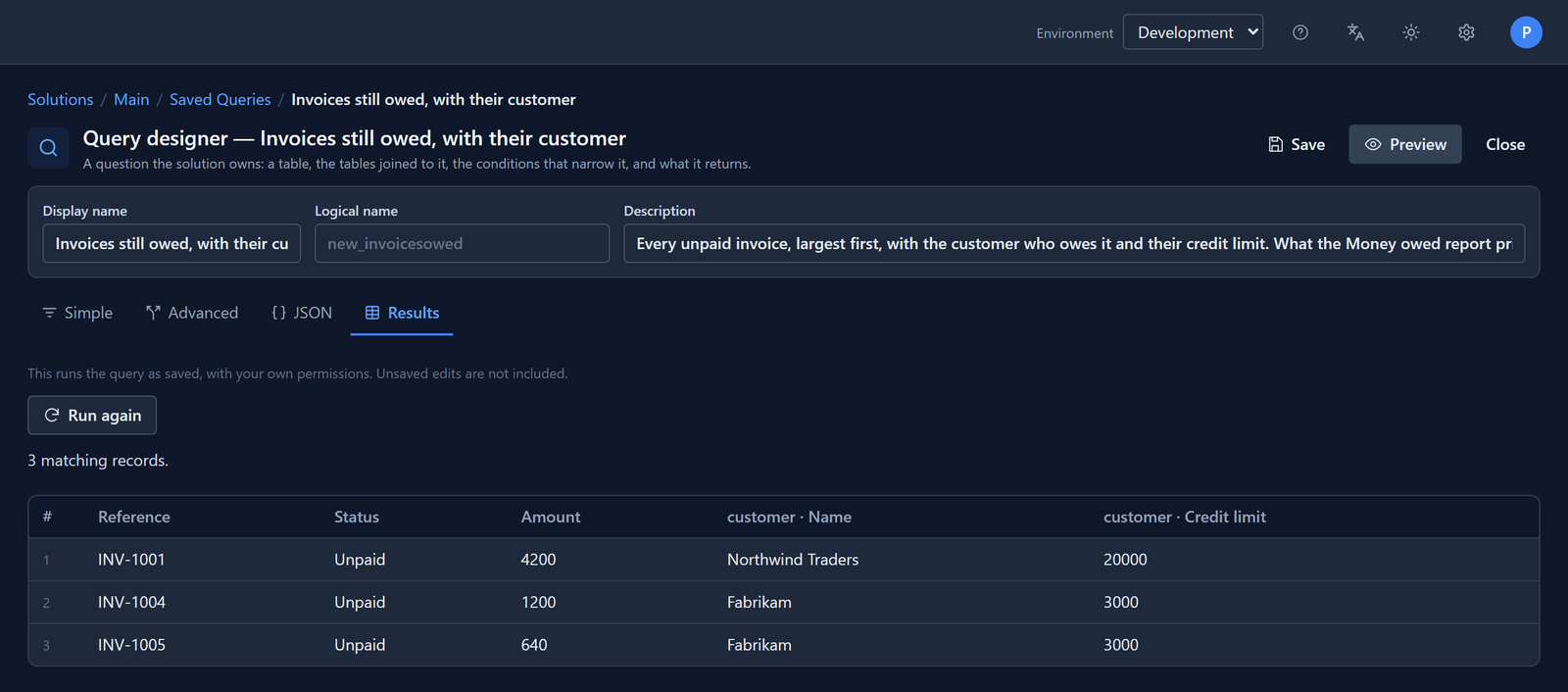
Save, then Preview. Three invoices, each with its customer beside it:
2. A report over it
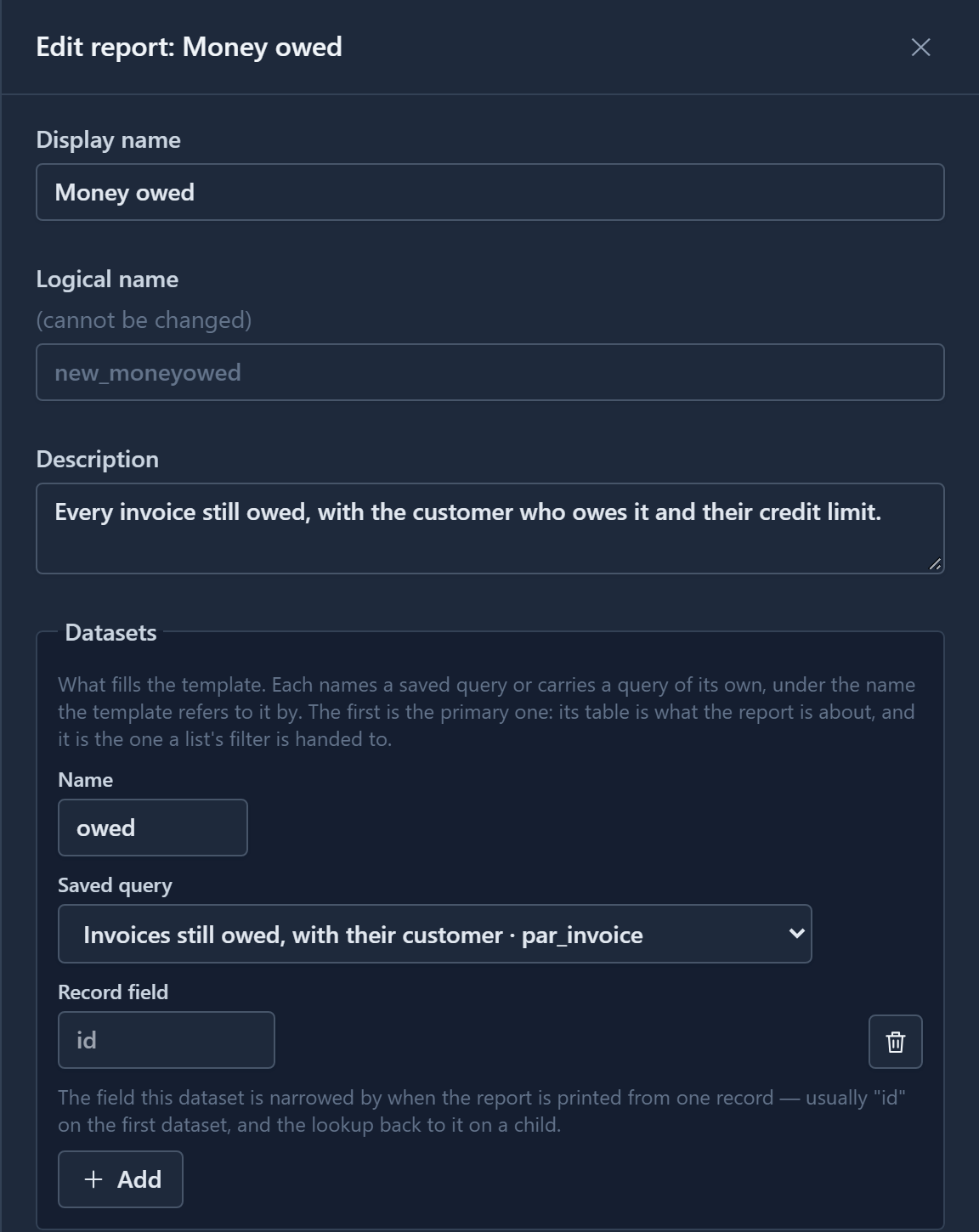
Under Reports, press New. We called it Money owed and gave it one dataset: Name
owed, and Saved query Invoices still owed, with their customer. Leave Record field
empty. This report lists every invoice, so it isn't printed from one record (the id in the box is
only a hint).
Press Design, add a Report page from Insert, and point its Row (repeater) at
owed, the same way as in article 137. We
gave the row four cells and the band above it four headings.
3. Bind a joined column
Select the second cell, and open Binding on the Report tab. It lists what the query
returns, and that includes the customer's columns, written as row.customer.par_name and
row.customer.par_credit_limit:
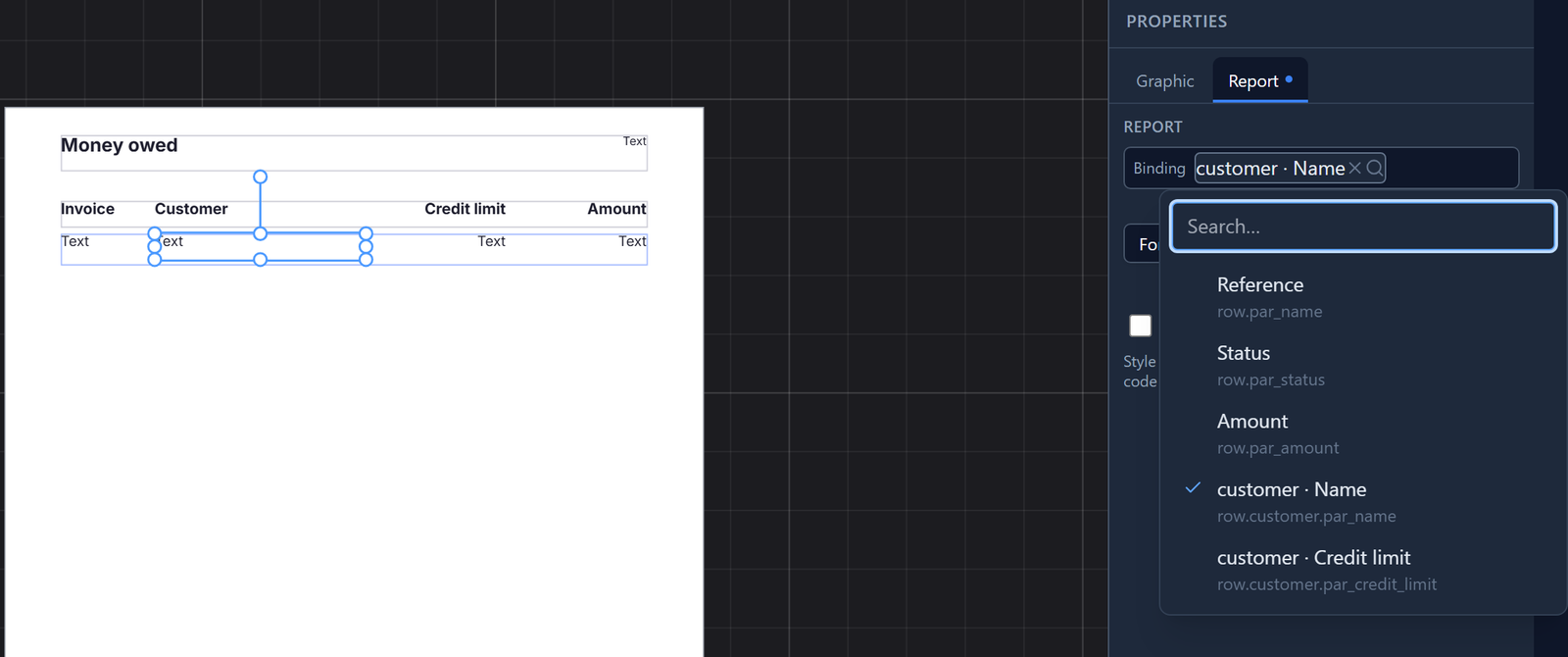
customer is the name the query gave the join. Rename it in the query, and the binding has to
follow it.
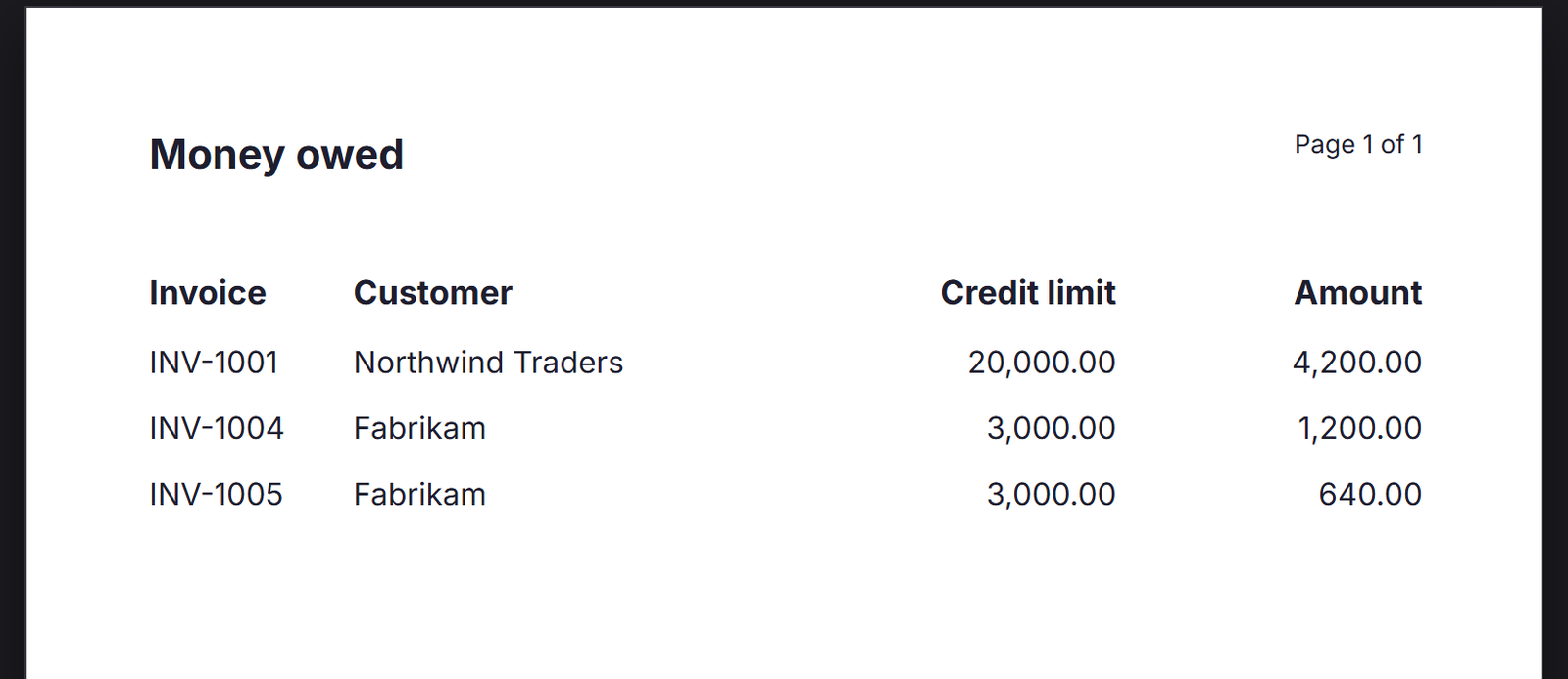
We bound the four cells to Reference, the customer's Name, their Credit limit and Amount, with Format number on the two amounts. Press Report to preview it:
Save the report.
4. Change the question, not the report
INV-1002 is missing. It belongs to Northwind Traders, and it's overdue, which is money owed too. The report is right; the question was too narrow.
Open the query again and change the filter's Equals to Is one of, with Unpaid and Overdue:

Save it, go back to the report and preview it. We didn't open its datasets or touch its drawing:
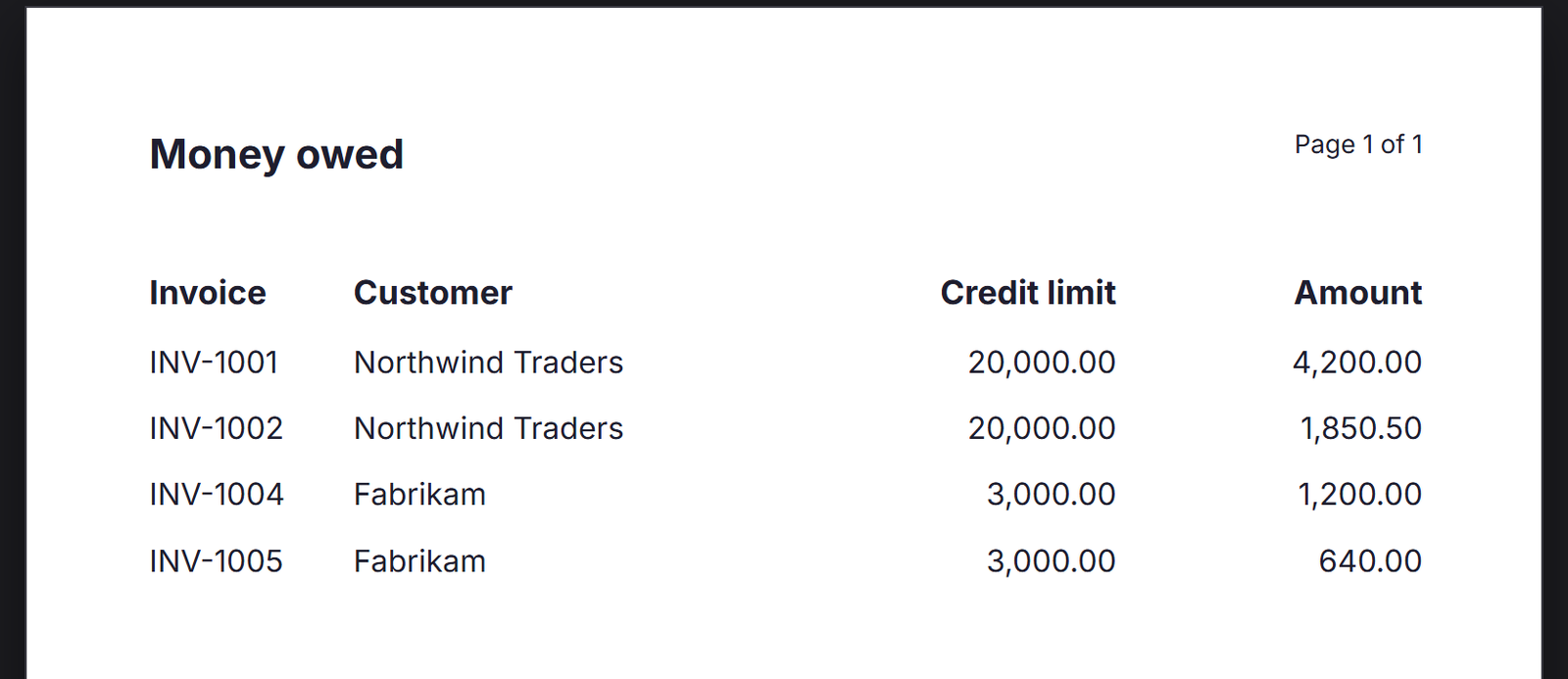
Every report, chart and script that names this query now asks the same, wider question. That's the reason to keep the question in a saved query rather than in each thing that uses it (article 048).
5. In the app
We put Money owed on the rail of the Billing app from article 145. In the Shell, the report runs on the server with the reader's own permissions:
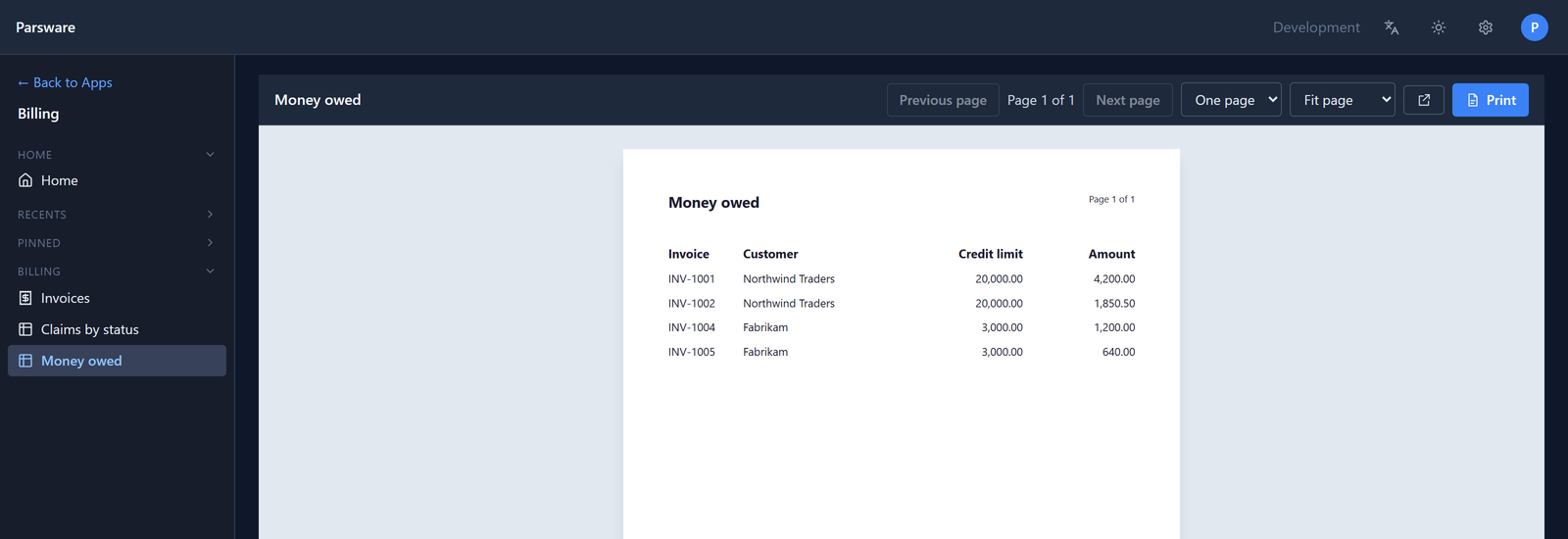
The customer table is checked in its own right. Somebody who may read invoices but not customers doesn't see the customers' names through the join.
A total over a joined column
The list functions take a joined column by the same name, in quotes:
sum(owed, 'customer.par_credit_limit') adds up the credit limits, and
pluck(owed, 'customer.par_name') gives a chart its labels.
What we fixed
Building this turned up two problems, now fixed:
- A joined column printed blank. The binding picker offered
row.customer.par_name, but the report received the column as one flat name,customer.par_name, so the binding found nothing and the cell was empty. The preview and the Shell draw a report with the same engine, so every report over a query with a related table was affected. The report now reads a joined column the way a script does, and the list functions accept the dotted name. - A new query's table button had no words on it. Before a table was chosen, the button showed only an icon. It now says Choose a table….
Try it
Import the Invoices — Credit Check sample, and make a report over a query that joins the customer. Then change the query, and preview the report again.
Next: a report in Persian.