Parsware Platform
Web resources
A web resource is a file stored in a solution and served by the platform: a stylesheet, a script, an image, a page. We built the printable visitor badge as four of them, a page with its stylesheet, script and logo, and opened it at its address.
The badge printer at reception loads a web page and prints it. Until now that page lived on a PC under the desk. It belongs in the Visitors solution instead, where it's stored with everything else reception uses and goes wherever the solution goes. That's what web resources are for: files an application is built from, stored in the solution and served by the platform.
The badge is four files: badge.html, the stylesheet badge.css, a script badge.js that fills
in the visitor's details from the address, and the logo logo.svg.
One file at a time
In the Visitors solution, Web Resources, New. The logical name starts with the publisher's prefix and can contain slashes, which is how the four files end up in one folder:
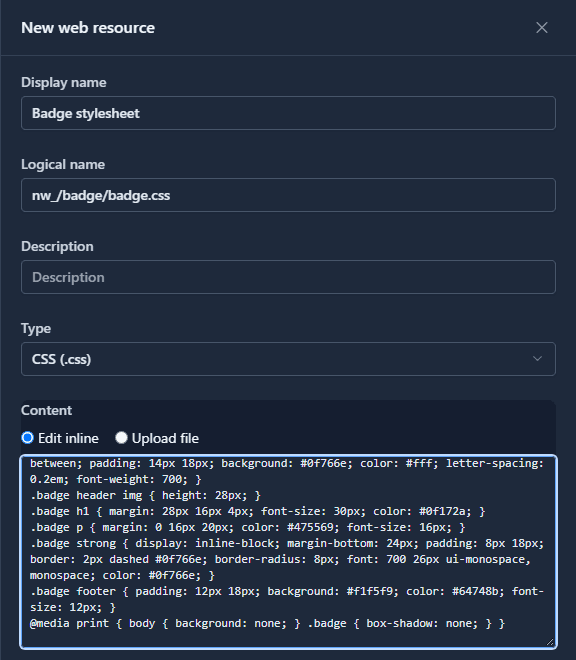
Text files such as CSS, JavaScript, HTML and SVG can be typed in or uploaded; images and other binary files are uploaded. We typed the page, the stylesheet and the script, and uploaded the logo. The list shows each file's Address:
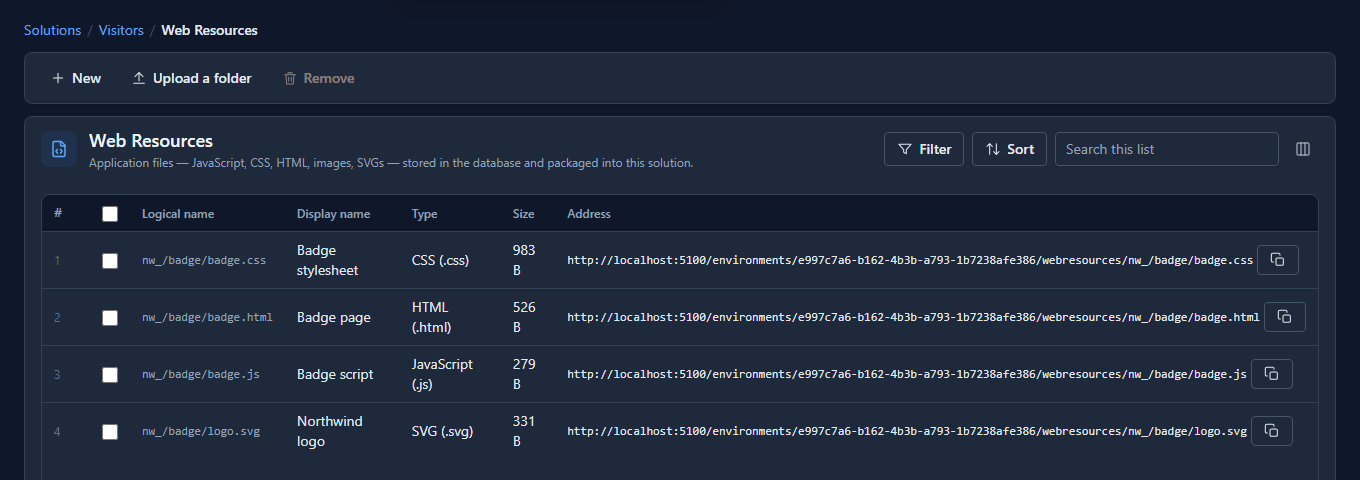
At its address
The address is what the printer gets. Open the page's address with the visitor's details on the
end, badge.html?name=Grace%20Hopper&company=Analytical%20Engines&badge=B-2210, and the page
loads its stylesheet, its script and its logo from the same folder:
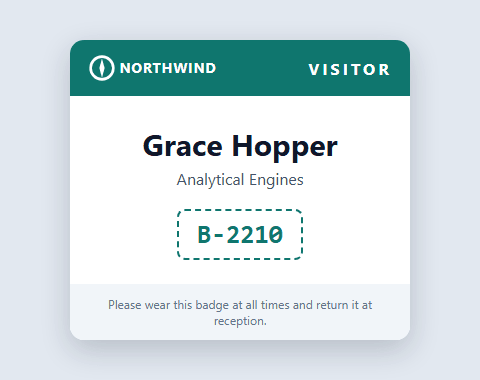
The page links badge.css and logo.svg by relative address, the way it would on any web
server, and they resolve because the logical names share the nw_/badge/ folder.
Change it by uploading the folder
The first logo was too narrow and cut the name off. A web resource isn't edited in place, so the way to change a set of files is Upload a folder: zip the files, name the folder, upload.
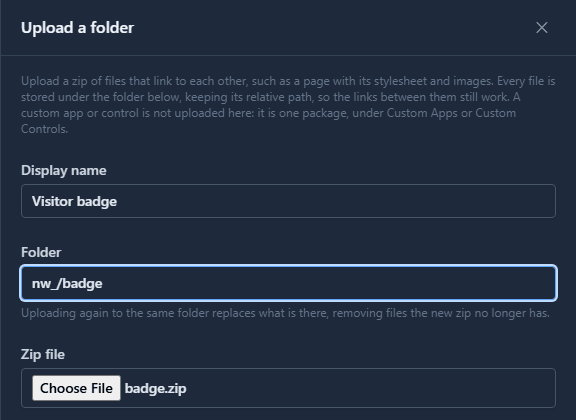
It replaced all four files, and removed none since the zip still had all four. Anything the new zip doesn't contain would have been removed: the folder ends up holding exactly what you uploaded.
What we fixed
- The list never said where a file is served. A web resource exists to be fetched by something, and that something needs the address, which you could only work out from the API. The list has an Address column now, with a copy button.
- The folder upload pointed at a dead end. It was called "Upload build output" and told makers to put a custom app's or control's build there and point the control at it. Nothing accepts that any more: an app or a control is one package now. It's Upload a folder and says what it's for, and the help page was rewritten to match in all seven languages.
- The Type picker was the browser's own dropdown. It's the platform's now, like every other choice.
Good to know
- Anyone with the address can open the file. That's what lets a printer, a page or an email load it without signing in. Put nothing in a web resource you wouldn't publish.
- They're for application files, not uploads. There's a size limit per file; documents people upload at runtime belong in object storage.
- Custom apps and controls don't go here. Each is one package, uploaded under Custom Apps or Custom Controls.
Try it
Add a stylesheet and an image to a solution, open the stylesheet's address in a new tab, then change it with Upload a folder and open it again.
Next: Custom code travels in the solution.