Parsware Platform
Build a custom React app
When a screen needs something tables, forms and views can't say, you write it in React. A custom app is built on your own machine with two downloads from the help site, packed into one file, uploaded once, and opened from the Shell like any other app. We built a visitor board for reception.
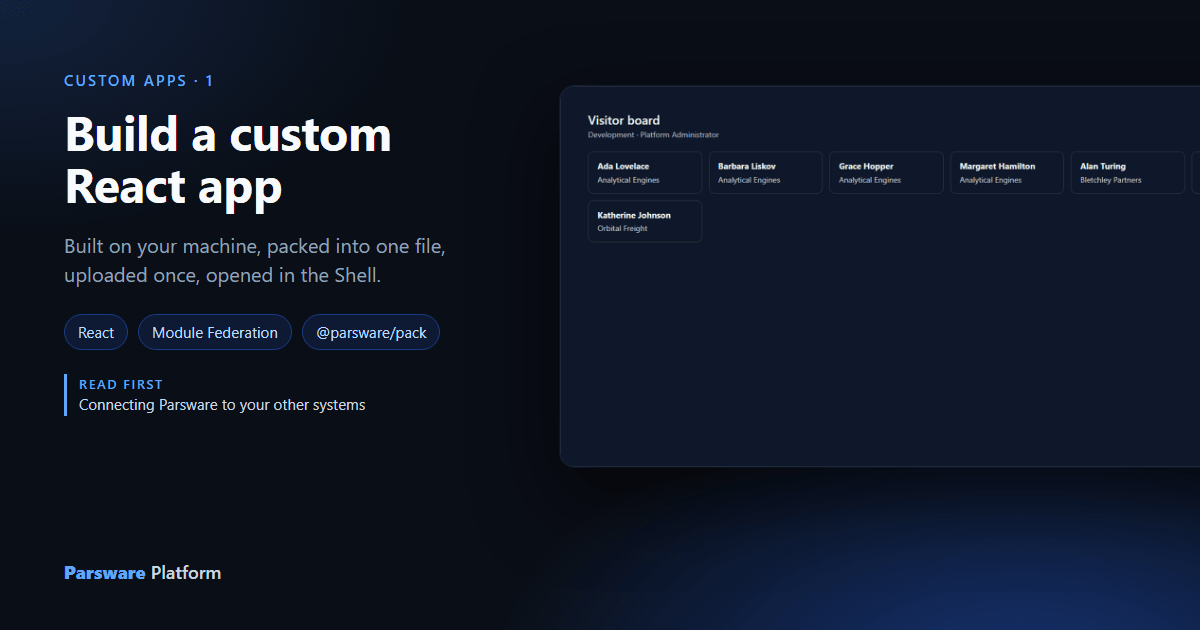
Reception wants a board on the screen behind the desk: everyone who's visiting, by company, in big cards. A view could list them, but not like that. When a screen needs to be drawn the way somebody imagines it, rather than assembled from tables, forms and views, you write it in React. That's a custom app.
A custom app runs inside the Parsware Shell. Not in a frame, not on another site: the Shell loads it, hands it the signed-in person and the environment, and it draws itself in the Shell's own page. Everything it reads goes through the Runtime SDK, so it has no token to handle and no address to configure.
Two downloads
You build on your own machine, with Node.js and npm. Parsware's part is two packages, both downloads on the help site:
@parsware/runtime-sdk, which the app imports to reach the platform;@parsware/pack, which turns the build into the one file you upload.
They go in package.json like any other dependency, by address:
{
  "name": "visitor-board",
  "version": "1.0.0",
  "type": "module",
  "parsware": {
    "kind": "CustomApp",
    "logicalName": "nw_visitor_board",
    "displayName": "Visitor board",
    "description": "Who is in the building today.",
    "requestedScopes": ["modelapps.read"]
  },
  "scripts": {
    "build": "tsc && vite build",
    "pack": "node node_modules/@parsware/pack/src/cli.mjs"
  },
  "dependencies": {
    "@parsware/runtime-sdk": "https://docs.parsware.com/sdk/parsware-runtime-sdk-1.0.0.tgz",
    "react": "^18.3.1",
    "react-dom": "^18.3.1"
  },
  "devDependencies": {
    "@module-federation/vite": "^1.20.3",
    "@parsware/pack": "https://docs.parsware.com/sdk/parsware-pack-1.0.0.tgz",
    "@vitejs/plugin-react": "^6.0.5",
    "typescript": "^7.0.2",
    "vite": "^8.2.0"
  }
}
The parsware block is the part only you know: the name the app installs under (it starts
with the nw prefix of the Visitors solution's publisher), the name people see, and what kind
of calls it makes. modelapps.read is enough to read records.
Share the Shell's React
The app is a Module Federation remote: a bundle the Shell loads into its own page. That's
set in vite.config.ts:
federation({
  name: 'nw_visitor_board',
  filename: 'remoteEntry.js',
  exposes: { './App': './src/App.tsx' },
  shared: {
    react: { singleton: true, requiredVersion: '^18.3.1' },
    'react-dom': { singleton: true, requiredVersion: '^18.3.1' },
    '@parsware/runtime-sdk': { singleton: true },
  },
  manifest: true,
}),
singleton: truemeans the app uses the React and the SDK the Shell already loaded. Two copies of React on one page break every hook.exposesnames the one component the Shell renders.manifest: truewrites a file the packer reads, so the app's container name, module and entry file are never typed again anywhere.
The app
import { useEffect, useState } from 'react';
import { useParswareRuntime, type RecordDto } from '@parsware/runtime-sdk';
import './board.css';

export default function App() {
  const runtime = useParswareRuntime();
  const [visitors, setVisitors] = useState<RecordDto[] | null>(null);
  const [error, setError] = useState<string | null>(null);

  useEffect(() => {
    let cancelled = false;
    runtime.data
      .runQuery('nw_visitor', {
        select: ['nw_name', 'nw_company'],
        order: [{ field: 'nw_company', descending: false }, { field: 'nw_name', descending: false }],
        page: { number: 1, size: 50 },
      })
      .then((result) => { if (!cancelled) setVisitors(result.records?.items ?? []); })
      .catch((e: unknown) => { if (!cancelled) setError(e instanceof Error ? e.message : String(e)); });
    return () => { cancelled = true; };
  }, [runtime]);

  return (
    <section className="board">
      <h1>Visitor board</h1>
      <p className="board-sub">{runtime.environmentName} · {runtime.user.name}</p>
      {error && <p role="alert">Could not load visitors: {error}</p>}
      {visitors && (
        <ul className="board-cards">
          {visitors.map((v) => (
            <li key={v.id}>
              <strong>{String(v.values.nw_name)}</strong>
              <span>{String(v.values.nw_company ?? '')}</span>
            </li>
          ))}
        </ul>
      )}
    </section>
  );
}
useParswareRuntime() is the whole connection to Parsware. runtime.data.runQuery sends the same
query document the platform's own grids send; runtime.environmentName and runtime.user say
where it was opened and by whom. There's no address, no environment id and no token in the code,
which is why the same build works in Development, Test and Production.
Pack it
$ npm run pack
Packaged nw_visitor_board 1.0.0
scope nw_visitor_board
module ./App
entry remoteEntry.js
files 18
sha256 d1ec51048f4b787ba1b855bfc7c2edfe17487eef878534469d34316ed2fa0c54
…
isitor-boardpackage
w_visitor_board-1.0.0.zip (88.7 KiB)
Upload it in the Admin Control Center: open the solution, then Custom Apps → New.
The packer builds the app, reads what it needs from the build itself, and writes
package/nw_visitor_board-1.0.0.zip. That one file is the whole registration.
Upload it
In the Admin Control Center, open the Visitors solution, then Custom Apps, New, and choose the file:
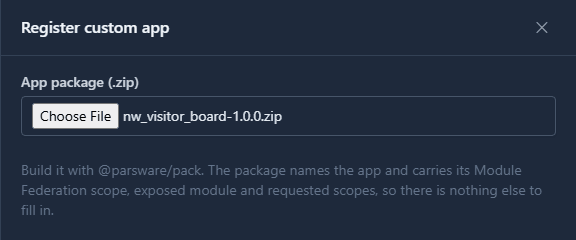
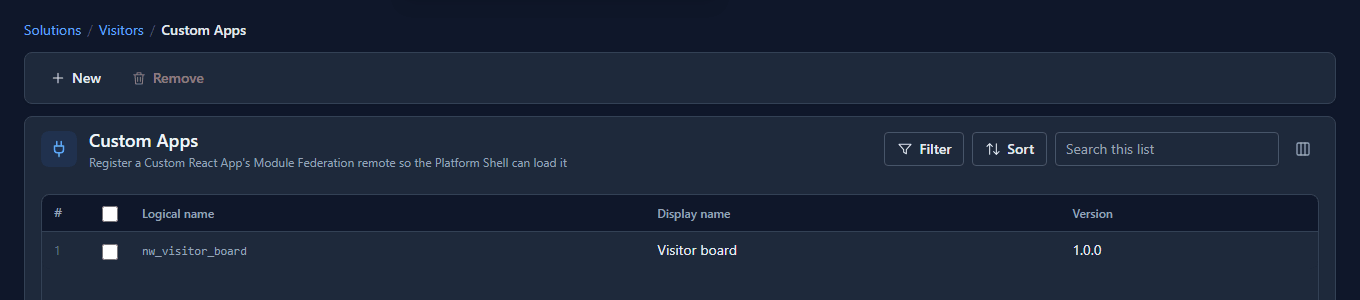
There's nothing to type: the package already says what the app is called, what it exposes and what it asks for. Register custom app, and it's listed with its version:
Open it
In the Shell, the Visitor board is on the home page with the environment's other apps. Open it:
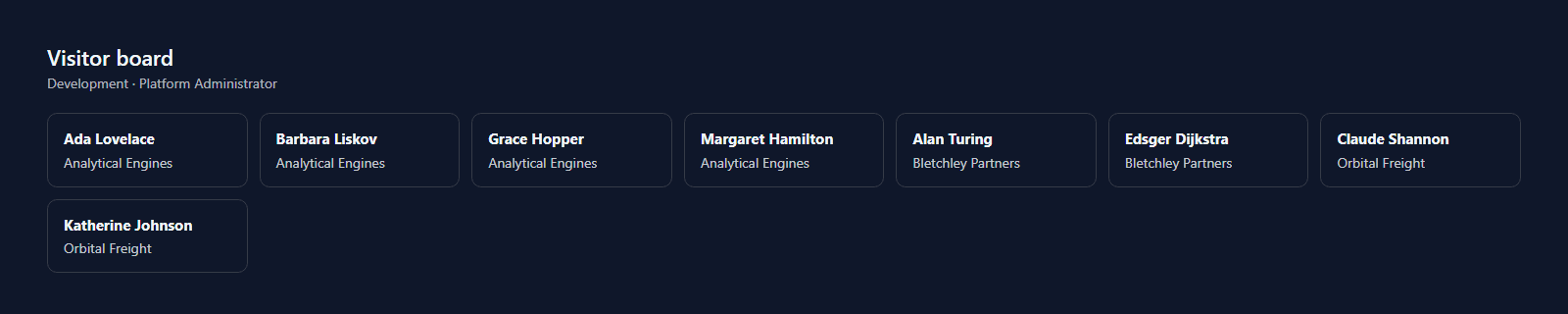
Eight cards, by company, read as the person who opened the board. Somebody whose role can't read visitors would get the refusal instead, in the app's own words. An app can never do more than the person using it.
What we fixed
Building this app the way a customer would, outside our own repository, found that a customer couldn't:
- The SDK and the packer weren't published anywhere. They're now downloads on the help site, built from the same source the Shell uses, so the version you install is the one the Shell shares.
- The help page for building a custom app didn't work when followed. It missed a setting the packer needs, a file Vite needs, and had a test that didn't compile. It's rewritten, and every file in it was checked by building an app from the page alone, in all seven languages.
- The packer sent apps to the wrong tab. Its closing line said Custom Controls whatever it had packed; it now names the right one.
Good to know
- Raise
versionbefore every upload. Uploading the same logical name replaces the app, and the version in the list is how you know which build is installed. - The solution carries the code. Export the Visitors solution and the board goes with it, stored by the platform and served from its own address.
- While you're writing it, a development environment can load the app straight from your dev server instead, with hot reload. The help page has the one call that sets that up.
Try it
Build the board from the snippets above, change the cards to show what your reception would want, pack it and upload it to a solution of your own.
Next: The Runtime SDK.