Parsware Platform
Export files to object storage
At the end of the month, finance wants the expense claims as a CSV file it can fetch. A Custom API builds the file from the claims table and puts it in object storage, where it stays until somebody collects it. We called it from finance's own system and found the file in the Storage screen.
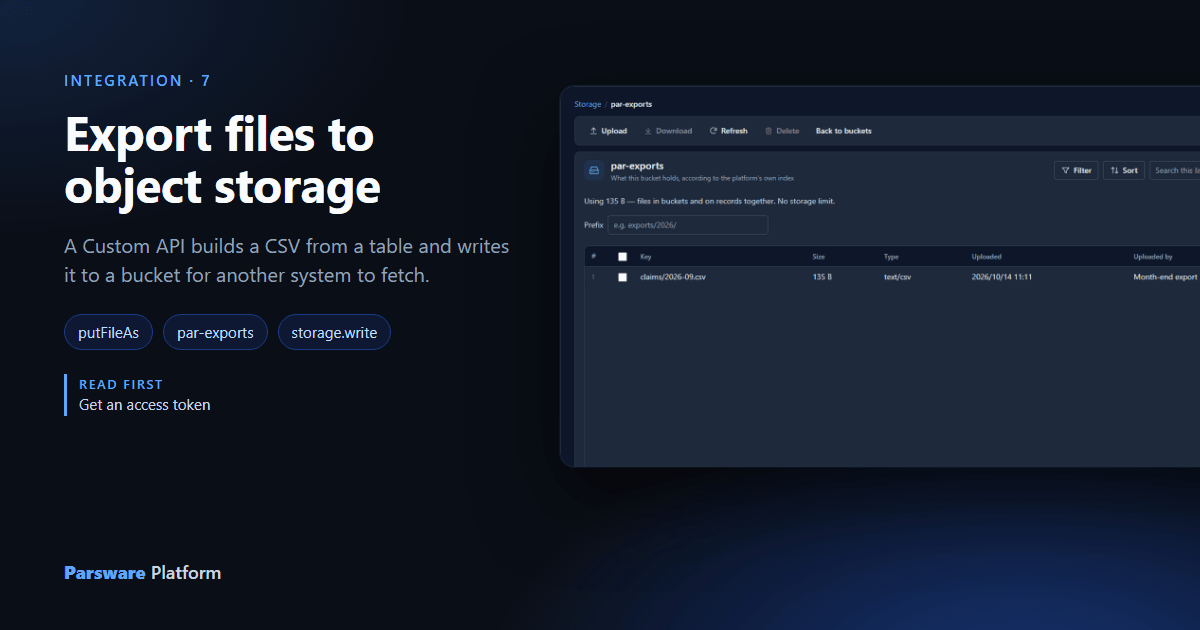
At the end of every month, finance's system wants the month's expense claims as a CSV file. Not a page, not JSON to reassemble: a file it can fetch, archive and load into the ledger. The file belongs to no single claim, so it doesn't go on a record. It goes into object storage, Parsware's store for files like this, addressed by a bucket and a key.
We used the Object Storage Export sample, samples/solutions/custom-api-object-storage-export:
an Expense claim table, an app to enter claims in, and five Custom APIs.
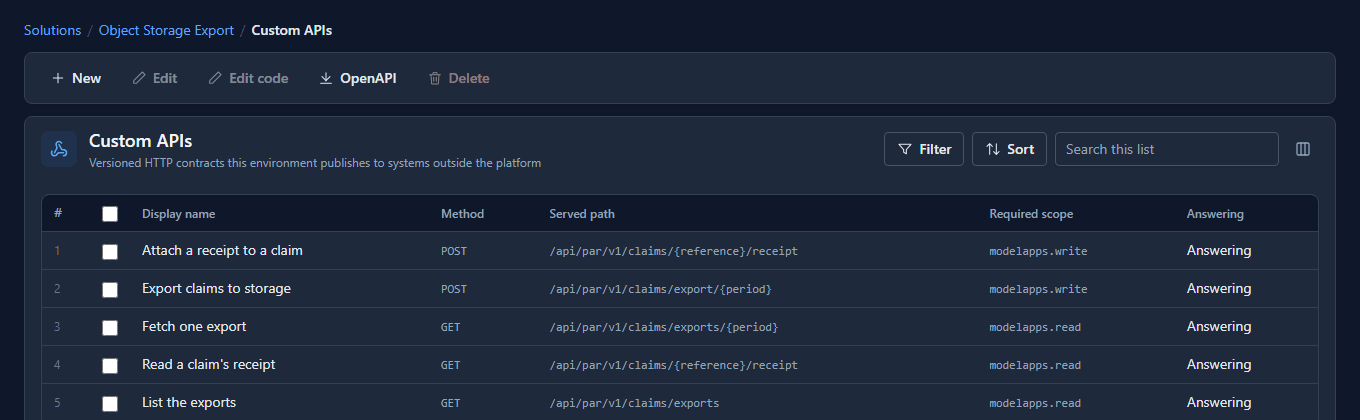
Three of them are the export: Export claims to storage writes the file, List the exports says what's there, and Fetch one export reads one back. The other two attach a file to one claim, which is the contrast this article ends on.
The script that writes the file
Select Export claims to storage and press Edit code:
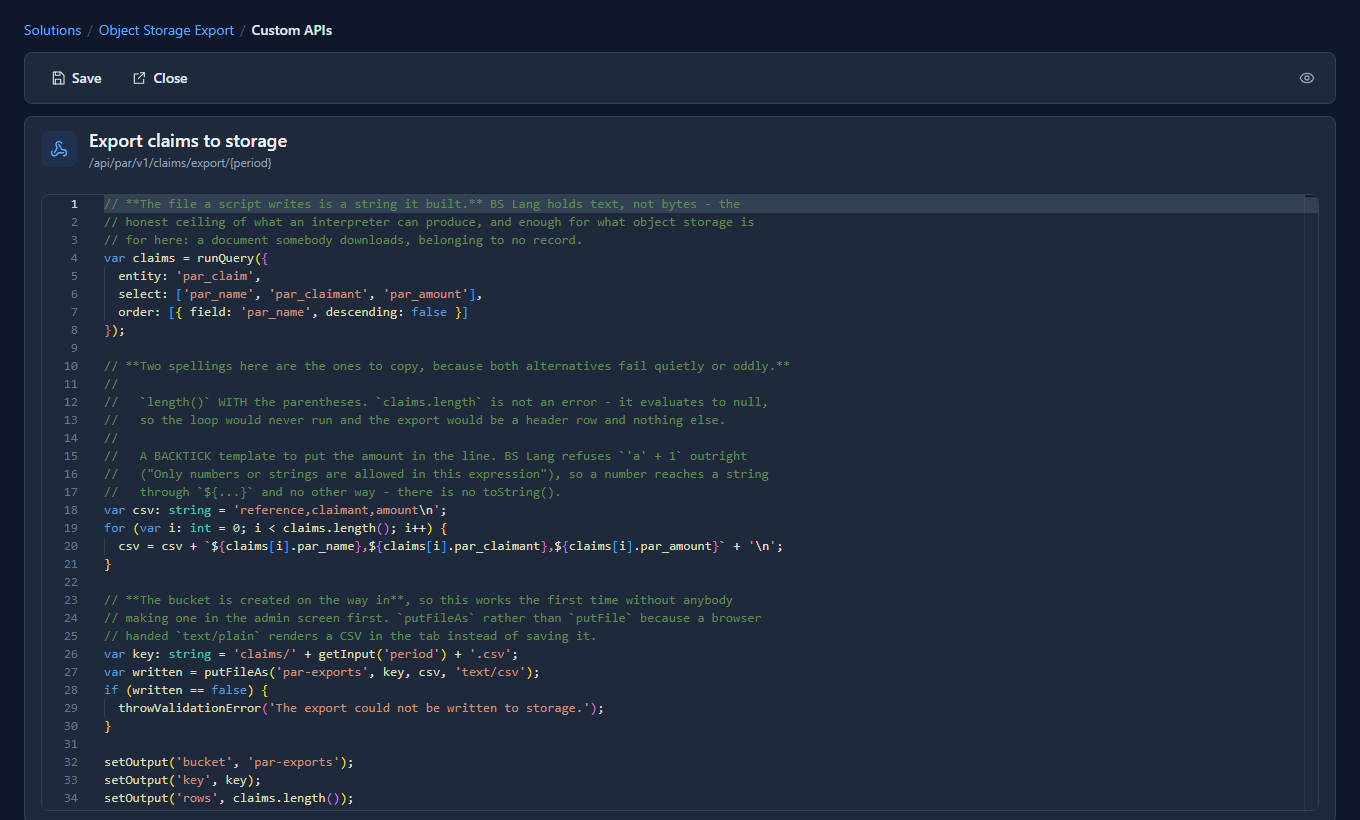
Three steps:
var claims = runQuery({ entity: 'par_claim',
  select: ['par_name', 'par_claimant', 'par_amount'],
  order: [{ field: 'par_name', descending: false }] });

var csv: string = 'reference,claimant,amount\n';
for (var i: int = 0; i < claims.length(); i++) {
  csv = csv + `${claims[i].par_name},${claims[i].par_claimant},${claims[i].par_amount}` + '\n';
}

var key: string = 'claims/' + getInput('period') + '.csv';
putFileAs('par-exports', key, csv, 'text/csv');
- The file is text the script builds. BS Lang works with text, not bytes, which suits a CSV, a JSON export or an XML feed exactly.
putFileAsnames the content type.putFilewould store it as plain text, and a browser handed plain text shows a CSV in the tab instead of saving it.- The bucket is created on the first write, so nobody has to make
par-exportsby hand first. - The period is in the route,
claims/export/{period}, so each month gets its own key and a re-run replaces that month's file rather than adding a second one.
Two spellings in the script are worth copying exactly: claims.length() with its parentheses
(without them it's empty and the loop never runs), and the backtick template, which is how a
number gets into a line of text.
Calling it from finance's system
Finance's system is registered under App Registrations as Month-end export, holding a role that reads claims and four scopes:
modelapps.readandmodelapps.write, which these contracts ask for;storage.writeandstorage.read, because the script's file functions reach the store as the caller. The application that calls the export is the one writing the file, so it's the one that needs permission to.
With a token holding all four (see Get an access token), it calls:
POST /environments/{environment}/api/par/v1/claims/export/2026-09
Authorization: Bearer eyJhbGciOi…
{}

200 OK
{ "bucket": "par-exports", "key": "claims/2026-09.csv", "rows": 4 }
and fetches it back:
GET /environments/{environment}/api/par/v1/claims/exports/2026-09

200 OK
{ "key": "claims/2026-09.csv",
  "csv": "reference,claimant,amount\nEXP-201,Ada Lovelace,84.20\nEXP-202,Grace Hopper,312.00\nEXP-203,Alan Turing,46.75\nEXP-204,Ada Lovelace,129.90\n" }
A month nobody exported is refused in the script's own words, No export has been written for that period yet, rather than answered with an empty file.
And the same call with a token that asked for the record scopes only:
400  platform.scope_required
"This call requires the 'storage.write' scope."
Where it landed
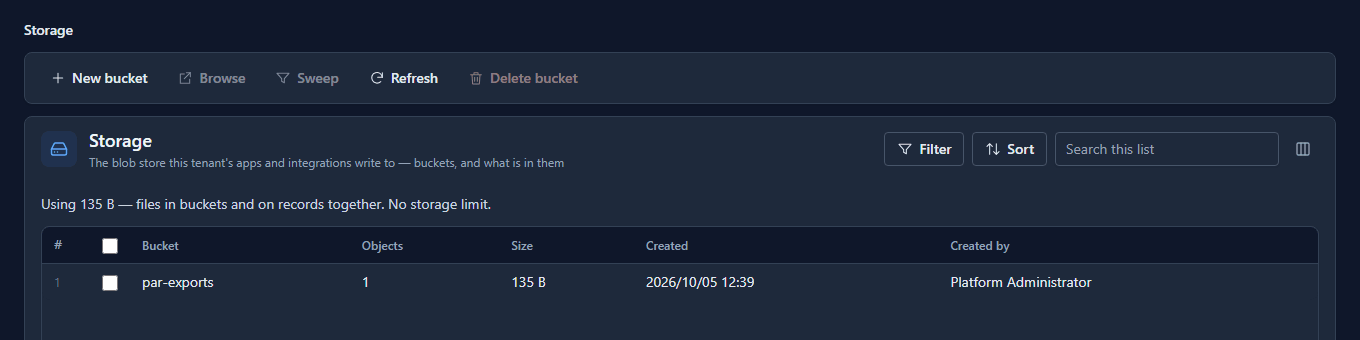
Under Admin, Storage lists the buckets, with how many files each holds:
Open par-exports:
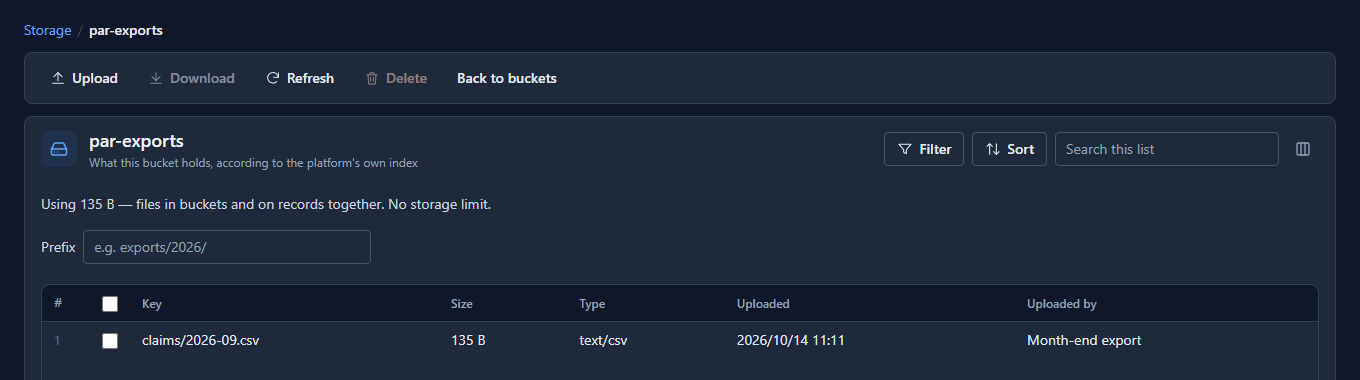
The file, its size and type, when it was written, and who wrote it: Month-end export, the application, by name. From here an administrator can download it or delete it.
A file that belongs to a record goes on the record
The sample's other two APIs show the opposite case. Attach a receipt to a claim puts a file
into one claim's Receipt field with putRecordFile. That file isn't in a bucket: it belongs
to the claim, it's shown only to people who may read the claim, and it's deleted with the claim.
The rule of thumb: one record's file goes on the record; a file about many records, or none,
goes in a bucket.
What we fixed
The Storage screen's Uploaded by showed the application's client id, a 36-character string
starting app-, while files uploaded by people showed their names. It now shows the
registration's name, and so does the audit log.
Good to know
- Keys are paths you choose.
claims/2026-09.csvsits underclaims/, and List the exports asks for everything under that prefix. Plan the keys like folders. - The list comes from Parsware's own index, not from asking the store, so it's quick and it only shows files that were written through the platform.
- A script can't produce binary files. Images and PDFs reach the store through an upload, not a script.
Try it
Import the sample, enter three or four claims, register an application with the four scopes and
a role that reads claims, and call the export for this month. Then find the file under
Storage, and call it again with a token that asked for modelapps.read modelapps.write only.