Parsware Platform
Reference numbers that number themselves
An auto-number field gives every new record a reference like EQ-2026-00001 the moment it is saved. Nobody types it, nobody can change it, and nobody has to look up the last one used. We imported the Enquiries sample, saved a few enquiries, and changed the format halfway through.
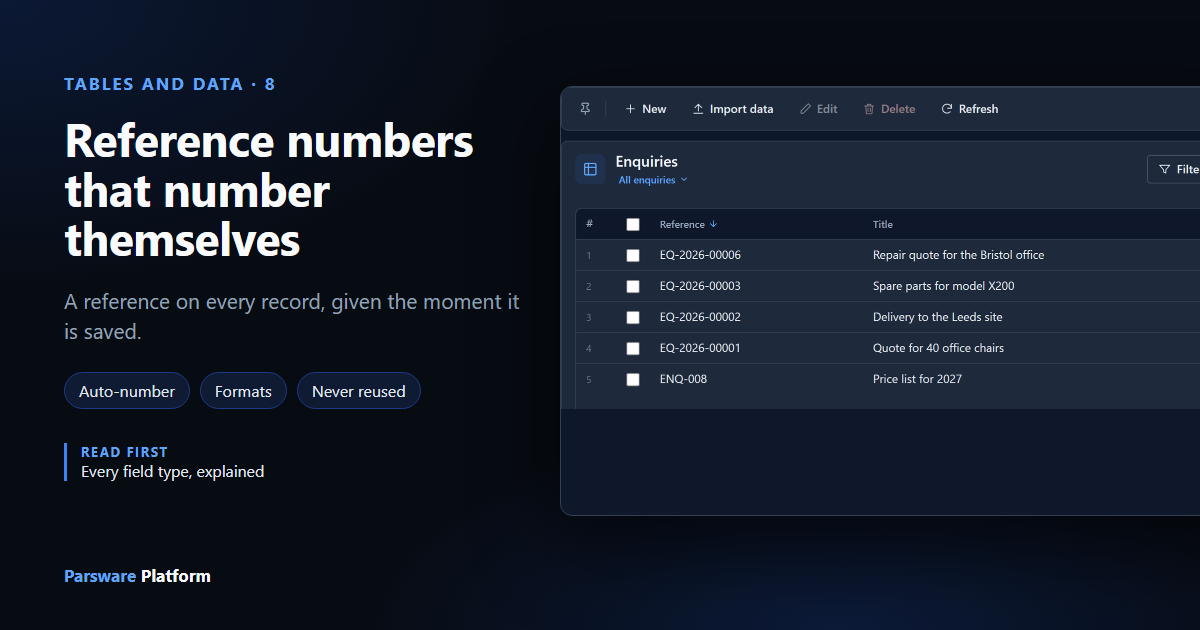
An invoice number, a case number, a booking reference. Every business has one, and somebody always ends up keeping a list of "the last one we used". An auto-number field ends that: the platform gives each new record its number when it is saved.
We used the Enquiries sample from samples/solutions/mda-reference-numbers. Import it into an
environment and open Enquiries from the app list to follow along.
A new record has no number yet
Select New. The Reference box is already filled in, with Assigned on save:
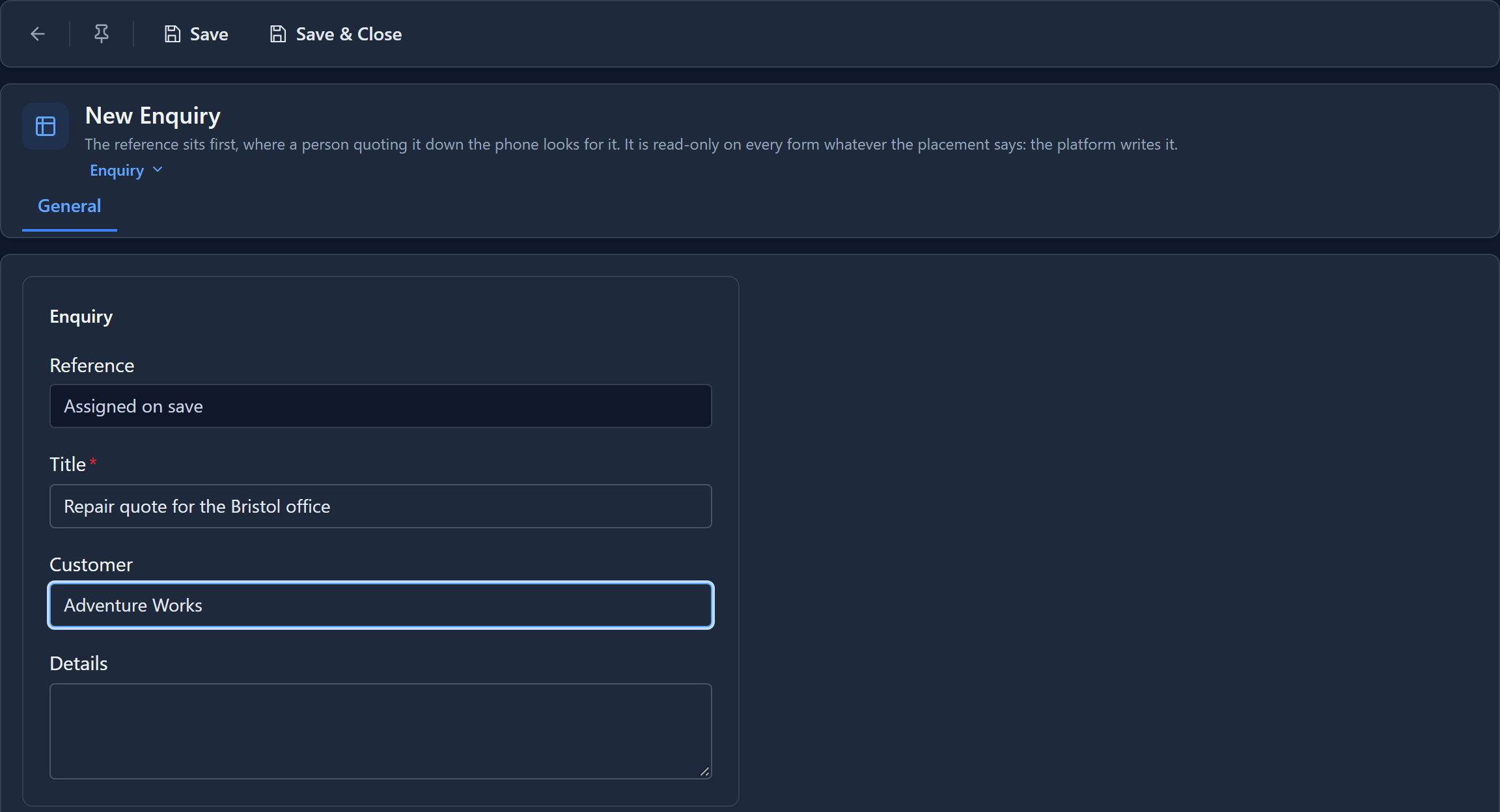
There's nothing to type, and you couldn't if you tried: the box is read-only. Fill in the title and select Save:
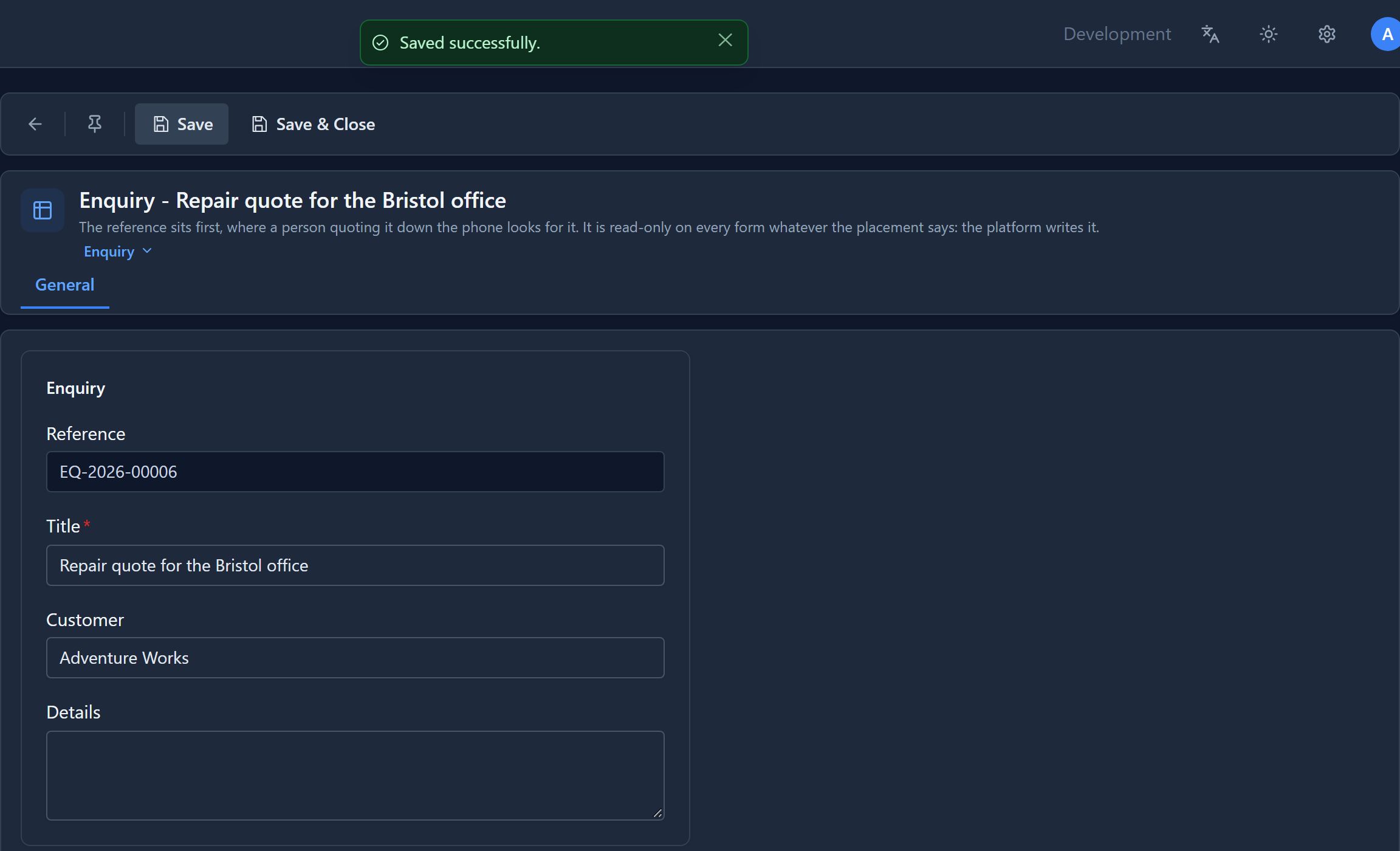
EQ-2026-00001: the prefix, the year, and a counter padded to five digits.
The numbers in the list
We saved a few more:
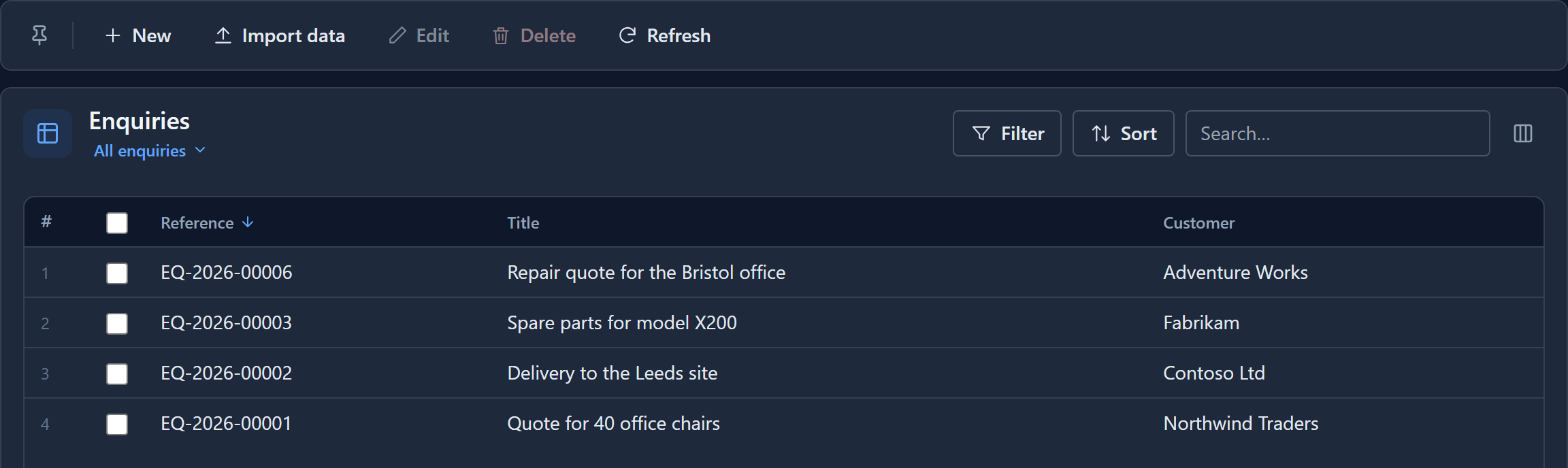
There's no 00004 or 00005. We'd saved two test enquiries and deleted them, and a number is never given out twice. That's what makes it safe for two people to save at the same moment: each save draws the next number from the database's own counter, so they can't both get the same one. The price is gaps. If the law needs numbering without gaps, number the records in a process step instead.
The number can't be changed afterwards either. A form shows it read-only, and if a spreadsheet import or a script sends a value for it, the value is ignored.
(While we were here we fixed the list: after saving a new record and choosing the table again in the sidebar, the list didn't show the new row until you pressed Refresh. It does now.)
Where the format lives
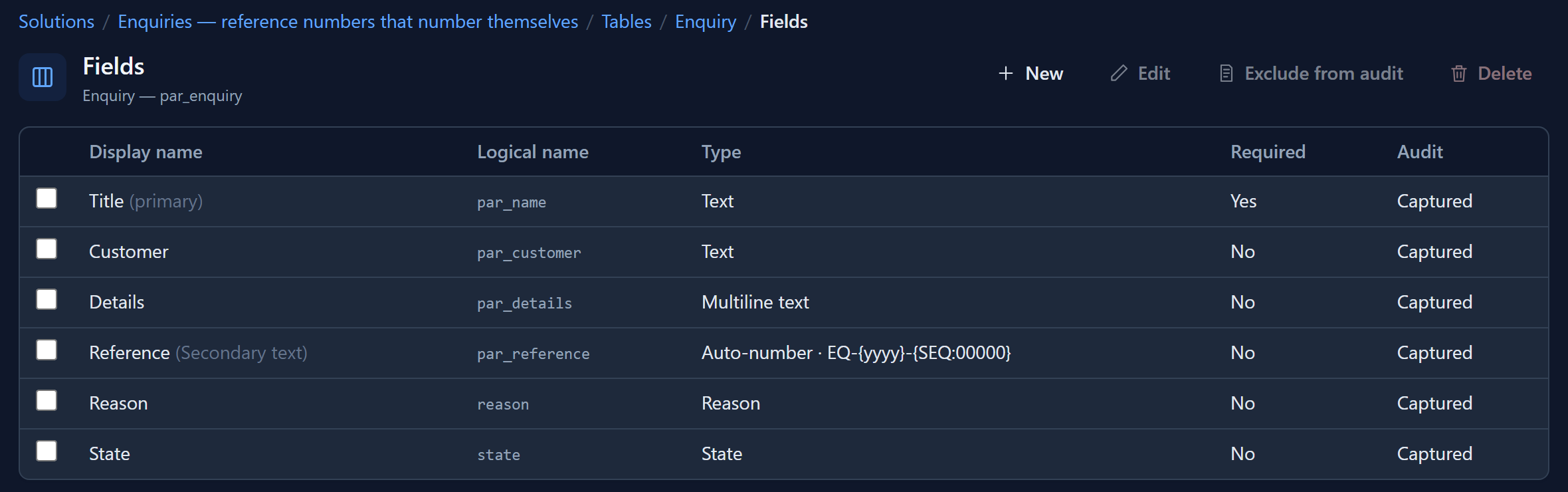
Open the maker portal, the solution, the Enquiry table and Fields. The Type column shows the field's type and its format:
To add one of your own, select New, give it a name, and choose Auto-number as the data type. A Number format box appears, already filled in, with a preview of the first number underneath:
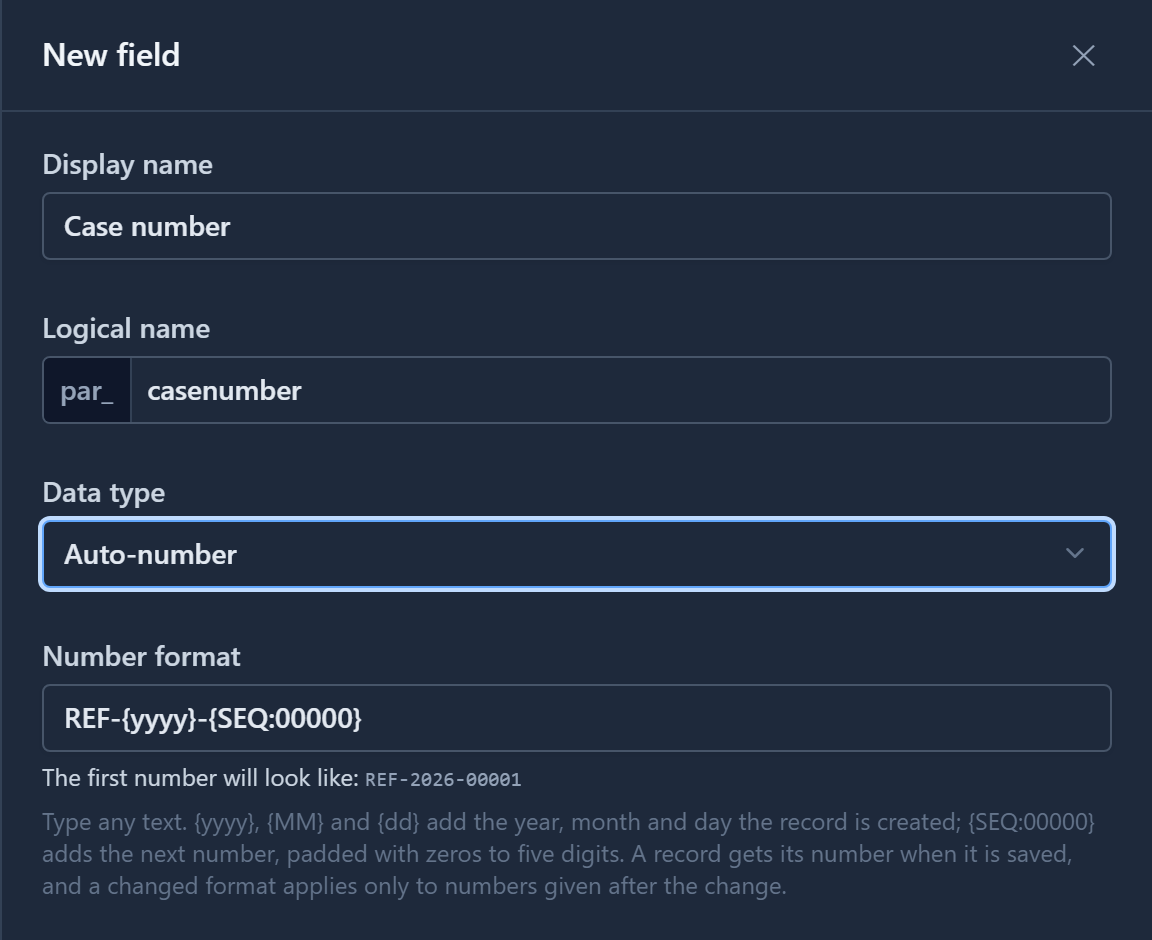
(This drawer offered Auto-number before the server would accept one: saving it was refused as an unsupported data type, so only an imported solution could carry the field. We fixed that, and checked that a record saved afterwards gets its number.)
Writing a format
Anything you type is kept as it is. Three kinds of token are replaced:
| Token | Becomes | Example |
|---|---|---|
{SEQ} |
The next number | 417 |
{SEQ:00000} |
The next number, padded with zeros to the number of zeros you wrote | 00417 |
{yyyy} / {yy} |
The year the record was created | 2026 / 26 |
{MM} / {dd} |
The month and day it was created | 09 / 05 |
The preview follows as you type:
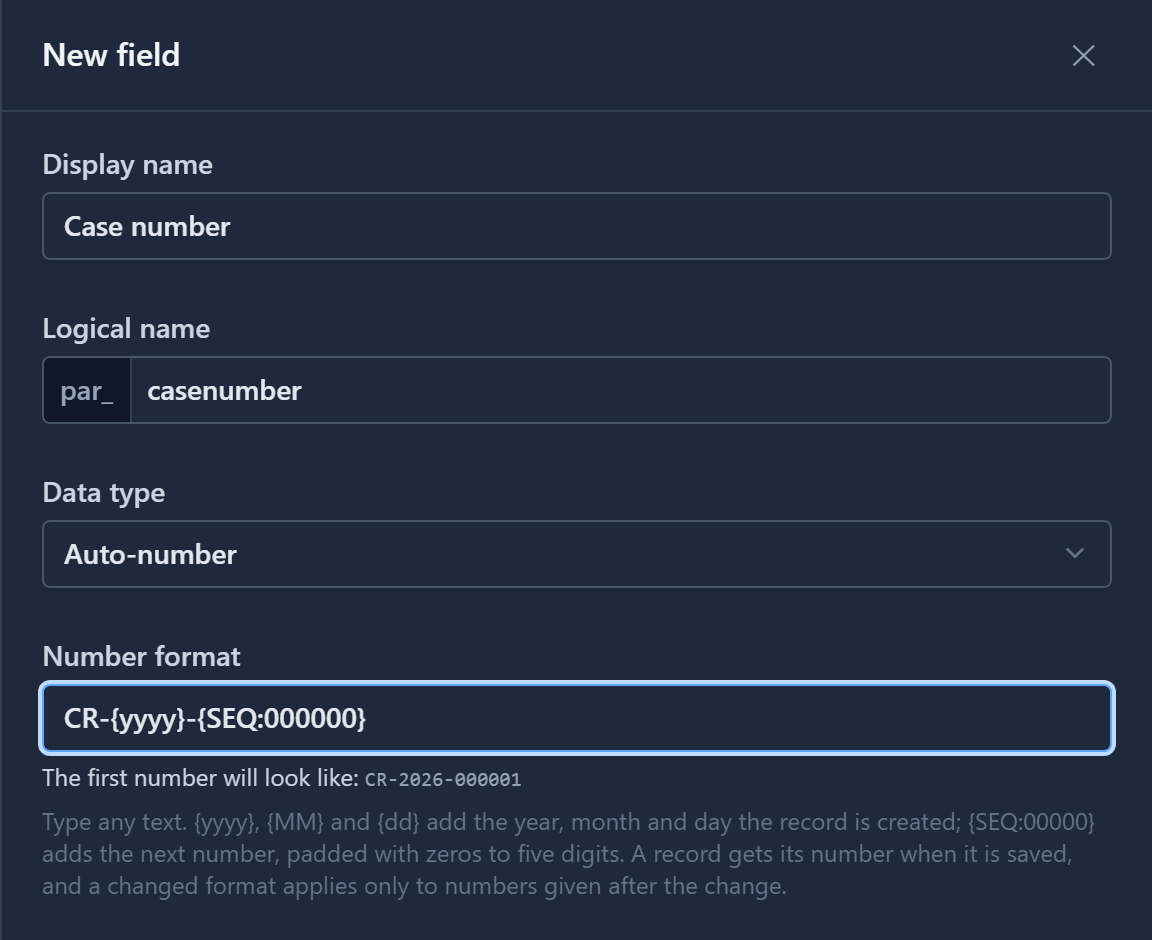
Tokens are case-sensitive. Type {YYYY} and it isn't a token, so it stays in the number as written.
The preview shows you before any record does:
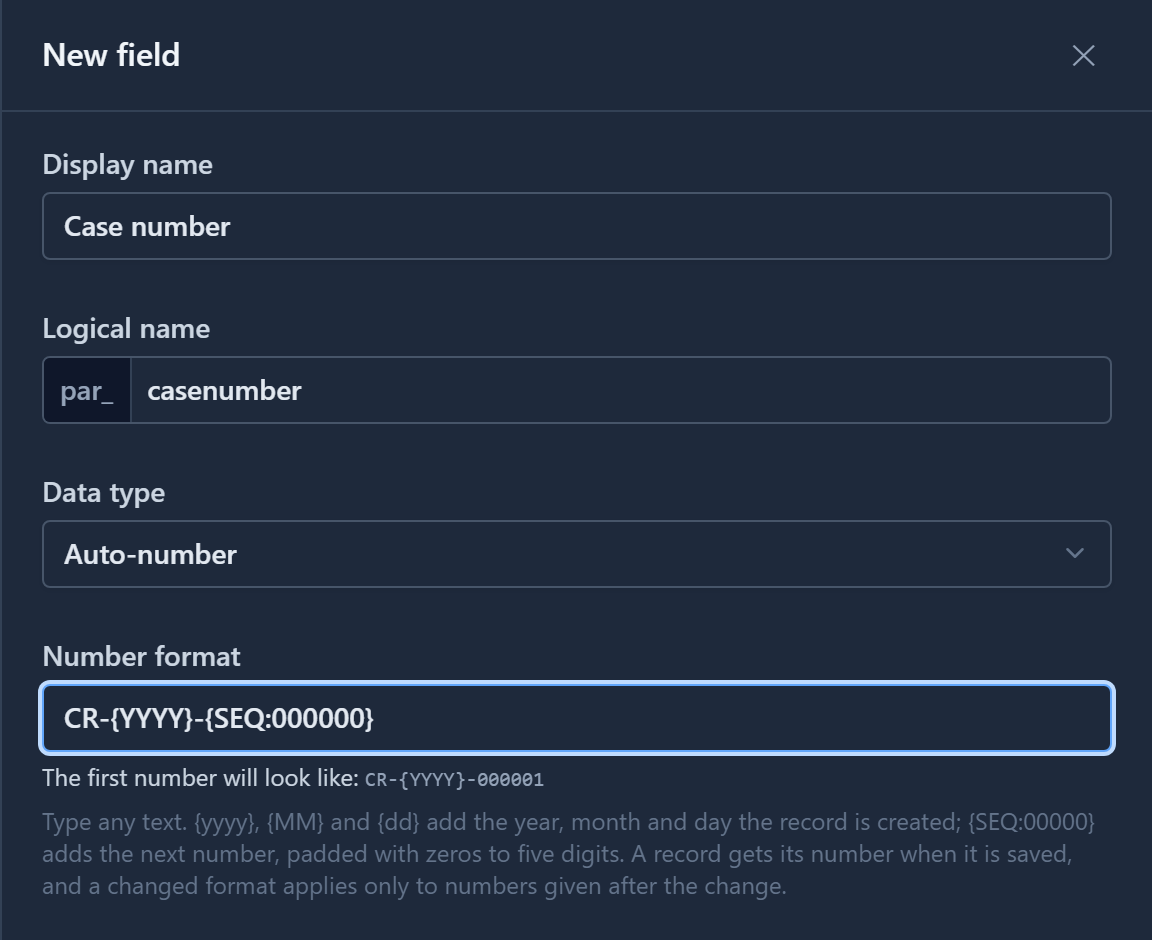
The date in a number is the day the record was created, in UTC and in the Gregorian calendar, whichever calendar the person saving it uses. A reference number is an identifier, and it mustn't depend on who is reading it.
Changing the format
Select Reference, then Edit, and change the format. We tried ENQ-{SEQ:000}:
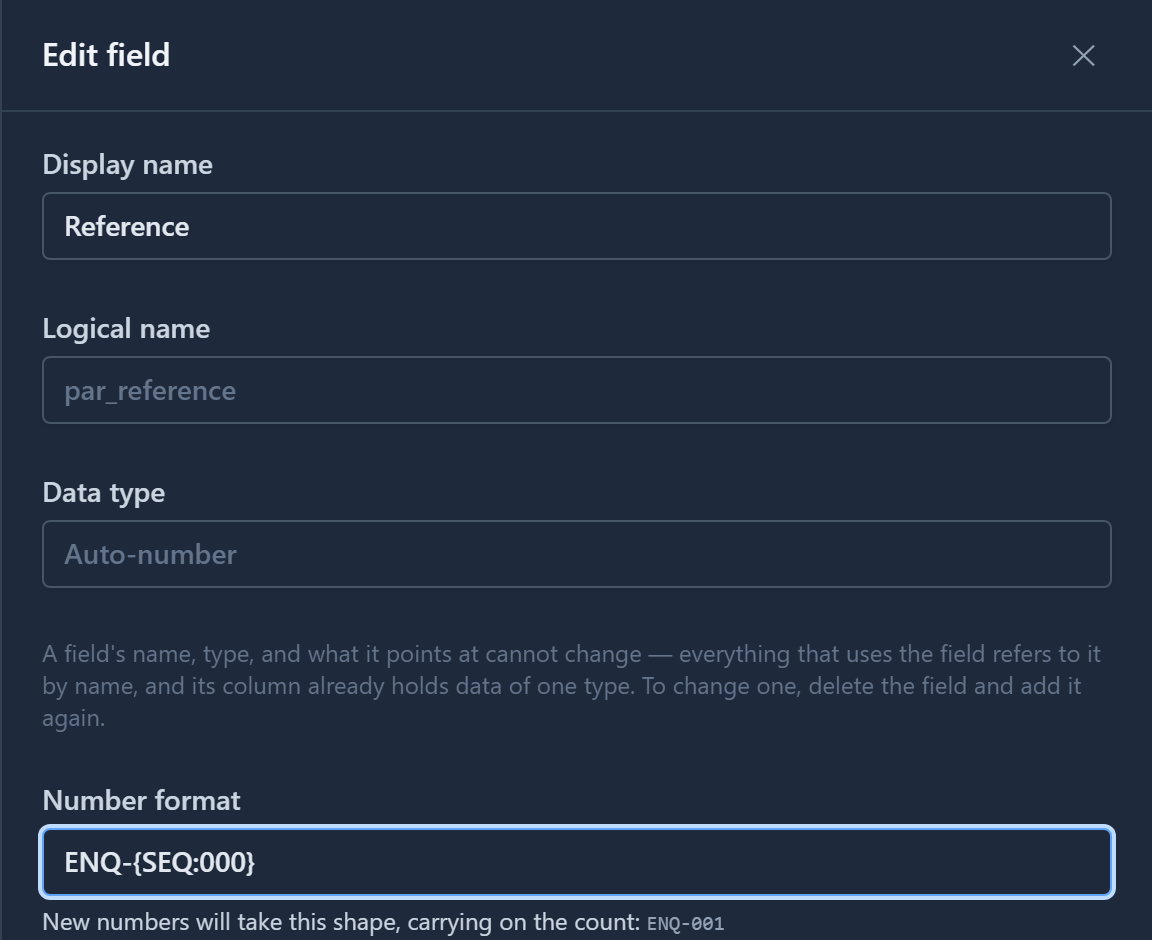
The preview shows the shape with a 1 in it, and says the count carries on. (It used to say The first number will look like, on a field that had already given out seven. We changed the words.) Save, go back to the app and save a new enquiry:
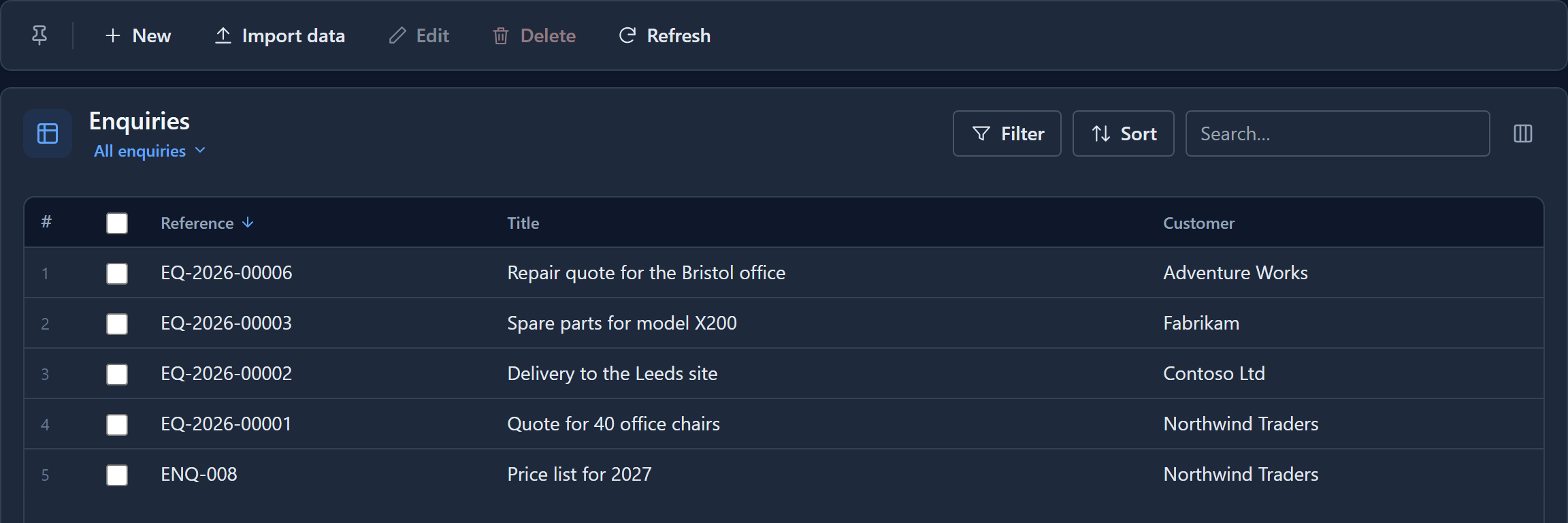
ENQ-008: the new format, with the same counter carrying on. (Number 7 went to a test record we deleted.) The records that already had numbers keep them, because a reference somebody has already quoted mustn't change underneath them.
Notice the order, too. The list sorts the reference as text, so the new prefix lands after all the old ones. Choose your format before the first record if you can.
(Saving this edit is another thing we fixed. Changing only the format used to say Saved successfully and keep the old one.)
The counter stays in its environment
The field and its format travel with the solution. The count doesn't. Import the solution into
Production and its first enquiry is …-00001 there too, whatever Development had reached. Each
environment numbers its own records.
Try it
Add an auto-number field to a table of your own with {yy}{MM}-{SEQ:0000}. Watch the preview,
save, and create a record: it gets this year and month, then 0001.
Next: no duplicates, no double bookings, for the numbers and codes people type themselves.