Parsware Platform
Visitors who run their own company
On a portal, the people who look after a customer's account are the customer's, not yours. One of them starts a company, invites colleagues, decides who else may manage it, and removes people who leave, all from a page you drew. We watched an invitation go out, a colleague join and see the company's cases at once, and an Owner hand over the keys.
Whose records a visitor sees narrowed every case to the
visitor's company. That leaves a question every customer portal meets in its first week: who decides
who is in the company? Not your support team, who shouldn't be adding Contoso's new hire by hand. The
company's own people should. This article shows how, on the Portal service desk sample,
samples/solutions/portal-service-desk.
A company has to have an Owner
Sam Patel started Contoso on the portal, so Sam is its Owner. Sam's colleague Priya is already a Member. If Sam tries to leave, the platform refuses, in its own words:
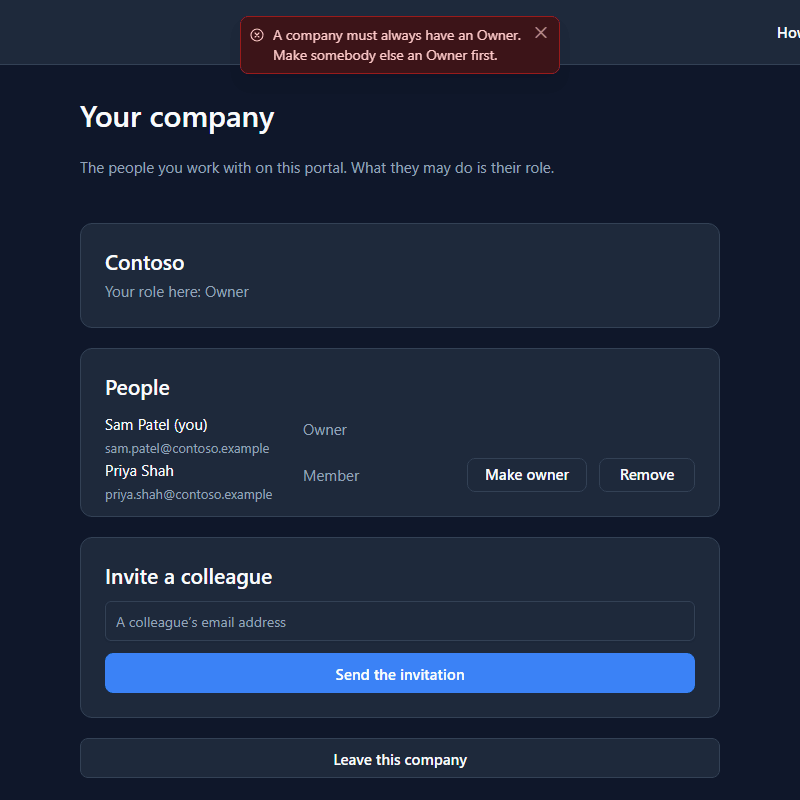
There are three roles: Member, Billing and Owner, each able to do everything the one before it can. Only an Owner invites, changes roles and removes people. The page doesn't decide that; the platform does, and the page shows its refusal beside the button.
Inviting somebody
To show how Priya got here, Sam invites another colleague, Lee. The invitation is on the list at once, as Invited as Member:
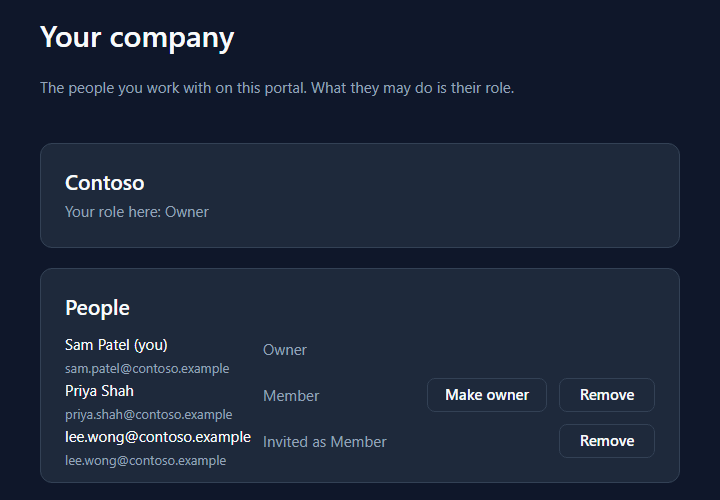
The platform emails a link. Opened by somebody who isn't signed in, it lands on the portal's own sign-in page with a line saying what it's for:
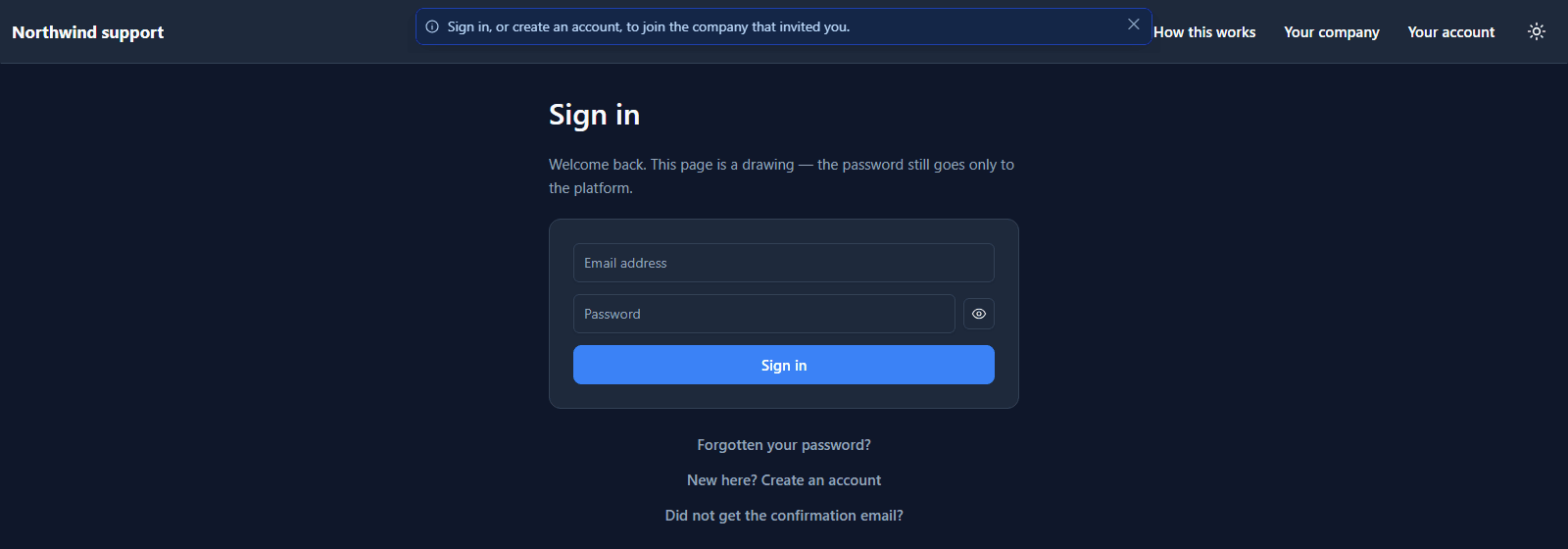
The invitation waits while they create an account and confirm their address, and they join when they first sign in. The address has to match: a forwarded link doesn't let somebody else into Contoso.
In, and straight to the company's cases
That's how Priya joined. Her My cases shows Contoso's cases from the first page she opened:
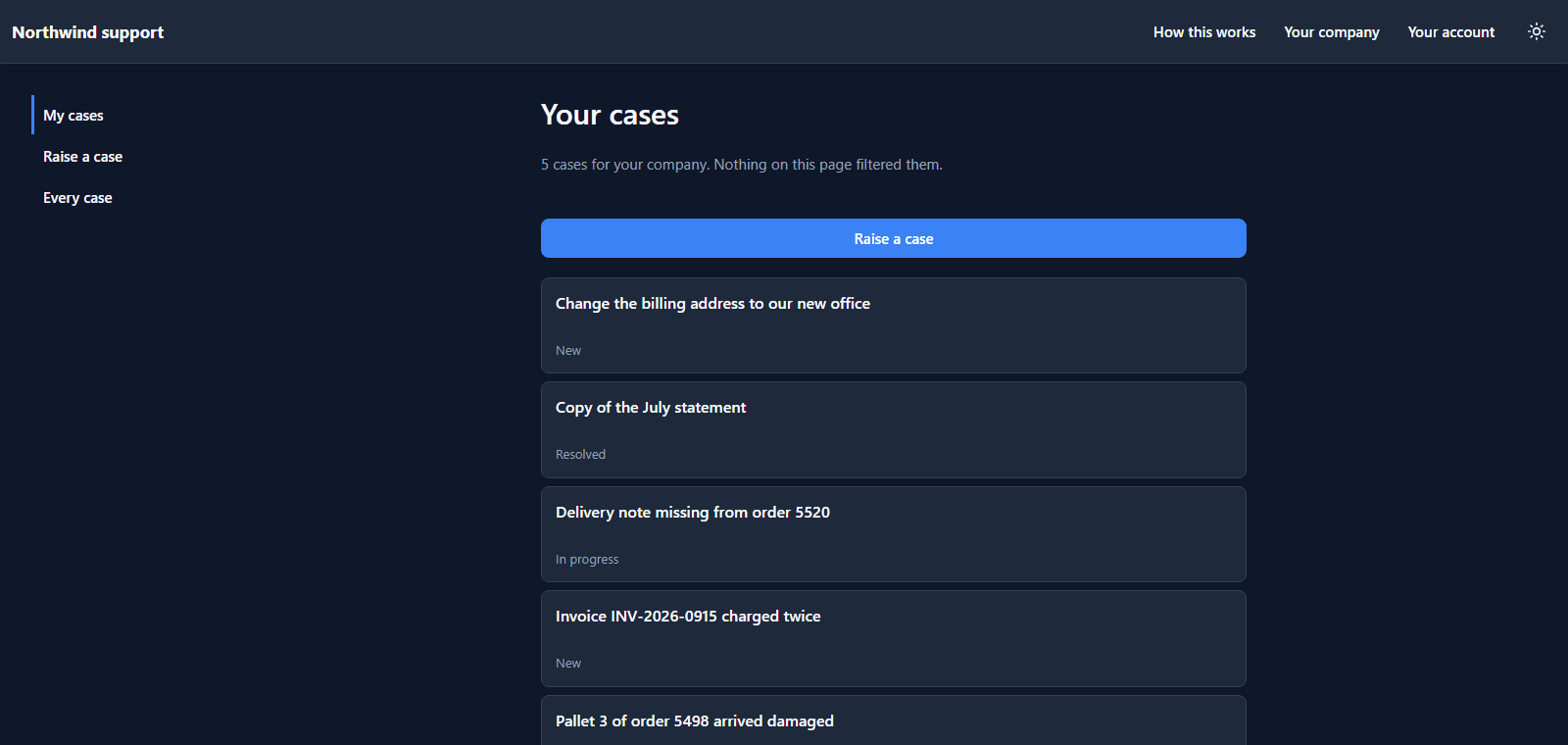
Nobody gave Priya access to those cases. The rule on the table compares each case's customer with the visitor's company, and Priya's company is now Contoso. Joining is the access.
As a Member, her Your company page lists the people and has no Invite box: it's bound to whether she may manage the company, and she may not.
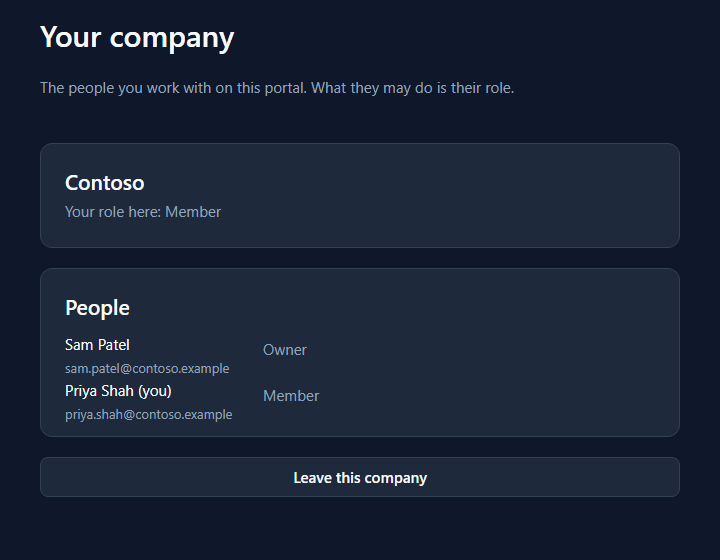
Handing over
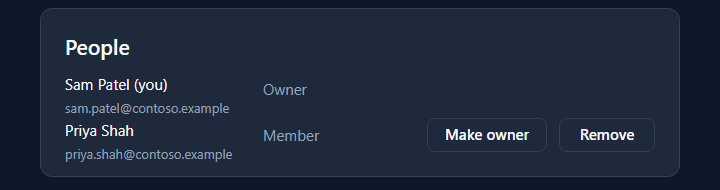
Sam wants to be able to leave one day, so Priya needs to be an Owner too. Make owner is on her row:
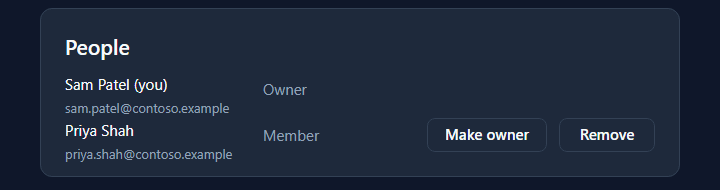
Priya's page, reloaded, is now an Owner's page, with the invite box and the same buttons on Sam's row:
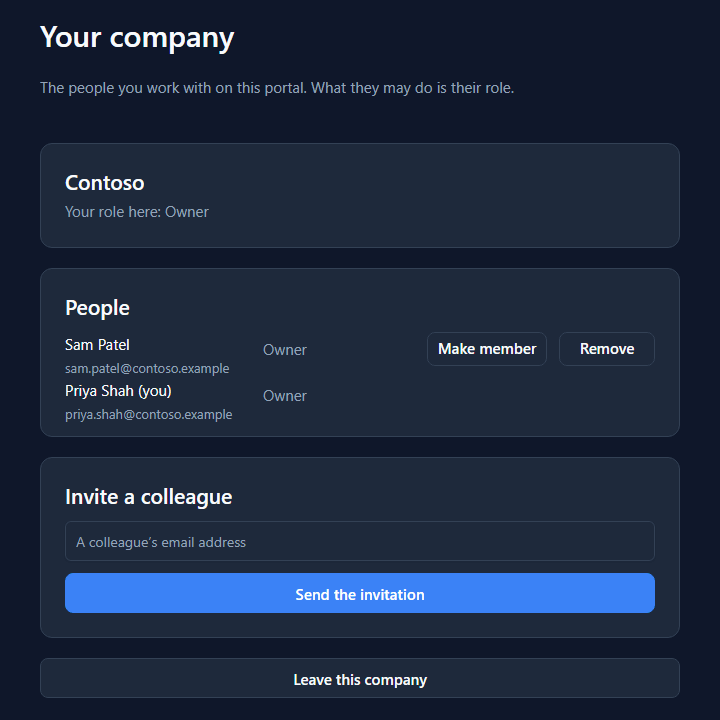
And Remove on an invitation withdraws it. Lee's row is gone, and the link in Lee's mail no longer works:
Why this isn't a Custom API
Everything else on a portal goes through a Custom API you wrote. A company doesn't. Who belongs to which company is kept by the platform's identity service, which accepts a visitor's session only from the portal's own server, and your scripts don't run there. So the platform gives the page six calls and you draw the screen around them:
| Call | What it does |
|---|---|
startCompany(name) |
Starts a company, with this visitor as its first Owner |
invitePerson(email, role) |
Emails an invitation. Owners only |
loadCompanyPeople(into, companyInto) |
The people and the open invitations, and the company |
changePersonRole(person, role) |
What a colleague may do |
removePerson(person) |
Removes a colleague, or withdraws an invitation |
leaveCompany() |
This visitor leaves |
Make owner is a button in the row, and this is the whole of its handler:
changePersonRole(row.id, row.role == "Owner" ? "Member" : "Owner");
loadCompanyPeople("props.people", "props.company");
What we fixed
- An accepted invitation stayed on the list. After Priya joined, Sam's page listed her twice: as herself, and as Invited as Member with a Remove that removed nothing. The platform keeps old invitations on record on purpose, so an Owner can ask who let somebody in; the portal now shows only the ones still waiting.
- The page had no way to make an Owner. It could invite, remove and leave, so the last Owner was told to make somebody else an Owner first by a page that didn't offer it. Each member's row now has Make owner or Make member.
- The roles didn't line up. On rows without buttons the name column grew and pushed the role across the card. Every role now starts in the same place.
Try it
Import samples/solutions/portal-sign-in-kit, then samples/solutions/portal-service-desk, and
publish Service desk. Sign up and start a company. From a second private window, sign up with
another address; then invite that address from the first, and open the link from the second. Make
them an Owner, and try leaving from each.
Next: Your own domain.