Parsware Platform
The audit log
One place to read every recorded change in an environment: who made it, to which record, and what each field was before and after. We read Development's log, narrowed it to one table, then to one account's history, then to what processes changed on their own.
Who changed what turned auditing on for one table and read back one record's history. This article is about the log itself: everything recorded in an environment, and how to find the one change you're looking for.
The log
In the Admin Control Center, open Audit Logs and select Query. The log is for the environment in the top bar, Development here, newest first:
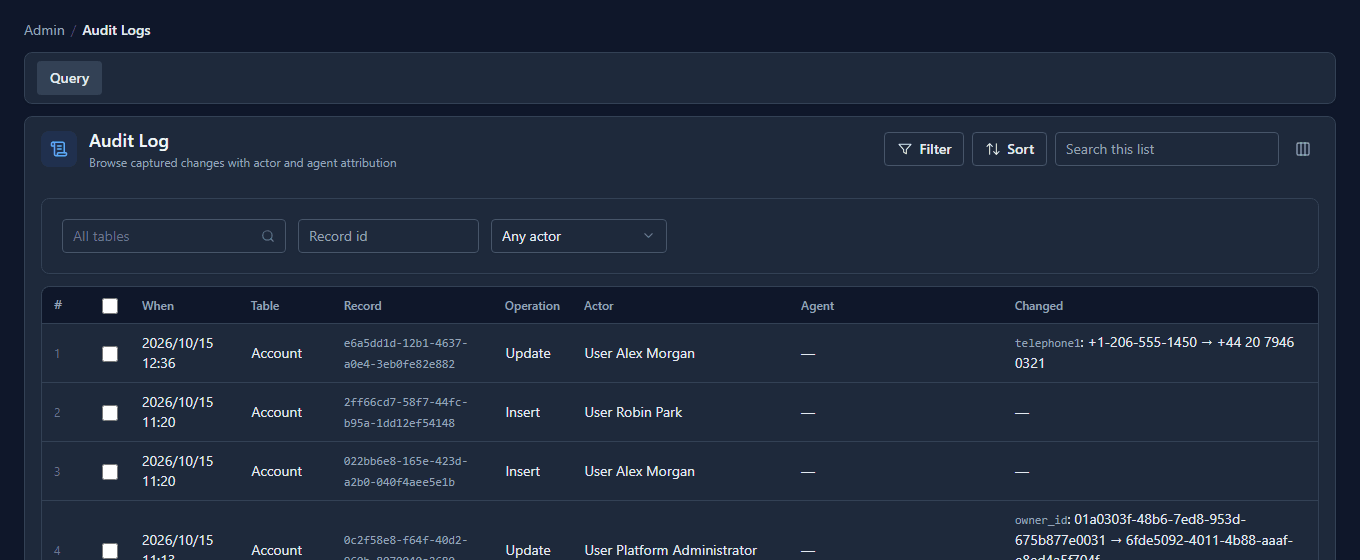
Each row is one create (Insert), change (Update) or delete (Delete):
- When: in your time zone and your tenant's date format.
- Table and Record: which record. The record is its id; paste it into the Record id filter to see that record's history.
- Actor: who made the change. For a person that's their name, so the top row is Alex Morgan, who changed a phone number a minute earlier.
- Agent: the rule or process step that made the change on someone's behalf, when there was one.
- Changed: each field that changed, before → after. The bookkeeping columns every save updates are left out.
Only tables with auditing turned on are recorded, and the log starts from the moment it was turned on. Earlier changes aren't added afterwards.
One table
The Table filter lists the environment's audited tables, and you can search it by display name or logical name:
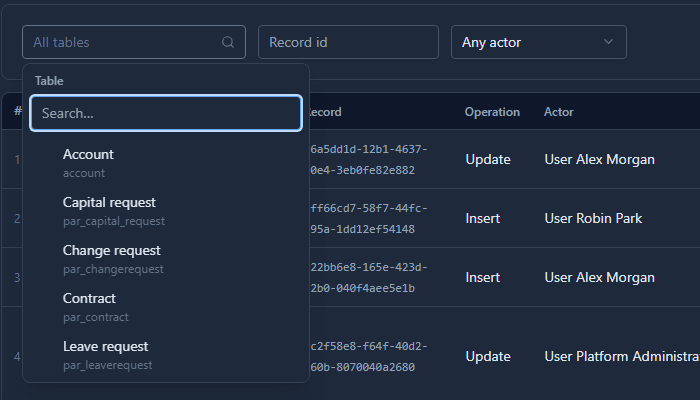
Tables without auditing aren't in the list, because they have nothing to find. Pick Account and query again: only account changes.
One record
Paste a record's id into Record id and query. This is Northwind Holdings' history, newest first:
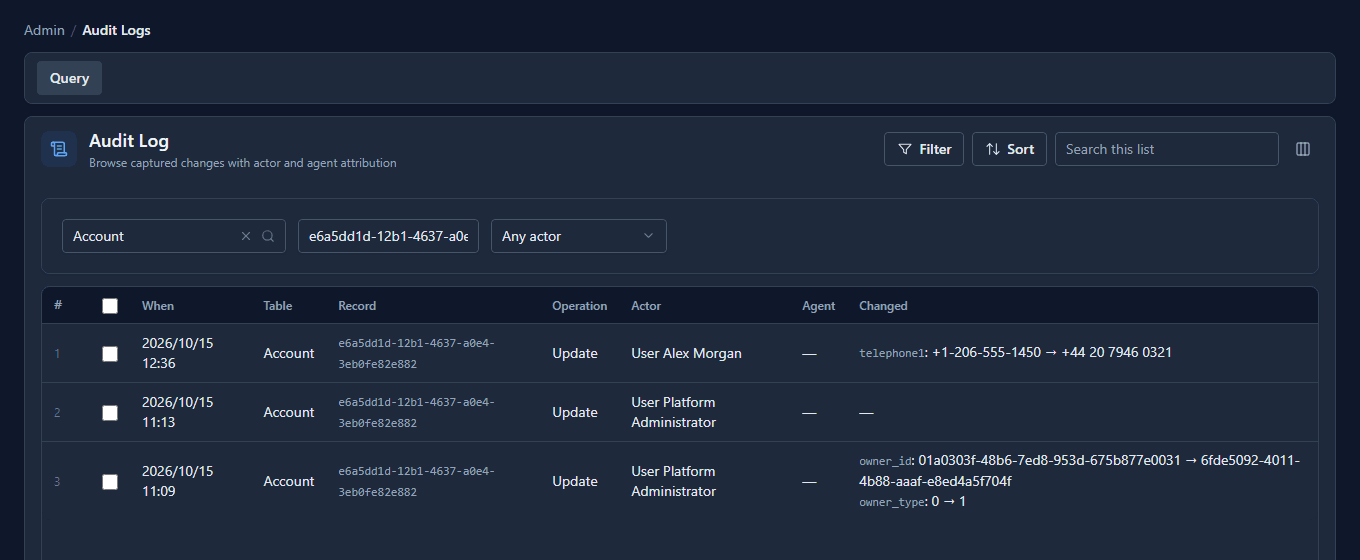
Read it from the bottom up. The administrator gave the account to a team (owner_type 0 → 1),
saved it again without changing anything, and today Alex changed the phone number.
What a process did
Actor type narrows the log to one kind of actor: a person (User), an external application, an app hosted in the platform, a running process (BpmsProcess), a background worker, or the platform itself. BpmsProcess shows what processes changed:
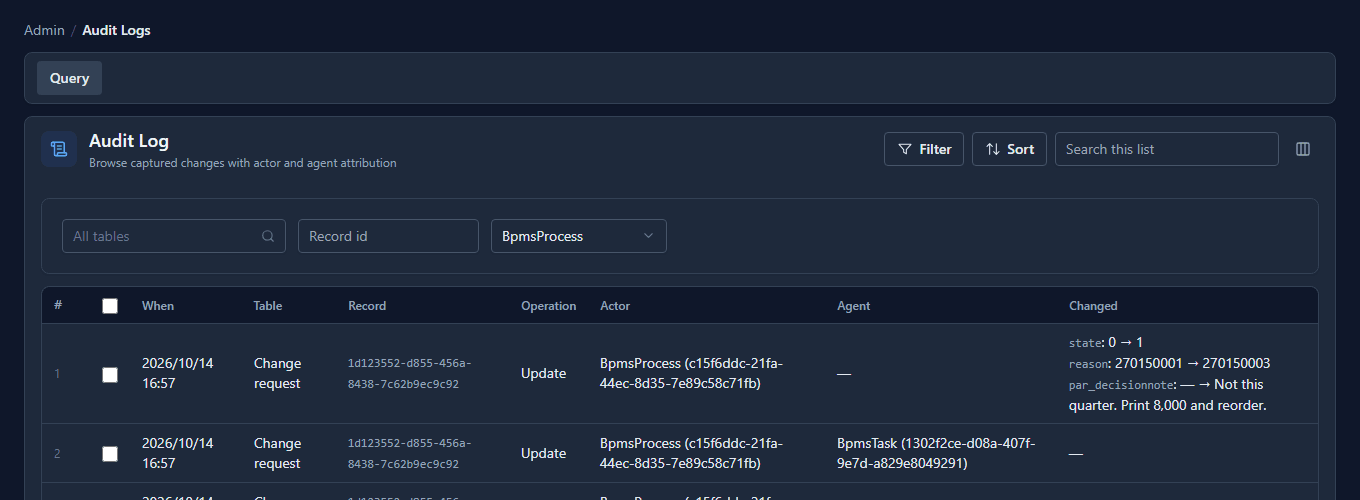
A process makes two kinds of change. Some it makes on its own as it moves forward: those have no agent. Others happen because somebody chose an outcome on a task: the agent names that task. Either way the actor is the run, with its id, so you can open that run and see the rest of what happened.
What we fixed
- The log opened on a different environment. It had its own environment picker that started on the tenant's first environment. Somebody working in Development was shown Production's log and told nothing matched. It now follows the top bar, like every other screen.
- The table was a typed name. The box expected the table's internal name, which nobody knows by heart, and a typo said "nothing matches" exactly as an untouched table would. It's now a list of the audited tables, and each row shows the table's display name.
- Times were raw. When showed the time in UTC, written like
2026-10-15T12:36:04.000Z. It now uses your time zone and date format.
Good to know
- Each environment has its own log. Production's history is never mixed in with Development's.
- Old entries are removed once they pass the environment's retention period, so the log doesn't grow without limit.
- A change with no actor reached the data without going through the platform's normal way of saving records. That's worth looking into.
Try it
Edit a record in an audited table, open Audit Logs, and find your change by pasting the record's id into Record id.
Next: Tenants.