Parsware Platform
An app platform, run for you
Parsware is for organisations whose work runs on forms, approvals and spreadsheets passed around by email, and who want those turned into real applications without running the servers themselves. This is what it's for, who it's for, and what a tenant actually gets, shown on the capital planning sample.
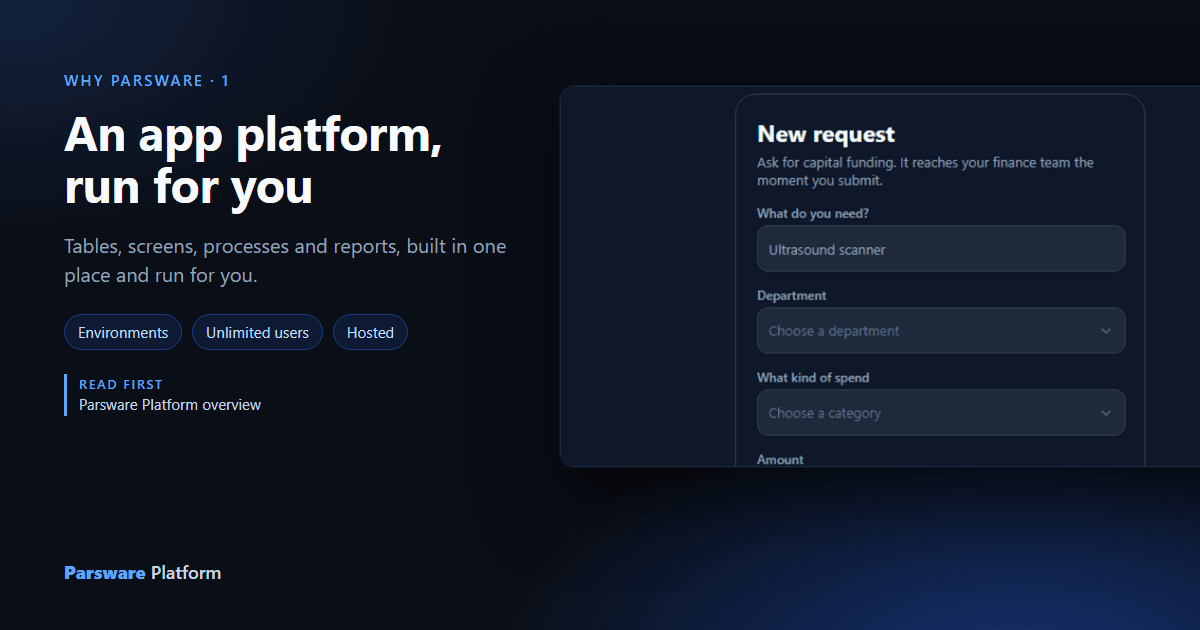
Most organisations have a piece of work that lives in a spreadsheet, an inbox and somebody's memory: a request that needs approving, a register somebody keeps, a report finance rebuilds every month. Parsware is a platform for turning that work into an application, with its data, its screens, its approval steps and its reports, and for running that application so you don't have to.
This article is the short answer to "what is it, and what would we get". It uses the capital
planning sample, samples/solutions/studio-capital-planning, which is one whole application.
What it's for
An application on Parsware is made of a few kinds of part, all built in one place, the maker portal:
- tables for the data, with their columns, relationships and rules,
- screens for the people using it: views and forms, or screens drawn on a canvas,
- processes for the steps work goes through, and who does each one,
- reports that print.
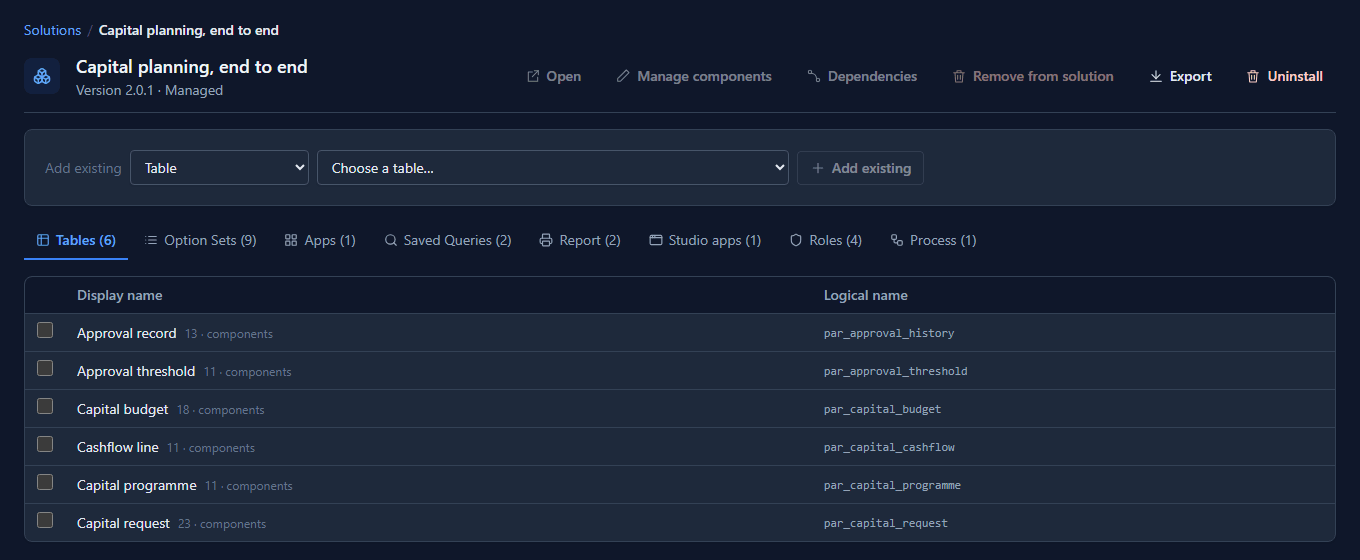
Capital planning has six tables, an approval process, two reports and a phone-shaped screen for raising a request. They are all one solution, which is how the application is kept together and moved about:
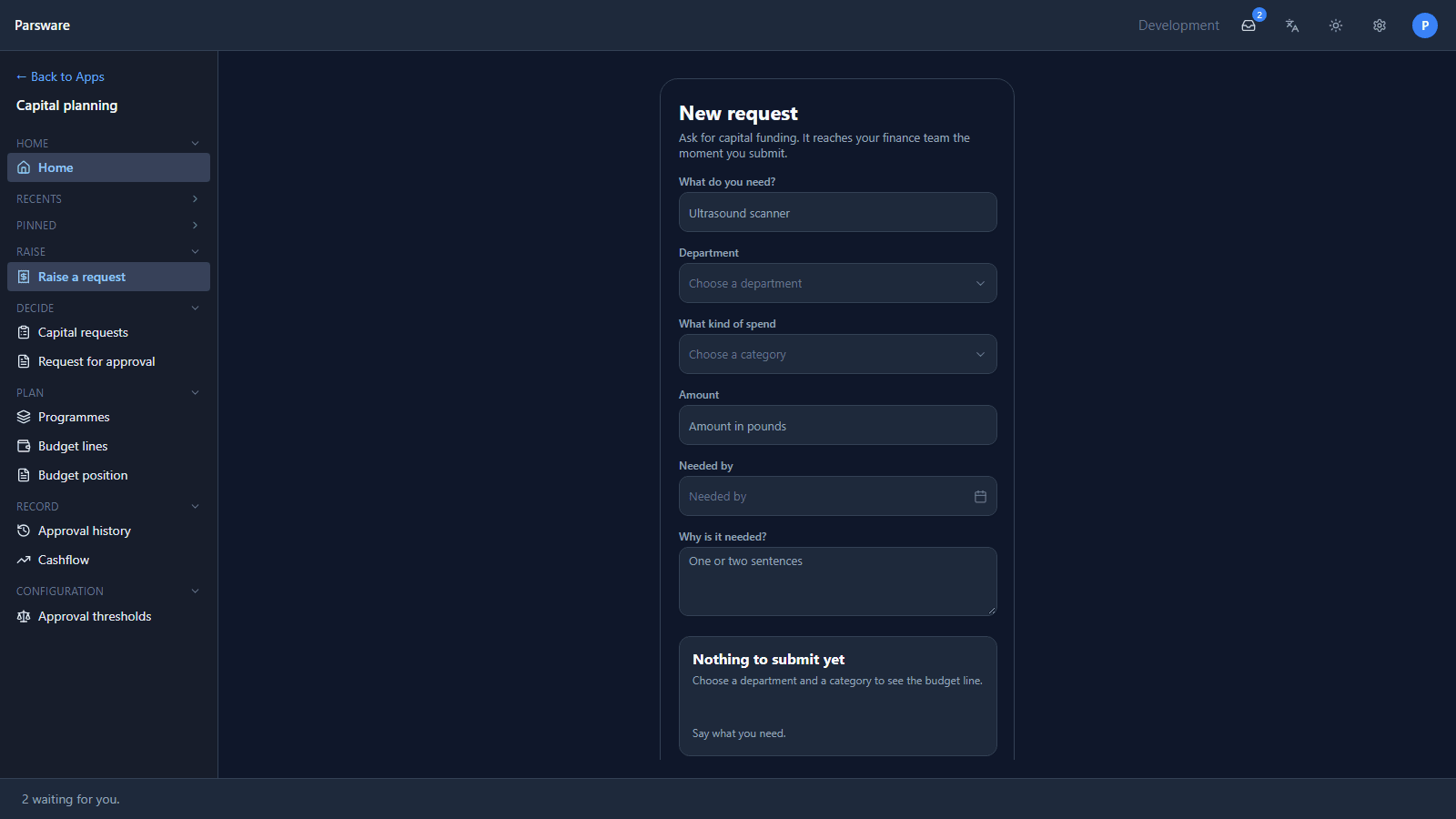
The people who use it never see the maker portal. They sign in to the Platform Shell, open the app, and raise a request:
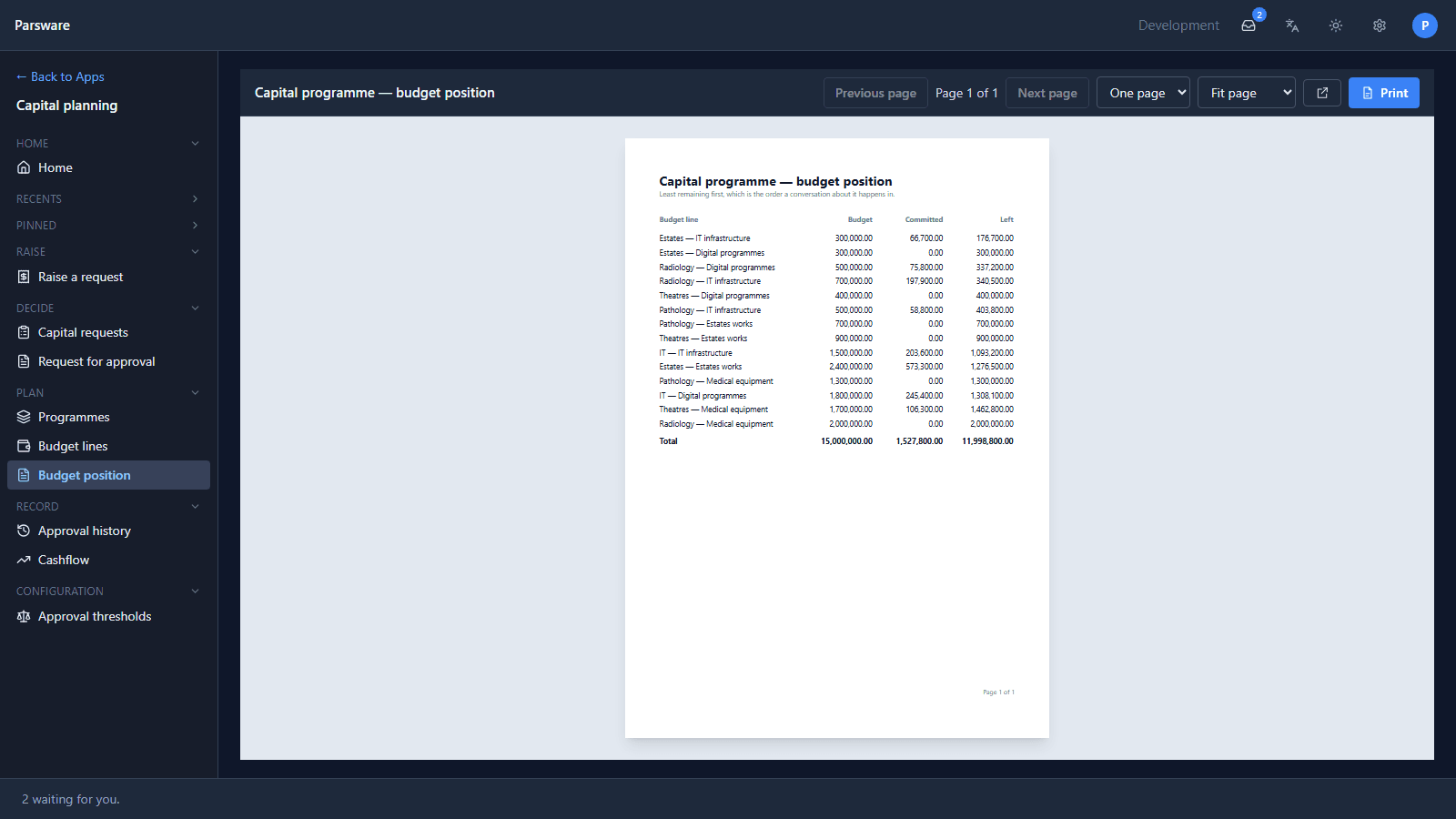
The amount decides who approves it, the decision is recorded, and finance prints where the budget stands:
Who it's for
Parsware suits an organisation that has more of this kind of work than its developers can build by hand, and a few people who understand the work well enough to describe it: an operations team, a finance team, a department's own analyst. They build in the maker portal; a developer is needed for the parts that really are code, and the platform has room for those too (a custom React app, a server-side script).
It is an app platform, and the applications on it are ordinary business applications: data people keep, decisions people make, documents people print.
What a tenant gets
A tenant is your organisation's own copy of the platform. When we run it for you, it comes with:
-
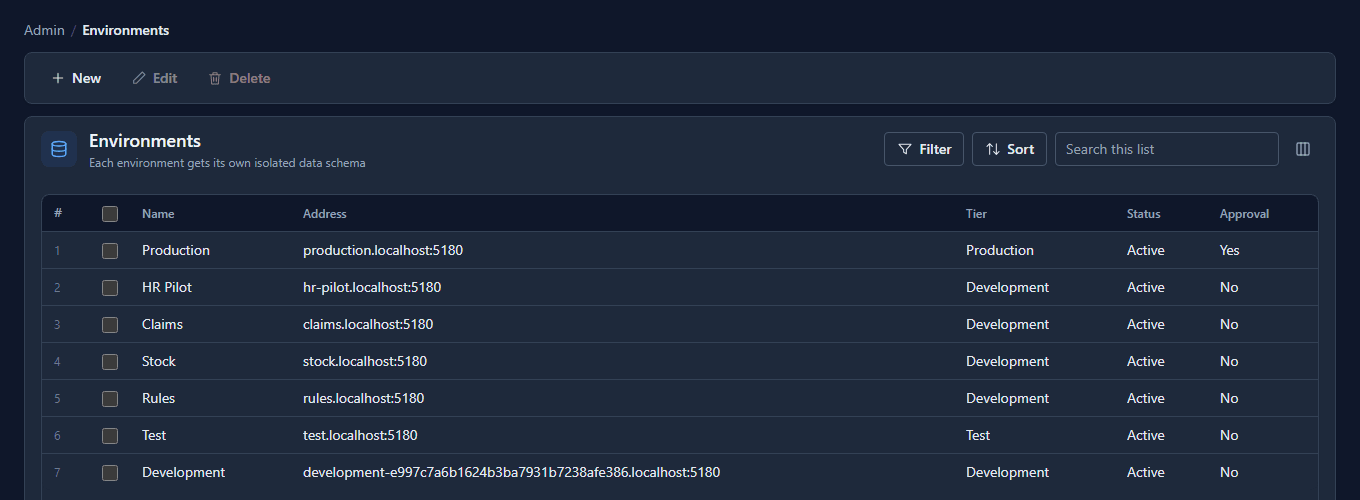
Environments. At least three, so an application can be built in one, tested in another and used in a third. Each has its own database schema, so their data can't mix even by mistake:
-
No count of users. Every plan has unlimited makers and unlimited users. A plan is priced by the environments in it, and sized for roughly how many people its server comfortably carries.
-
The running of it. The server, the nightly backups, the updates and the patching are ours.
-
Seven languages, English, Persian and Arabic among them, chosen by each person, with help pages in the same languages.
The plans and their prices are on the pricing page, and there's a free 30-day trial with three environments.
What it isn't
Parsware isn't a website builder, a spreadsheet with a form on top, or a set of templates. The samples are starting points to learn from; the application is yours to describe. And it isn't a platform you rent per head: no plan will ever count your users.
Try it
Read the overview, which follows the same application through every part of the platform, then import the capital planning sample and raise a request.
Next: One login, many apps: the Platform Shell.