Parsware Platform
Publish a Custom API
A Custom API gives another system one address to call that keeps its shape while your tables change. We built one from nothing: the contract, the script behind it, the OpenAPI description it generates, a call from outside, and a second version answering beside the first.
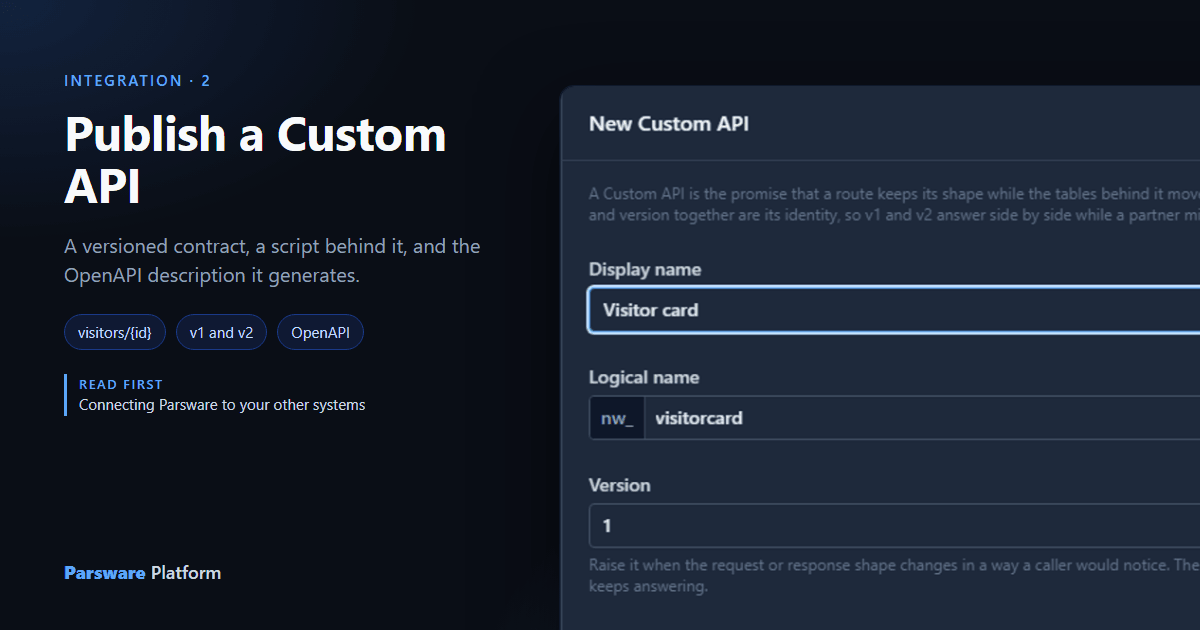
Reception has a badge printer, and the printer's software wants to ask Parsware about a visitor: their name, their company, their badge number. You could let it read the Visitor table directly, but then the day you rename a column, the printer stops. A Custom API gives it one address that keeps its shape, whatever happens to the table behind it.
We built one in the Visitors solution from Moving work from Dev to Test to Prod, in Development.
The contract
Open the solution, choose Custom APIs and press New:
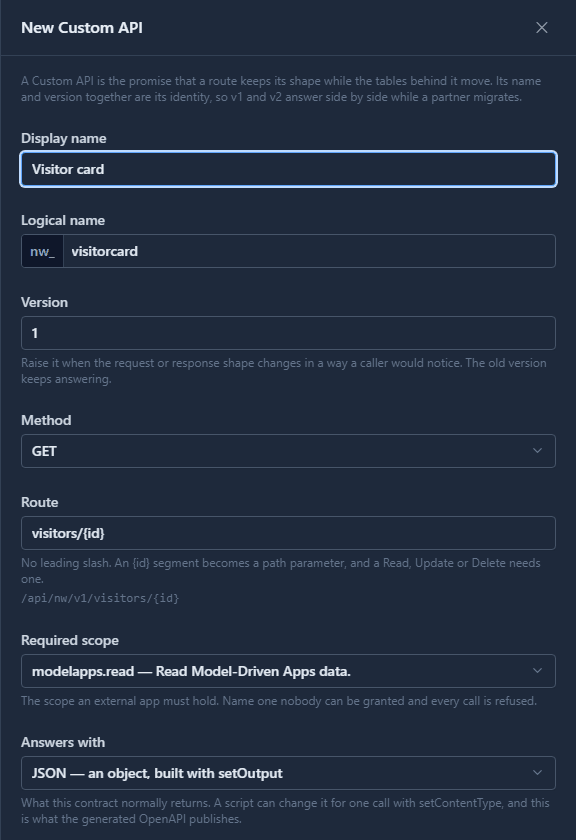
Each field is a promise to whoever calls:
- Version starts at 1. It's part of the address, and it's how you'll change the shape later without breaking anybody.
- Method and Route:
GET visitors/{id}. A braced segment is a path parameter. The panel shows the full address as you type:/api/nw/v1/visitors/{id}, with your publisher's prefix in it. - Required scope: the scope the caller's app registration must hold.
modelapps.readfor a call that only reads. - Answers with: JSON here. Text and HTML are the other two; the next article answers with a page.
Save, and the list shows the contract with the path it's served at.
The script
Select it and press Edit code. What the API does is a BS Lang script:
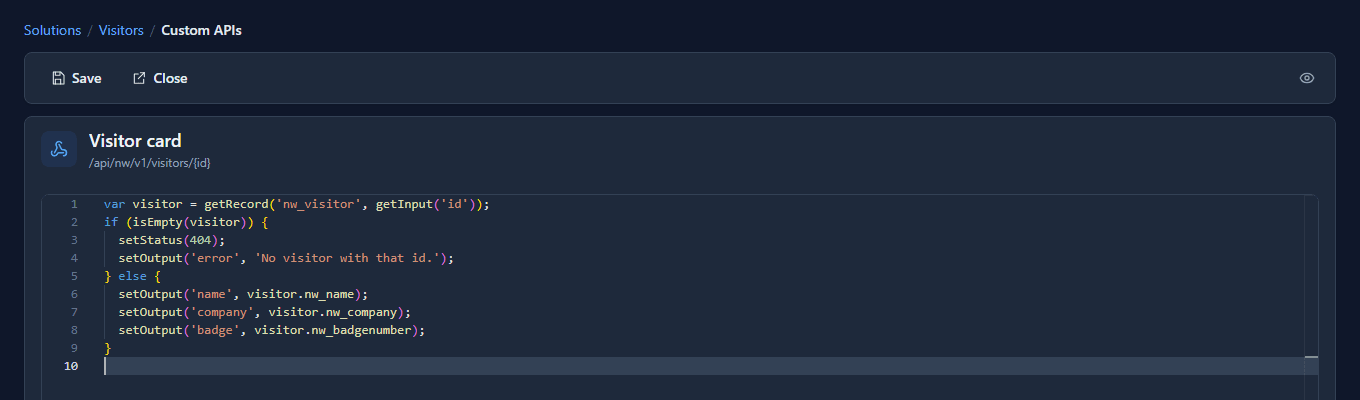
var visitor = getRecord('nw_visitor', getInput('id'));
if (isEmpty(visitor)) {
  setStatus(404);
  setOutput('error', 'No visitor with that id.');
} else {
  setOutput('name', visitor.nw_name);
  setOutput('company', visitor.nw_company);
  setOutput('badge', visitor.nw_badgenumber);
}
Look at the output names: name, company, badge. They're the contract's words, not the
table's. If somebody renames nw_company next year, one line of this script changes and the
printer never knows.
getRecord reads as the caller, through the same permission checks as the platform's own screens.
A Custom API can never show a caller more than its security role allows.
The description it generates
Press OpenAPI on the toolbar. Parsware copies an OpenAPI description of the solution's contracts to the clipboard, generated from their definitions. Ours, cut down to the one route:
"/api/nw/v1/visitors/{id}": {
  "get": {
    "operationId": "nw_visitorcard_v1",
    "summary": "Visitor card",
    "security": [{ "parswareApp": ["modelapps.read"] }],
    "parameters": [{ "name": "id", "in": "path", "required": true,
                     "schema": { "type": "string", "format": "uuid" } }],
    "responses": {
      "200": { "content": { "application/json": { "schema": {
        "type": "object",
        "properties": { "error": {}, "name": {}, "company": {}, "badge": {} } } } } },
      "403": { "description": "The token does not carry the 'modelapps.read' scope." },
      "404": { "description": "No such API, or no such record." }
    }
  }
}
We didn't write a response schema. The outputs were read off the script, every setOutput it
makes, error included. Write one only when you want to be stricter about types. The same
document says how to get a token: the client-credentials flow, at /connect/token. This is the
document you hand the printer's supplier.
A call from outside
The printer software is registered under App Registrations as Reception badge printer, with
the modelapps.read scope and a Badge printer role that may read visitors and nothing else (a
later article in this series covers registering one). It trades its client id and secret for a
token, then calls:
GET /api/nw/v1/visitors/57fd0a7e…a958
Authorization: Bearer eyJhbGciOi…

200 OK
{ "name": "Ada Lovelace", "company": "Analytical Engines", "badge": "B-0142" }
And for a visitor that isn't there, the answer the script chose:
404 Not Found
{ "error": "No visitor with that id." }
Version 2, beside version 1
A year later the printer's next model wants the badge number as badgeNumber and the visitor's
company as a nested object. That's a different shape, and the old printers still expect the old
one. So you don't edit v1. Press New again, give it the same display name, version 2,
the same route, and its own script:
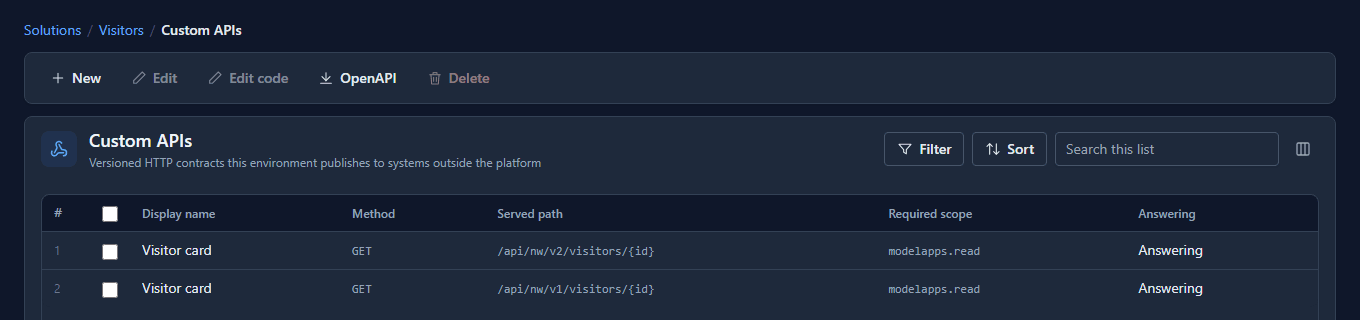
Two rows, two addresses, one contract at two ages. The old printers keep calling v1, the new ones call v2, and both answer, each in its own shape:
GET /api/nw/v1/visitors/57fd0a7e…a958
{ "name": "Ada Lovelace", "company": "Analytical Engines", "badge": "B-0142" }

GET /api/nw/v2/visitors/57fd0a7e…a958
{ "name": "Ada Lovelace", "company": { "name": "Analytical Engines" }, "badgeNumber": "B-0142" }
Open v1 and press Edit: its logical name and version can't be changed, because they're what somebody else's code is written against.
Retiring v1
When the last old printer is gone, open v1, untick Answering and Save:
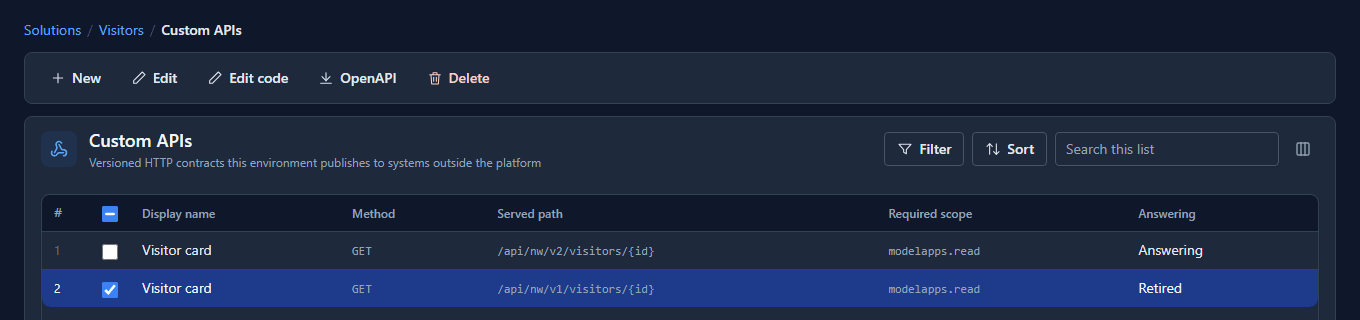
A call to v1 now gets a 404, No Custom API answers GET /api/nw/v1/visitors/…, and the row stays: it still documents what v1 promised, and it still travels in the solution. Untick, don't delete. A deleted version is a route that vanished without notice.
It travels like everything else
A Custom API is a solution component. Export the solution and import it into Test, and the same contract answers there, at Test's address, with Test's records and Test's app registrations. Nothing about it is copied by hand.
Good to know
- Two contracts can't share an address. A second API with the same method, route and version is refused when you save it.
- Read, Update and Delete need an
{id}in the route. It's the only place the record can come from. throwValidationErroris a 400 and means the caller got it wrong.setStatus(404)is the contract deciding there's nothing there. Use the one that says what happened.- A 403 means the caller's registration doesn't hold the required scope. Fix the registration, not the API.
Try it
Give a table of your own a GET <table>/{id} Custom API that answers two or three fields under
names of your choosing. Press OpenAPI and read what it says, then add a v2 with one field
renamed and check both answer.