Parsware Platform
Building for more than one language
An app built on Parsware gets the platform's own words for nothing, in all seven languages it ships. What a maker writes is another matter, and this article is honest about where translation lives: in app guides and in drawn screens, but not yet in table and column names.
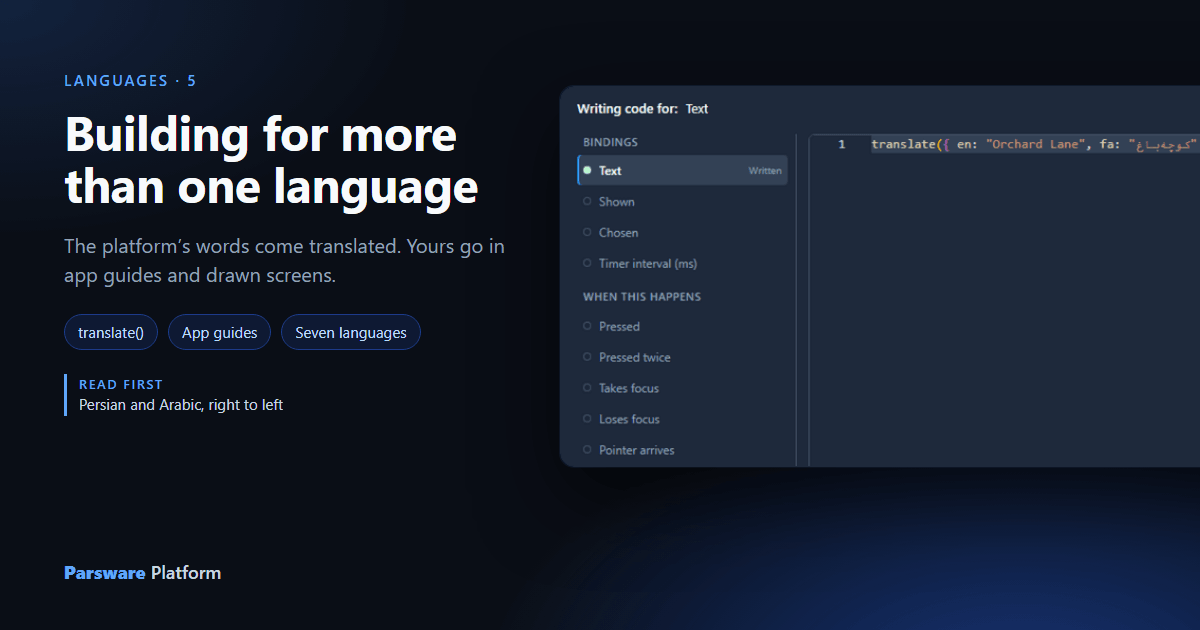
The platform ships in seven languages: English, German, Spanish, French, Dutch, Persian and Arabic. So when you build an app, some of it is already translated and some of it is yours to translate. This article goes through which is which, with the three things a maker can translate today, and the one thing that still can't be.
What you get for nothing
Everything the platform itself says is translated: the buttons, the menus, the empty states, the
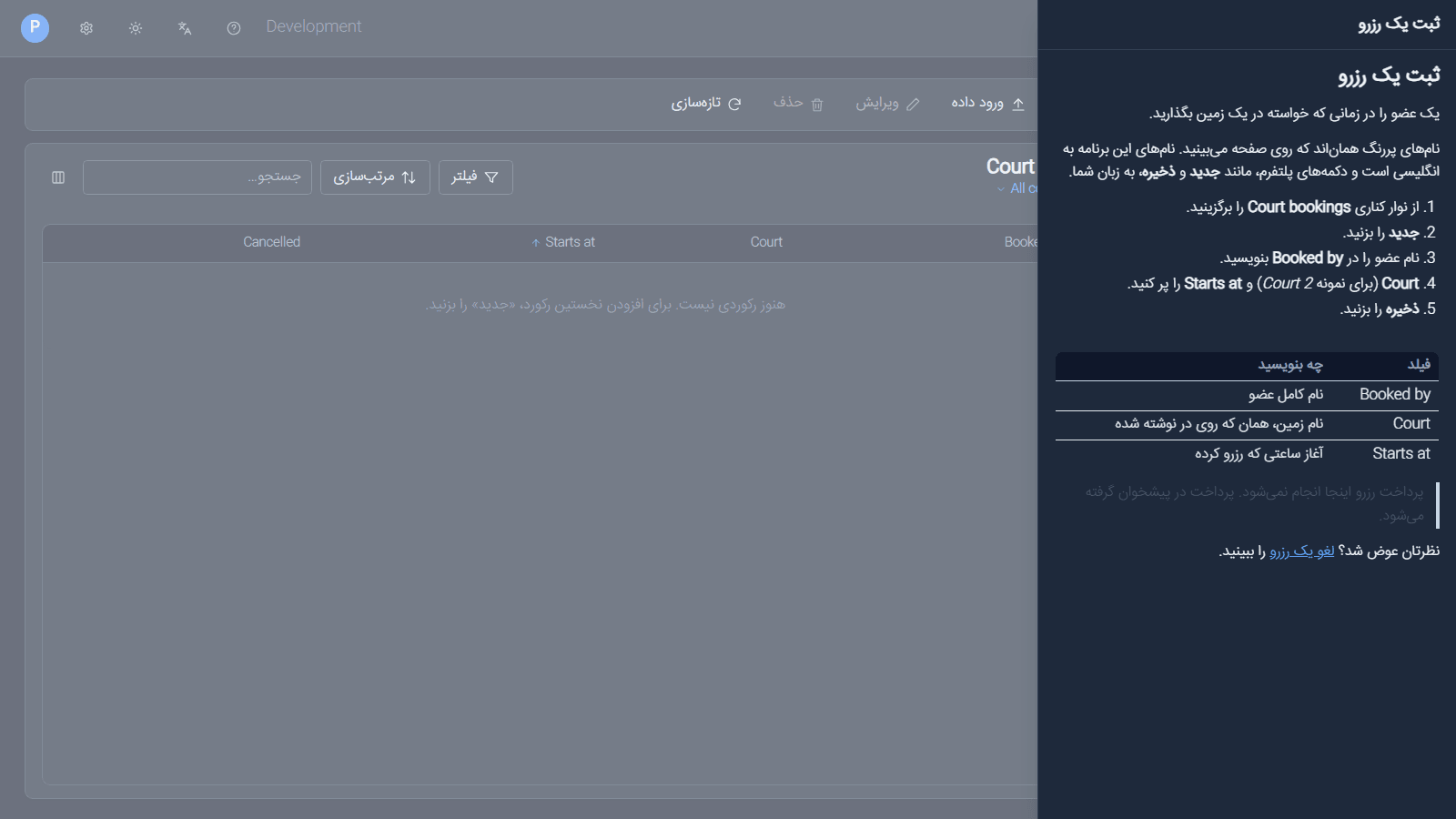
filter and sort panels, the paging, the dates. Here's the Court bookings app from the app guides
sample, samples/solutions/mda-app-guides, opened in Persian:
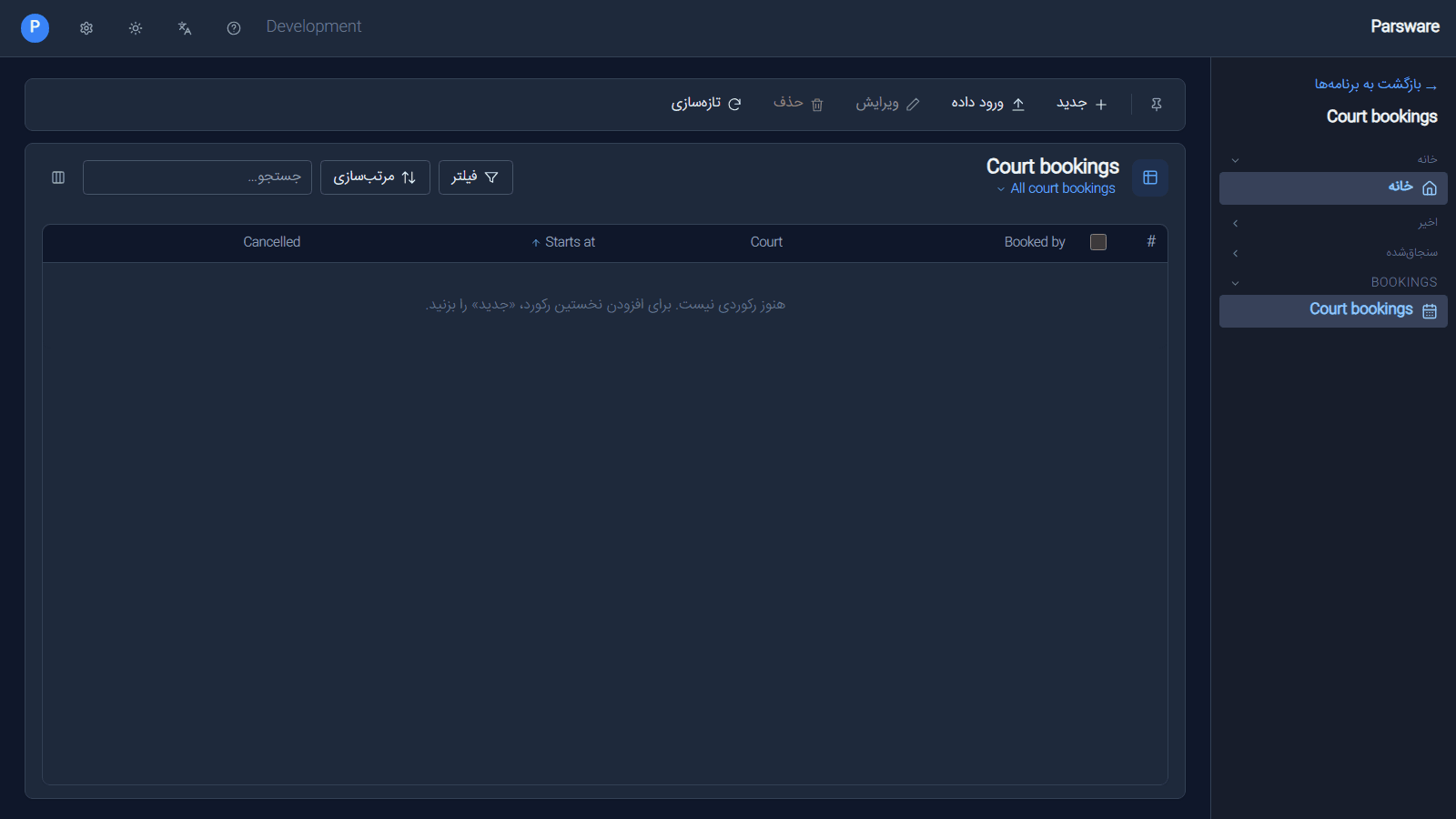
Look at what stayed in English: the app's name, the view's title, the column headings and the navigation group. Those are the words the maker typed, and a table or a column has one name. The platform shows it as stored, in every language.
The same goes for a renamed command. Leave a button's Label empty and it uses the platform's word, which is translated. Type your own and you own that word, in every language, for everyone (see Tidy command bars).
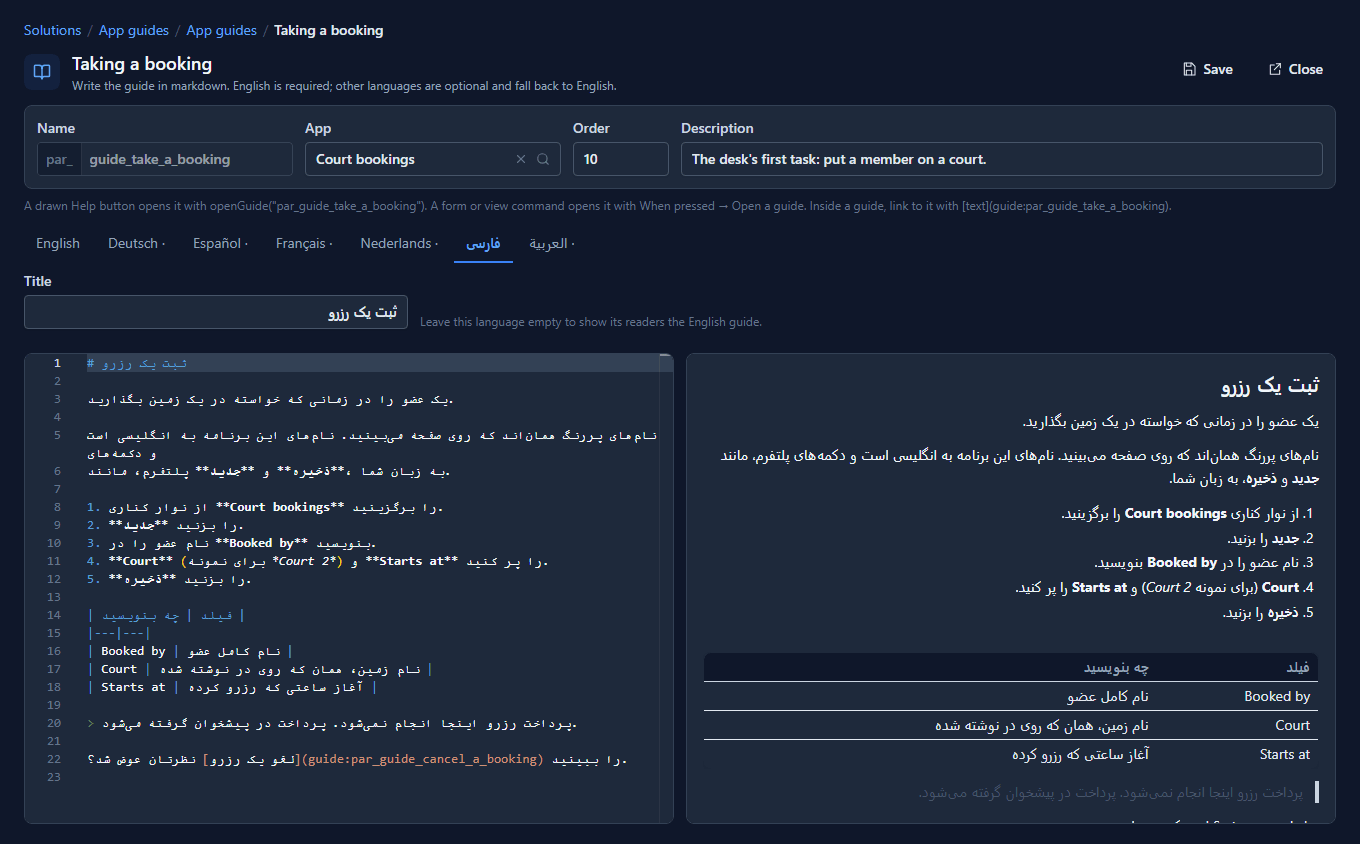
App guides: one tab per language
An app guide is help that a solution carries with its app, written in markdown. The guide editor has a tab for each language the platform ships. English is required; every other tab is optional, and a dot after a language's name means nothing is written in it yet:
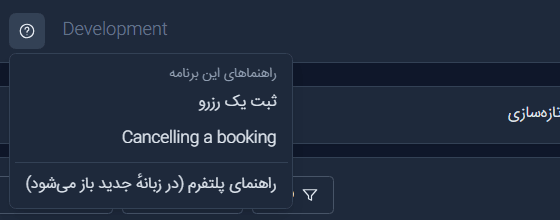
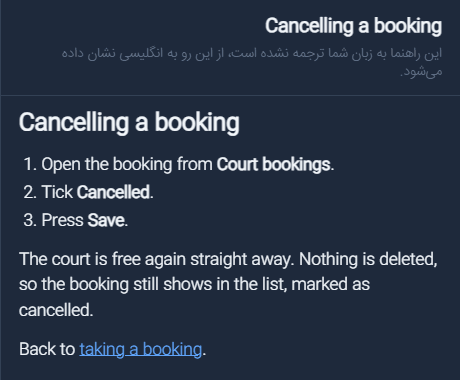
In the Shell, the app's Help button becomes a menu with the app's guides above the platform's own help. In Persian, Taking a booking is listed under its Persian title, and Cancelling a booking, which has no Persian text, under its English one:
Choose the translated one and it opens beside the list, right to left:
Choose the other and the reader gets the English guide, with a line under its title, in their own language, saying it hasn't been translated. Nobody gets an empty page:
Drawn screens: translate()
A screen drawn in the Studio says whatever its texts say, and a text's Text can be an
expression rather than fixed words. translate takes the words for each language and gives back
the reader's:
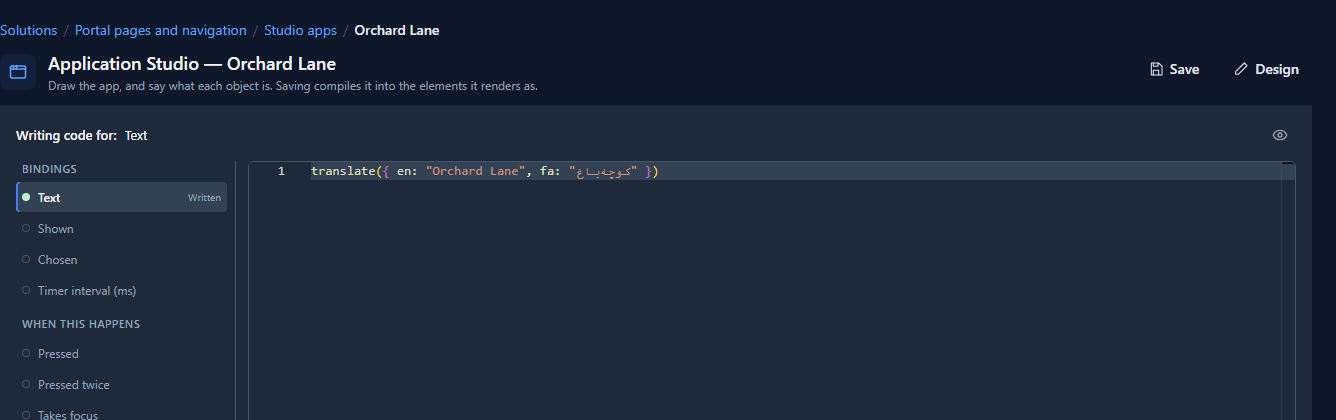
The Orchard Lane site in samples/solutions/portal-pages-and-navigation is written this way,
every word of it, with a button in its top bar that switches language. In English:
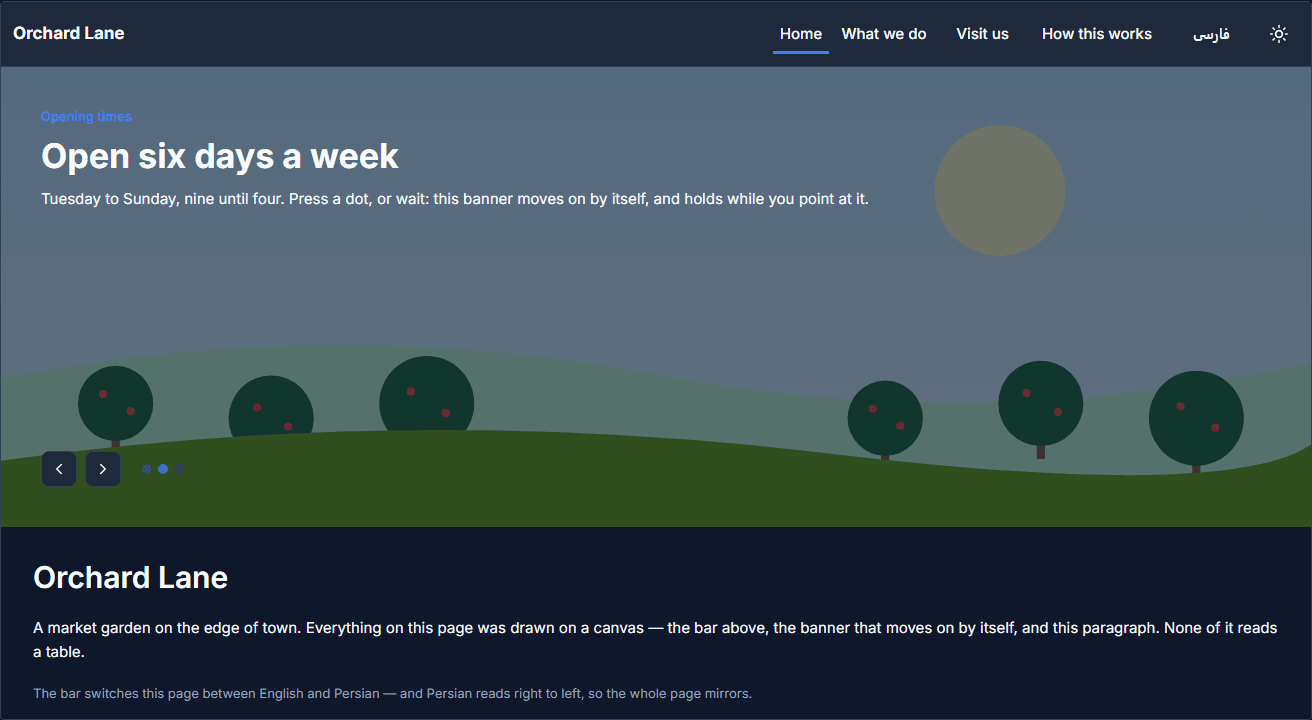
And in Persian, where the whole page mirrors, because the platform's language decides the direction:
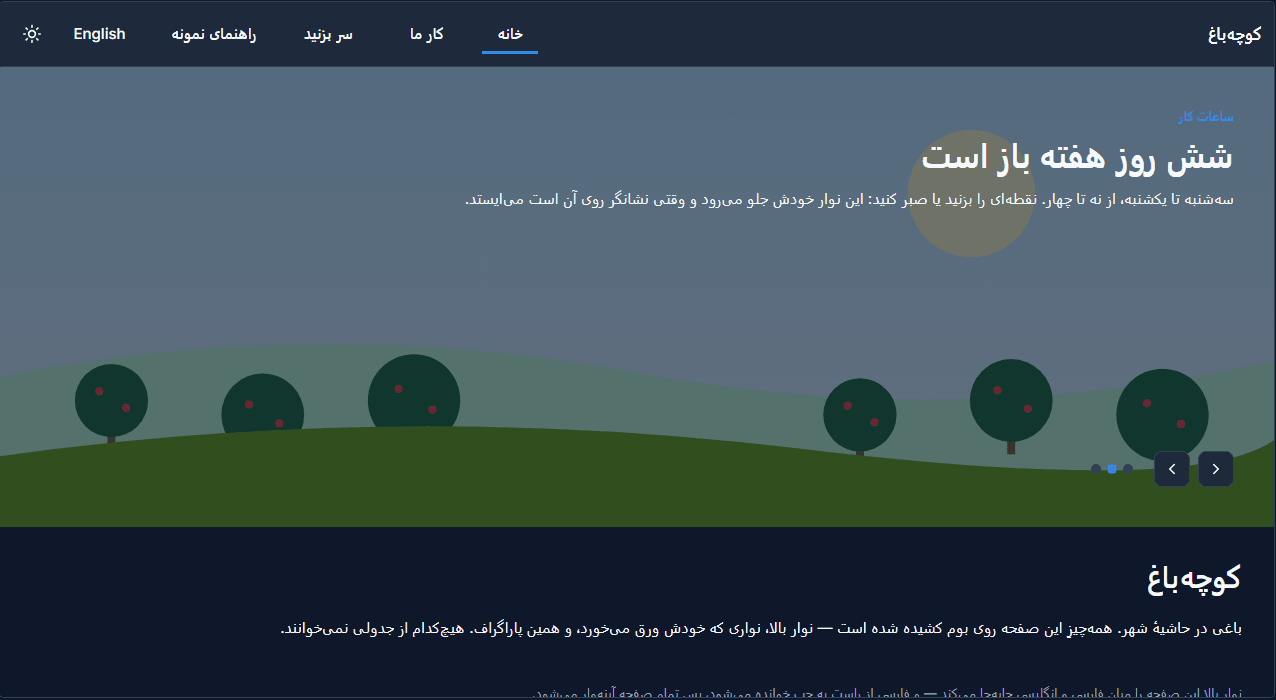
A language the expression doesn't list falls back to English, so a screen half-way through being translated reads in English rather than showing blanks.
What isn't built
Tables, columns, views, forms, choices and apps each have one display name. There's no Persian name beside the English one, so an app built in English shows its own words in English to a Persian reader, as in the first picture. If your users read one language, build in that language. If they read several, put the words that matter most in app guides and drawn screens, where you can translate them.
What we fixed
- An empty language tab in the guide editor put its full stop at the front. The note Nothing is written in this language is in the maker's language, but it took the tab's direction, so on the Arabic tab in an English portal it read right to left. It keeps its own direction now.
- Unticked checkboxes were bright white squares in dark mode, in every grid. The browser wasn't told the page was dark, so it drew its own controls for a light one. It is told now.
Try it
Import mda-app-guides, open Court bookings in the Shell, switch to فارسی and open both guides
from the Help menu. Then open the guide editor and write a few lines on the Arabic tab.
Next: An app platform, run for you.