Parsware Platform
Watch a process run
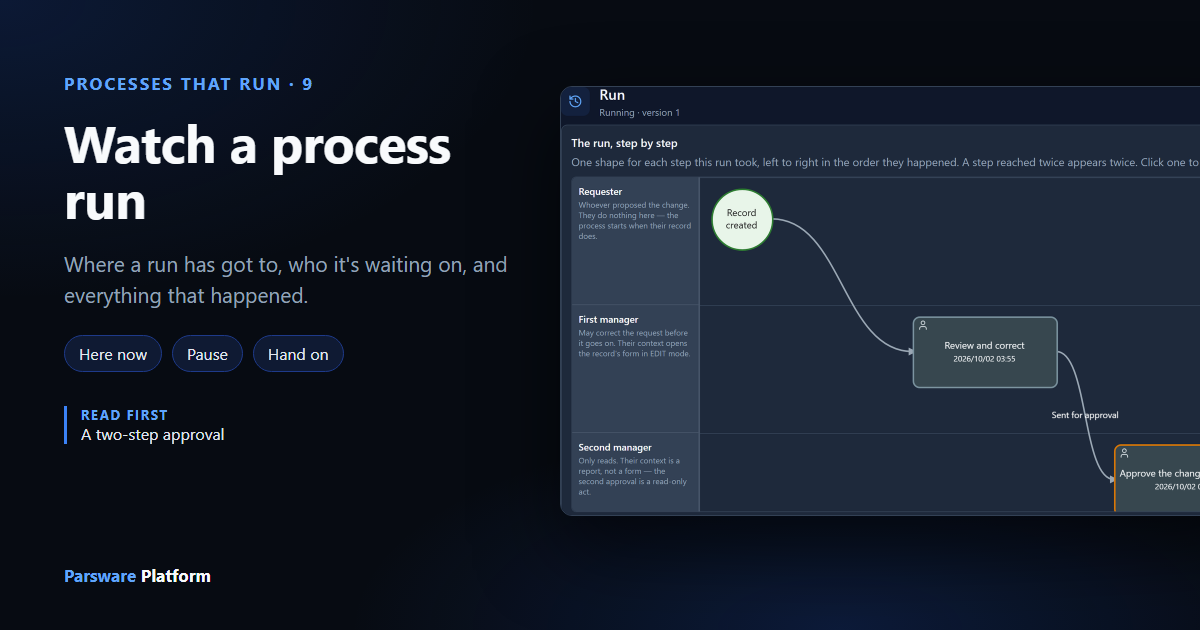
Every run of a process has a page: the route it has taken so far, where it is now, who it's waiting on, and everything that has happened, in order. From there you can pause it, stop it, or hand a waiting task to somebody else. We followed one change request from start to finish.
Once a process is running, the question changes from how does it work to where has this one got to? A customer rings about their request. A manager wants to know why something has been sitting for a week. Somebody is on holiday and their tasks need to go to somebody else.
Each run has a page in the maker portal that answers those questions. We followed one run of the
Two-Step Record Approval sample from samples/solutions/bpms-two-step-record-approval, the same
process as in A two-step approval: a change request that one
manager reviews and a second approves. Robin Park holds Change Reviewer and Sam Taylor Change
Approver.
The runs
In the maker portal, open the solution, then Processes, the process, and Runs:
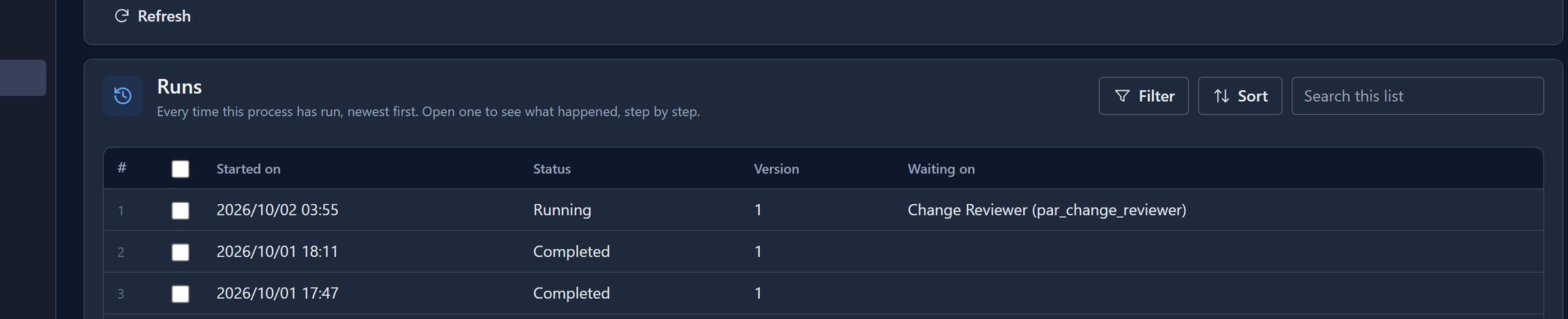
Newest first. Version is the version of the process the run started on; a run finishes on that version even if you publish another meanwhile. Waiting on says who has the run's open task.
Where it is now
We'd just sent a change request, Extend Contoso payment terms, for approval. Open its run:
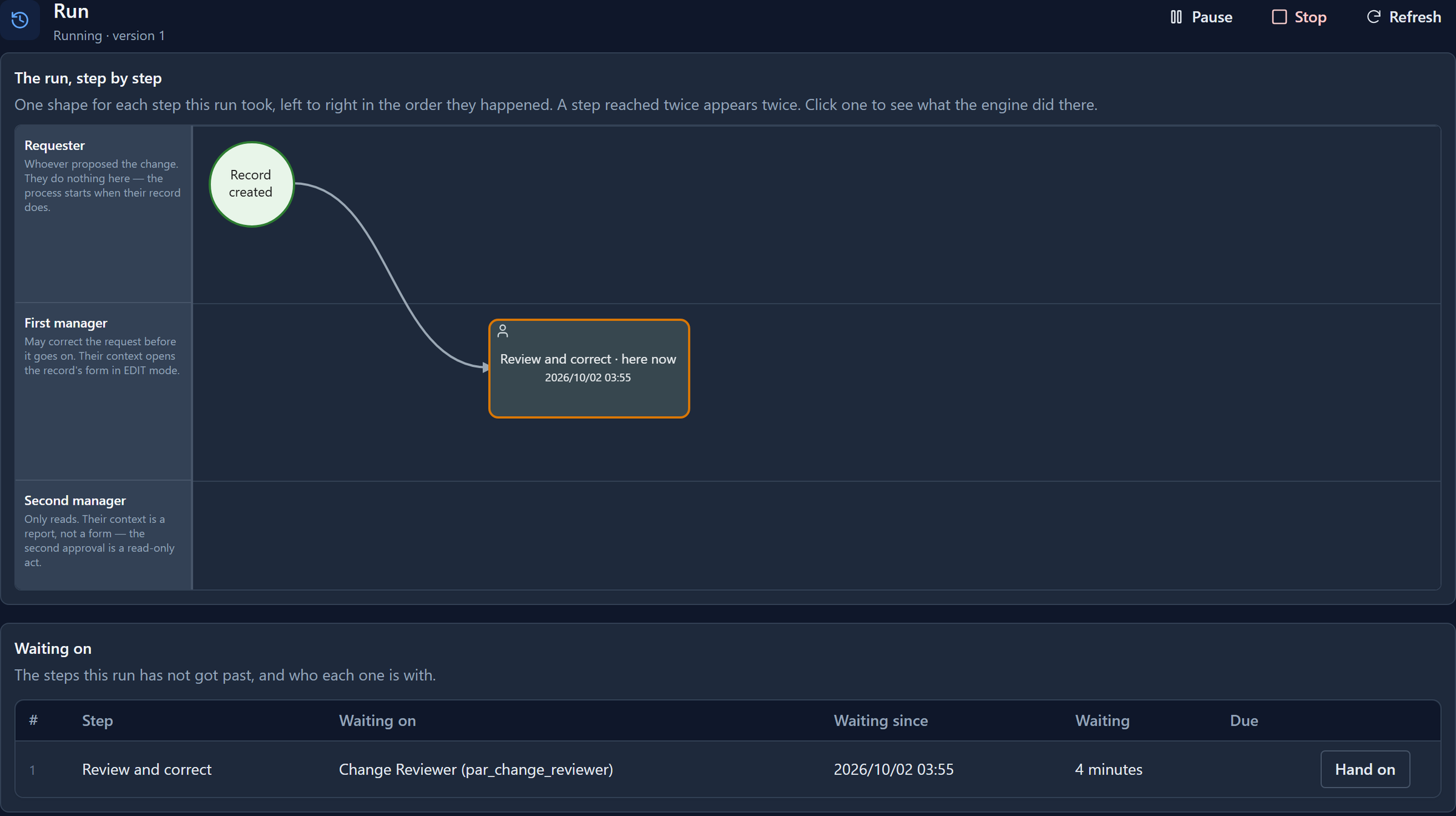
The diagram shows only the steps this run has reached, each with the time it got there, in the lanes of the process. The one it's at now is outlined and says here now.
Waiting on lists every step the run hasn't got past, who it's offered to, since when, and when it's due if it has a deadline.
The diagram has a fixed height. A longer run carries on below and to the right: scroll over it with the mouse wheel to move down, and hold Shift to move sideways.
Pause and Stop
Pause holds the run: nothing moves until you Resume it.

Stop ends the run for good, and asks why (that's optional). Use it for a request that was raised by mistake, not for one that should be turned down: turning it down is the approver's decision, and should be recorded as theirs.
One step's history
Select a step on the diagram, and the history under it shows only what happened at that step:

Show the whole run puts everything back. Our pause and resume are there because they happened while the run was at this step.
That's new. A pause, a resume and a retry used to appear in the history as Step, with no word for what had happened. They now say Paused, Resumed and Tried again.
Hand a task on
Hand on, beside a waiting step, gives its task to somebody else:
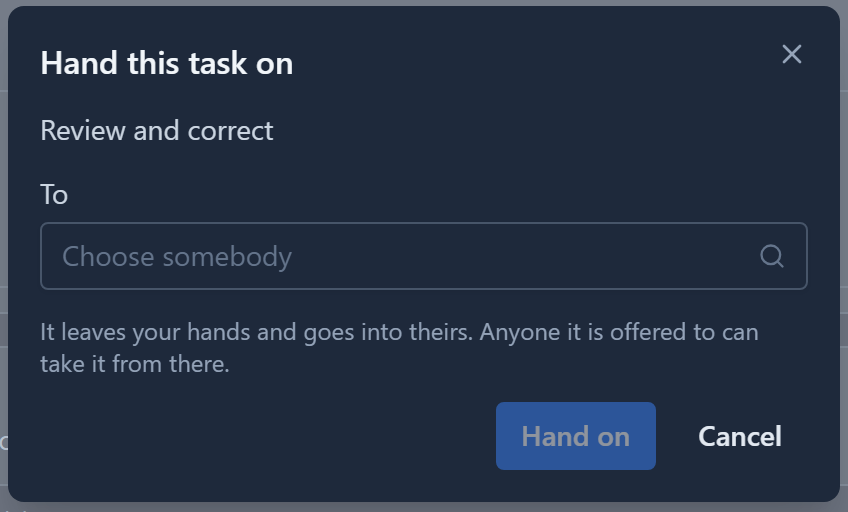
Choose who it goes to, and it goes to them. It's the answer to the person who has this is away: nothing about the process changes, only who has this one task.
The run moves on
Robin reviewed the request and sent it for approval. Refresh the run's page:
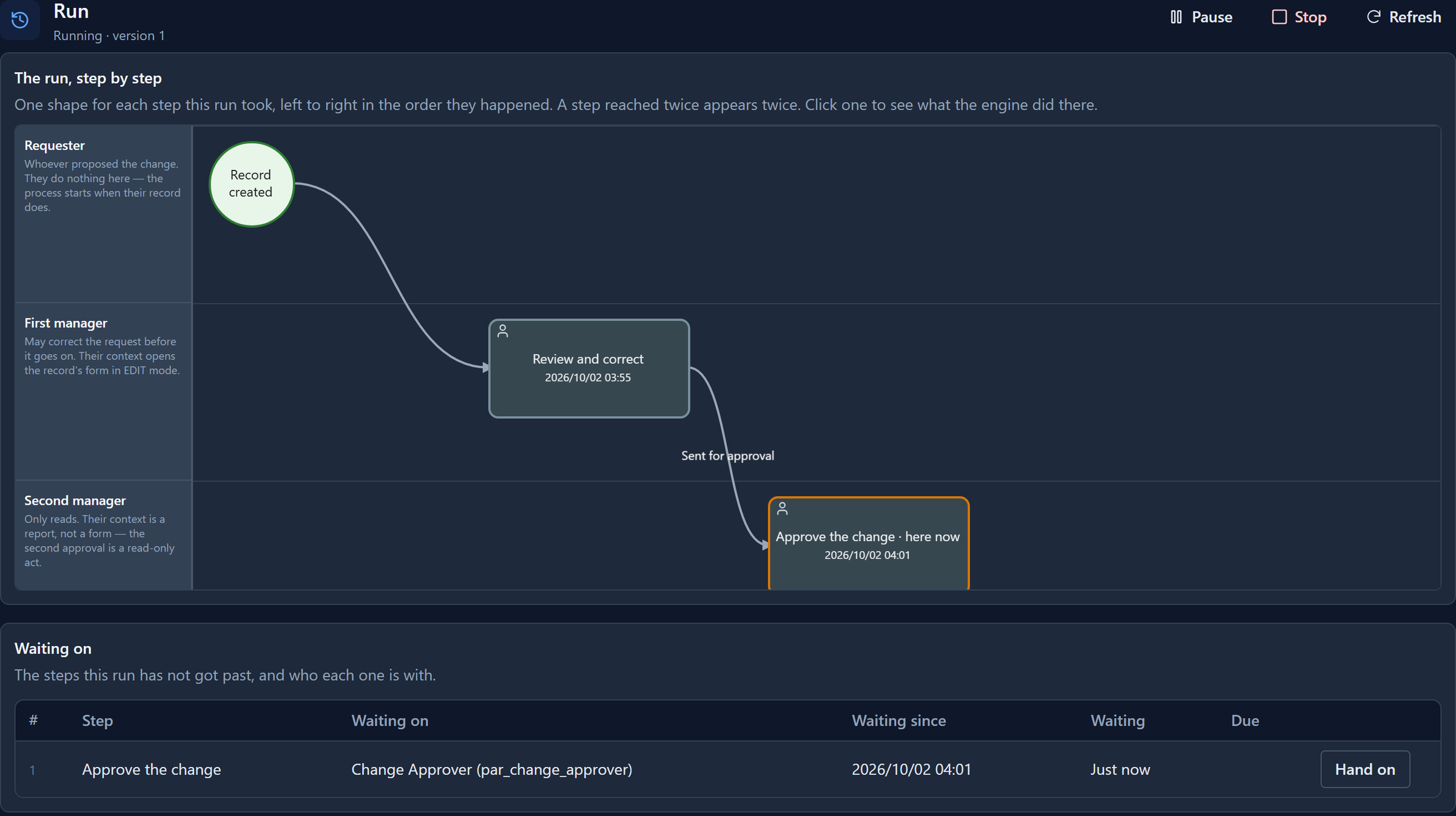
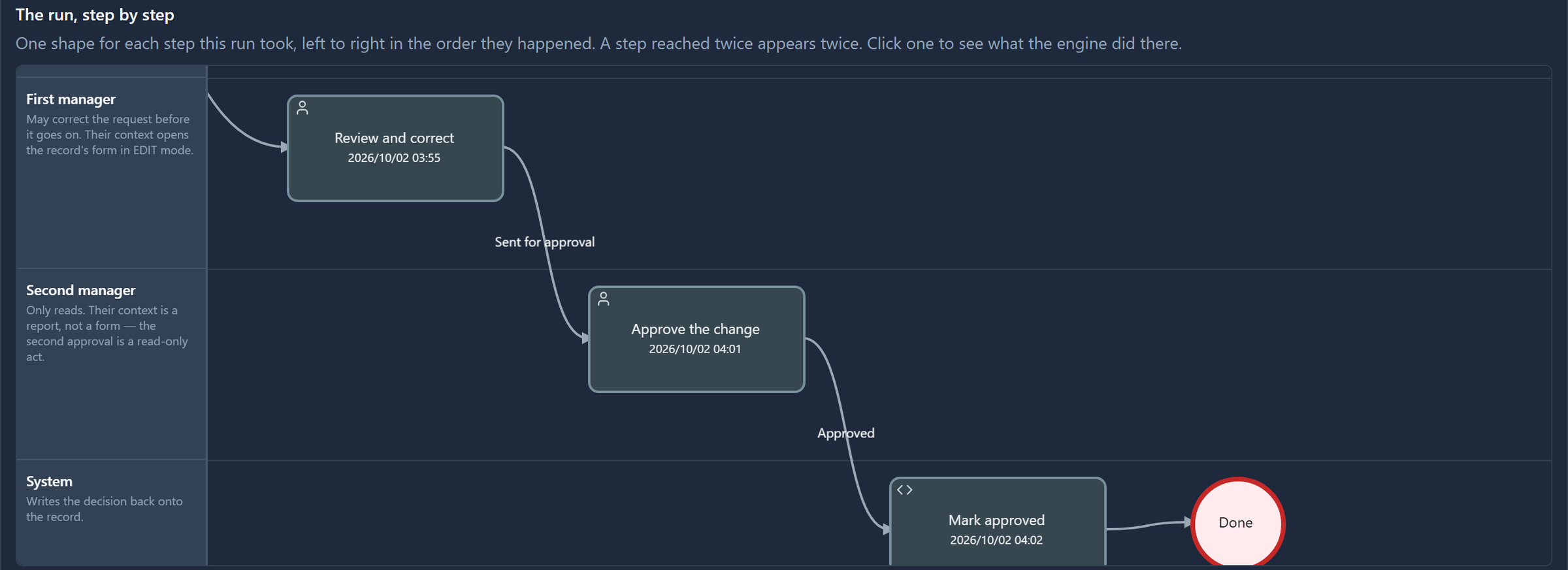
Review and correct is done, the connection it left by is labelled with Robin's button, and Approve the change is waiting on the Change Approver role. Then Sam approved it. Scrolled down, the finished diagram reads from the first step to the last:
What happened
The whole run, in order:
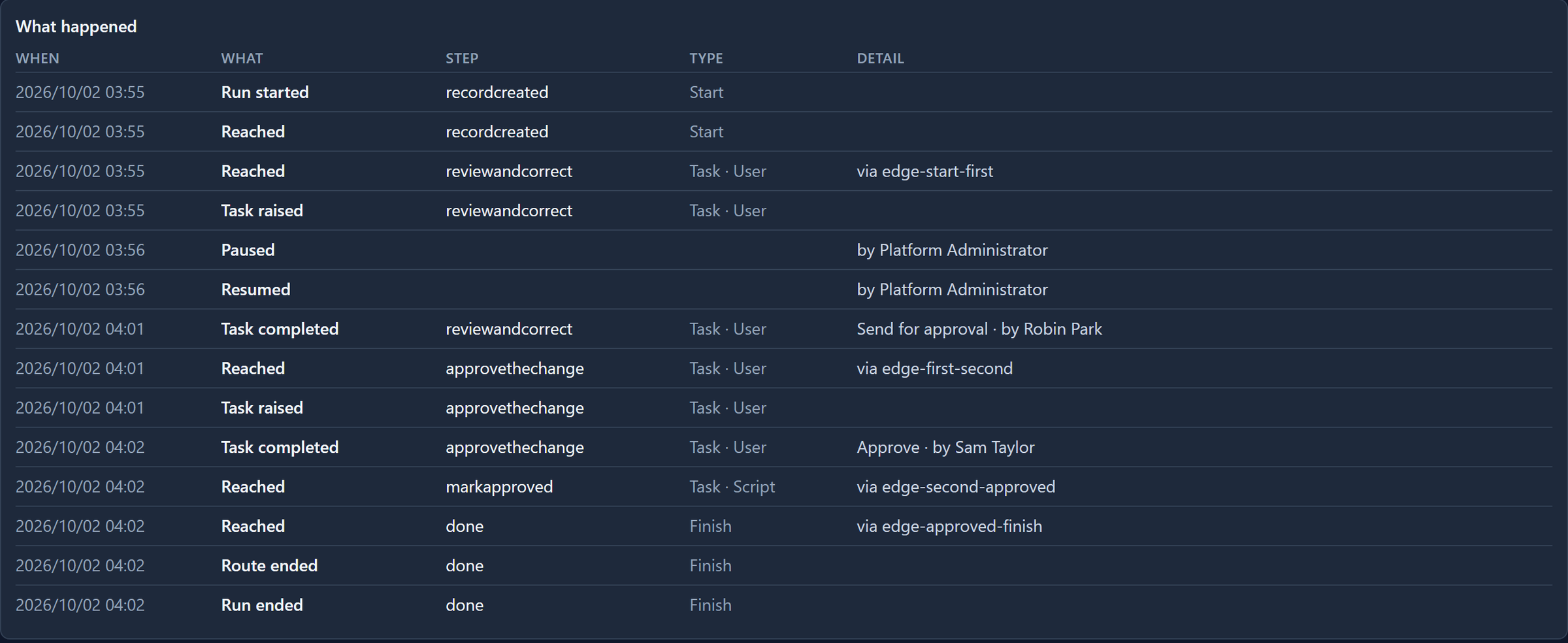
- Reached is the run arriving at a step, and via names the connection it came by.
- Task raised and Task completed are a person's step starting and finishing, with the button they pressed and who pressed it.
- Paused and Resumed say who did it.
- Route ended and Run ended close it. A process with parallel routes ends each route before the run.
Try it
Send a change request for approval and keep its run's page open. Pause it and resume it, refresh the page after each person decides, and select each step to read its own history.
Next: how a process is doing overall: how many runs, how long they wait, and where work gets stuck.