Parsware Platform
Let visitors save changes and attach files
A visitor on a portal can raise a case. Can they correct it later, and send the document your team asks for? On the service desk they can now: change the subject and the urgency, add a note and attach a file, all in one save through one Custom API. The contract decides which fields a visitor may touch, and the file follows the same rule as the record.
Whose records a visitor sees put one rule on the
par_case table and showed it holding for every read and write. This article is about the writes a
visitor actually wants to make after raising a case: fixing it, and sending the evidence. It uses the
Portal service desk sample, samples/solutions/portal-service-desk.
The case, as Sam sees it
Sam Patel at Contoso opens the invoice case from My cases. Under what Sam wrote there is now a Change this case form: the subject and the urgency, filled in from the case, a box for a note, and a file picker.
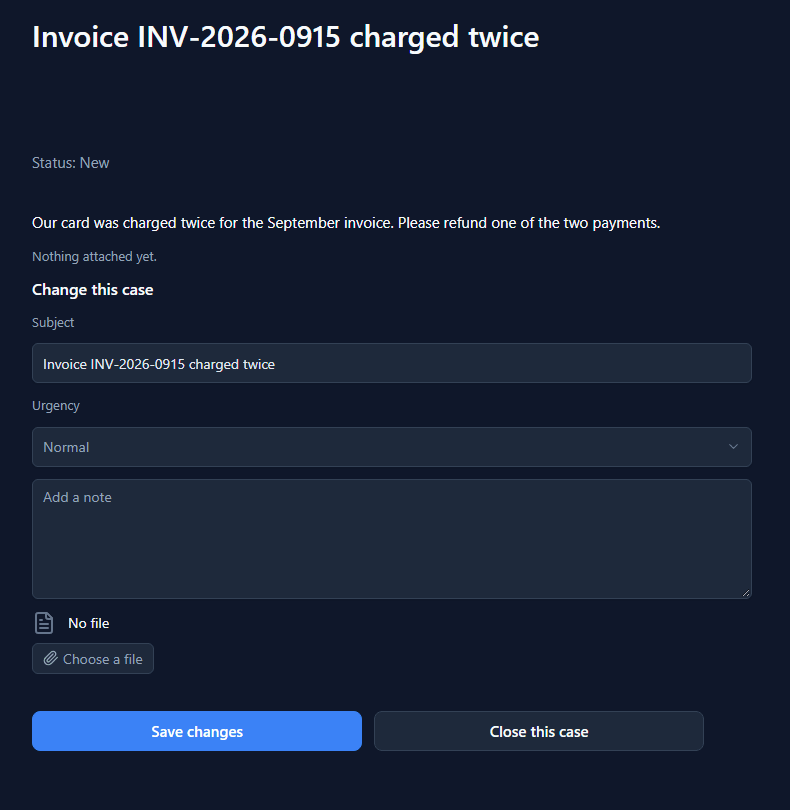
One save
Sam sets the urgency to Urgent, types a note and picks the September card statement:
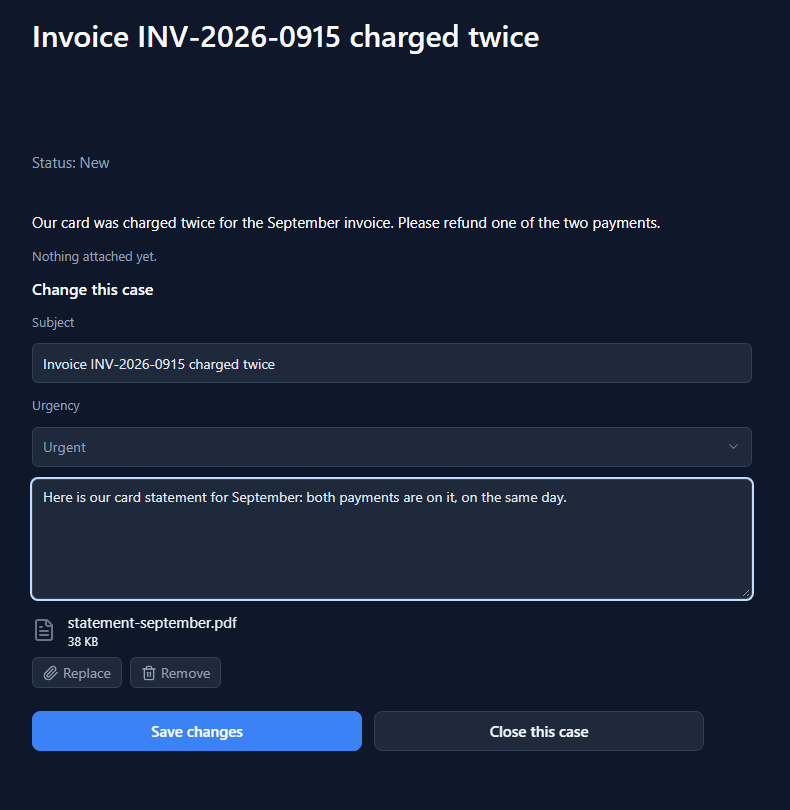
Save changes sends all of it in one write. The button's handler is the same updateRecord a
screen inside the platform would call, with the picked file as one more value:
updateRecord("api:par_update_case@1", text(state.record.id), {
  par_name: text(state.edit.par_name),
  par_urgency: text(state.edit.par_urgency),
  par_detail: getState("detail"),
  par_attachment: getState("attachment")
});
The case reads back with the note added under what Sam wrote before, and the file named:
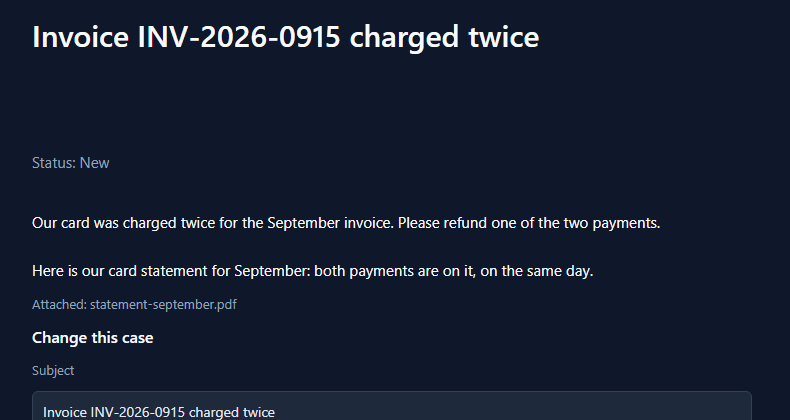
A note is added, never a replacement. The contract appends it to what is there, because a visitor adding a line this week should not quietly erase what they wrote last week.
What a visitor may change is the contract's call
The form shows four things, but the form isn't what decides. par_update_case has a request
schema that names four fields and refuses everything else:
"properties": {
  "par_name": { "type": "string", "maxLength": 200 },
  "par_urgency": { "type": "string", "enum": ["", "Low", "Normal", "Urgent"] },
  "par_detail": { "type": "string", "maxLength": 4000 },
  "par_attachment": { "type": ["object", "null"] }
}
So we sent what the page never would, from Sam's own browser, on Sam's own case:
{ "par_status": "Resolved" }: refused, par_status is not allowed here: the schema does not name it.{ "par_customer": "…" }: refused the same way. A visitor can't move a case to another company.{ "par_urgency": "Critical" }: refused, it isn't one of the values.{}: refused by the script, There is nothing to save.
None of those reached the table.
The file goes with the record
The file travels as one more value in the body: its name, its type, its size and its bytes. The
script stores the case first and the file second, with putRecordFile:
if (!isEmpty(file)) {
  putRecordFile('par_case', id, 'par_attachment',
    file.fileName, file.contentType, file.contentBase64);
}
There is no separate permission for attaching. A portal that may change a case may put a file on it, and one that may not, can't. The file's permissions are the record's, which means the table's rule applies to it too: Sam can attach a file to Contoso's cases and to nobody else's.
Too big
The cap is checked in the browser, on the file's size, before a byte is read:
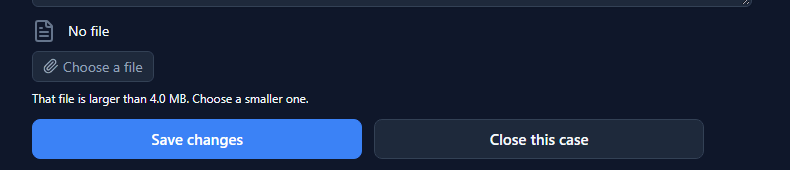
On a portal the person who picked a 40 MB photo is usually on a phone, so it's refused there rather than after an upload.
And from the inside
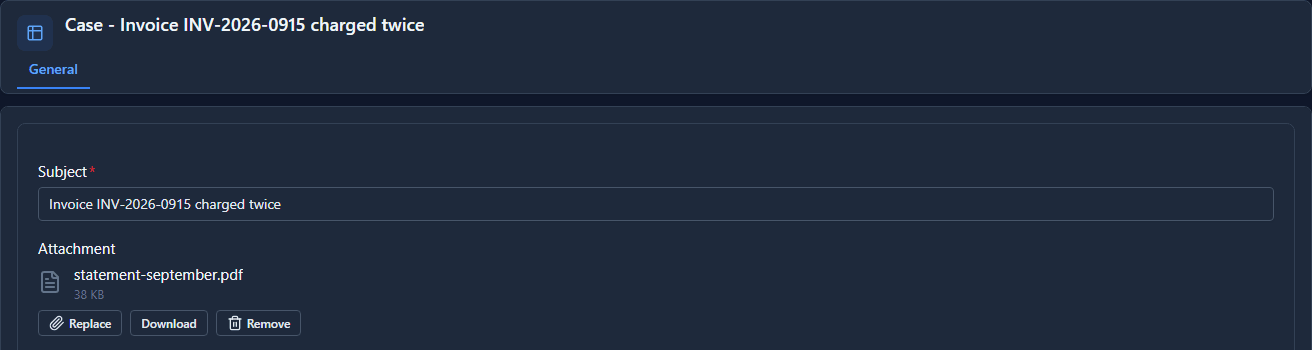
Northwind's team opens the case in the Service desk app in the Shell. The statement is on the record's own Attachment field, where they can download it:
What it doesn't do
- It doesn't hand the file back to the visitor. The portal shows its name; the file itself is
read inside. A Custom API that calls
getRecordFilecould return it, if you want that. - One file per case. A new one replaces the last. Several files on one record is a child table with a lookup.
- It doesn't let a visitor change the status. The status is Northwind's to set, and the next article is about how.
What we fixed
- A visitor couldn't attach a file to their own case.
putRecordFileanswered Record was not found for a case Sam could open and change. The file service checked the table's rule against a row it had read with only the owner columns, and the rule comparespar_customer, so it matched nothing. It now reads the whole row, as the record path always did. - The sample said it couldn't do this. Its README listed "does not let a visitor edit a case" and "does not attach files". The Case screen, the contract and the README now do and say both.
Try it
Import samples/solutions/portal-sign-in-kit, then samples/solutions/portal-service-desk, and
publish Service desk. Sign up, start a company, raise a case and open it. Change the urgency, add
a note, attach a file, and press Save changes. Then open the case inside, in the Service desk
app.
Next: A view as a grid on a portal.