Parsware Platform
Environments that are actually separate
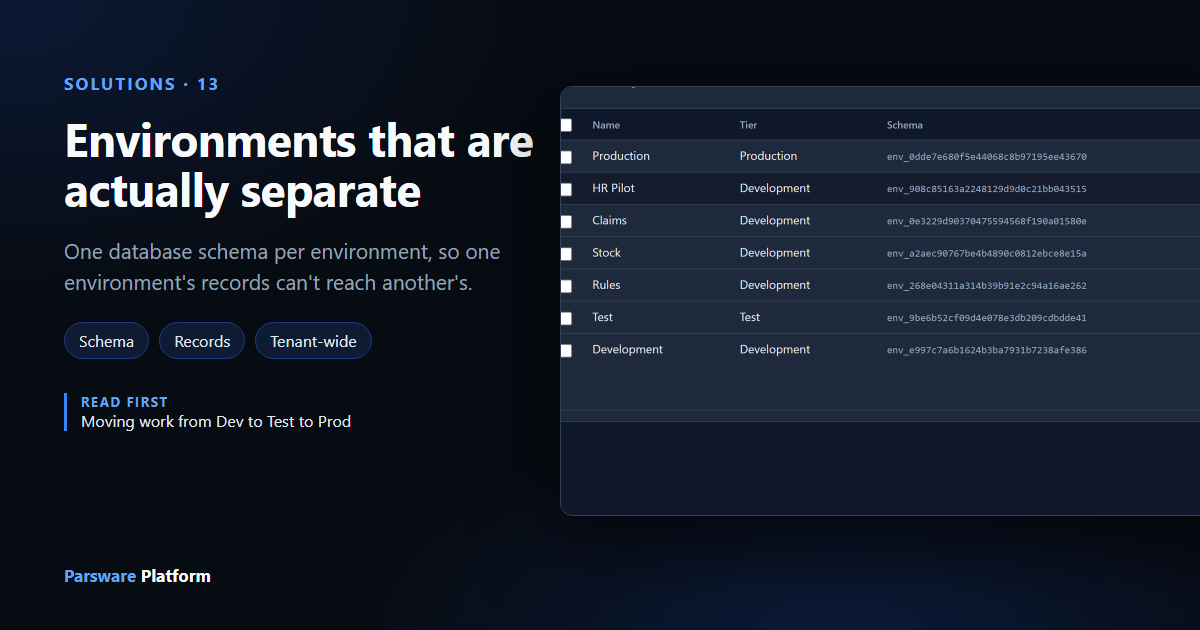
Every Parsware environment keeps its records in its own database schema. A table name can mean different things in two environments, a record in Test can never show up in Production, and a query aimed at the wrong environment fails instead of returning somebody else's rows.
Moving work from Dev to Test to Prod said that each environment has its own database schema. This article shows what that means in practice: the same table name in three environments, three sets of records, and what happens when a query aims at the wrong one.
One schema per environment
Under Admin, Environments, open the column chooser next to the search box and tick Schema:
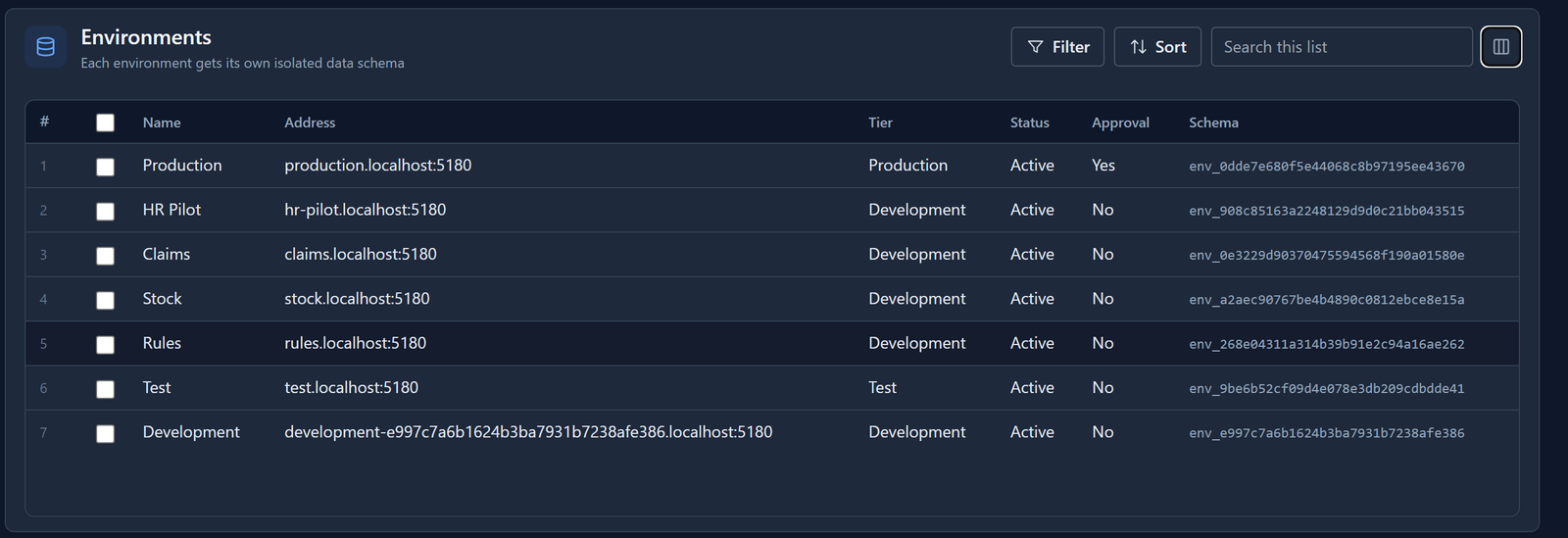
When you create an environment, Parsware creates a PostgreSQL schema for it, named env_
followed by the environment's id. A schema is a separate namespace inside the database, with its
own tables. Everything the environment's apps store goes there:
- a table for each of your tables, holding its records
- the record files and images on those records
- the audit log
- the environment's processes as they run: instances, tasks and tokens
- background work waiting to be done
- the log of solution imports
Two environments never share any of these tables. Every read and every write names the environment's schema, and the schema comes from the environment the request is for.
The same table name, three different tables
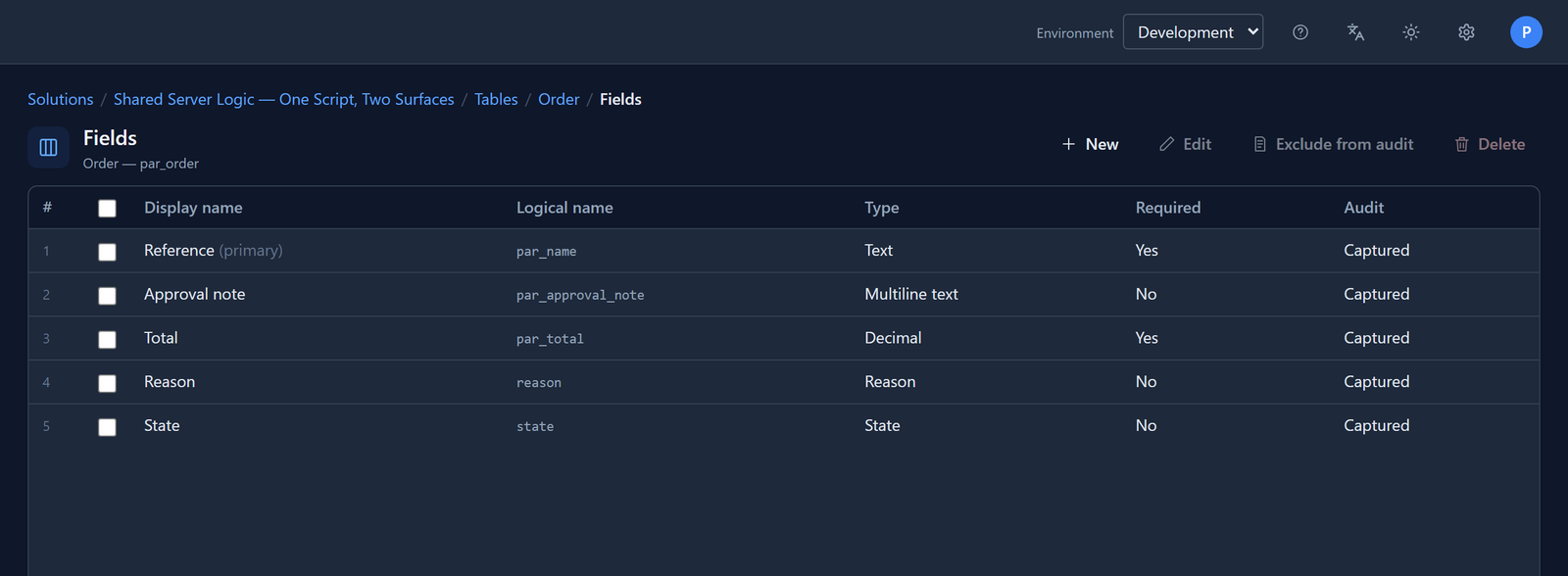
Three environments on our tenant each have a table called par_order. Two different sample
solutions declare it, so they live in separate environments. In Development the table comes
from Shared Server Logic, and an order has a Total and an Approval note:
In Test it comes from Calling out: a payment service and an email, and an order has an Amount, a Customer email, a Payment reference and a Status:
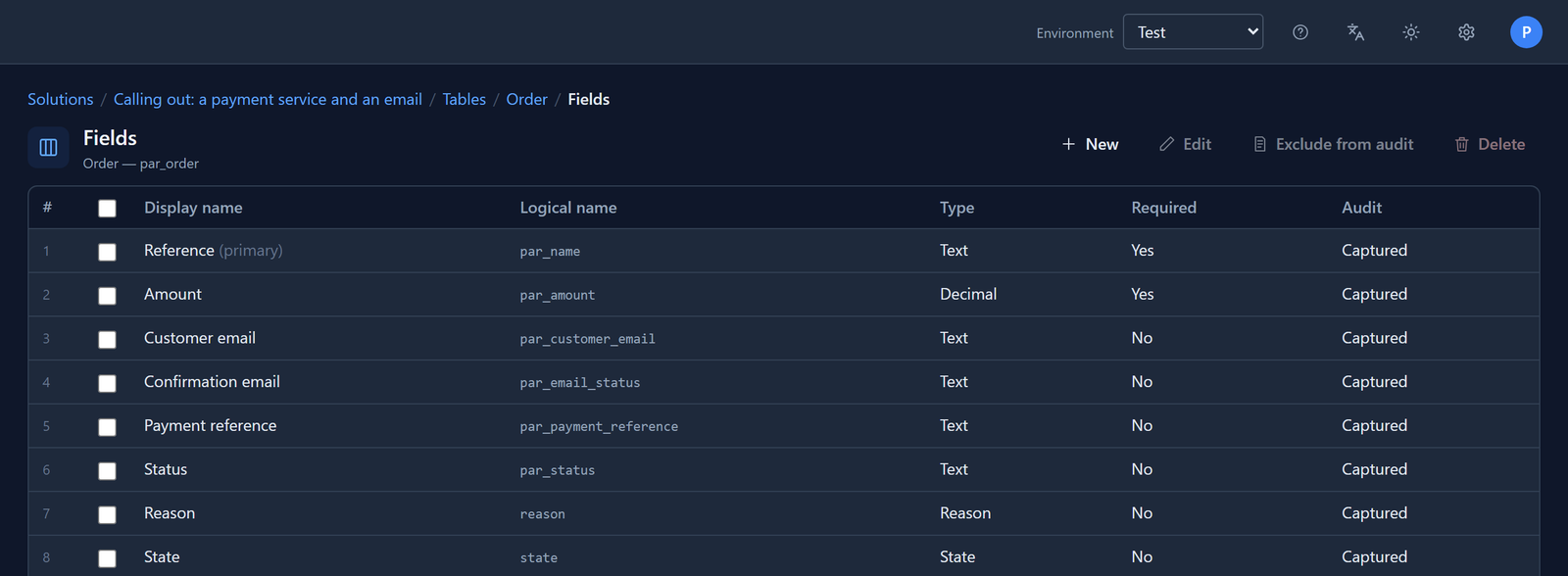
Same logical name, different columns, and neither environment knows about the other. Within one environment a logical name is unique. Across environments it isn't, because each environment's table lives in its own schema.
The same app, different records
Stock has the Calling out solution too, so it has the same Order table and the same
Orders — Outbound app as Test. Open the app at Test's address, test.localhost:5180, and there
is one order, ORD-1042:
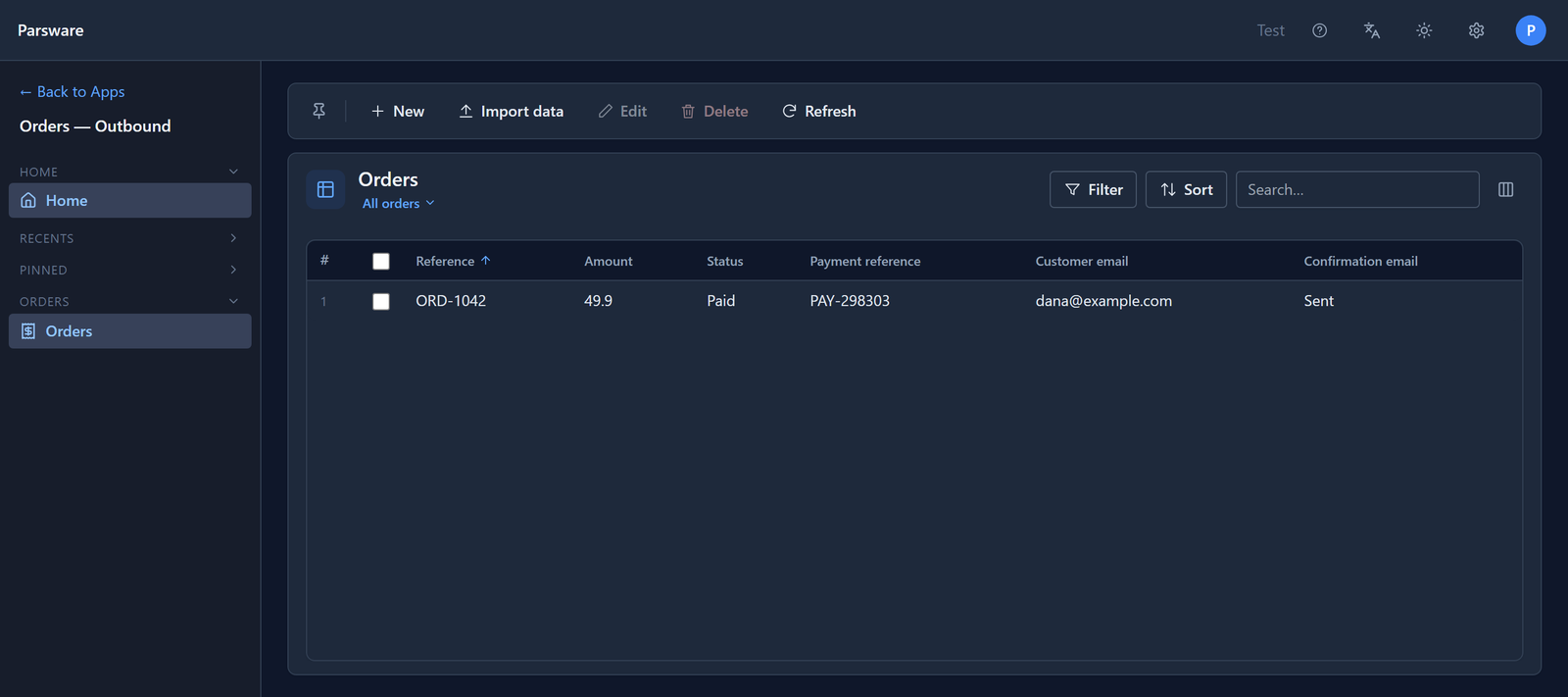
Open the same app at Stock's address, stock.localhost:5180, and the list is empty:
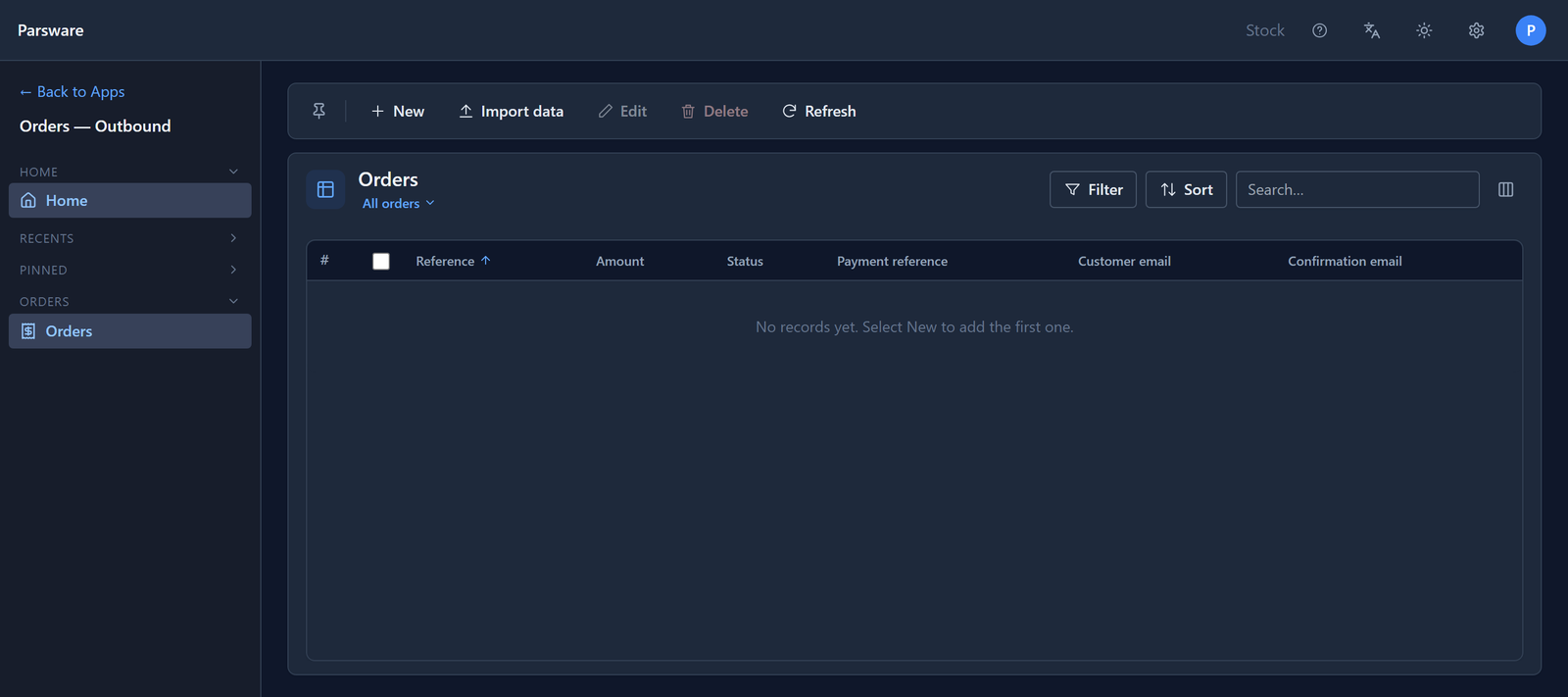
Nothing filters ORD-1042 out of Stock. It was never in Stock's table to begin with. The address in the browser decides the environment, and the environment decides the schema.
What the database says
Here is the same query run against three schemas directly in PostgreSQL. This isn't something a maker does. It just shows what the separation looks like underneath.
In Test, the order is there:
select par_name, par_amount, par_status from env_9be6b52cf09d4e078e3db209cdbdde41.par_order;
 par_name | par_amount | par_status
----------+------------+------------
 ORD-1042 |      49.90 | Paid
(1 row)
In Production, which doesn't have the solution, the table doesn't exist:
ERROR: relation "env_0dde7e680f5e44068c8b97195ee43670.par_order" does not exist
In Development, the table exists but it's a different table:
ERROR: column "par_amount" does not exist
That is the reason for a schema each. If environments shared one table and told their rows apart with an environment column, one missed filter would quietly return another environment's rows. With a schema each, a query aimed at the wrong environment fails with an error. It doesn't return somebody else's data.
Why it matters
- Test data stays in Test. Records you invent to try something out can't appear in Production, because they're in a different table.
- An import changes one environment. Importing a solution into Test creates and alters tables in Test's schema only. Production changes when you import into Production, and not before.
- Tables can differ while you work. Development can carry a field that Test and Production haven't received yet, as the Badge number did in the previous article.
- Deleting an environment removes all of its data. Its schema is dropped with every table in it, and its entries in the shared catalogue go with it. The next article covers this in more detail.
What environments share
Some things belong to the whole tenant, your organisation, and every environment sees them:
- Users and their sign-in. One account works in every environment.
- Teams, and the security roles given to users. A user who holds a role has it in every environment where that role exists.
- Publishers. Northwind Traders is the same publisher in Development, Test and Production.
- App registrations for outside systems.
The definitions of your tables, forms and views are kept in a shared catalogue in which every row carries its environment, so the Admin Control Center can list them. The records are always in the environment's own schema.
So when you give a person access, think about the tenant. When you think about data, think about the environment.
Try it
Under Admin, Environments, show the Schema column. Then open an app in two environments that both have it, add a record in one, and look for it in the other.
Next: creating and deleting an environment.