Parsware Platform
Managed layers and clean uninstalls
A managed solution doesn't overwrite the tables it touches. It adds a layer on top, so uninstalling it takes away exactly what it added: a table it brought, a column it put on Account, and nothing you built yourself.
Importing a solution into Test or Production installs it as managed. This article looks at what that means for the tables it touches, especially a standard table like Account that the environment already had, and at what Uninstall takes away again.
We build a small solution, Customer credit, install it in Test, add something of our own there, and uninstall it.
Layers, in one paragraph
A managed solution doesn't overwrite a table. It adds a layer: its version of the table, stacked on top of what was there. What you see in the environment is the layers merged. Where two layers describe the same column, the higher one wins. Columns that only one layer has are all kept. Two solutions can each add their own columns to Account, and both sets survive. Uninstalling a solution removes its layer, and the table is merged again from what's left.
There's no screen that shows a table's layers yet. You see them by what they do, which is what the rest of this article does.
The solution: a table of its own, and a column on Account
In Development, under the Northwind Traders publisher, we created Customer credit with two things in it:
- A new table, Credit review, with a title, a lookup to Account and an approved limit.
- A new column on the standard Account table, Credit limit.
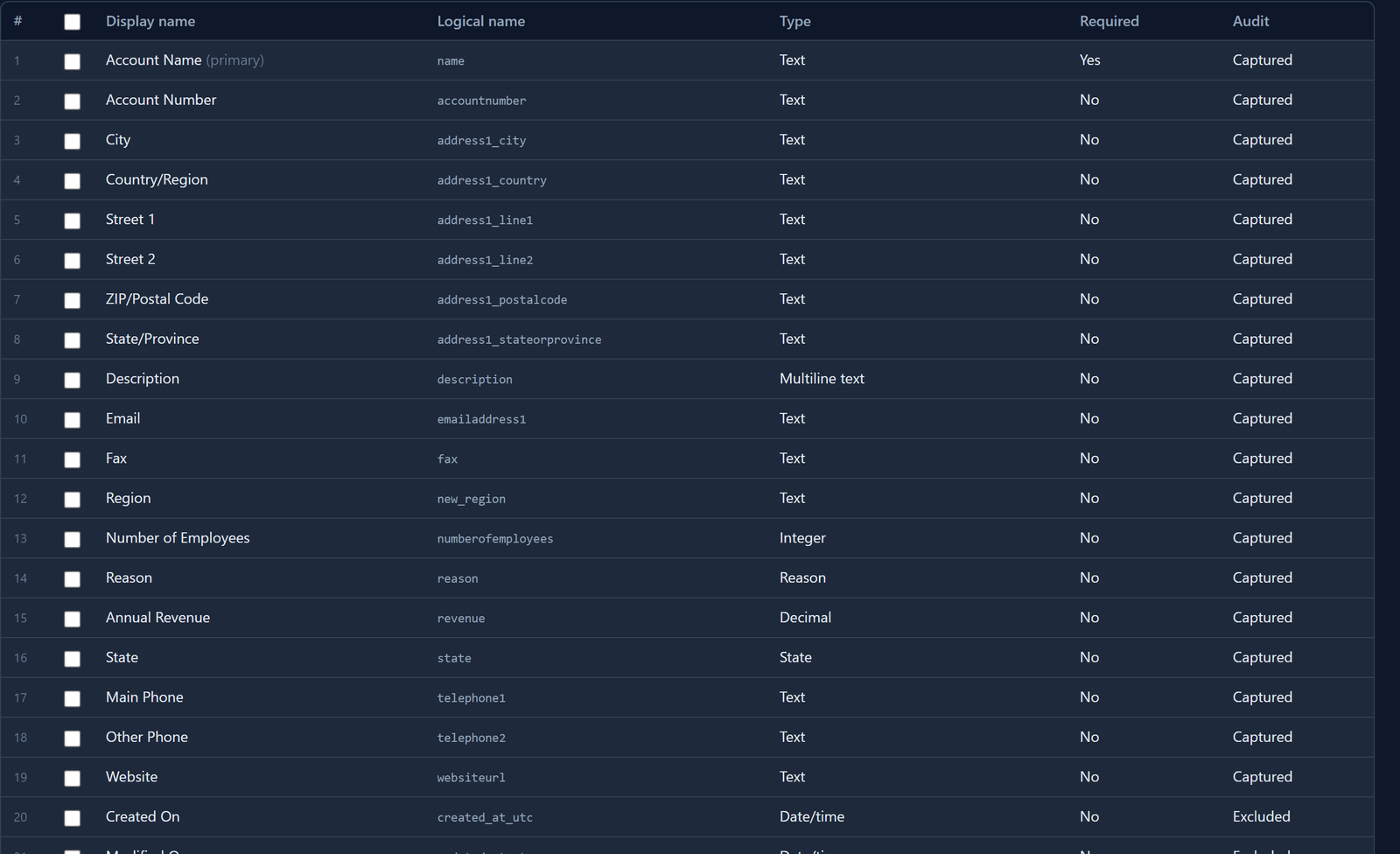
The Credit review table was created with Customer credit open, so it's in the solution. Account isn't, because it belongs to Main. We added it with Add existing, and in Manage components ticked only Credit limit:
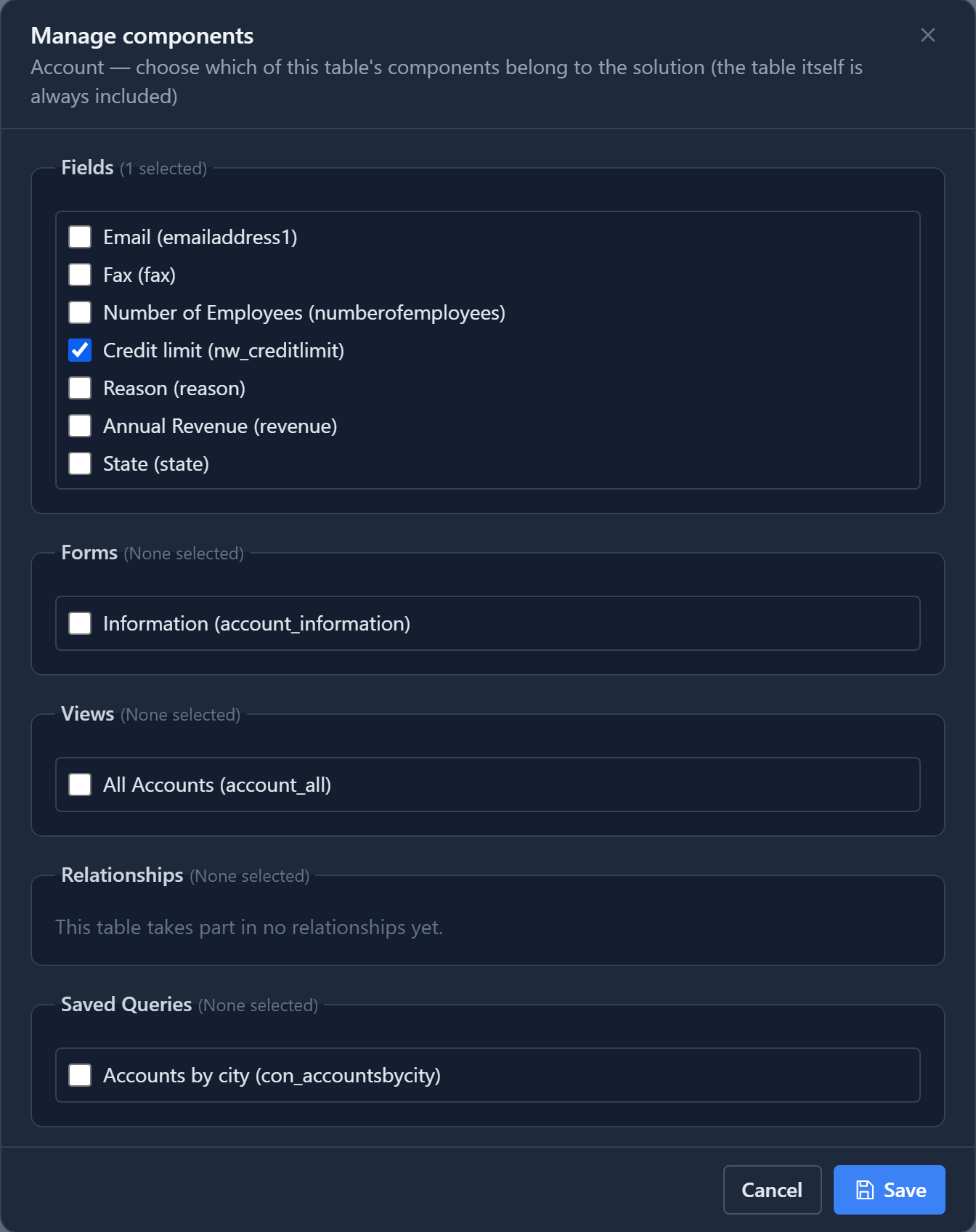
As the previous article found, the ticks don't limit the columns. The package carries Account as Development has it, with every column. That's harmless here, because Account is the same standard table in every environment. But if somebody had added a column to Account in Development, that column would ride along too.
We exported Customer credit and imported it into Test, where it shows as Managed.
What the import did to Account
Test already had Account, so the import couldn't just replace it. Parsware first kept a copy of Account as Test had it, as the bottom layer, and put Customer credit's layer on top. Account in Test now has everything it had before, plus Credit limit.
Credit review didn't exist in Test, so it's made of Customer credit's layer alone.
Then we used the table as you would in Test:
- We gave an account a Credit limit of 50,000 and added a credit review for it.
- We added a column of our own to Account, directly in Test: Region, and set it to West on the same account.
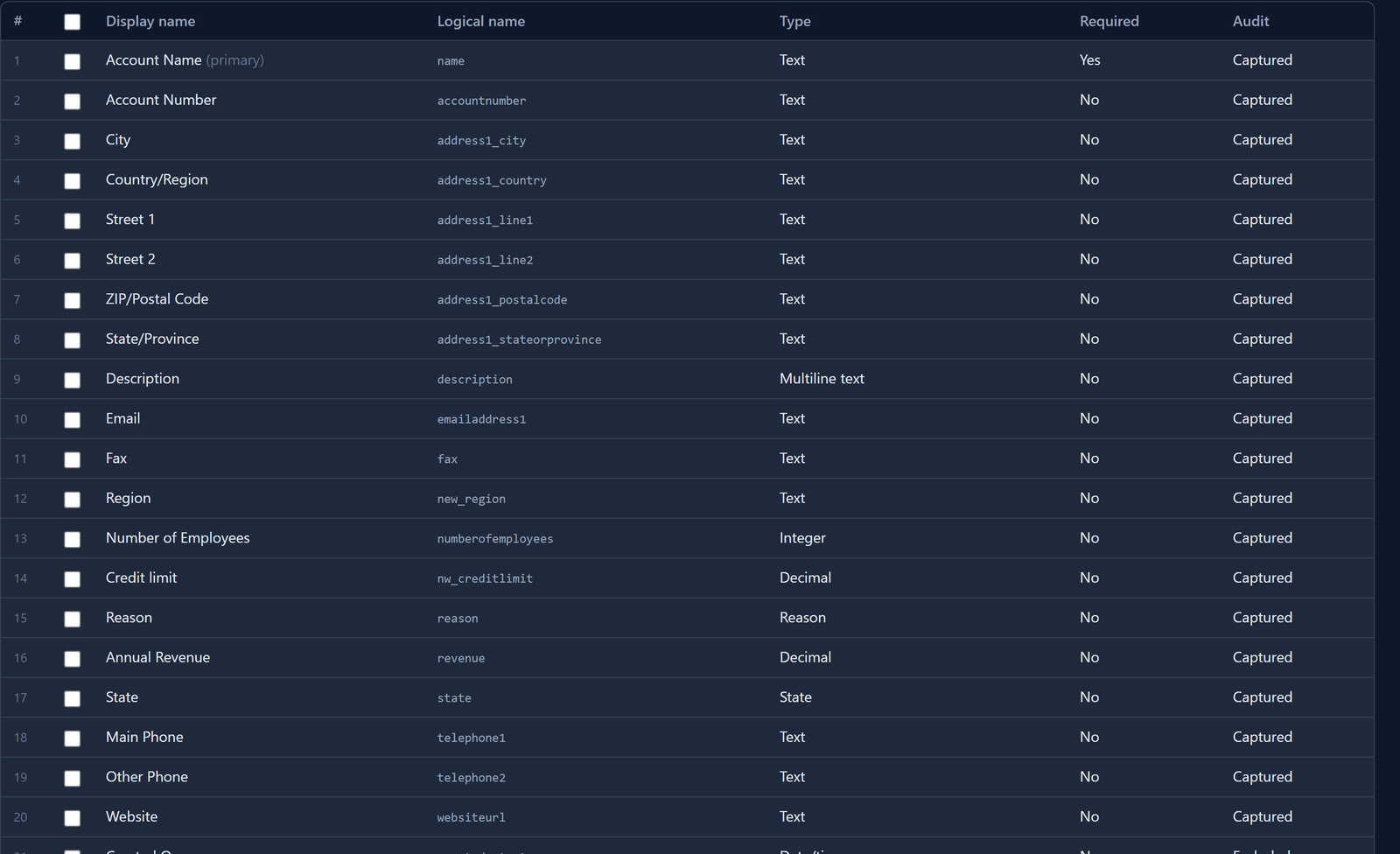
Region isn't Customer credit's. It's in no layer: it belongs to Test.
Uninstall
On the Solutions list in Test, select Customer credit and choose Uninstall:
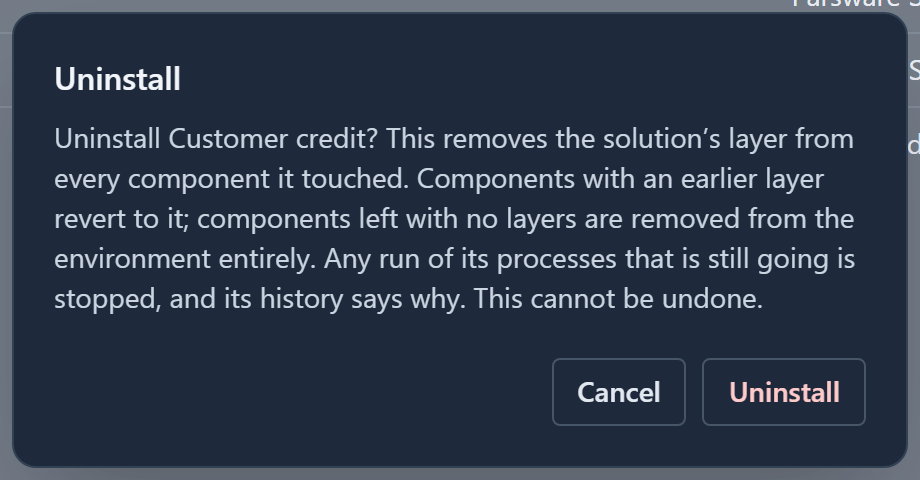
The dialog says what happens, component by component:
- Credit review had only Customer credit's layer. With it gone, the table leaves the environment, and its records go with it. Our credit review is gone.
- Account had a layer underneath. It goes back to that layer: Credit limit is removed, along with the 50,000 in it. Account itself, its records and every other column stay.
- Region stays, and so does West.
Once only the bottom copy is left, Parsware drops it too: Account is simply Test's own table again, and the next solution to extend it starts a fresh stack.
We found a bug doing this, and fixed it
The first time we ran this, Region was removed too, with its value. The uninstall rebuilt Account from its layers, and since no layer listed Region, it treated Region as something to take away. Importing a newer version of Customer credit would have done the same.
That's fixed in the same release as this article. Just before an import or an uninstall changes a table's layers, Parsware now records the columns the environment added itself, and keeps them when it rebuilds the table. The screenshots above were taken on the fixed version, and the help page now says what's kept.
If a later version of the solution brings a column with the same name as one you added, the solution's column takes over. And if the solution that brought a table is uninstalled, the table goes, including any columns you added to it, because nothing else provides the table.
What uninstall doesn't give back
- Data in the solution's columns and tables. Credit limit's values and the credit reviews are gone for good. Uninstall can't be undone, and reinstalling brings the columns back empty. Export the data first if you'll need it.
- Your changes to the solution's own columns. If you had renamed Credit limit in Test, the rename wouldn't survive an upgrade, and the uninstall removes the column anyway. Change a managed solution's columns in the environment it was built in, and ship a new version.
Managed means hands off
In an environment where a solution is managed, its components are the solution's:
- You can't delete a managed table on its own. Deleting Credit review in Test is refused. It leaves only when you uninstall Customer credit.
- Uninstall is for managed solutions, Delete for unmanaged ones. Deleting an unmanaged solution removes the container and leaves its components in Main. Uninstalling a managed one takes its components away. The Solutions list offers whichever one fits.
- People who hold the solution's roles stop it. If the solution brought security roles and someone still has one, the uninstall stops and names them, so nobody loses access by surprise.
Try it
Make a solution that adds a column to Account and brings a small table of its own. Import it into Test, add a column of your own to Account there and put values in all three. Uninstall the solution and check what's left.
Next: several solutions in one environment.