Parsware Platform
Record access: whose records you see
A role says what someone may do with a table; the policy beside each permission says which of its records that reaches. We narrowed Jordan's read on accounts from every record to Mine and my teams', handed an account to the team, and Jordan's list went from a hundred accounts to four.
Jordan can read accounts. All of them, so far: the read-only role from Security roles in practice grants Read on Every record. But Jordan works with the north team's customers, and the other hundred accounts are noise at best.
Which records a permission reaches is not a separate setting somewhere else. It's the value in the cell.
The policies
Each cell on a role's grid is either Not granted or a policy. Narrowest first:
| Policy | Reaches |
|---|---|
| No records | Nothing: the permission is kept but switched off |
| Records I own | Records the person owns themselves |
| Mine and my teams' | Those, plus records owned by a team they're in |
| My teams' records | Only records owned by a team they're in |
| My unit | Records owned in their unit |
| My unit and below | Their unit and every unit under it |
| My unit and above | Their unit and every unit it reports up through |
| My whole branch | The top unit above them, and everything under it |
| Every record | The whole environment |
The first four are about who owns a record. The four unit policies are about where the owner sits in the organisation, and get their own article: Set up your organisation.
Narrow one permission
Open Jordan's role, Field Sales (read only), in Main, and change Read on Accounts to Mine and my teams':
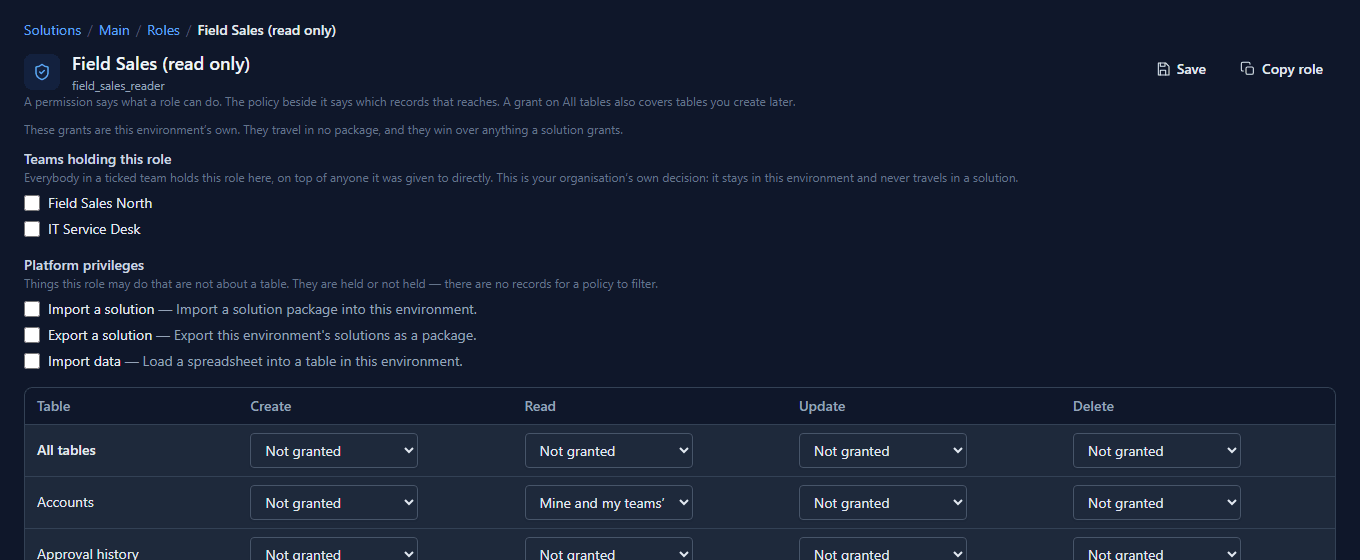
Only that cell changed. Contacts are still readable on every record, because each permission carries its own policy.
Every record has an owner
Whoever creates a record owns it, unless they say otherwise. The owner can be a person or a team, and changing it is an ordinary field on the form. Field Sales' account form doesn't show Owner by default, so we placed it there in the form designer. Then, as the administrator, we gave Northwind LLC to the team from Teams:
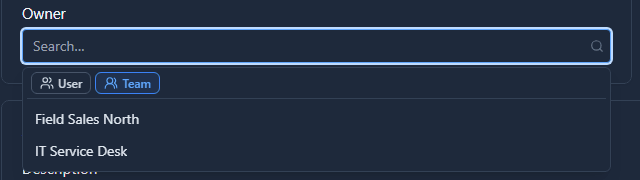

Earlier we'd given two more accounts to the team and one, Coho Holdings, to Jordan personally.
What Jordan sees
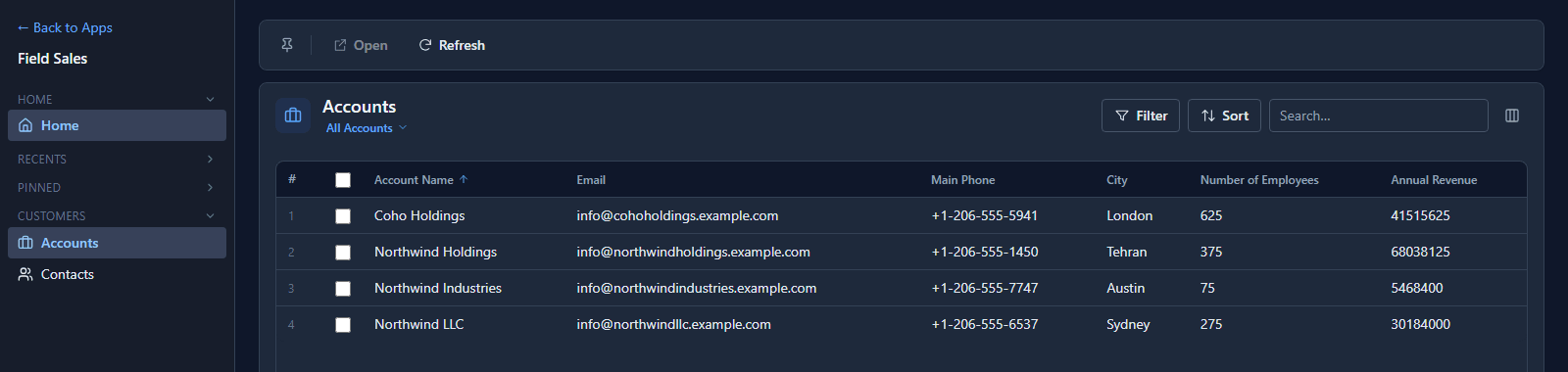
Four accounts: the one Jordan owns, and the three Field Sales North owns. The same list as before, the same view, the same app. Only the policy behind the permission changed.
With Records I own it would be one account; with My teams' records, three. Nothing about the records changes between them; the policy decides which of them reach Jordan.
Good to know
- The filter is part of the query. The server applies the policy when it reads the table, so records outside it never leave the database. Row-level security shows what that means for every other way in.
- Records I own does not include team records. It's the most common surprise: somebody who can't see "their" record is often looking at one their team owns.
- A change to a policy takes effect on the next request. Nobody has to sign out.
- When none of these fit, a data policy lets you write your own, such as "claims raised in my units", and it appears in the same cells.
Try it
Give one test user a role that reads a table under Mine and my teams', hand two records to a team they're in, and open the list as them.
Next: Row-level security.