Parsware Platform
Set up your organisation
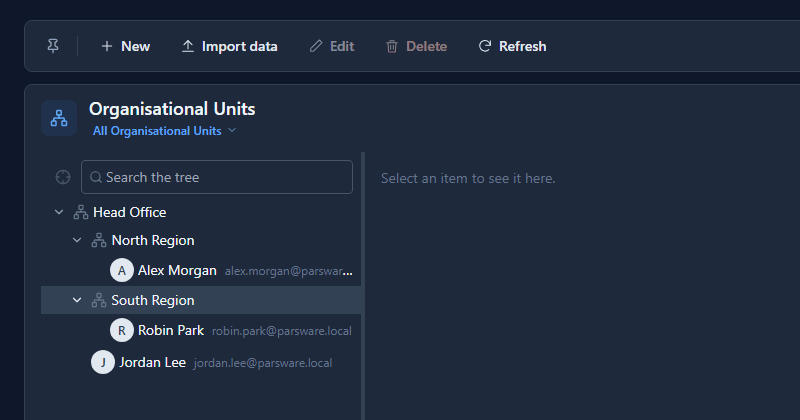
The unit policies need an organisation to measure against. We built one in the Organisation app (Head Office with a North and a South region), put three people in it, and gave Jordan read access on My unit and below. From Head Office, Jordan sees the accounts both regions create, and nothing owned outside the chart.
My unit and below is the policy most organisations actually want: a manager sees what their part of the business owns, and a regional office sees its branches. It needs two things the platform can't guess, a tree of units and who sits in each, and both live in the Organisation app every environment has.
Units
Open Organisation in the Shell, then Units, and select New. A unit has a name, a Parent Unit (empty at the top), a Unit Type in your own words, and a Manager:
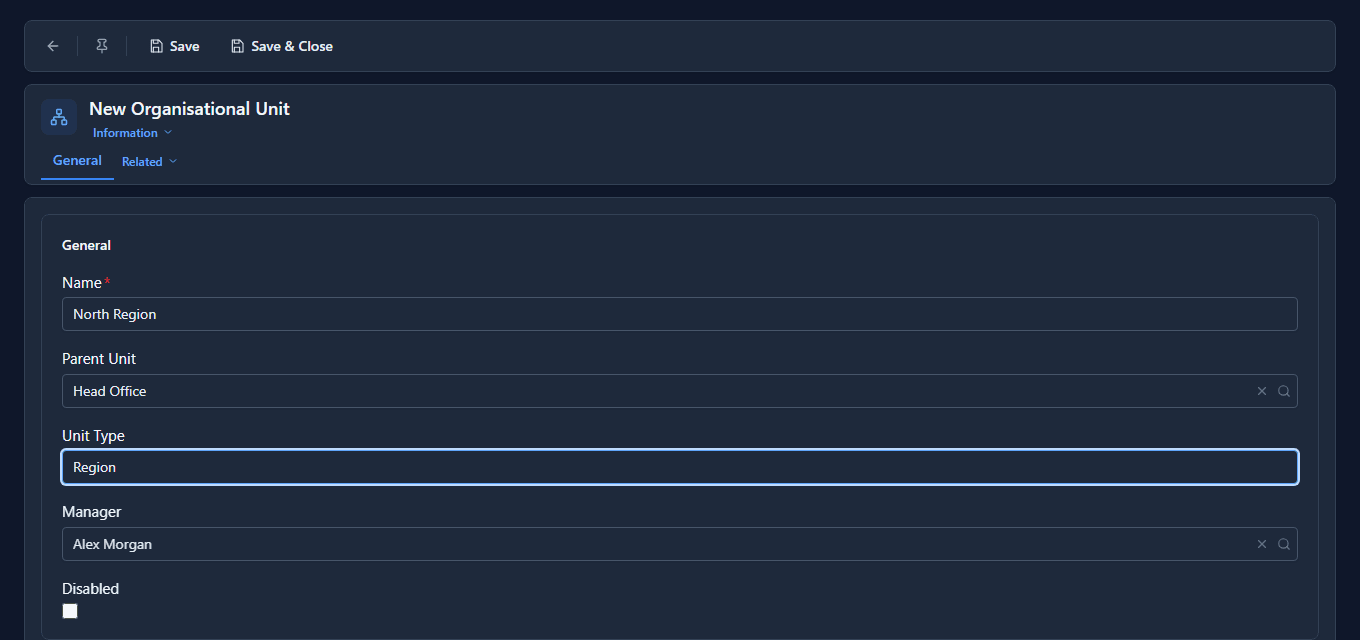
We made three: Head Office at the top, managed by Jordan Lee, and North Region and South Region under it, managed by Alex Morgan and Robin Park.
People
On Users, open a person and set their Organisational Unit. A person sits in one unit:
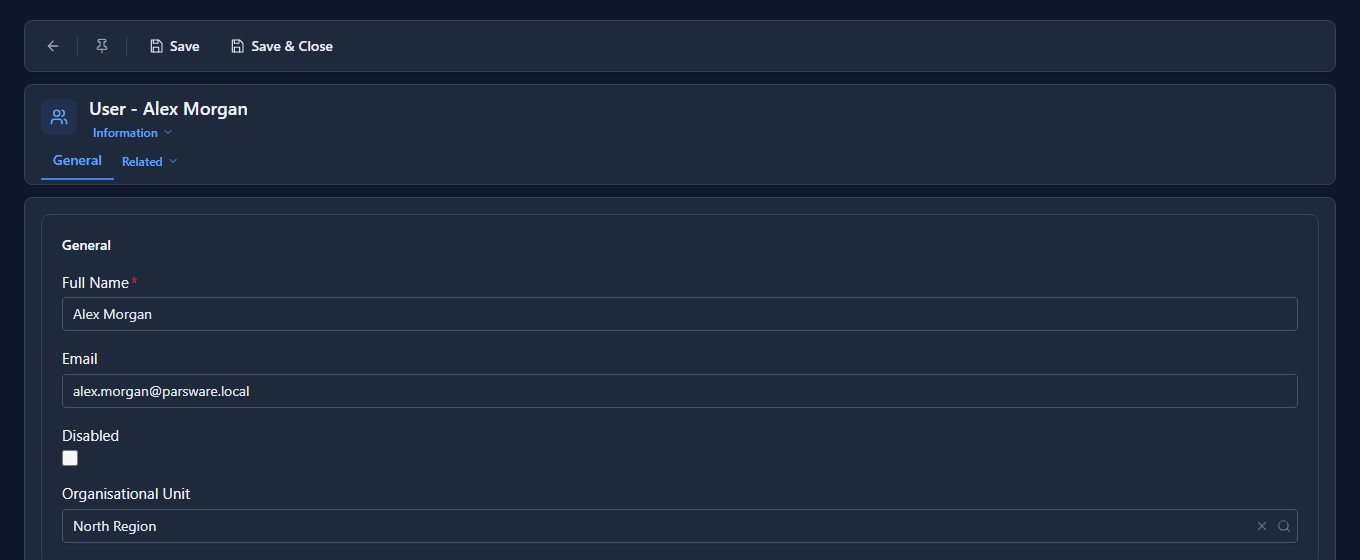
Alex went into North Region, Robin into South Region and Jordan into Head Office. Units now reads as the chart:
A policy that reads it
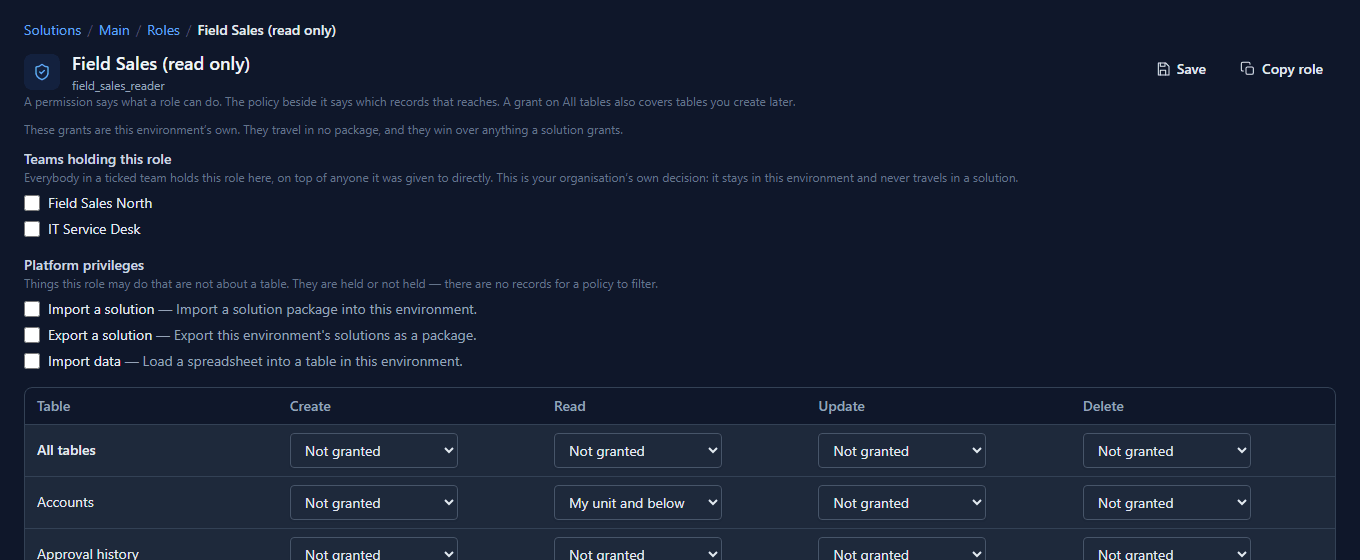
In Main, open Field Sales (read only), Jordan's role, and set Read on Accounts to My unit and below:
Then Alex added an account, Aurora Outfitters, and Robin added Harbour Lights Ltd. Jordan's Accounts list:

Both regions' new accounts, because both regions are below Head Office. None of the hundred sample accounts, because those belong to the administrator, who sits in no unit. Switch the policy to My unit and the list is empty: nothing is owned at Head Office itself.
How a record gets a unit
A record belongs to its owner's unit. That is set when the record is created, and set again whenever it's handed to someone else. So:
- Hand a record to somebody in another unit, and it moves. Reassigning one of Alex's accounts to Robin puts it in South Region.
- Move a person, and their records stay. If Alex moves to South Region tomorrow, the accounts Alex already owns stay in North Region until somebody reassigns them. A unit's history doesn't change because one person changed jobs.
- A team can sit in a unit too, and a record owned by the team belongs to the team's unit.
- An owner with no unit leaves the record in none, which no unit policy reaches.
The manager is for processes
A unit's Manager doesn't change what anybody can see. It's what a business process uses for send it to my manager, and climbing the Parent Unit chain from there is the escalation: Assignment: who gets the task shows it at work.
What we fixed
The four unit policies reached nothing. A record's unit was never recorded, so My unit, My unit and below, My unit and above and My whole branch matched no record at all, while the role screen offered them and the help said every policy was enforced. A record now takes its owner's unit when it's created and when it's reassigned, so these four policies work as described. Records that existed before this change get their unit the next time they're reassigned.
Good to know
- Units belong to the environment. Rehearse a reorganisation in Test before you make it in Production.
- Unit and team aren't the same thing. A team is a group that can own records and hold roles; a unit is a place in the organisation. A person sits in one unit and can be in many teams.
- Keep the tree honest. A unit policy is only as right as the chart it reads: someone in the wrong unit sees the wrong records.
Try it
Make two units, one under the other, put a test user in the upper one, and give their role My unit and below on a table. Create a record as somebody in the lower unit, and open the list as the test user.
Next: Two-step sign-in.