Know how today is going, before you ask
How did today go, and how's the month looking? Here is a demonstration club where the first page you open answers both: the day's bookings and attendance, the month's money, how much of the place was used, and a report for anything more, all worked out as it happens.

How did today go? And how's the month looking?
At most clubs, the answer is in three places: the booking sheet, the till, and the bank. Somebody adds it up at the end of the week, and by then it's last week.
Here's a demonstration club on Parsware, with three sites: a leisure centre, a tennis club and a football centre. The screens are the real application, and the people and the data are made up for the demonstration.
Today, the first page you open
Every figure on it is worked out from the bookings, the tills and the payments, as they happen. Nobody adds anything up.
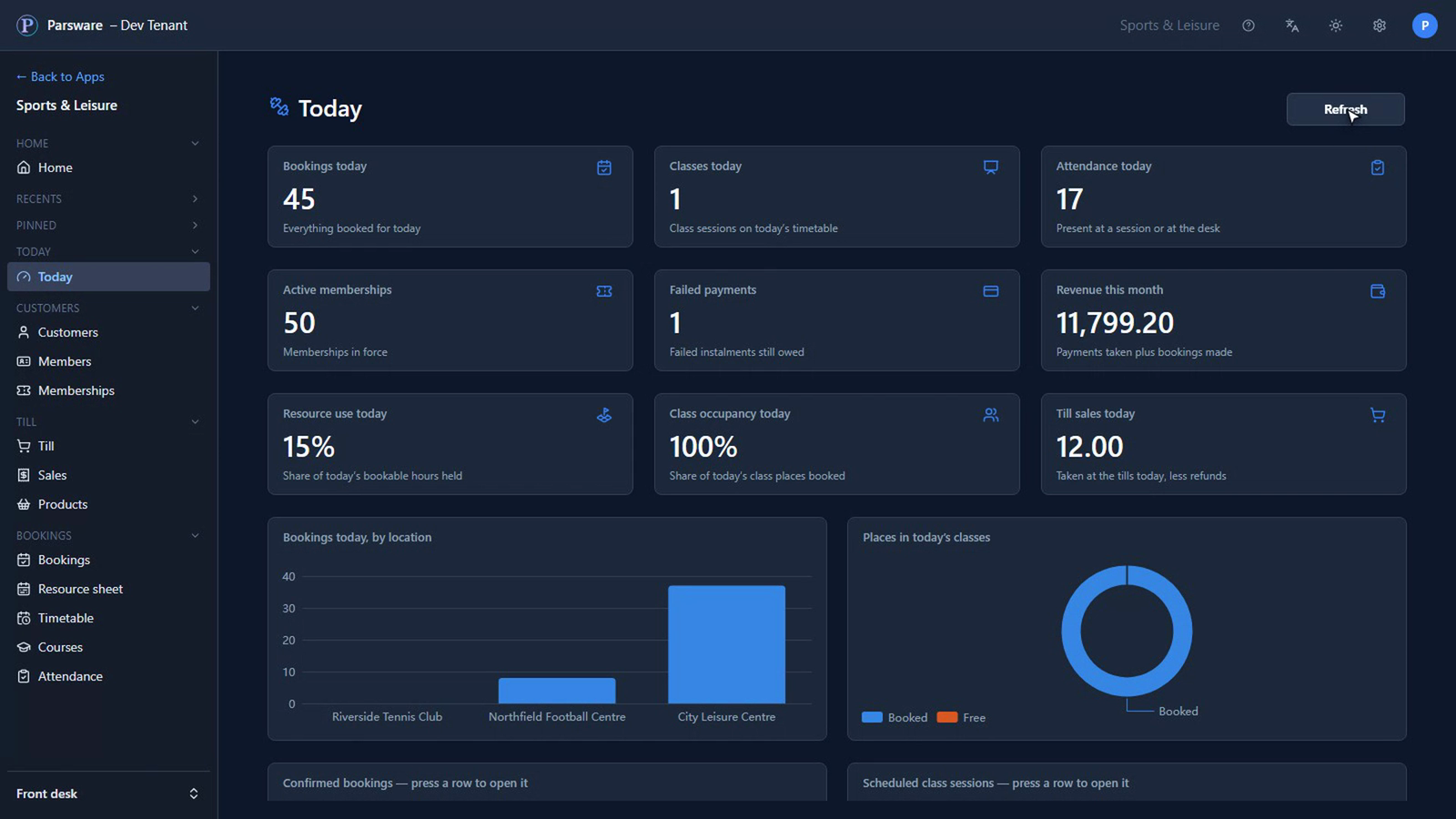
- The day: forty-five bookings today, one class on the timetable, and seventeen people were there.
- The money: fifty memberships in force, one payment that failed and is still owed, and nearly twelve thousand pounds taken this month so far.
- The place: fifteen percent of today's court, pitch and lane hours were booked, and the class was full.
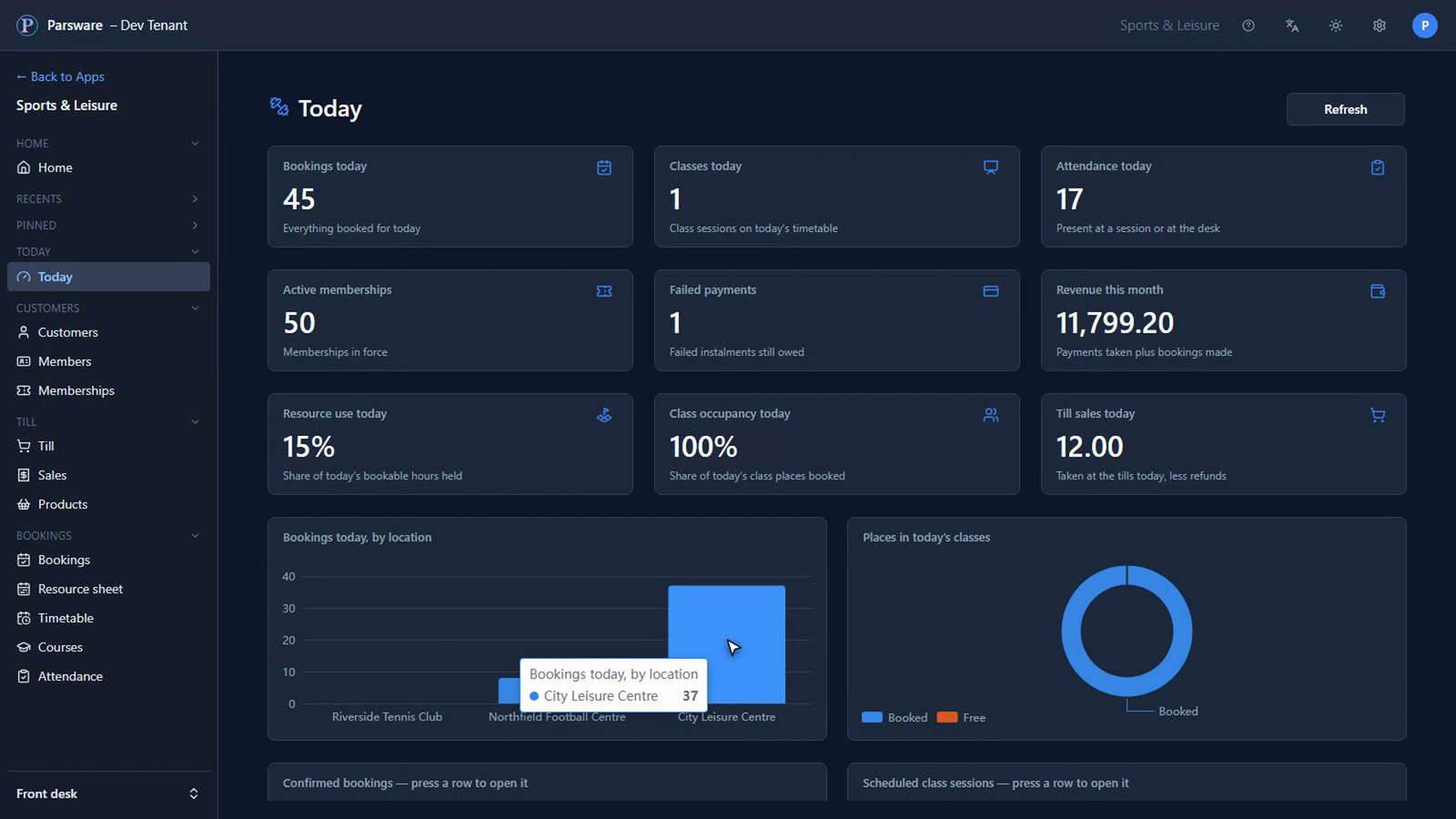
And here's where today happened: most of it at the City Leisure Centre.
The reports, one menu away
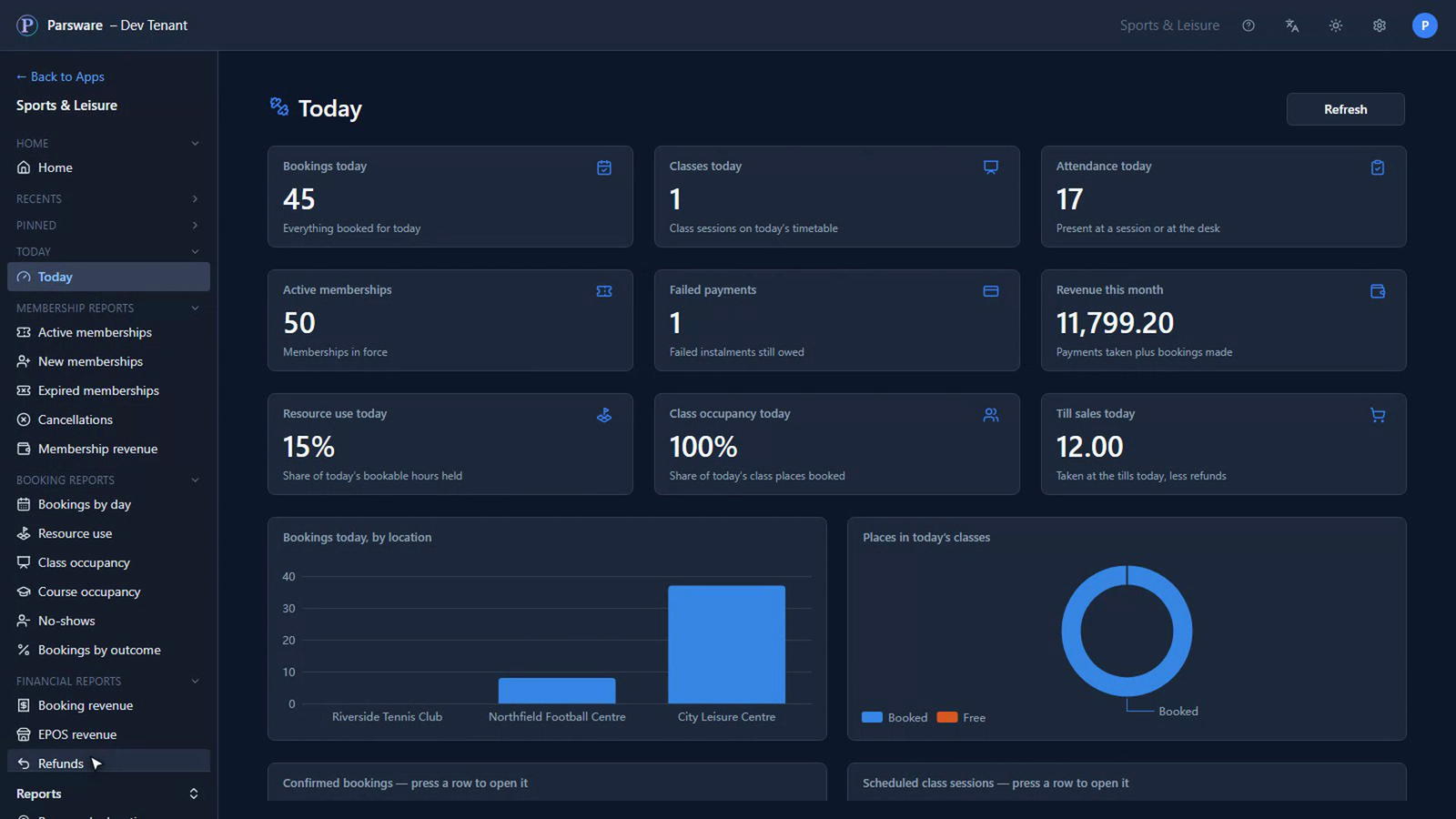
When you want more than today, the reports are in the menu beside it: memberships, bookings, money and customers.
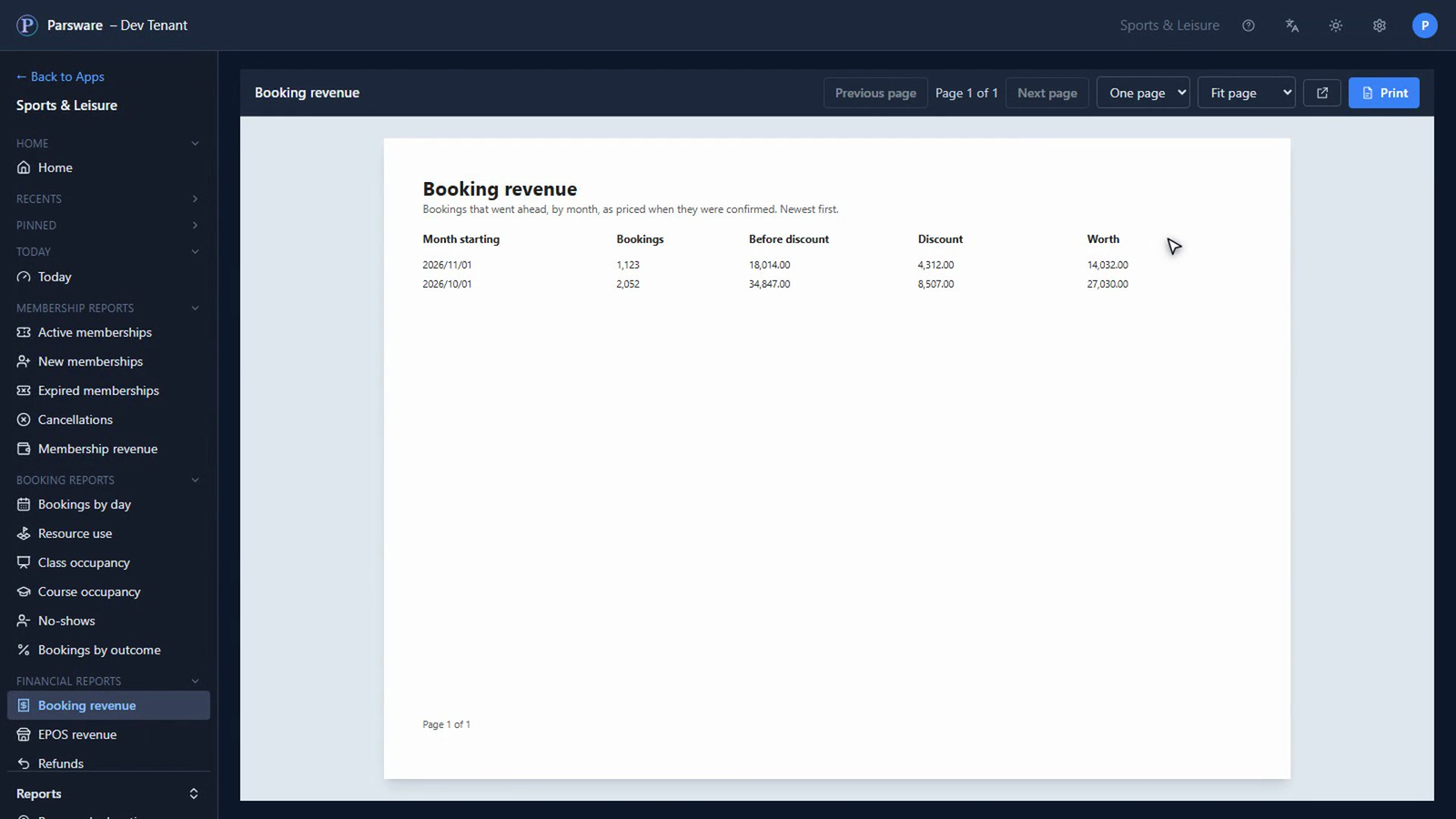
What bookings were worth each month, before and after members' discounts:
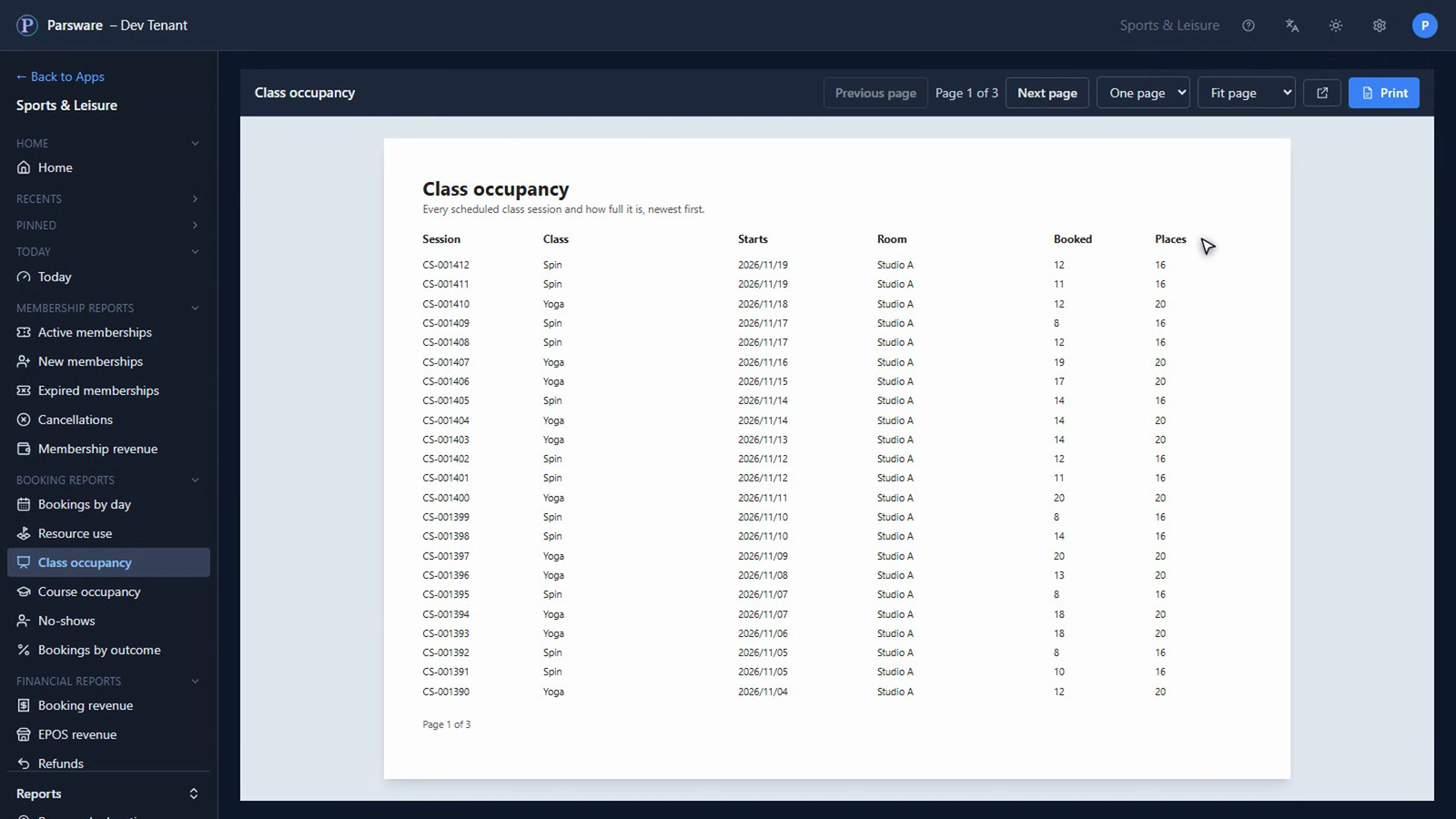
Every class, and how full it was:
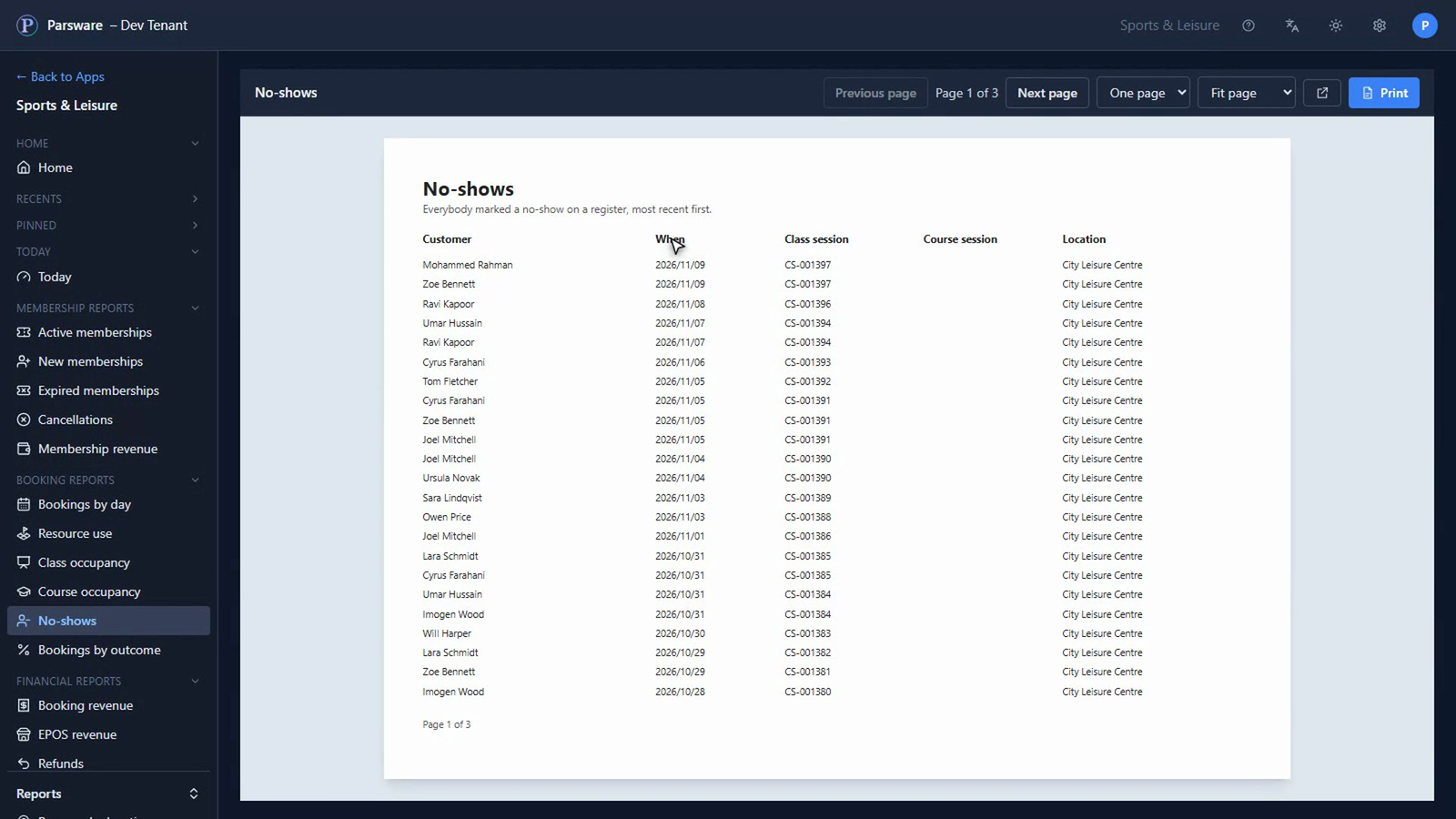
Who booked, and didn't come:
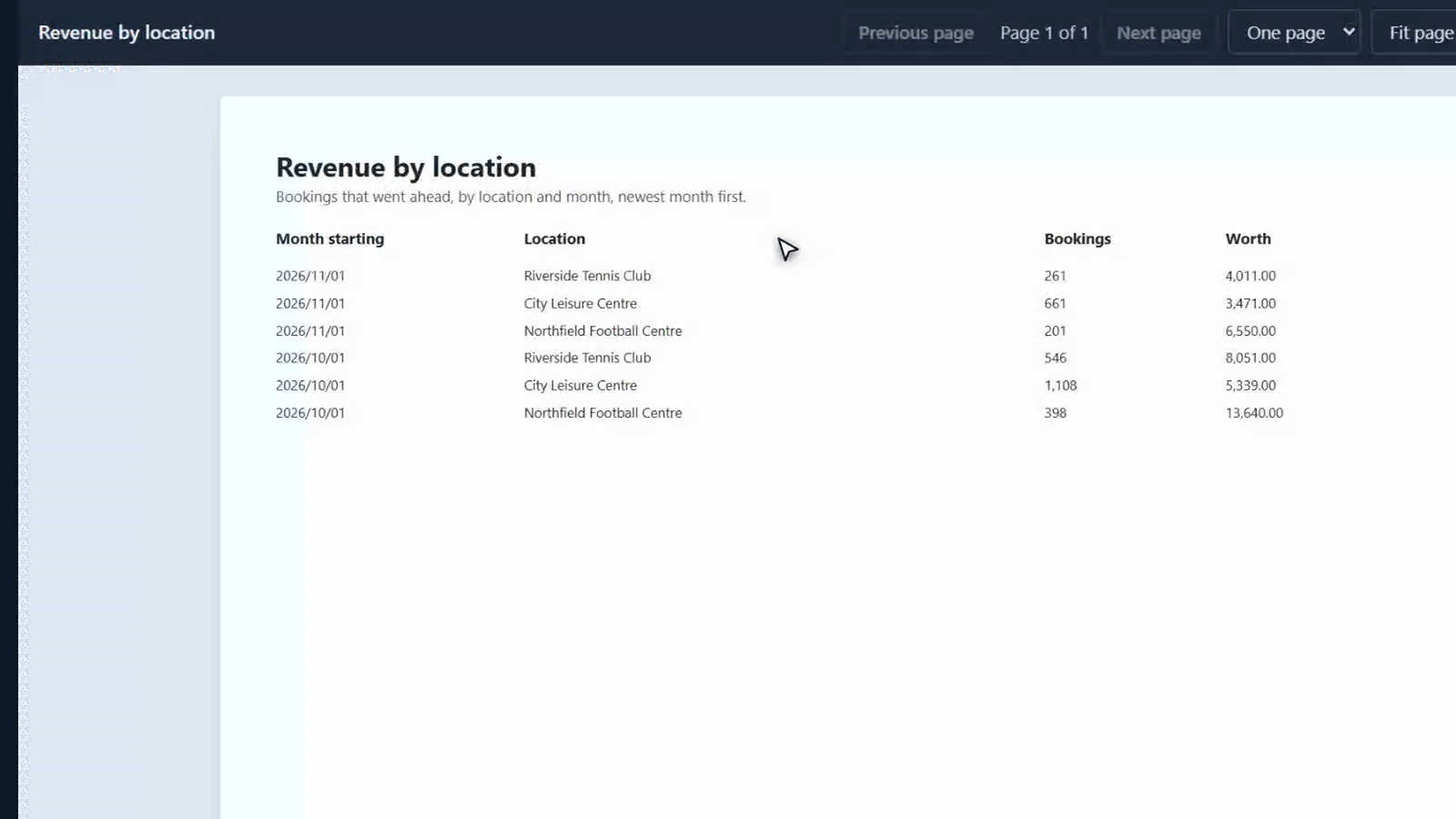
And what each of the three sites earned, month by month. Every report prints, too.
What changes for you
You don't wait for the end of the week to find out how it went. The day, the month and the use of the place are on the first page you open, worked out from what actually happened, and the reports behind them are one menu away.
Tell us how your business runs, and we'll show it to you running. Get in touch.