Parsware Platform
A claim approved by the server
Not every server rule refuses. This one approves. A claim of 50 or less is marked approved as it's saved, by a plugin step that sets a value on the record before it's written. We saved a taxi fare and a hotel bill, watched only one come back approved, then watched the sample's own lock stop the approved one being edited up.
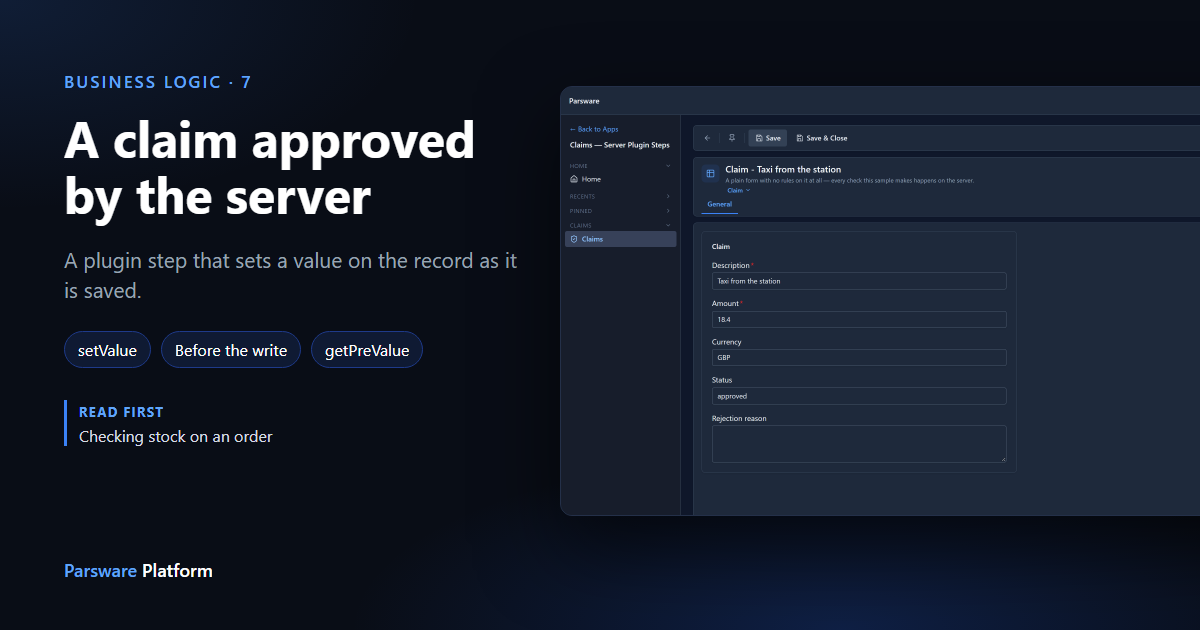
The plugin steps so far have said no: a claim over the limit, an order with no stock. A step can also change the record as it's saved, which is how the server fills in values nobody should have to type and nobody should be able to skip.
The rule here: a claim of 50 or less is approved automatically. Nobody needs to look at a taxi fare.
We used the Claim Approval sample from adding a server validation rule.
Import it from samples/solutions/business-rules-server-claim-approval to follow along. It adds a
Claims — Server Plugin Steps app whose form has no rules at all, and four steps. One of them,
Default the currency, already sets a value: it fills in GBP when the currency is empty.
The step
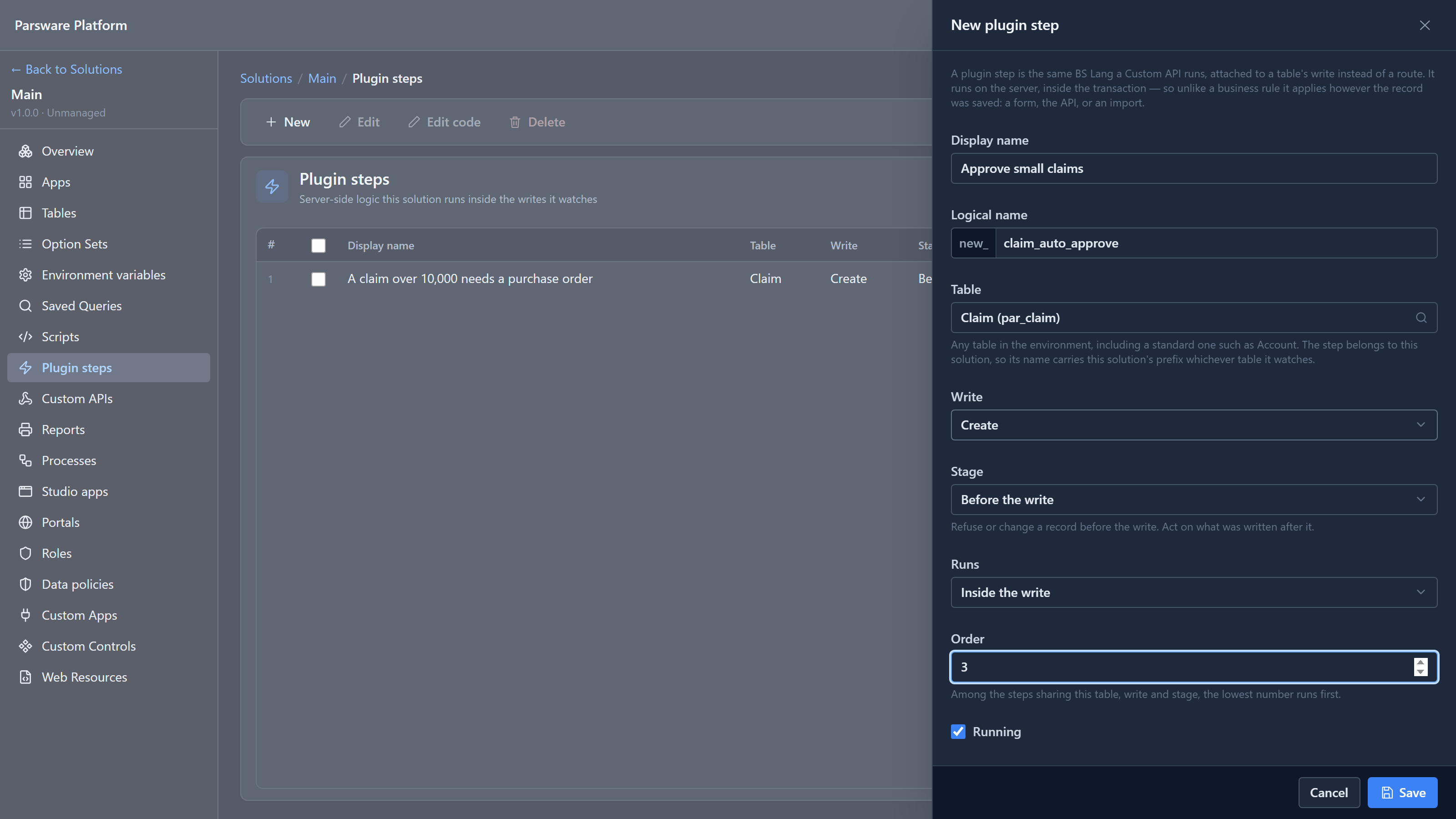
In Main, the environment's own solution, we added a plugin step: Approve small claims, on Claim, Create, Before the write, with an Order of 3:
Its code:
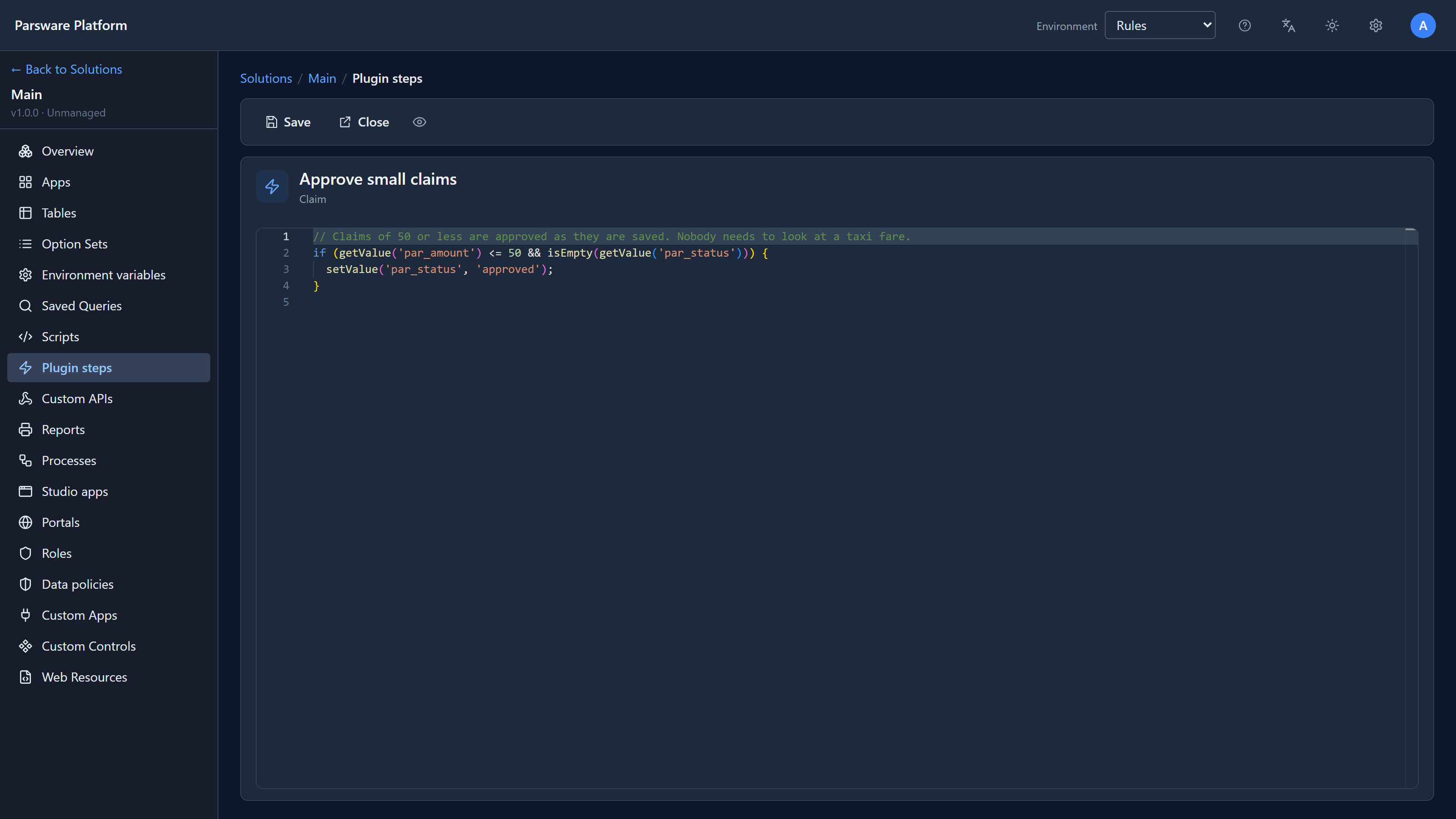
// Claims of 50 or less are approved as they are saved. Nobody needs to look at a taxi fare.
if (getValue('par_amount') <= 50 && isEmpty(getValue('par_status'))) {
  setValue('par_status', 'approved');
}
setValue changes a field on the record being saved. The server writes the record with the new
value, and the person saving sees it when the form comes back.
isEmpty(getValue('par_status')) means the step only fills the status in. If somebody has
already set one, the step leaves it alone.
Two claims
In the Shell we started a claim for a taxi, 18.40, and left Currency and Status empty:
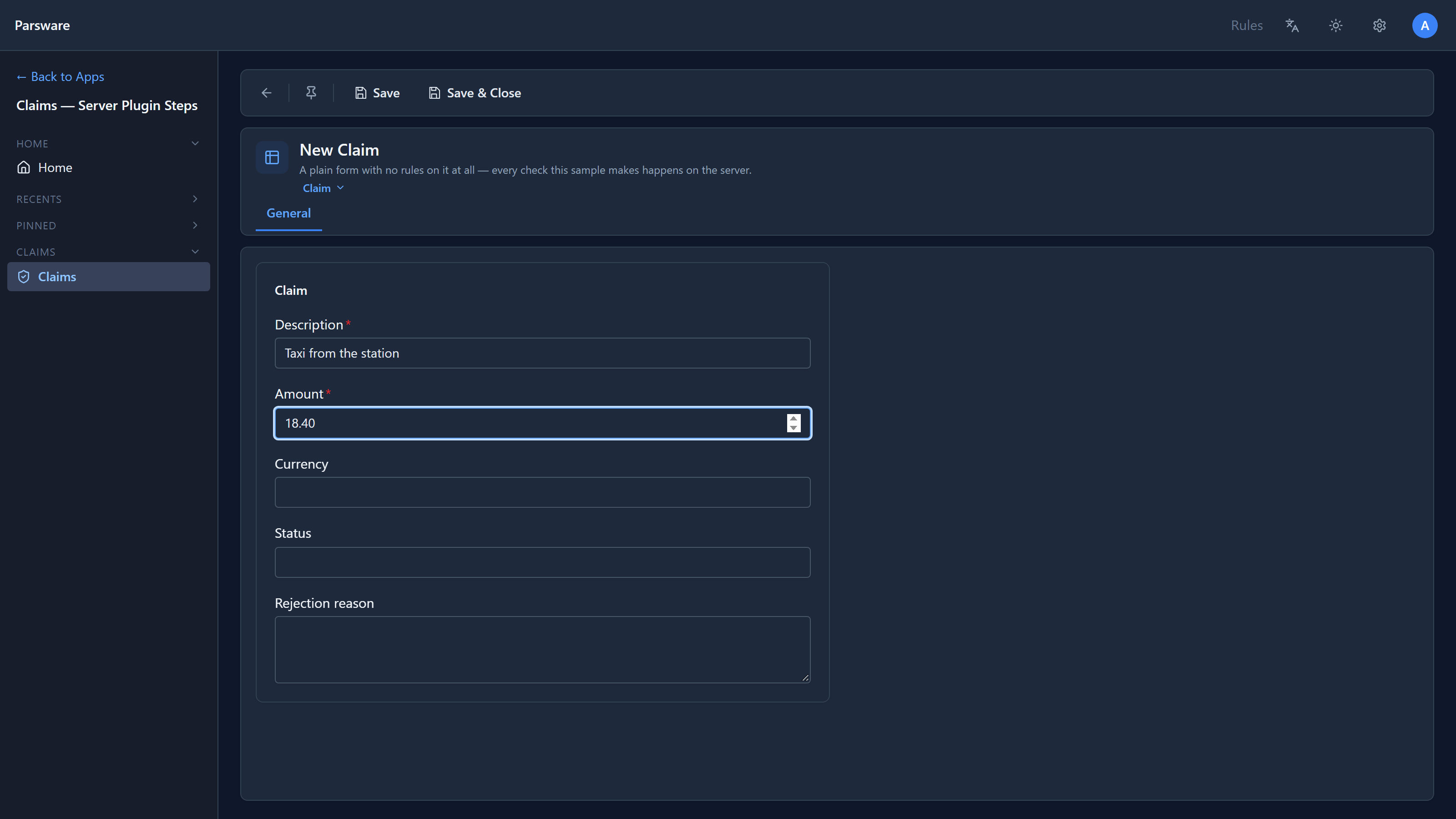
And saved it:
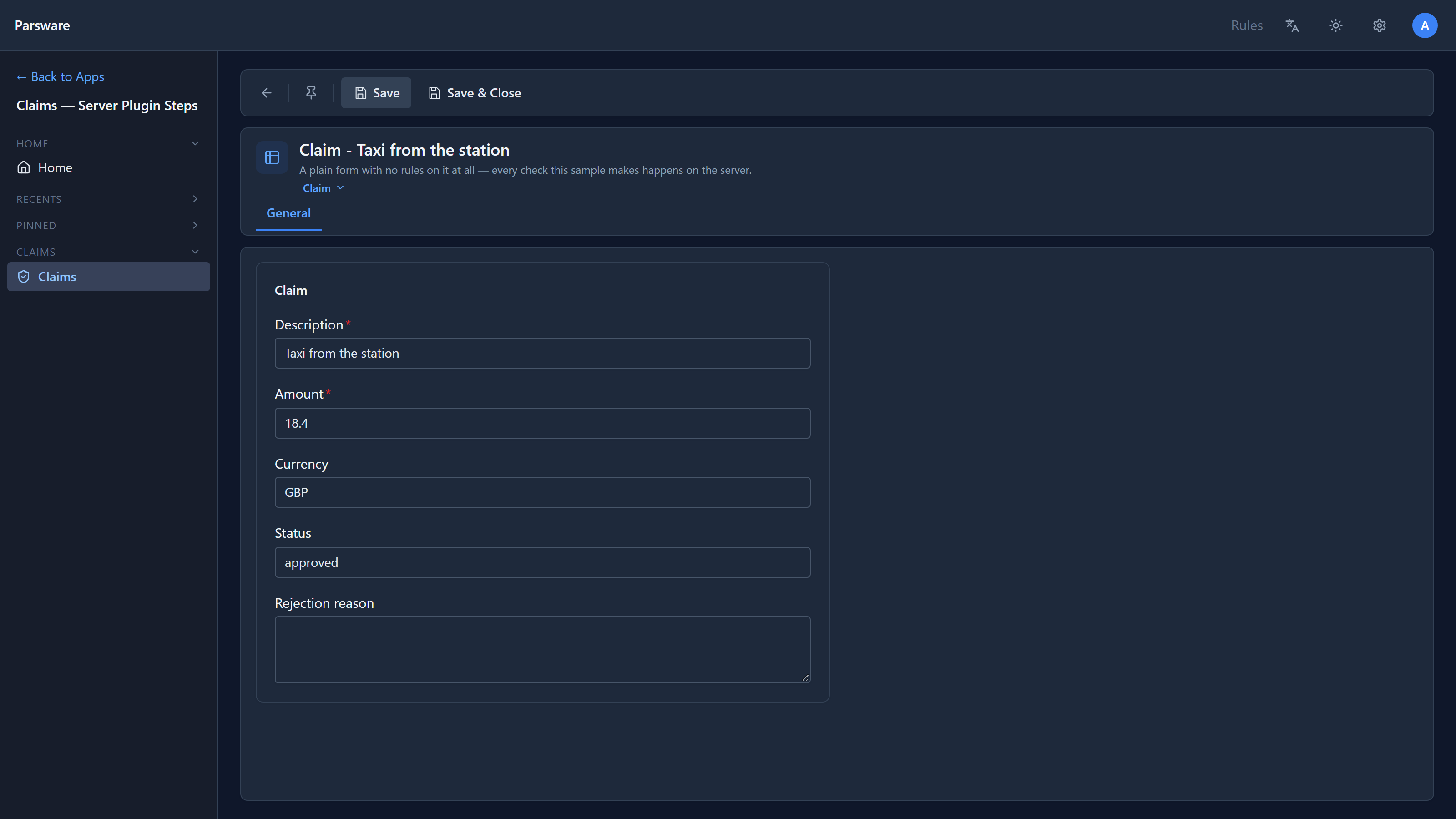
GBP and approved, both from the server, from two different steps. The form has no rules of its own; it sent what we typed and showed what came back.
Then a hotel bill for 120:
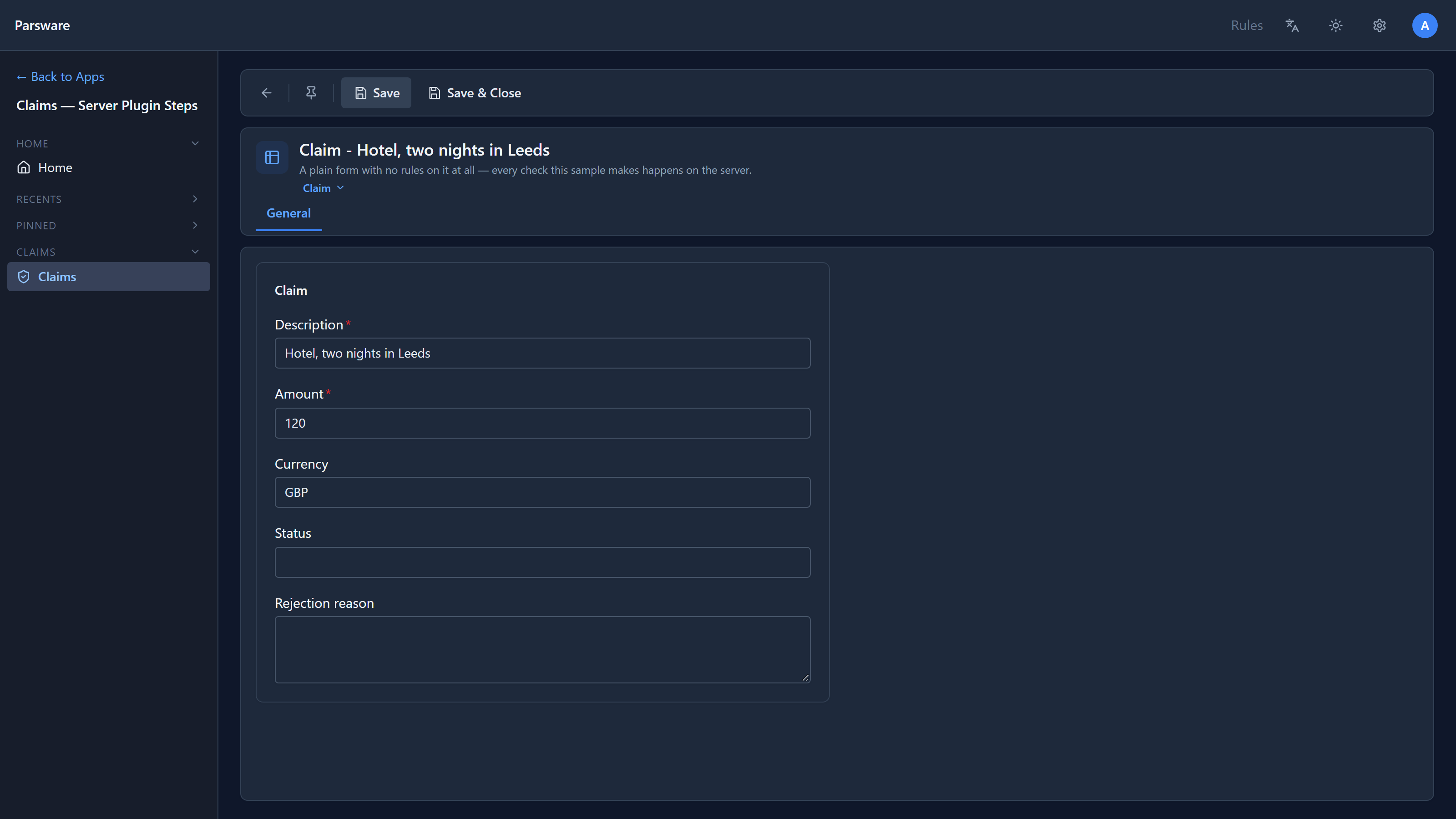
The currency is filled in, but the status is empty, because 120 is over the limit. That claim waits for a person.
We also posted a claim for 12 straight to the API, with no status. The record that came back said
"par_status": "approved". The rule applies however the claim is saved.
Why the order is 3
The sample has two Create steps already: Default the currency at 1 and Reject a negative
amount at 2. Ours runs after both, so a claim for -5 is refused before our step looks at it.
Without that, -5 <= 50 would approve it.
In practice the refusal would win either way: a refusal before the write undoes the whole save, including values other steps have set. But a step that relies on another step having run first should say so, and the Order is where it says it.
An approval that sticks
The sample's fourth step, A decided claim cannot change amount, runs on Update. It compares
the amount with what was stored before, using getPreValue:
if (getPreValue('par_status') == 'approved' && getValue('par_amount') != getPreValue('par_amount')) {
  throwValidationError('An approved claim cannot have its amount changed.');
}
So we tried to turn our approved taxi fare into a bigger claim, changing the amount to 180:
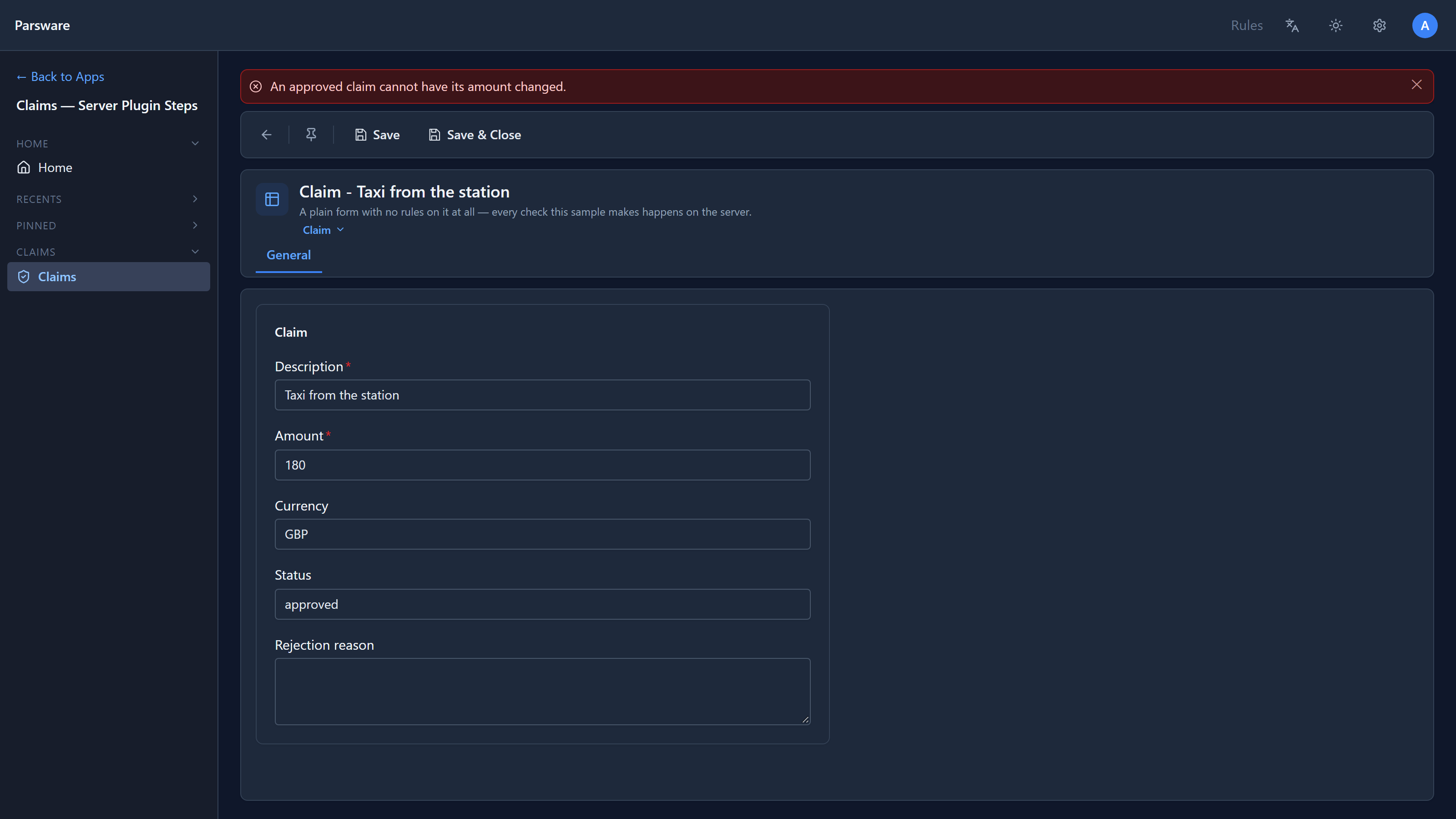
Refused. The server approved the claim, and the server keeps it approved at that amount. Without this step, auto-approval would be a hole: approve something small, then change it.
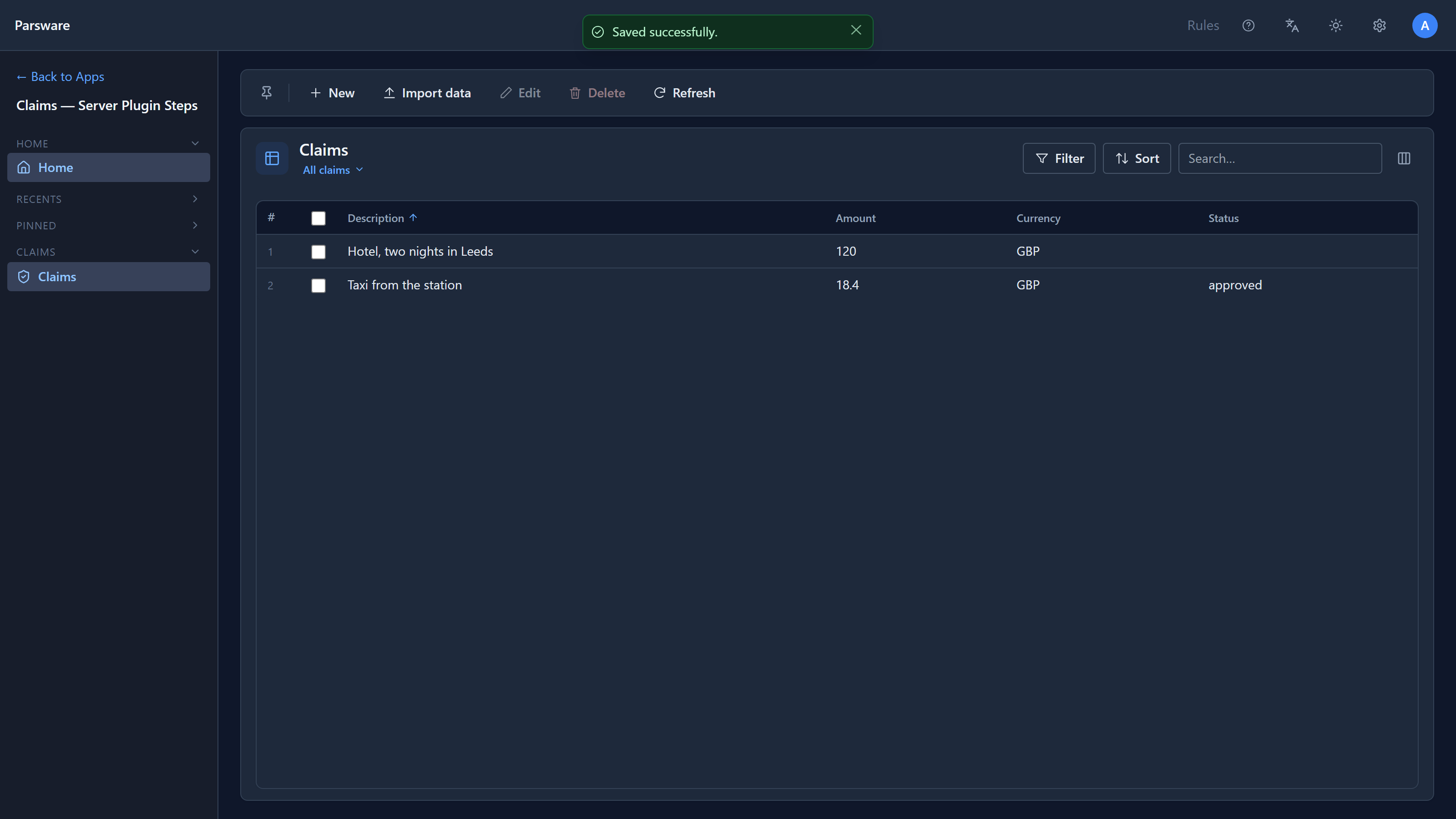
Only before the write
setValue works in one stage: Before the write, the last moment before the record's values are
written. Even Before validation, which runs just ahead of it, can't use it.
In any other stage setValue does nothing, silently. We checked: with our step moved to
After the write, a claim for 3 was stored with an empty status and no message. If a step that
sets values seems to do nothing, check its stage first.
To change a record that's already stored, an after-the-write step can call updateRecord on it
instead. That's a second save, with its own plugin steps, so guard it so it doesn't trigger
itself again.
Try it
Add Update to the rule: a claim whose amount is lowered to 50 or less gets approved as well. You'll need a second step, because one step watches one kind of write. Then think about what happens to the lock step if the amount is lowered on an already approved claim, and test it.
Next: when background work fails: the list a step lands on when it fails after the save, and how to retry it.