Parsware Platform
Every designer is code first
Every Parsware designer draws a plain text file: a process, a screen, a report, a table. The file has a published schema, the platform checks it the same way whoever wrote it, and so it can be read, compared, generated and reviewed like any other code. Why that matters, shown on the capital planning approval process.
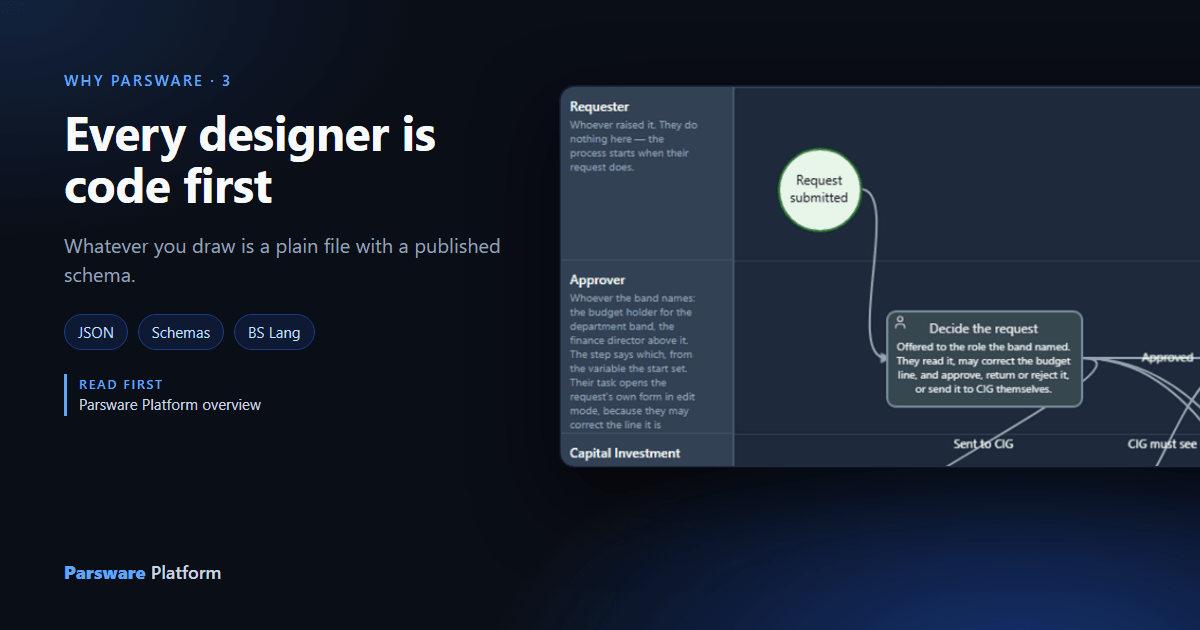
A visual designer is a good way to build something and a poor place to keep it. If what you drew only exists inside the designer, nobody can compare two versions of it, search it, review a change to it, or have a program write one. So in Parsware, every designer is a way of writing a file, and the file is the thing that's kept.
This article shows what that means on one process, the approval in the capital planning sample,
samples/solutions/studio-capital-planning.
The drawing
Here's the process in the process designer: a request is submitted, an approver decides, the Capital Investment Group sometimes decides too, and the system records the outcome.
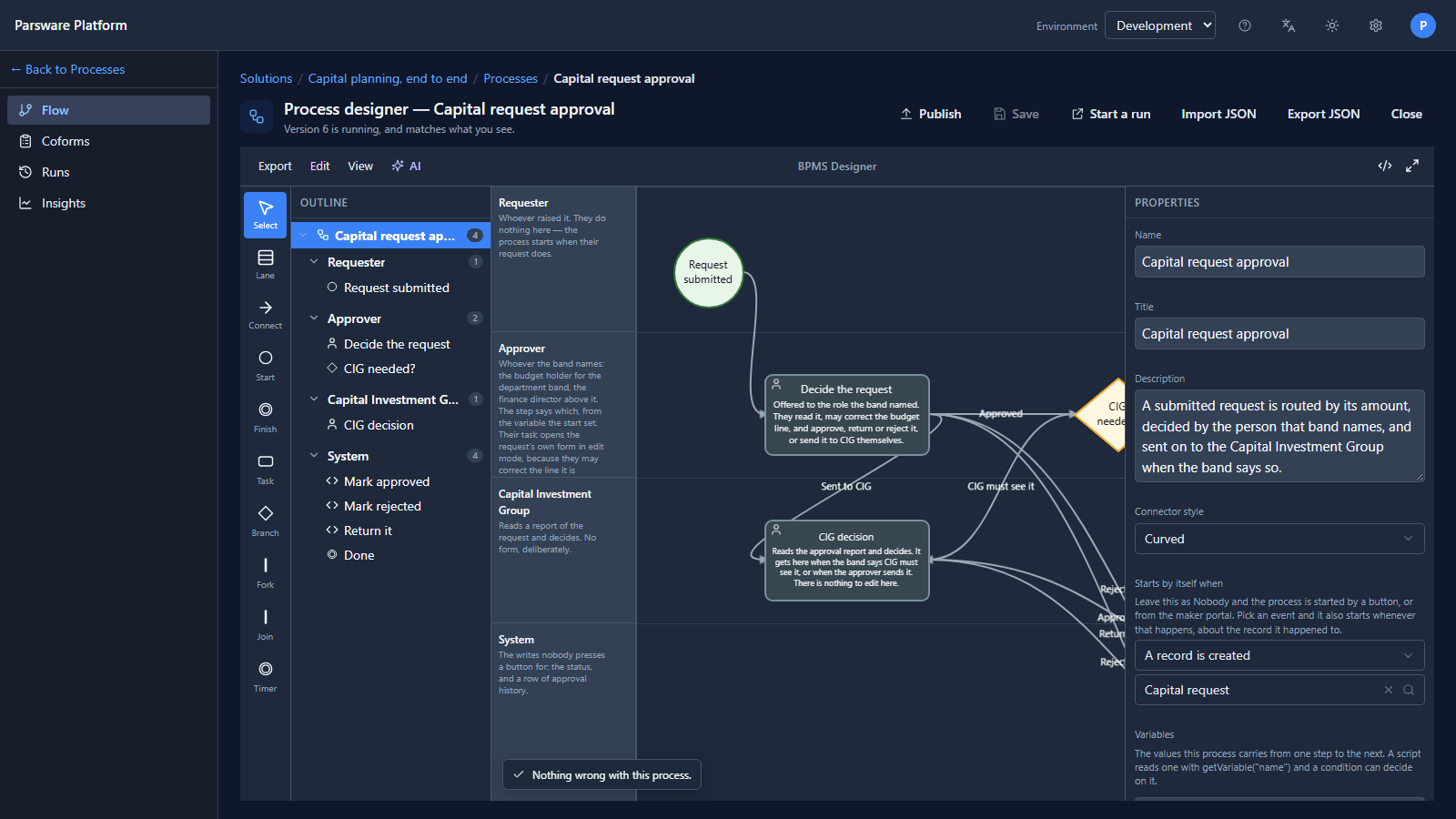
The file underneath
Export JSON saves the same process as a file. It's an ordinary JSON document, and each box and arrow is a few readable lines. The Decide the request task:
{
  "id": "node-department",
  "kind": "task",
  "taskType": "user",
  "laneId": "lane-budget",
  "title": "Decide the request",
  "assignment": "role(getVariable(\"approver\"))",
  "form": "par_department_decision"
}
and the arrow that sends a request on to the Capital Investment Group:
{
  "id": "edge-department-cig",
  "source": "node-department",
  "target": "node-cig",
  "label": "Sent to CIG",
  "outcome": "to_cig"
}
Nothing in the drawing lives anywhere else. Where the process runs code, the code is text too: BS Lang, in the same file, edited in a code editor beside the drawing:
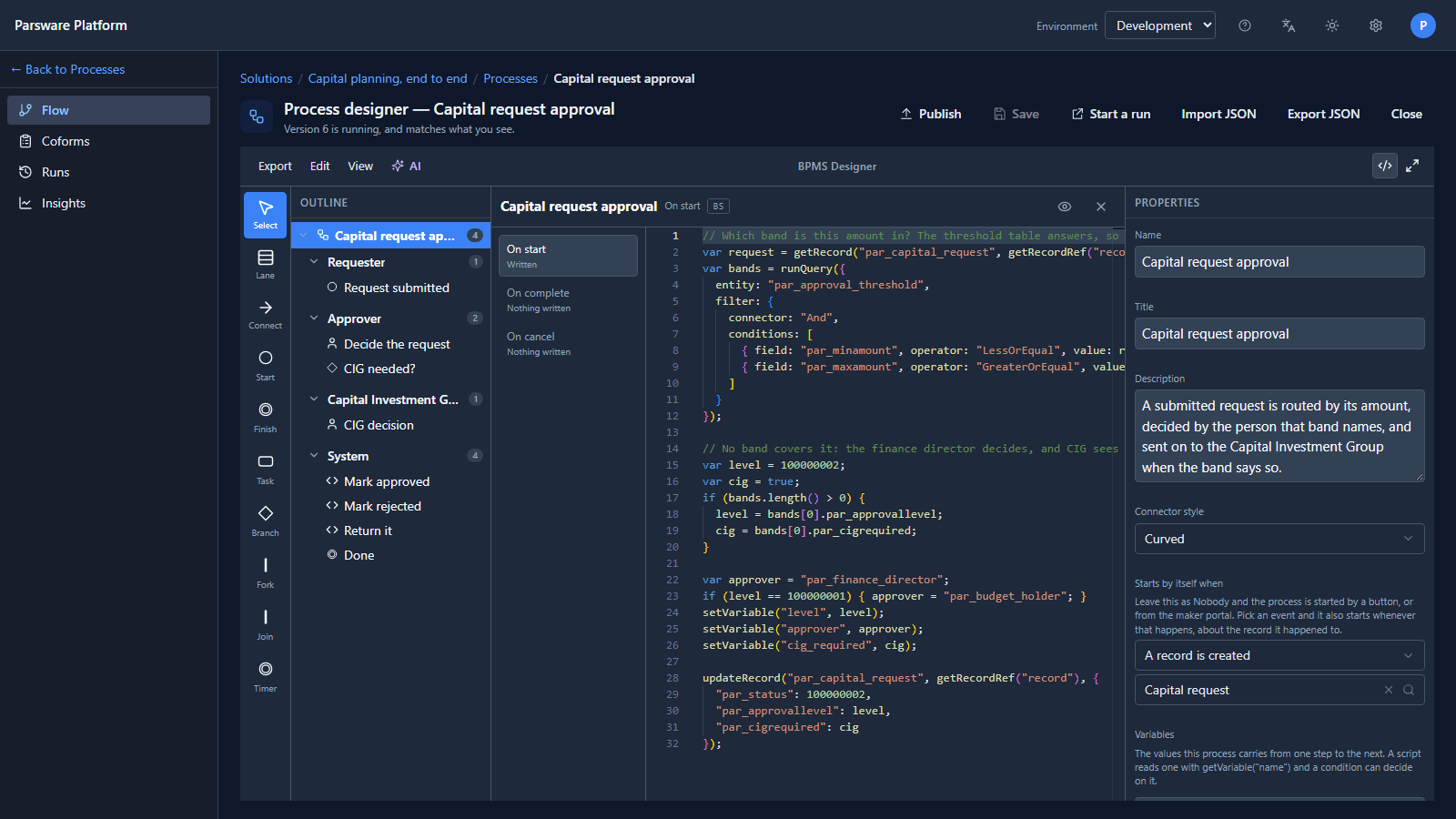
The same is true of the other designers. A table, a view, a form, a report, a query, a drawn screen and an app are each a JSON document; a script is BS Lang text.
A schema for every kind of file
Every kind of document has a published JSON Schema, on the help site, that says exactly what a valid one looks like:
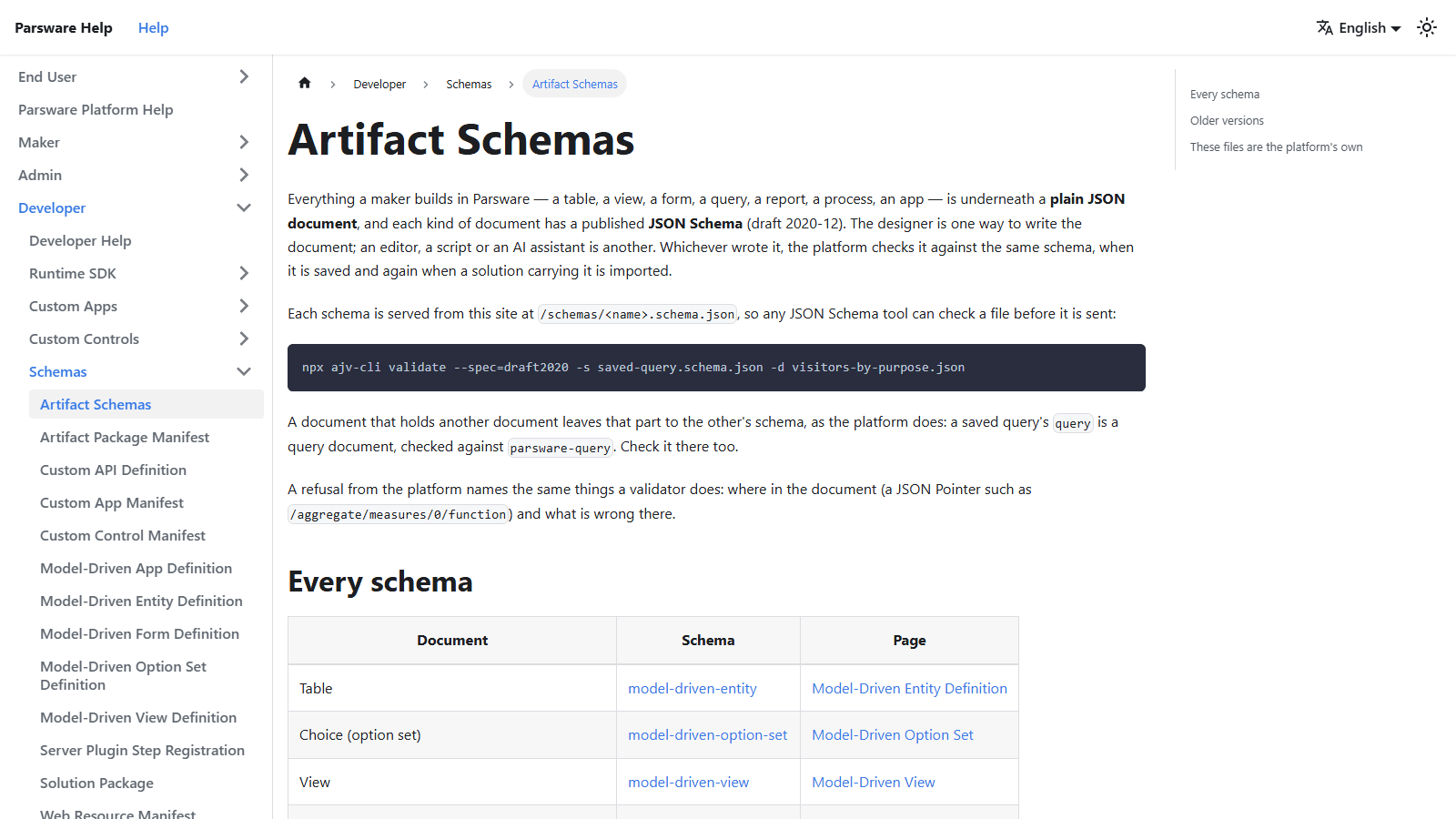
The platform checks a document against that schema when it's saved, and again when a solution carrying it is imported. It doesn't matter whether the designer wrote it, a person wrote it in an editor, a script generated it or an AI assistant did: the check is the same, and a refusal says where in the document the problem is (see Schemas: every artifact is a file).
Why it matters
- Solutions are files of files. A solution package is a JSON document holding these documents, which is why moving an application from Development to Test is an export and an import, not a rebuild (see Publishers and solutions).
- Changes can be reviewed. Two versions of a process are two text files, and the difference between them is a diff anybody can read.
- A program can write one. A script, a generator or an assistant only has to produce a document in the published shape, and the platform checks it exactly as it checks a drawn one.
- Nothing is locked in a picture. If you ever leave, what you built leaves with you as files whose format is written down.
Try it
Open any process in the process designer and press Export JSON. Open the file in an editor and
find each box you saw on the canvas. Then check it against bpms-design.schema.json from the help
site with any JSON Schema tool.
Next: Built only on permissive open source.