How to build a customer portal
Import a service-desk sample, publish it as a portal, sign up as a customer, raise a case and answer it from inside the company. Each customer sees only their own cases. How-to video H004, step by step.
How-to H004 · 3 min 57 s. A complete tutorial: every click and value the video uses, and the rule and the code that keep one customer's cases away from another's. Every picture is a frame of the video.
A portal is a website for people outside your organisation: customers, suppliers, members. In this tutorial you publish a service desk from a sample, sign up on it as a customer, raise a case, answer it from inside the company, and then prove the part that matters most: a customer from another company never sees it.
Before you start
- An environment with the portal-sign-in-kit sample already imported. It brings the sign-in, sign-up and password screens every portal uses.
- The portal-service-desk sample's package,
portal-service-desk.solution.json. How to import a sample solution shows how to import one. - An administrator account, and an email address you can read for the visitor's sign-up.
What the sample brings
| Part | Name | What it does |
|---|---|---|
| Table | Case (par_case) |
One row per case a customer raises. |
| Data policy | Cases belong to their customer | The rule that keeps companies apart. |
| Custom APIs | six of them | The only ways the portal reads or writes cases. |
| Studio app | Service desk | The screens the portal shows. |
| Portal | Service desk | Publishes the Studio app on the internet. |
| Role | Service desk visitor | What a signed-in visitor acts under. |
| App | Service desk (model-driven) | Where your own people answer cases. |
The Case table's fields:
| Field | Logical name | Who fills it |
|---|---|---|
| Subject | par_name |
The visitor |
| Detail | par_detail |
The visitor |
| Urgency | par_urgency |
The visitor |
| Customer | par_customer (a lookup to Account) |
The platform, from the visitor's session |
| Raised by | par_raised_by_email |
The platform |
| Status | par_status |
Your own people |
| Our reply | par_reply |
Your own people |
Part 1: Import and publish
1.1 Import the sample
- In Solutions, select Import and pick
portal-service-desk.solution.json. - Read the dialog, which names the solution, its version and the environment, and select Import. The import runs in the background.
- When it's done, the solution is in the list. Open it.
1.2 Look at the rule that keeps companies apart
- In the solution's rail, open Data policies.
- Open Cases belong to their customer. It is one line of BS Lang:
Record.par_customer == Portal.CustomerId
A case's customer must be the visitor's own company. The rule belongs to the table, not to a page or an API, so every way a portal reads or writes cases is narrowed by it, including any API you add later. A visitor who is in no company matches nothing.
As it is stored in the solution:
{
  "logicalName": "par_my_cases",
  "displayName": "Cases belong to their customer",
  "kind": "PortalRelationship",
  "entityLogicalName": "par_case",
  "scriptBody": "Record.par_customer == Portal.CustomerId",
  "isEnabled": true
}
1.3 Look at how a case is raised
Open Custom APIs. The portal can call only these six:
| Custom API | Verb and route | What it does |
|---|---|---|
| My cases | GET cases |
The visitor's cases. |
| One of my cases | GET cases/{id} |
One case. |
| Raise a case | POST cases |
Creates a case. |
| Change a case | PATCH cases/{id} |
Edits one. |
| Close a case | DELETE cases/{id} |
Closes one. |
| Start my company | POST desk-company |
Starts the visitor's company. |
Open Raise a case. Its request schema accepts only par_name, par_detail and par_urgency,
so a page can't send a customer at all. The script reads the company off the session instead:
var me = portalEmail();
var company = portalCustomerId();

if (me == '') {
  throwValidationError('Sign in before raising a case.');
} else if (isEmpty(company)) {
  throwValidationError('Join or start a company before raising a case.');
} else {
  if (isEmpty(getRecord('account', company))) {
    createRecord('account', { id: company, name: 'Company of ' + me, emailaddress1: me });
  }
  var subject = getInput('par_name');

  if (isEmpty(subject)) {
    throwValidationError('Please say what you need help with.');
  } else {
    var id = createRecord('par_case', {
      par_name: subject,
      par_detail: getInput('par_detail'),
      par_urgency: getInput('par_urgency'),
      par_status: 'New',
      par_raised_by_email: me,
      par_customer: company
    });

    setOutput('record', getRecord('par_case', id));
  }
}
| Function | What it gives |
|---|---|
portalEmail() |
The signed-in visitor's email address, or empty if nobody is signed in. |
portalCustomerId() |
The company the visitor acts for. |
getInput('…') |
One value from the request. |
throwValidationError('…') |
Refuses the call, with words the visitor can act on. |
setOutput('…', …) |
What the API answers. |
1.4 Publish the portal
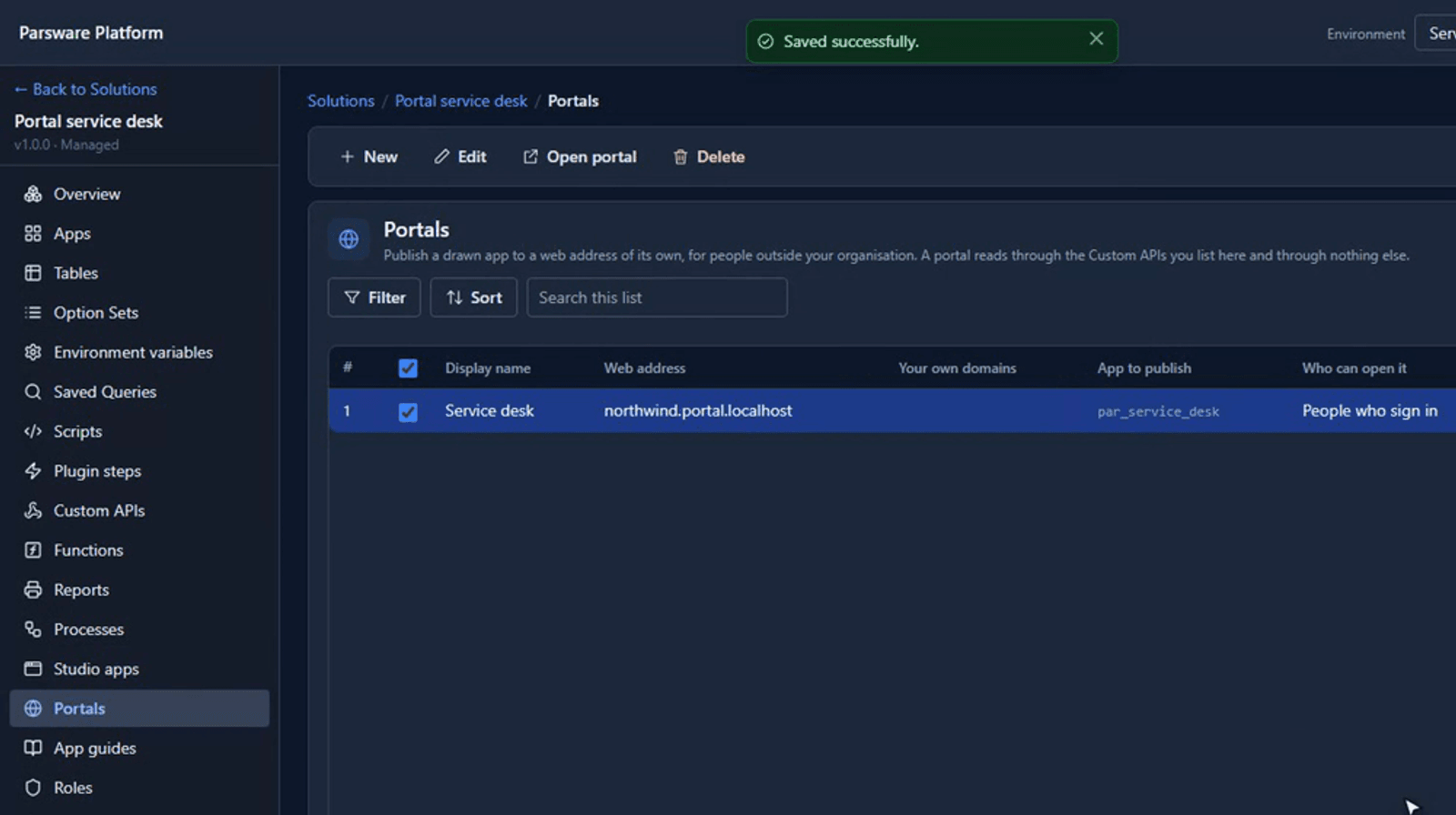
- In the solution's rail, open Portals, tick Service desk and select Edit.
- Read what it is set to: it publishes the Service desk Studio app, to people who sign in, and it may call only the six Custom APIs ticked in its list.
- Type the Web address
northwind. - Tick Published and select Save.
The portal is live, at the web address followed by your portal domain. In the video's local set-up
that is northwind.portal.localhost.
Part 2: Use it as a customer
2.1 Sign up
- Open the portal's address. Nobody gets past the first page without an account.
- Select Create account and fill it in as the first visitor. The video uses Alex Morgan, from Contoso: a name, an email address, and a password, twice.
- The portal sends an email to confirm the address. Open it and select the link. The page says the address is confirmed.
2.2 Sign in and start a company
- Sign in. My cases is empty, because Alex isn't in a company yet.
- Open Your company and start one:
Contoso. Every case Alex raises will belong to it. - Select the site's name at the top to go back to the cases.
2.3 Raise a case
-
Select Raise a case and fill it in:
Box Value What do you need help with? The invoice for October is missingAnything that would help us We were billed in September but have no invoice for October. -
Select Raise this case. It is in the list, marked New.
Nothing on the page filtered the list. The rule on the table did.
Part 3: Answer it from inside
- Sign in to the platform as one of your own people, and open the Service desk app. Your own people see every company's cases, and Alex's is there.
- Open it. On the left is what the customer raised. On the right, the answer.
- Set Status to
Answered. - In Our reply, type
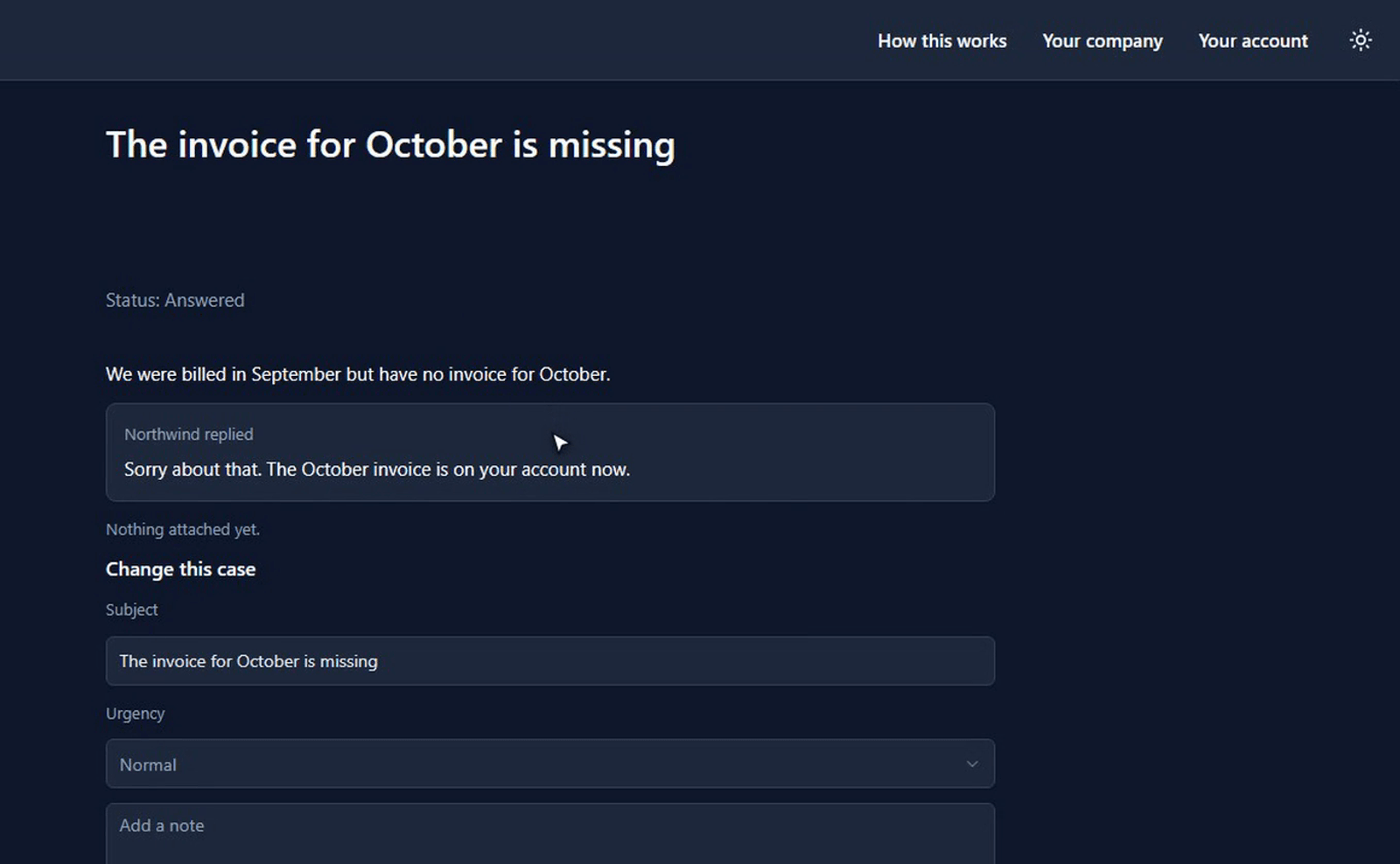
Sorry about that. The October invoice is on your account now. - Select Save & Close.
Only your own people can fill these two fields. A visitor can read them, but none of the portal's APIs accepts them.
- Back on the portal, Alex opens the case again. The status reads Answered, and the reply is under Northwind replied.
Part 4: Prove the companies are apart
- Alex signs out.
- Sign up a second visitor from another company. The video uses Jordan Lee, from Fabrikam.
Confirm the address, sign in and start the company
Fabrikam. - Jordan's My cases is empty.
Contoso's case isn't hidden by the page. The rule on the table never lets Jordan read it, whichever API is called and however the page is written.
If something goes wrong
- The portal's address doesn't open. It isn't ticked Published, or the web address is already used by another portal.
- There is no sign-in page. The environment doesn't have portal-sign-in-kit imported.
- Raising a case says "Join or start a company before raising a case." The visitor hasn't started or joined a company yet (step 2.2).
- The confirmation email never arrives. Check the address and the spam folder, and use Resend confirmation on the sign-in page.
What you built
A working customer portal on your own data. The cases are ordinary records, your service team works them in an ordinary app, and one line on the table makes sure a visitor only ever sees their own company's cases.
Read more
- The feature, explained: A customer portal on your own data.
- The next how-to: How to move a finished app from Dev to Test to Prod.
- Every how-to: the How-tos category.
Is there a task you would like to see done step by step? Tell us. parsware.com/contact