A big toggle switch
A yes/no column as a switch big enough for a thumb on a tablet: press it to flip it, with the words beside it saying which way it is.

A yes/no column on a form is a small toggle, fine with a mouse and fiddly with a thumb. This demo draws Urgent as a switch 144 pixels wide, for a form used on a tablet.
It is a drawn field: a Parsware Studio design placed on the column through the Parsware
control, in place of the column’s own control. It reads the column as field.value and writes it
with setFieldValue(...), so the value goes to the form: saved when you save and gone if you
discard, like anything typed into the form.
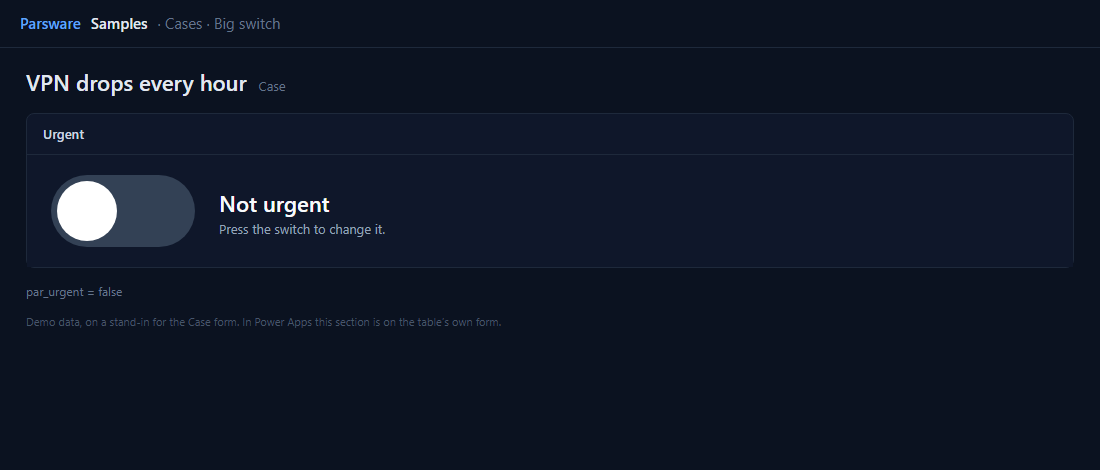
One press flips it
A yes/no column reads as the text "true" or "false". The whole switch is one clickable box:
setFieldValue(field.value == "true" ? "false" : "true");
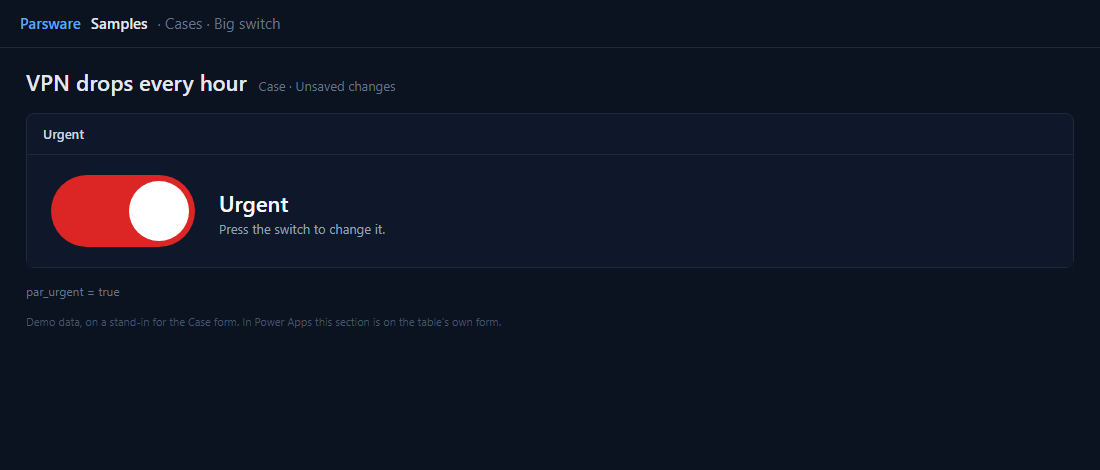
The track and the knob are each drawn twice, once per position, and each copy is shown only when
the value matches. Nothing moves; the screen just shows the other drawing. The words are
field.value == "true" ? "Urgent" : "Not urgent".
Try it
- Install the three Parsware for Power Apps solutions, samples included (Install it).
- Open Sample data and press Replace, so the newest columns are filled (The samples, and sample data).
- Open a case. Urgent is on the Drawn controls tab.
The pictures show the shipped design running on demo data in Parsware’s own runtime. In Power Apps the form, the side pane and the dialog are the app’s own.