For Power Apps
When a licence lapses
When a paid Parsware licence passes its date, nothing stops. Reports and screens keep working for your users, the designer keeps working for your makers, and makers see a notice that renewal is due. A trial is different, because a trial is meant to end. Here are both, pictured with expired keys.
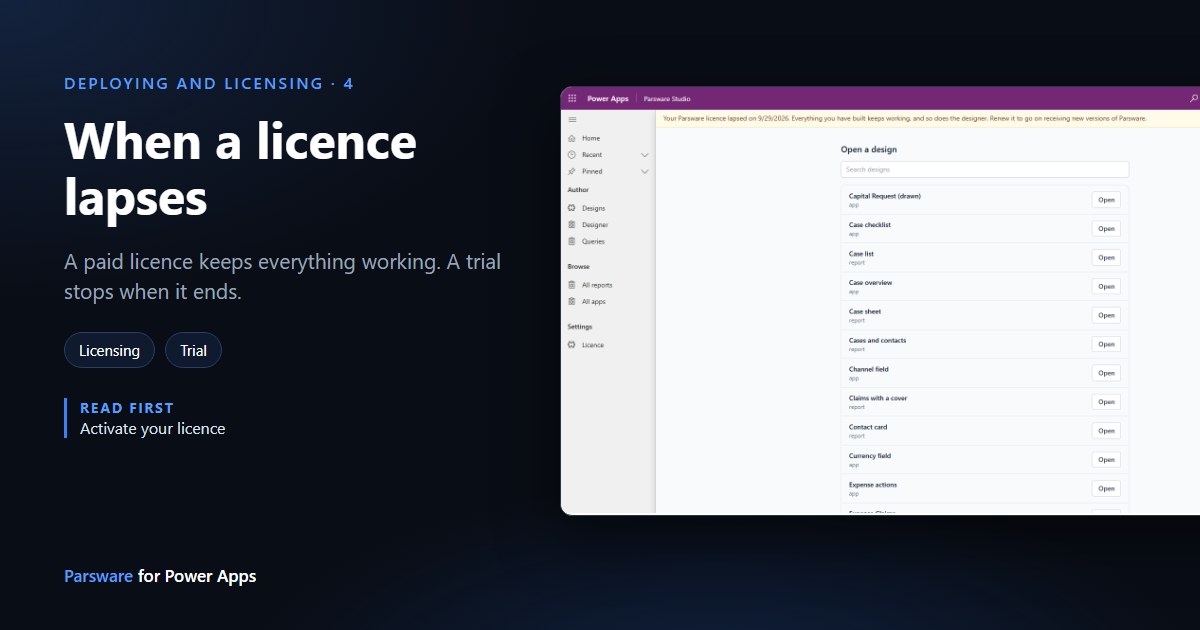
Every Parsware licence key has an expiry date. What happens when that date passes depends on one thing: whether the key is paid or a trial.
| A paid licence lapses | A trial ends | |
|---|---|---|
| Reports and screens your users see | Keep working | Stop |
| The designer | Keeps working | Stops |
| Makers see | A notice that renewal is due | A message that the trial has ended |
| Users see | Nothing different | A one-line message where the report was |
We pictured both in our development environment, with a paid key and then a trial key that had each expired two days earlier.
A paid licence lapses
Nothing you've paid for stops. A report people open every morning shouldn't go dark over a renewal that's waiting on a purchase order, and makers shouldn't lose the work they're in the middle of. What renewing gets you is new versions of Parsware, not permission to keep using this one.
What makers see
Parsware Studio opens as usual, with a notice across the top:
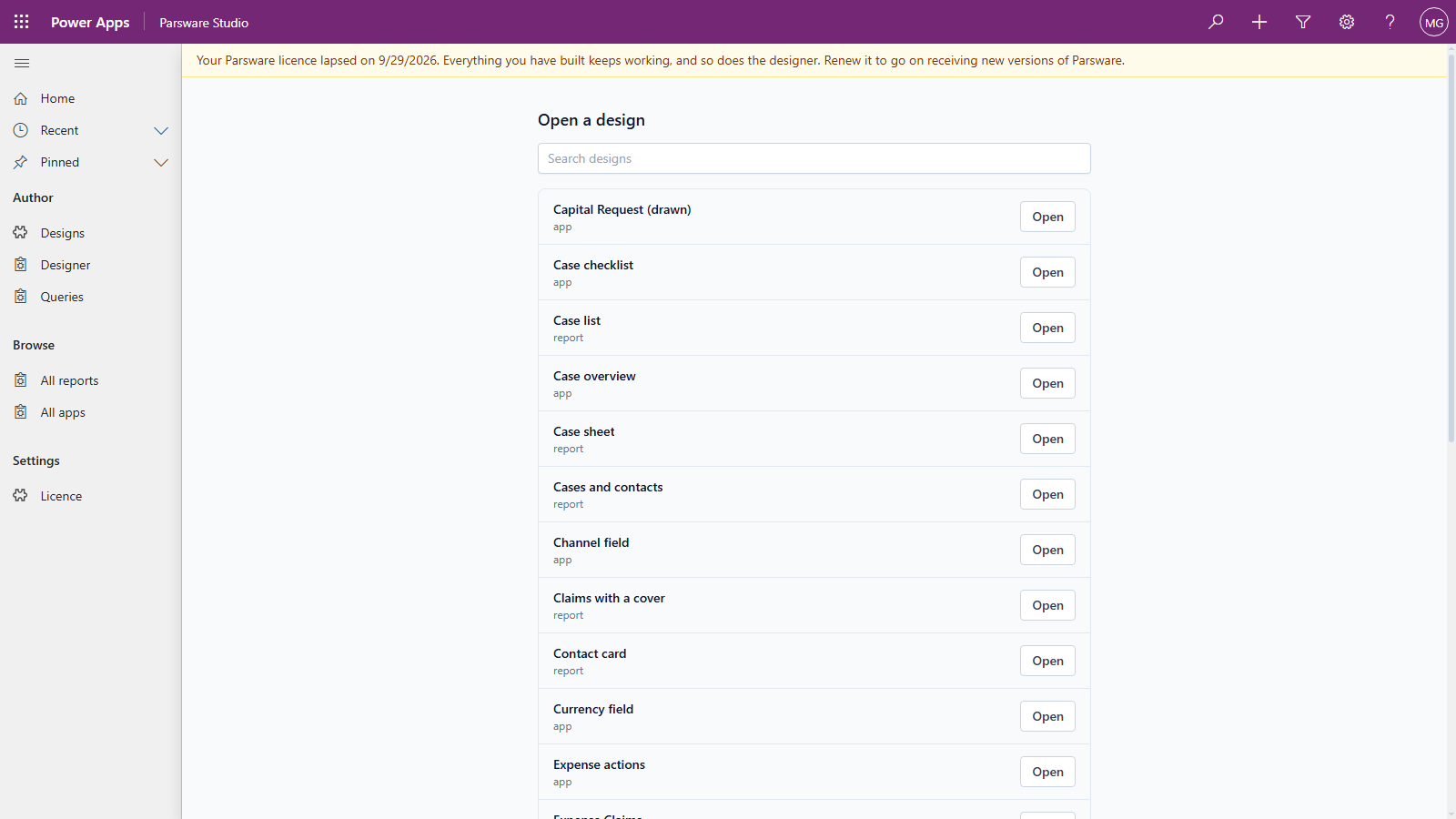
The designer underneath is the whole designer, not a read-only one: with the expired key in place we opened a design on the canvas as usual. The notice starts 30 days before the date, as Your Parsware licence expires on …, so there's a month to renew before it lapses at all.
What users see
Nothing different. Here is a report on a contact's form with the same expired key in place:
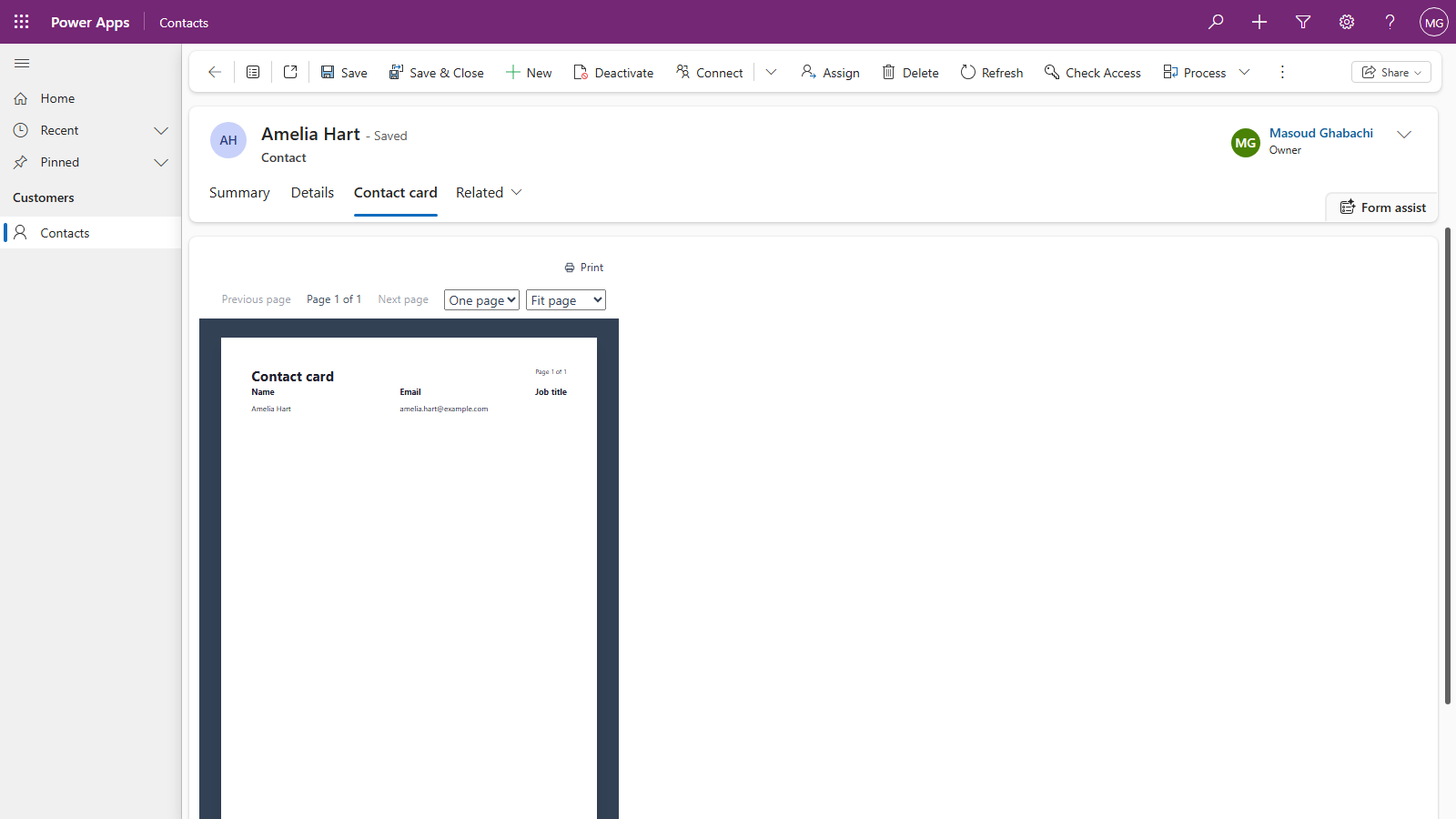
Users never see the notice. It's for people who can do something about it, and somebody opening a report can't.
On the licence form
The panel under the key shows the date it expired:
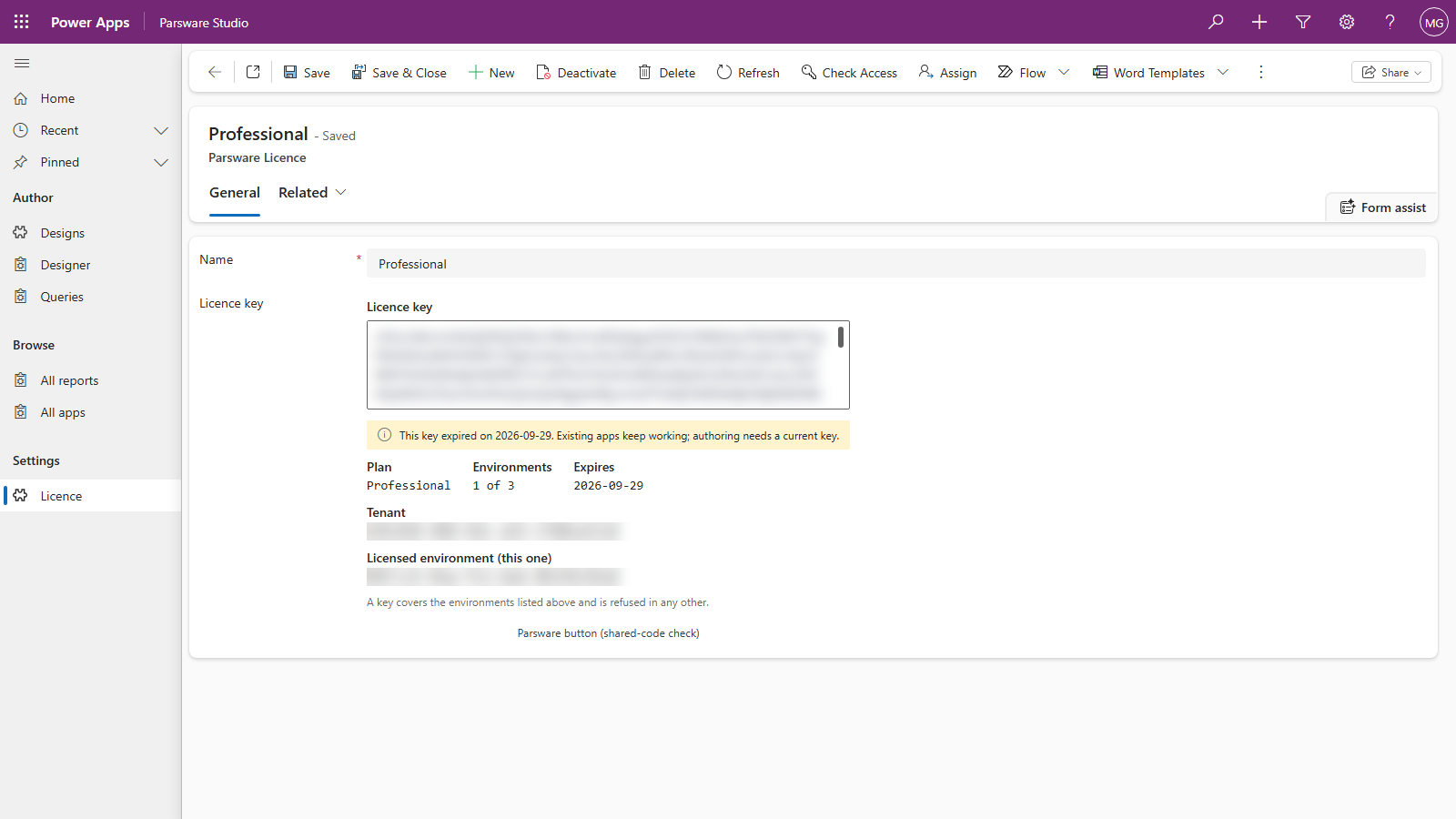
The second half of that sentence is out of date: authoring doesn't need a current key, and the designer works, as shown above. The panel's wording predates the rule and will be corrected in a later release.
A trial ends
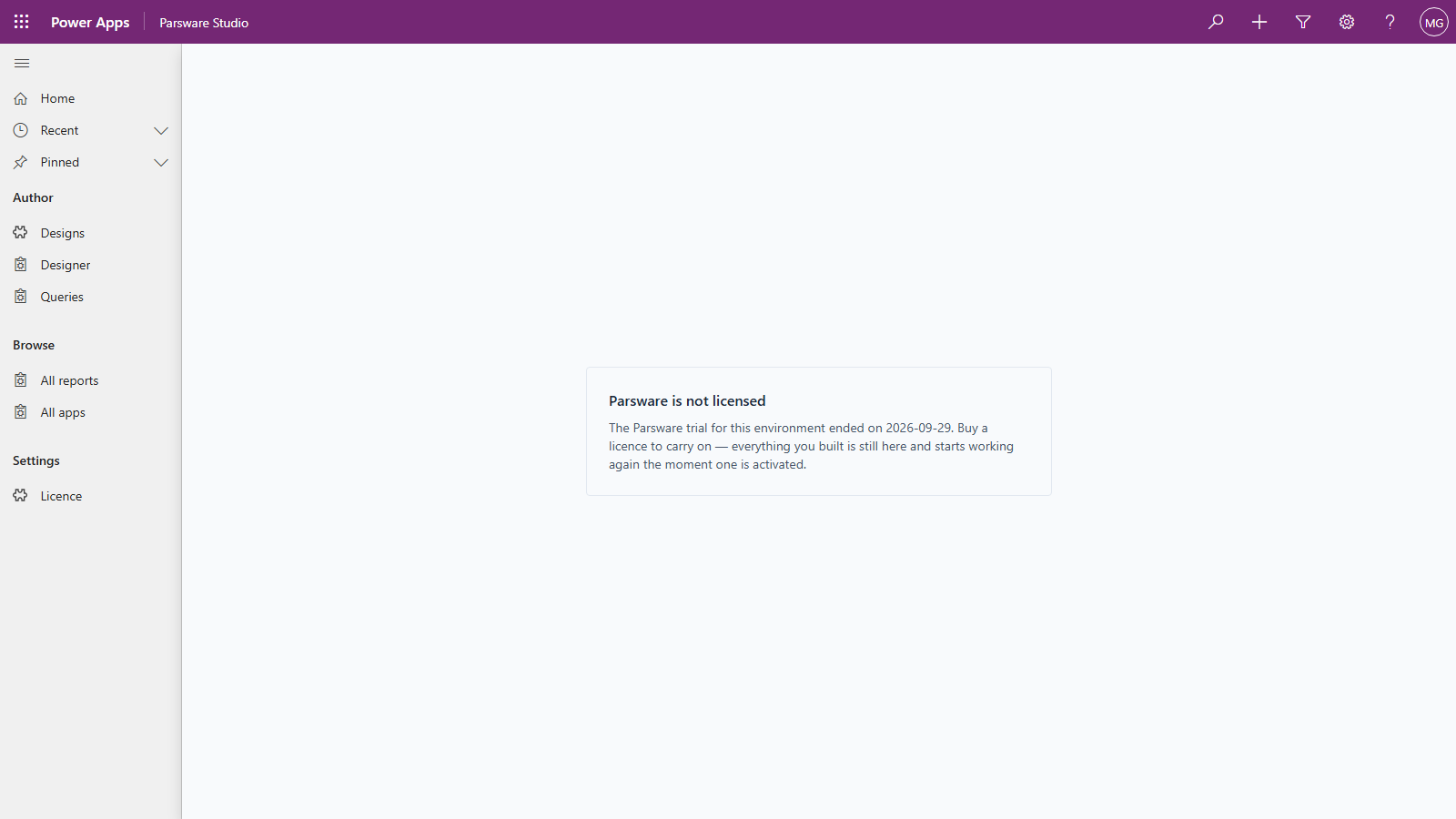
A trial is a loan with a date on it, so when it ends Parsware stops until a paid key is in place. Makers opening the designer see why:
Users see a short message where the report or screen was, without any licensing detail they can't act on:
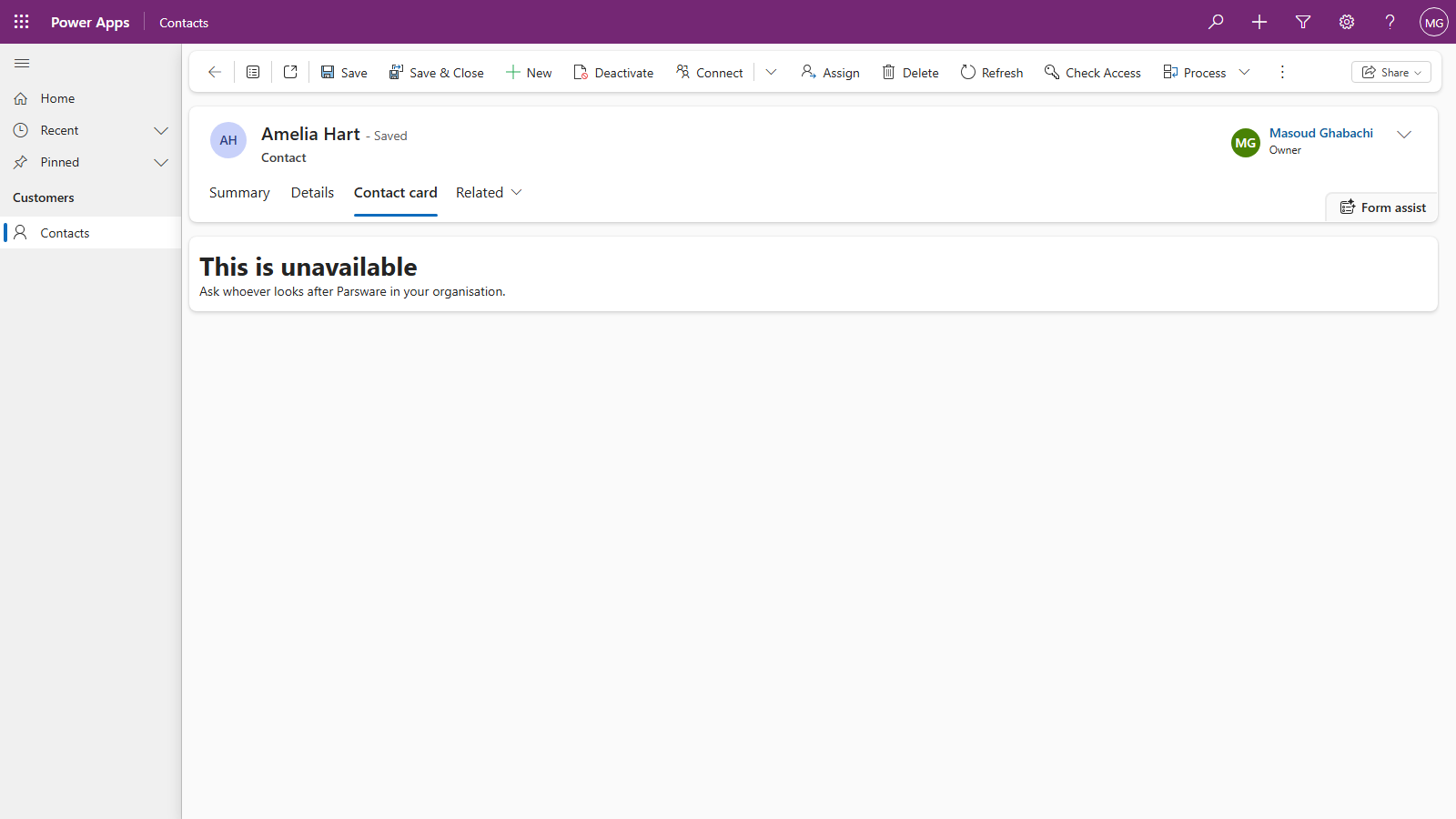
The rest of the form keeps working, and nothing is deleted. Your designs, your published reports and your forms are all still there, and they work again the moment a paid key is pasted in.
Renewing
Paste the new key over the old one, in the same row and the same field, and save. There's nothing to reinstall, and the notice or the message goes the next time a page opens. See Activate your licence.
A paid licence will also be able to renew itself, without a connector or a flow; that isn't switched on yet. What stays on your tenant says what that renewal sends.
Not an expiry
Two other states stop Parsware for everybody, paid or not, because they aren't about a date: a key issued for a different environment, and a key that can't be read (part of it missing, or not one of ours). The licence form's panel says which, before you save; see Activate your licence.
Next
The last series, Comparisons, starts with Parsware reports and Power BI paginated reports: where each one fits. The whole series is in the reading list.