For Power Apps
Lookups and choices in a report
Dataverse stores a lookup as an id and a choice as a number, and neither belongs on a printed page. A Parsware report prints the related record's name and the choice's label instead, with no extra work. Here's a list of cases with the contact each one belongs to and its priority.
Dit artikel is alleen in het Engels beschikbaar.
Some Dataverse columns don't hold what they show. A lookup holds the id of another record, a
long GUID. A choice holds a number, such as 100000002. A model-driven form turns those into a
name and a label for you. A report has to do the same, or it prints GUIDs and numbers on paper.
A Parsware report does it without being asked. This article shows what that looks like, with a list of cases, the contact each case belongs to and its priority.
The data
The samples' Case table has both kinds of column:
- Contact, a lookup to the standard Contact table.
- Priority, a choice: Low, Normal or High.
The sample data only links cases to contacts if the environment has contacts when it's filled. If yours has none, add a few, then open Sample data in the Parsware Samples app and press Replace. It spreads the cases across the contacts it finds. (More on the sample data.)
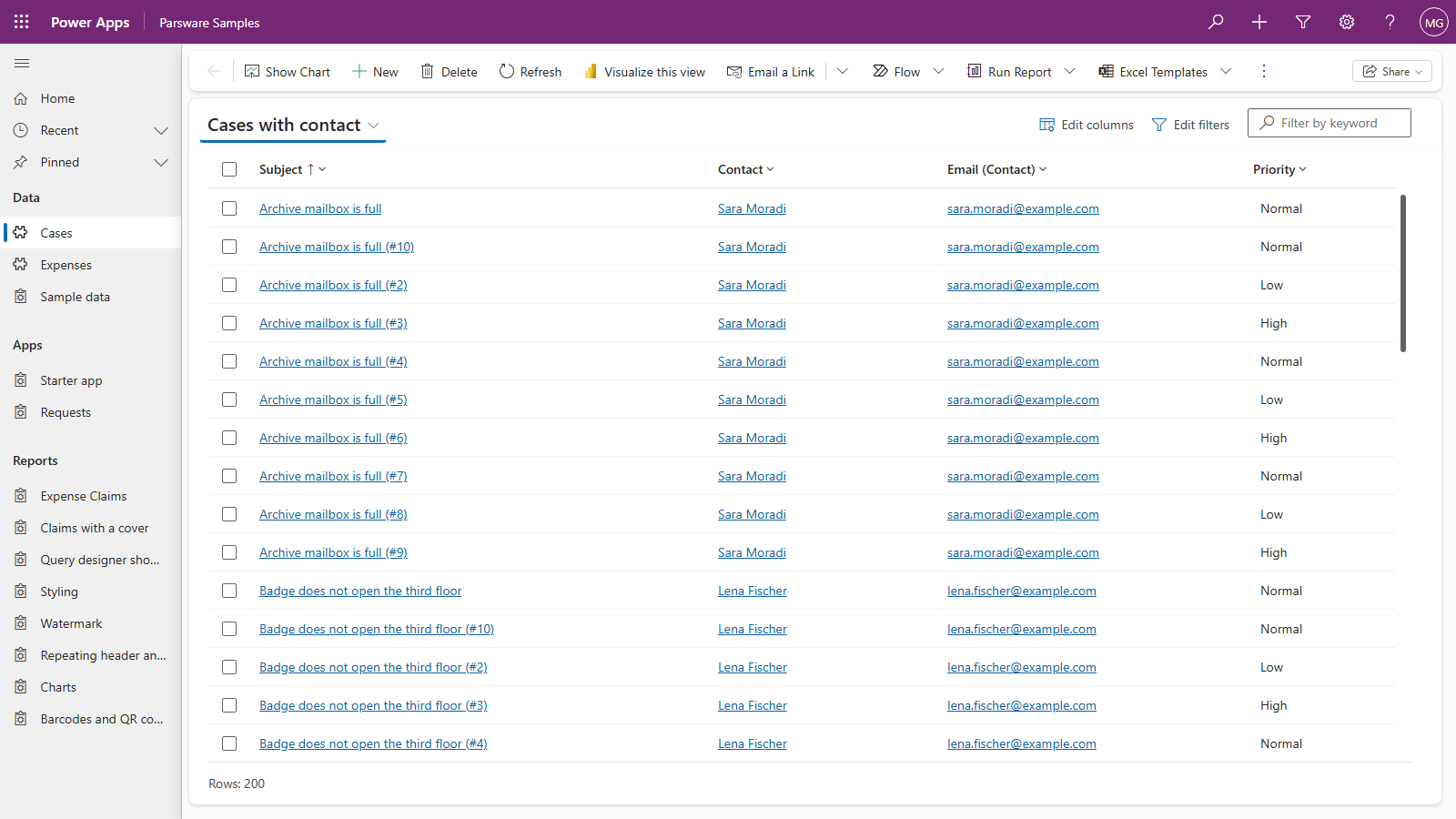
We read the cases through a view, Cases with contact, that selects Subject, Contact and Priority:
Bind them like any other column
Create a report as in the last two articles, with a dataset named
cases on the Case table and the Cases with contact view, and set the repeater's Repeat
over to cases.
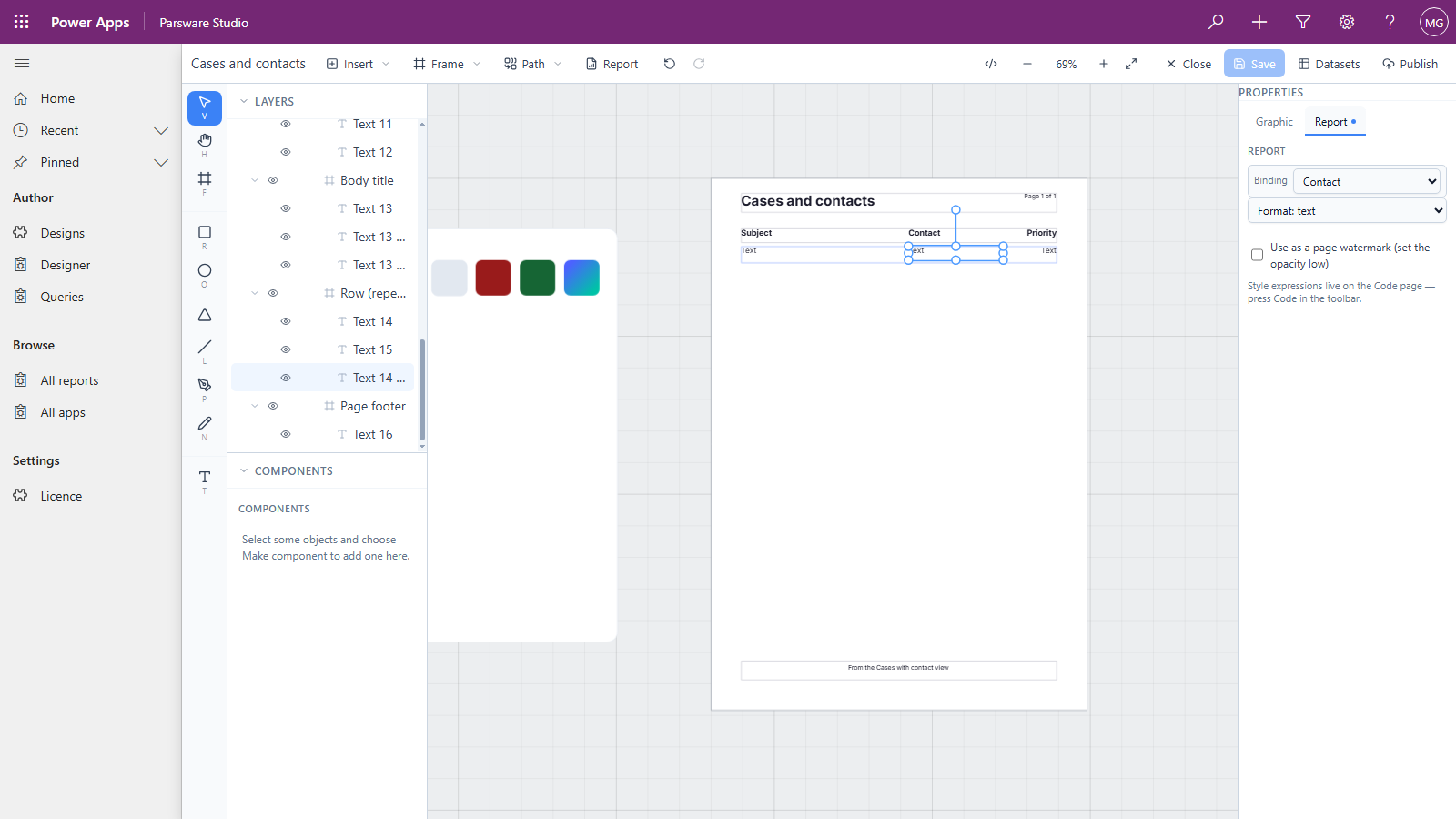
Then bind the row's text boxes. Contact and Priority are in the Binding list with every other column, by their display names, and they're bound the same way:
| Box | Binding | Format |
|---|---|---|
| Subject | Subject | text |
| Contact | Contact | text |
| Priority | Priority | text |
There's no separate "display name" column to find, and nothing to look up yourself.
Preview
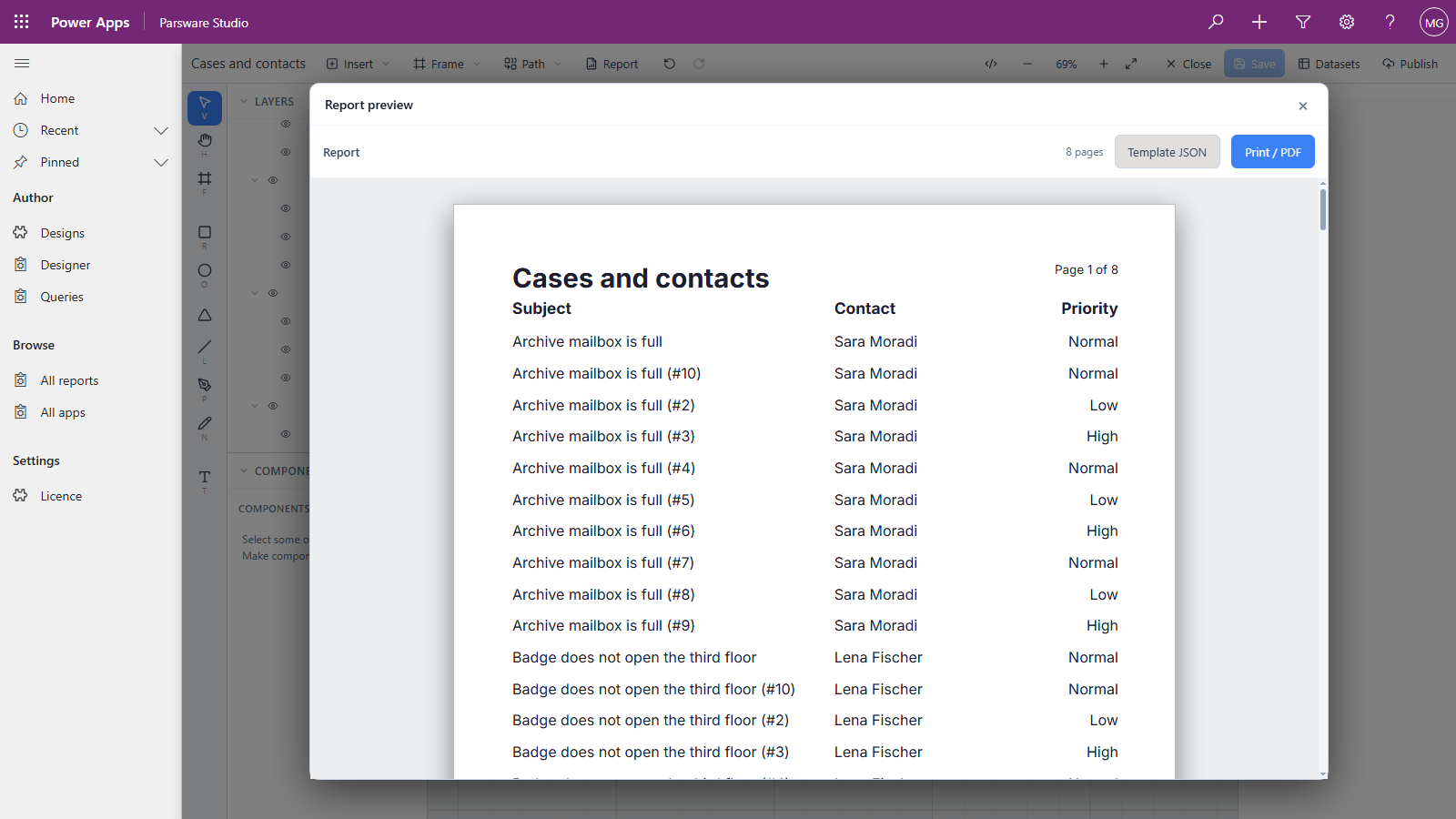
- Contact prints the contact's name, Sara Moradi rather than a GUID. It's the related record's primary name, exactly what the lookup shows on a form.
- Priority prints its label, Normal rather than
100000002.
Why it works, and why it stays right
Every read a report makes asks Dataverse for formatted values alongside the stored ones. So the label arrives with the row itself. Nothing is looked up separately, and nothing can go stale: rename the Normal option to Medium, and the next time the report runs it prints Medium.
The rule the report follows is short:
- A lookup, a choice, a status or a state prints its label, because the stored value is a code nobody can read.
- A number, a date and a currency amount stay as numbers and dates, so the report can still add, compare and format them in the reader's own locale and calendar.
It isn't only the report page. The same happens when you group a FetchXML aggregate by a choice, as in Totals with FetchXML: the status came back as Approved, Draft and Submitted.
Not yet: columns from a related table
A view can also bring in columns from the table a lookup points at, such as the contact's email in the view above. A report can't print those yet. The designer offers them for binding, but they print blank. It's a known issue we're fixing. Until then, a report can print the related record's name through the lookup, as here, and not its other columns.
Next
A report on a form: showing a report inside a model-driven form, narrowed to the record that's open. The whole series is in the reading list.