Parsware Platform
Large files: where they go
A file too big for the environment's database is moved to object storage on its own. The form, Download and who may read it all stay the same, and deleting the record deletes the file.
این مقاله فقط به انگلیسی در دسترس است.
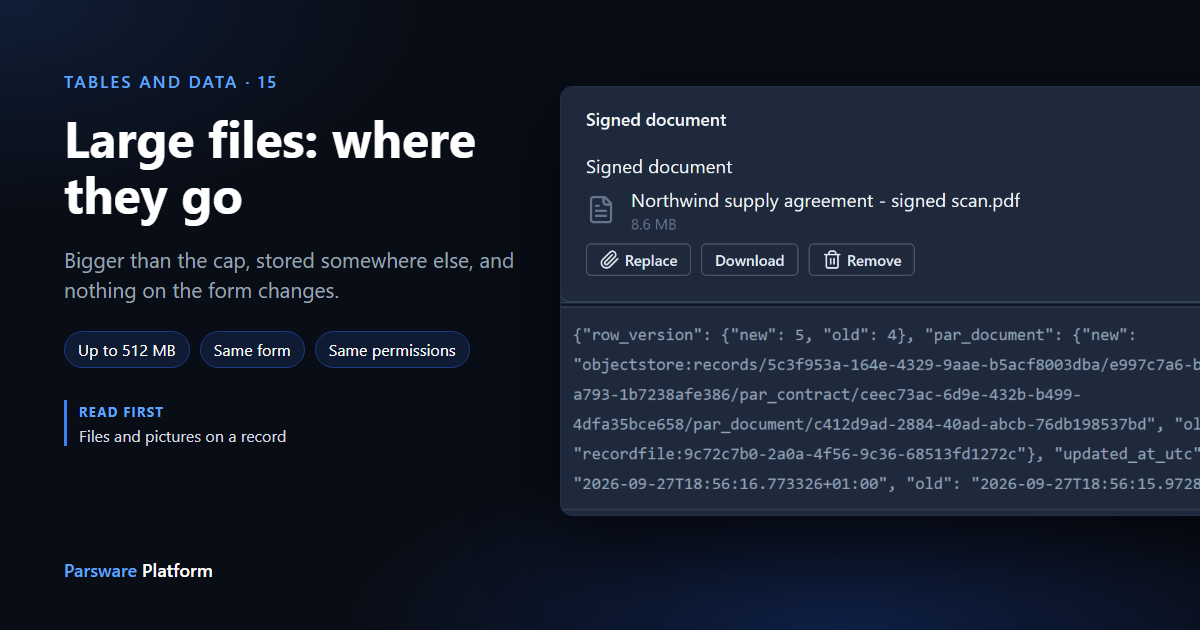
In Files and pictures on a record we attached a 30 KB contract. A File field takes up to 4 MB, because the environment's database is for records rather than scans. Now we attach the signed copy, a 9 MB scanned PDF, to the same field.
We're using the Contracts — Files of Any Size sample again, from the platform's sample solutions. Every picture here is the real product.
Nothing changes on the form
Choose Replace, pick the scan, and save:

It looks exactly like the 30 KB file did. There was no warning and no question about where to put it, and Download gives back the same file, byte for byte.
That's deliberate. The person attaching a contract shouldn't have to know how Parsware stores it. The platform decides, and there's no setting for it on the field, the table or the form.
Where it went
A file over the cap goes to object storage, the platform's store for large files, instead of into the environment's database. The record's file entry stays in the database, with the file's name, size and a checksum. Only the bytes move.
If auditing is on for the table, the record's history shows the move. Here is the contract's audit log, newest first:
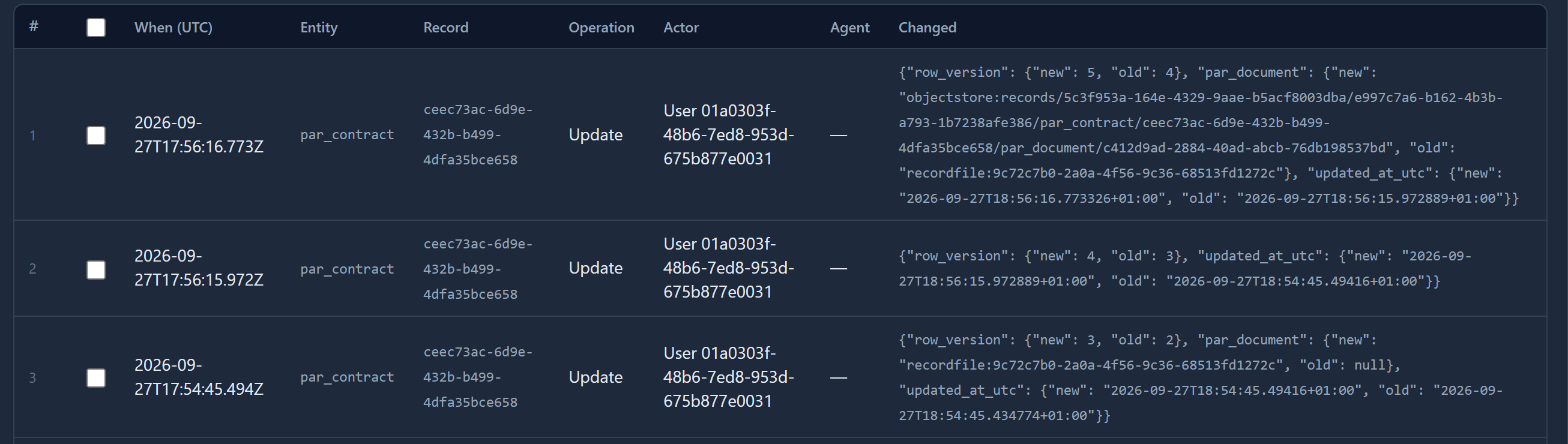
The first change set the field to a recordfile: reference: the small PDF, in the database. The
latest set it to an objectstore: reference, and that reference is the object's address:
records/<tenant>/<environment>/par_contract/<record>/par_document/<file>
The file's bytes never appear in the audit log, only where the file is.
The tenant and the environment are part of the address. That's what makes cleaning up simple: a record's files, a table's files or a whole environment's files each sit under one prefix.
What stays the same
- Who can read it. A large file is served through the record, under the record's permissions, exactly like a small one. There's no public link, and no link that stops working after an hour.
- Deleting. Delete the record and its large file goes too. We deleted a second contract with a 9 MB scan, and its object was gone from the store.
- Replacing. A new file replaces the old one, wherever either of them is kept.
Limits
- Above the 4 MB cap, a file can be up to 512 MB. Past that it's refused with its own message: over the cap means somewhere else, over the limit means nowhere.
- A picture is shrunk in the browser to at most 1024 pixels on its longest side, so it nearly always stays well under its 1 MB cap and stays in the database.
- Large-file storage is part of a standard installation. Where it isn't set up, a file over the cap is refused rather than stored.
For whoever runs the installation
Backups now come in two parts. A database backup holds every record and every small file, but not a large file's bytes, which are in object storage. Back up and restore the two together, or a restored database will have records whose large files are missing.
Next: a picture and a second line beside every record, so lists and lookups show who or what each record is.