Parsware Platform
Show who created or changed a record
Every table keeps four stamps for you, Created On, Created By, Modified On and Modified By, plus an Owner. Put them in a view or on a form and people see names and dates, not ids, with nothing to set up.
هذا المقال متاح بالإنجليزية فقط.
"Who added this?" and "when did it last change?" come up on every table sooner or later. In Parsware you don't create fields for them. Every table the platform manages keeps four system fields, filled in on every save:
- Created On and Modified On: the date and time the record was created and last changed.
- Created By and Modified By: the person who did it, shown by name.
There is also Owner: who the record belongs to, which decides who can see it.
You only decide where to show them. This article uses the Asset table in our own unmanaged solution; any table of yours works the same way. Every picture is the real product.
In a view
Open a view in the View Designer. The system fields sit at the end of Available fields, after your own. Drag the ones you want into View columns. We added Assigned To and all four stamps to the All Assets view:

Save, and open the list in the app:
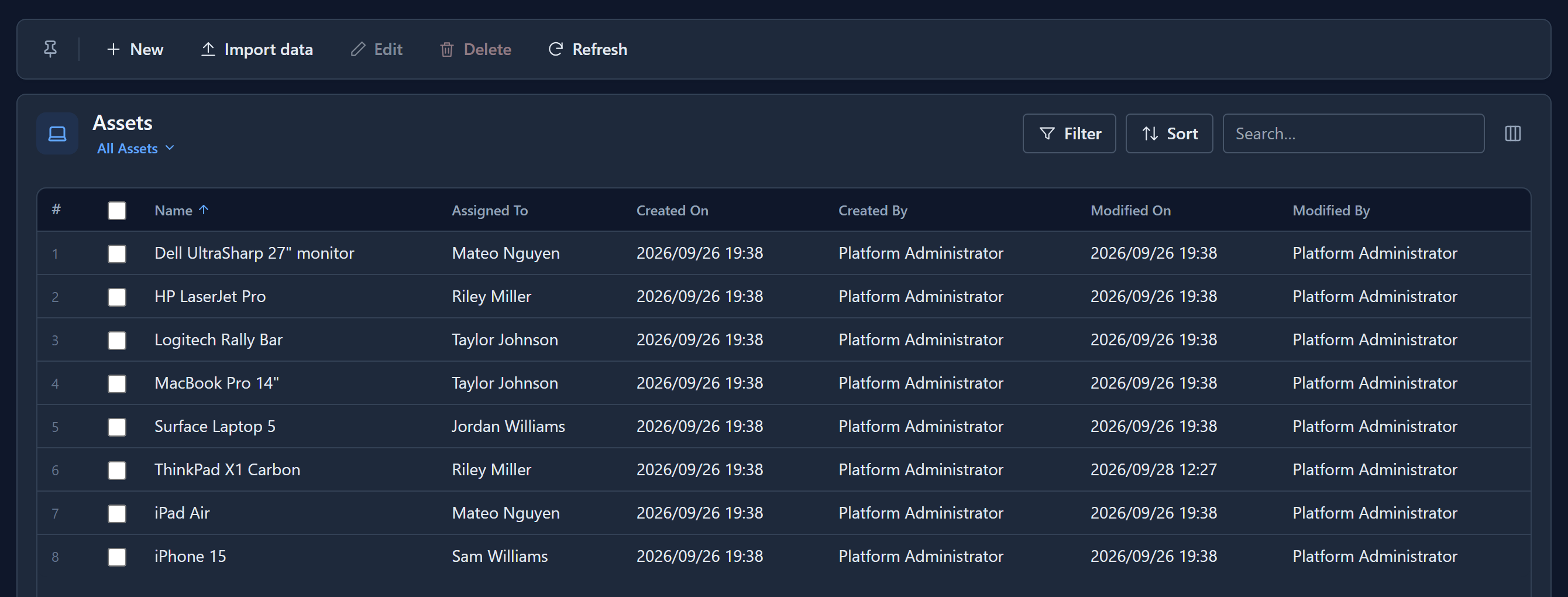
Created By and Modified By show the person's name, not an internal id. Like any date column, Created On and Modified On take a date format and sort with the column heading.
On a form
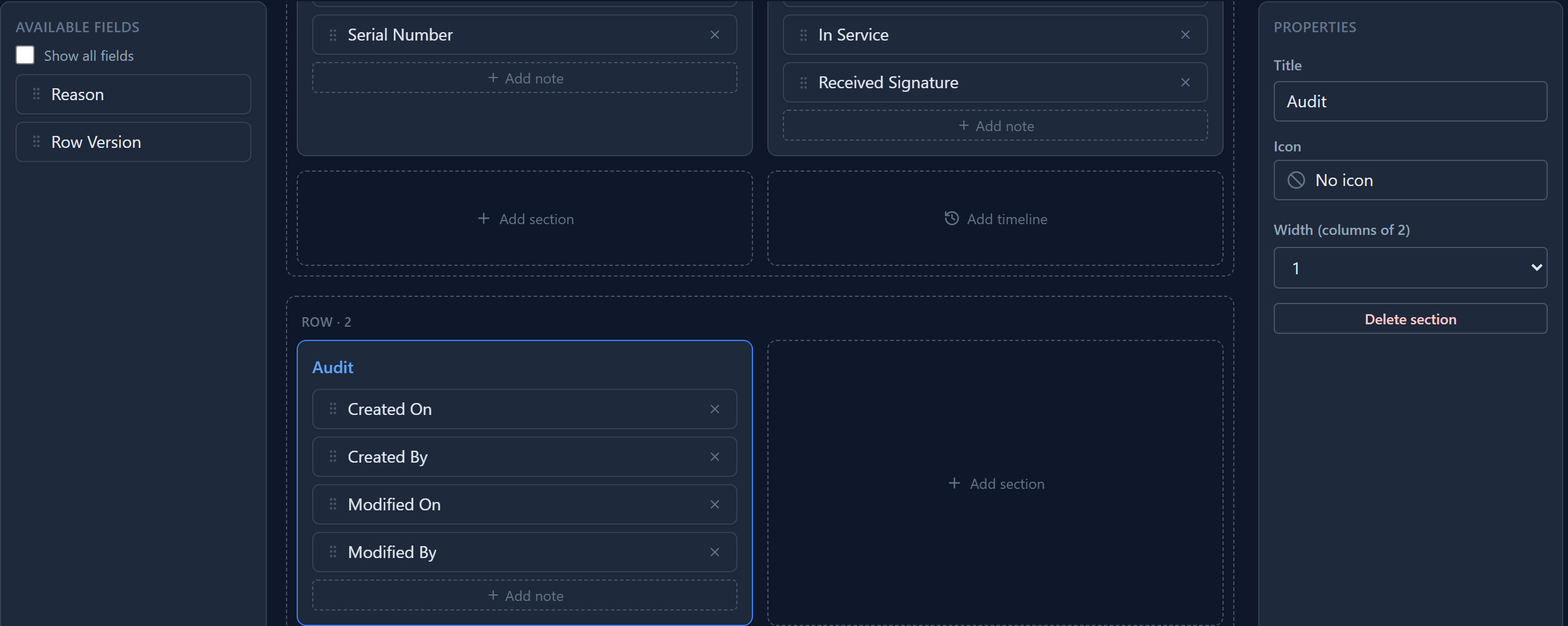
A small section at the bottom of the form is the usual place. In the Form Designer, press Add row, then Add section, call it Audit, and drag the four stamps in:
On the record they are read-only. The platform sets them, so there's nothing to type and nothing anybody can backdate:
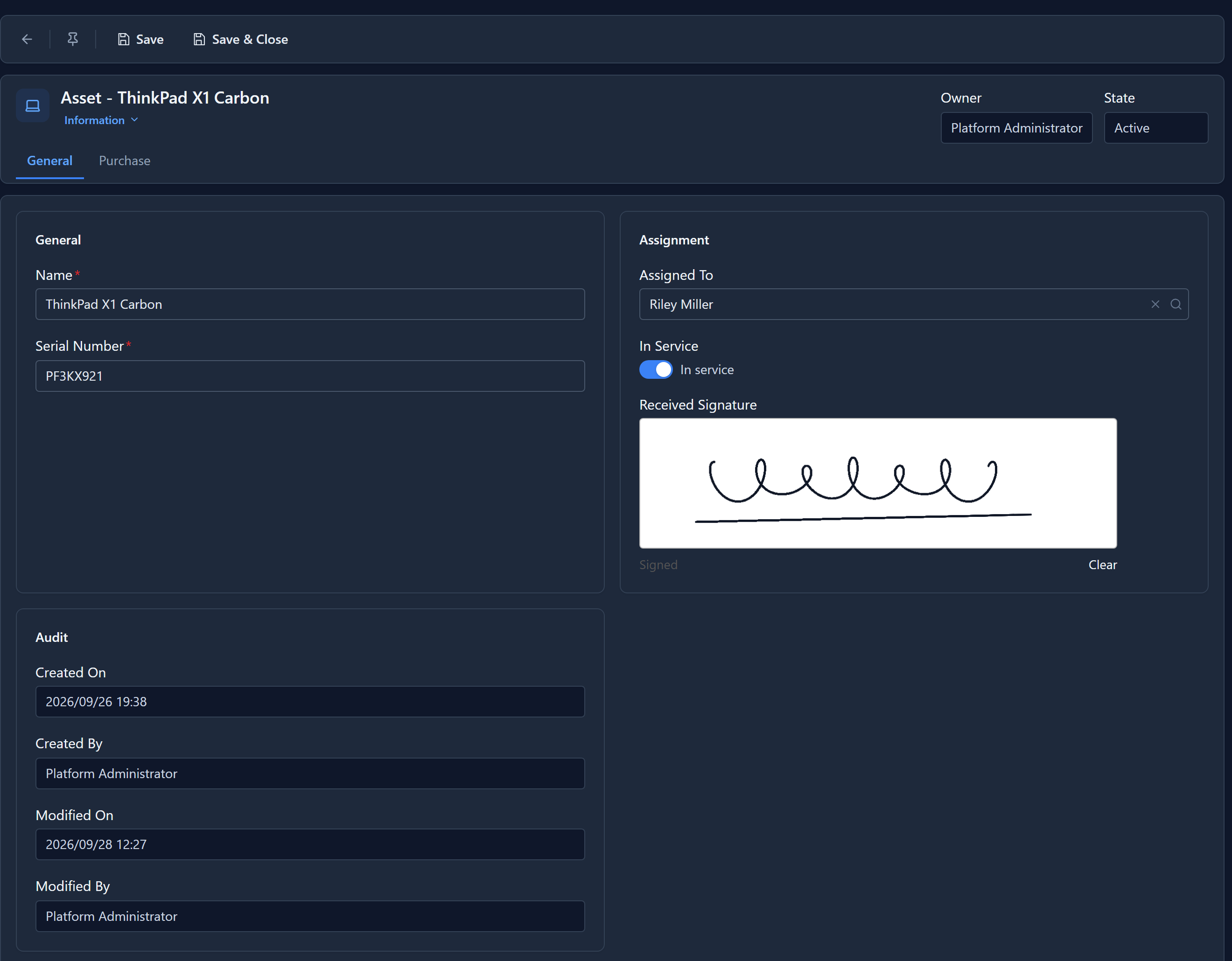
Only one person has edited our assets, so both By fields say the same name. When somebody else saves the record, Modified By becomes their name and Modified On moves on; Created By never changes. For the full list of who changed which field, and from what, turn on auditing for the table.
Owner
Owner is the fifth system field. It starts as the person who created the record, and it can be a person or a team. Ownership decides who can see the record at all, once security roles limit people to their own records or their unit's.
Here it sits in the form's header, beside State. Header fields are read-only unless you say otherwise, because the header is for reading. To let people hand a record on, place Owner in a section of the form as well: they choose User or Team, pick a name, and the change takes effect when they save. Whoever can edit the record can give it away; the platform checks that the new owner exists and is a person or a team.
Your own "who" fields
The stamps record who did something. For a person you choose yourself, such as Checked By or Approved By, add an ordinary Lookup field and set its Related table to User:
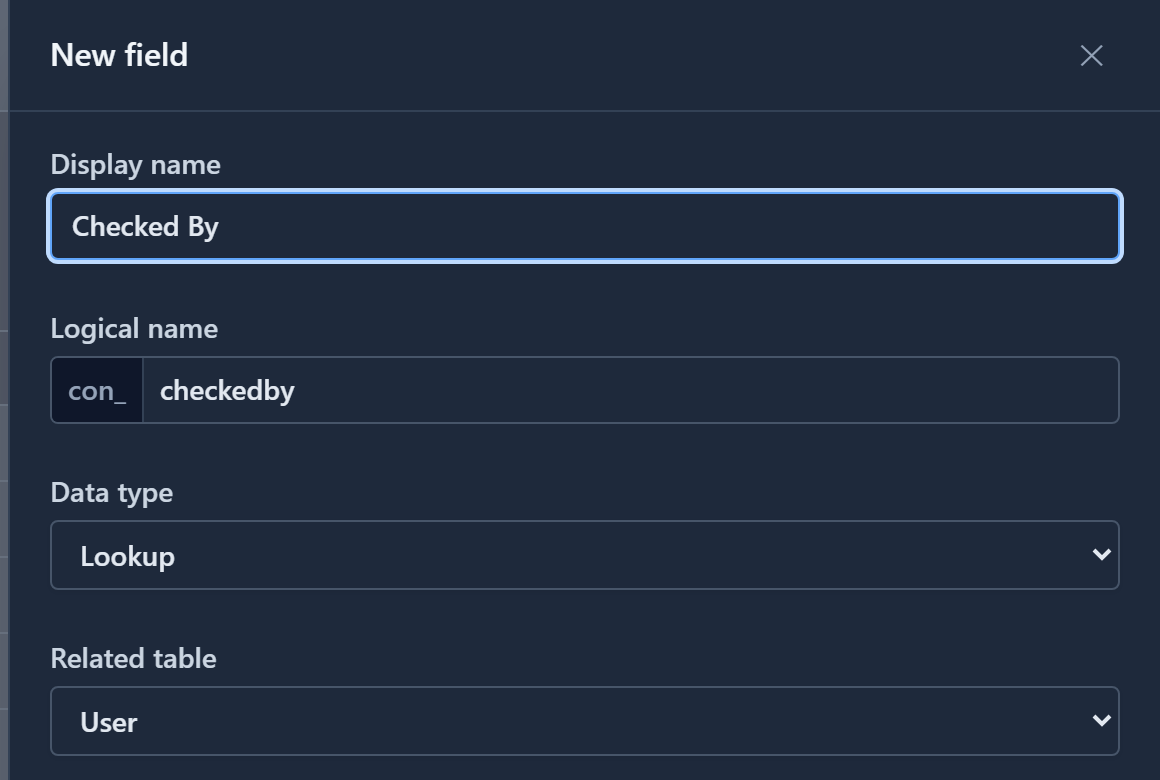
The User table fills itself in. When somebody first creates or changes a record in an environment, the platform adds them from their sign-in details. So Created By resolves to a name with no setup, and a person who has never touched this environment doesn't appear in a User lookup until they do.
Next: what happens when you save a table.