Parsware Platform
Deadlines and timers
A step can be due within a set time, and when it isn't done, the process can offer it to somebody else as well or decide it by itself. A timer makes the process wait. We ran a support ticket through all three, and fixed five things on the way, starting with the designer turning every timer into a plain task.
Dit artikel is alleen in het Engels beschikbaar.
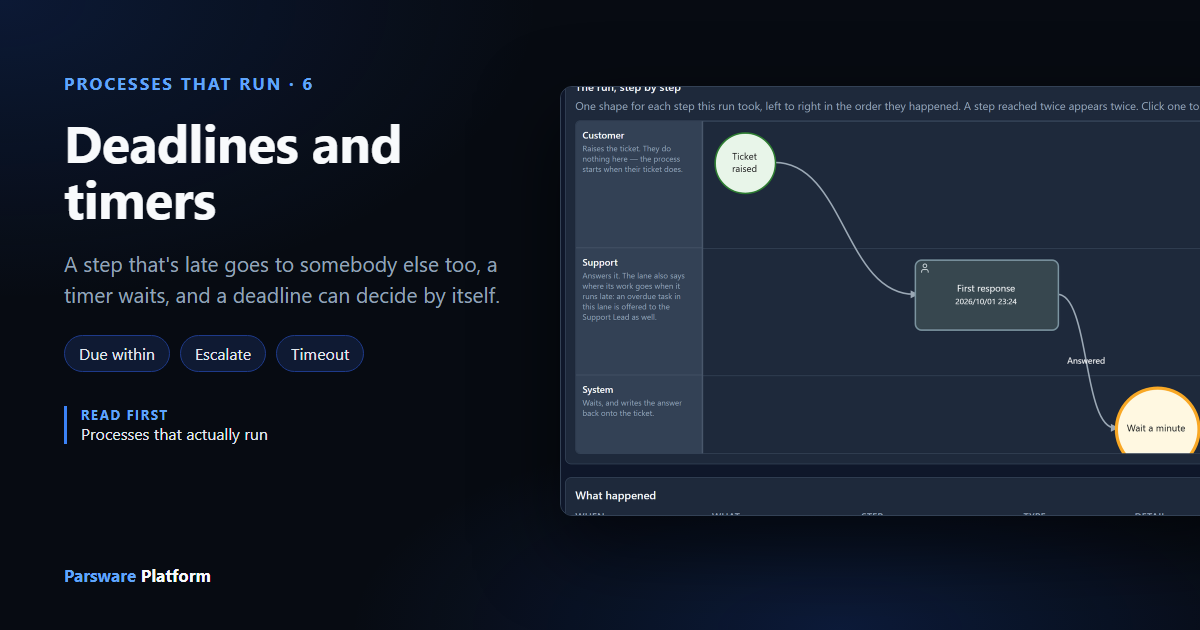
Most processes have a clock in them somewhere. A customer should hear back within the hour. A request nobody looks at for a week should go to somebody who will. A reminder goes out a day before something happens.
A process here can do three things about time:
- A deadline that escalates. If a step isn't done in time, somebody else is offered it as well.
- A timer. The process waits for a set time before it carries on.
- A deadline that decides. If a step isn't done in time, the process picks one of its buttons by itself.
We used the Deadlines and Timers sample from samples/solutions/bpms-deadlines-and-timers: a
support ticket with all three. Every length in it is a minute or two, so the whole run happens
while you watch. In your own process they'd be hours or days.
The process
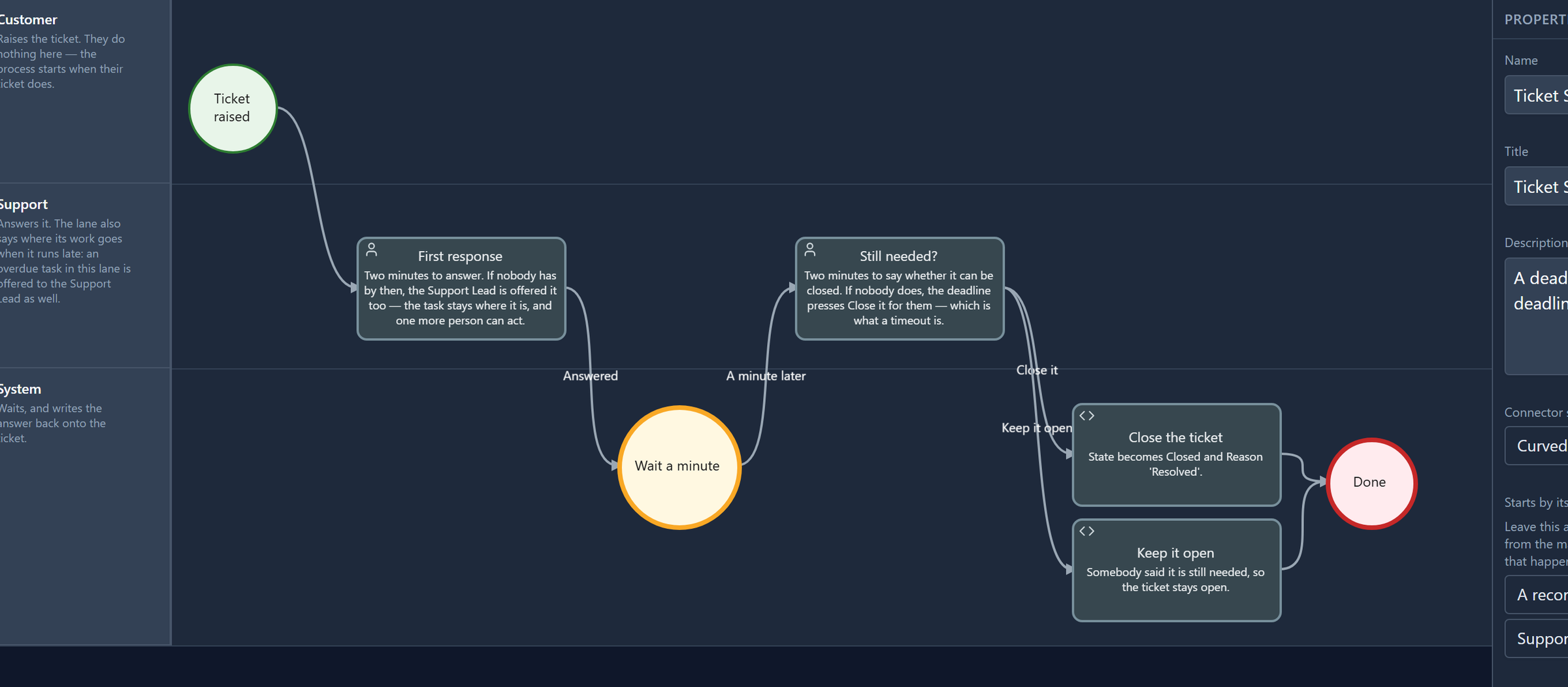
- A customer's ticket is logged. Creating a ticket starts the process; nobody presses a button for it.
- First response: support has two minutes to answer.
- Wait a minute: a timer.
- Still needed?: support has two minutes to say whether the ticket can be closed.
- Close the ticket or Keep it open, and done.
We gave the sample's Support role to Robin Park and Support Lead to Sam Taylor, in the Admin Control Center under Users → Manage roles. Each signed in again afterwards, so their sign-in carried the new role.
A deadline that escalates
Select First response in the designer and scroll its properties to Due within:
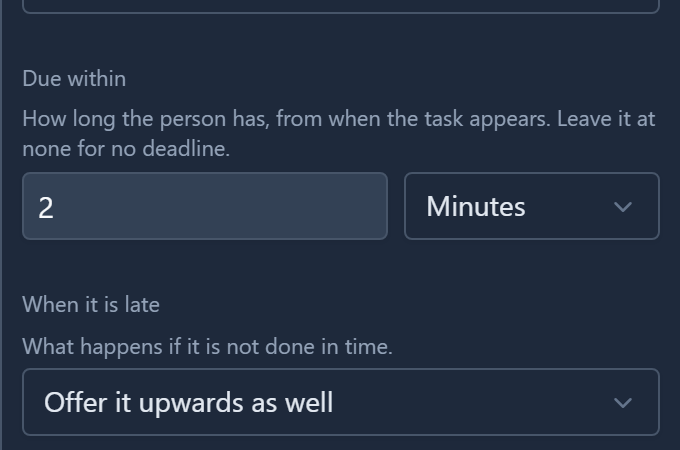
Due within is a number and a unit: minutes, hours or days. The clock starts when the task appears, not when somebody opens it. When it is late says what happens when the time runs out. Here it's Offer it upwards as well.
As well is the point: the person who had the task keeps it. Taking it away from somebody who might be about to finish it would be worse than letting one more person act. Whoever completes it first completes it.
Where upwards goes is set on the lane, not on the step: the Support lane offers an overdue task to
the Support Lead role, for every step in the lane. The designer doesn't show that setting yet. It's
in the process file (escalation on the lane) and works when imported, but you can't see or change
it on a screen.
What the person sees
Robin logged a ticket from a phone call. The run started, and his task list showed the step with its deadline under its name:

He let it run out. Two minutes later the deadline turned red, and the task was offered to the Support Lead as well. Sam's list showed the same row:

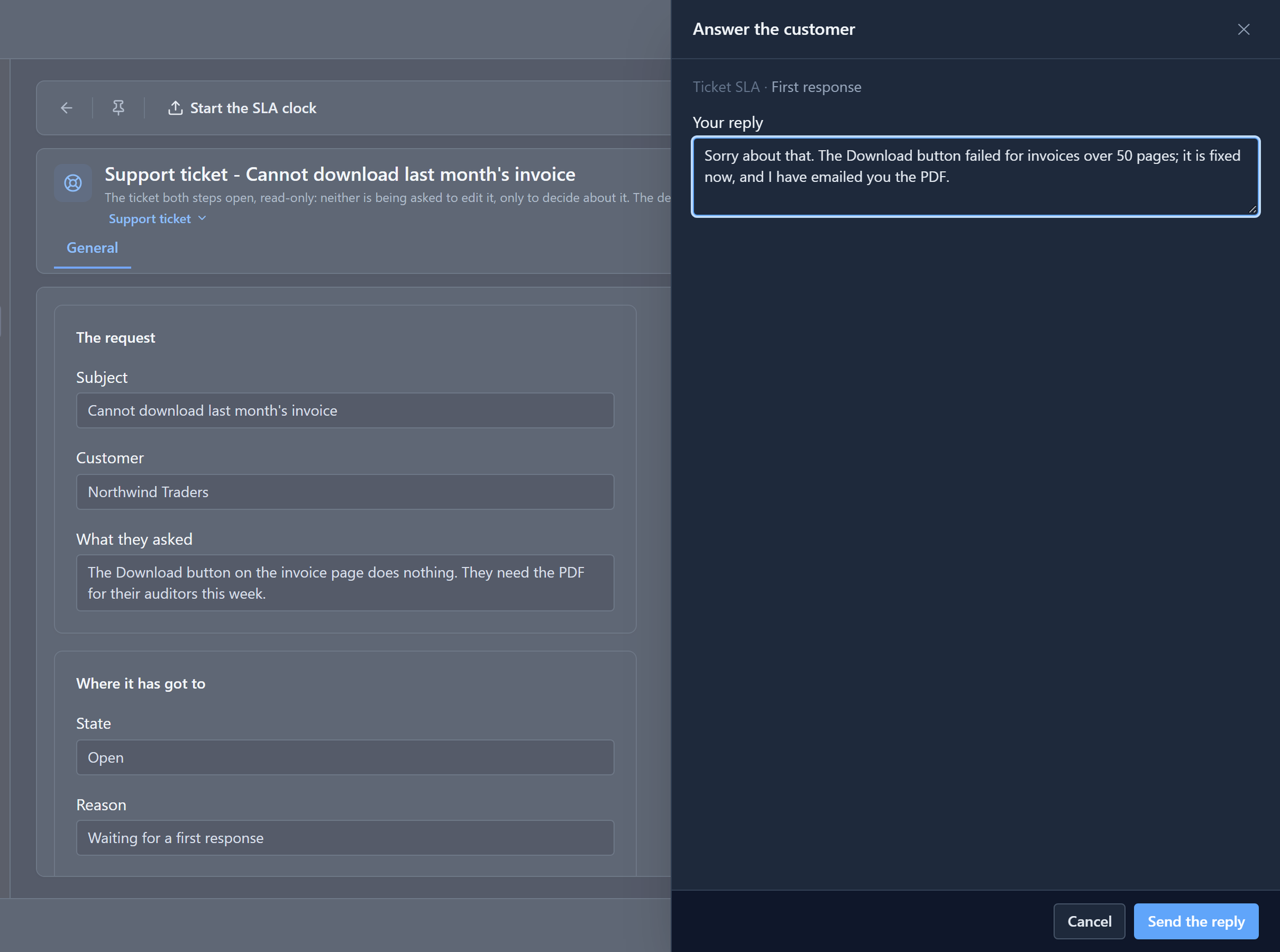
Waiting says how long the task has been sitting there, from when it appeared. Robin then answered on the step's form:
A timer
A timer is its own shape on the canvas, a circle, because nobody does anything there: the process just waits. Select Wait a minute:
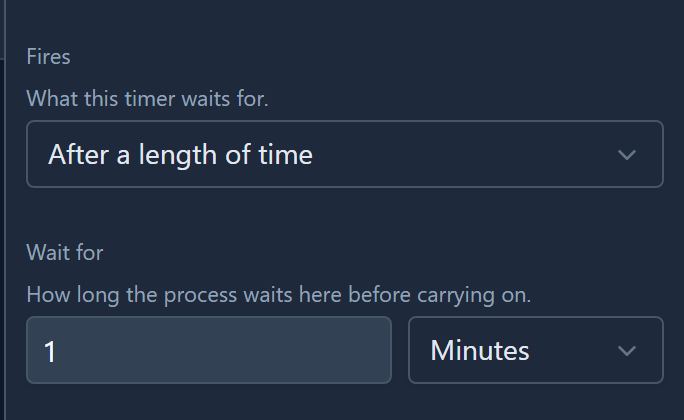
The run parks on the timer, and the engine wakes it when the time is up. In our run, Robin answered at 23:35 and Still needed? appeared at 23:36.
A deadline that decides
Still needed? has a deadline too, with a different answer to When it is late:
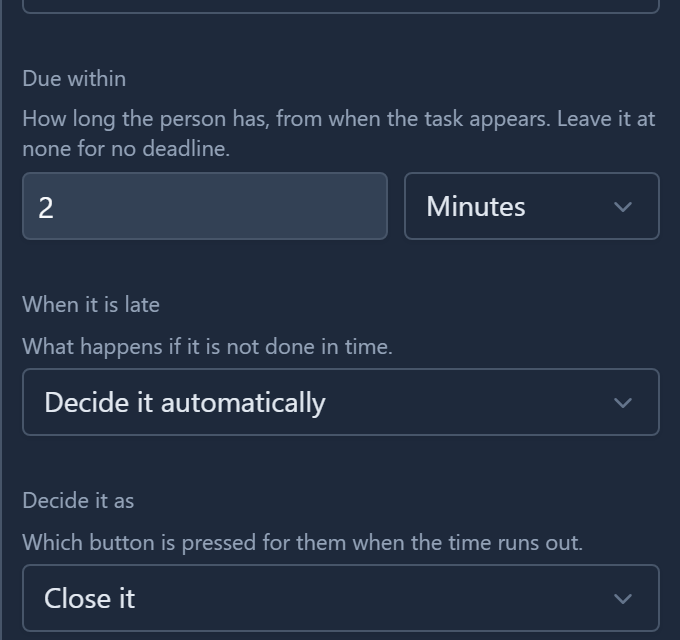
Decide it automatically, as Close it. If nobody answers in two minutes, the engine presses Close it, one of the buttons on the step's own form. That's why there's no hidden extra way out of the step: the drawing already shows where Close it goes.
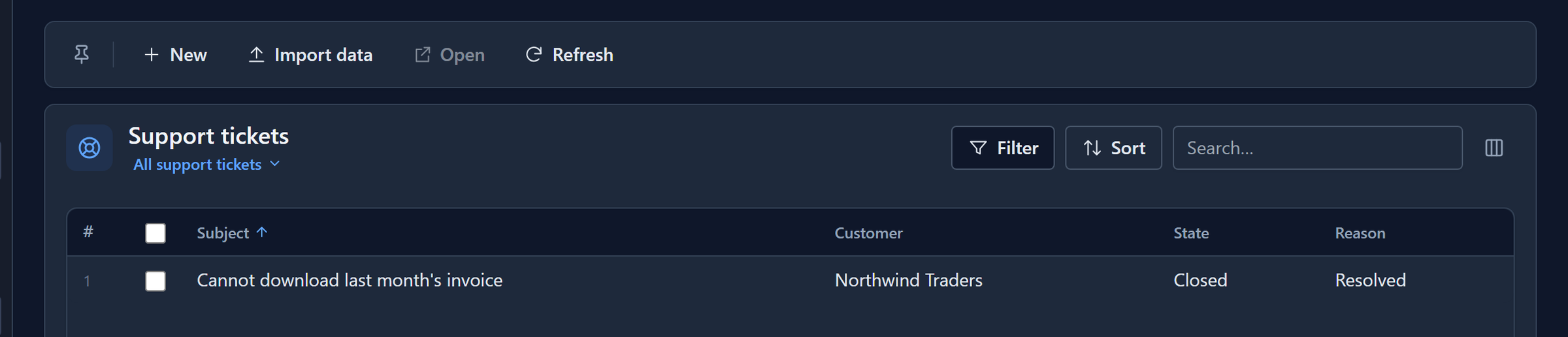
We didn't answer, and the ticket closed itself:
What happened
The run's page in the maker portal lists every event in order:
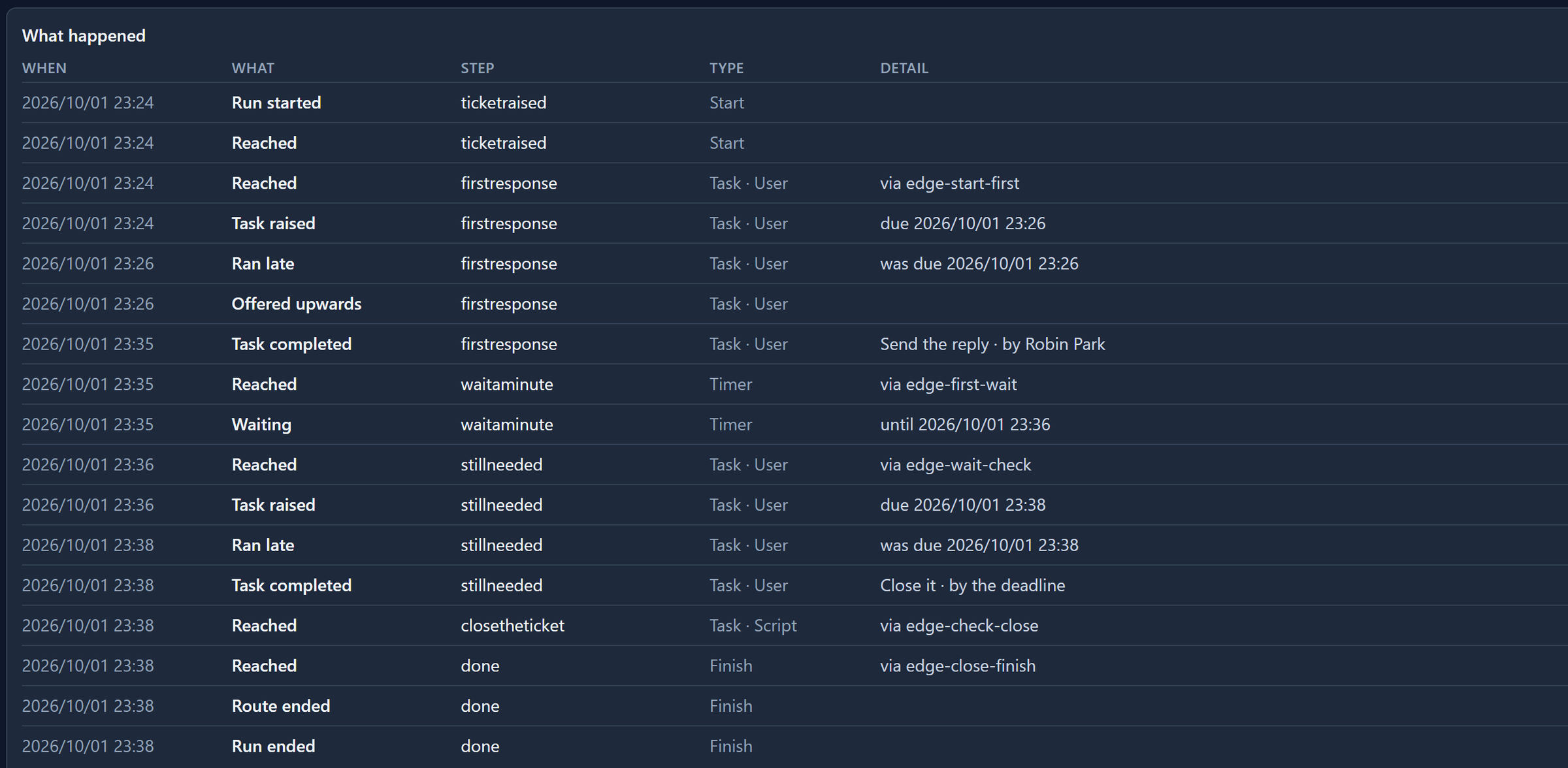
- Task raised with due …: the moment it's due.
- Ran late and Offered upwards: the first deadline, two minutes later.
- Waiting with until …: when the timer will wake.
- Task completed … by the deadline: the second deadline pressing Close it.
What we fixed
Running the sample through found five things, all fixed in the same change as this article:
- The designer turned every timer into a plain task. Its loader had its own list of the shapes
it knew, and
timerwasn't on it, so a timer opened as a task with no Wait for, and saving it deleted the wait. The loader now reads the same list the rest of the designer uses. - The deadline was hidden in the task list. It was added to the end of the description, which is cut to one line, so a task an hour late looked like one with a week to go. It's now under the task's name, red once it has passed.
- The deadline showed only the day, not the time, which says nothing about a step due in two minutes.
- The history said was due on the line that raised the task, about a deadline still ahead. It now says due until the moment has passed.
- The history said by system:deadline. It now says by the deadline.
The sample's Support role also couldn't create a ticket, so only an administrator could start the process. A support desk logs tickets when customers call, so the role can now. If you imported the sample before October 2026, import it again.
What it doesn't do
- No working hours. One day is twenty-four hours, not one working day. There's no calendar of working hours and holidays yet.
- No months. Days, hours, minutes and seconds only. A month is 28 days in February and 31 in March, so thirty days is what you'd write.
- One deadline per step. There's no reminder at half-time and escalation at full time.
Try it
Import the sample, give yourself the Support role, sign in again, and log a ticket. Then open Processes → Ticket SLA → Runs in the maker portal and watch the run move without you. Run it a second time and answer Still needed? with Keep it open before the two minutes are up.
Next: a process that starts by itself when a record is created.