Parsware Platform
A customer timeline
A timeline puts every call, email, meeting and note about a customer in one column on their form, newest first. Filter it by kind, start a new one already filled in, and set it up in the Form Designer from any table that points at the record.
Dit artikel is alleen in het Engels beschikbaar.
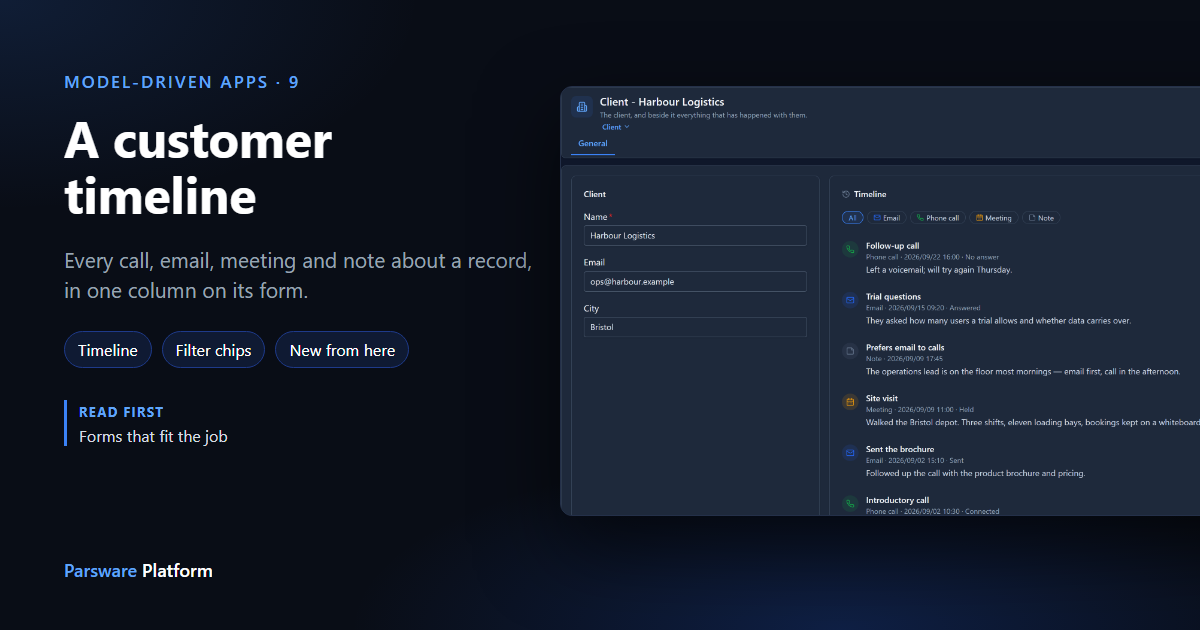
Before calling a customer, you want to know what happened last time. A timeline is a section of a form that lists the records of other tables pointing at the one you have open, newest first. On a client, that's every email, call, meeting and note about them, in one column.
This article uses the mda-customer-timeline sample. Import it into a development environment with Include demonstration data ticked, and open the Clients — Timeline app. Every picture is the real product.
What's in the sample
There is no special activity table. Interaction is an ordinary table with a Subject, a When date, a Kind choice (Email, Phone call, Meeting, Note), an Outcome, Notes, and a Client lookup that points at the client. The timeline is told which field plays which part. Any table that points at another can be shown this way.
Reading the timeline
Open Harbour Logistics. The timeline sits beside the client's details:
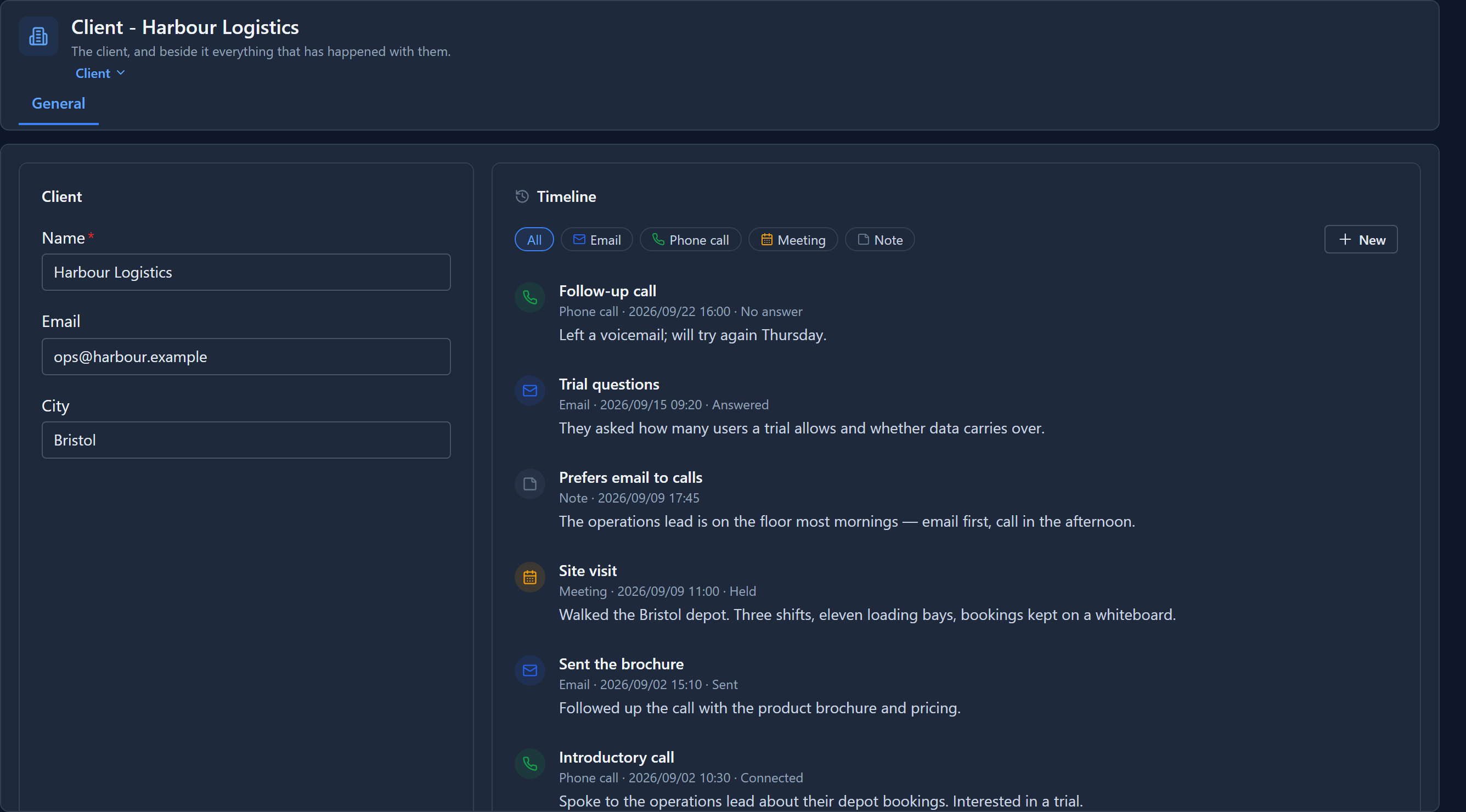
Each item shows its kind's icon in its kind's colour, then the kind, the date and the outcome, and the start of its notes. The newest is at the top. Select an item's title to open it as an Interaction record.
Filter by kind
The chips above the list come from the Kind choice, one per option. Select Phone call and only the calls remain:
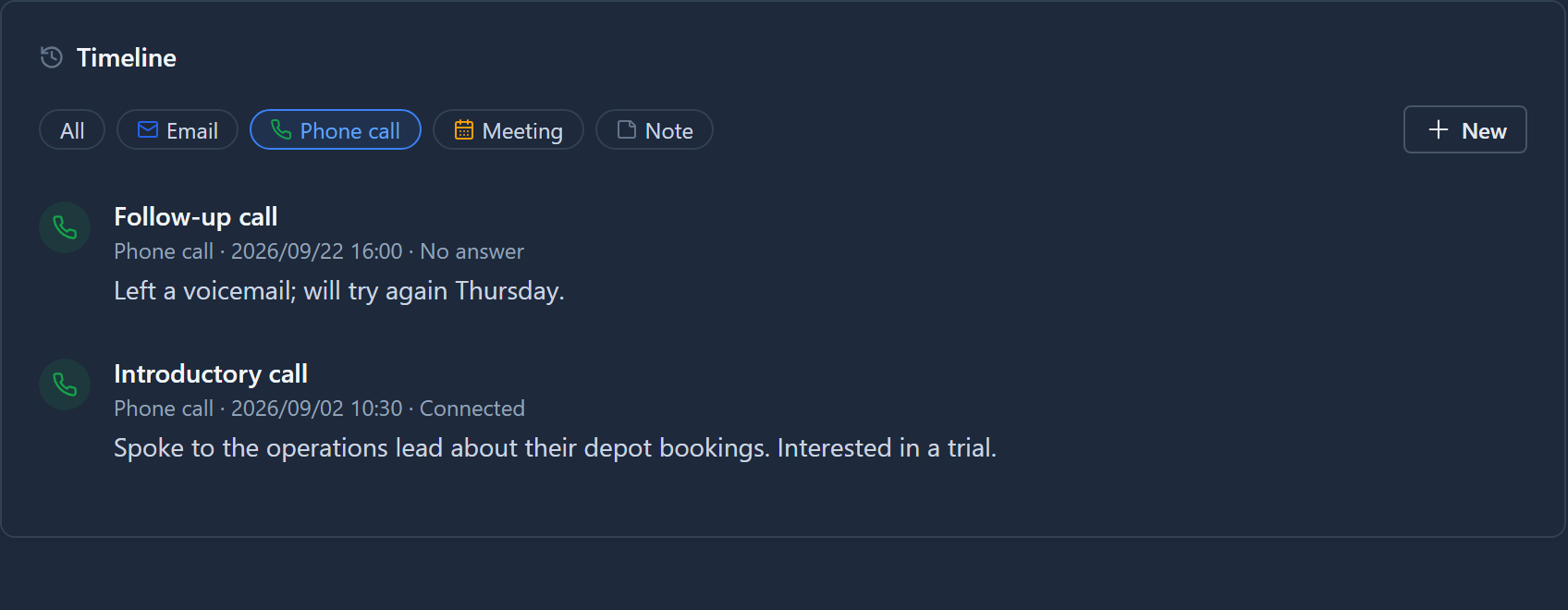
All brings everything back. While writing this we found that the selected chip was hard to read in dark mode, pale text on a pale fill. It now uses the same highlight as the rest of the product.
Add one from here
New offers one entry per kind:
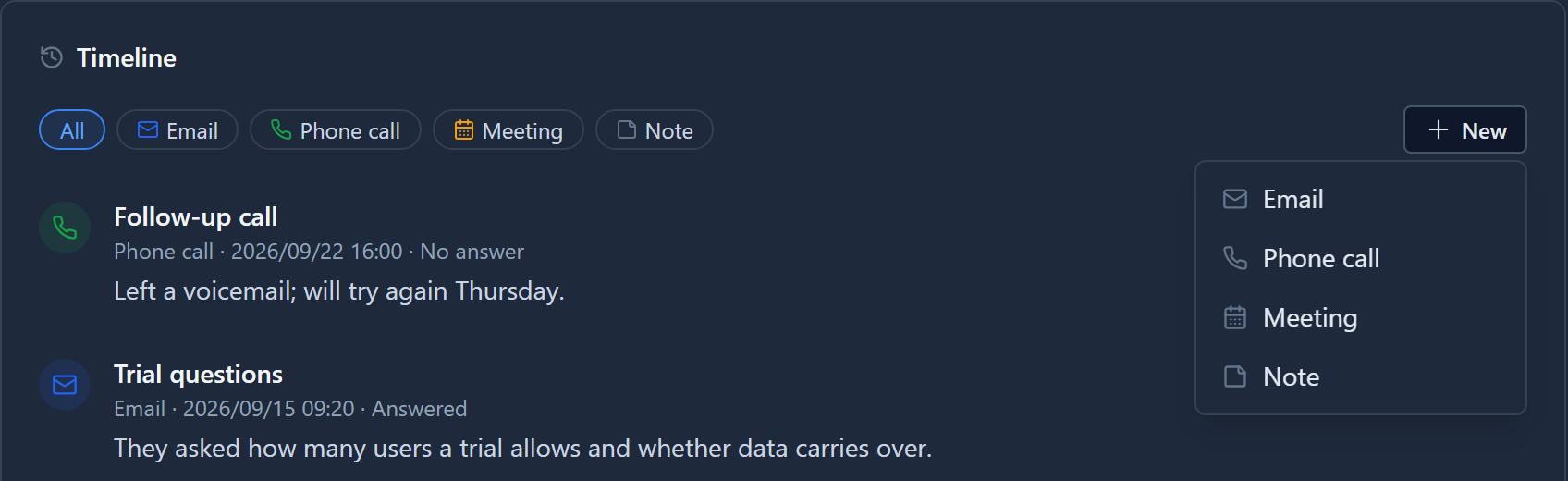
Choose Meeting. The Interaction form opens with Client already set to Harbour Logistics and Kind already set to Meeting:
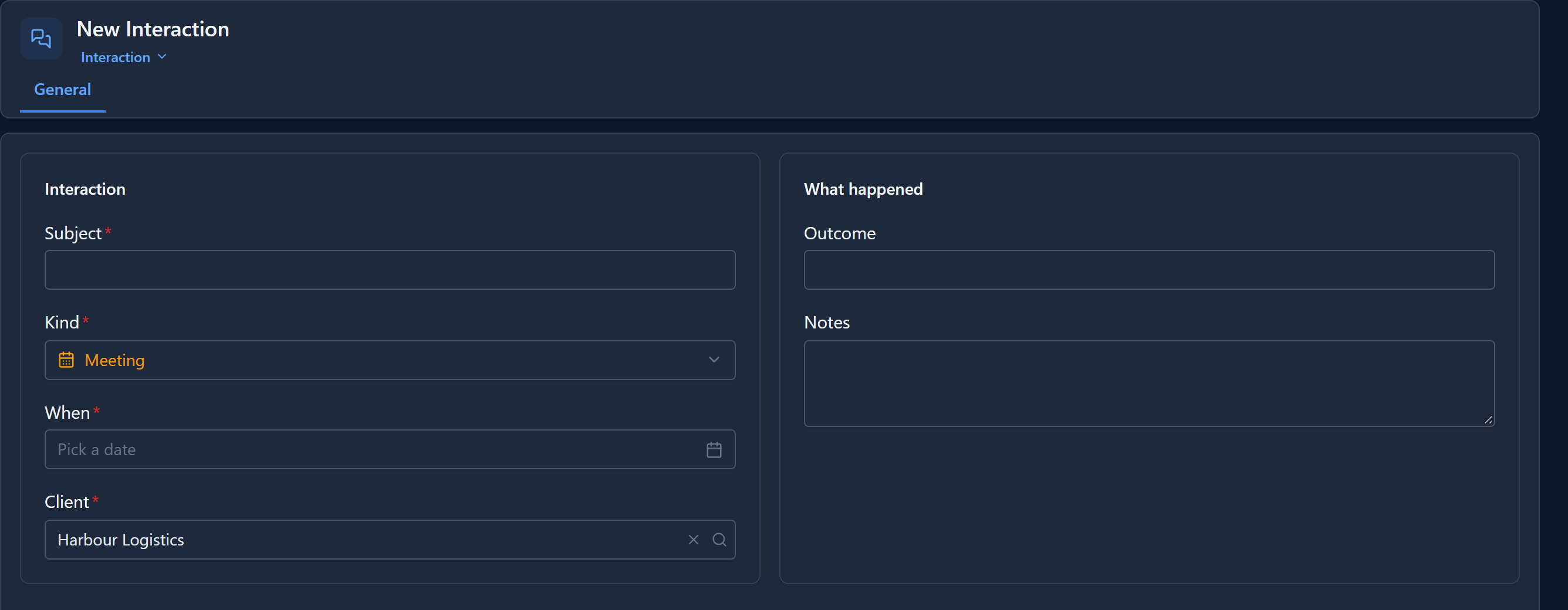
Give it a subject and a date and save it. It appears on the timeline in its place by date.
A client with nothing yet
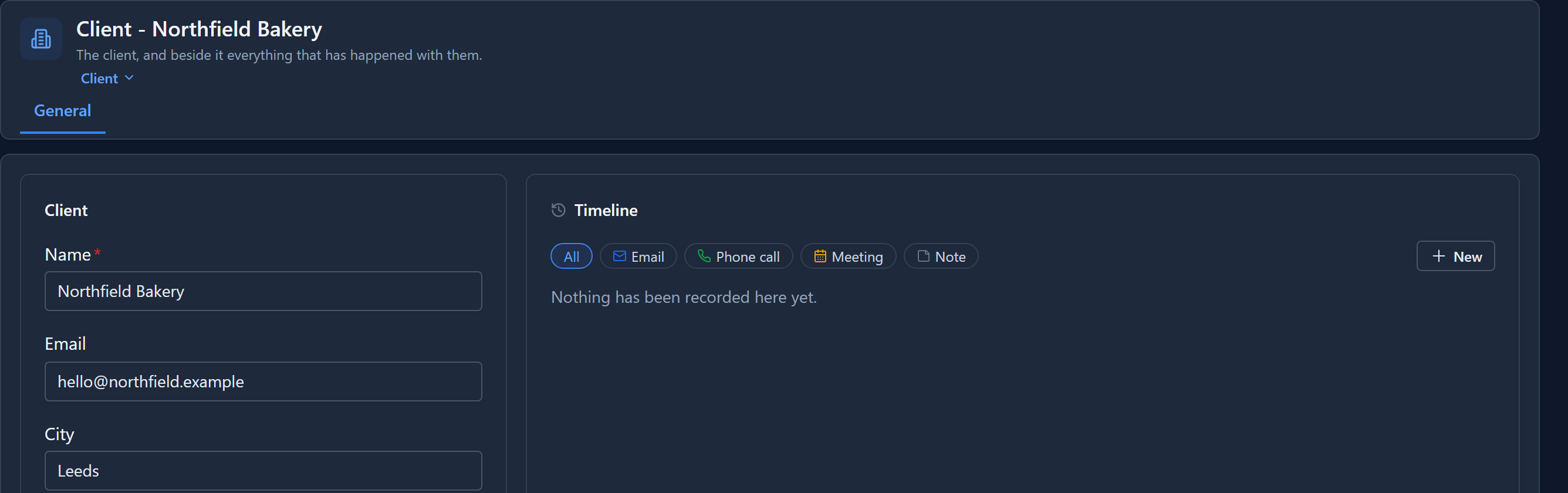
Northfield Bakery has no interactions. The timeline says so plainly, so an empty timeline can't be mistaken for one that failed to load:
Setting it up in the Form Designer
Open Tables → Client → Forms → Client. On the canvas, the timeline is a section that summarises what it reads. Select it, and the Properties panel shows its source:
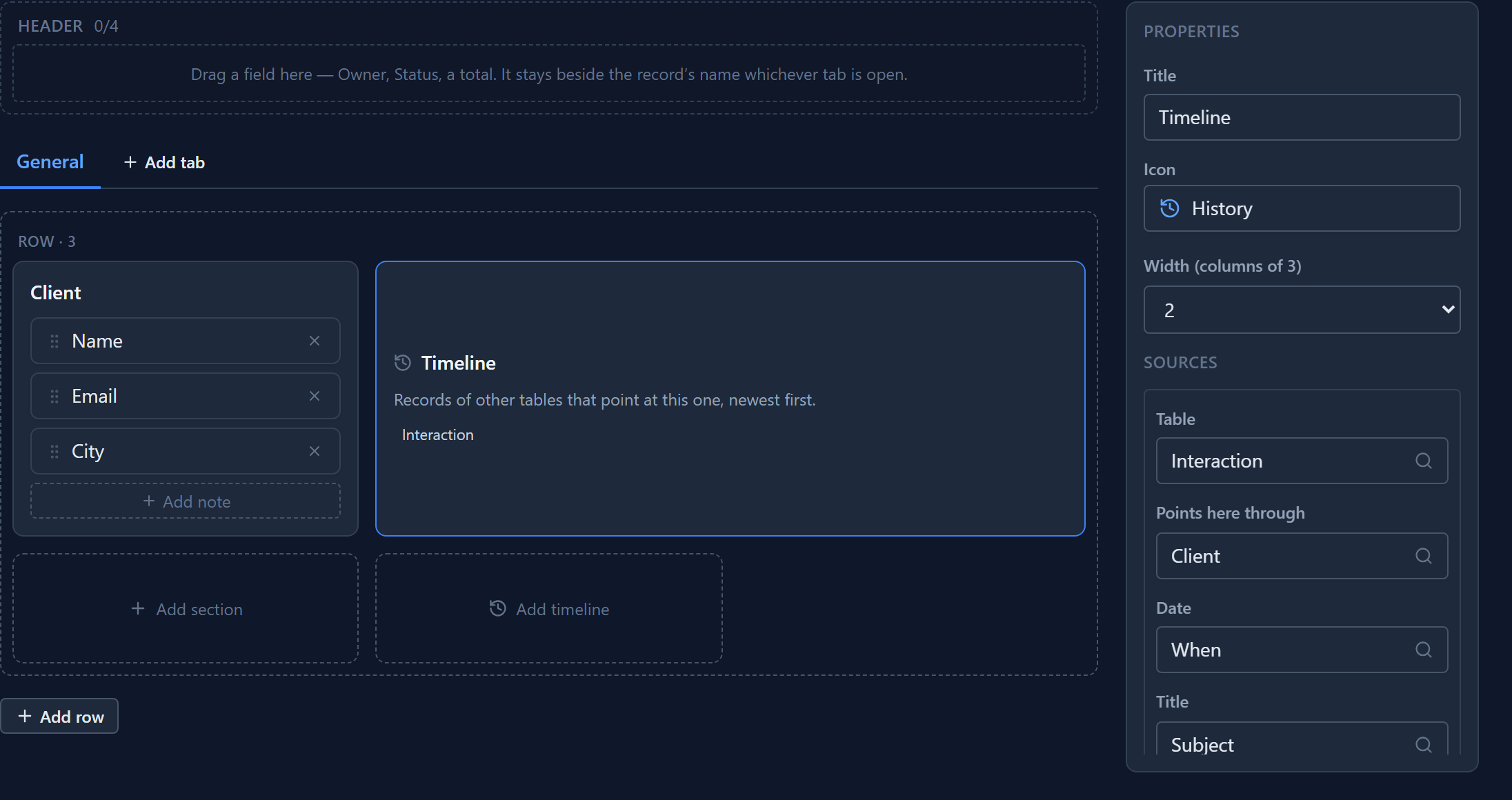
- Table: which table it lists.
- Points here through: the lookup on that table that points at this one. Only lookups that can point here are offered.
- Date: what the items are ordered by. Any date field works, including Created On.
- Title: what each item is headed with.
- Text (optional): the field whose opening words show under the title.
- Type (optional): a choice field. It gives each item its option's icon and colour, a chip per option, and a New entry per option.
- Status (optional): a field shown beside the date.
To add a timeline to another form, select Add timeline in a row. Add source lists a second table as well, merged with the first by date, such as a ticket's comments and its emails.
A section holds either fields or a timeline, not both.
While writing this we found that the designer said "No table points at this one yet" for this sample, even though Interaction has a lookup to Client. The import created a table's lookups but not the relationships behind them, and the designer lists tables by their relationships. An import now creates a relationship for every lookup, the same way the Table Designer always has.
Who sees what
The timeline reads each table as the person looking at it. Records their role can't read aren't shown, and a table they can't read at all is left out. A timeline never shows somebody a record they couldn't open anyway.
Next: bookings on a calendar.