Parsware Platform
No duplicates, no double bookings
A table's constraints are rules the database itself enforces: no two records may share a code, and no two bookings of one thing may overlap. They hold for a form, an import, a script and two people saving at the same moment. We imported the Court Bookings sample and tried to break both.
Dit artikel is alleen in het Engels beschikbaar.
Some mistakes have to be impossible, not just unlikely: two products with the same code, the same room booked twice for the same hour. A check in a form catches the person who's careless. It doesn't catch two people saving at the same moment, because both forms look, find nothing there yet, and save.
A table's constraints close that gap. They're rules the database enforces, so they hold however a record is written.
We used the Court Bookings sample from samples/solutions/mda-no-double-bookings. Import it and
open Court Bookings from the app list to follow along. It has two tables, Courts and
Bookings, and one rule on each.
No two courts with the same code
Under Courts, we created Centre Court with code C1. Then Court Two, also C1:
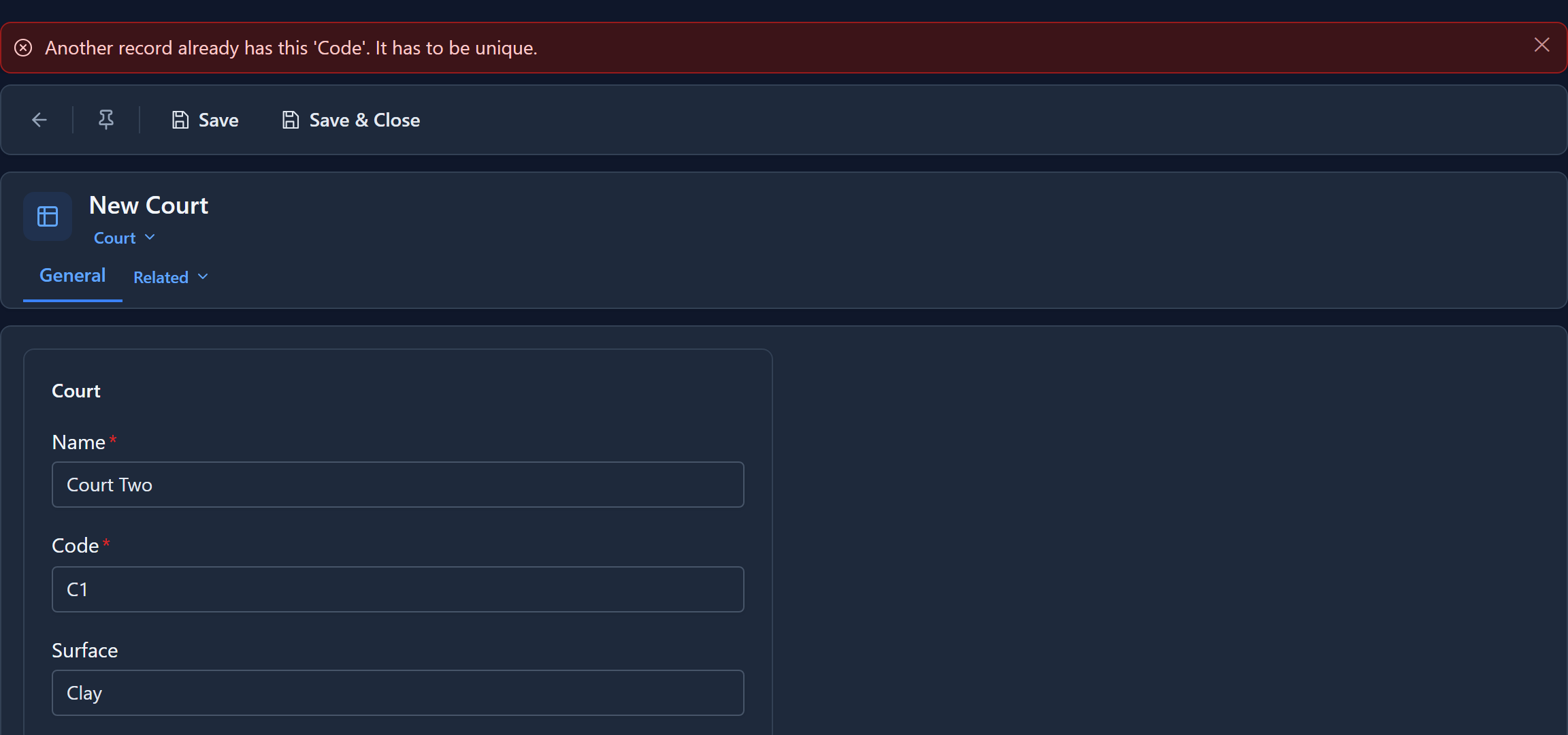
The save is refused, and it says which field. Change the code to C2 and it saves.
(The first time we tried this, the save was refused correctly but the message was the database's
own: Npgsql.PostgresException 23505: duplicate key value violates unique constraint "uq_par_court_par_code". The platform knows how to say it in words, but it couldn't match the
refusal to the table's rules, because it hadn't loaded them. We fixed that.)
A record that leaves the field empty isn't a duplicate. Any number of courts could have no code. If the code must also be filled in, make the field required as well, which this sample does.
No two bookings of one court at once
Under Bookings, we booked Centre Court from 09:00 to 10:00. Then we tried to book it again from 09:30 to 10:30:
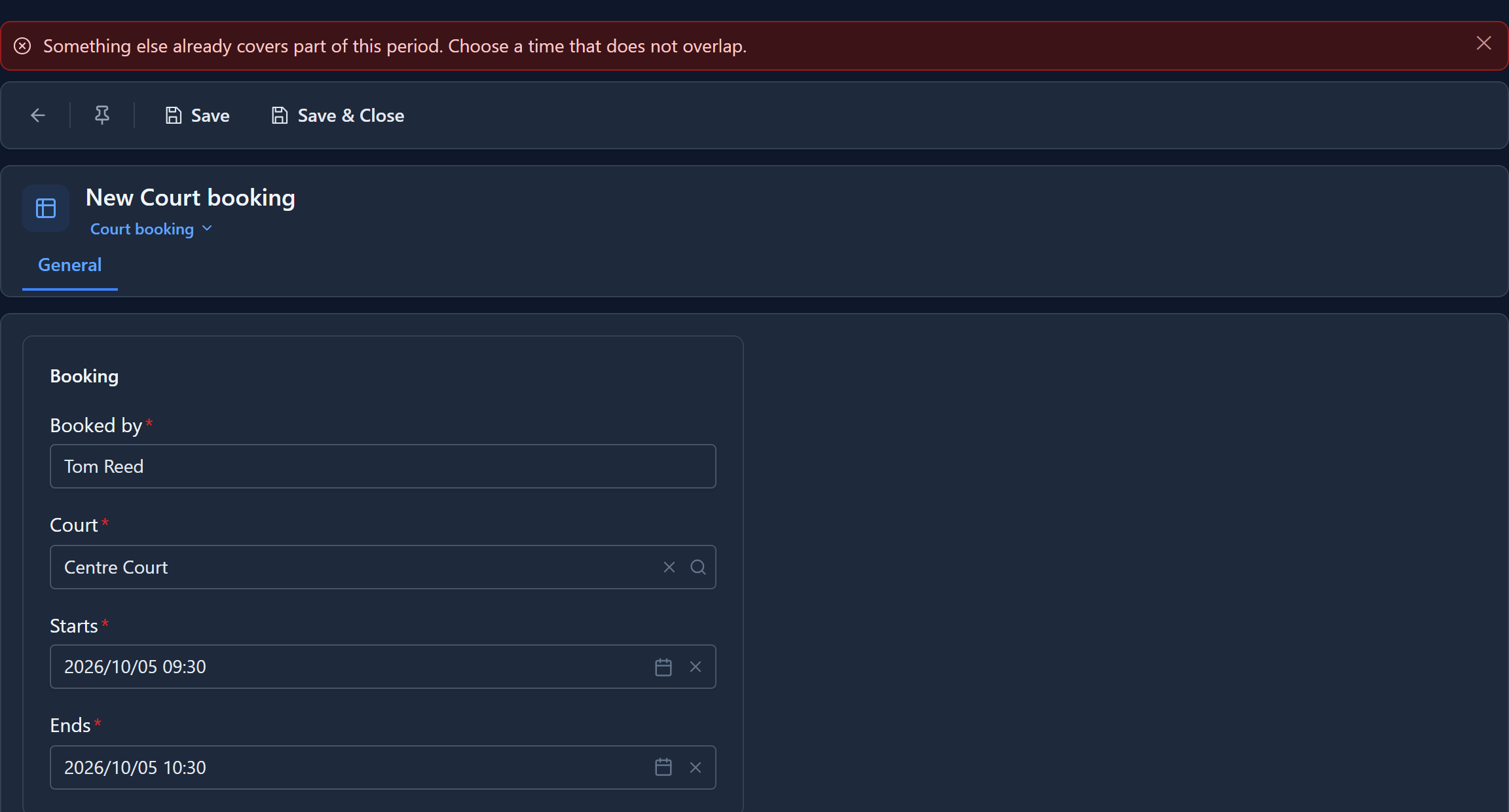
Refused. Then two bookings that are fine:
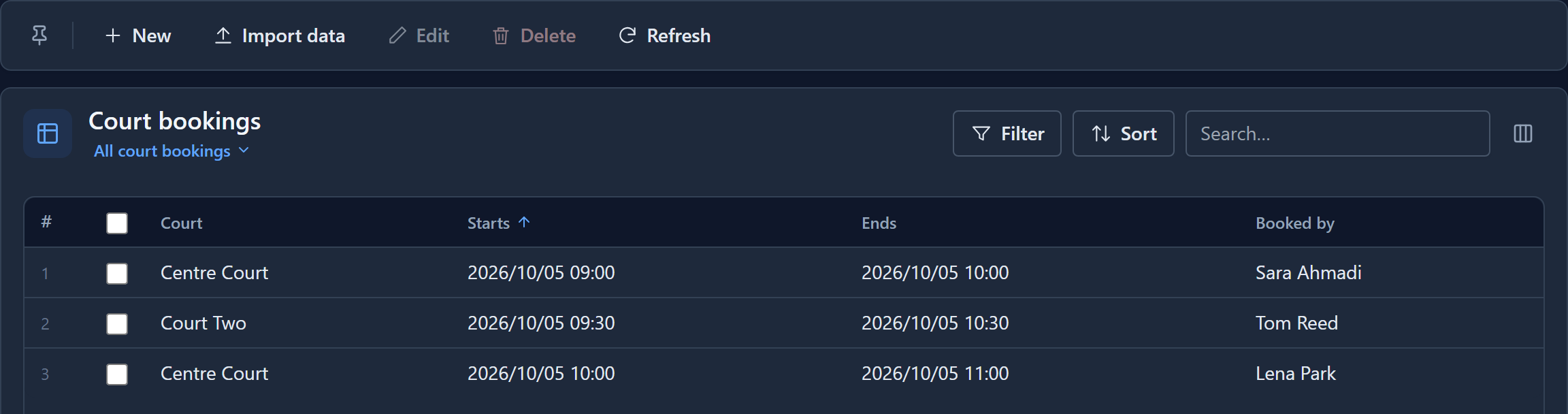
- Court Two from 09:30 to 10:30. The rule is kept separately for each court.
- Centre Court from 10:00 to 11:00. A booking that starts when another ends doesn't overlap it.
Where the rules live
Open the maker portal, the solution, a table, and select Constraints in its menu. Each rule reads as a sentence. On Court:

And on Court booking:

Two buttons add a rule:
- No duplicates, then the field.
- No overlaps, then the start and end fields of the period, and the field that says what is booked. Leave that first box on the whole table when there's only one thing to book.
Select Save when you're done; the list is saved as a whole. The bin at the end of a line takes a rule off.
Files, images and lookups to several tables can't be part of a rule, since they don't hold a single value that can be compared. Platform fields such as Created On aren't offered either.
When the records already break the rule
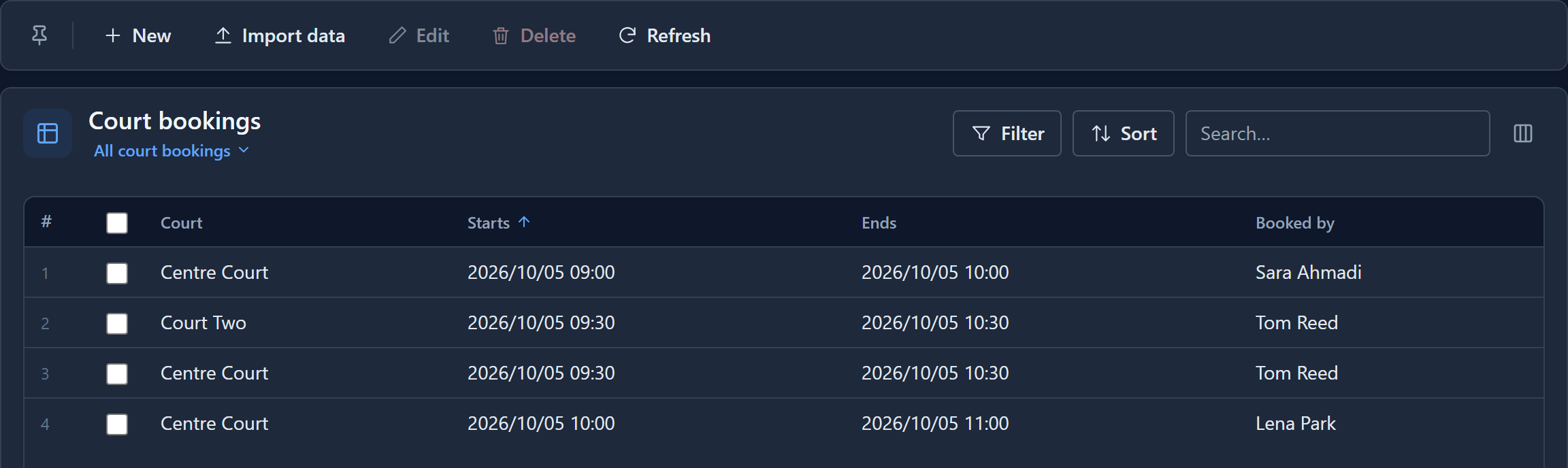
We took the no-overlap rule off and saved. Then we booked Centre Court from 09:30 to 10:30 again, and this time it went through:
Then we put the rule back and saved:
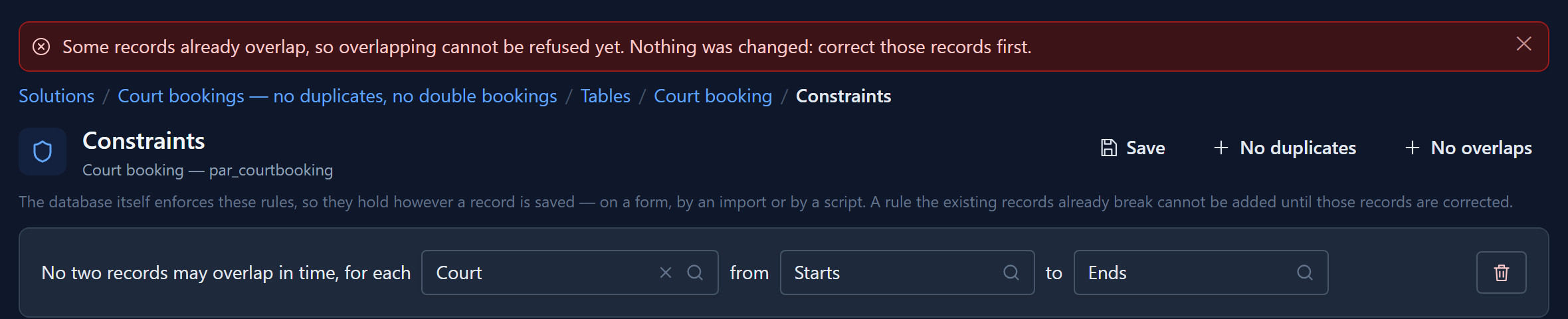
A rule can only be added if the records already obey it. The rule stays on the screen, so you don't have to fill it in again. We deleted the double booking, selected Save again, and it was accepted.
Why the database and not a script
A business rule or a server script could look for a clashing booking before saving. But two saves a millisecond apart both look, both find nothing, and both write. A constraint is checked as the row is written, so one of them succeeds and the other is refused, every time. It holds the same for a form, a spreadsheet import, a script and a process.
The rules travel with the solution, and they're enforced in every environment it's imported into.
Try it
Book Court Two from 10:15 to 10:45. It overlaps Tom Reed's 09:30 to 10:30 on the same court, so it's refused. Move it to 10:30 and it saves.