Parsware Platform
Option sets: reusable choice lists, with colours and icons
An option set is a list of choices you define once and use on any table. Each option can have a colour and an icon, and gets a number from your publisher's range that never changes, so renaming is safe and two publishers' lists never collide.
Dit artikel is alleen in het Engels beschikbaar.
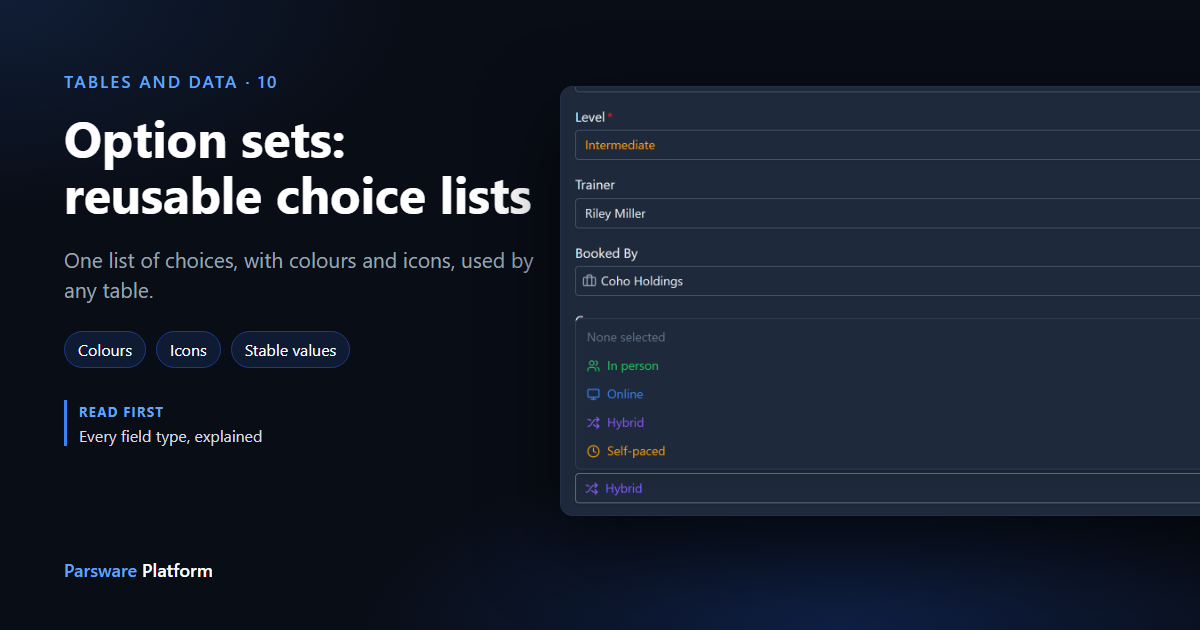
A course is taught in person, online, or both. An order is draft, sent or paid. When the answer comes from a short list that you decide, not from another table, use an option set. It's a list of choices you define once and then use on as many tables as need it.
Every field type, explained used one already: Course level, behind the Level field. Here we build a new one, Delivery mode, and put it on two tables. Every picture is the real product.
Create the set
Open your solution, choose Option Sets in its rail, then New. Give the set a display name
(Delivery mode) and a logical name. The publisher's prefix, con_ here, is added for you. Then add
the options, one row each:
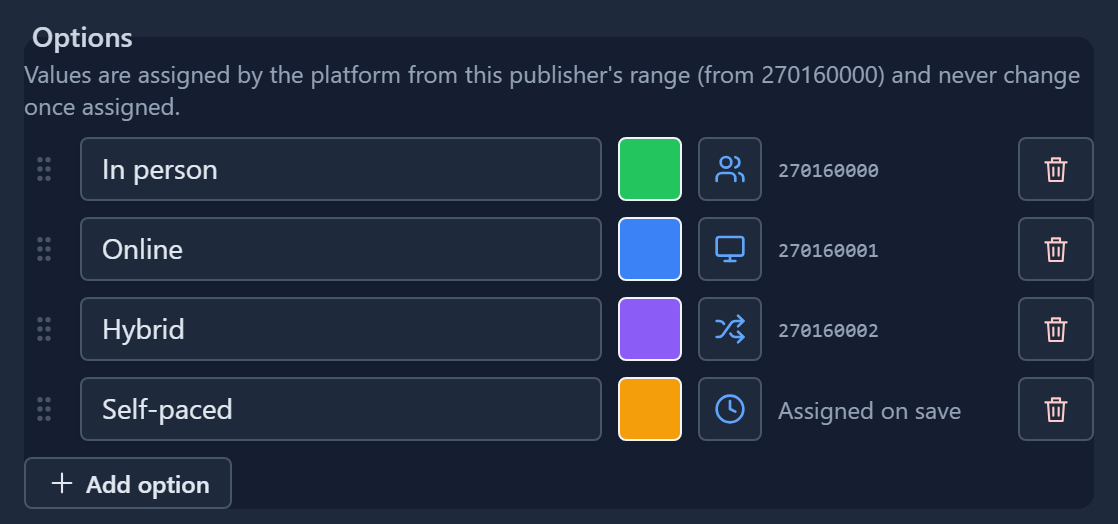
Each row has four parts:
- The label, which is what people see and pick.
- A colour (the square) and an icon (the button beside it). Both are optional.
- The value, a number the platform assigns when you save. A new row says Assigned on save until then.
- The grip on the left. Drag it to change the order people see. Moving an option never changes its value.
The colour square opens twelve quick colours, and a picker for any other colour, with a box for a hex code:
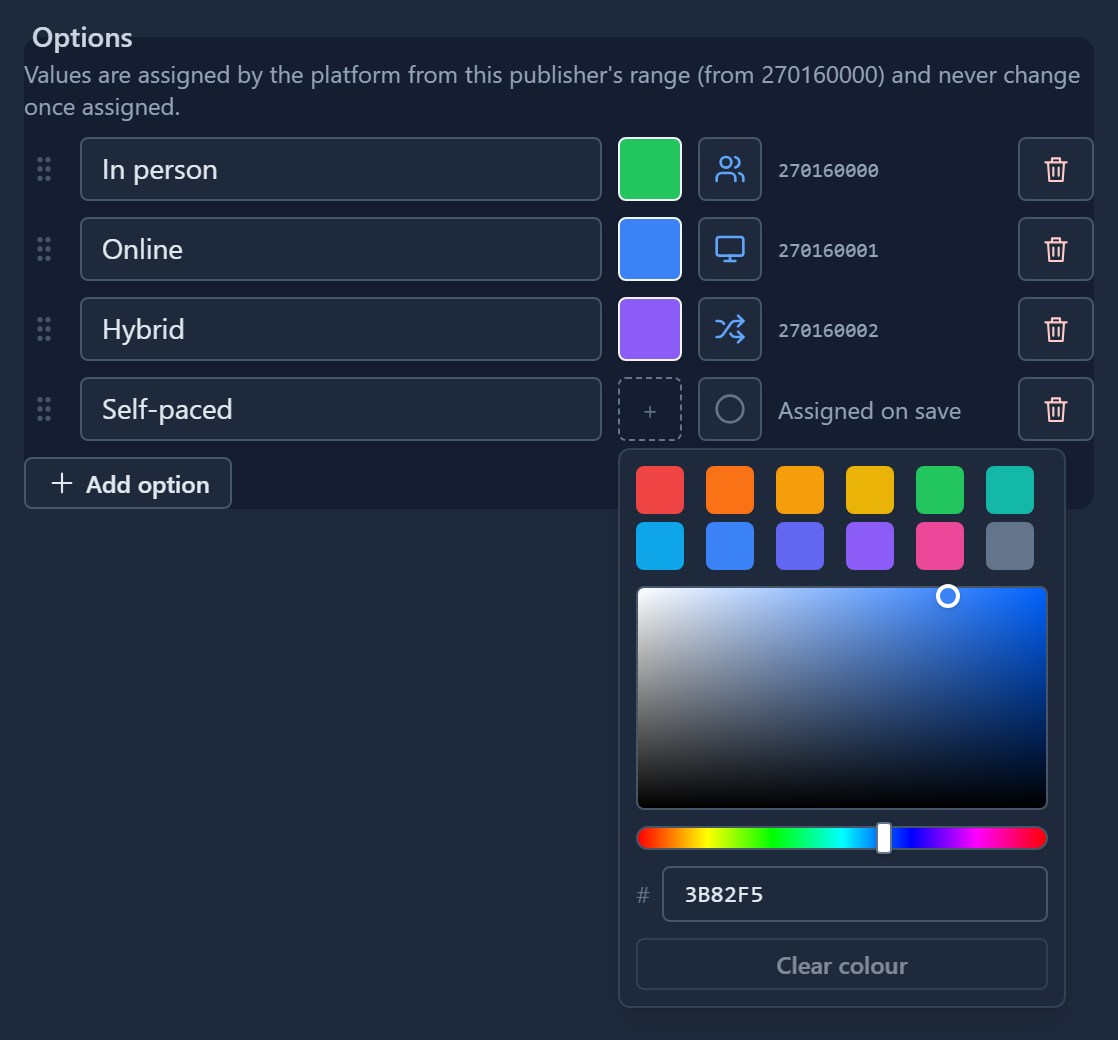
The icon button opens a searchable list of icons. Type clock and pick one. Clear colour and Clear icon are inside their pickers.
Colours and icons don't change any data. A record stores the option's value, so you can recolour an option at any time and nothing that uses it breaks.
Use it on any table
A field uses the set when its Data type is Option set. Choose the set, and that's all. Here the same Delivery mode set goes on a second table, so a contact can have a Preferred delivery:
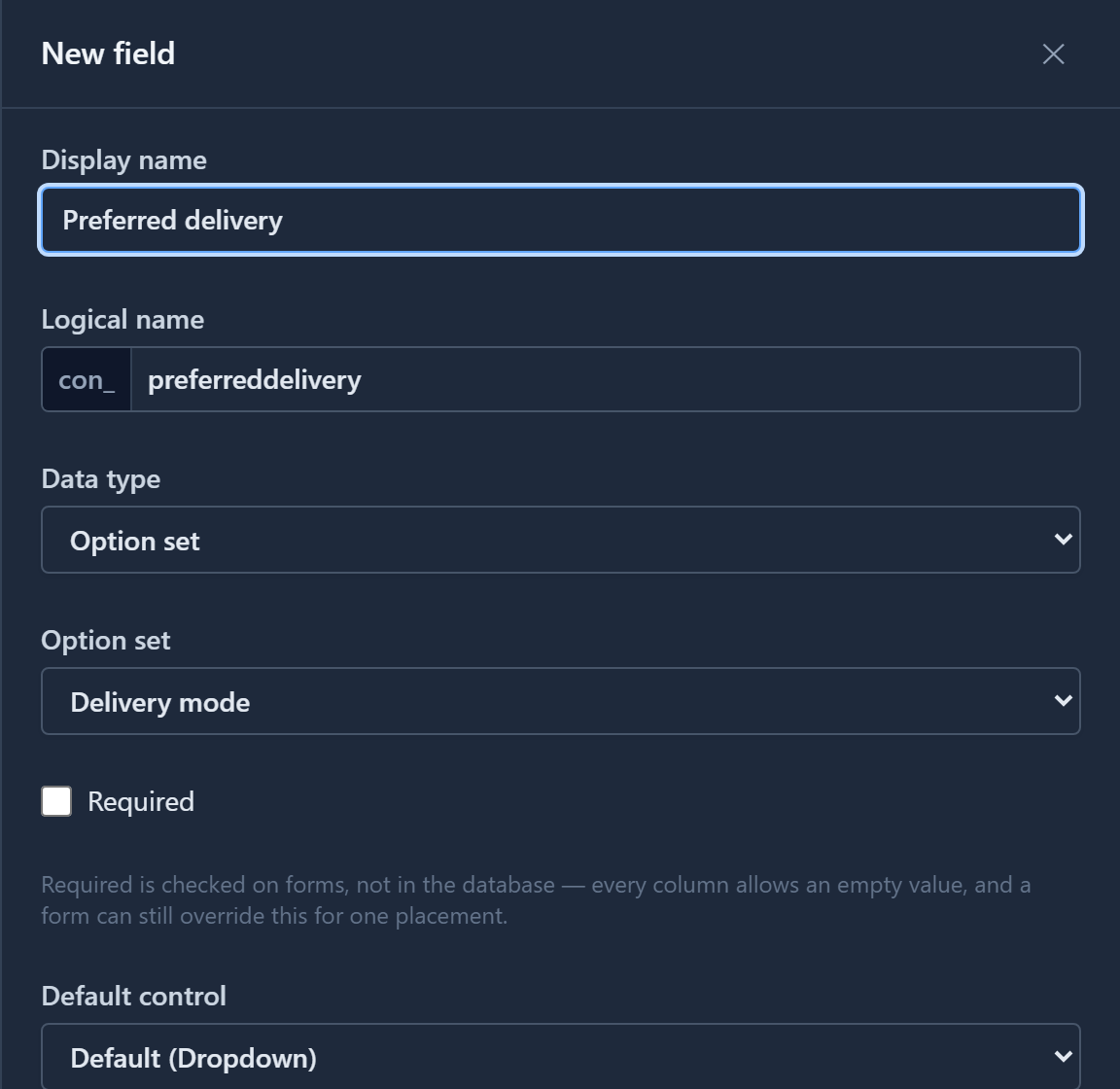
The course has its own Delivery field on the same set. Both fields now offer the same four choices. When you add a fifth option to the set, both get it. There is one list to maintain, not one per table.
A new field isn't placed on existing forms automatically. Drag it onto the form in the form designer, then save the form.
On the form
On the form, the field is a dropdown. Each option shows its icon, and both the icon and the label take the option's colour:
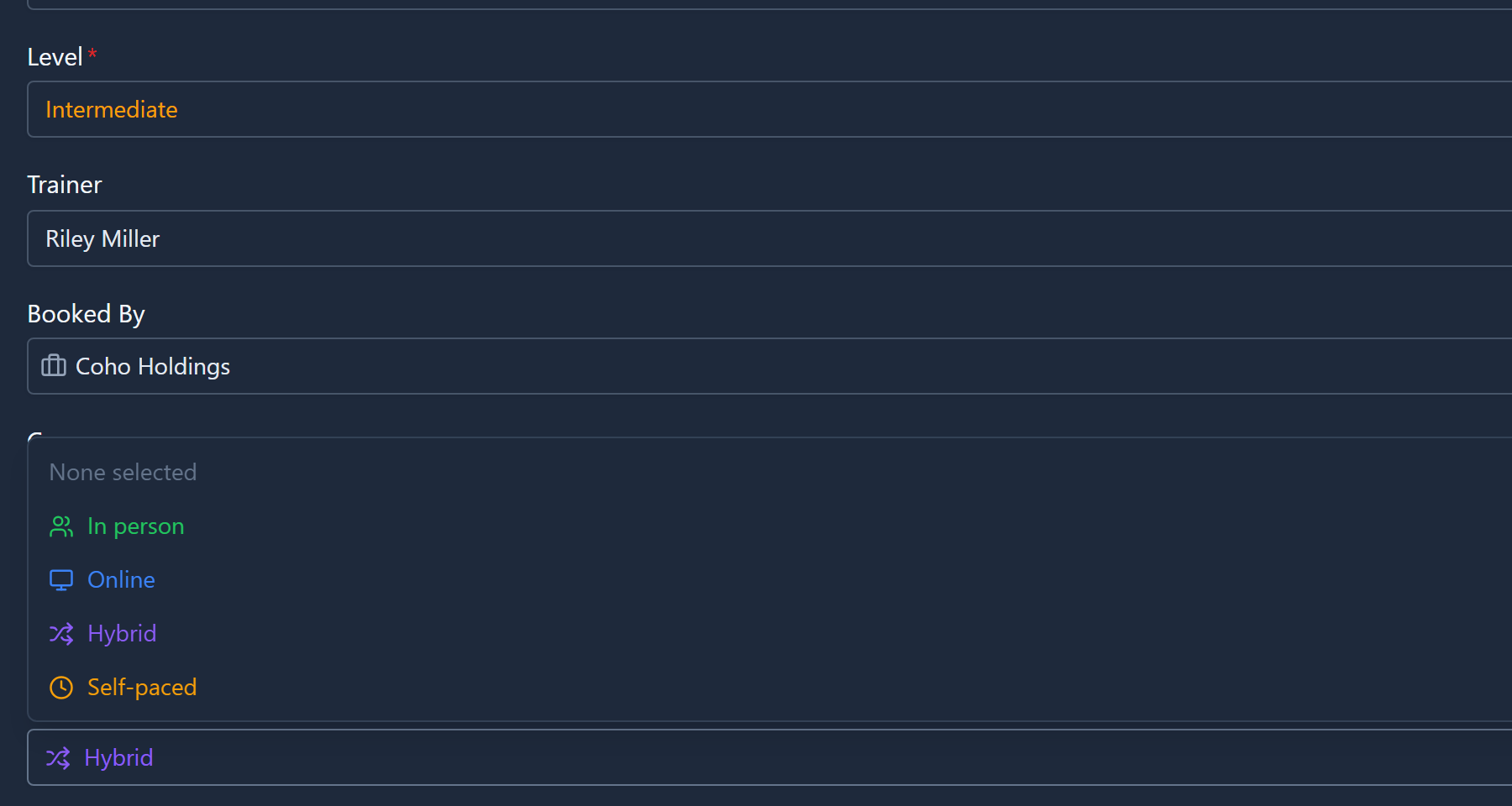
The chosen value keeps its colour and icon once the list closes, so Hybrid stays purple on the form. Level above it is coloured in the same way by its own set. A list of statuses reads at a glance this way: Overdue in red among a hundred others stands out without being read.
The numbers behind the labels
What a record stores is the option's value, not its label. That's why:
- Renaming is safe. Correct Online to Remote and every course that said Online now says Remote. They all held 270160001, and still do.
- You never type a value. The platform assigns it and never changes it. You can see it, which matters if another system reads your data.
- Removing an option that records use is refused. Change those records to another option first. Otherwise they would hold a number that means nothing.
The values are large because they come from a range that belongs to your publisher. Each publisher has its own option value base, on the Publishers page:

Contoso's sets count up from 270160000. If every publisher counted from zero, importing two publishers' solutions into one environment could make one publisher's Draft the same number as another's Cancelled. Separate ranges rule that out.
When it moves between environments
An option set is part of your solution, like the tables that use it. Export the solution and the set goes with it, with its values, colours and icons. In Test and Production, 270160001 still means Online. On import, the set arrives before the tables whose fields use it, so a field is never left pointing at a set that isn't there.
Importing a newer version of the set updates the one that's already there. Labels are refreshed and new options added. An option that records still use isn't deleted out from under them.
Option set, lookup, or text?
| The values are… | Use |
|---|---|
| A short list you decide, changed when the app changes | Option set |
| Records that people add, such as customers, rooms or products | Lookup to a table |
| Anything anyone might type | Text |
If users will need to add a choice themselves, it belongs in a table with a lookup, not in an option set.
Next: states and reasons, the active and inactive lifecycle every table has, and why a record moves between them.