Parsware Platform
Lookups in Parsware: linking one record to another
A lookup field links a record to one in another table. Adding one also creates the relationship between the two tables, gives the form a search that finds records as you type, and puts a Related tab on the record at the other end.
Dit artikel is alleen in het Engels beschikbaar.
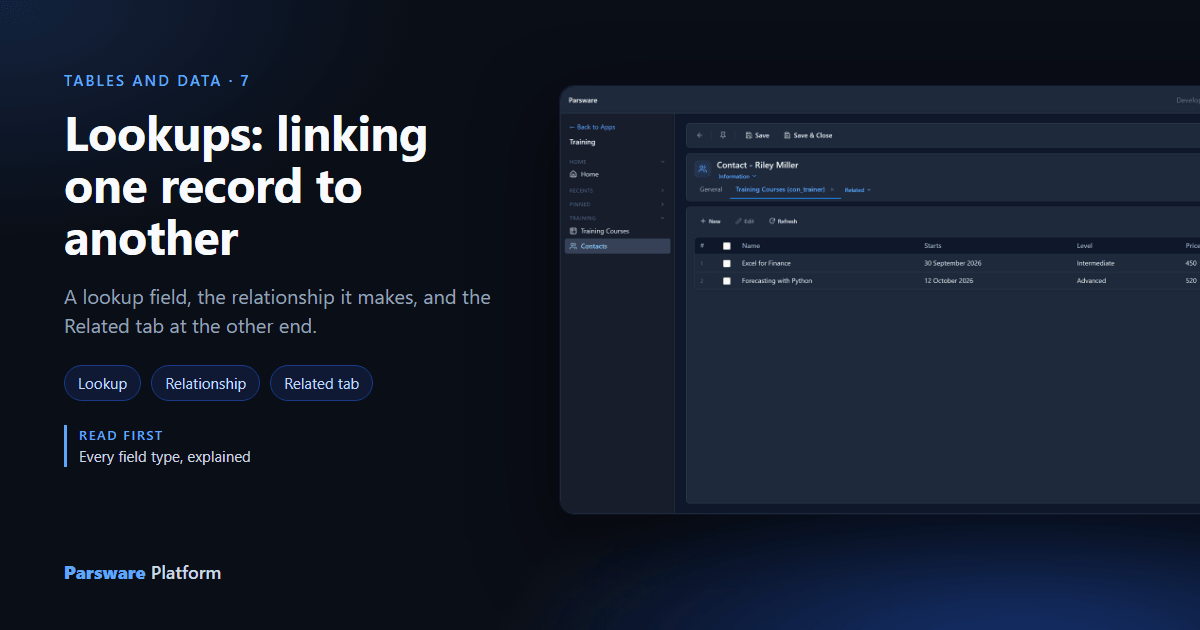
A training course has a trainer, an invoice has a customer, an order line belongs to an order. Each one links a record to another record, and in Parsware that link is a lookup field.
A lookup stores the other record itself, not its name. So the link survives a rename, a person can't mistype it, and both ends know about it. The course shows its trainer, and the trainer's record lists every course they teach.
We carry on with the Training Course table from Every field type, explained, and its Trainer field. Every picture is the real product.
Add a lookup field
On the table's Fields page, choose New. Give the field a name, set Data type to Lookup, and choose the Related table: the table whose records it points at. Our Trainer points at Contact.
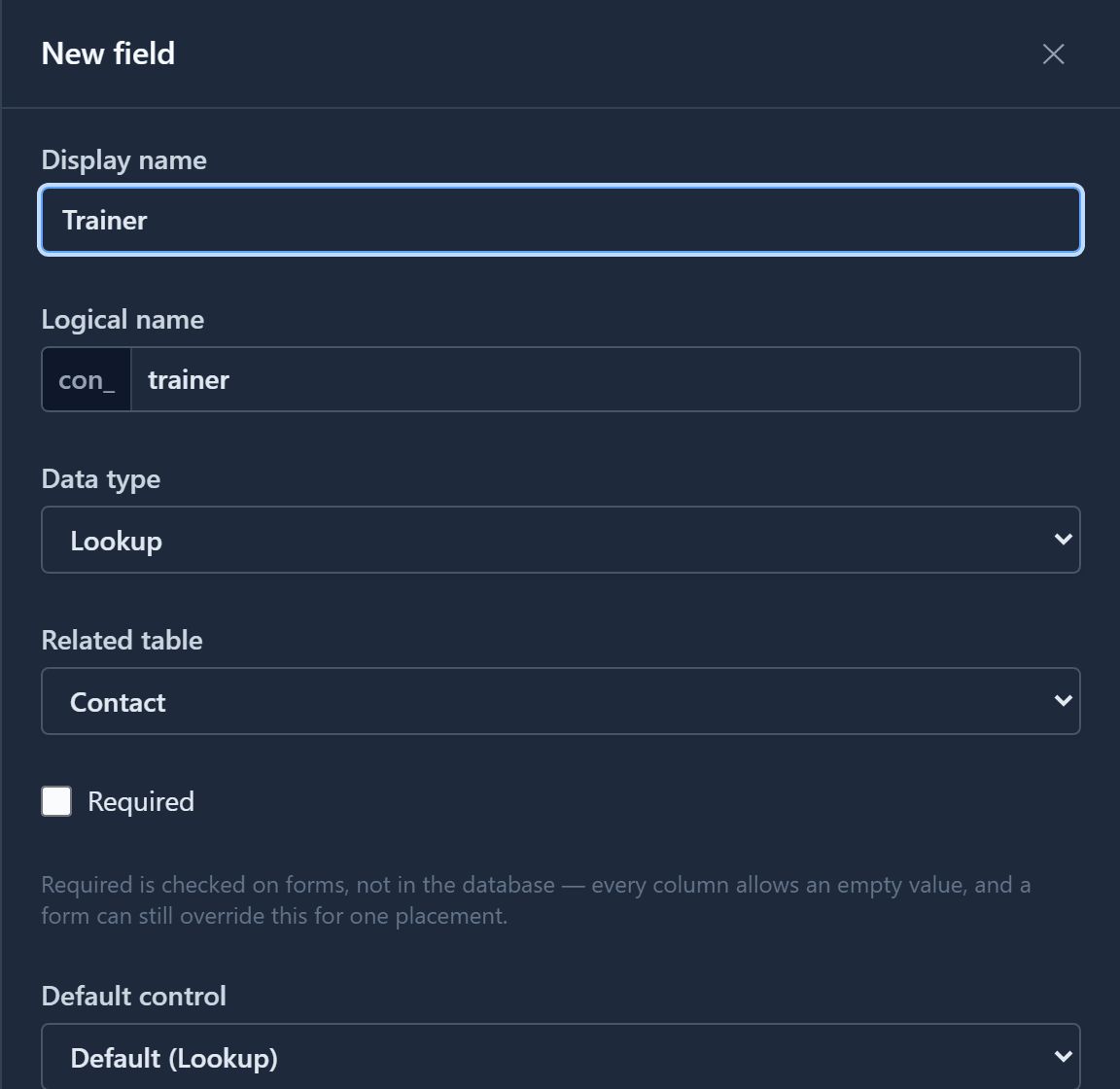
That's all there is to it. There's no separate step to link the two tables, because the lookup is the link.
The relationship comes with it
Saving the field also creates a relationship between the two tables, and a real foreign key in the database. Open the table's Relationships page and it's there, named after the table and the field:
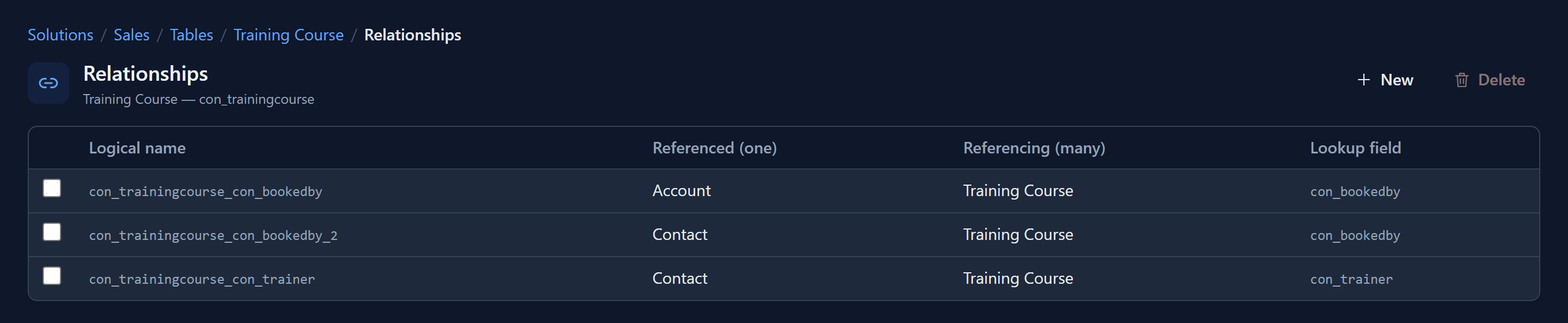
Read each row as one record on the left to many on the right. One contact can train many courses, and each course has one trainer. That's why the lookup lives on the "many" side, on the course.
The two Booked By rows come from the lookup to several tables that article 005 added. It gets one relationship for each table it can point at, so there's one for accounts and one for contacts.
The two always go together. Delete the lookup field and its relationship goes with it, so nothing is left pointing at a field that no longer exists.
On the form: search, don't type
Put the field on the form and it becomes a search box. Type part of a name and the matching contacts appear, each with a second line so two people with similar names can be told apart:
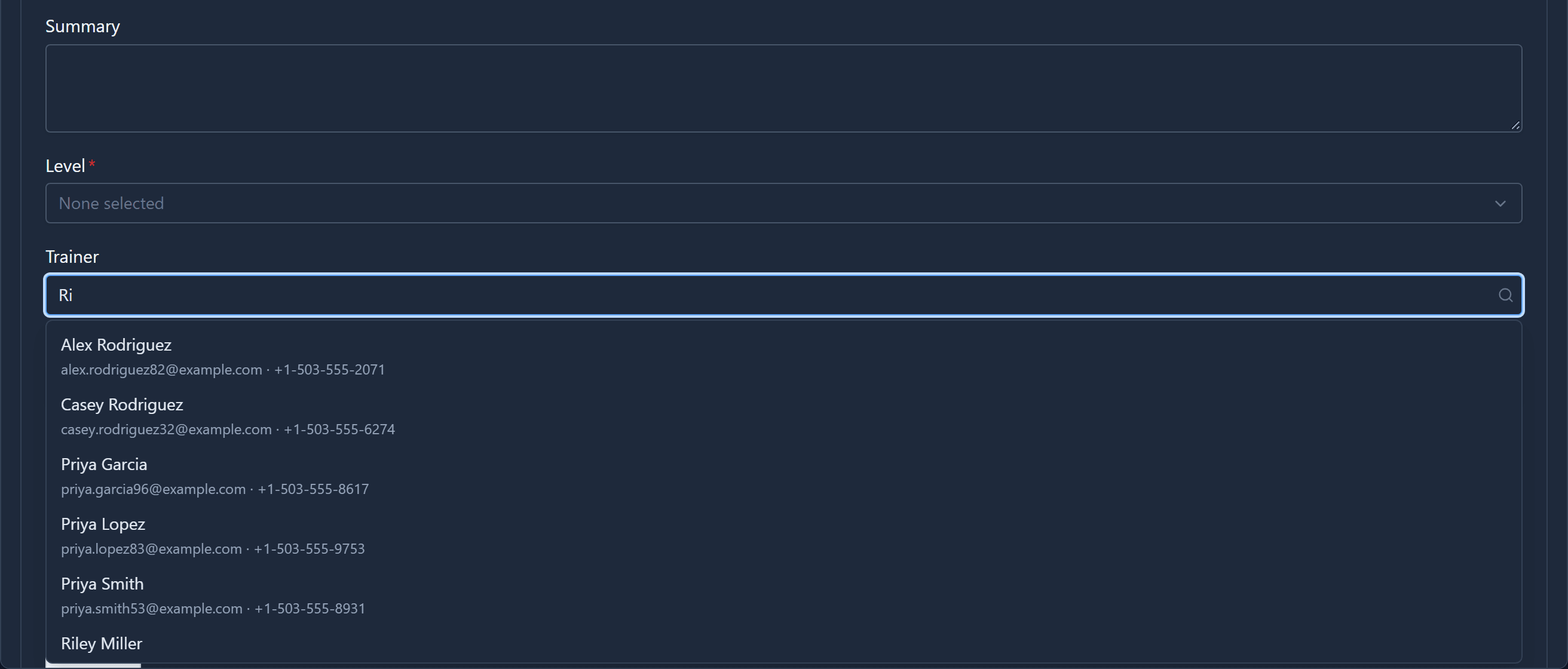
Pick one and the field shows their name. Behind it, the course stores the contact's id, which nobody has to see or remember.
Which columns the second line shows, and which columns a search matches, are set on the related table. They get their own article later in this series.
At the other end: the Related tab
Now open the trainer. A contact's form has a Related menu after its tabs, listing every table whose records point at this one:
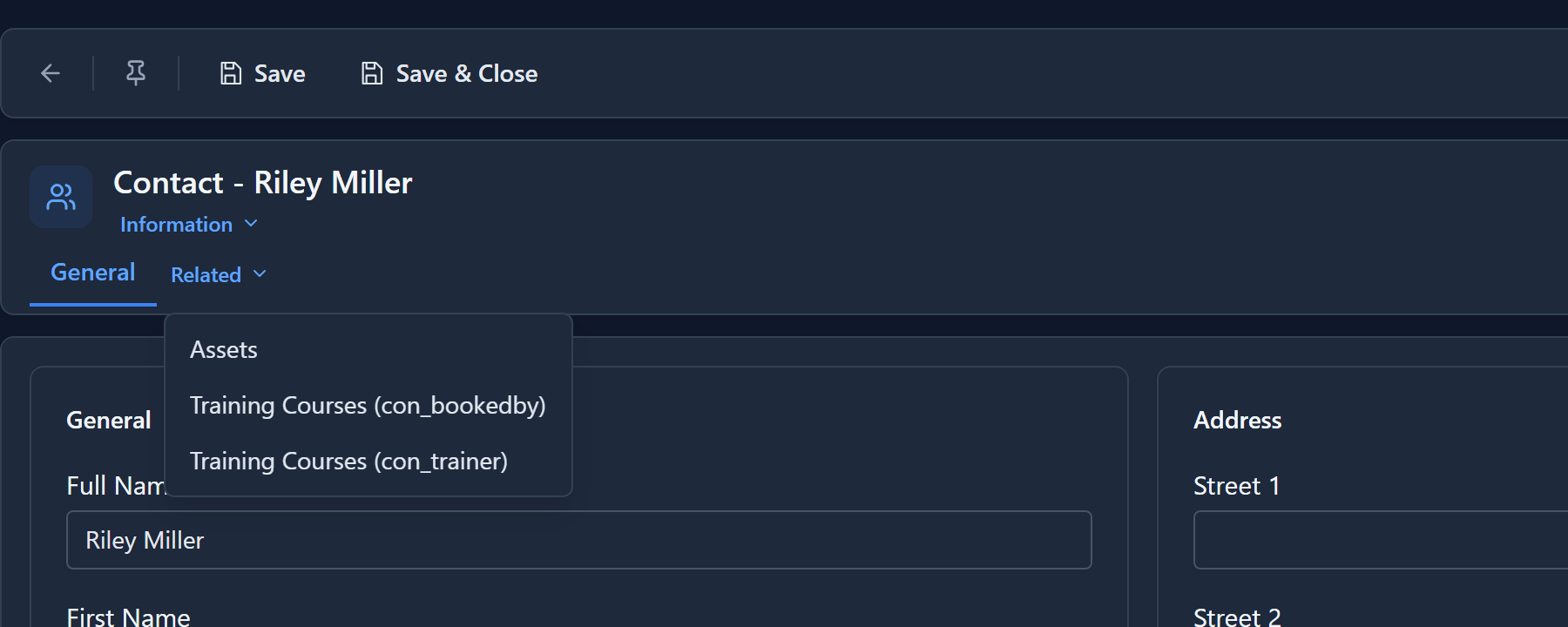
Training Courses appears twice because two lookups on that table point at contacts: Trainer and Booked By. When that happens, the menu adds the lookup's name in brackets so you can tell them apart. We didn't have to set any of this up. Adding the lookup was enough.
Choose Training Courses (con_trainer) and it opens as a tab beside the form's own, listing just the courses Riley teaches:
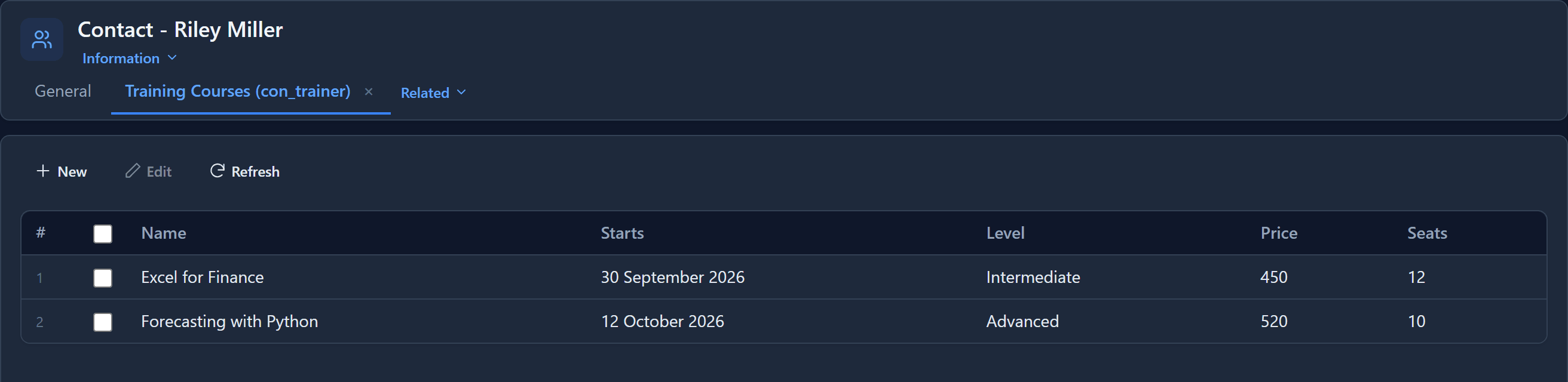
The Trainer column isn't shown, because every row would say Riley Miller. The tab has its own New, Edit and Refresh. Close it with the ×.
Add from the related tab
New on the related tab opens a new course with the link already filled in:
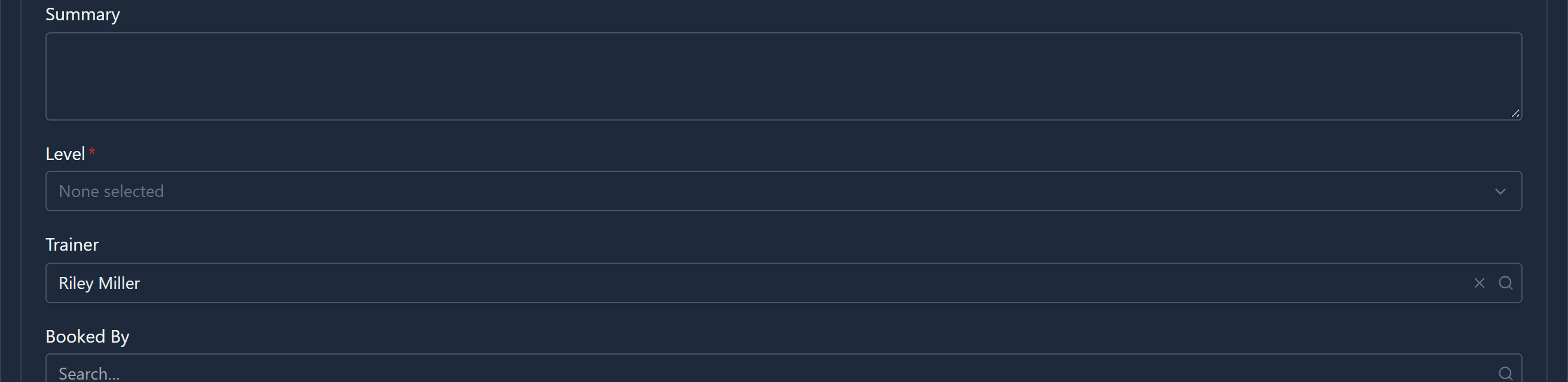
This is how you add a line to an order or a task to a project without leaving it. Save and close, and you're back on the trainer, on the same tab.
A related tab needs a saved record, because the related records point at it. On a record you're still creating, the menu tells you to save first.
In short
- A lookup field links a record to one in another table. Put it on the "many" side.
- Adding it creates the relationship and a foreign key. Deleting it removes both.
- On a form it's a search, and it stores the record rather than its name.
- The other table's records get a Related tab listing everything that points at them, with a New that fills in the link.
Next: one lookup that can point at several tables, such as a customer that is either an account or a contact.