Parsware Platform
Processes that actually run
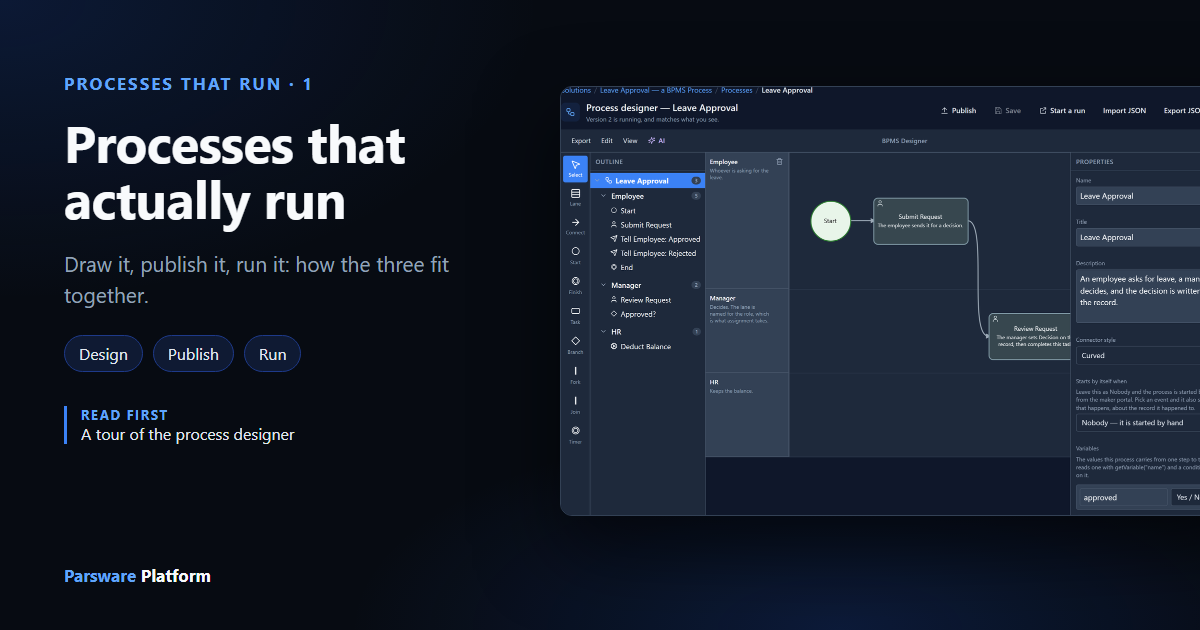
A drawn process that nobody's software follows is a poster. In Parsware the drawing is what runs: you draw who does what on swimlanes, publish a version, and the engine starts it from a record, sends each step to the right person's task list, and keeps a history of every run. This is how the three parts fit together.
Cet article n’est disponible qu’en anglais.
Most organisations have their processes drawn somewhere. A leave request goes to the manager, then HR. A purchase over a certain amount needs Finance. A complaint is answered within two days or it goes to a supervisor. The drawing is in a slide deck, or on a wiki page, or on a wall.
And then the work happens somewhere else: in emails, in a spreadsheet of who has what, in somebody remembering to chase. The drawing says what should happen. Nothing makes it happen, and nothing says when it didn't.
Process automation closes that gap. The drawing becomes the thing that runs. When a request is raised, the process starts by itself. When a step needs a person, it lands in their task list, with the record they need to read. When they decide, the process moves on. And every run leaves a history: who did what, when, and how long it waited.
This is the first article of the series on processes that run. The series before it was about the designer, the drawing tool. This one is about what happens after you draw.
Three parts: design, publish, run
A process in Parsware goes through three stages, and each has its own place in the product.
- Design. You draw the process in the process designer: lanes for who does the work, steps, connections, conditions, coforms and code. Saving stores the drawing and changes nothing else.
- Publish. You make the saved drawing a numbered version. This is the only thing the engine reads.
- Run. Something starts a run of the latest version: a button on a record, a record being created or changed, or a maker testing it. The engine follows the drawing, step by step, and keeps a history.
Keeping them apart is what makes it safe to keep working on a process that's in use. More on that below.
Design: who does what
Open a process and you get the designer. This is the Leave Approval sample from
samples/solutions/bpms-leave-approval-process:
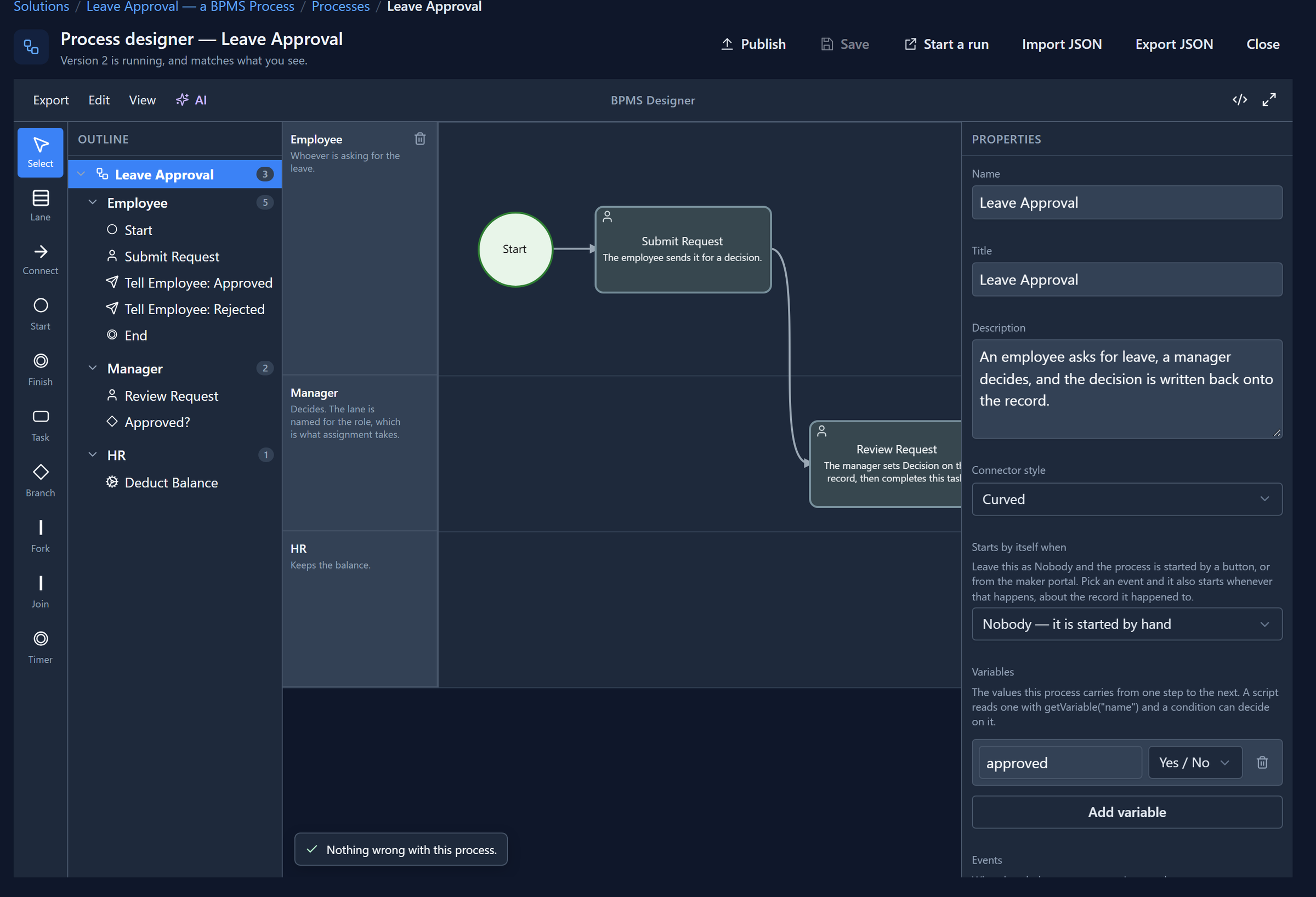
A process is drawn on swimlanes, and that's the one idea to hold on to. A flowchart says what happens. A process also has to say who, and a lane is a who: a role, a team, the system. The steps in a lane are that lane's to do. Swimlanes and roles explains how a lane's role decides whose task list a step lands in.
The steps themselves are a small set of shapes:
- A Start and a Finish.
- Tasks: a user task waits for a person; a service or script task is work the system does by itself. Task types goes through all of them.
- A Branch, which takes one way or another depending on a condition.
- A Fork and a Join, to do two things at once and wait for both. Fork and join shows a purchase order going to Finance and Legal at the same time.
- A Timer, which waits for the clock, and deadlines on tasks, which say what happens when a step is late.
On top of the shapes:
- Who gets a task. A step can go to its lane's role, a particular person, a team, or whoever started the run, and can exclude the person who raised the request. Assignment.
- What they fill in. A coform is the short form a person decides on: a few fields, and one button per outcome. Coforms.
- What they look at while they decide: the record's form, a report, a list or a screen.
- What the process remembers. Variables carry values from step to step. Process variables.
- Code where it's needed. Conditions and scripts are written in BS, the platform's one scripting language, with the same editor and checks everywhere. Branch conditions and Code on a task.
The designer checks all of this as you draw. The problems panel lists anything that would stop the process running: a step nothing reaches, a branch with no condition, a misspelt variable.
And the drawing is plain text underneath: a JSON document with a published shape. You can export it, edit it and import it, and the same check runs on it whoever wrote it.
A process lives in a solution
A process is a component of a solution, like a table, a form or an app. Its solution's list of processes is where you create one and open it:
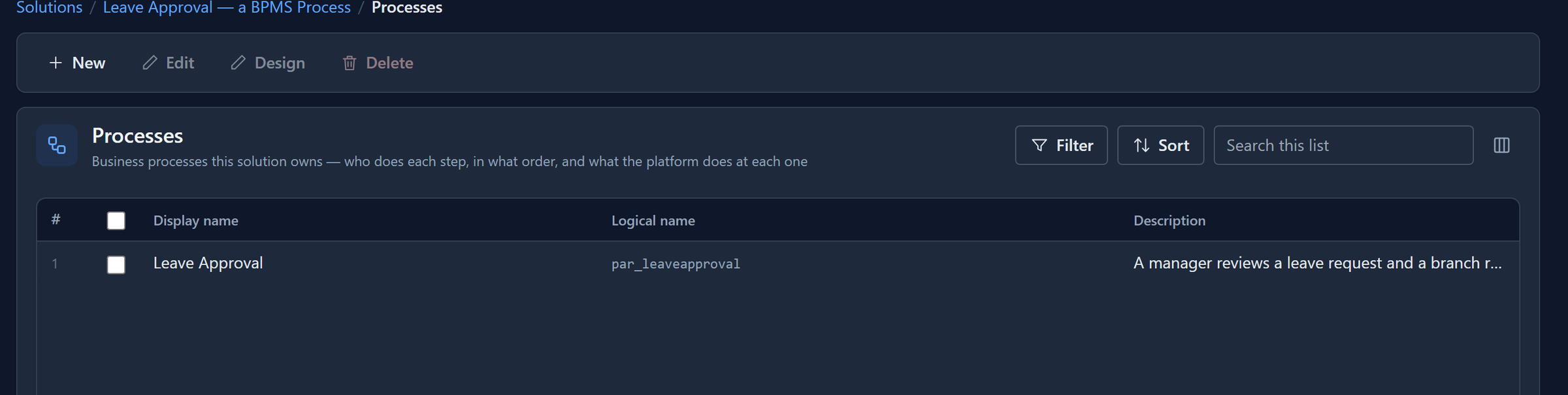
That matters later: when the solution moves to Test and Production, its processes go with it, together with their coforms and the roles their lanes name.
Publish: what runs is a version
Save keeps your work. Publish changes what runs. They're separate buttons because a process in use has people part-way through it. If saving changed the running process, fixing a typo in the afternoon could rewrite the route a request was half-way along.
So a publish freezes the drawing as version 1, then 2, then 3. The line under the designer's title tells you whether what you're looking at is live, or has saved changes that aren't yet. A run keeps the version it started on, whatever you publish while it's going; new runs take the latest.
Publish a process goes through it, including a fix we made while writing it.
Run: what starts a process
A published process does nothing until something starts it. There are three ways.
- A button on a record. A command on a form, such as Send for approval on a leave request. The run is about that record, so its steps can read it and update it. This is the usual way: a person decides the request is ready.
- A record event. In the process's properties, Starts by itself when picks a table and an event: a record is created, changed or deleted. The run starts by itself, about the record it happened to.
- Start a run, in the designer. For a maker testing a process, or for a process about nothing in particular. It has no record, so a process whose scripts read one isn't a good fit for it.
Then the engine follows the drawing. Work the system does by itself happens straight away. When it reaches a user task, it works out who the task is for and puts it in their list, and the run waits.
The person's side: tasks
The people a process involves don't open the designer, and most never see the drawing. They see tasks, in whatever app they work in. A count appears on the tray button in the top bar, and My tasks lists what's waiting for them:
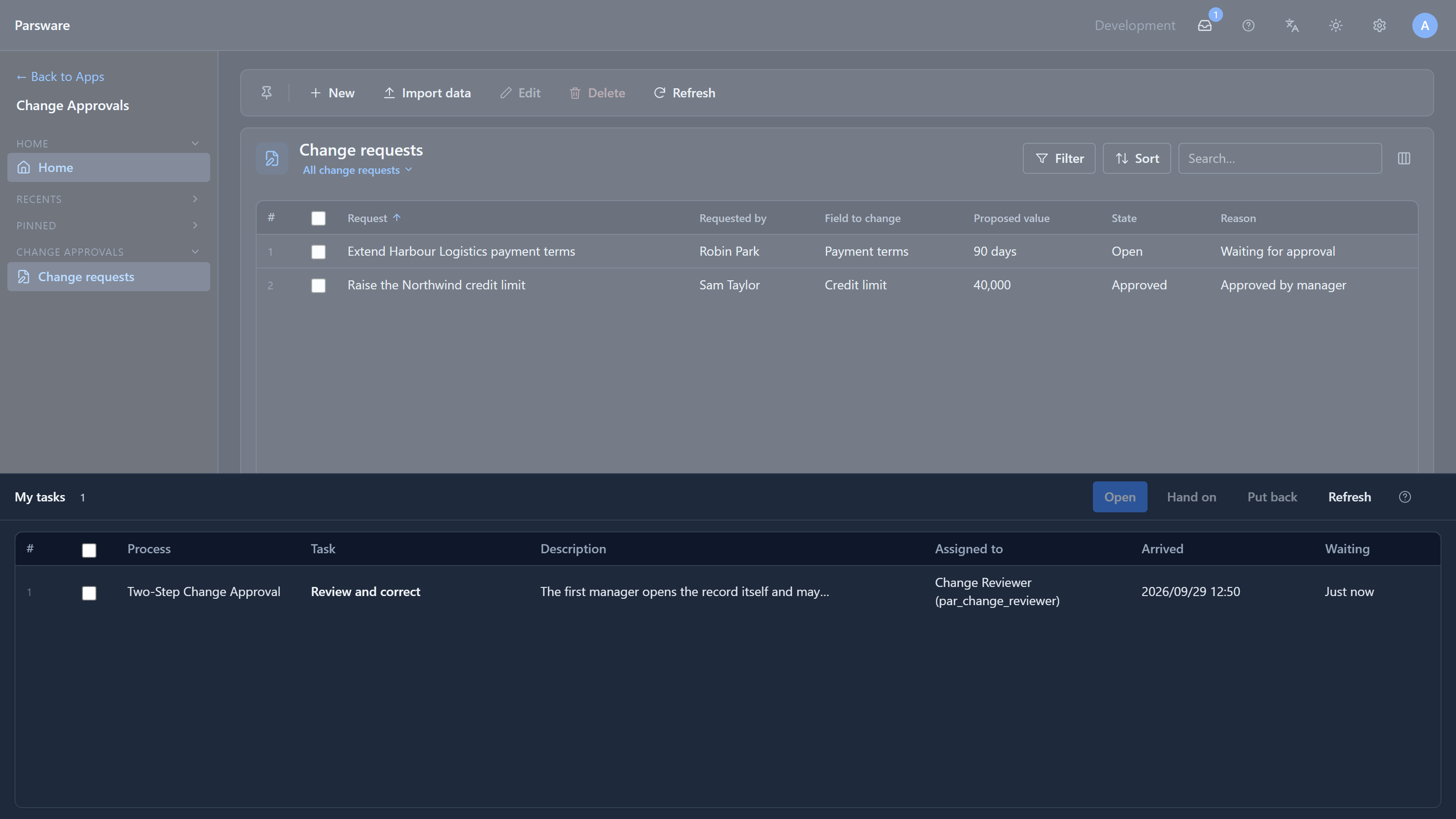
Opening a task opens what it's about: the record, read-only or for editing, or a report. Then Decide shows the coform, with one button per outcome:
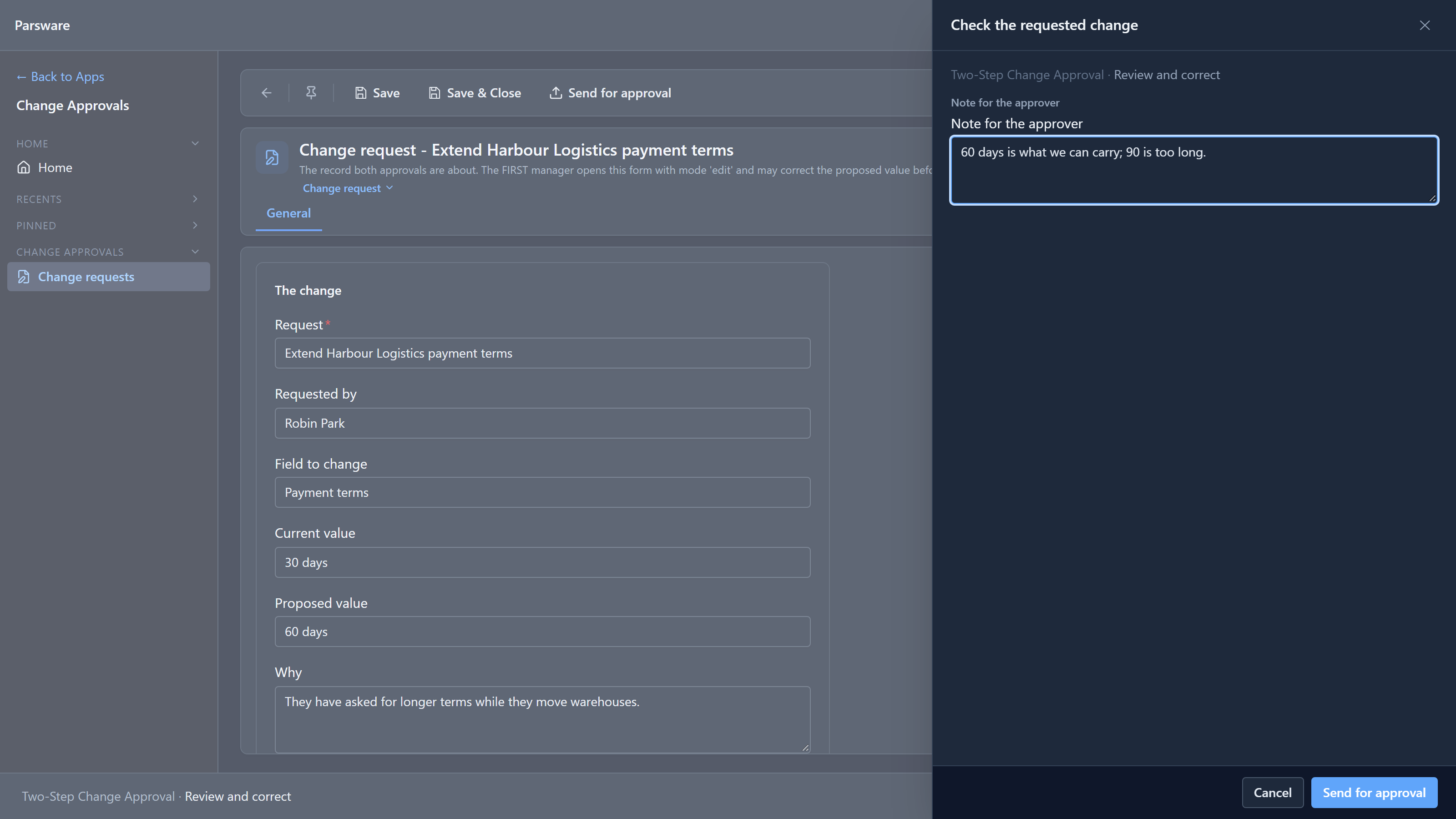
They choose, the task leaves their list, and the process moves on: to the next person, a branch, or the end. Your tasks is the whole of that side.
A task offered to a role goes to everybody who holds it, and the first to open it takes it. A task can have a deadline: when it passes, the process can mark it late, offer it to somebody further up as well, or press one of its buttons itself, and the history says the clock decided, not a person.
Watching it run
Every run is kept. A process's Runs page lists them, with when they started, their status, their version, and who they're waiting on:
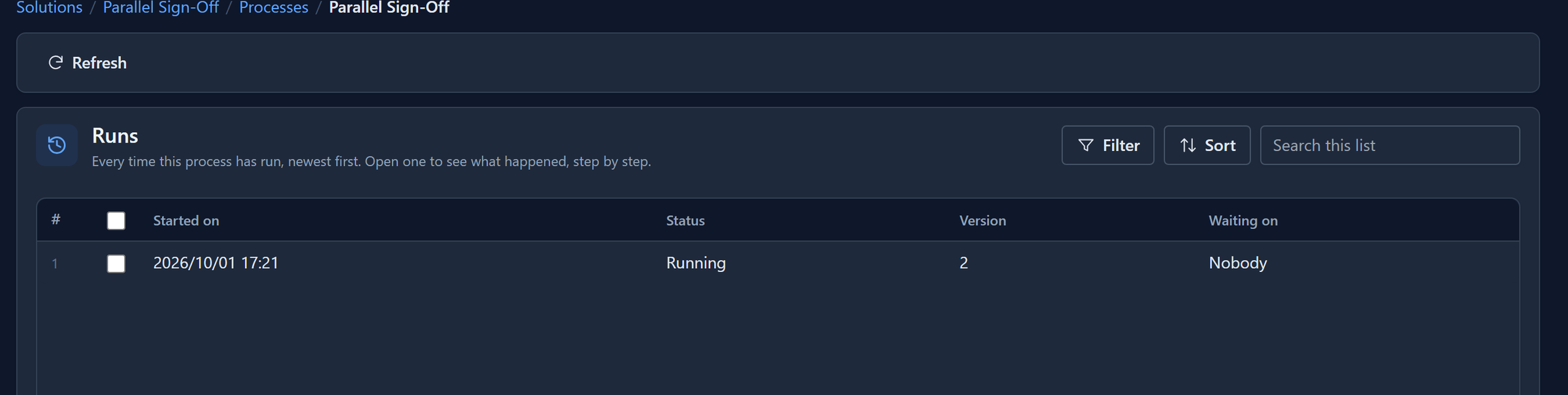
Open a run and you see its route drawn step by step, and a history of what the engine did at each: started, assigned, decided, waited, finished. When a step fails, because a script refused or a record it needed was gone, the run says why, and you can fix the cause and ask for the step again. A run can be paused, resumed or stopped, with a reason that goes into the history.
Insights, beside Runs, answers the question a manager actually asks: how is this process doing? How many runs started and finished, how long work usually waits at each step, which runs are stuck with nobody holding them, and how decisions go.
Moving it to Production
You build a process in a development environment, like everything else. When it's ready, you export its solution and import it into Test, then Production. The process arrives with its coforms and its roles; you publish it there, and that environment runs it. Its runs, its versions and its history belong to that environment.
When to use a process, and when something smaller
A process is for work that involves people and takes time: an approval, an onboarding, a claim. It waits, possibly for days, and it keeps a history because somebody will ask what happened.
Not everything is that. Parsware has smaller tools for smaller jobs:
- A business rule on a form shows, hides or checks fields while somebody types.
- A plugin step runs on the server when a record is saved, and can refuse the save. It doesn't wait for anyone.
- A scheduled job runs on the clock with nobody involved.
Business logic: which one to use compares them. The rule of thumb: if no person has to decide anything, it isn't a process.
What the rest of the series shows
Each article that follows runs one of the sample solutions from start to finish, as the people in it:
- Publish a process: save versus publish, versions, and what a running instance uses.
- A two-step approval: a request approved by a manager, then Finance.
- Leave approval from start to finish: run as the employee and as the manager.
- Parallel sign-off: two approvers at once, one result.
- Deadlines and timers: a timer escalating a late task.
- Start a process from a record: a process that starts by itself.
- Approval by amount: the approver read from a table Finance edits.
- Watch a process run and How is a process doing?: runs, history and insights.
- Units, positions and the hierarchy: routing work up the organisation chart.
- A process travels in a solution: export, import and uninstall.
Try it
Import the Leave Approval sample into a scratch environment. Give yourself its roles in the Admin Control Center, sign out and in again, and publish the process. Then open the Leave — Approval Process app, raise a request and select Send for approval. The task arrives in your own list. Decide it, and open the process's Runs page to see what the engine did.
Next: publish a process.