Parsware Platform
Swimlanes and roles
A swimlane named Manager tells a reader who does the work. It tells the engine nothing until you give the lane a Role, picked from the environment's security roles. We set one on the leave-approval sample, added a lane, and followed a role from the designer to the people who hold it.
این مقاله فقط به انگلیسی در دسترس است.
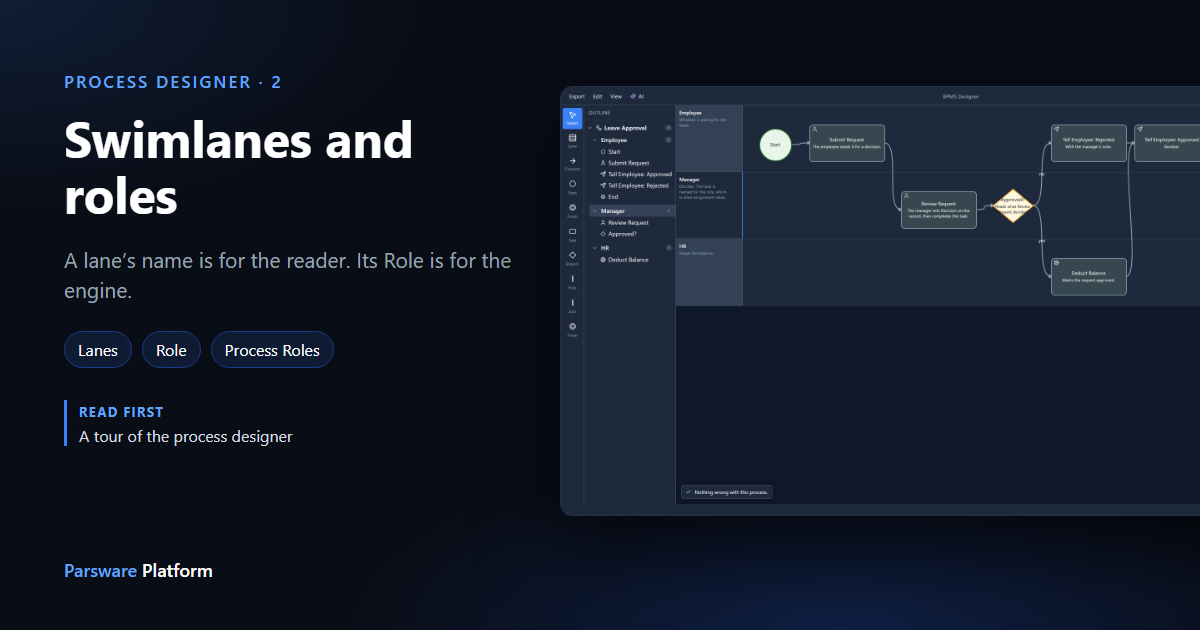
The rows across a process drawing are swimlanes, one per role: Employee, Manager, HR. They're the reason a process diagram is worth drawing at all. You can see at a glance whose desk each step lands on, and where the work changes hands.
But the name on a lane is for people reading the drawing. Calling a lane "Manager" doesn't send anything to a manager. For that, the lane needs a Role.
We carried on with the Leave Approval sample from the tour.
Import it from samples/solutions/bpms-leave-approval-process to follow along.
A lane's properties
Click the Manager lane's header, or its line in the outline:
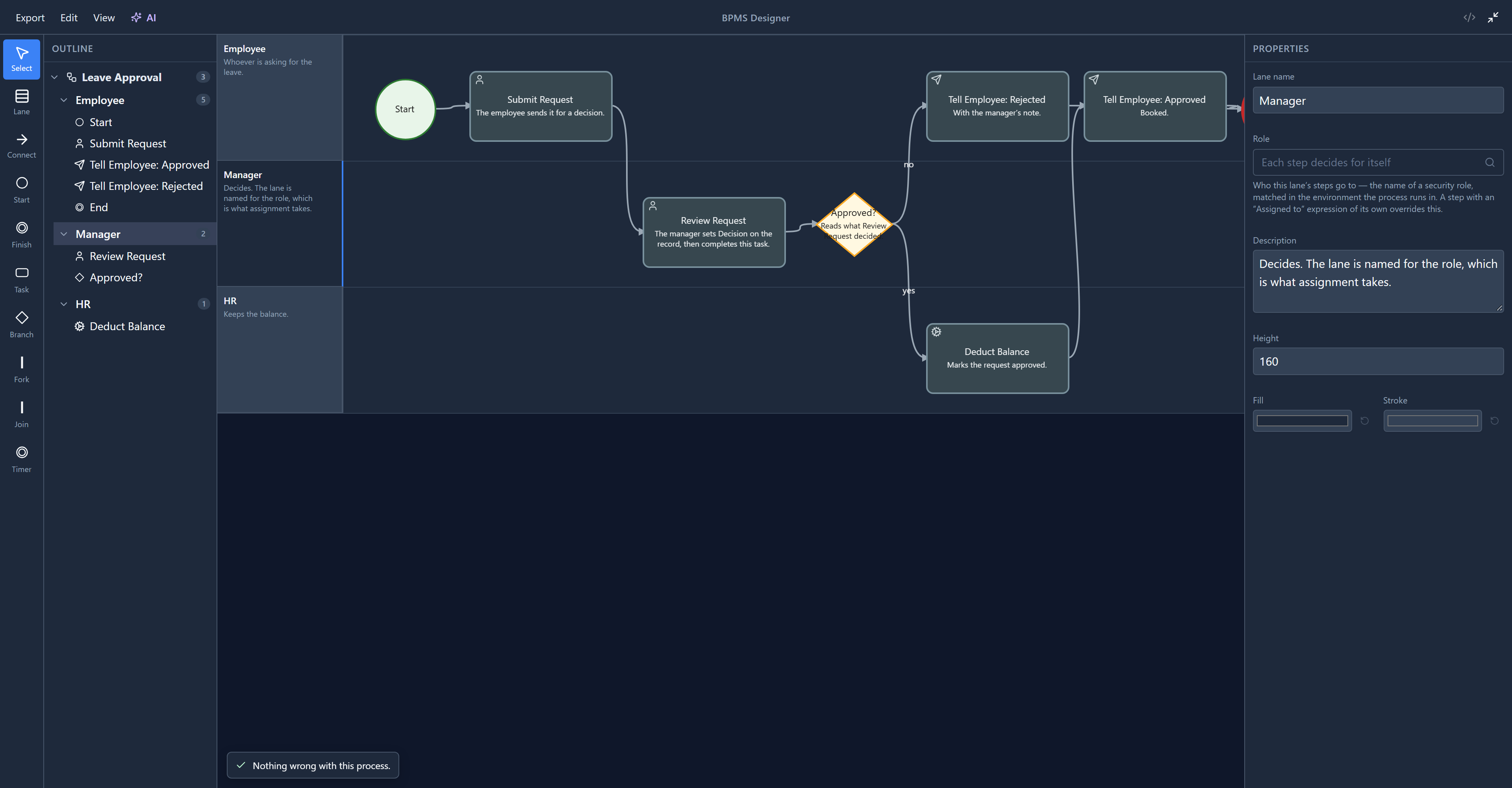
- Lane name: what the header says. Name it for the role, not a person. A process outlives whoever is doing the job this month.
- Role: who this lane's steps go to. Empty, it reads Each step decides for itself.
- Description, and the lane's Height, Fill and Stroke. You can also drag the lane's bottom edge to resize it, and double-click its header to rename it.
Picking the role
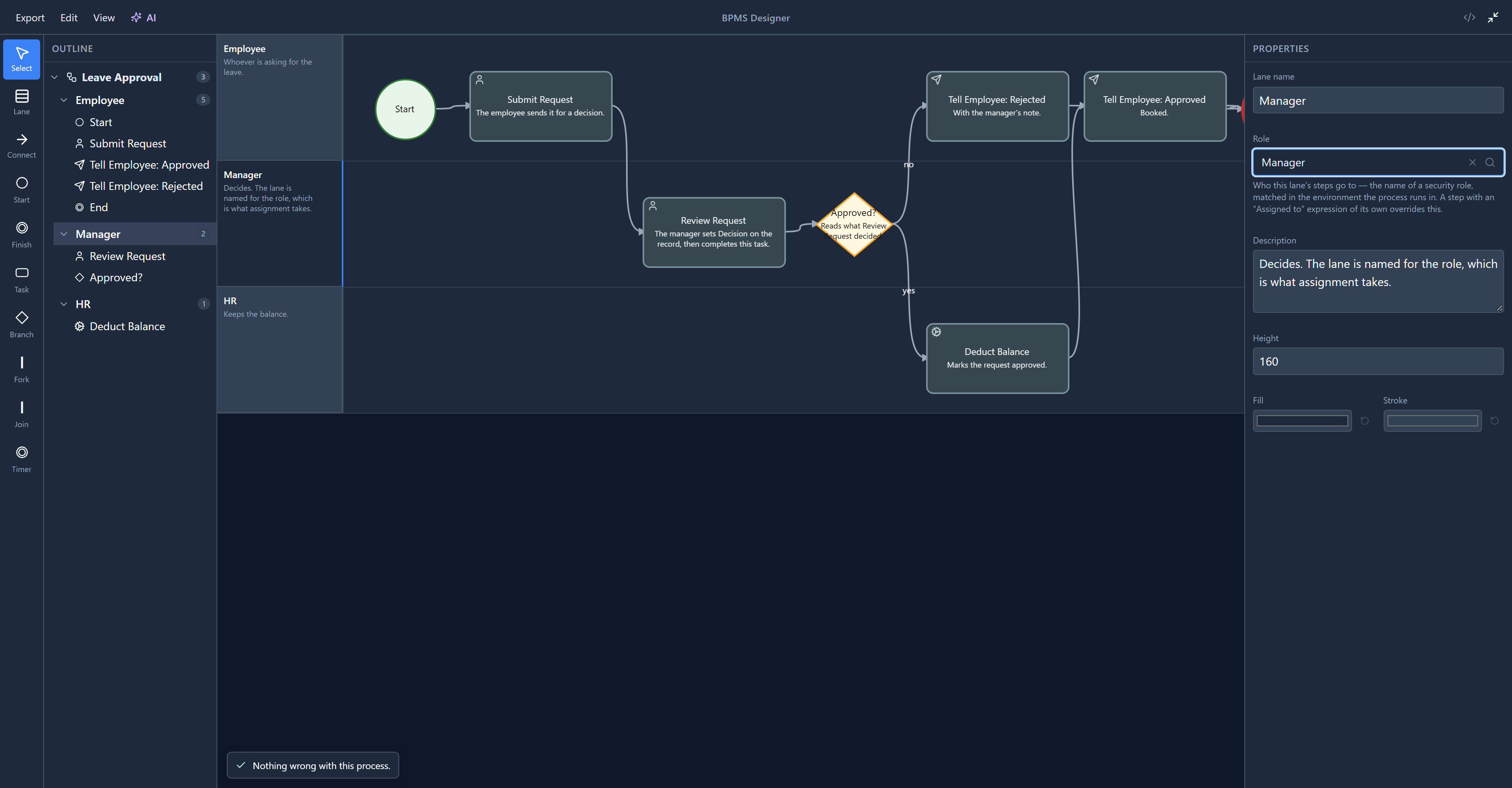
Click Role. It's a list of the security roles this environment has, not a box to type into:
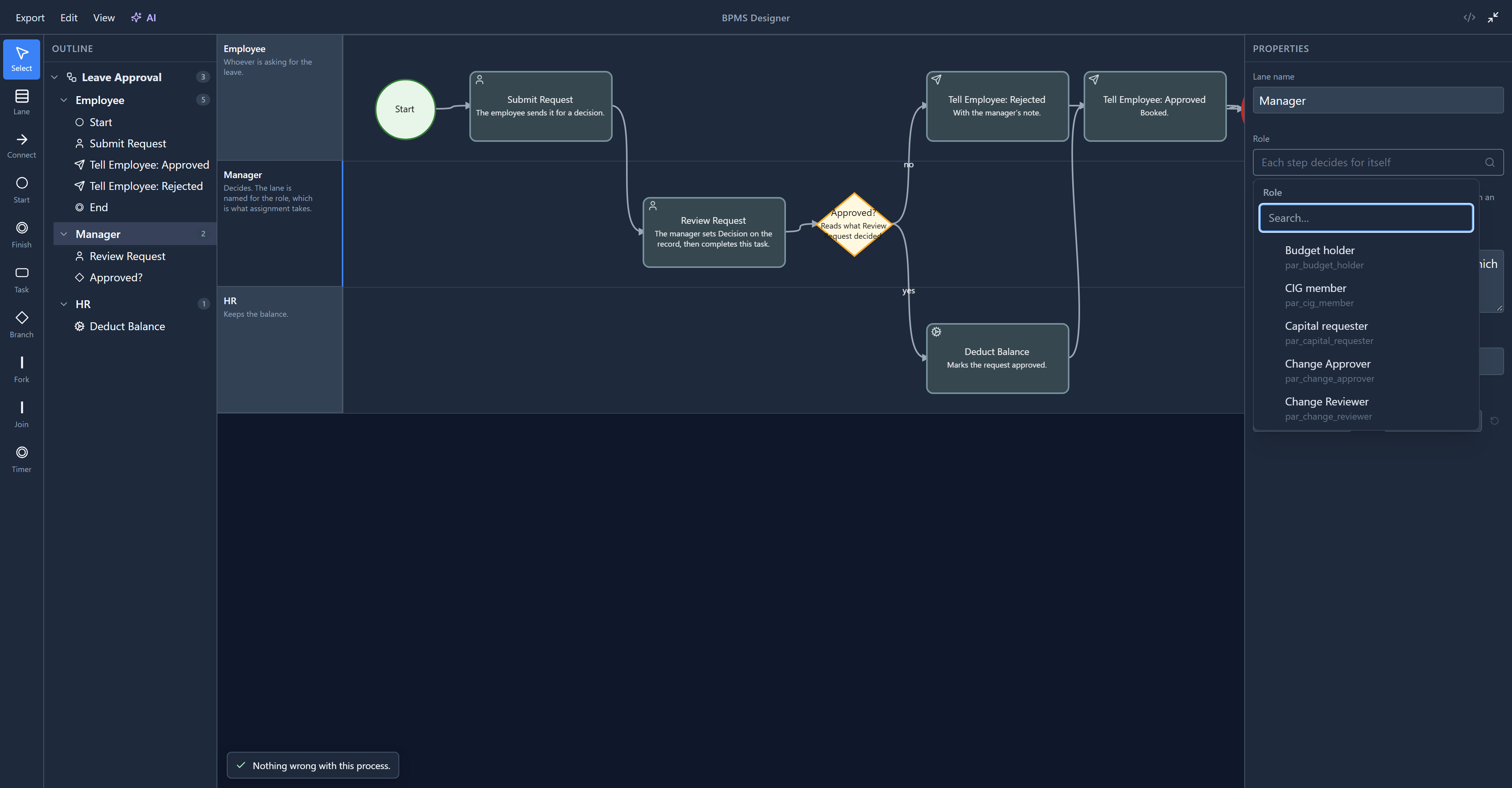
It used to be a text box. Type "Manger" and you had a lane whose work went to a role that doesn't exist, and nothing said so until a run stopped with nobody to give the task to. A list can't be misspelled.
Type to narrow it. The search matches the role's name and its logical name:
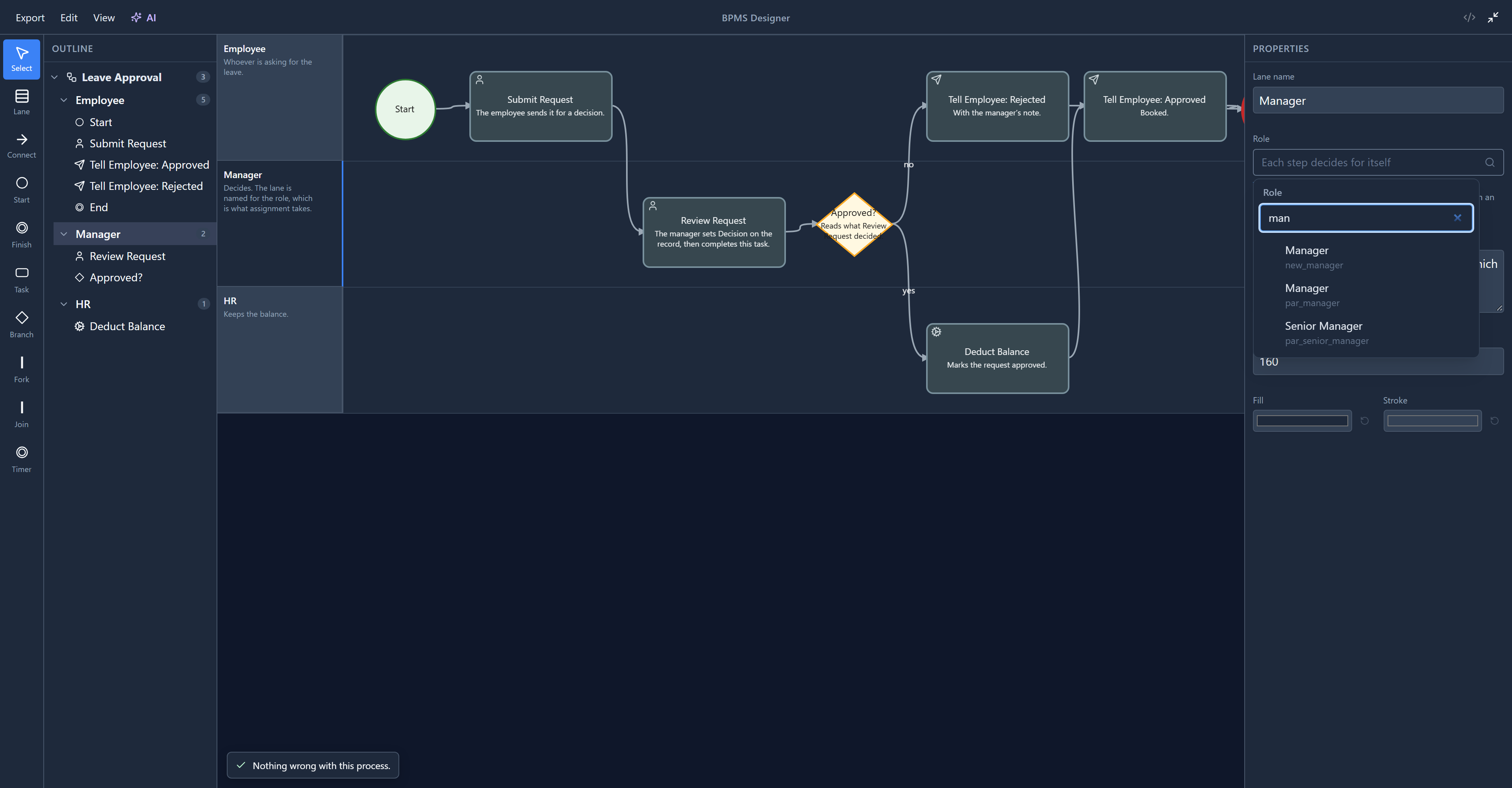
Two roles here are both called Manager. One came with this sample (par_manager), the other is
a development sample role (new_manager). That's why every line shows the logical name under the
label: it's the one that's unique. We picked par_manager:
Adding a lane
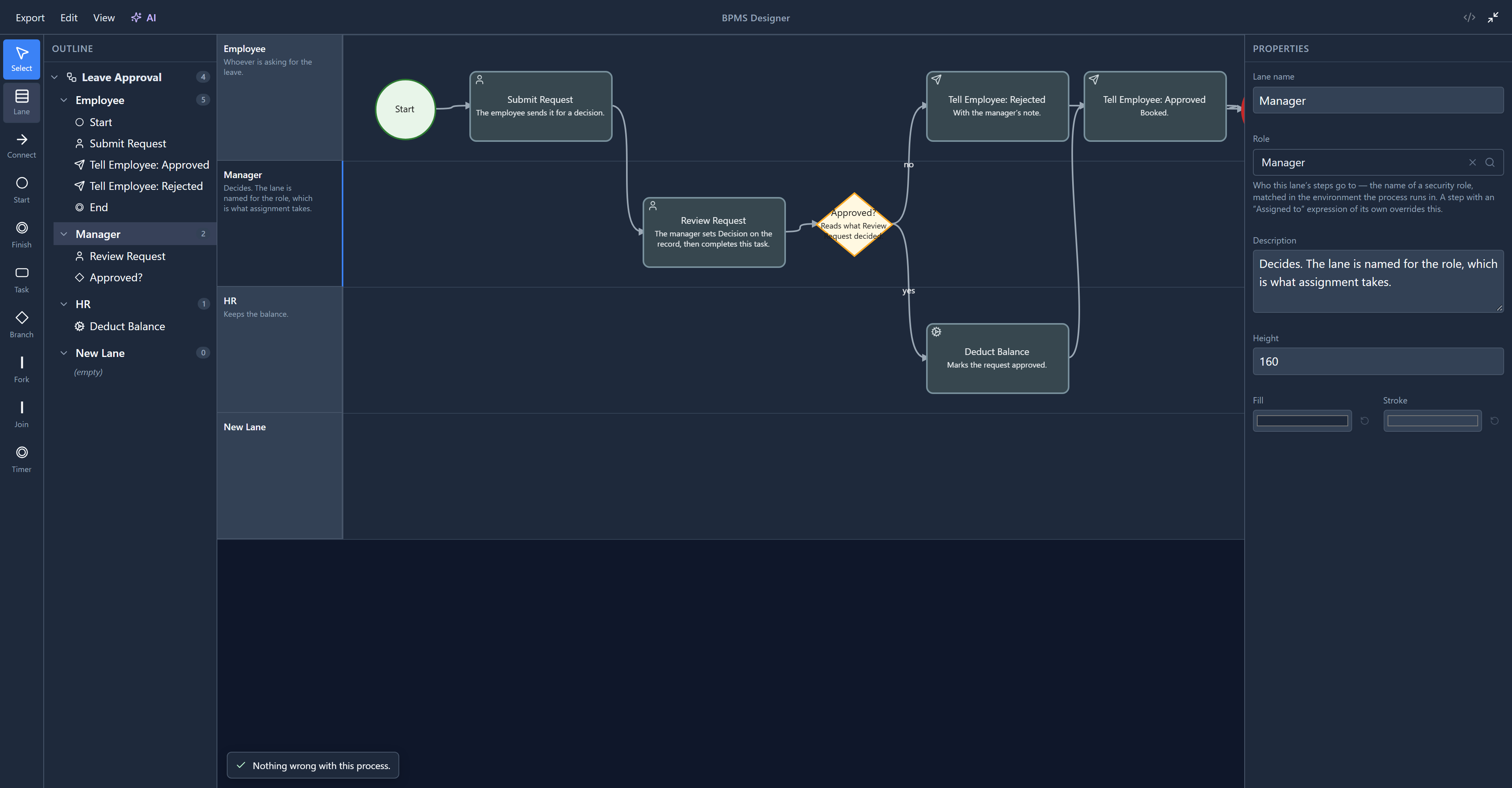
Click Lane in the palette. A new lane is added at the bottom, called New Lane, and appears in the outline, empty:
A step can decide for itself
The help text under Role says a step with its own Assigned to overrides the lane. This sample uses exactly that. Select Review Request, and under Code open Assigned to:
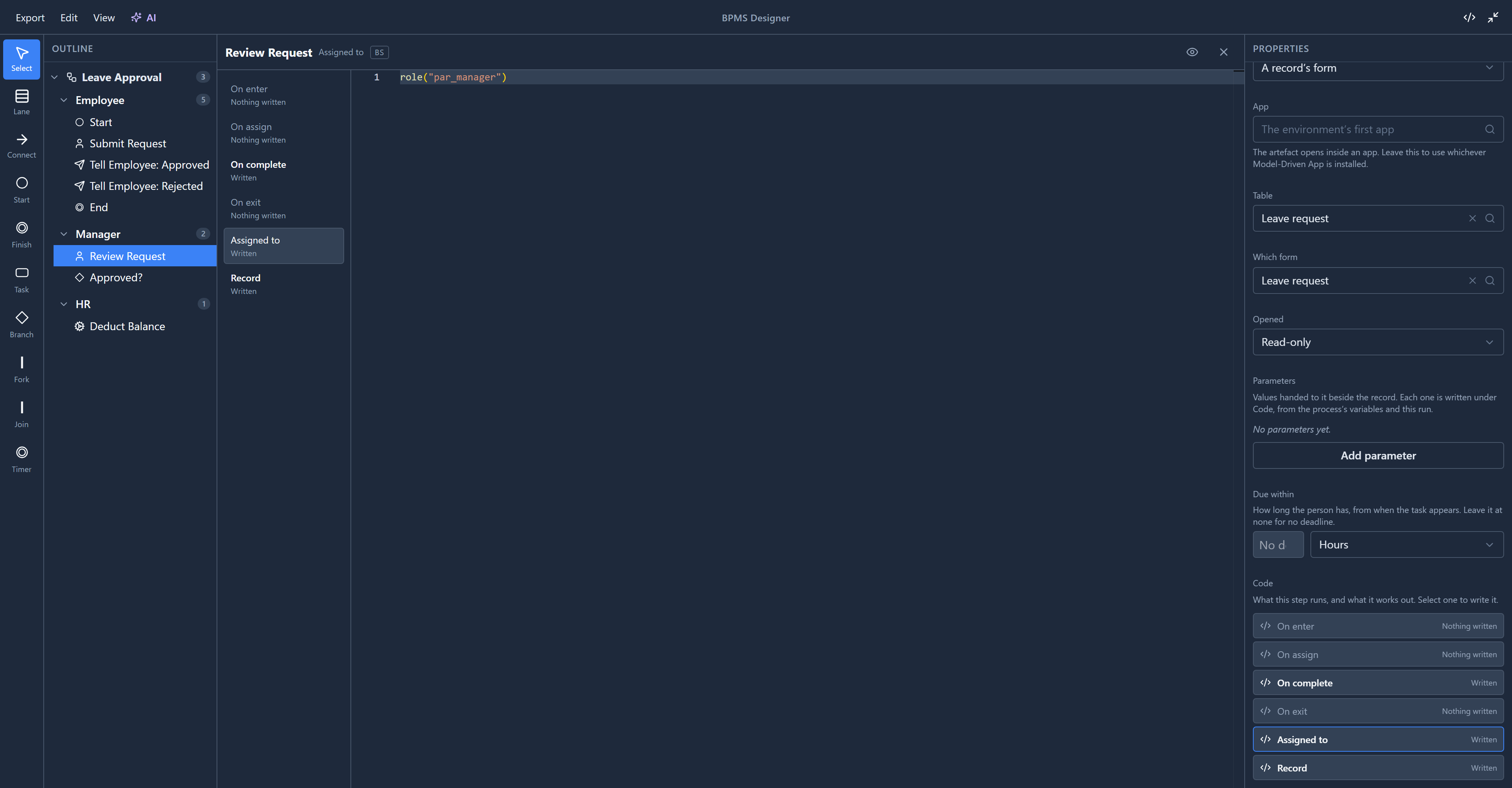
role("par_manager")
That's why the sample's lanes have no Role: each user task says who gets it. The two ways aren't quite the same, and the difference matters:
- A step's
role("…")offers the task to everybody who holds that role, wherever they are. - A lane's Role is answered from the organisation: whoever holds the role in the unit the run belongs to. A leave request raised in Shiraz Branch goes to Shiraz's manager, not to every manager in the company.
Use the lane when the answer is "the person in this role here". Use a step's own expression for anything the lane can't say, such as one step in the Manager lane that needs a senior manager.
Who holds a role in a unit
For a lane's Role, the organisation has to say who holds it where. That's the Process Roles list in the Organisation app, one row per person, unit and role:
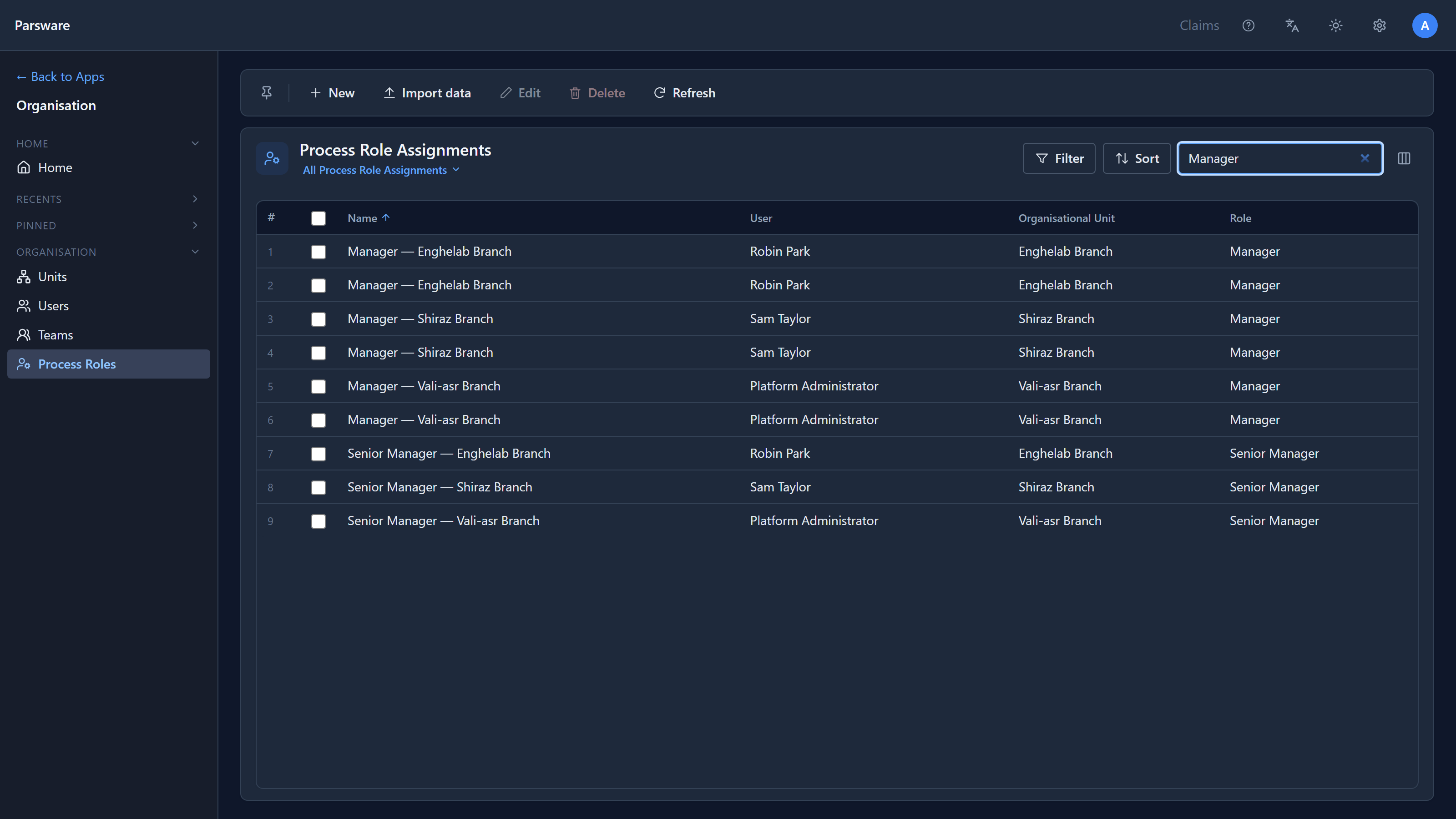
A development environment arrives with these filled in: every person placed in a branch and given every role there, so you can try a process on your own. Each branch has two Manager rows here, one for each of the two roles with that name, which is the same ambiguity the picker's logical names settle.
In a real environment you add these rows yourself. A lane whose role nobody holds in the run's unit is a task in nobody's list.
This article stays in the designer. Running the process and watching the task arrive comes later in the series.
Try it
Set the HR lane's Role the same way, then select Deduct Balance in that lane. Its Type is Service, and its Code has On enter and On exit but no Assigned to: nobody is given a service step, because the platform does it by itself. A lane's Role only ever reaches its user tasks.