Parsware Platform
When background work fails
A plugin step that runs after the response has nobody to tell when it fails. So it tries five times, and then it waits on a list. We made one fail for a real reason, read the failure, fixed the setting it needed, and pressed Retry.
این مقاله فقط به انگلیسی در دسترس است.
A plugin step can run after the response: the save answers straight away, and the step runs a moment later, in the background (before and after a save has the details). That's the right place for slow work nobody should wait for.
It has one catch. If such a step fails, the person who saved has already moved on. There's no form to show them a message. So the platform keeps trying, and when it gives up, it puts the work on a list: Failed background work.
This article makes one fail on purpose, for a reason that happens for real, and follows it through. We used the Order Stock sample's environment from the last few articles, but any table will do.
A step that tells the warehouse
Every time stock moves, we wanted to tell a warehouse system. Nobody saving an order line should wait for that, so in Main we added a plugin step on Stock movement, Create, and set Runs to After the response:
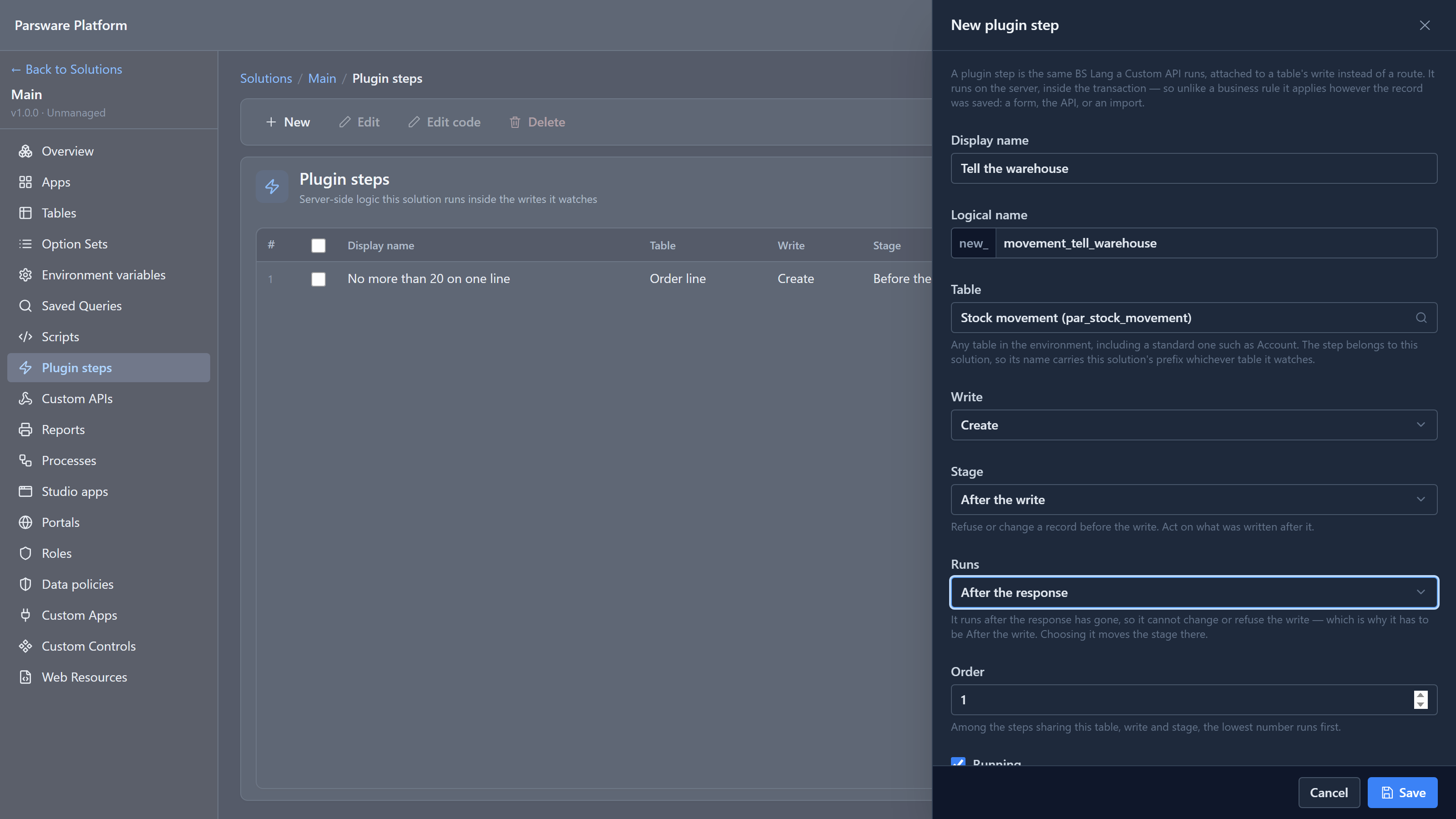
Its script posts the movement to a service:
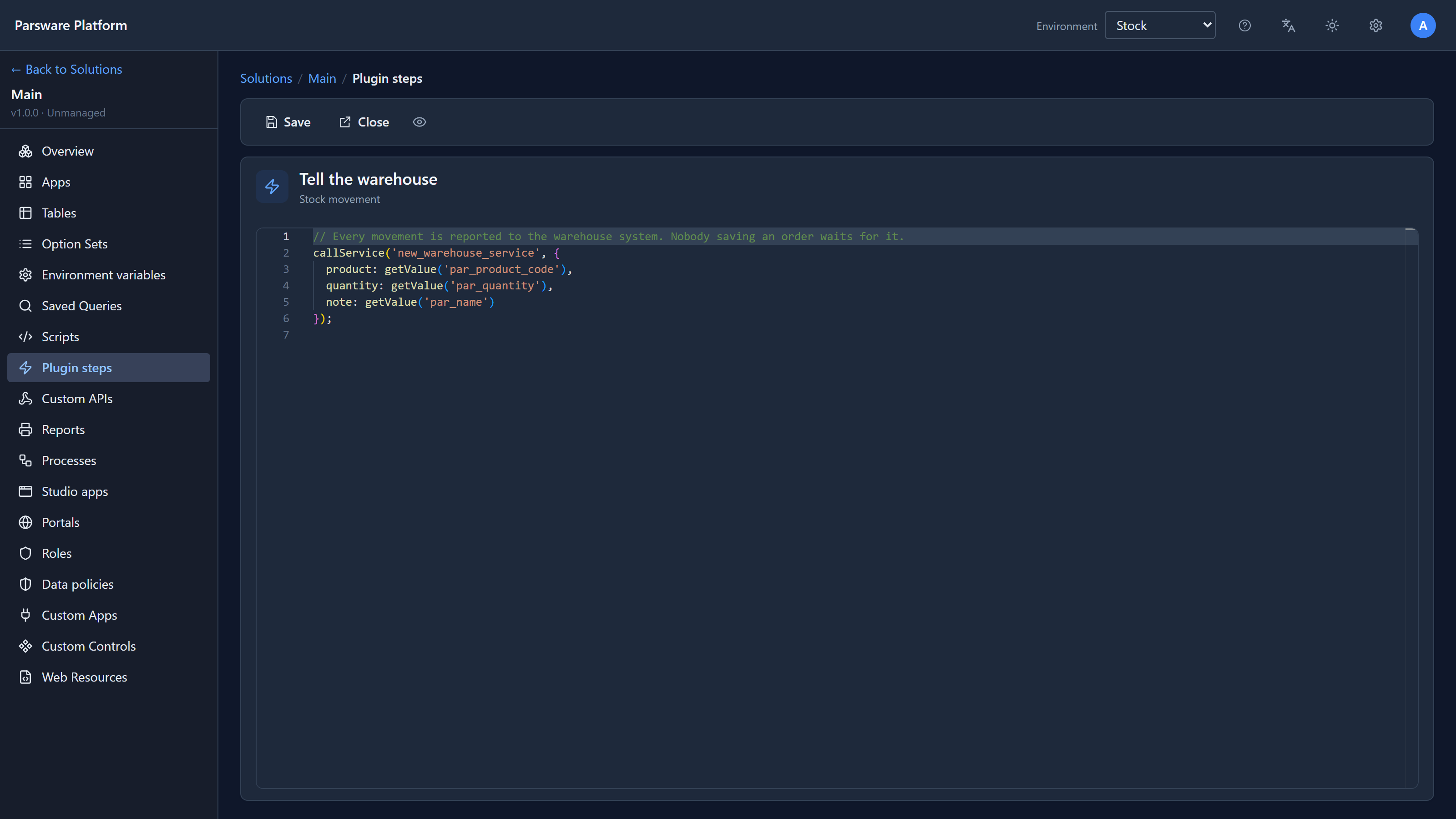
// Every movement is reported to the warehouse system. Nobody saving an order waits for it.
callService('new_warehouse_service', {
  product: getValue('par_product_code'),
  quantity: getValue('par_quantity'),
  note: getValue('par_name')
});
new_warehouse_service is an environment variable: the solution
names the service, and each environment says where it is. We declared it and, as happens, didn't
set a value yet.
The failure nobody sees
In the Shell we saved an order line. It saved at once, the stock went down, and a stock movement was written. Everything looked fine.
Behind it, the step ran and failed: with no value set, there's nowhere to call. So the platform tried again. A background step gets five attempts, waiting longer each time: 1 minute, then 5, 25 and just over 2 hours. That rides out a service being restarted, which is the usual reason something like this fails.
Waiting two and a half hours makes for a slow article, so we brought each retry forward in the database. Every attempt still ran and failed for the same reason. After the fifth, the work was given up on.
The list
In the Admin area, Failed background work:
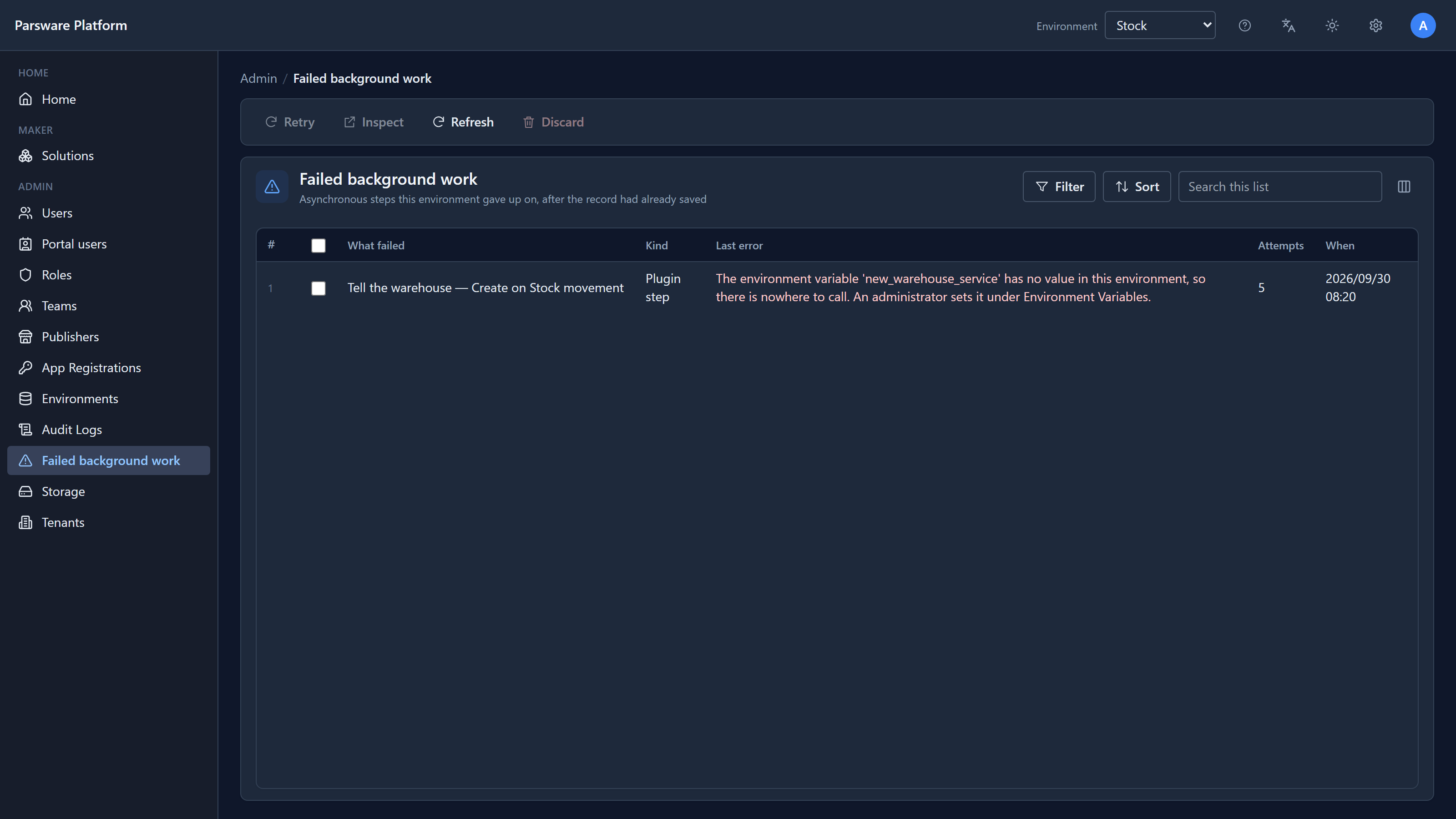
One row per piece of work given up on:
| Column | What it says |
|---|---|
| What failed | The step and the table whose save queued it |
| Kind | Plugin step here. Processes use the same queue and show up here too |
| Last error | What went wrong on the last attempt |
| Attempts | How many tries it had |
| When | When the record was saved |
The list belongs to the environment, not to a solution, so it shows everything that failed here, whichever solution the step came from. An empty list is the good state.
Inspect shows the whole thing:
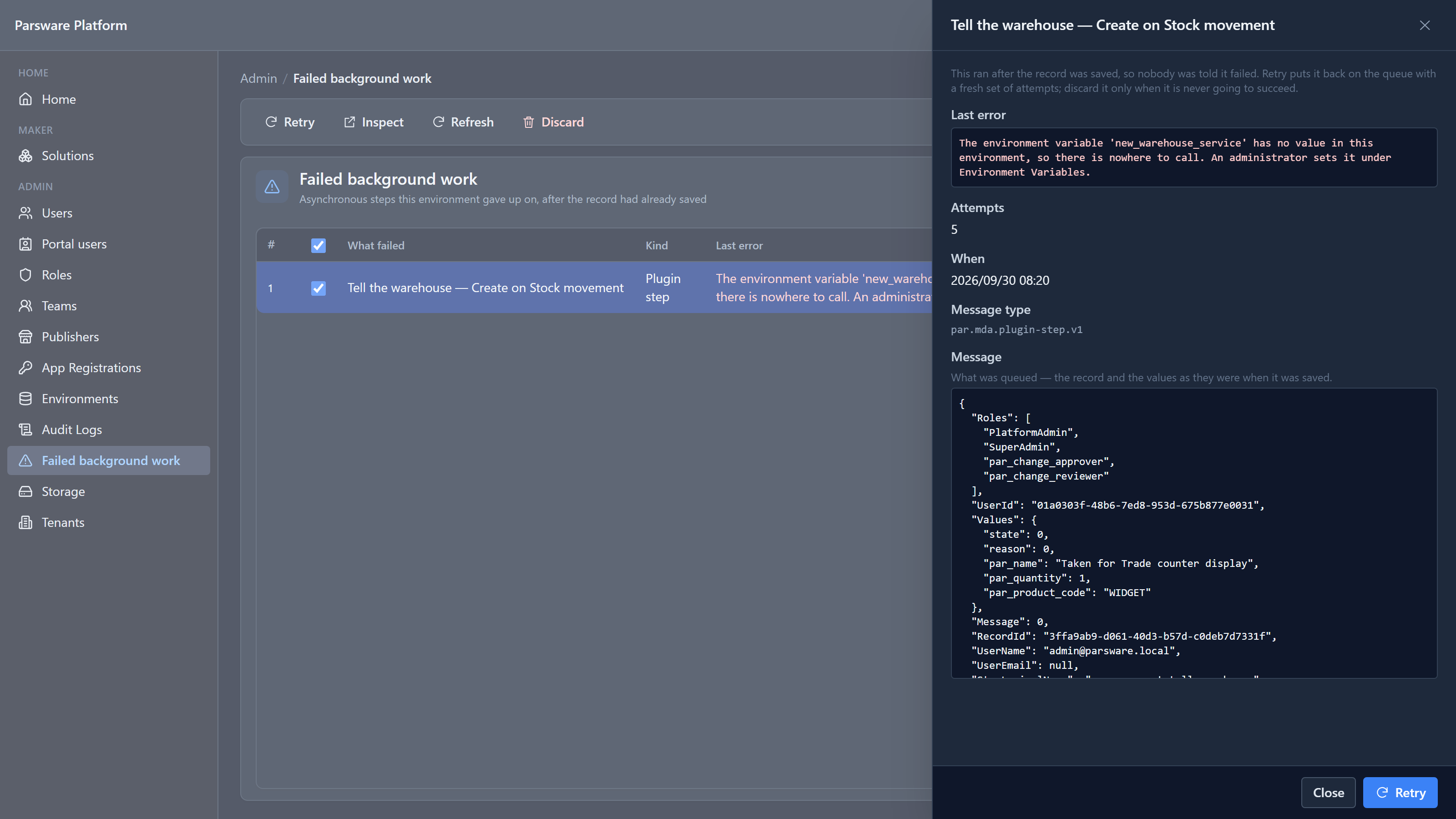
The message at the bottom is what was queued: the record's values as they were when it was saved, and who saved it. The step runs as that person when it's retried, with those values, even if the record has changed since.
Fix it, then retry
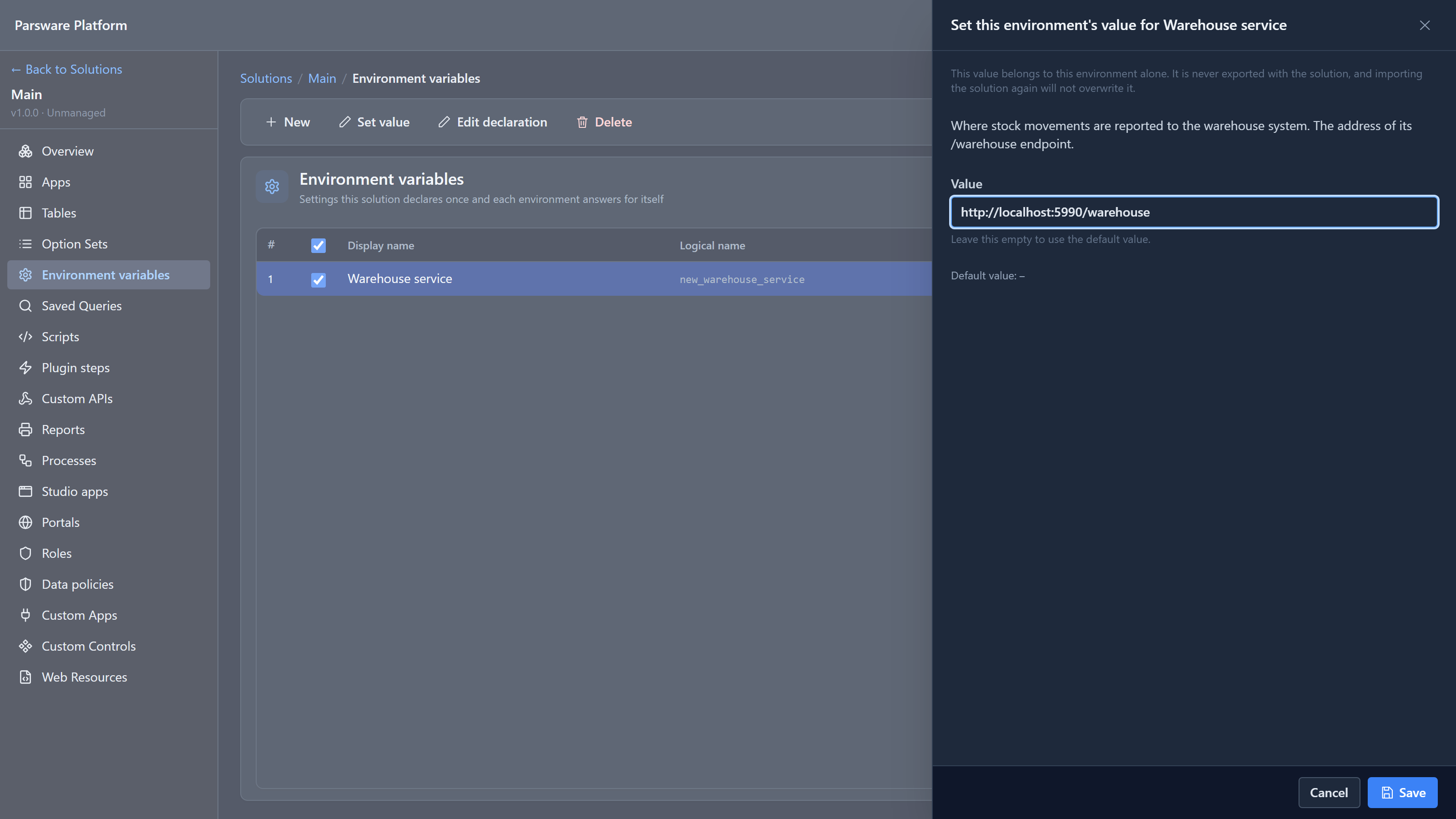
The error says what to do. We opened Environment variables, selected Warehouse service and chose Set value:
Then back on Failed background work, we selected the row and chose Retry:
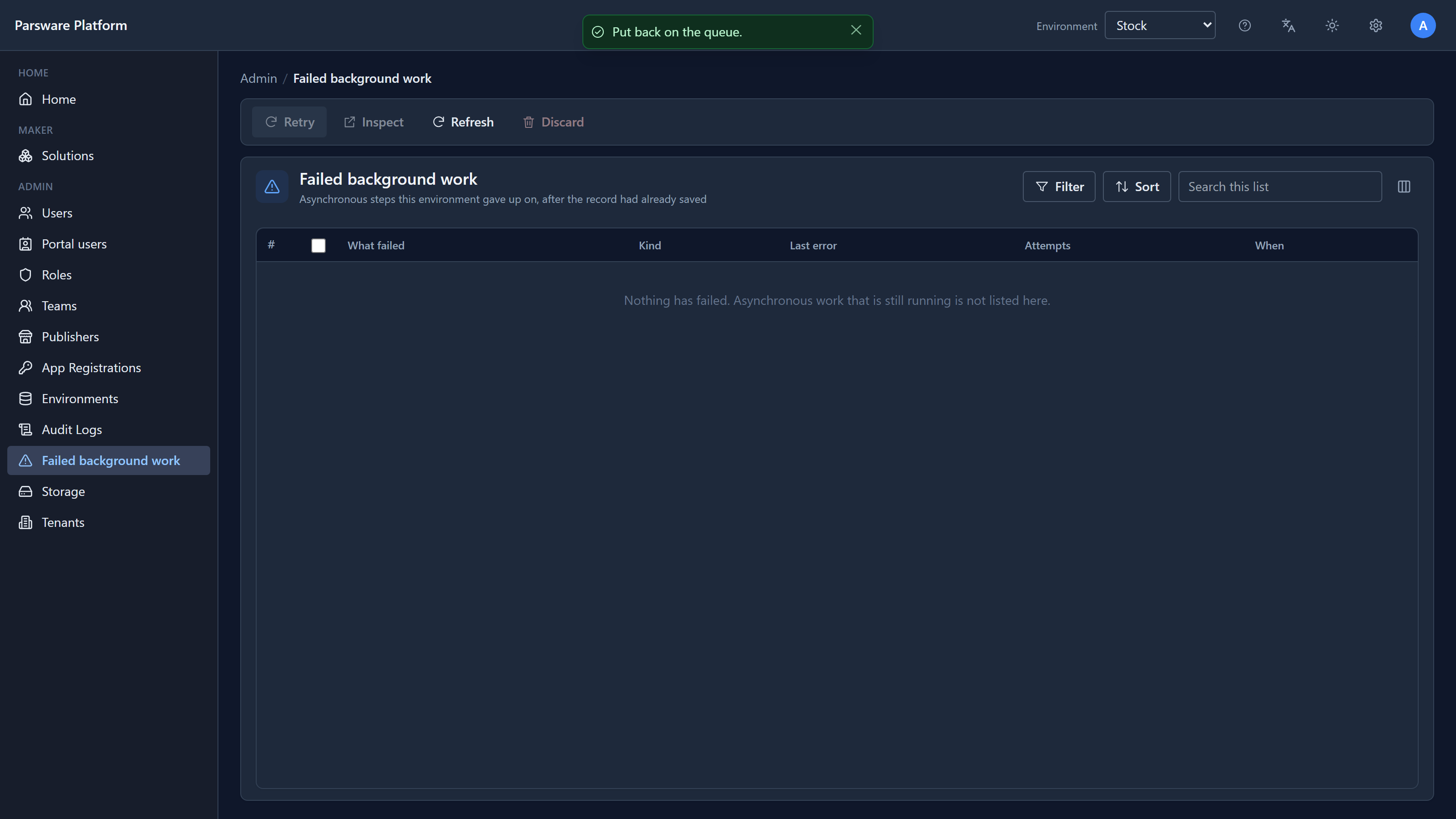
Put back on the queue. It ran a few seconds later, reached the warehouse service, and the row was gone. If it had failed again, it would have had five fresh attempts, not one: Retry starts the count again, because whatever you just fixed deserves a fair chance.
Discard is for the other case: work that will never succeed, because the record was fixed by hand or the step was rewritten. It deletes the queued work for good. Discard rather than leave it: a list that always has old rows on it is a list nobody reads.
Three fixes from writing this
The screen didn't look like this the first time.
- What failed said
new_movement_tell_warehouse — Create on par_stock_movement: the logical names. It now uses the names the maker gave the step and the table. - Last error began with
InvalidOperationException: Asynchronous step '…' failed:before the sentence that matters. It's now just the sentence. An error nobody anticipated still shows its technical type, which is what a developer needs. - In dark mode, the error and the message in Inspect were dark grey on a dark box, almost unreadable. Both are readable now.
And the first successful retry reached the warehouse service with an empty body. callService
read its second argument only if it was text, so an object, the natural way to write it, was
silently sent as nothing. An object or a list is now sent as JSON, which is what the service is
told to expect anyway.
Try it
Point the variable at an address that doesn't answer and save another order line. Watch the Attempts count climb if you have the patience, then set it back and retry. Then try Discard on a row you don't want retried, and check it's gone for good.
Next: rules with limits: why a script can't run forever, and what it says when it's stopped.