Parsware Platform
Business logic in Parsware: which one to use
Parsware has several places to put a rule. Form rules make a form respond as you type. Plugin steps decide what may be saved, however it's saved. Custom APIs answer other systems, scheduled jobs run on a clock, and processes carry work between people. This guide says which one to reach for, with a real example of each.
این مقاله فقط به انگلیسی در دسترس است.
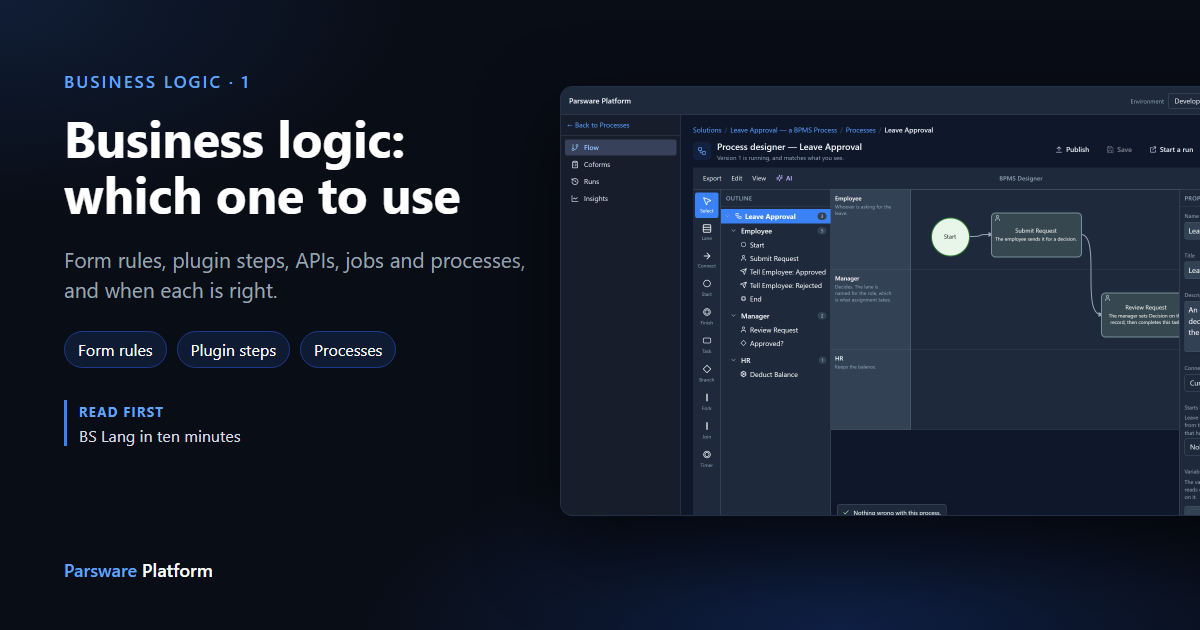
"When an expense is over 1,000, it needs an approval note." Where does that rule go?
In Parsware there are a few places, and they aren't interchangeable. They're all written in BS Lang, but each one runs at a different moment, in a different place, and can be skipped or not. This guide is about choosing.
The short answer
| You want to… | Use | Runs |
|---|---|---|
| Show, hide, require or fill in a field as someone types | Form rule | In the browser, on the form |
| Do something when someone presses a button | Command button | In the browser |
| Refuse a save, or change a record as it's saved, whatever saved it | Plugin step | On the server, inside the save |
| Let another system ask or tell you something | Custom API | On the server, when it's called |
| Do something every night, or every hour | Scheduled job | On the server, on a clock |
| Hand work from one person to the next, and wait for them | Process | On the server, for days if it must |
The one question that settles most cases: can it be skipped? A form rule runs only on a form. Someone who imports a spreadsheet, calls the API or uses another screen never sees it. If the rule must always hold, it belongs on the server.
Form rules: make the form respond
A form rule runs in the browser, on one form. It can show or hide a field, enable or disable it, make it required, fill in a value, or stop a save before it's sent. It's instant, because nothing goes to the server.
You find them on the form, under Events:
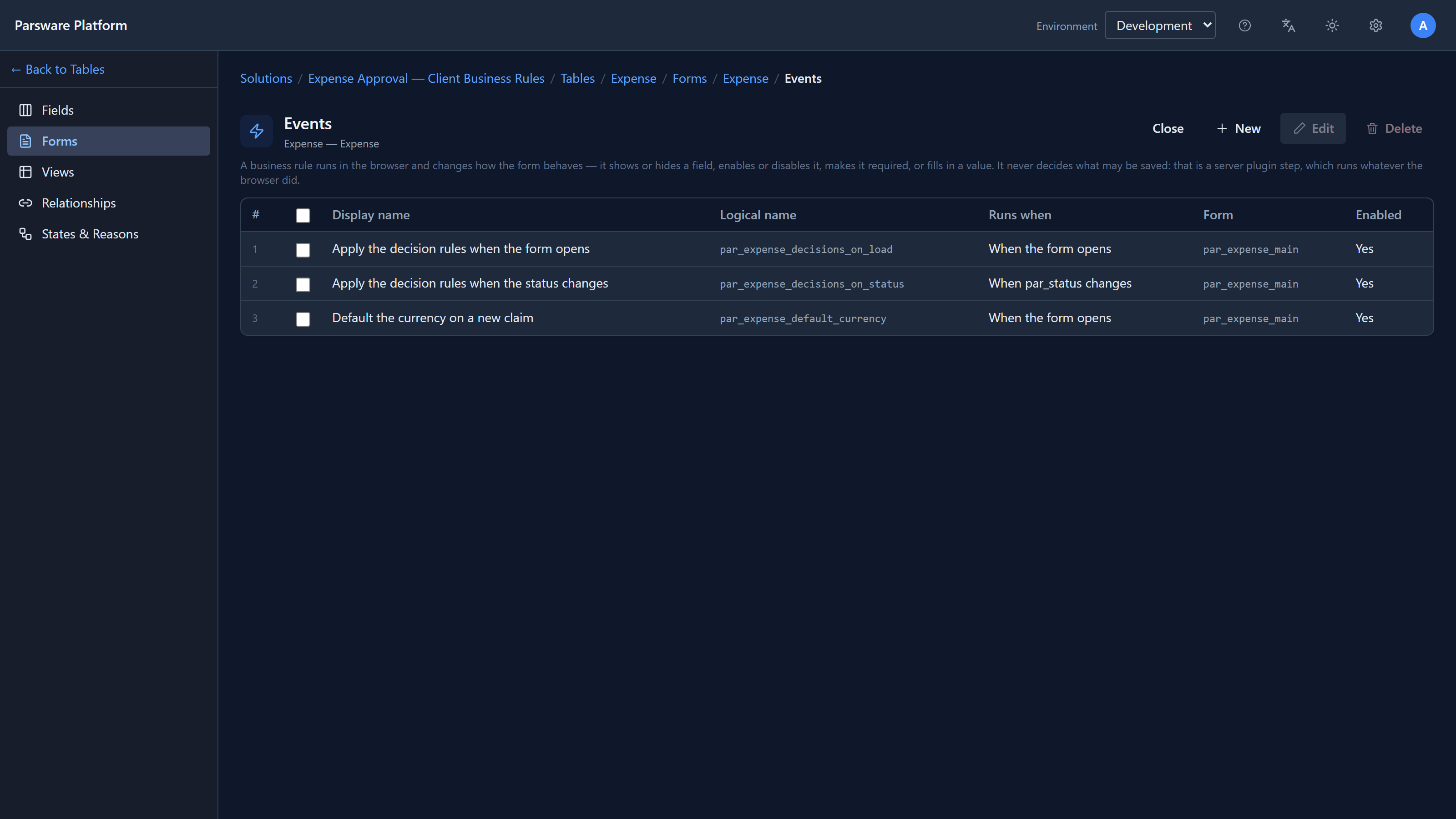
Each rule answers one moment: when the form opens, when a field changes, or when it's saved.
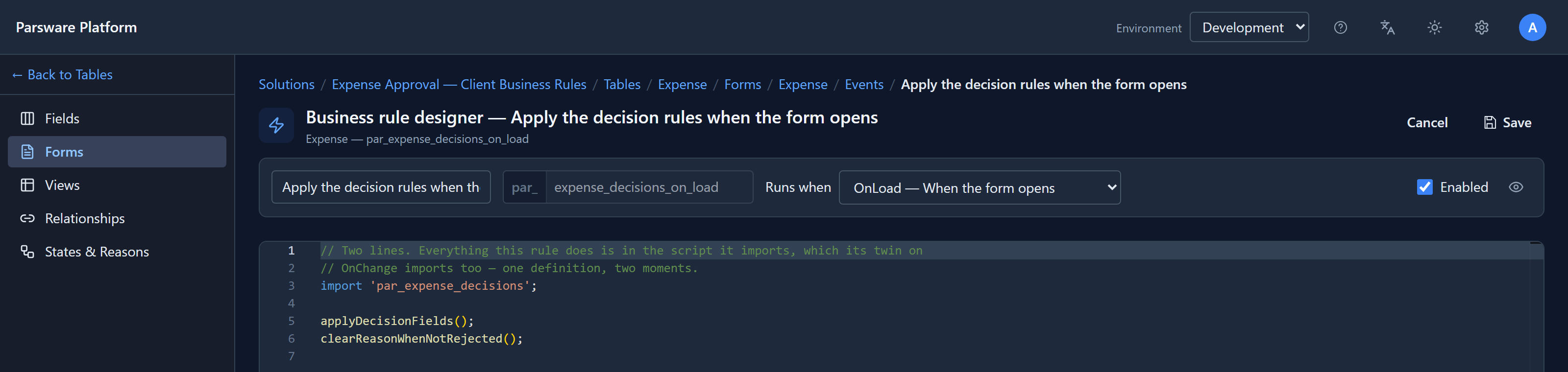
Use a form rule to make a form pleasant. Never use it as the only thing standing between bad data and your table.
(Sample: business-rules-expense-approval.)
Command buttons: do something on request
A command button does something when someone presses it. Most need no code: they open a view, start a record or open an address. When the button depends on what the user ticked or typed, it runs a short script. Like a form rule it runs in the browser, so anything it changes still goes through the normal save, and the server's rules still apply.
(Sample: mda-support-ticket-commands, in
Buttons that do something.)
Plugin steps: the rule that always holds
A plugin step runs on the server, inside the save. It runs whether the record came from a form, the API, an import or another script. That makes it the only place a rule is really enforced.
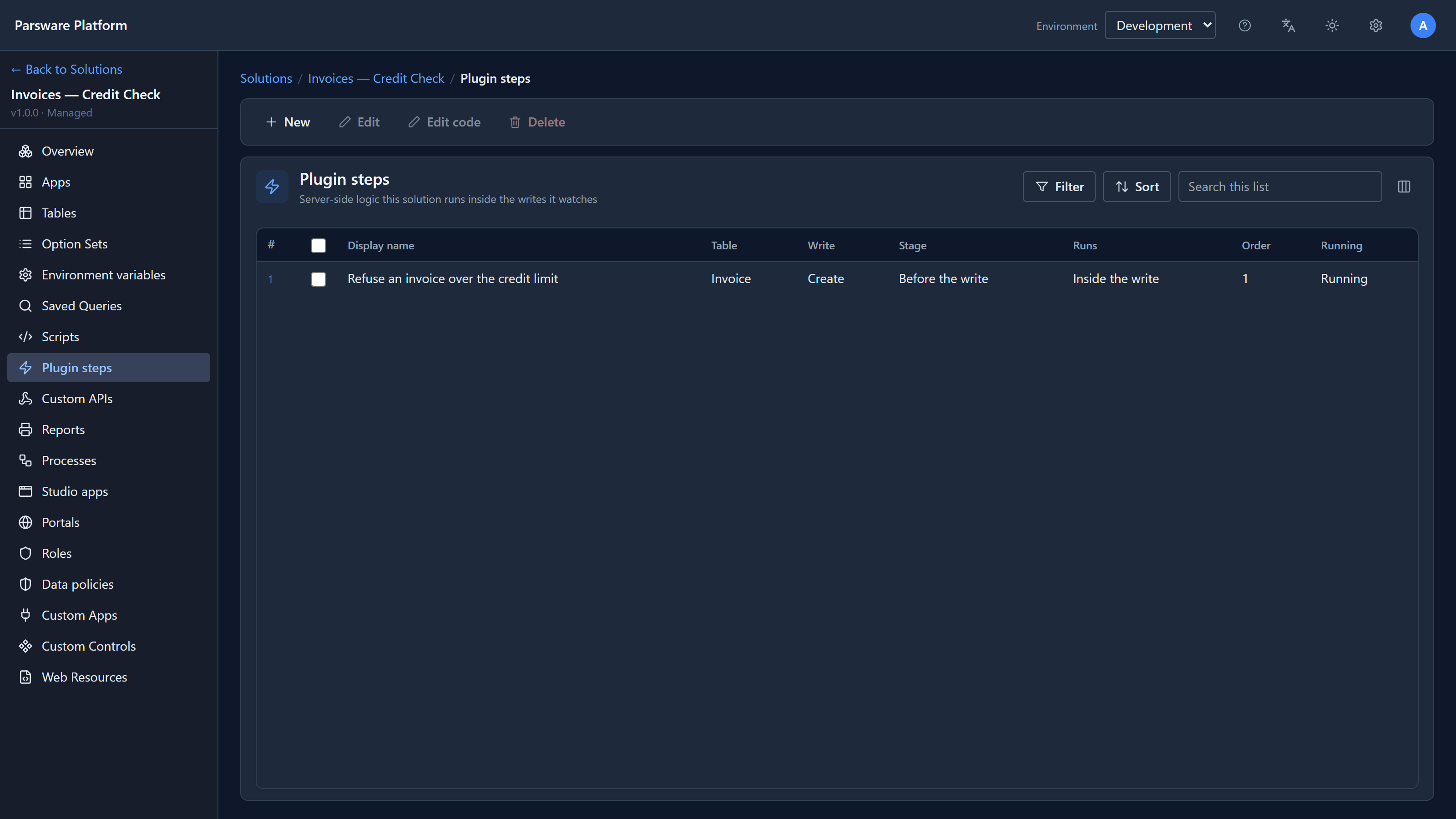
A step names a table, a write (create, update or delete) and a stage:
- Before the write, it can change the record or refuse it. A refusal means nothing is stored.
- After the write, it can do the follow-up: create a related record, send an email.
- In the background, it runs after the save has finished, so a slow call never holds anyone up. It can't refuse anything, because the record is already saved.
The usual pattern is both: a form rule so the form tells you as you type, and a plugin step so the rule holds anyway. Write the logic once, as a solution script, and import it into both.
(Samples: business-rules-server-claim-approval, business-rules-order-stock, and
business-rules-query-documents, shown above.)
Custom APIs: answer another system
A Custom API is an address you publish, like POST /api/par/v1/orders/needs-approval, with a
script that answers it. Use one when something outside Parsware needs to ask a question or hand
something over, and you'd rather it called one contract than wrote to your tables directly.
It runs as the caller, so it can't do anything they couldn't. And saving a record from an API still runs that table's plugin steps.
(Samples: custom-api-object-storage-export, in Files from a script.)
Scheduled jobs: run on a clock
A scheduled job is a script that runs on a timetable: close stale tickets every night, send a weekly summary. Nobody presses anything, and each run is recorded, so you can see what it did.
(Sample: mda-a-job-that-runs-every-night.)
Processes: work that moves between people
A process is for work that waits. An employee asks for leave, a manager decides, HR updates the balance. It can take days, it has steps assigned to people, and each step knows who's next.
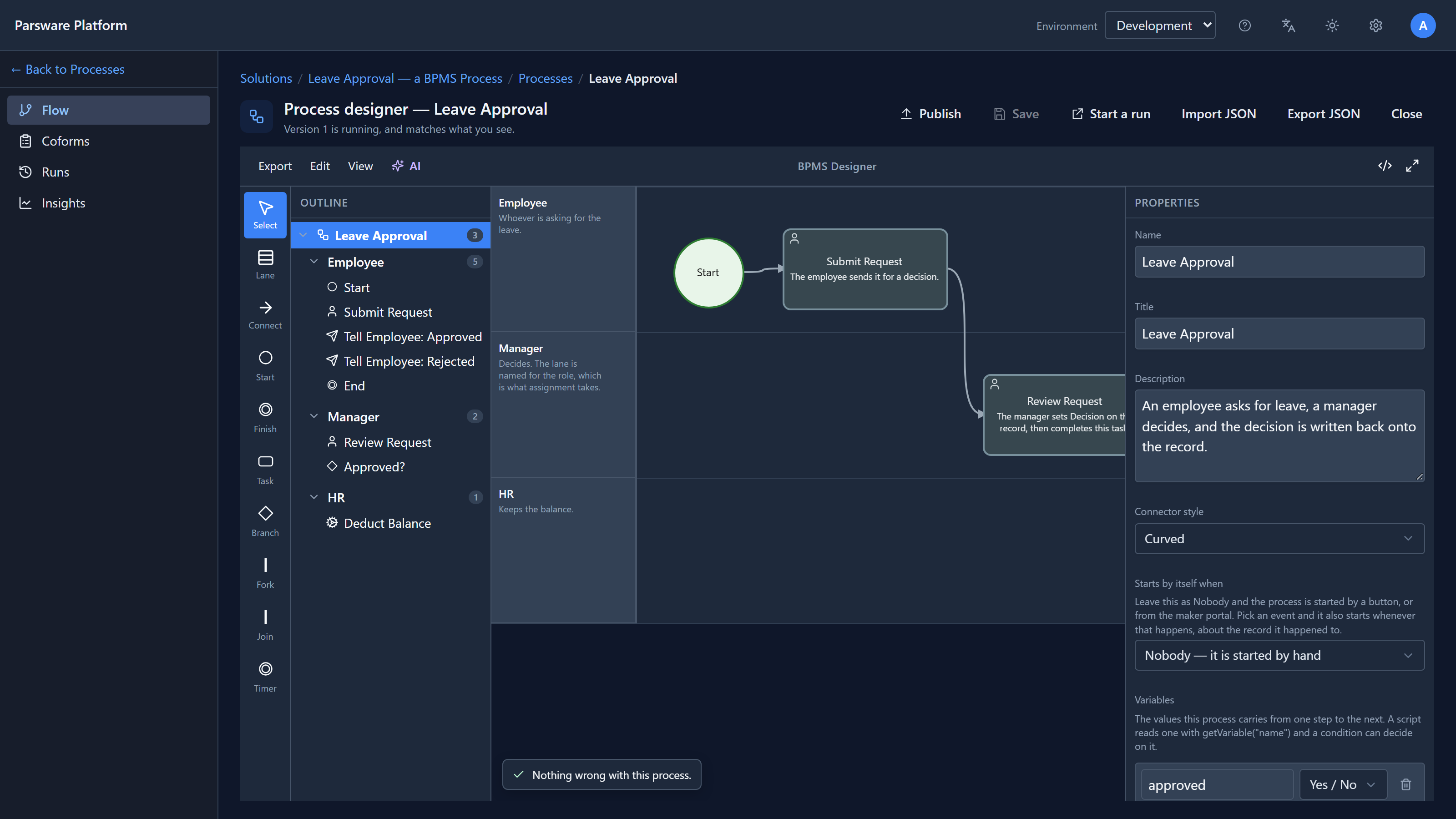
If your rule is really "then someone else has to do something", it's a process, not a plugin step. A plugin step is over in a moment; a process can wait for a person.
(Sample: bpms-leave-approval-process.)
Three mistakes to avoid
- A form rule as the only check. It's the first thing an import or an integration skips.
- A plugin step that waits for a person. A step runs inside a save and has seconds, not days. Start a process instead.
- The same rule written in two places. The day it changes, one copy gets missed. Put it in a solution script and import it.
Try it
Import business-rules-expense-approval and business-rules-server-claim-approval side by side.
Enter the same bad value in each: the first form tells you as you type, the second refuses when
you save. Then try the second one through the API.
Next: a client rule in detail: an expense approval that shows, hides and requires fields as you type.