Parsware Platform
Files from a script
A server-side script can write a file to storage and read it back, and it can put a file into one record's File field. They're two different places for two different kinds of file. We exported expense claims as a CSV into a bucket, then attached a receipt to one claim and found it on the claim's form.
این مقاله فقط به انگلیسی در دسترس است.
A plugin step or a Custom API can work with files. There are two kinds, and they go in two different places:
- A file that belongs to no record: an export, a file another system drops off. It goes into storage, in a bucket, under a key.
- A file that belongs to one record: a receipt, a signed contract, a photo. It goes into that record's File or Image field.
We'll do one of each, with the sample solution in
samples/solutions/custom-api-object-storage-export (it imports as Object Storage Export). We put it in our Test environment,
because it has its own Expense claim table.
The claims
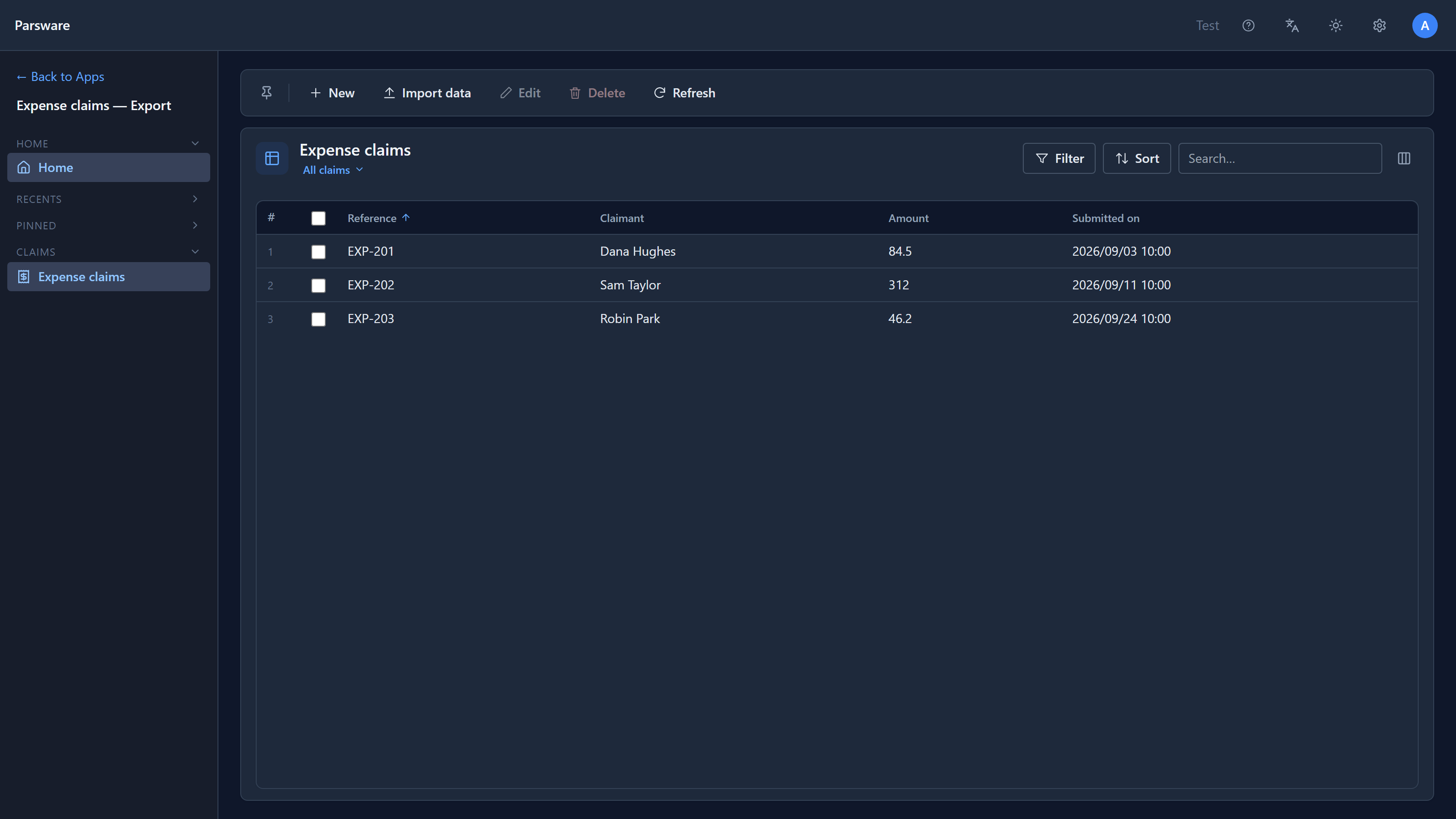
The sample has an Expense claim table with a reference, a claimant, an amount and a date. We added three claims in its app:
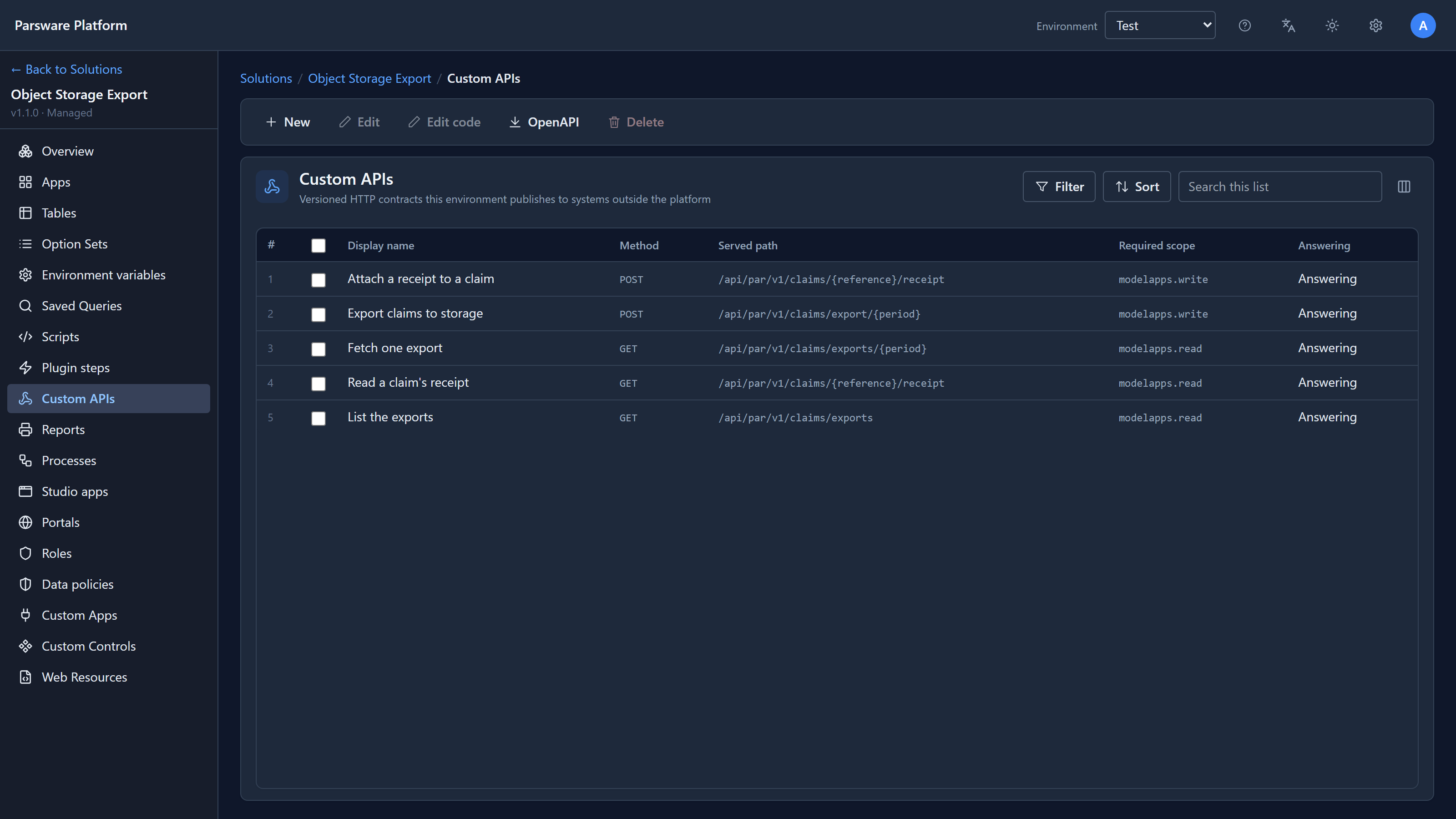
The rest of the sample is five Custom APIs:
Write a file to storage
Export claims to storage reads every claim, builds a CSV and stores it:
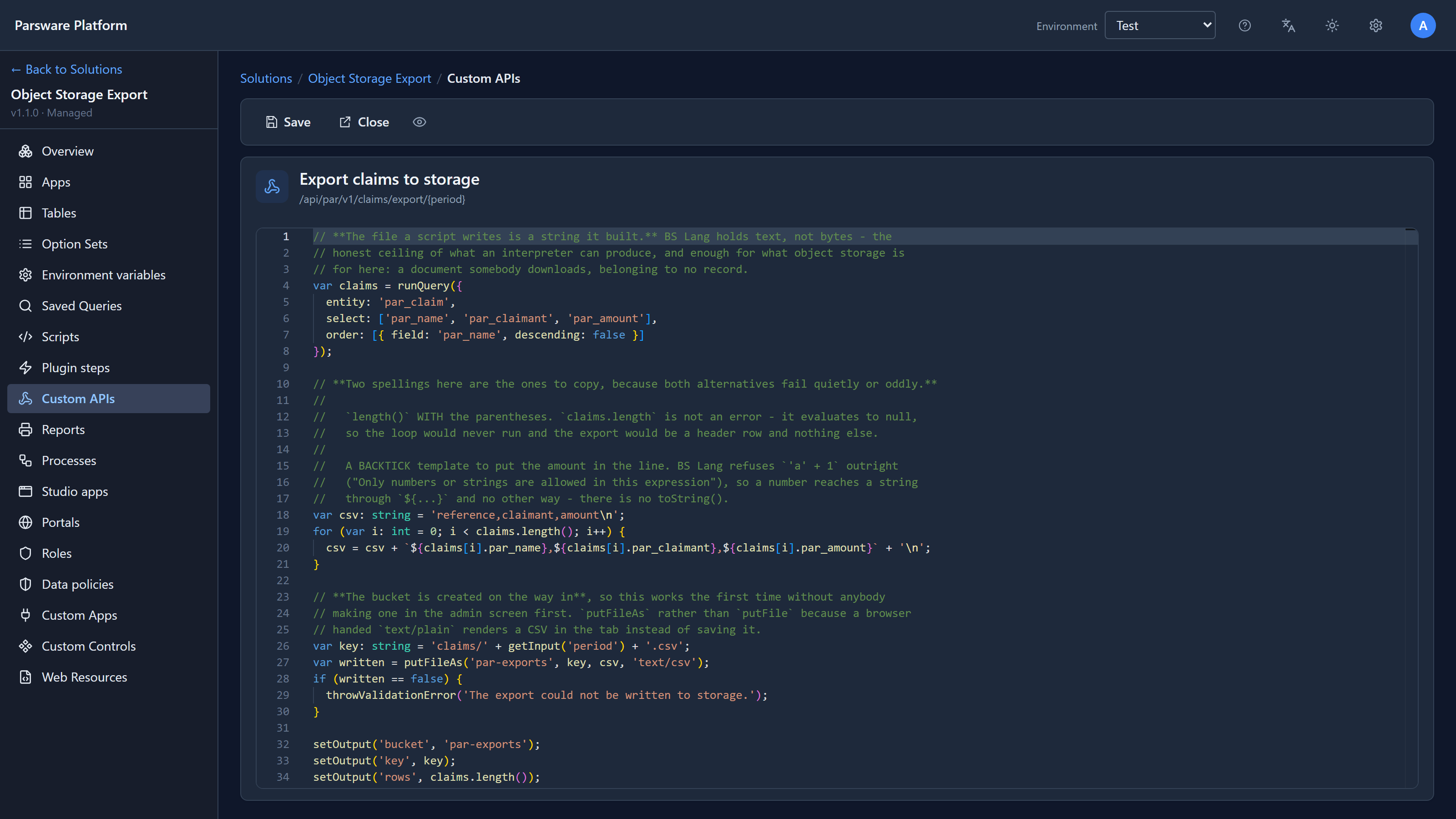
The line that writes it:
var written = putFileAs('par-exports', key, csv, 'text/csv');
A script's file is text it built. BS Lang has no bytes, so a script can write a CSV, some JSON or a letter, but not an image or a PDF.
Use putFileAs rather than putFile for anything somebody will download. putFile stores
text/plain, and a browser shows that in the tab instead of saving it.
You don't have to create the bucket first. The first write creates it.
We called the API for September:
POST /api/par/v1/claims/export/2026-09 → { "bucket": "par-exports", "key": "claims/2026-09.csv", "rows": 3 }
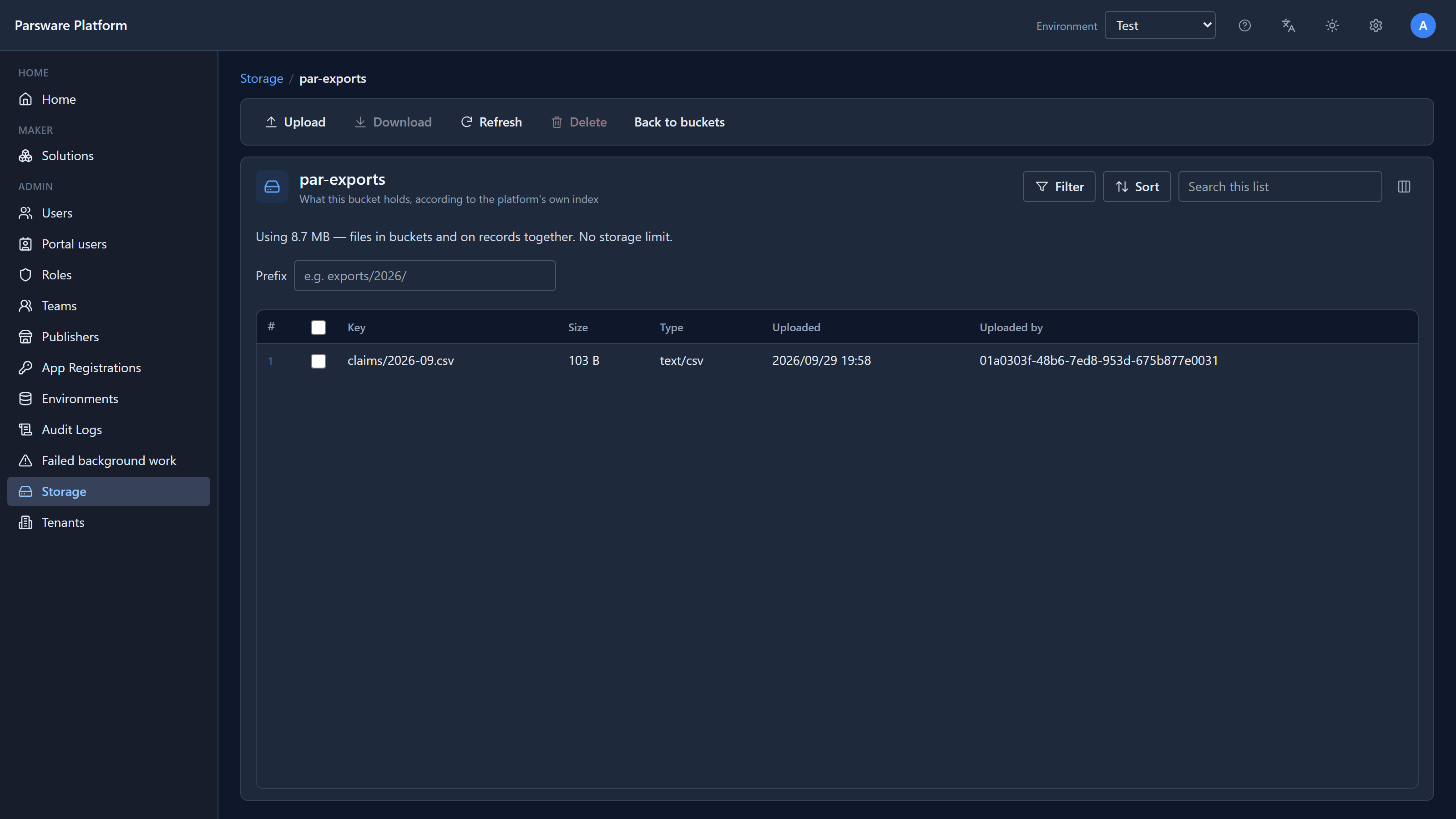
And the file was in Storage in the admin area, with its size and type:
Read it back, and list what's there
Fetch one export reads the file with getFile, and List the exports uses listFiles:
GET /api/par/v1/claims/exports/2026-09   →  reference,claimant,amount
                                            EXP-201,Dana Hughes,84.50
                                            EXP-202,Sam Taylor,312.00
                                            EXP-203,Robin Park,46.20

GET /api/par/v1/claims/exports           →  { "keys": "claims/2026-09.csv;", "count": 1 }
A key with nothing at it isn't an error. getFile answers an empty string, so a script can ask
"is last month's export there?" and decide. This one refuses in its own words:
GET /api/par/v1/claims/exports/2026-08 → 400 No export has been written for that period yet.
The storage functions:
| Function | What it does |
|---|---|
putFile(bucket, key, text) |
Writes text as text/plain |
putFileAs(bucket, key, text, type) |
Writes text with the type you give |
getFile(bucket, key) |
Reads it back, or "" if there's nothing there |
fileExists(bucket, key) |
Whether there's a file at that key |
listFiles(bucket, prefix) |
The files under a prefix, with key, size, type and date (up to 200) |
deleteFile(bucket, key) |
Deletes it |
Attach a file to a record
A receipt isn't an export. It belongs to one claim, so it goes in the claim's Receipt field, not in a bucket. Then it's read with the claim, deleted with the claim, and only someone who can read the claim can read it.
Attach a receipt to a claim finds the claim by its reference and puts the file there:
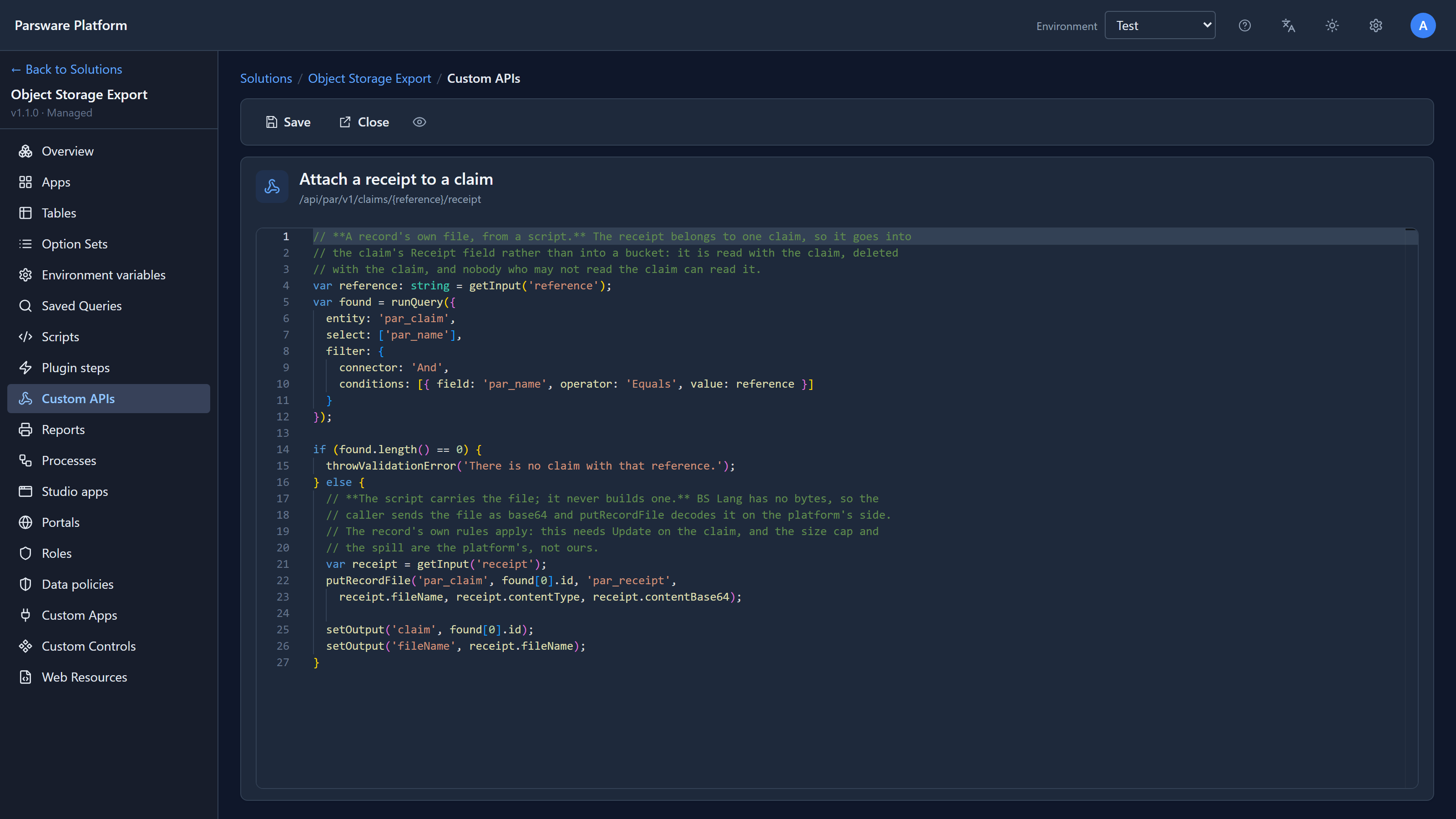
putRecordFile('par_claim', found[0].id, 'par_receipt',
  receipt.fileName, receipt.contentType, receipt.contentBase64);
The script can't build an image, so it doesn't. The caller sends the file as base64 in the
request, and putRecordFile decodes it on the platform's side. The script only carries it.
We sent a photo of a receipt for EXP-201:
POST /api/par/v1/claims/EXP-201/receipt
{ "receipt": { "fileName": "receipt-exp-201.png", "contentType": "image/png", "contentBase64": "iVBORw0…" } }
Then we opened the claim in the app:
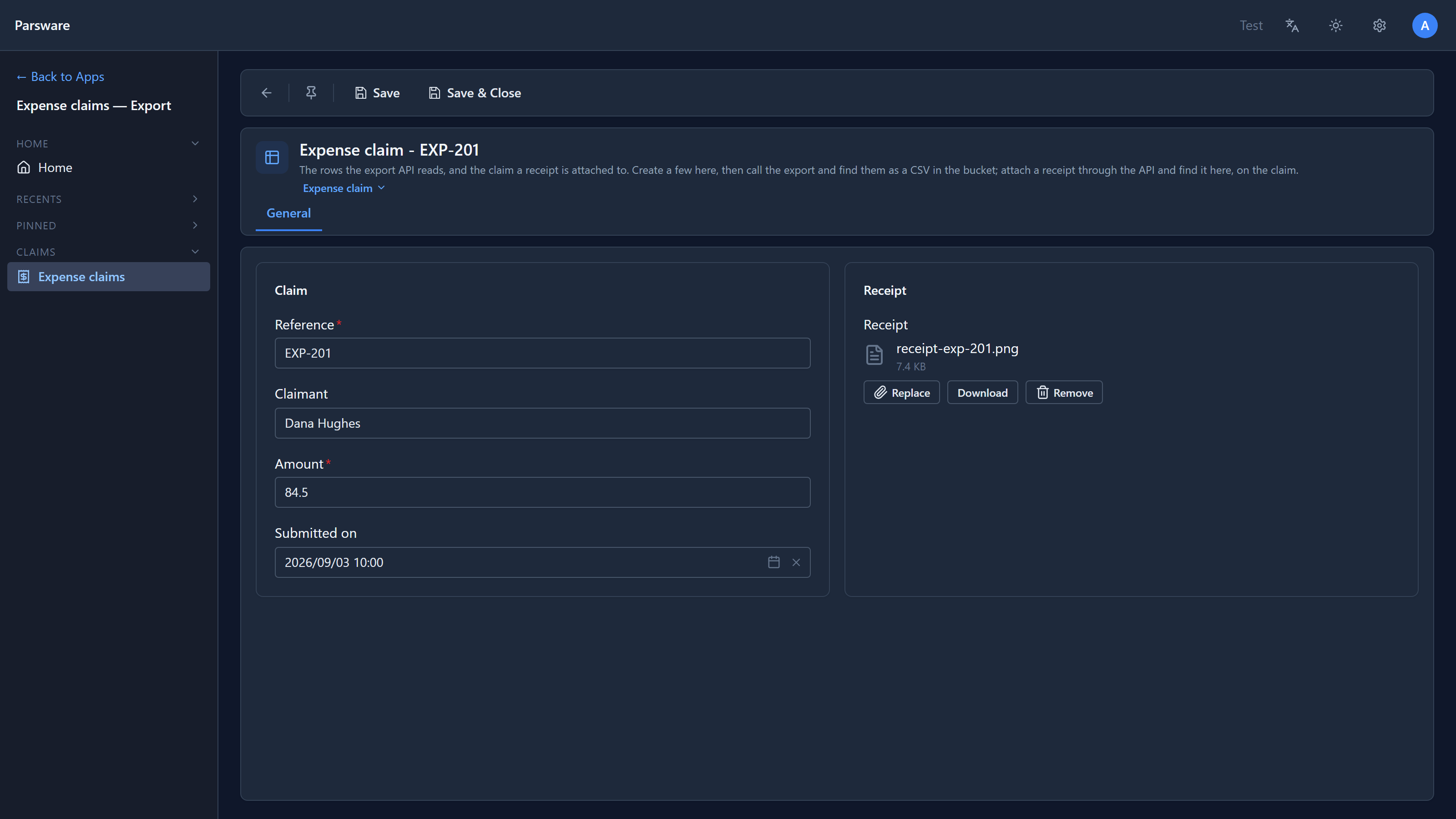
The receipt is on the claim, with Download beside it, exactly as if someone had uploaded it on the form.
The record's own rules still apply. putRecordFile needs the same right to change the claim that
the form would, and the field's size limit is the platform's. Read a claim's receipt uses
getRecordFile to answer the file's name, type and size:
GET /api/par/v1/claims/EXP-201/receipt → { "fileName": "receipt-exp-201.png", "contentType": "image/png", "sizeBytes": 7592 }
A reference that isn't a claim is refused in the script's words:
POST /api/par/v1/claims/EXP-999/receipt → 400 There is no claim with that reference.
As whoever is calling
Every one of these runs as the caller. A script can't write to a bucket, or to a record, that the person or app calling the API couldn't write to themselves. An API is never a way around permissions.
Three things we fixed
We found three problems writing this article, all fixed in the same change:
listFilesfailed. The storage service had started answering its lists a page at a time, and the script side still expected a plain list, so everylistFilesstopped with a server error. It now reads the page.- A script's refusal was reworded. "There is no claim with that reference." reached the caller as "The request does not match this API's contract: There is no claim with that reference..", blaming a request that was fine. A refusal now arrives exactly as the script wrote it, which matters most on a portal, where a visitor reads it.
- The editor underlined working code. It didn't know the file functions at all, so every
putFileAsandputRecordFilewas marked Function not found, andreceipt.fileNamewas marked wrong too. Both are fixed, and there's now a test that fails if the server gains a function the editor doesn't know about.
Where it works
The file functions are available in Custom APIs and plugin steps, which run on the server. The storage ones work in scheduled jobs too. They aren't in form rules or command buttons, which run in the browser.
Try it
Import the sample, add a few claims, and call the export for this month. Then find the file under Storage. Attach a small image to one claim and open the claim.
Next: one script, two interpreters, and how we keep the browser and the server agreeing about BS Lang.