Parsware Platform
Send an email from a script
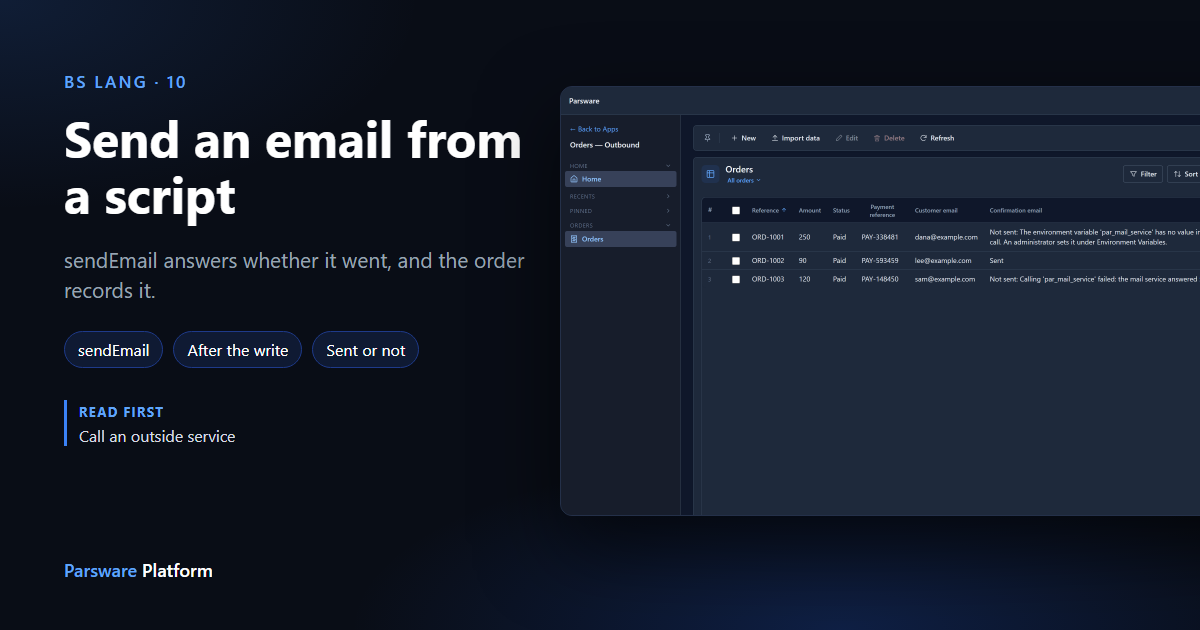
sendEmail sends a message through a mail service the environment names, just like callService. It never stops the script. It tells you whether the email went, and the script decides what to do about it. In the sample, a paid order records Sent or Not sent with the reason. Here is the call, what the mail service receives, and why an email step shouldn't refuse a save.
این مقاله فقط به انگلیسی در دسترس است.
When an order is paid, the customer should get a confirmation. A server-side script sends one with
sendEmail. We carried on with the order sample from
call an outside service.
The call
var sent = sendEmail('par_mail_service', {
  to: email,
  subject: `Order ${getValue('par_name')} is paid`,
  body: `Thank you. Your payment reference is ${getValue('par_payment_reference')}.`
});
Like callService, the first argument is a service name, an environment variable that says
where the mail service is. The second is the message:
| Field | What it is |
|---|---|
to |
the address, or a list of them |
subject |
the subject line |
body |
the text |
cc |
more addresses, optional |
replyTo |
where replies go, optional |
html |
true if body is HTML |
What the mail service receives
Parsware doesn't talk to a mail server directly. It posts the message as JSON to the address in the variable, and whatever is there sends it: your mail provider's HTTP API, or a small adapter in front of your own mail server. Every script's message arrives in the same shape, so you set up one mail adapter per environment, not one per script.
We set Mail service to our stand-in:
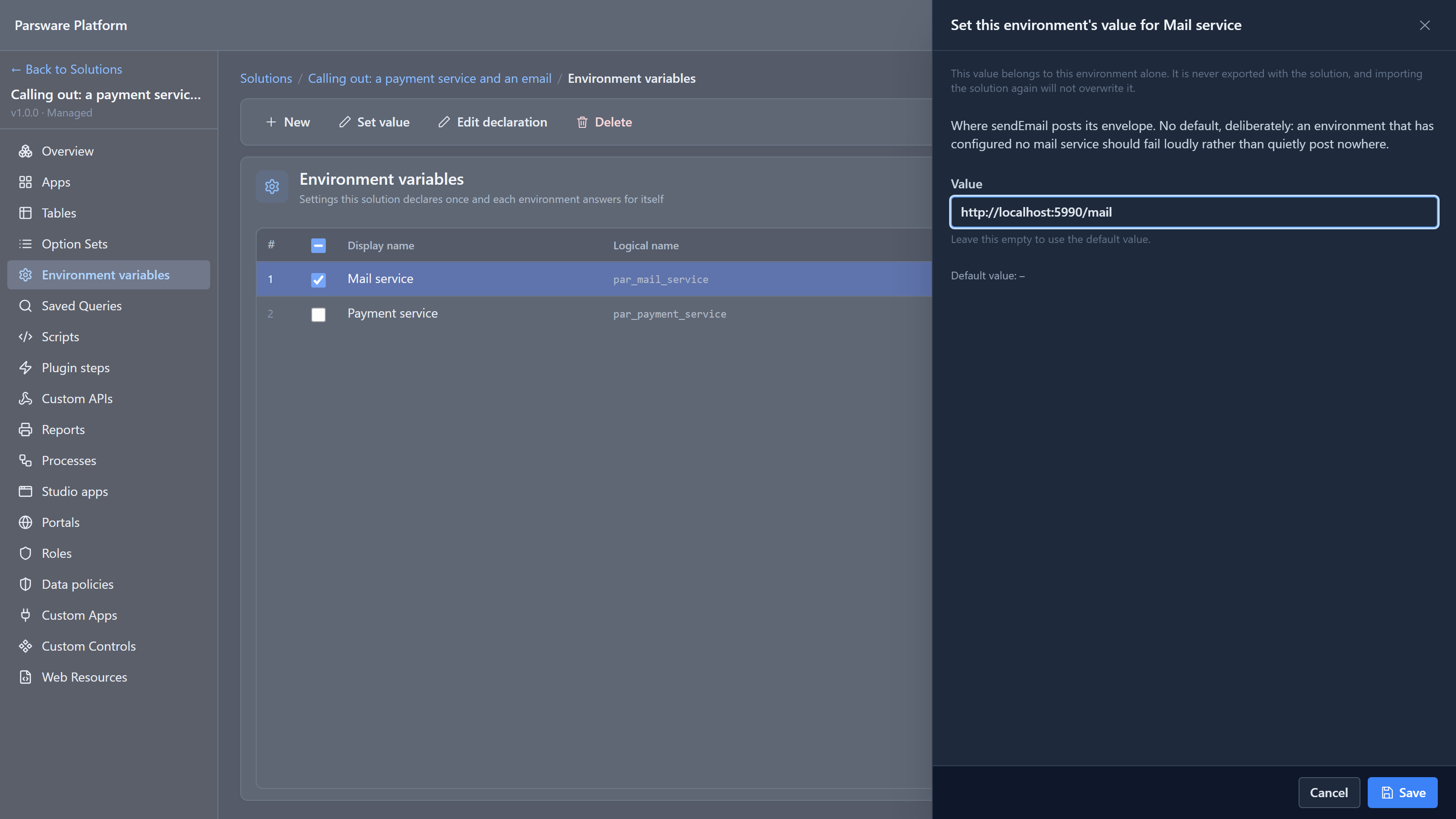
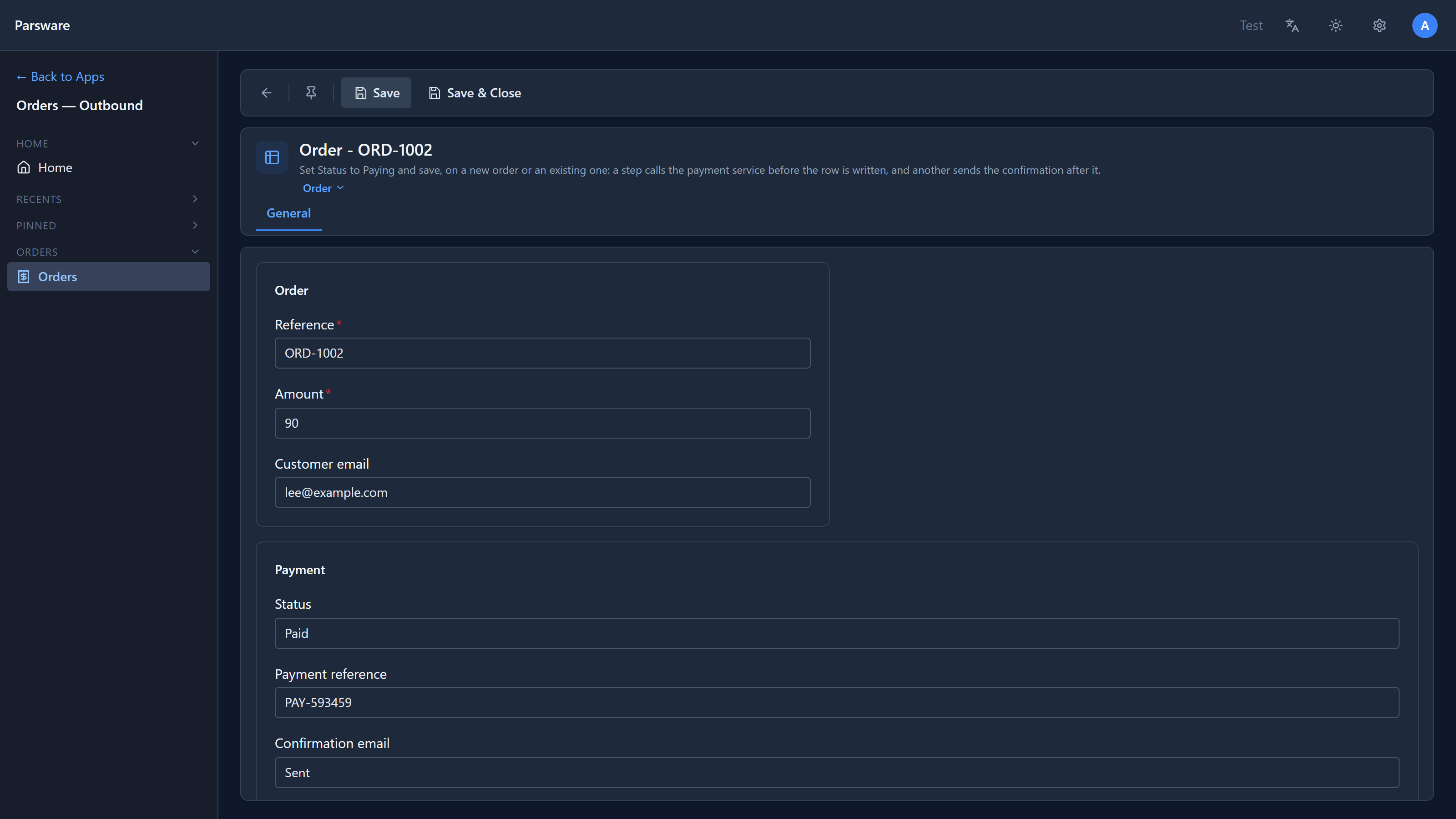
Then we saved a new order, ORD-1002, as Paying, with the customer email lee@example.com. The
mail service received:
{
  "to": ["lee@example.com"],
  "cc": [],
  "replyTo": null,
  "subject": "Order ORD-1002 is paid",
  "body": "Thank you. Your payment reference is PAY-593459.",
  "html": false
}
And the order says so:
It never stops the script
sendEmail gives back { ok, error }, and that's all. It never stops the script, whatever went
wrong: an address the service refused, a mail service that's down, or no mail service set at all.
The script decides what a failed email means.
We pointed the variable at an address that answers 503, and paid another order, ORD-1003:
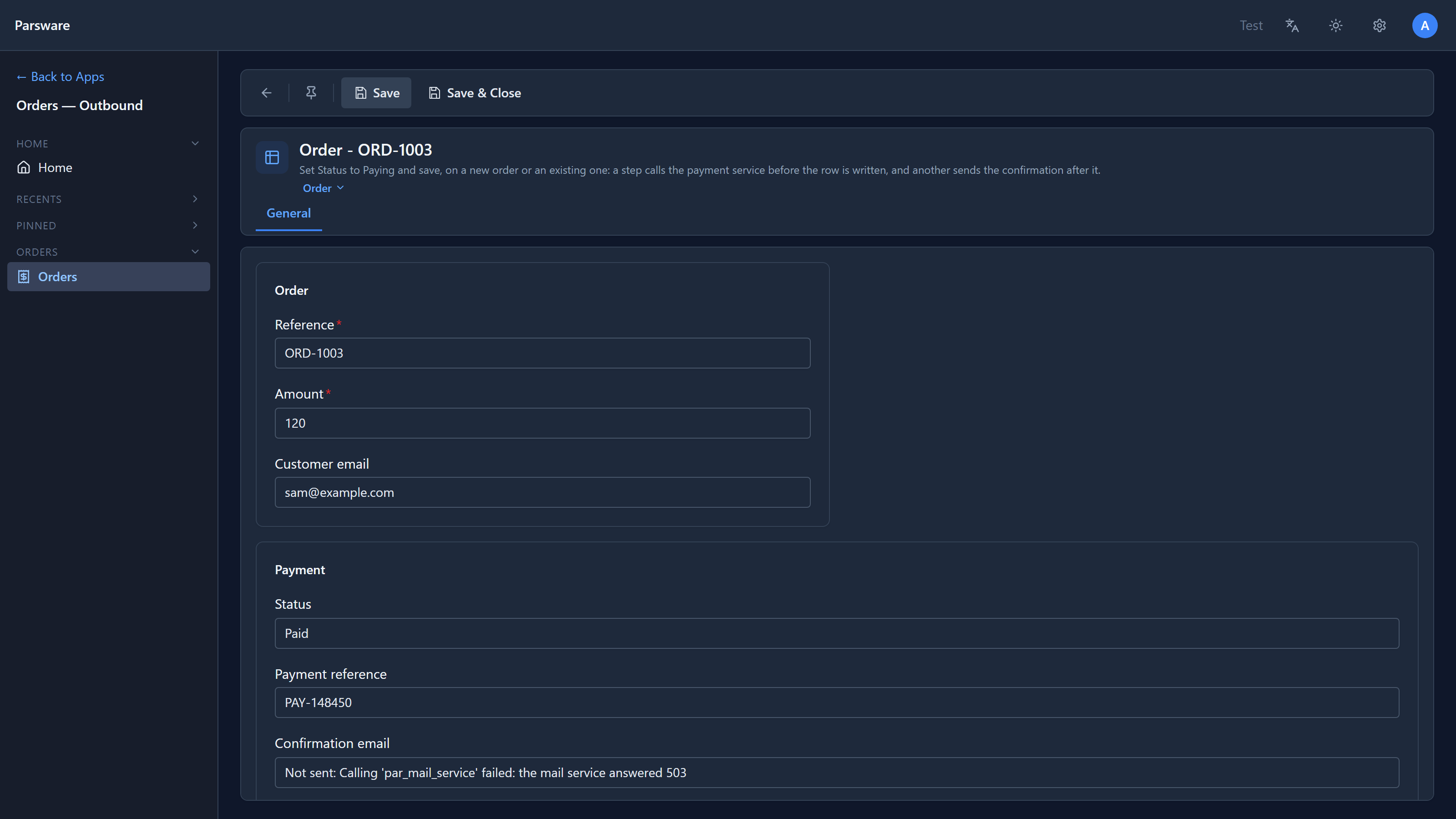
The order is paid and stored, and the email field says why the email didn't go. Here are the three orders side by side:
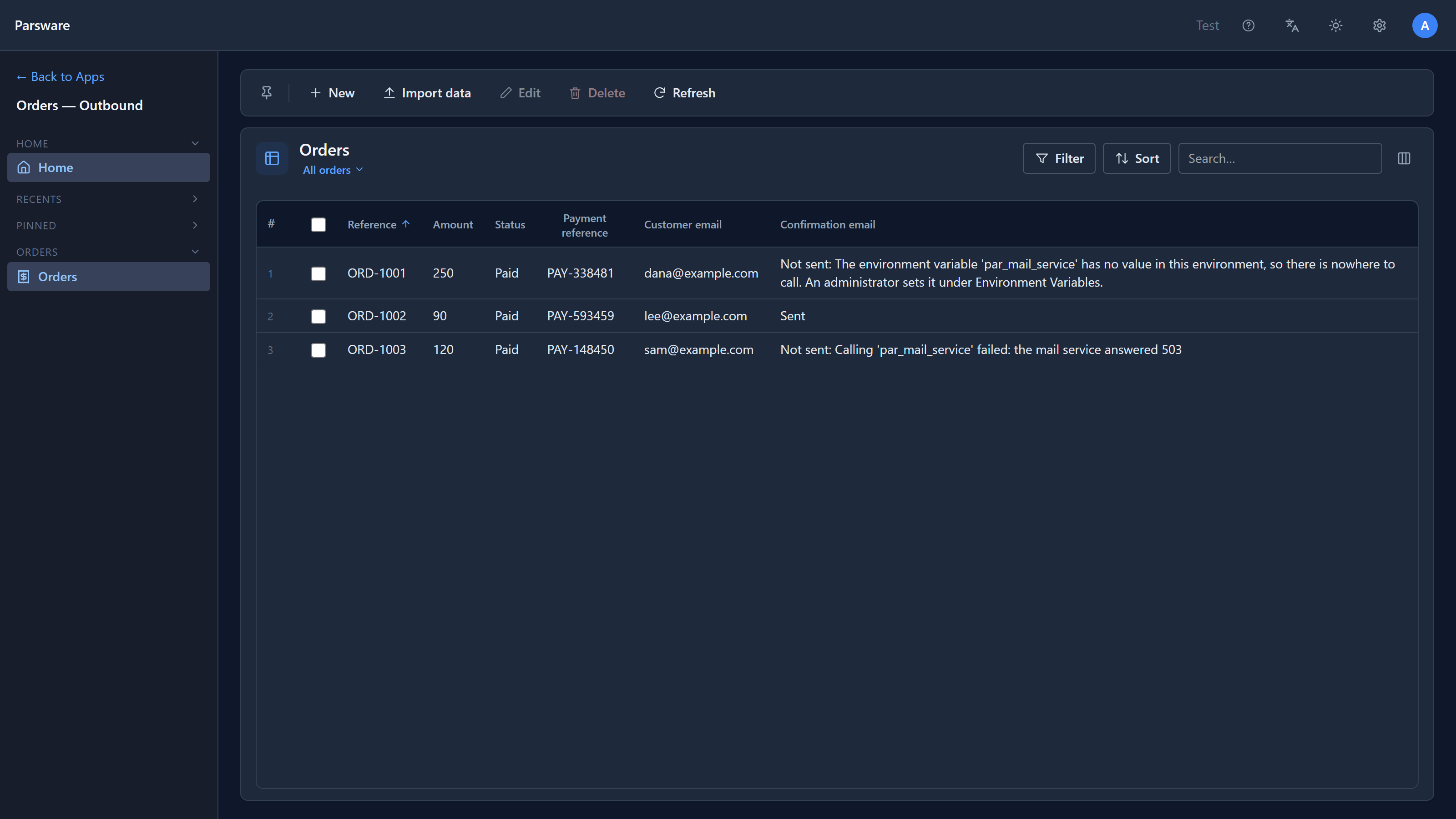
This is the code that does it:
if (sent.ok) {
  updateRecord('par_order', recordId(), { par_email_status: 'Sent' });
} else {
  updateRecord('par_order', recordId(), { par_email_status: `Not sent: ${sent.error}` });
}
After the write, and why it doesn't refuse
The email step runs after the order is saved: it's a PostOperation step. That's the right place. The order is paid and stored by then, so a mail service being down delays a confirmation; it doesn't undo a payment.
It also means an email step shouldn't refuse the save. When we started this article, the sample
did: if the email failed, it called throwValidationError. But the order was already saved. So the
person saving got an error about a save that had actually worked. Their form still showed Paying
with no reference, and pressing Save again said Somebody else changed this record, which wasn't
true either.
So the sample now records what happened on the order instead, as above. The rule for your own scripts: in a PostOperation step, record a problem; don't refuse. A refusal can't undo anything there, it can only confuse. To stop a save, check before the write, in a PreOperation step, as the payment step in call an outside service does.
Where it works
Like callService, sendEmail is available in plugin steps, Custom APIs and scheduled
jobs. It isn't in form rules or command buttons, which run in the browser, or in process steps
yet.
Try it
Set the mail service to a webhook-testing address, save an order as Paying with your own address as the customer email, and look at what arrives. Then clear the variable and pay another one: the order still saves, and says why no email went.
Next: files from a script: attaching a file to a record, and writing one to storage.