Parsware Platform
Bookings on a calendar
Any table with a date can be read as a calendar. Pick which field says when a record starts, colour the blocks by a choice, and people click an empty slot to book it, with the rooms side by side on the day sheet.
این مقاله فقط به انگلیسی در دسترس است.
Meeting rooms, courts, appointments, shifts, holidays. When the question is when, a list of rows is the wrong shape. People want to see the week and spot the gap.
In Parsware a calendar is a kind of view. There is no booking table in the platform: any table with a date on it can be laid out on a day, week or month sheet, and you say which of its dates means "starts".
This article uses the mda-bookings-on-a-calendar sample. Import it into a development environment with Include demonstration data ticked, which brings three rooms, and open the Room Bookings app. We added a week of bookings by hand. Every picture is the real product.
What's in the sample
Booking is an ordinary table: a Subject, Starts and Ends dates, a Room lookup, a Booked for line, Notes, and a Kind choice (Meeting, Training, Interview, Maintenance). Each option of that choice carries a colour. Room is a table of three rooms with a building and a number of seats.
The table has three views: Booking calendar, Rooms side by side and All bookings. The first two are calendars, the third is a plain list of the same records.
The week
The app opens on the week, 08:00 to 19:00:
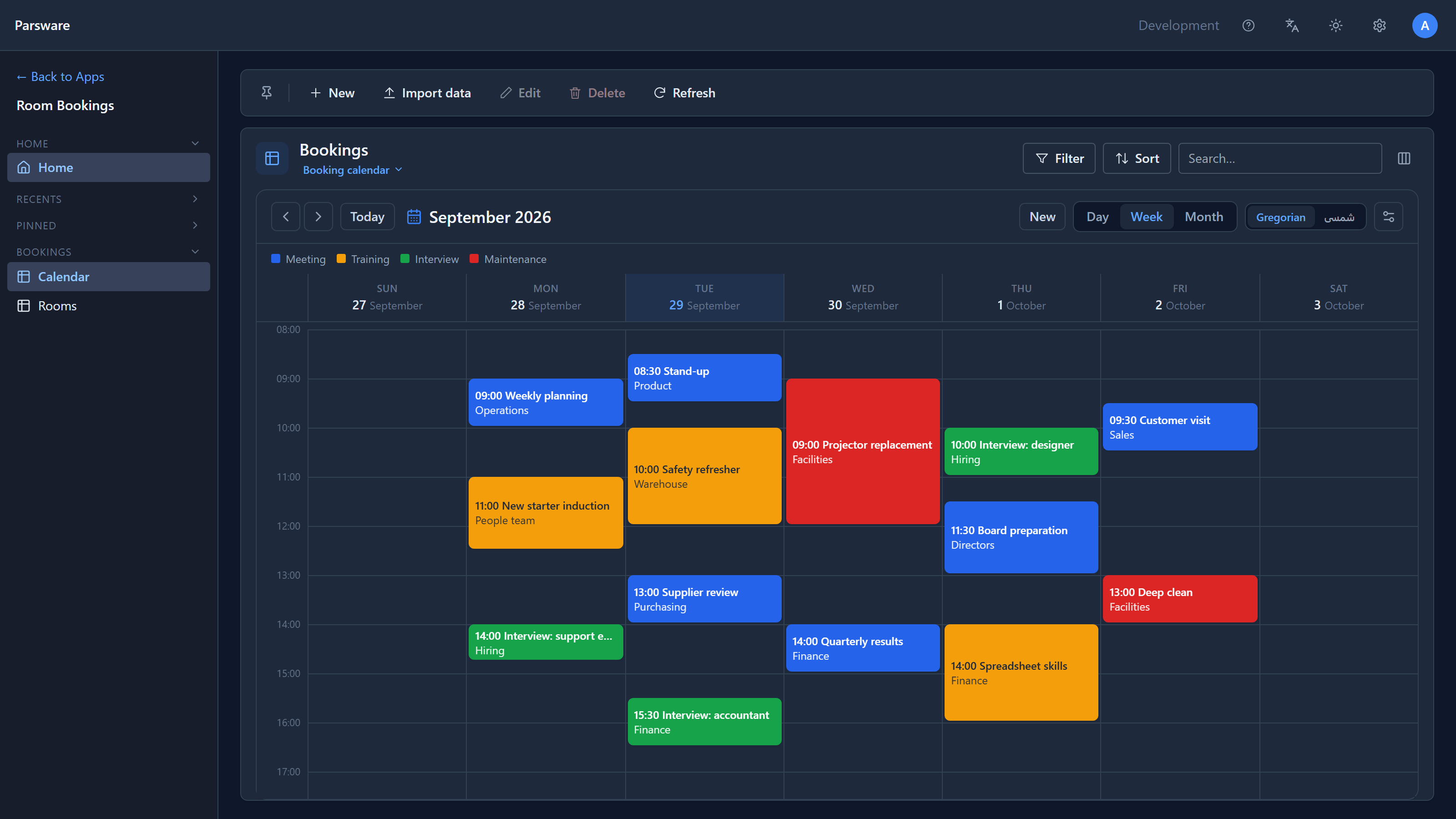
Each block shows its start time and subject, with Booked for underneath. Its colour comes from its Kind, and so does the legend. You set a colour once, on the choice's option, and the calendar, the grid and a chart all use it.
- Click a block to open the booking, the same record page the list opens.
- Use the arrows to move a week at a time, and Today to come back.
- Day, Week, Month change the scale. Records are fetched for each period as you move.
Month shows each day's bookings as chips:
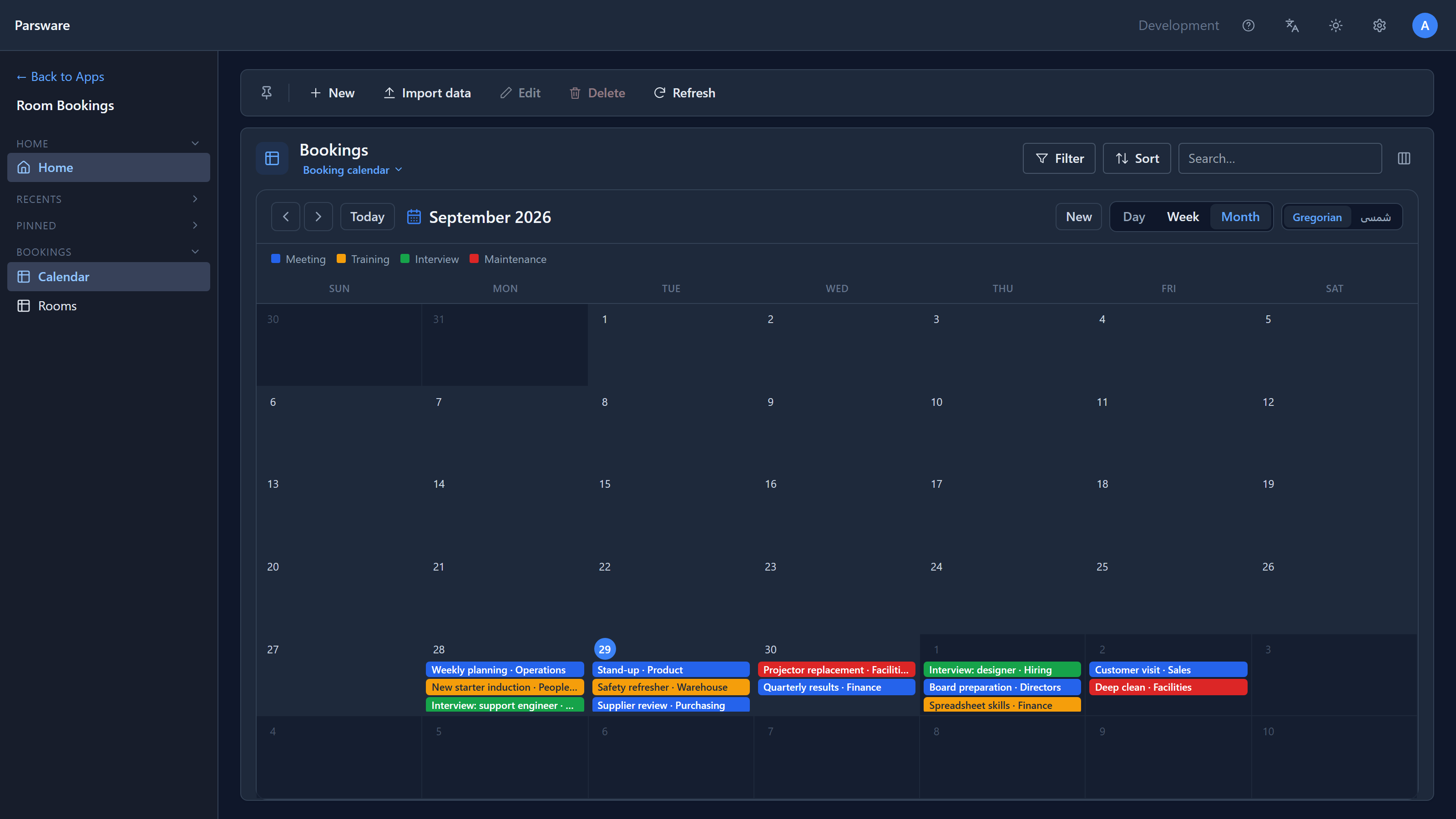
While writing this we found two things wrong in dark mode. The strip above the sheet stayed white while its text turned pale, so the month's name and the Today and New buttons were almost invisible. And on the month sheet, a busy day's chips were squeezed on top of each other. Both are fixed: the sheet now uses the same surface colour as every other card in the product, and a chip keeps its height.
In Persian
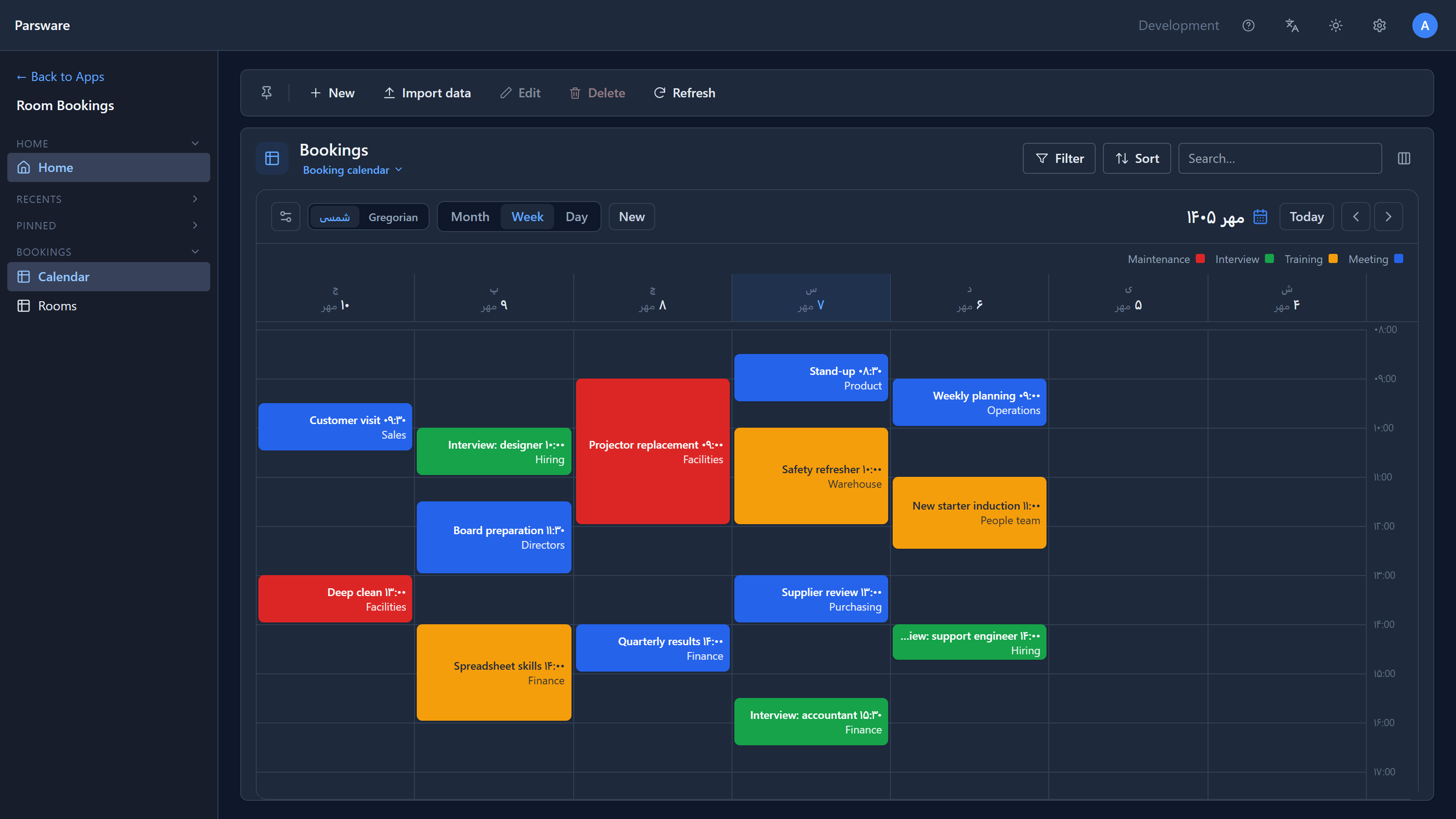
The Gregorian / شمسی switch in the sheet's header changes the calendar, not the language of the app. The same bookings land on the same days, in Jalali months with Saturday-first weeks, and the sheet reads right to left:
Rooms side by side
Choose Rooms side by side in the view switcher under the title and switch to Day. Each room is now a column, with its building underneath, so a free room is a gap you can see:
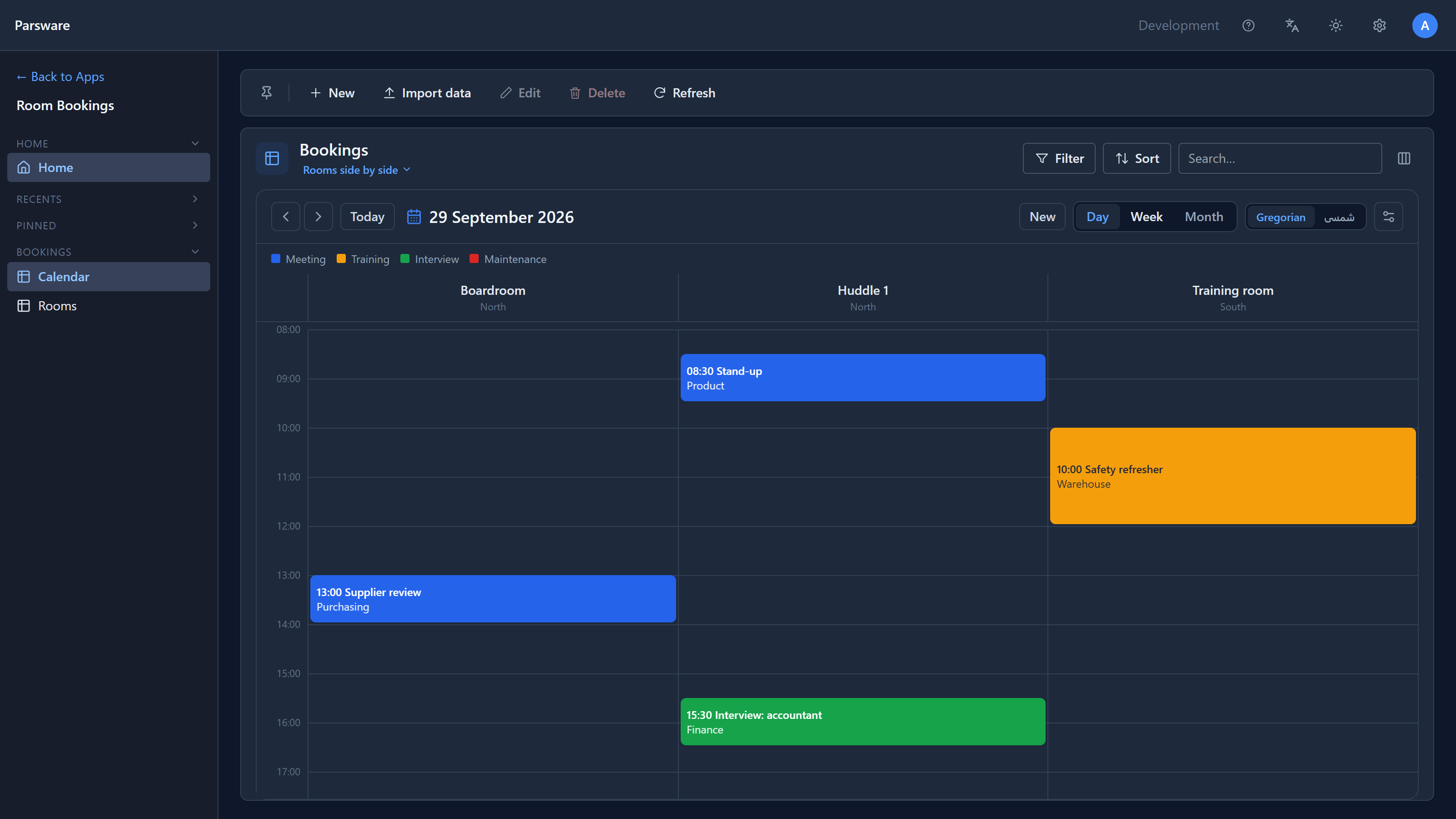
The week and month sheets stay days across, because seven days times a column per room is too many columns to read. On those sheets each block names its room instead.
Book by clicking a slot
Click an empty slot. The ordinary Booking form opens with Starts and Ends already filled in, and on the rooms view the Room too. Here we clicked the Training room column at half past three:
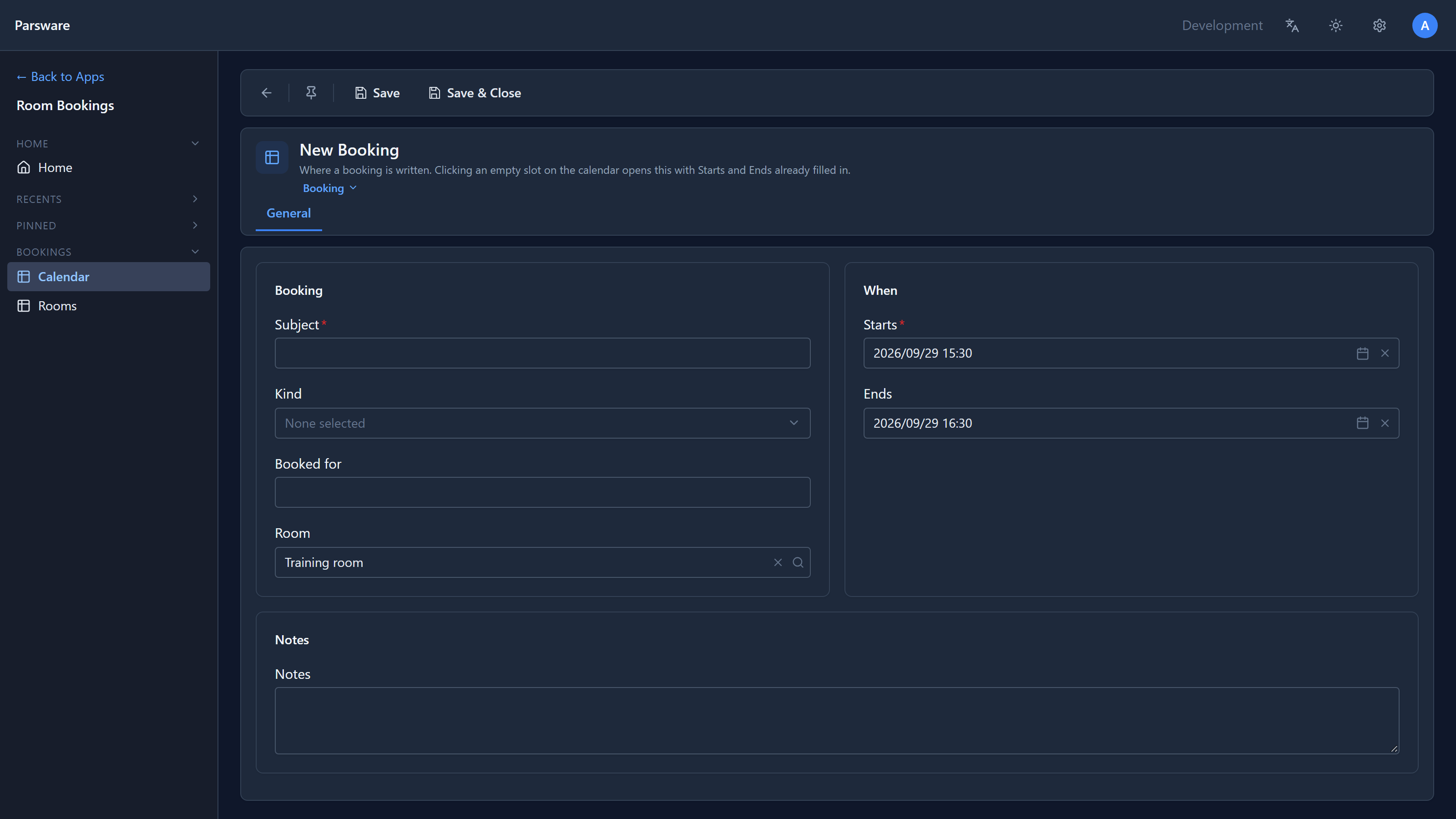
Everything about the form still applies: required fields, business rules, defaults. Give it a subject and a kind, save, and the block appears where you clicked. When there is no free slot to click, New in the sheet's header does the same thing from the next whole hour.
Setting it up in the View Designer
Open Tables → Booking → Views → Booking calendar. In the strip under the title, Layout is set to Calendar, and a Calendar button sits beside Filter. Press it:
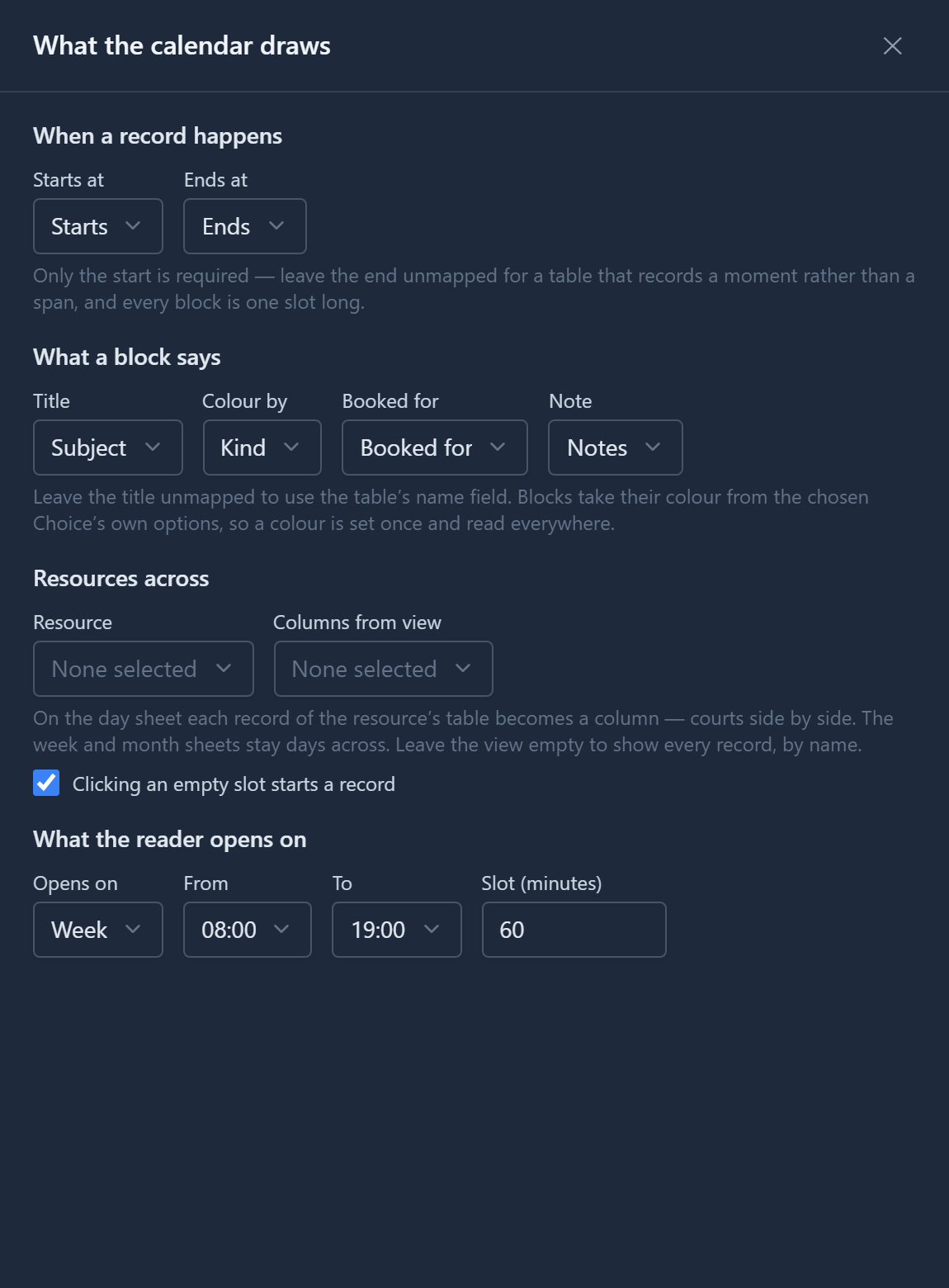
- Starts at is the only thing a calendar needs. It lists the table's date-and-time fields, including Created On, and nothing else.
- Ends at is optional. Leave it empty for a table that records a moment, such as a due date, and every block is one slot long.
- Title, Booked for and Note are the block's lines. Colour by takes a choice, a state or a reason, because that's where colours live.
- Opens on, From and To say where the calendar opens. People can still change the scale and the hours from the sheet.
- Slot is how long a new booking is when someone clicks an empty slot.
The rooms view differs in one place, Resources across:
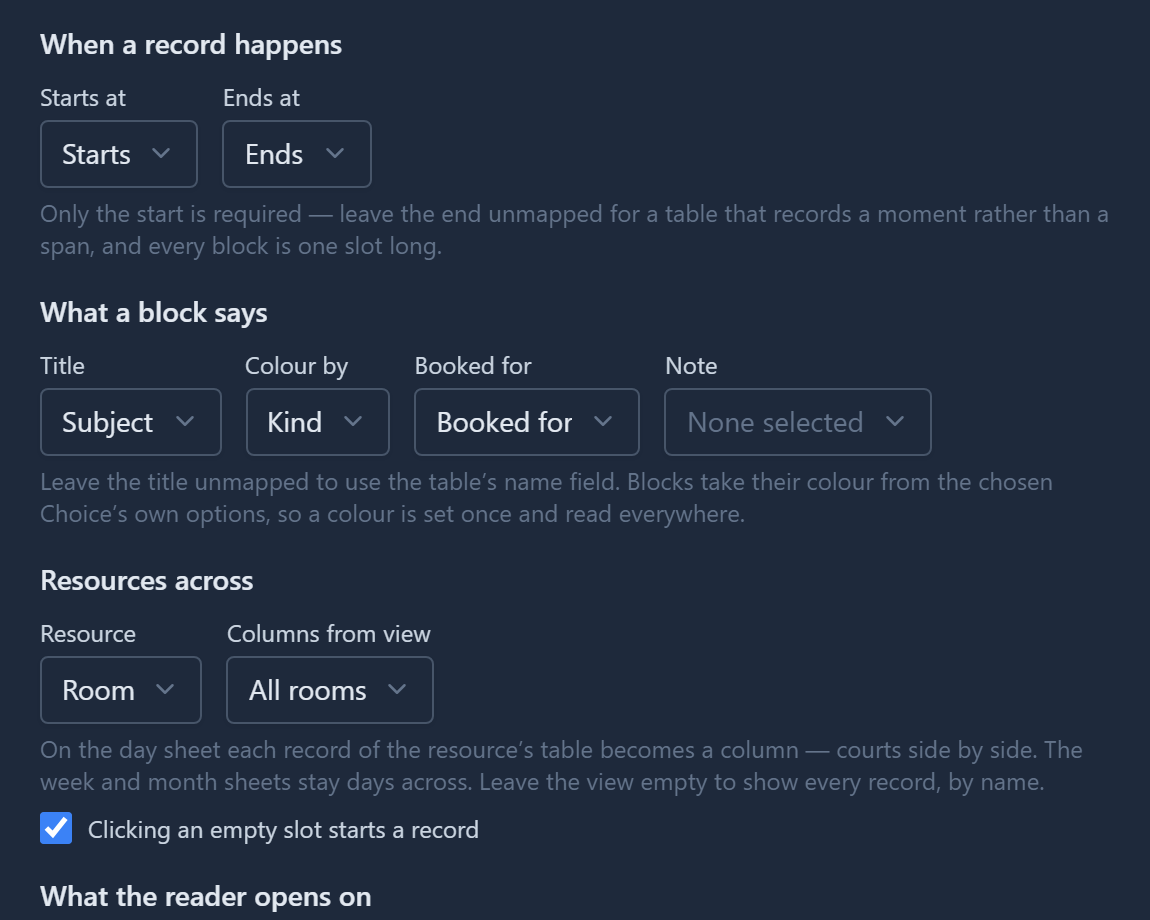
Resource is a lookup on the table, here Room. Columns from view is a view on the rooms table that decides which rooms appear and in what order. Leave it empty for every room, by name. Untick Clicking an empty slot starts a record for a calendar nobody books from, such as a log.
Choosing List as the layout turns the view back into a grid. The same records can be a calendar in one view and a list in another, and the app offers both.
One more thing we found: the sample's list view was called par_booking_all. That's also the name
every table's automatic default view gets, so the import made the list the default, and the app
opened on a grid instead of the calendar. The sample's views are renamed, and the app now opens on
the week.
Next: buttons that do something.